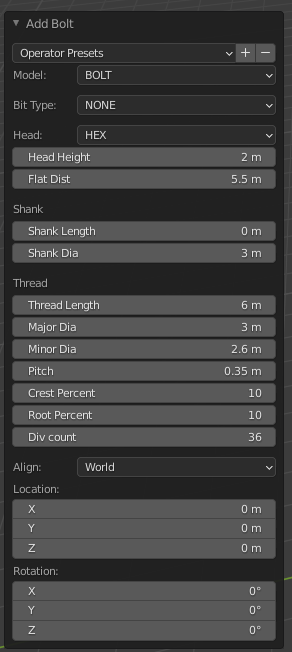
Not with manual way, is there any addon or perfect way that can make a M6 screw? Must be able to fit a 6x12 sign in landscape that will have two holes at the center point 0.30”/7.62 mm from the top and bottom with M6 screws. Any suggestion or help how it works.
$\begingroup$ $\endgroup$


Add a comment |
2 Answers
$\begingroup$ $\endgroup$
2 There's an add-on that's included but not enabled called Bolt Factory that has an M6 preset:
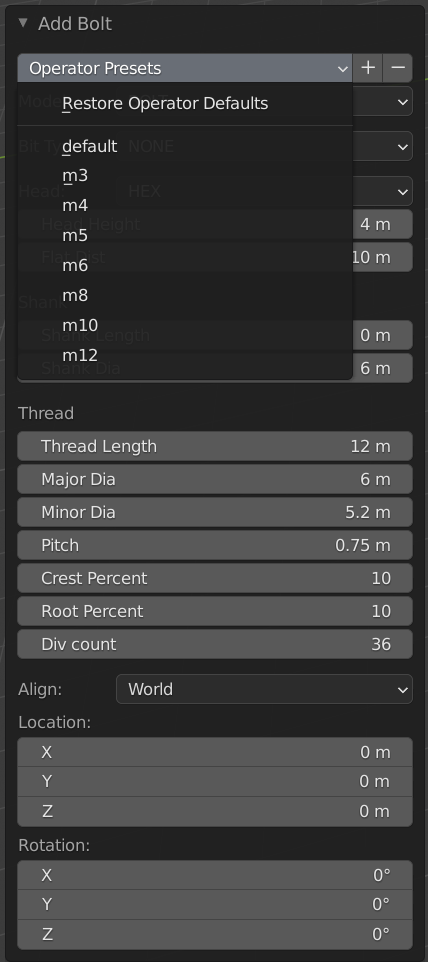
The problem is that its scale is off, but if you scale the screw by 1 / 1000 you'll get the correct scale.


- $\begingroup$ Thanks, what type of M6 it will would be, bit type and head? $\endgroup$atek– atek2021-09-06 18:16:39 +00:00Commented Sep 6, 2021 at 18:16
- $\begingroup$ You can choose. Underneath the dropdown there are other dropdowns for those. $\endgroup$Marty Fouts– Marty Fouts2021-09-06 18:51:23 +00:00Commented Sep 6, 2021 at 18:51
$\begingroup$ $\endgroup$
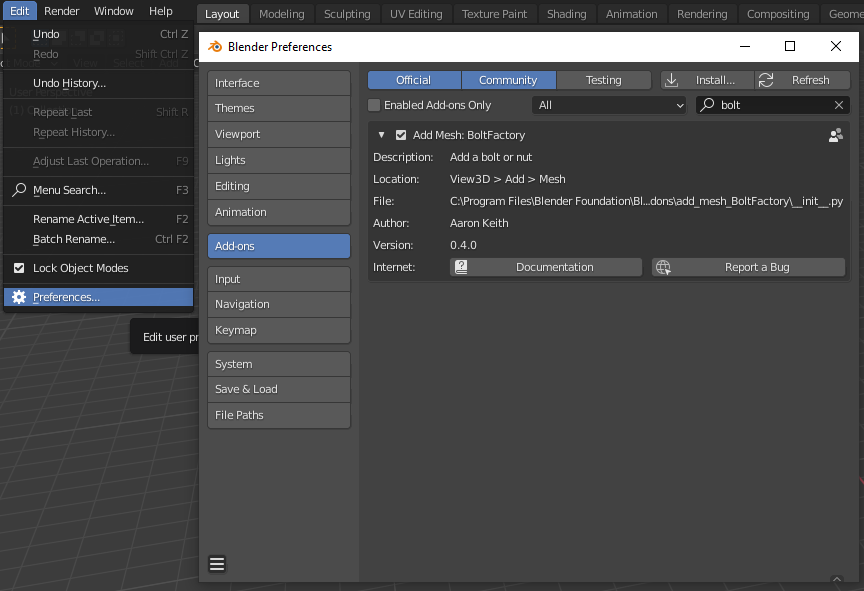
You can try BoltFactory add-on. It's native, you just have to enable it at Edit -> Preferences -> Add-ons -> Add Mesh: BoltFactory:
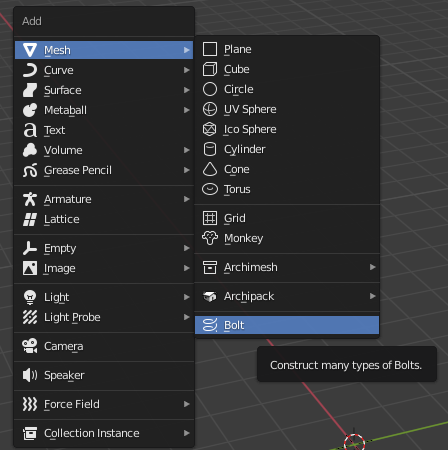
Once enabled, you can go to Add ⇧ Shift + A -> Mesh -> Bolt:
A window will pop on the left where you can customise the settings to create pretty much any kind of Bolt / Screw / Nut you want: