0

We are using SharePoint 2019 on-premise in a test system.

Testing users would like to remember their user name and password when logging-in (there is no option in prompt box to remember). I searched around but found no solution.

Is there anyone know how to do that or any workaround?

1 Answer 1

0

Do you mean that you want to save the password in browser? If so, you could refer to: https://support.microsoft.com/en-us/windows/remember-passwords-and-fill-out-web-forms-for-internet-explorer-11-6883f6ce-0d1c-c2b9-e21e-705976d1c886

Since you are using Microsoft Edge, have you tried Settings > Profiles > Passwords > Turn on Offer to save passwords?

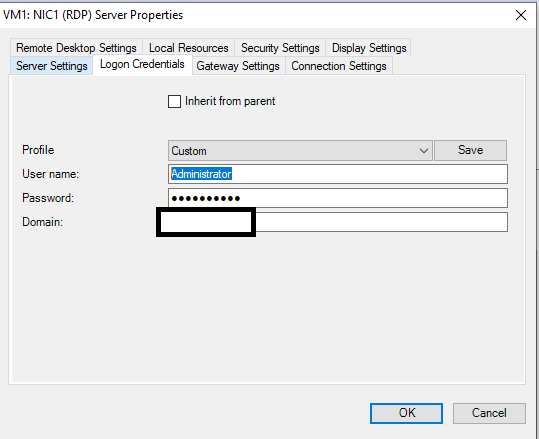
Or you want to save the password in Virtual Machine? You could right click the server, select property and set it here:

enter image description here

2
  • Dear Yi Lu. What I mentioned is when user logging in to Sharepoint web page using MS Edge browser. Commented Jan 22, 2022 at 15:51
  • Hi @mountaineer07, I have updated the answer. Commented Jan 26, 2022 at 9:21

Start asking to get answers

Find the answer to your question by asking.

Ask question

Explore related questions

See similar questions with these tags.