
Would like to know how to change the default URL that was set after configuring SharePoint 2019 on-premise, currently it has the name of the server as the URL.


Add a comment |
1 Answer
- First Obtain a Domain Name.
- Add the Domain Name in the DNS.
- Add IIS Bindings.
- Add a new URL in Central Admin -> System Settings -> Uner Farm Management -> Configure Alternate Access Mappings.
First Add a new URL in the Default Zone and then change the old URL to the new one otherwise 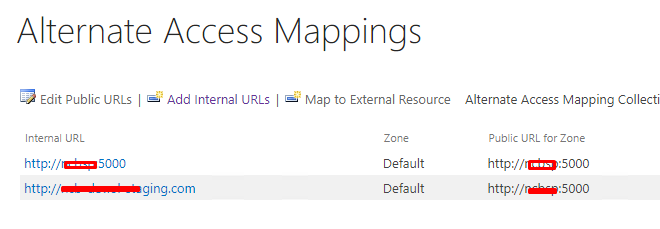 SharePoint will not let you delete the Default URL.
