Session ID: Prepared by: Remember to complete your evaluation for this session within the app! 220 An AWS DMS Replication Journey … from Oracle to Aurora MySQL April 9, 2019 Maris Elsins Lead Database Consultant Pythian @MarisDBA
© 2019 Pythian 2 Maris Elsins Lead Database Consultant At Pythian since 2011 Located in Riga, Latvia Oracle [Apps] DBA since 2005 Speaker at conferences since 2007 @MarisDBA elsins@pythian.com
© 2019 Pythian 3 ABOUT PYTHIAN Pythian’s 400+ IT professionals help companies adopt and manage disruptive technologies to better compete
© 2019 Pythian 5 Photo by Day Donaldson / CC BY 2.0 Can I ask questions during the presentation?
© 2019 Pythian 6 AGENDA 1. Motivation, Landscape and Requirements 2. Ideas and The Solution 3. Replications 4. Cutover 5. Issues we faced
© 2019 Pythian 7 WHAT TO EXPECT My goal is: to show what we did and how we did it to provide some hints on what to look out for My goal is not: to teach you how to use AWS DMS to provide the recipe of success with DMS to dig deep in the technical details
© 2019 Pythian 8 MOTIVATION, LANDSCAPE AND REQUIREMENTS
© 2019 Pythian 9 THE MOTIVATION DB Support contract expiring in 2018 Q3 Cost Optimization Moving towards Cloud Native Future Decision to move away from Oracle DBs and use AWS Aurora MySQL for everything I might be using terms «Aurora» and «MySQL» interchangeably
© 2019 Pythian 10 THE LANDSCAPE The project starts in Q1 6 months till the deadline … and it is a hard deadline
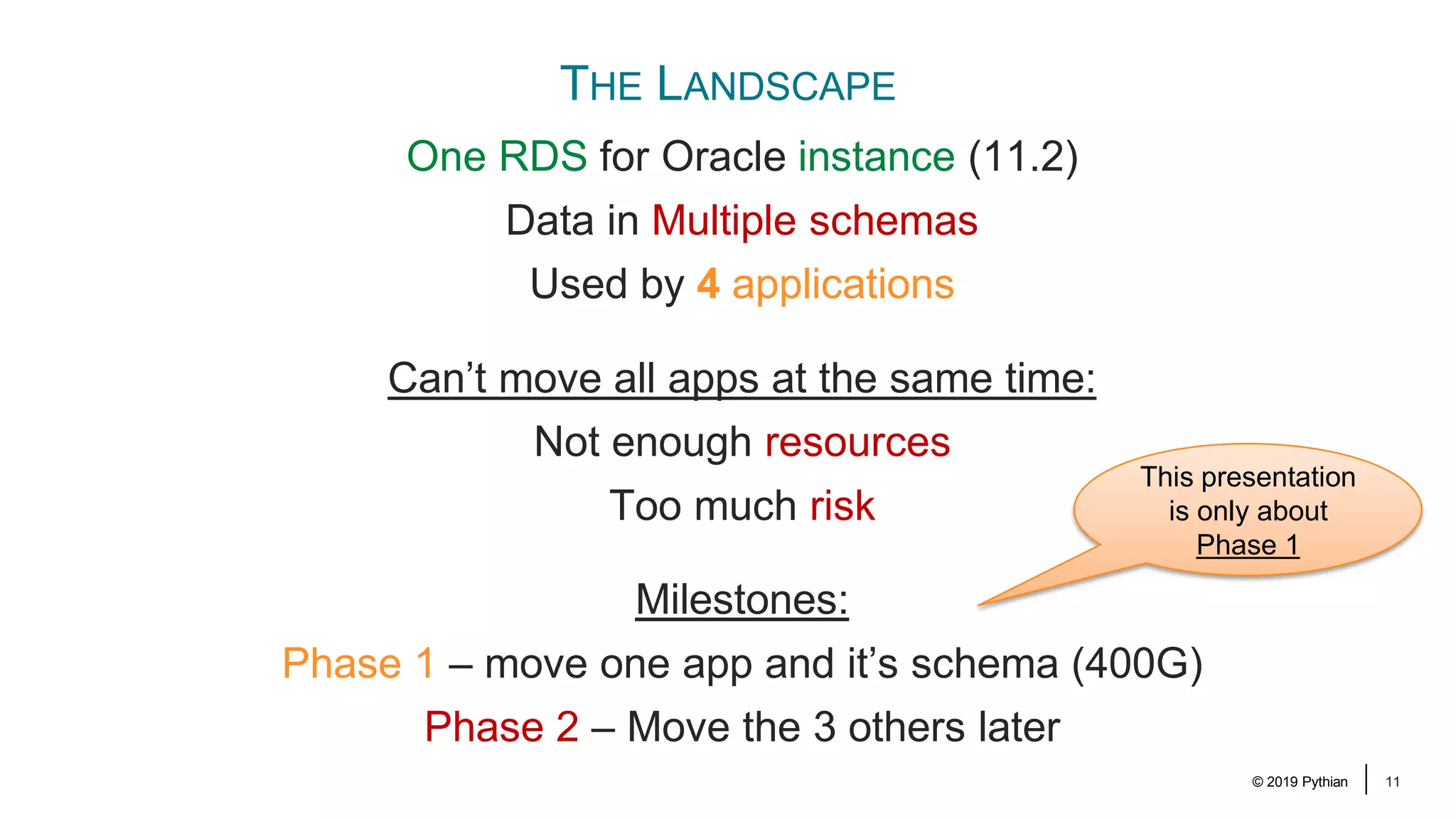
© 2019 Pythian 11 THE LANDSCAPE One RDS for Oracle instance (11.2) Data in Multiple schemas Used by 4 applications Can’t move all apps at the same time: Not enough resources Too much risk Milestones: Phase 1 – move one app and it’s schema (400G) Phase 2 – Move the 3 others later This presentation is only about Phase 1
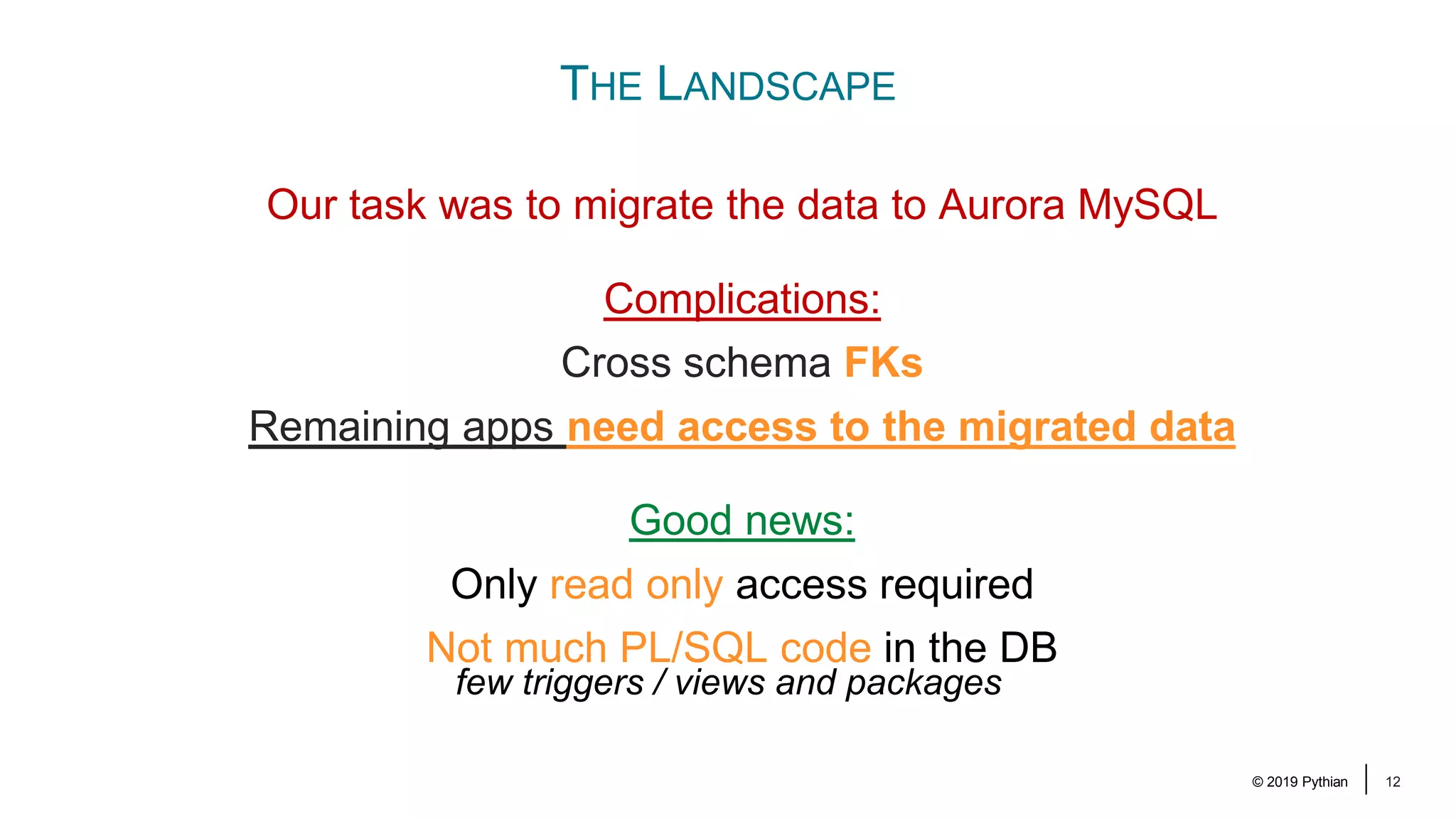
© 2019 Pythian 12 THE LANDSCAPE Our task was to migrate the data to Aurora MySQL Complications: Cross schema FKs Remaining apps need access to the migrated data Good news: Only read only access required Not much PL/SQL code in the DB few triggers / views and packages
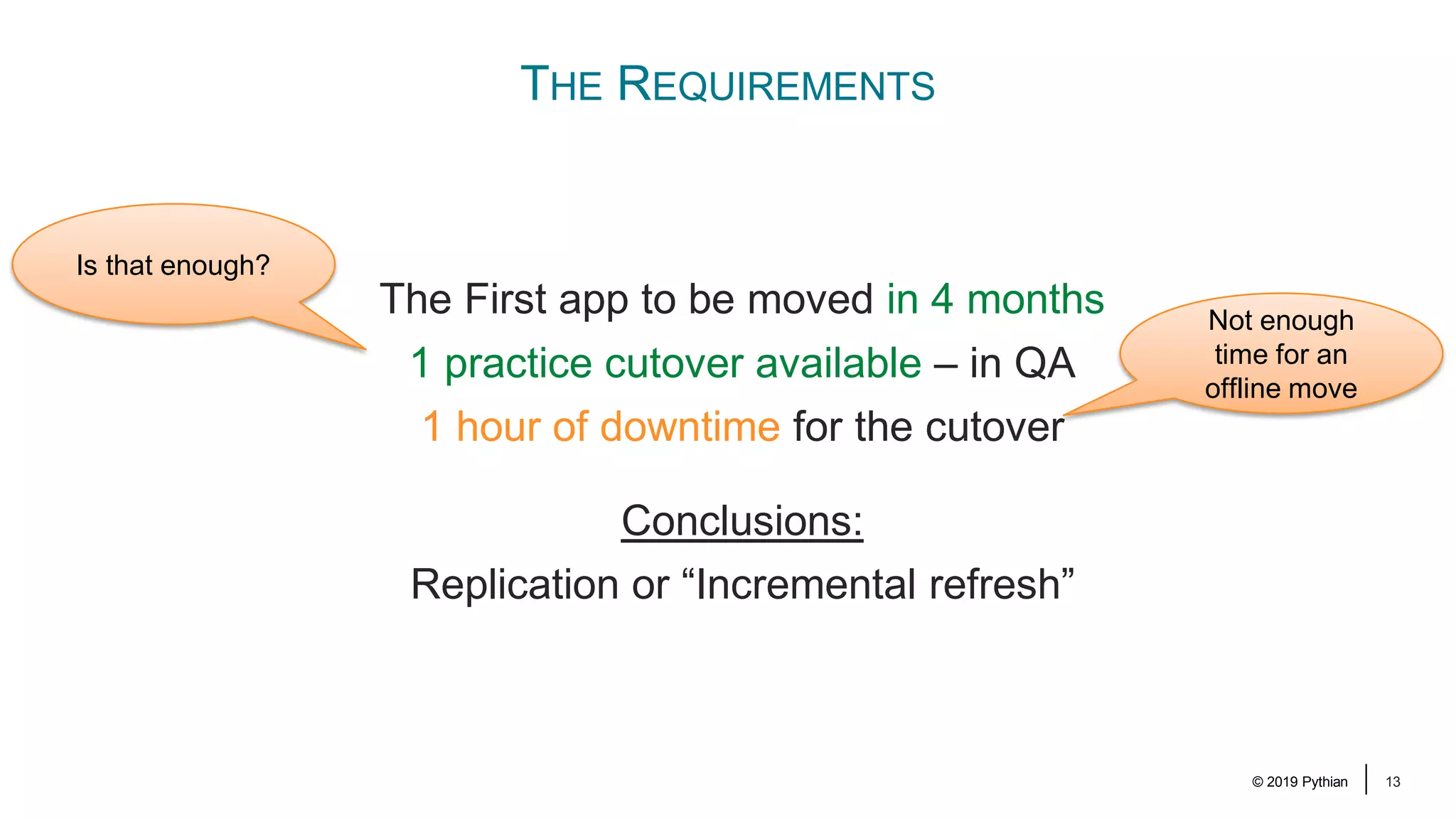
© 2019 Pythian 13 THE REQUIREMENTS The First app to be moved in 4 months 1 practice cutover available – in QA 1 hour of downtime for the cutover Conclusions: Replication or “Incremental refresh” Not enough time for an offline move Is that enough?
© 2019 Pythian 14 THE IDEAS AND THE SOLUTION
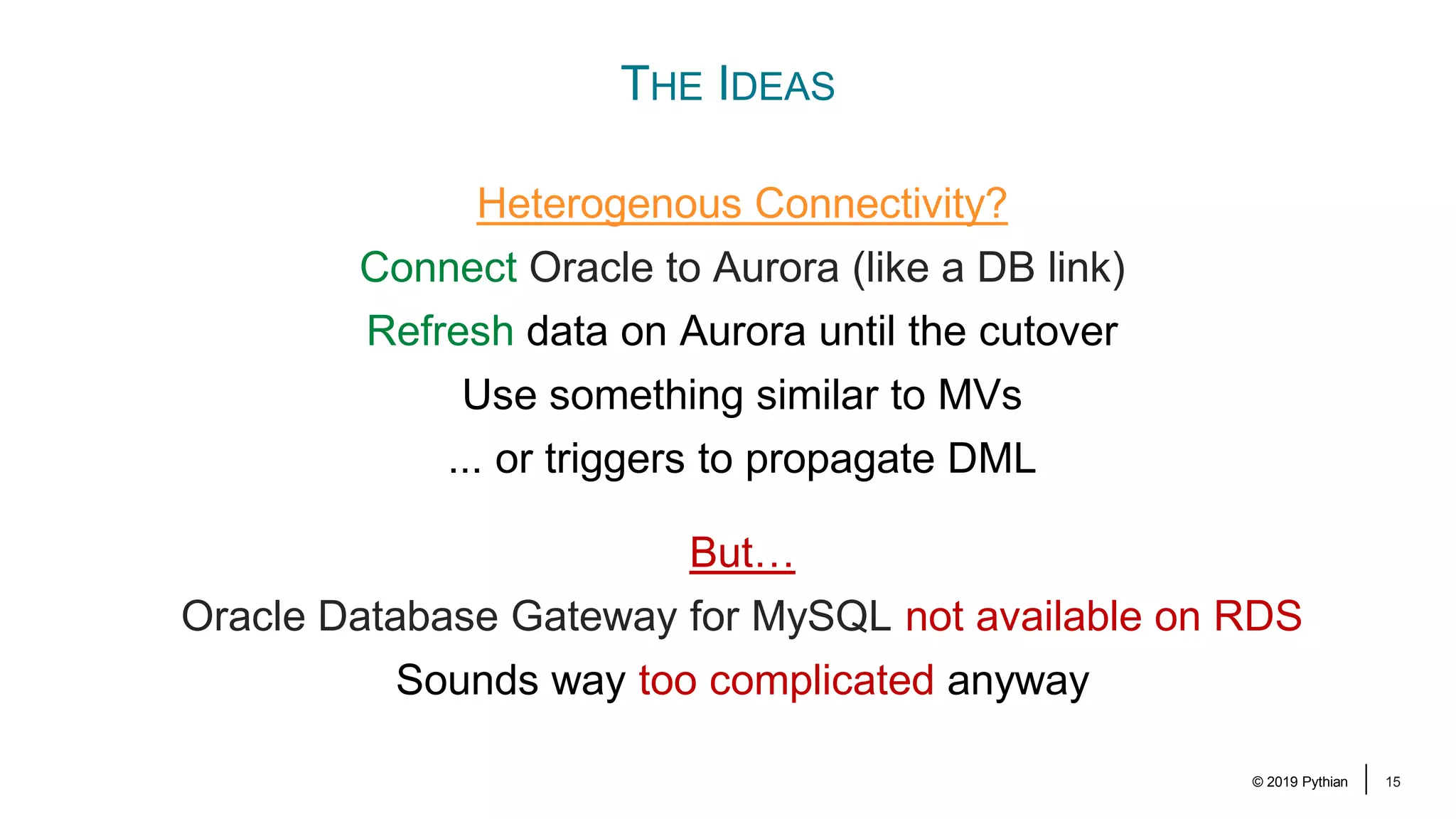
© 2019 Pythian 15 THE IDEAS Heterogenous Connectivity? Connect Oracle to Aurora (like a DB link) Refresh data on Aurora until the cutover Use something similar to MVs ... or triggers to propagate DML But… Oracle Database Gateway for MySQL not available on RDS Sounds way too complicated anyway
© 2019 Pythian 16 THE IDEAS Replication? Replication is the way to limit the cutover time Options: Oracle Golden Gate was NOT considered AWS Database Migration Service (DMS)
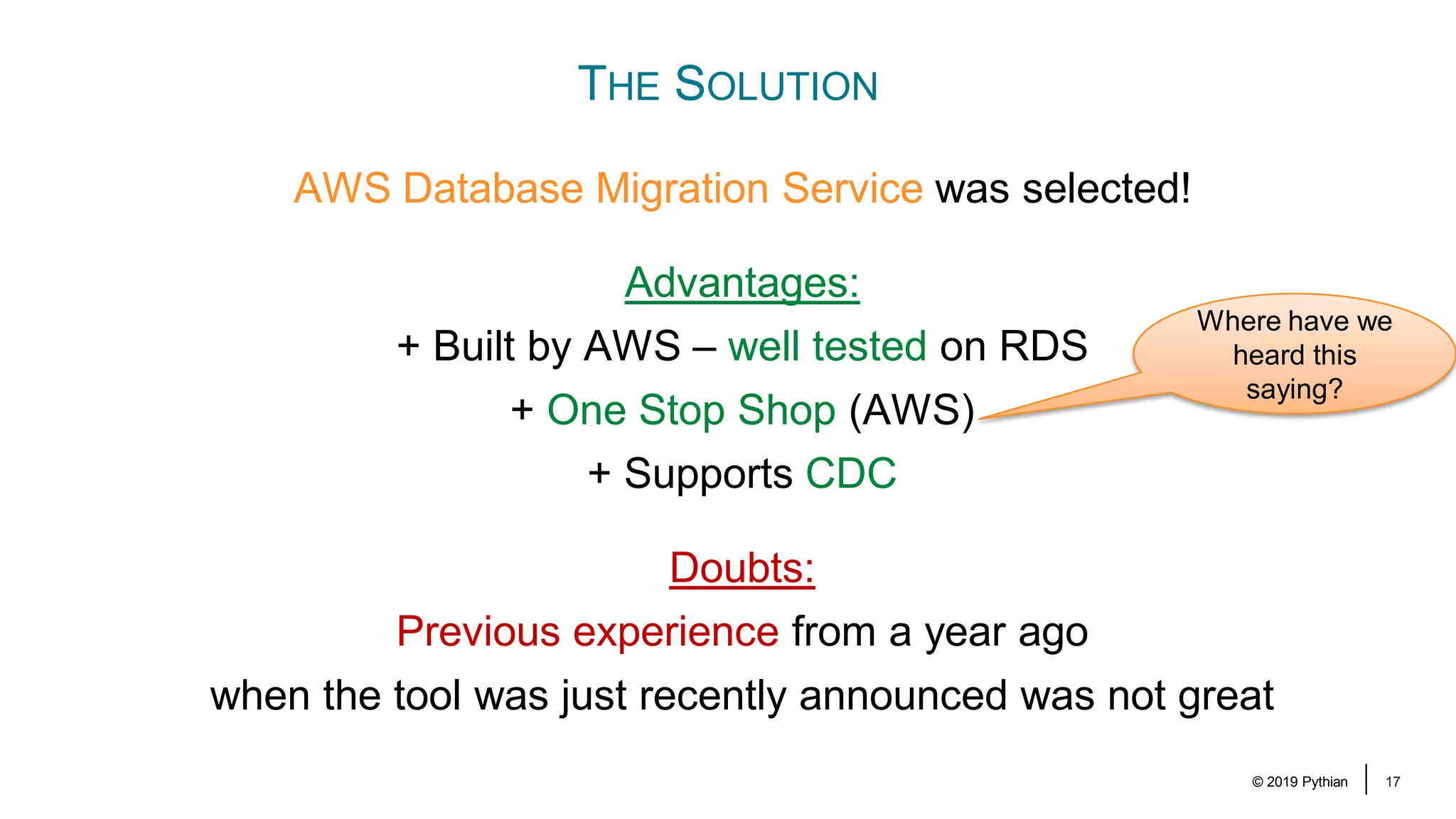
© 2019 Pythian 17 THE SOLUTION AWS Database Migration Service was selected! Advantages: + Built by AWS – well tested on RDS + One Stop Shop (AWS) + Supports CDC Doubts: Previous experience from a year ago when the tool was just recently announced was not great Where have we heard this saying?
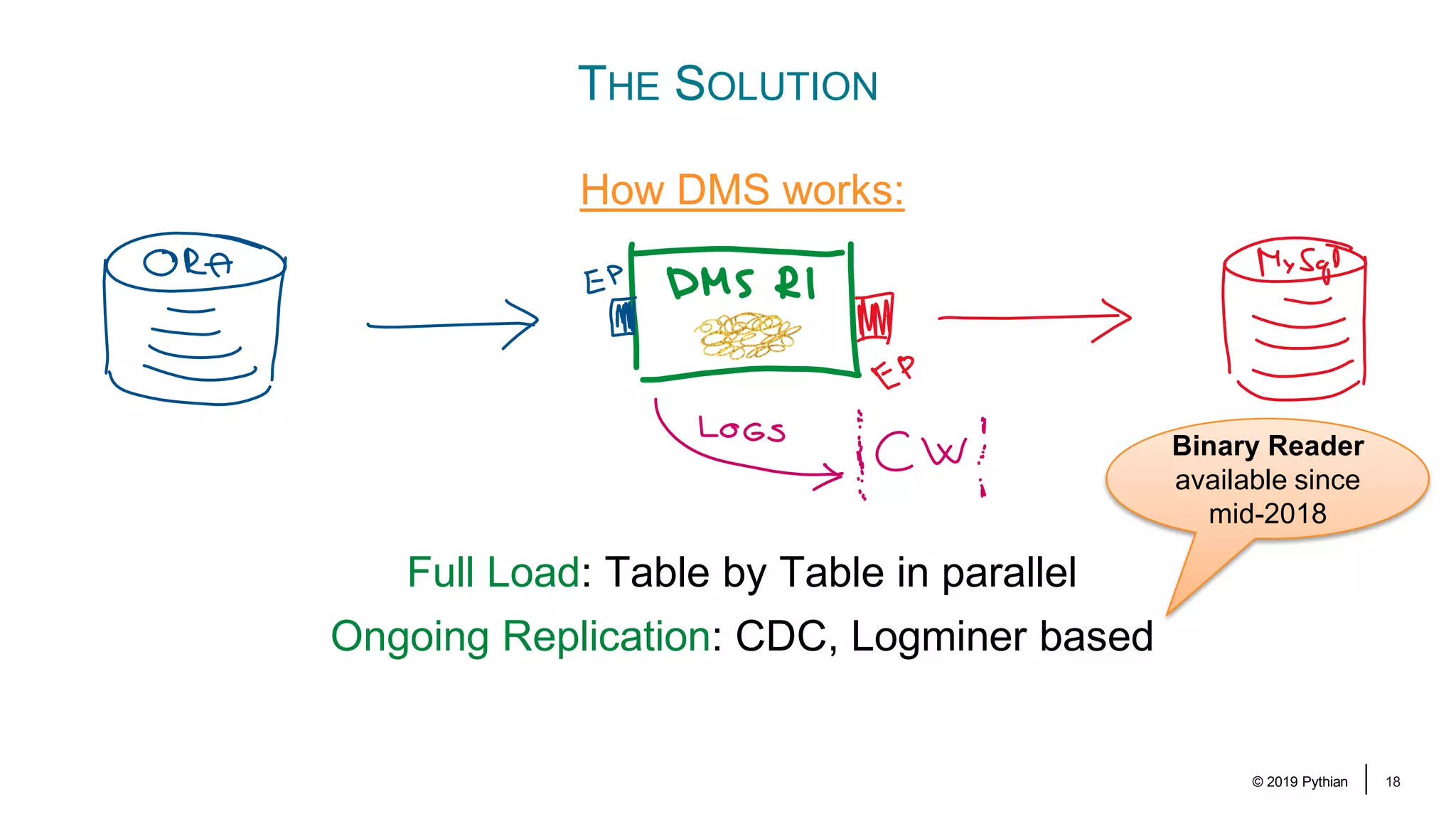
© 2019 Pythian 18 How DMS works: Full Load: Table by Table in parallel Ongoing Replication: CDC, Logminer based THE SOLUTION Binary Reader available since mid-2018
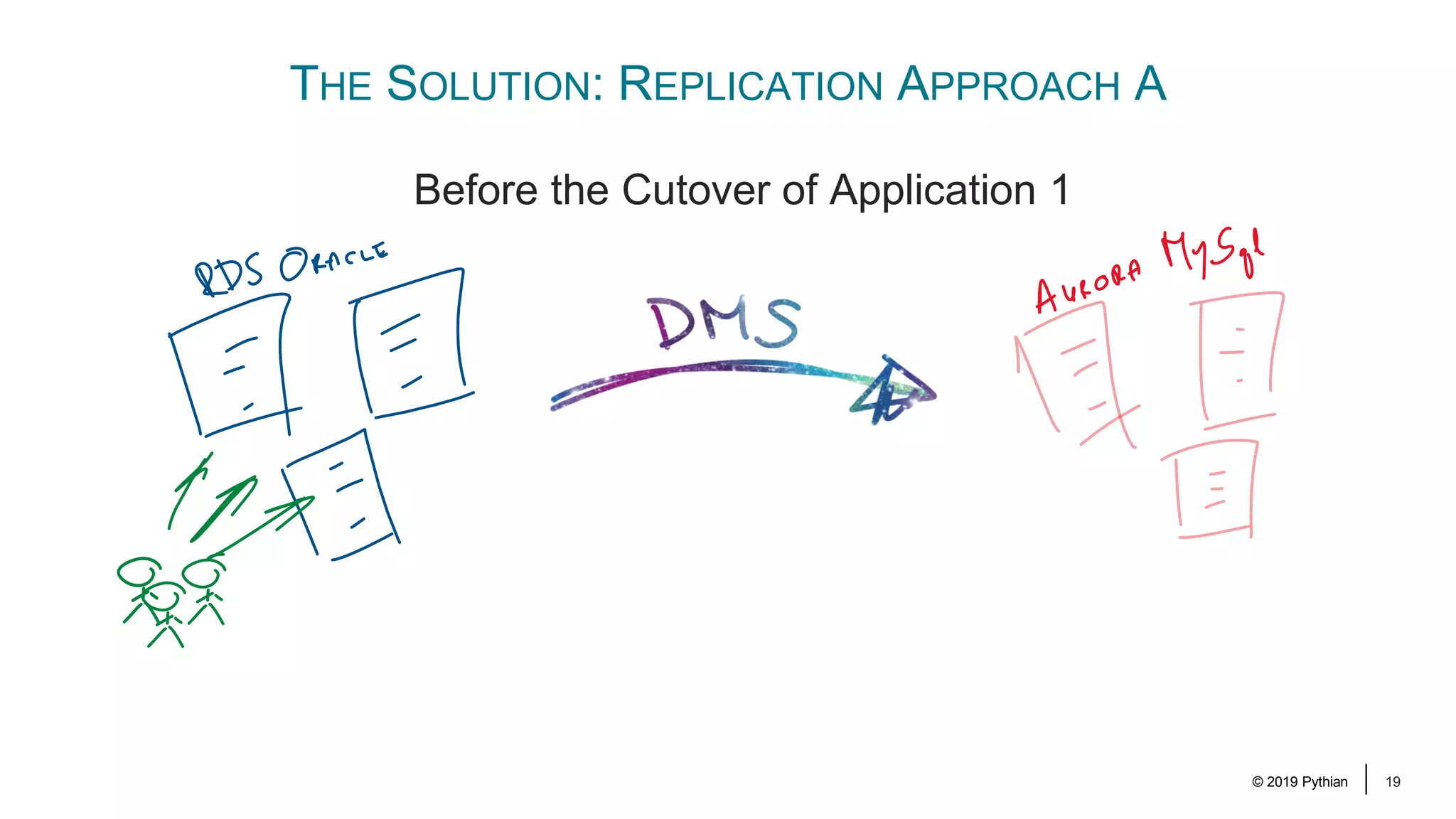
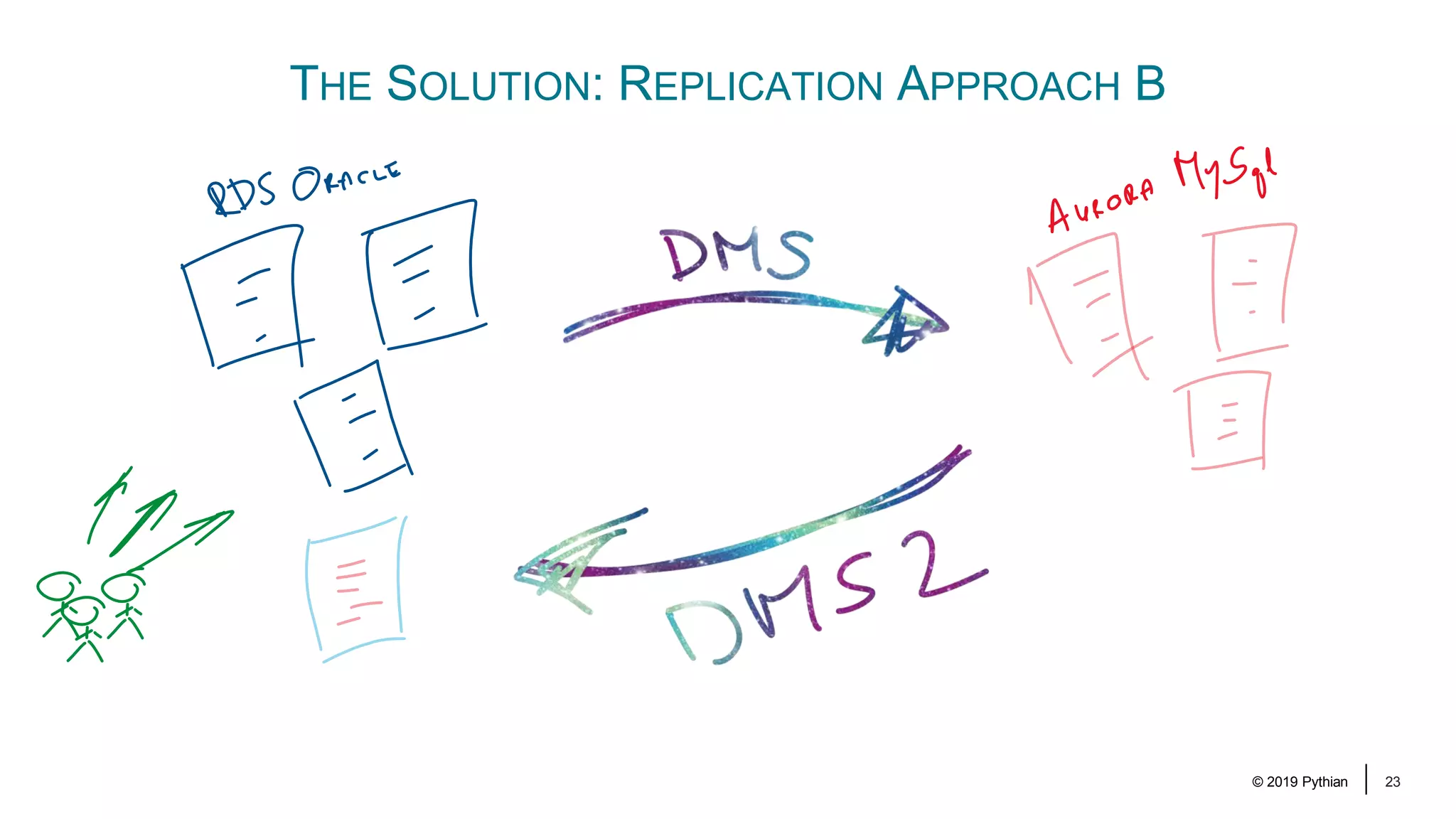
© 2019 Pythian 19 THE SOLUTION: REPLICATION APPROACH A Before the Cutover of Application 1
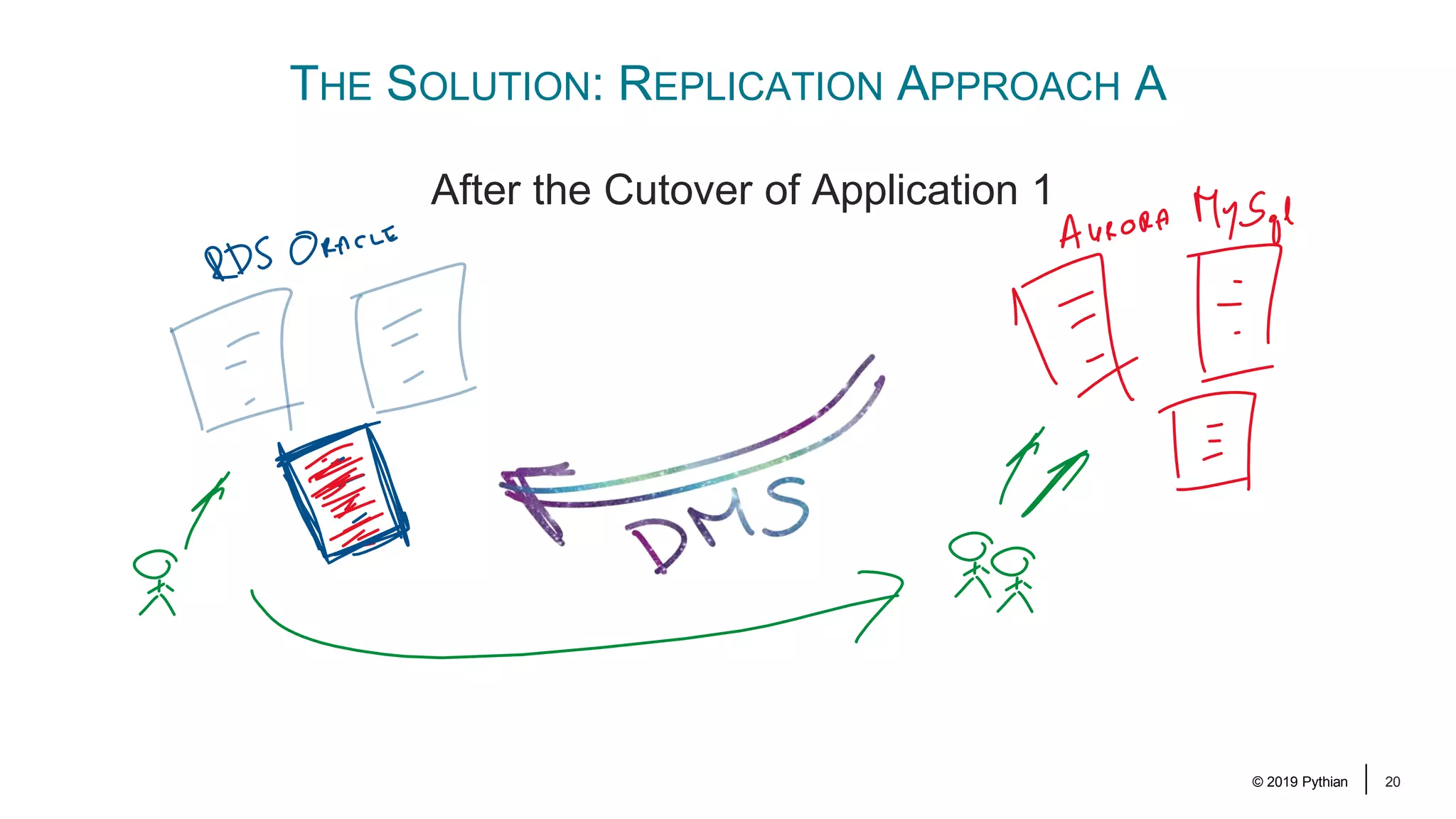
© 2019 Pythian 20 THE SOLUTION: REPLICATION APPROACH A After the Cutover of Application 1
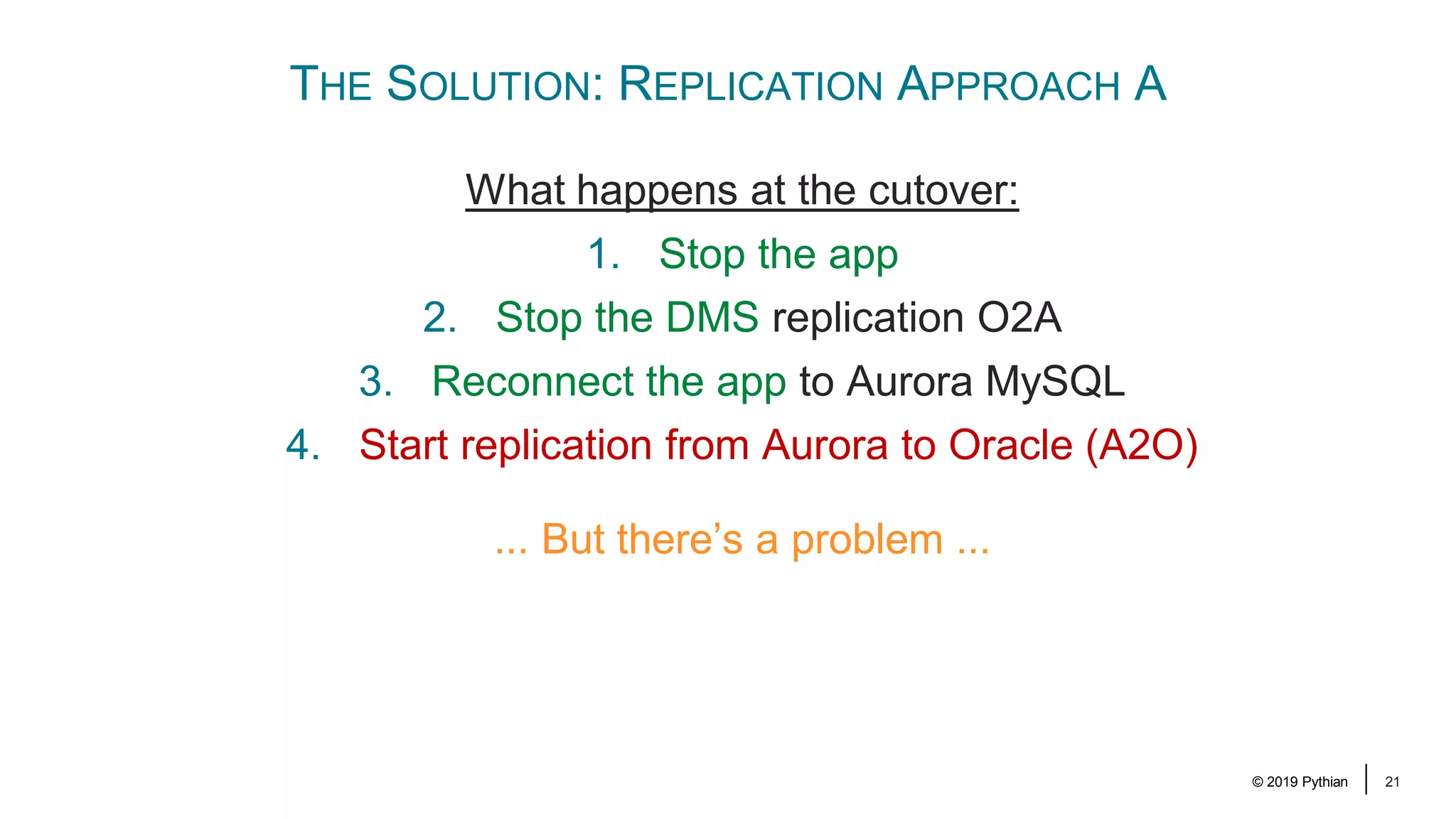
© 2019 Pythian 21 THE SOLUTION: REPLICATION APPROACH A What happens at the cutover: 1. Stop the app 2. Stop the DMS replication O2A 3. Reconnect the app to Aurora MySQL 4. Start replication from Aurora to Oracle (A2O) ... But there’s a problem ...
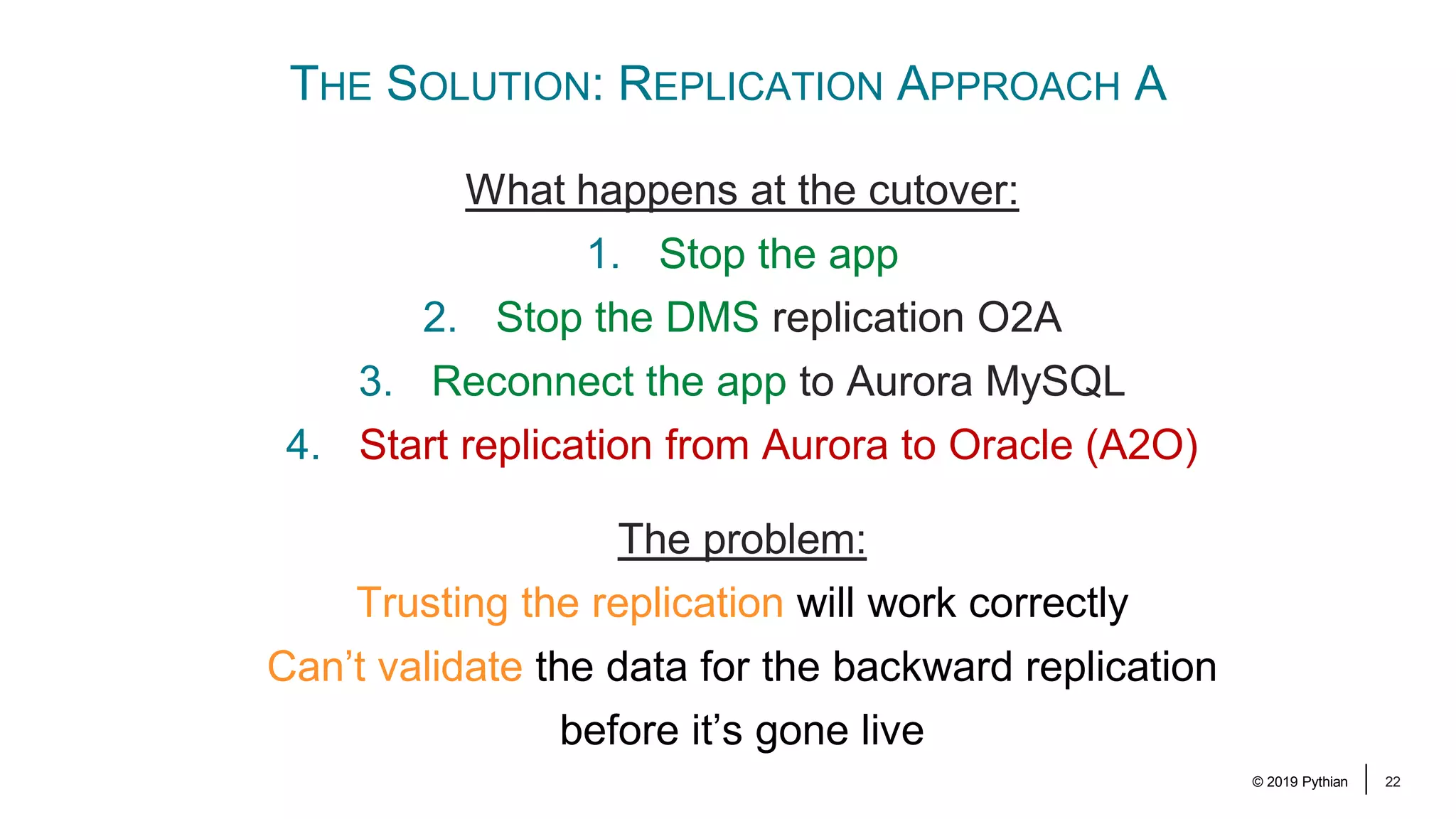
© 2019 Pythian 22 THE SOLUTION: REPLICATION APPROACH A What happens at the cutover: 1. Stop the app 2. Stop the DMS replication O2A 3. Reconnect the app to Aurora MySQL 4. Start replication from Aurora to Oracle (A2O) The problem: Trusting the replication will work correctly Can’t validate the data for the backward replication before it’s gone live
© 2019 Pythian 23 THE SOLUTION: REPLICATION APPROACH B
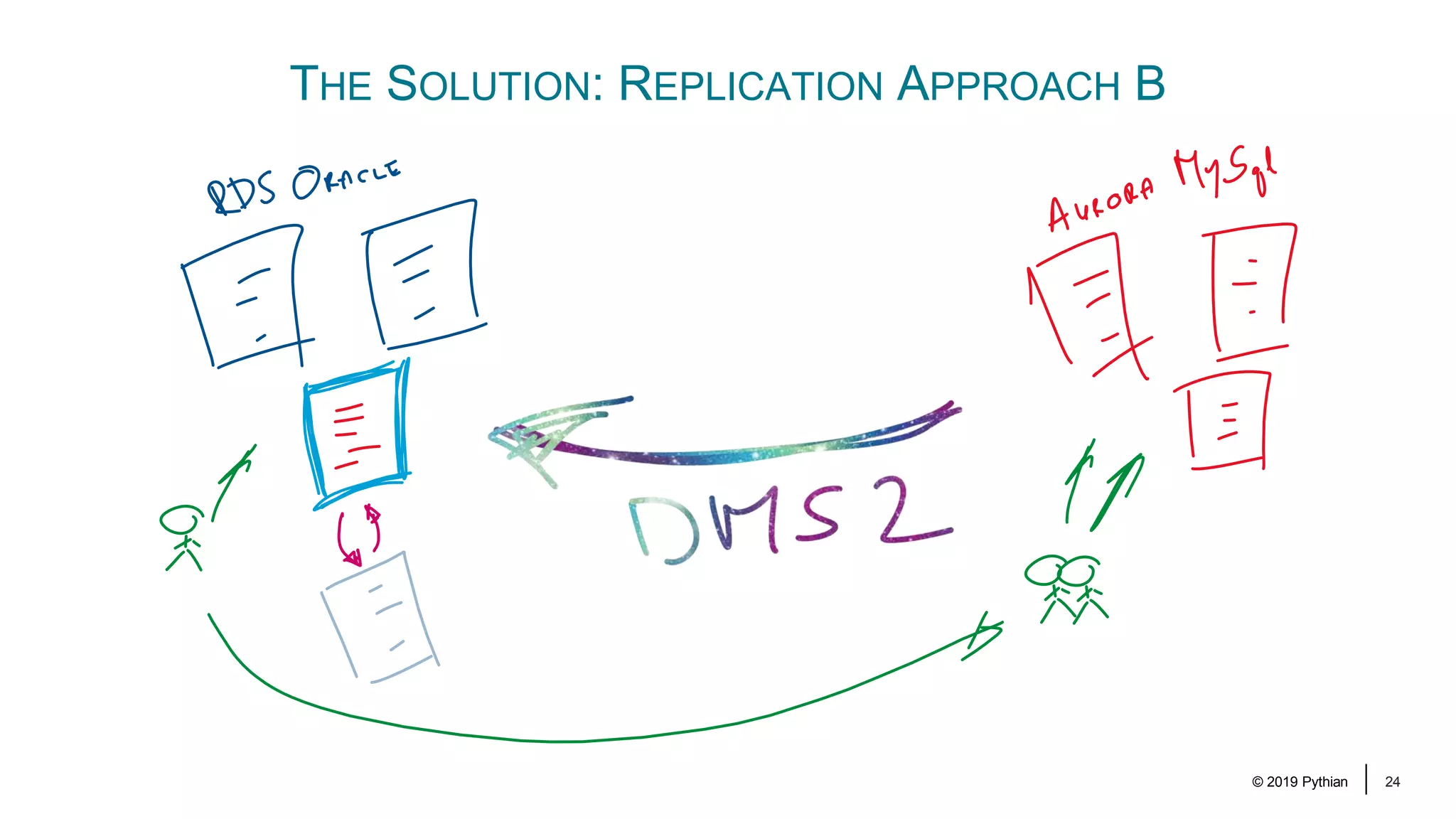
© 2019 Pythian 24 THE SOLUTION: REPLICATION APPROACH B
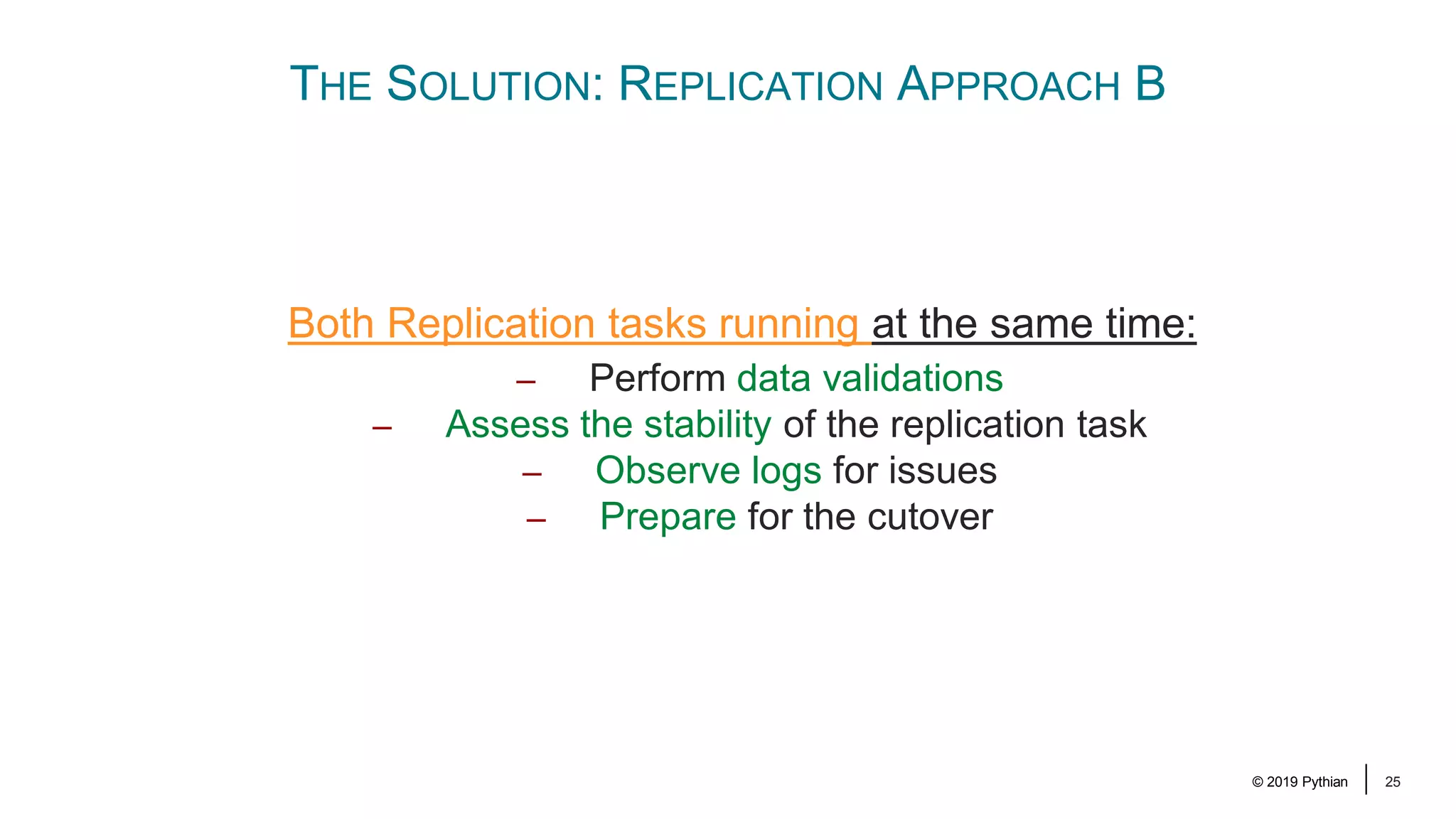
© 2019 Pythian 25 THE SOLUTION: REPLICATION APPROACH B Both Replication tasks running at the same time: – Perform data validations – Assess the stability of the replication task – Observe logs for issues – Prepare for the cutover
© 2019 Pythian 26 THE REPLICATION
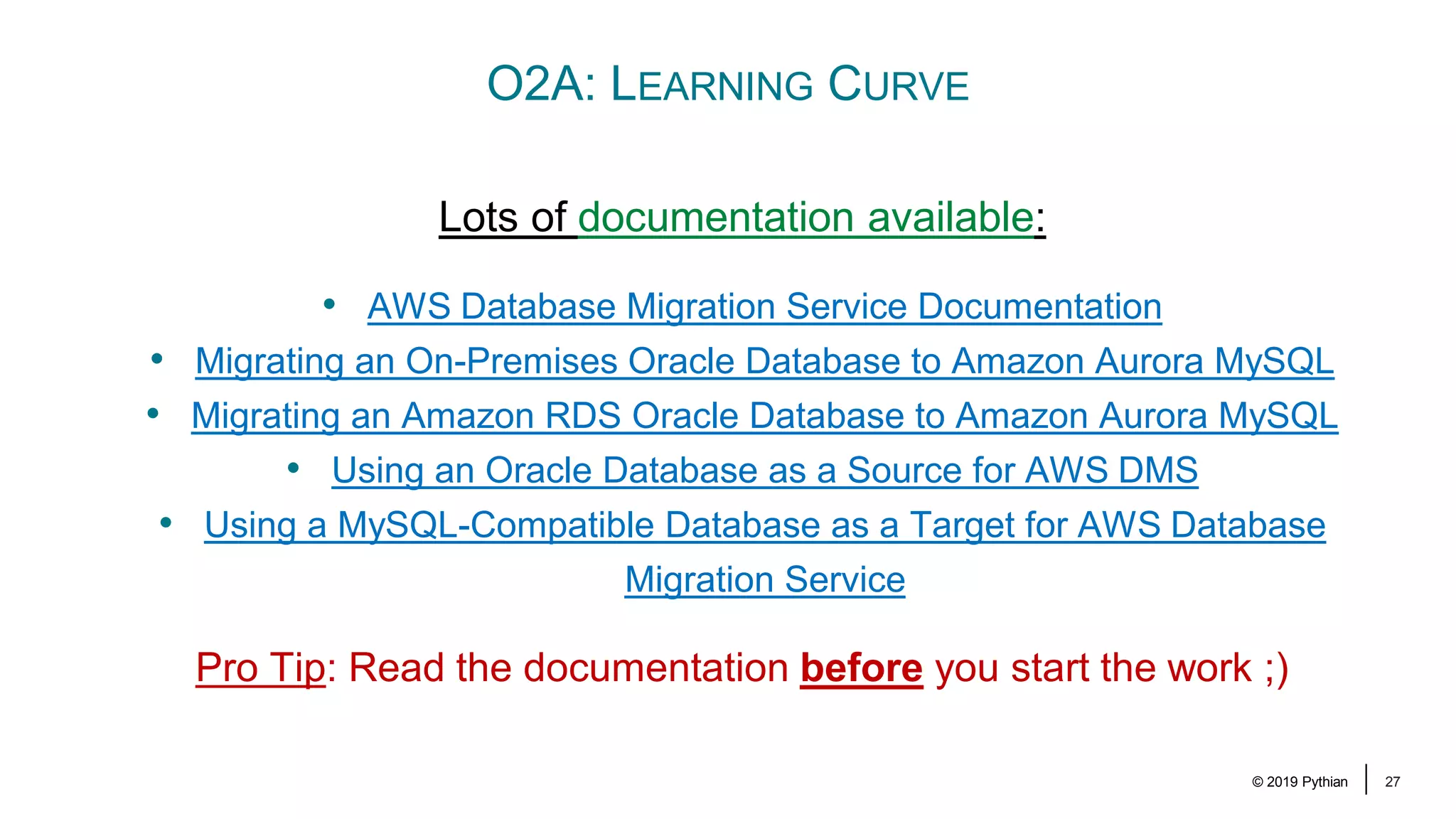
© 2019 Pythian 27 O2A: LEARNING CURVE Lots of documentation available: • AWS Database Migration Service Documentation • Migrating an On-Premises Oracle Database to Amazon Aurora MySQL • Migrating an Amazon RDS Oracle Database to Amazon Aurora MySQL • Using an Oracle Database as a Source for AWS DMS • Using a MySQL-Compatible Database as a Target for AWS Database Migration Service Pro Tip: Read the documentation before you start the work ;)
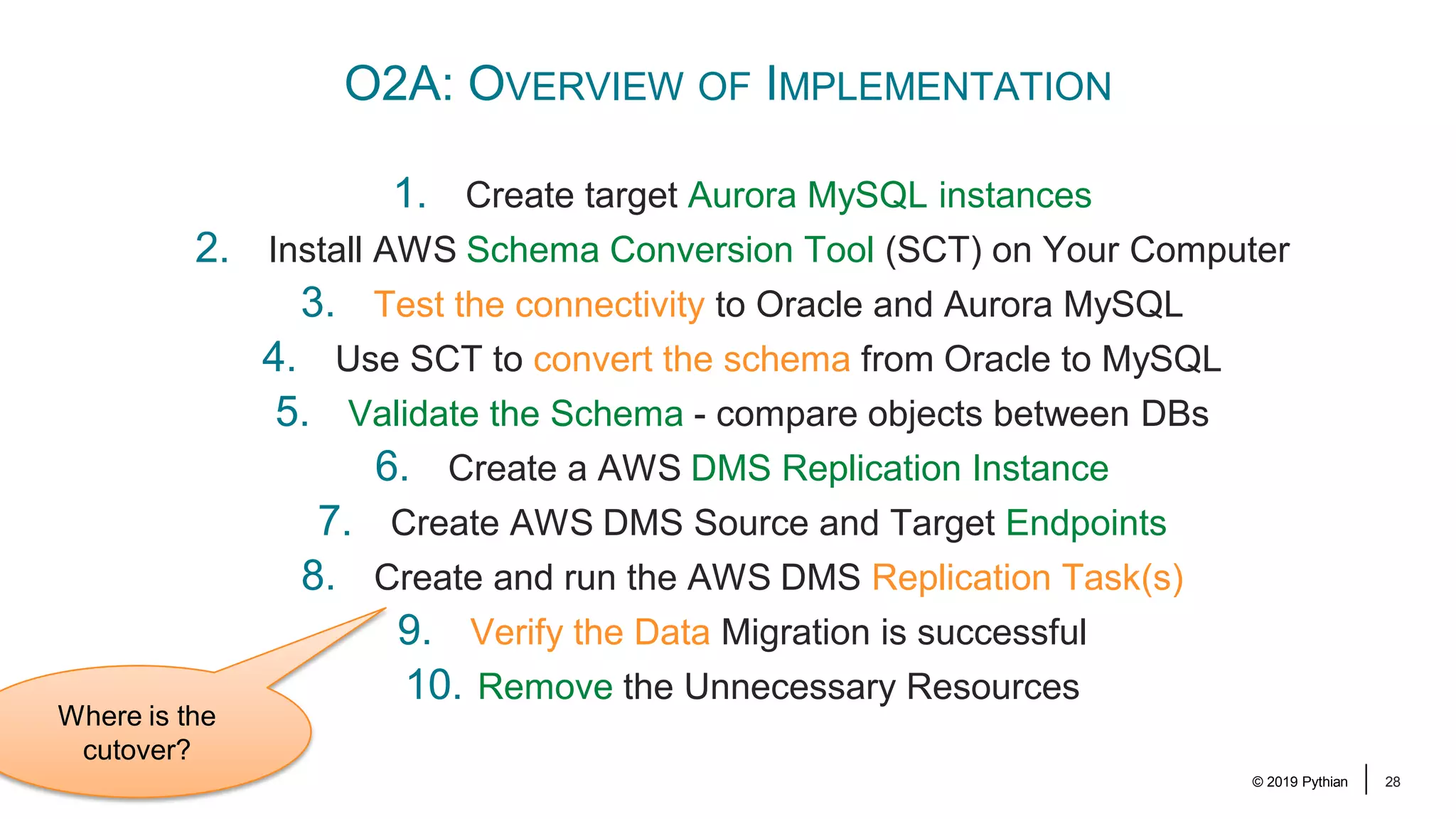
© 2019 Pythian 28 O2A: OVERVIEW OF IMPLEMENTATION 1. Create target Aurora MySQL instances 2. Install AWS Schema Conversion Tool (SCT) on Your Computer 3. Test the connectivity to Oracle and Aurora MySQL 4. Use SCT to convert the schema from Oracle to MySQL 5. Validate the Schema - compare objects between DBs 6. Create a AWS DMS Replication Instance 7. Create AWS DMS Source and Target Endpoints 8. Create and run the AWS DMS Replication Task(s) 9. Verify the Data Migration is successful 10. Remove the Unnecessary Resources Where is the cutover?
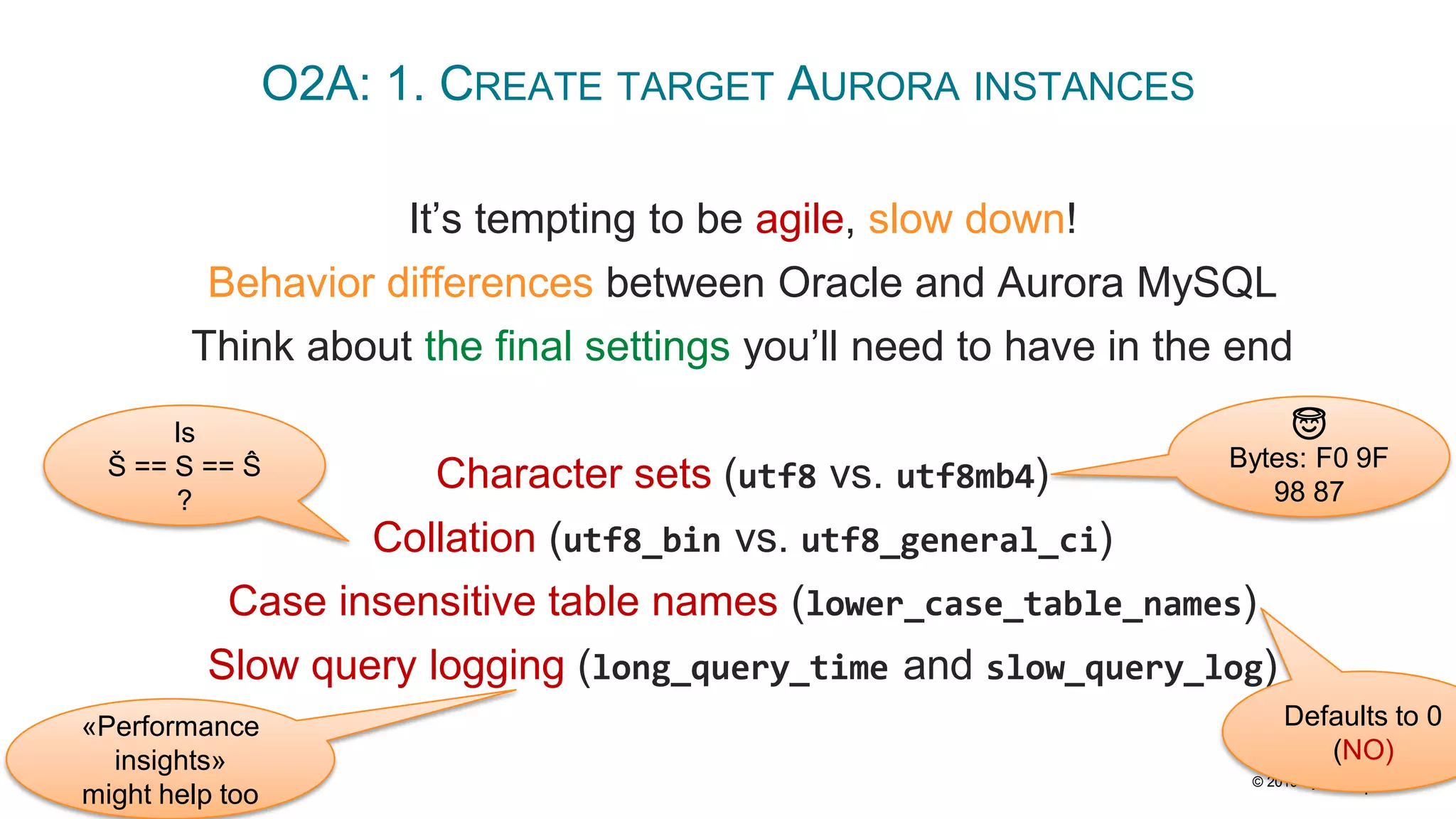
© 2019 Pythian 29 O2A: 1. CREATE TARGET AURORA INSTANCES It’s tempting to be agile, slow down! Behavior differences between Oracle and Aurora MySQL Think about the final settings you’ll need to have in the end Character sets (utf8 vs. utf8mb4) Collation (utf8_bin vs. utf8_general_ci) Case insensitive table names (lower_case_table_names) Slow query logging (long_query_time and slow_query_log) 😇 Bytes: F0 9F 98 87 Is Š == S == Ŝ ? Defaults to 0 (NO) «Performance insights» might help too
© 2019 Pythian 30 O2A: 2. INSTALL AWS SCHEMA CONVERSION TOOL (SCT) ON YOUR COMPUTER Supported on Windows, Mac OS X, Ubuntu and Fedora Install required Database Drivers: – Oracle Database 12.1.0.1 JDBC Driver – JDBC Driver for MySQL (Connector/J) There’s nothing really exciting about this part of work ☺
© 2019 Pythian 31 O2A: 3. TEST THE CONNECTIVITY TO ORACLE AND AURORA MYSQL Connectivty setup depends on your «landscape». Controlled VDI in our case ... with only ssh access ... to an EC2 bastion host (a jumpbox) ... that had access to the DBs! Few ssh-tunnels later I was connected to both DBs from the SCT.
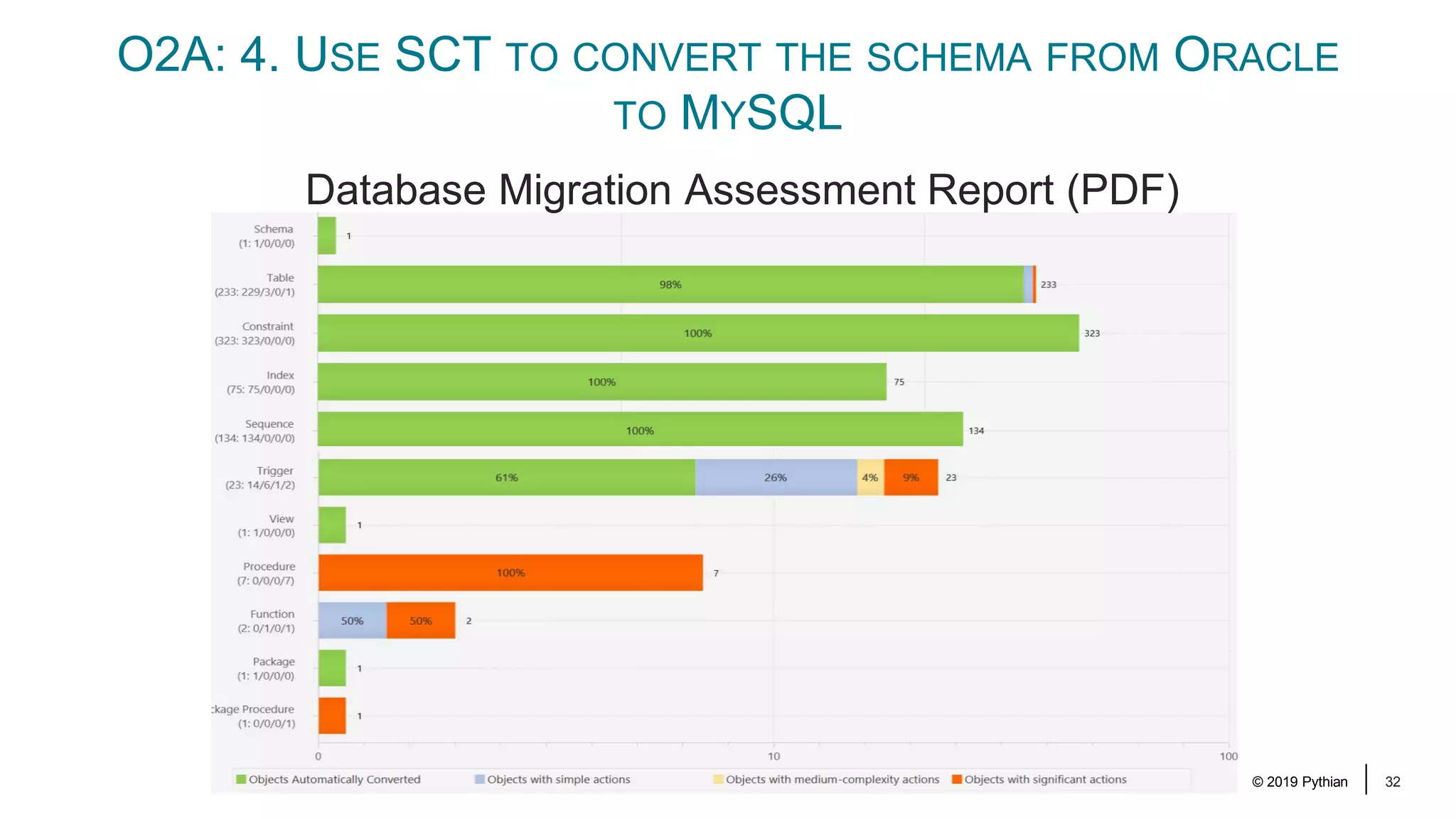
© 2019 Pythian 32 O2A: 4. USE SCT TO CONVERT THE SCHEMA FROM ORACLE TO MYSQL Database Migration Assessment Report (PDF)
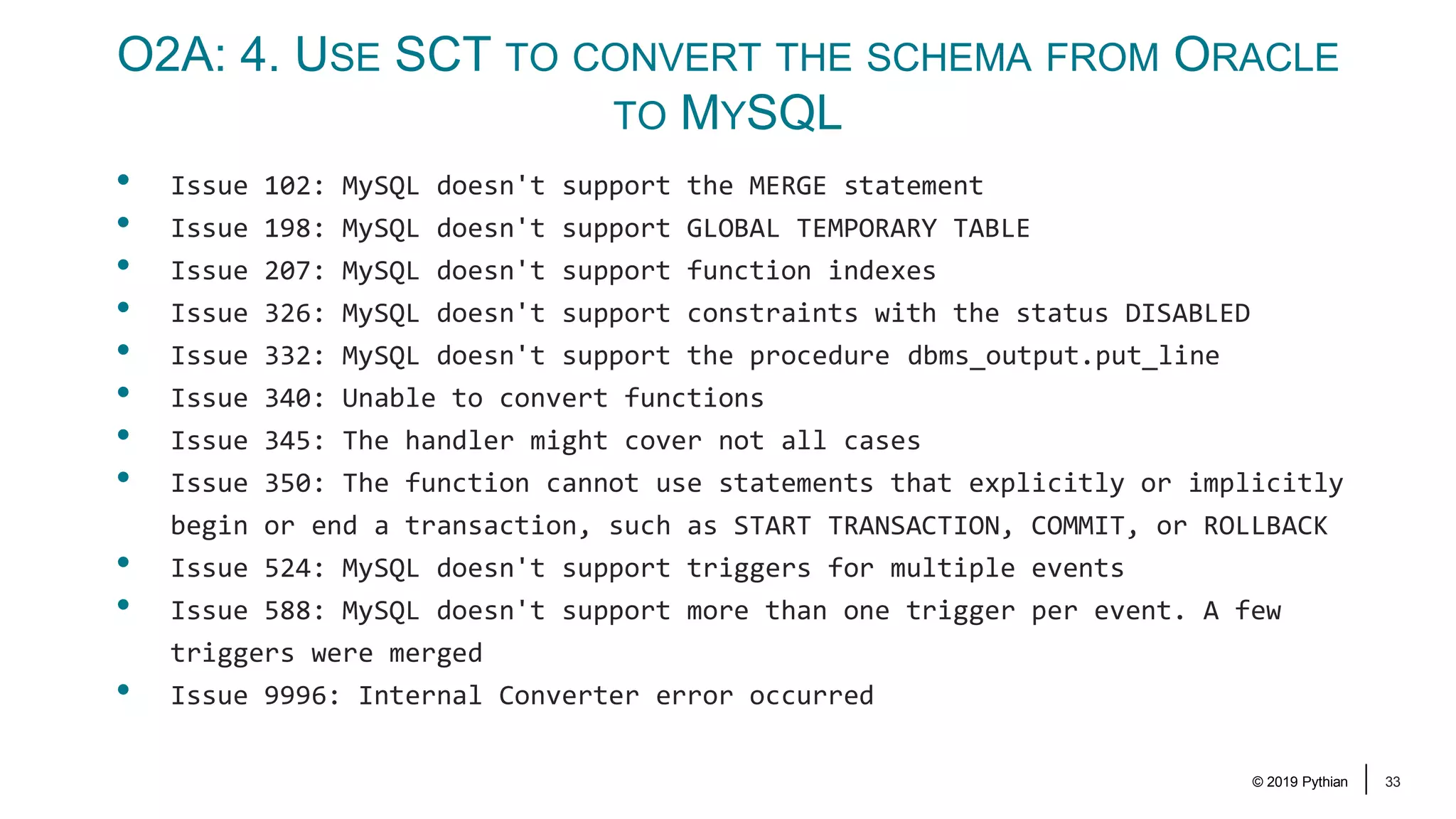
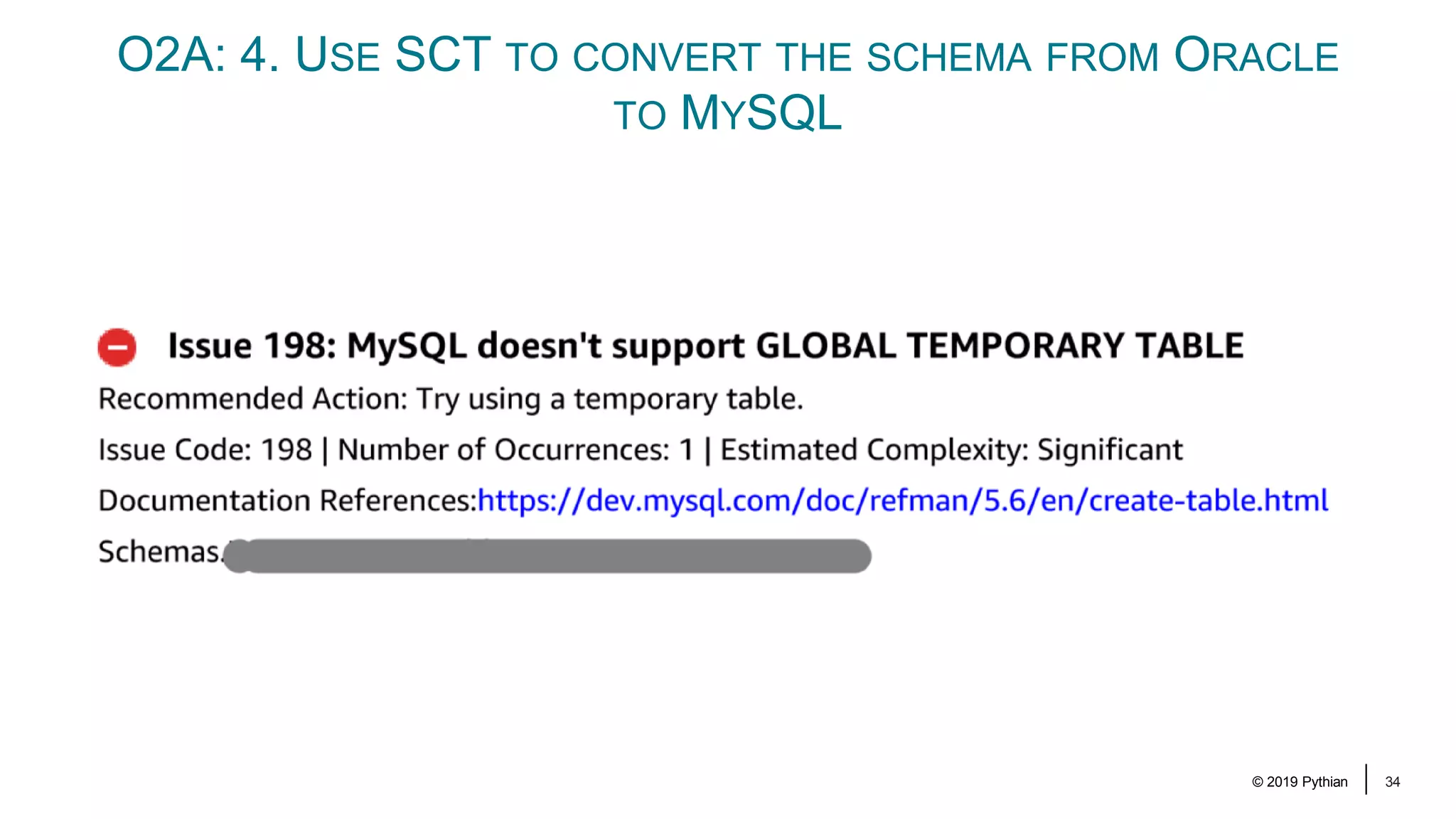
© 2019 Pythian 33 O2A: 4. USE SCT TO CONVERT THE SCHEMA FROM ORACLE TO MYSQL • Issue 102: MySQL doesn't support the MERGE statement • Issue 198: MySQL doesn't support GLOBAL TEMPORARY TABLE • Issue 207: MySQL doesn't support function indexes • Issue 326: MySQL doesn't support constraints with the status DISABLED • Issue 332: MySQL doesn't support the procedure dbms_output.put_line • Issue 340: Unable to convert functions • Issue 345: The handler might cover not all cases • Issue 350: The function cannot use statements that explicitly or implicitly begin or end a transaction, such as START TRANSACTION, COMMIT, or ROLLBACK • Issue 524: MySQL doesn't support triggers for multiple events • Issue 588: MySQL doesn't support more than one trigger per event. A few triggers were merged • Issue 9996: Internal Converter error occurred
© 2019 Pythian 34 O2A: 4. USE SCT TO CONVERT THE SCHEMA FROM ORACLE TO MYSQL
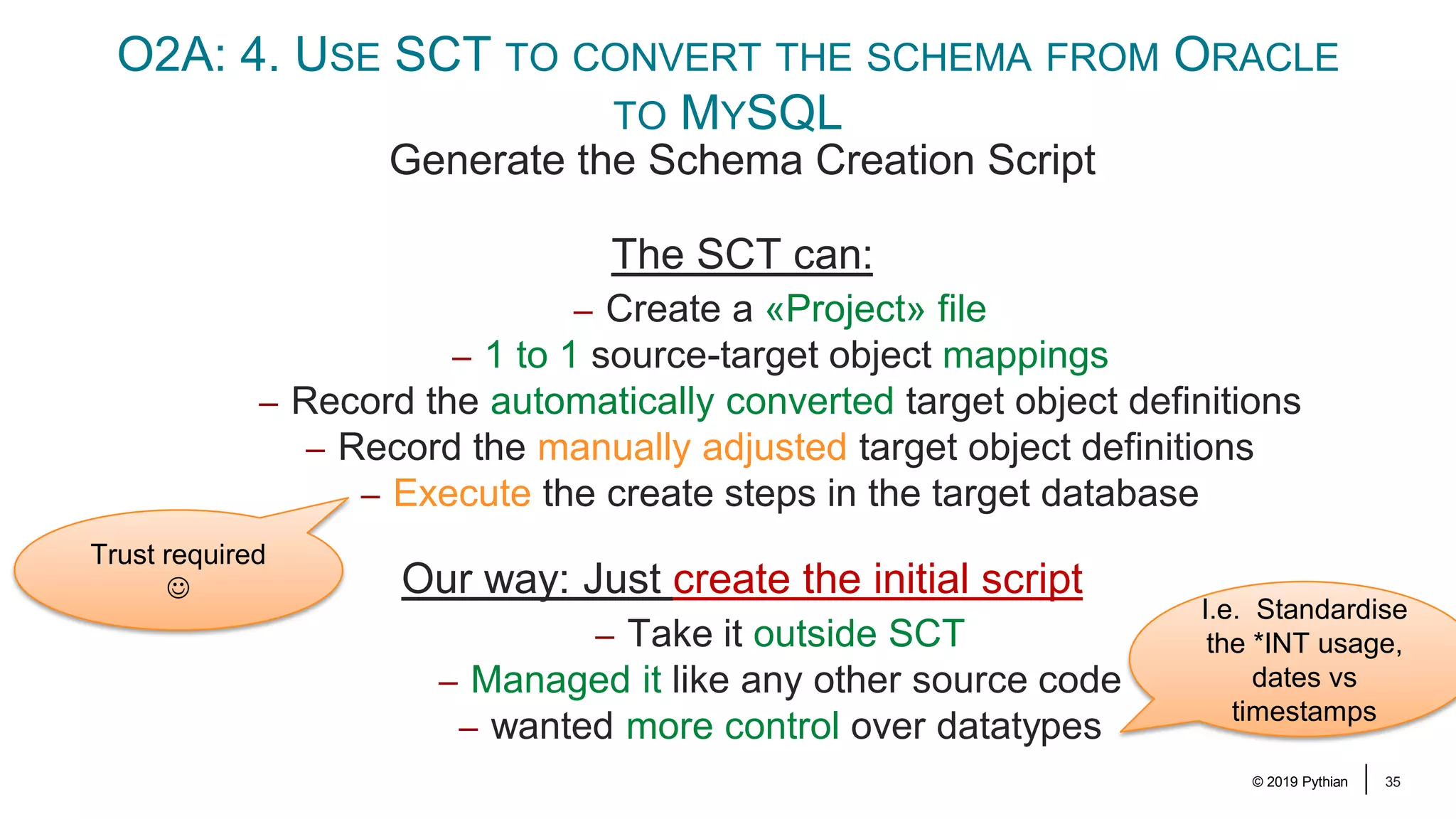
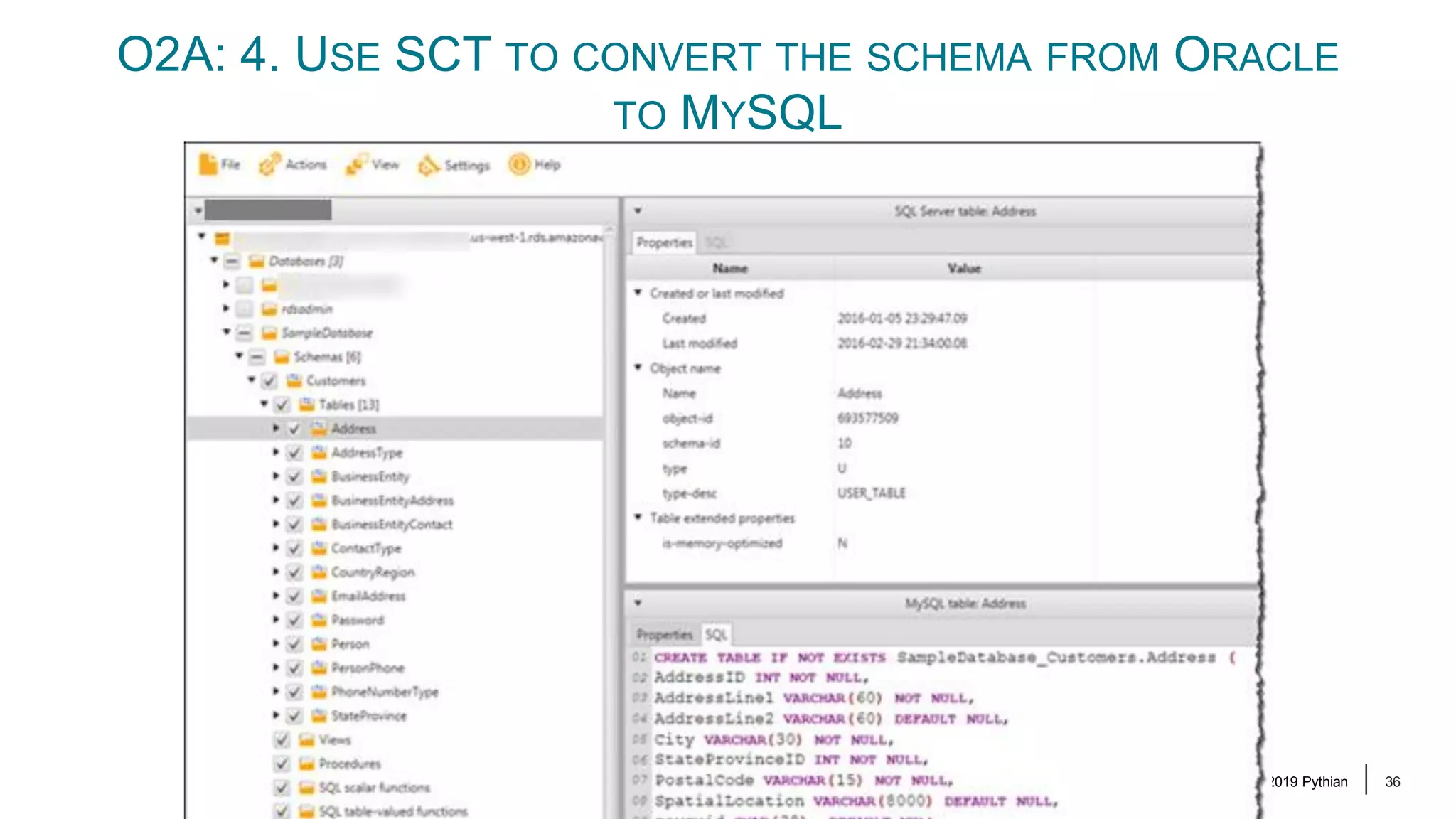
© 2019 Pythian 35 O2A: 4. USE SCT TO CONVERT THE SCHEMA FROM ORACLE TO MYSQL Generate the Schema Creation Script The SCT can: – Create a «Project» file – 1 to 1 source-target object mappings – Record the automatically converted target object definitions – Record the manually adjusted target object definitions – Execute the create steps in the target database Our way: Just create the initial script – Take it outside SCT – Managed it like any other source code – wanted more control over datatypes Trust required ☺ I.e. Standardise the *INT usage, dates vs timestamps
© 2019 Pythian 36 O2A: 4. USE SCT TO CONVERT THE SCHEMA FROM ORACLE TO MYSQL
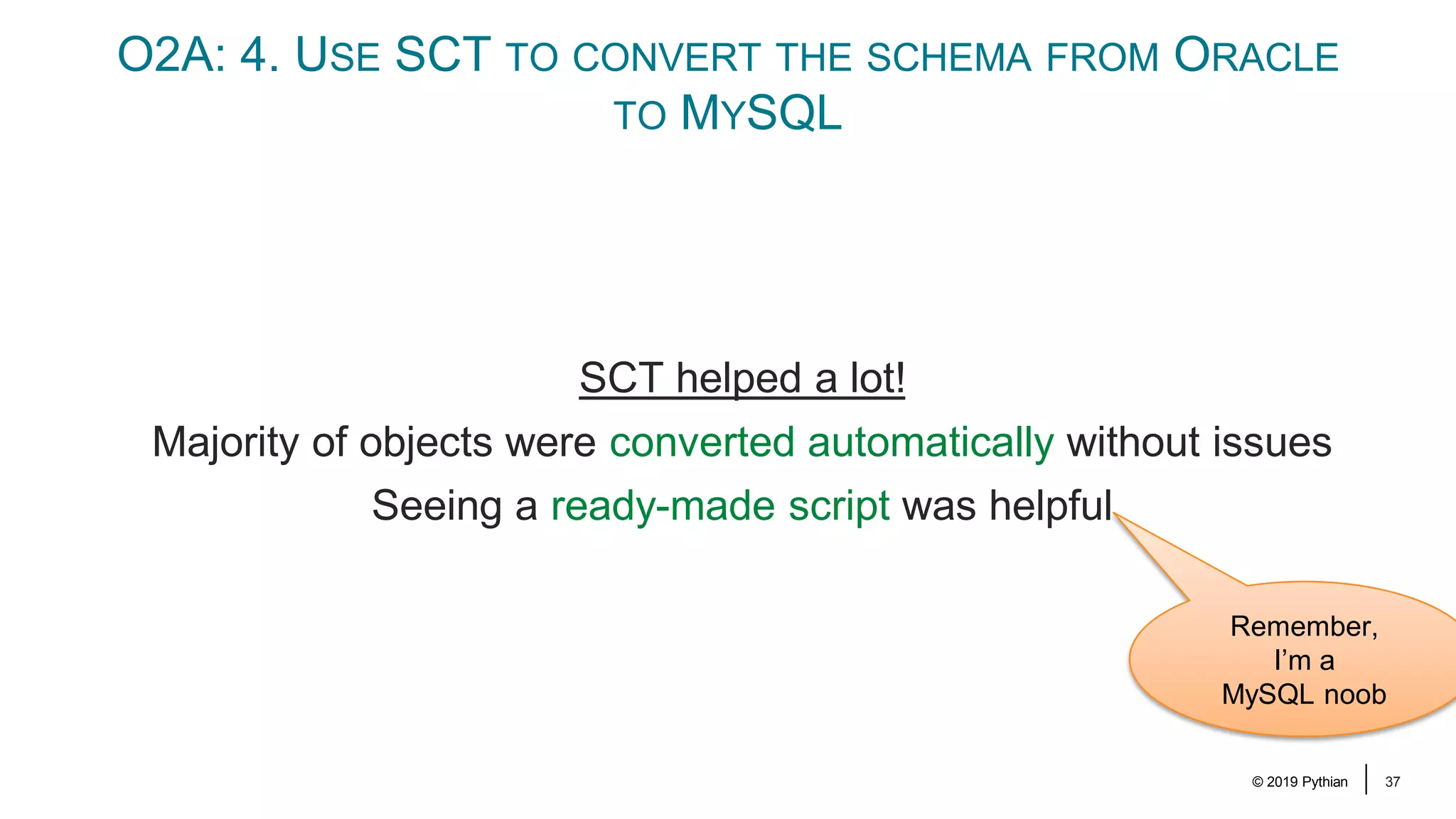
© 2019 Pythian 37 O2A: 4. USE SCT TO CONVERT THE SCHEMA FROM ORACLE TO MYSQL SCT helped a lot! Majority of objects were converted automatically without issues Seeing a ready-made script was helpful Remember, I’m a MySQL noob
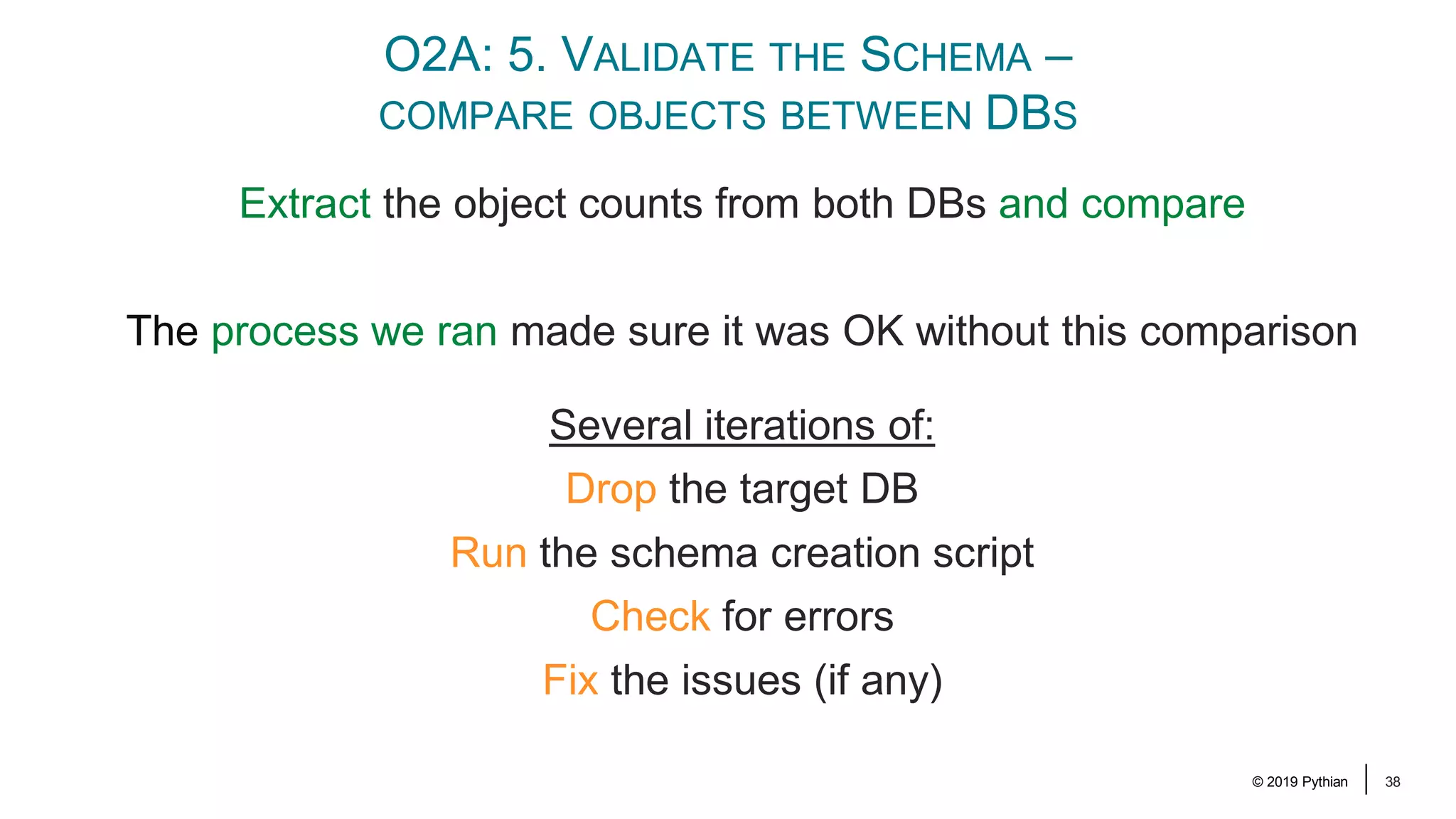
© 2019 Pythian 38 O2A: 5. VALIDATE THE SCHEMA – COMPARE OBJECTS BETWEEN DBS Extract the object counts from both DBs and compare The process we ran made sure it was OK without this comparison Several iterations of: Drop the target DB Run the schema creation script Check for errors Fix the issues (if any)
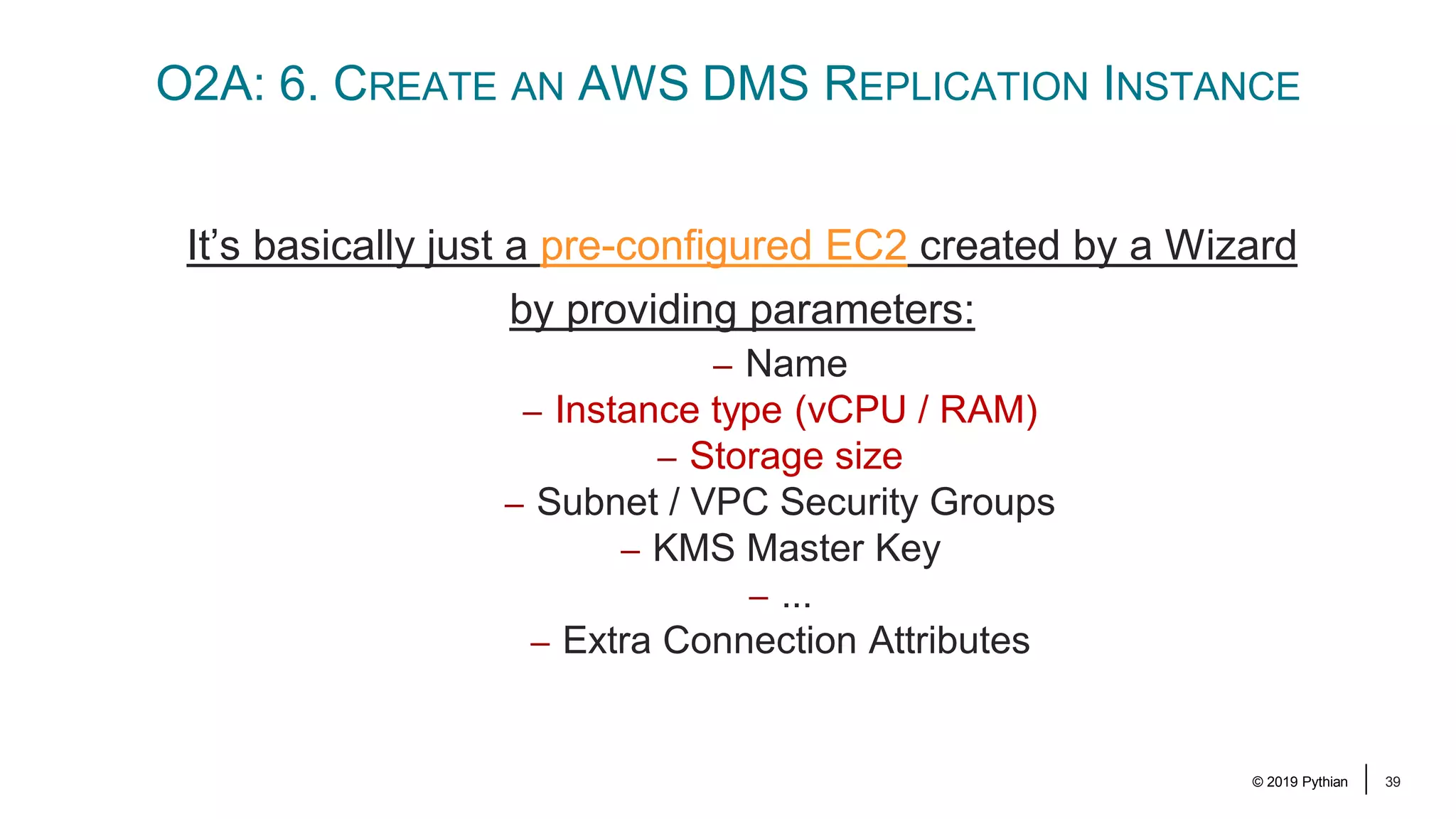
© 2019 Pythian 39 O2A: 6. CREATE AN AWS DMS REPLICATION INSTANCE It’s basically just a pre-configured EC2 created by a Wizard by providing parameters: – Name – Instance type (vCPU / RAM) – Storage size – Subnet / VPC Security Groups – KMS Master Key – ... – Extra Connection Attributes
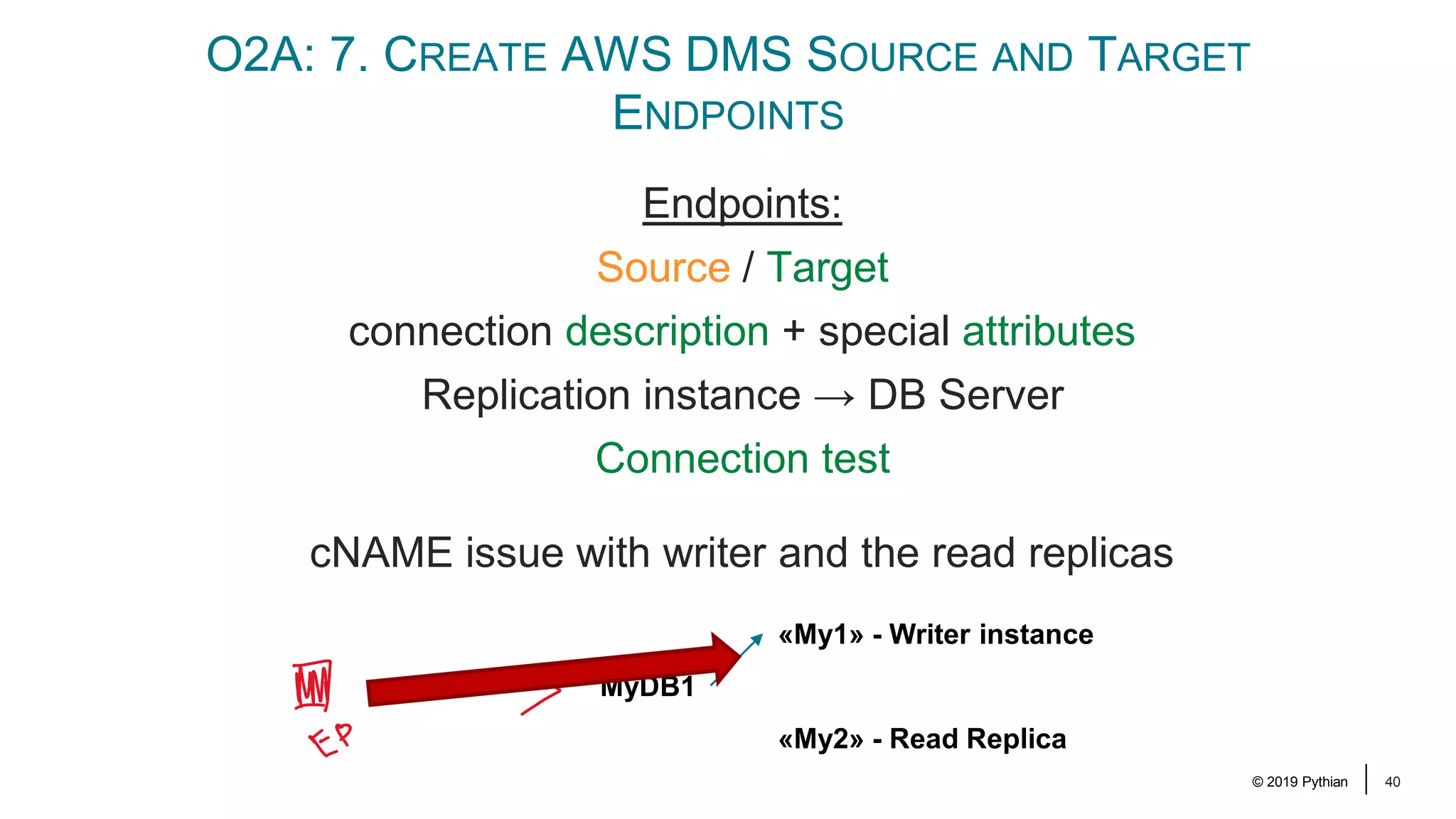
© 2019 Pythian 40 O2A: 7. CREATE AWS DMS SOURCE AND TARGET ENDPOINTS Endpoints: Source / Target connection description + special attributes Replication instance → DB Server Connection test cNAME issue with writer and the read replicas MyDB1 «My1» - Writer instance «My2» - Read Replica
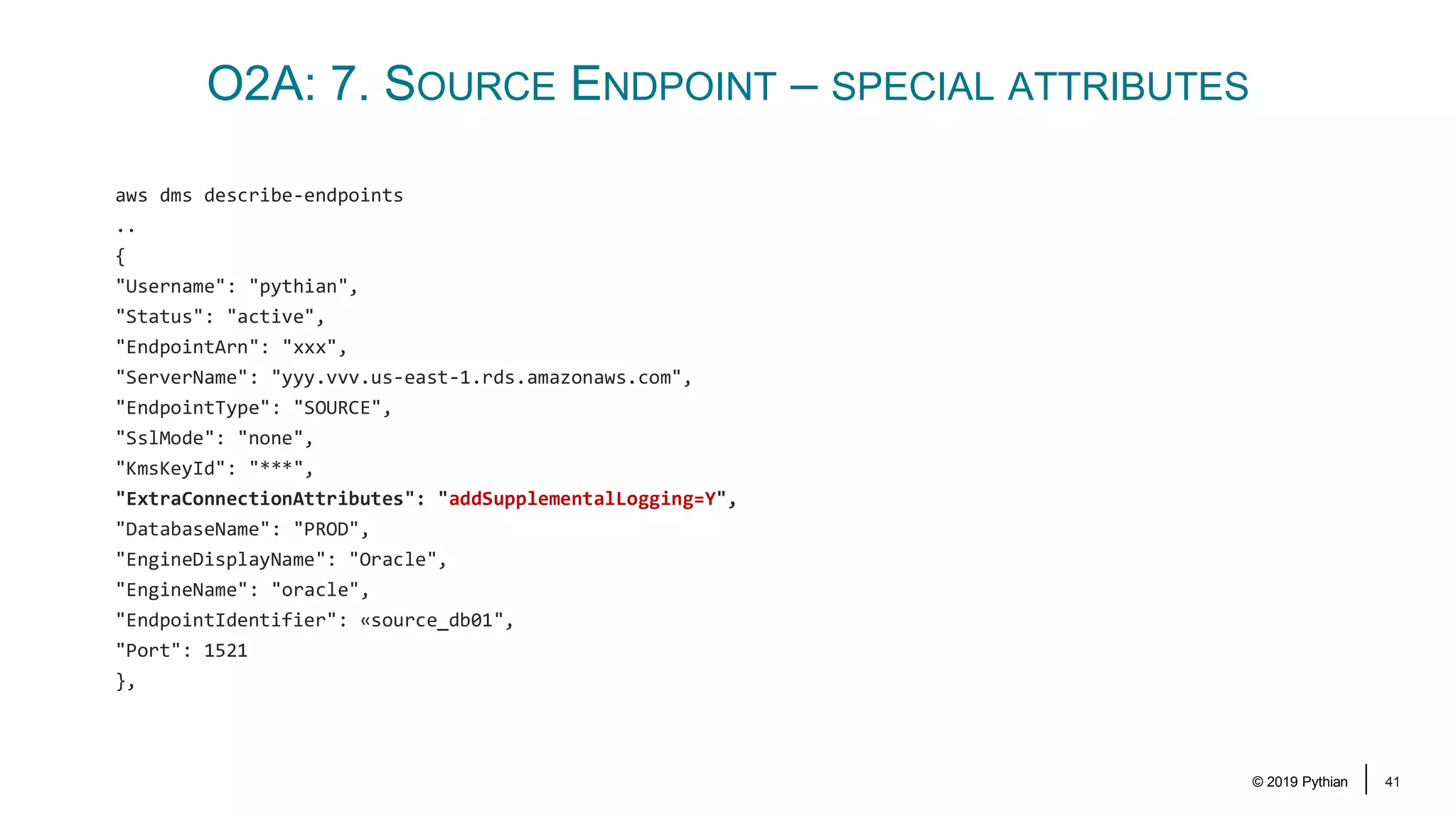
© 2019 Pythian 41 O2A: 7. SOURCE ENDPOINT – SPECIAL ATTRIBUTES aws dms describe-endpoints .. { "Username": "pythian", "Status": "active", "EndpointArn": "xxx", "ServerName": "yyy.vvv.us-east-1.rds.amazonaws.com", "EndpointType": "SOURCE", "SslMode": "none", "KmsKeyId": "***", "ExtraConnectionAttributes": "addSupplementalLogging=Y", "DatabaseName": "PROD", "EngineDisplayName": "Oracle", "EngineName": "oracle", "EndpointIdentifier": «source_db01", "Port": 1521 },
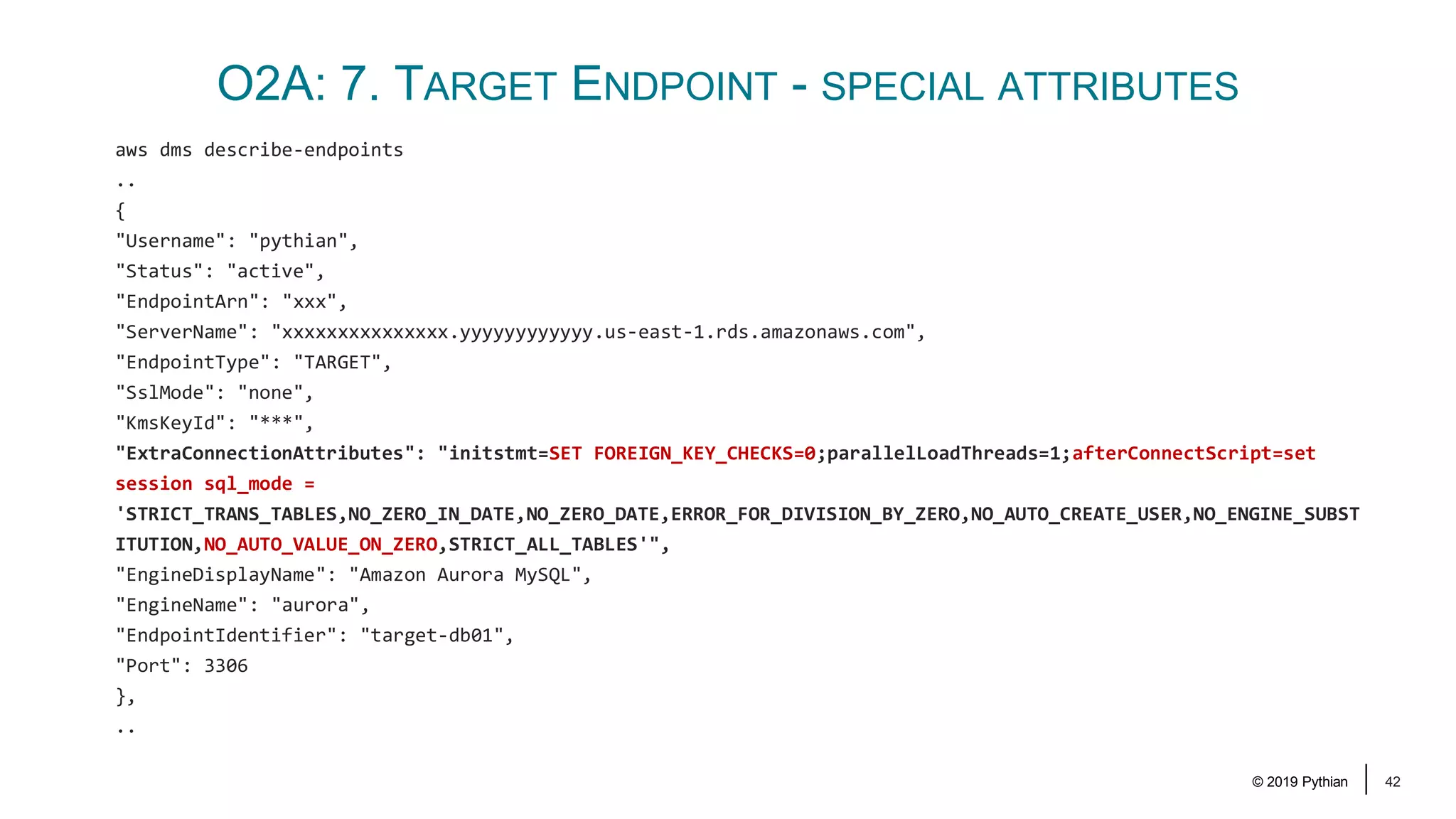
© 2019 Pythian 42 O2A: 7. TARGET ENDPOINT - SPECIAL ATTRIBUTES aws dms describe-endpoints .. { "Username": "pythian", "Status": "active", "EndpointArn": "xxx", "ServerName": "xxxxxxxxxxxxxxx.yyyyyyyyyyyy.us-east-1.rds.amazonaws.com", "EndpointType": "TARGET", "SslMode": "none", "KmsKeyId": "***", "ExtraConnectionAttributes": "initstmt=SET FOREIGN_KEY_CHECKS=0;parallelLoadThreads=1;afterConnectScript=set session sql_mode = 'STRICT_TRANS_TABLES,NO_ZERO_IN_DATE,NO_ZERO_DATE,ERROR_FOR_DIVISION_BY_ZERO,NO_AUTO_CREATE_USER,NO_ENGINE_SUBST ITUTION,NO_AUTO_VALUE_ON_ZERO,STRICT_ALL_TABLES'", "EngineDisplayName": "Amazon Aurora MySQL", "EngineName": "aurora", "EndpointIdentifier": "target-db01", "Port": 3306 }, ..
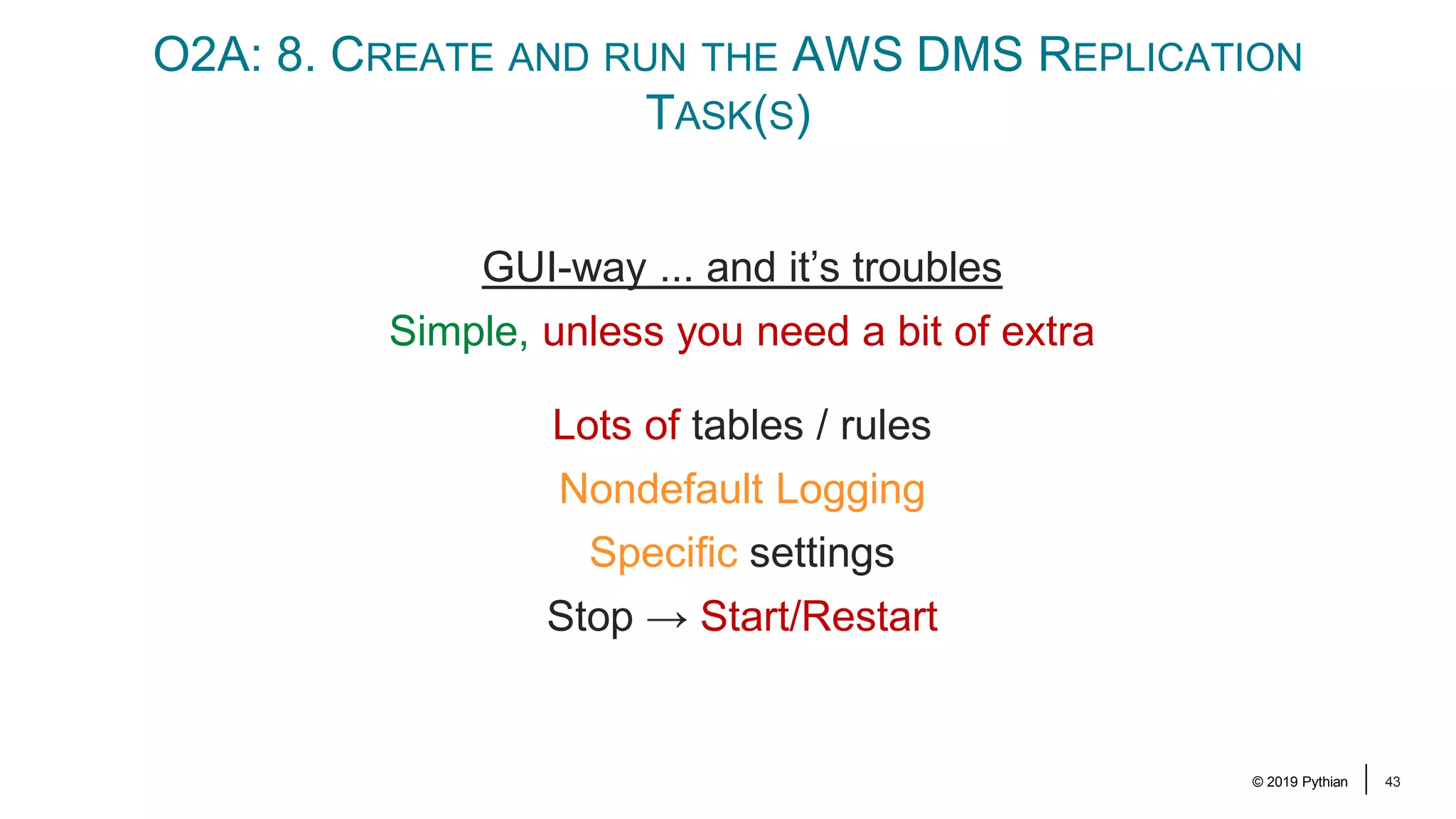
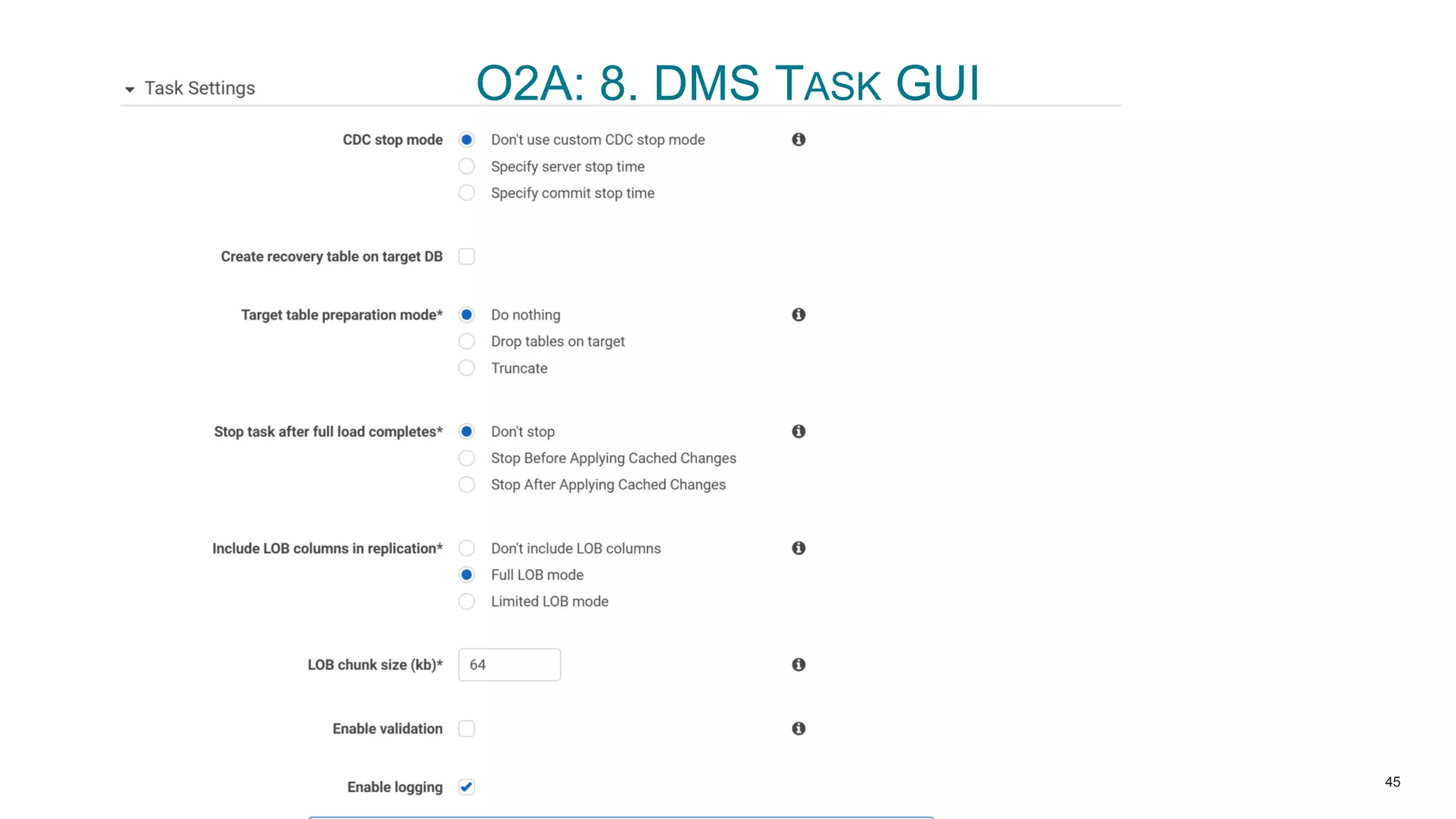
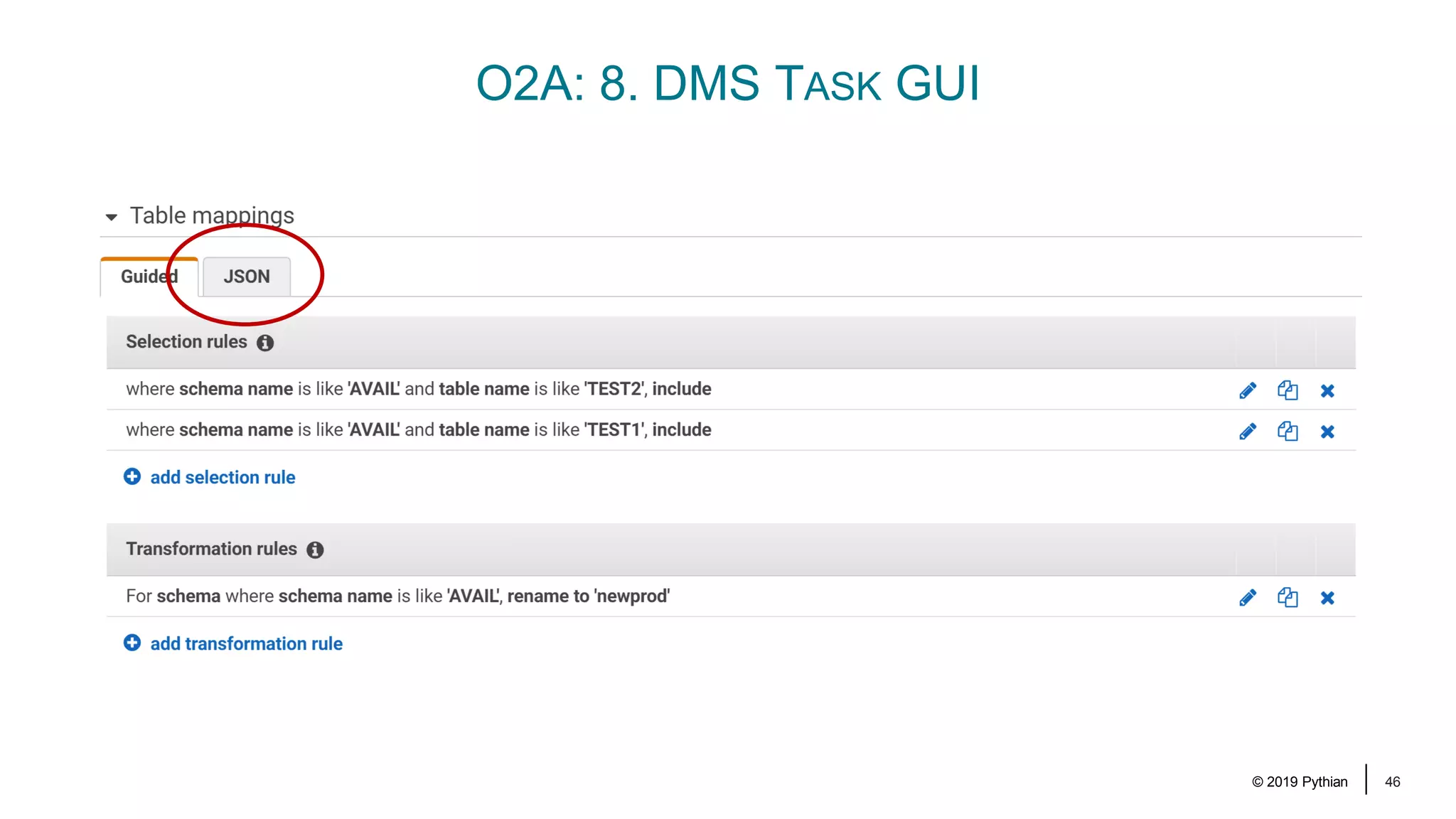
© 2019 Pythian 43 O2A: 8. CREATE AND RUN THE AWS DMS REPLICATION TASK(S) GUI-way ... and it’s troubles Simple, unless you need a bit of extra Lots of tables / rules Nondefault Logging Specific settings Stop → Start/Restart
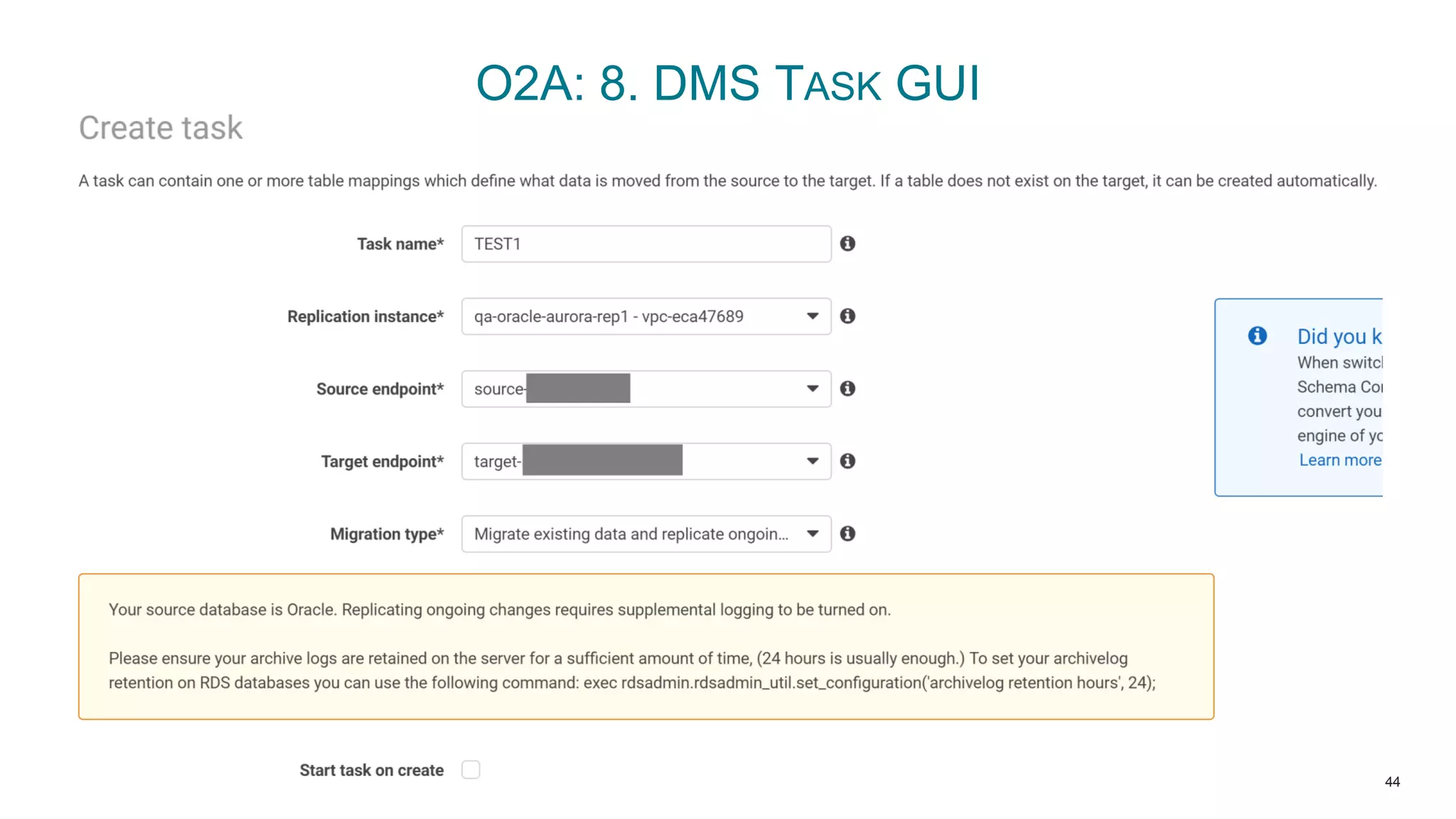
© 2019 Pythian 44 O2A: 8. DMS TASK GUI
© 2019 Pythian 45 O2A: 8. DMS TASK GUI
© 2019 Pythian 46 O2A: 8. DMS TASK GUI
© 2019 Pythian 47 O2A: 8. CREATE AND RUN THE AWS DMS REPLICATION TASK(S) { "rules": [ { "rule-type": "selection", "rule-id": "1", "rule-name": "1", "object-locator": { "schema-name": "OLD_PROD", "table-name": "TEST2" }, "rule-action": "include" }, ... { "rule-type": "transformation", "rule-id": «75", "rule-name": «75", "rule-target": "schema", "object-locator": { "schema-name": "OLD_PROD" }, "rule-action": "rename", "value": "newprod" } ] }
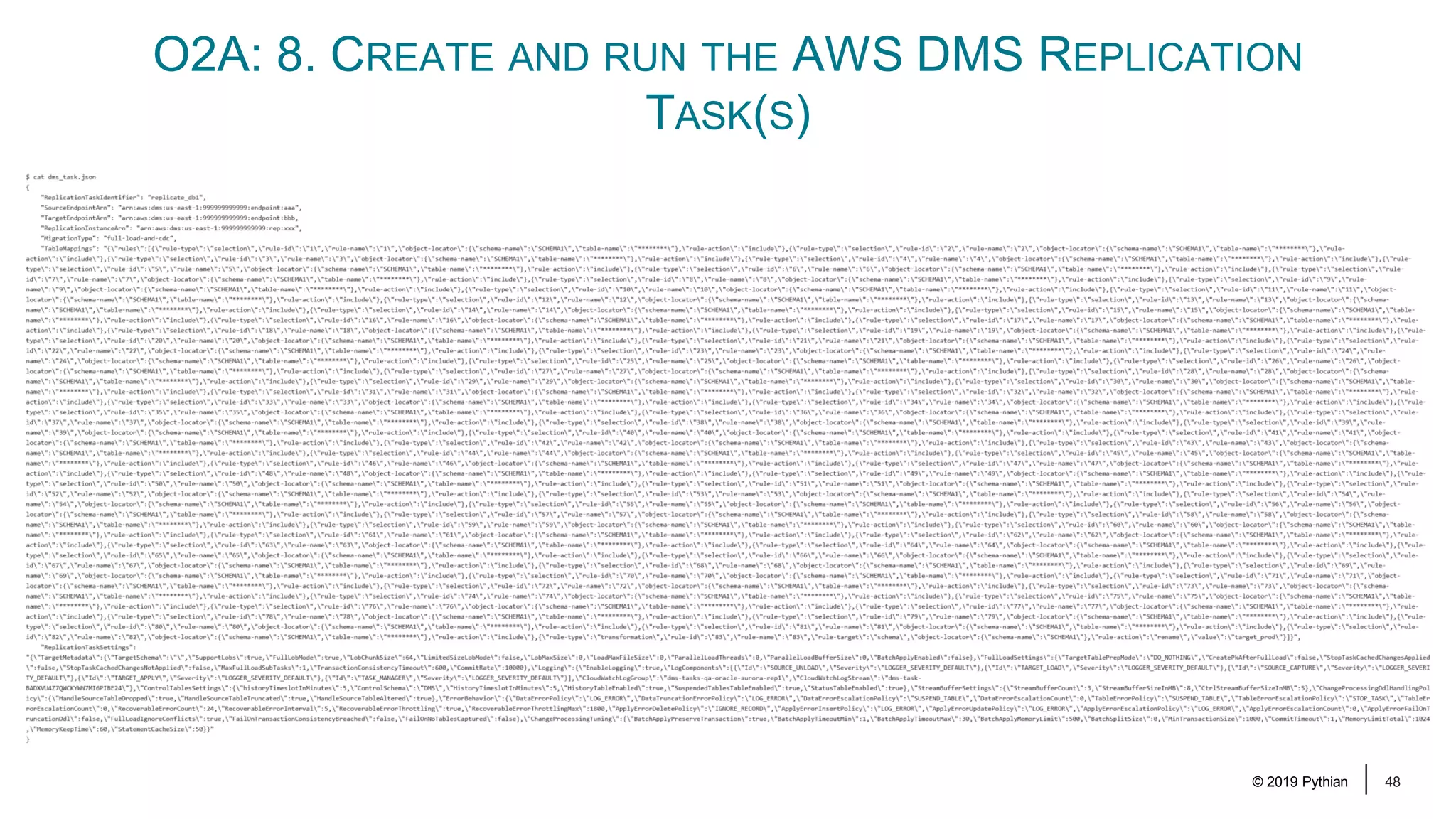
© 2019 Pythian 48 O2A: 8. CREATE AND RUN THE AWS DMS REPLICATION TASK(S)
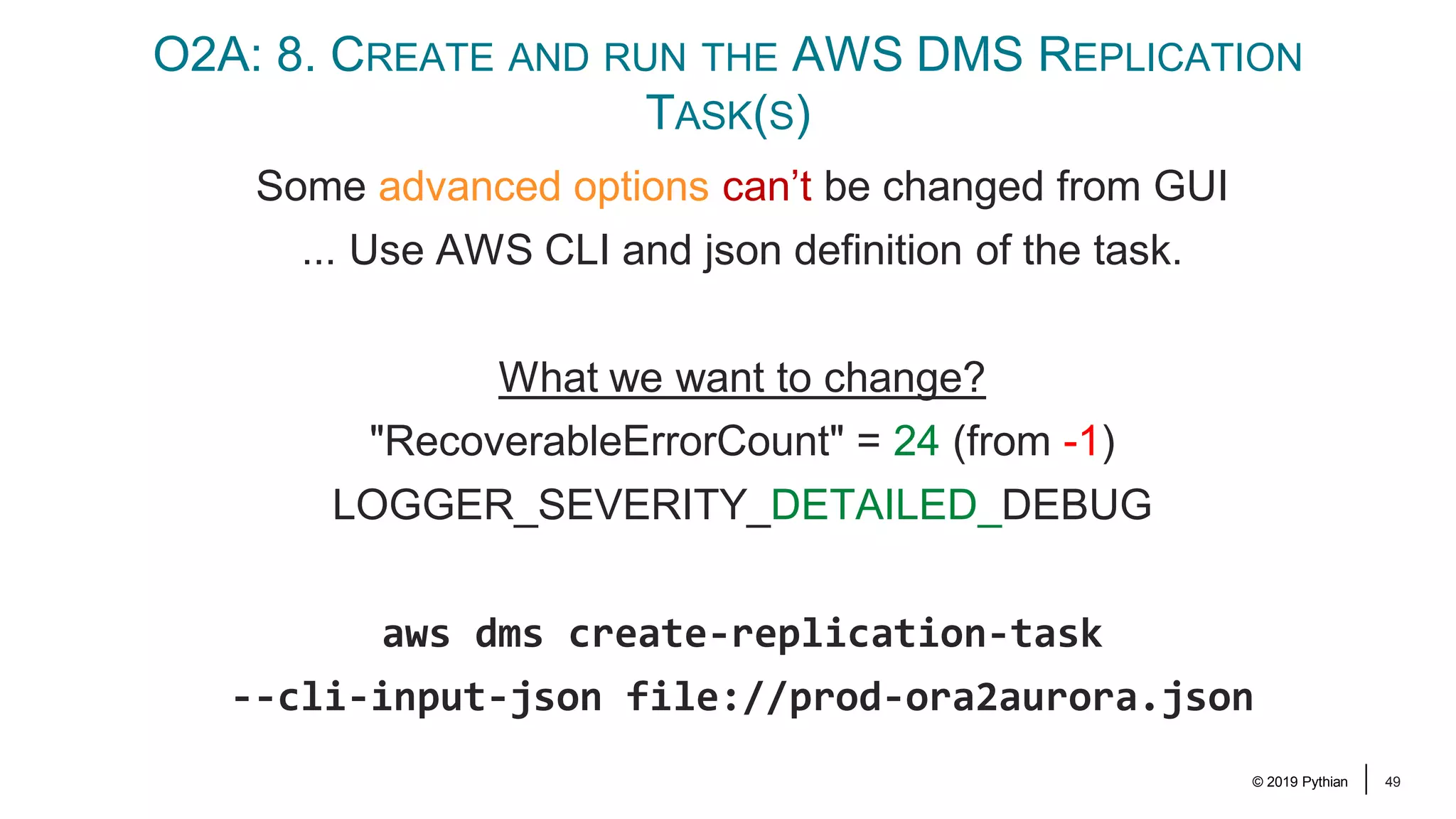
© 2019 Pythian 49 O2A: 8. CREATE AND RUN THE AWS DMS REPLICATION TASK(S) Some advanced options can’t be changed from GUI ... Use AWS CLI and json definition of the task. What we want to change? "RecoverableErrorCount" = 24 (from -1) LOGGER_SEVERITY_DETAILED_DEBUG aws dms create-replication-task --cli-input-json file://prod-ora2aurora.json
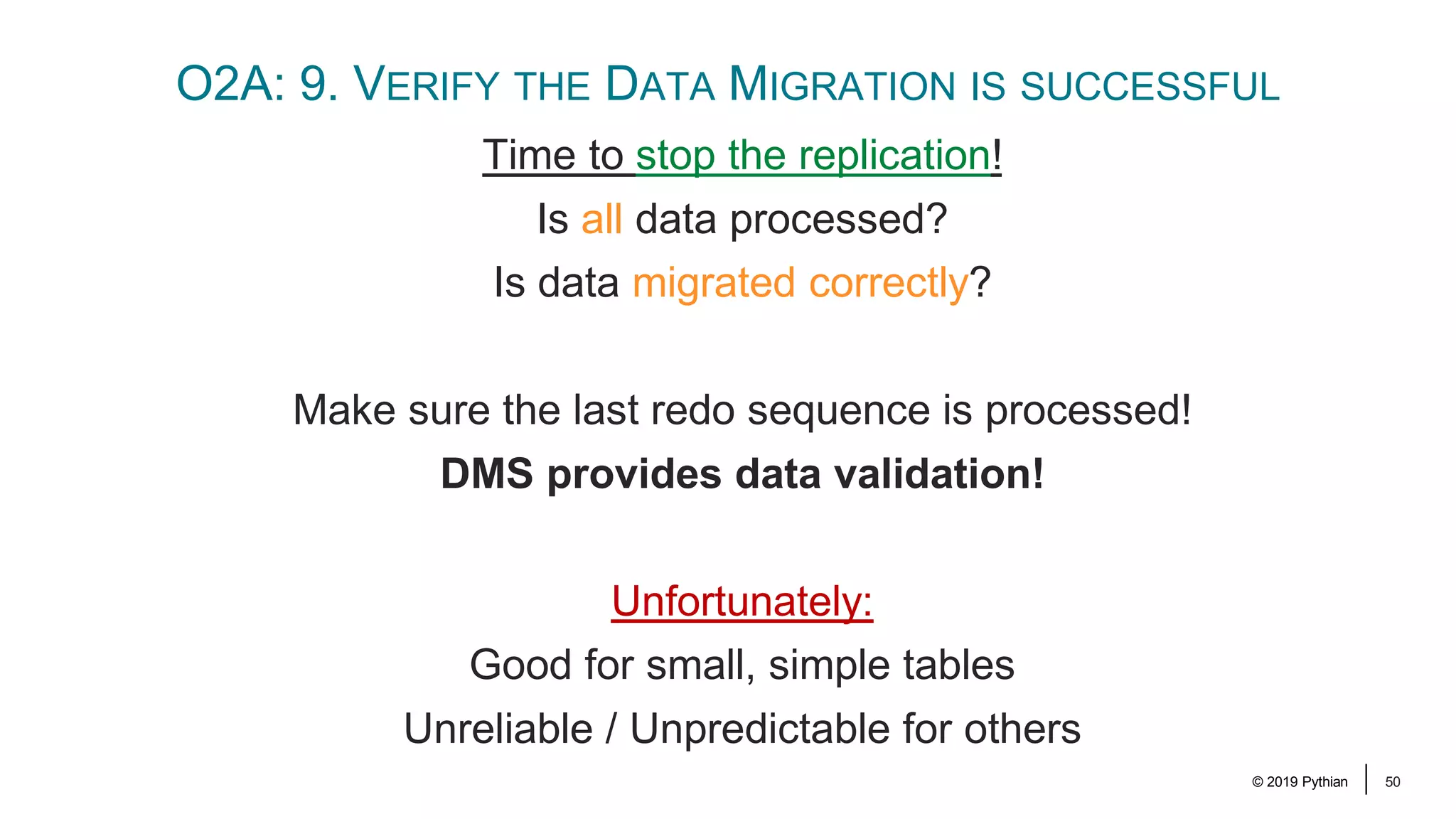
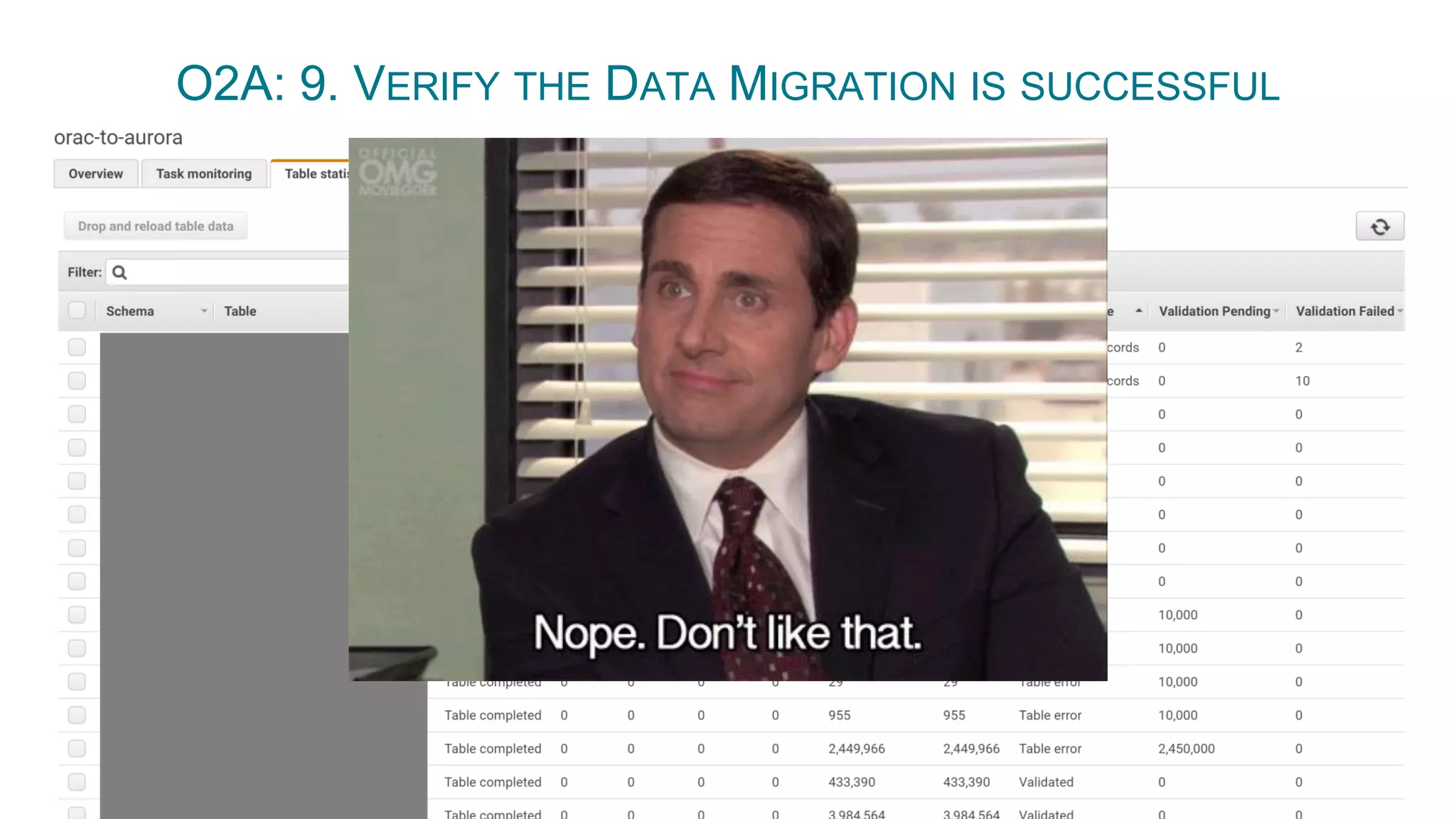
© 2019 Pythian 50 O2A: 9. VERIFY THE DATA MIGRATION IS SUCCESSFUL Time to stop the replication! Is all data processed? Is data migrated correctly? Make sure the last redo sequence is processed! DMS provides data validation! Unfortunately: Good for small, simple tables Unreliable / Unpredictable for others
© 2019 Pythian 51 O2A: 9. VERIFY THE DATA MIGRATION IS SUCCESSFUL
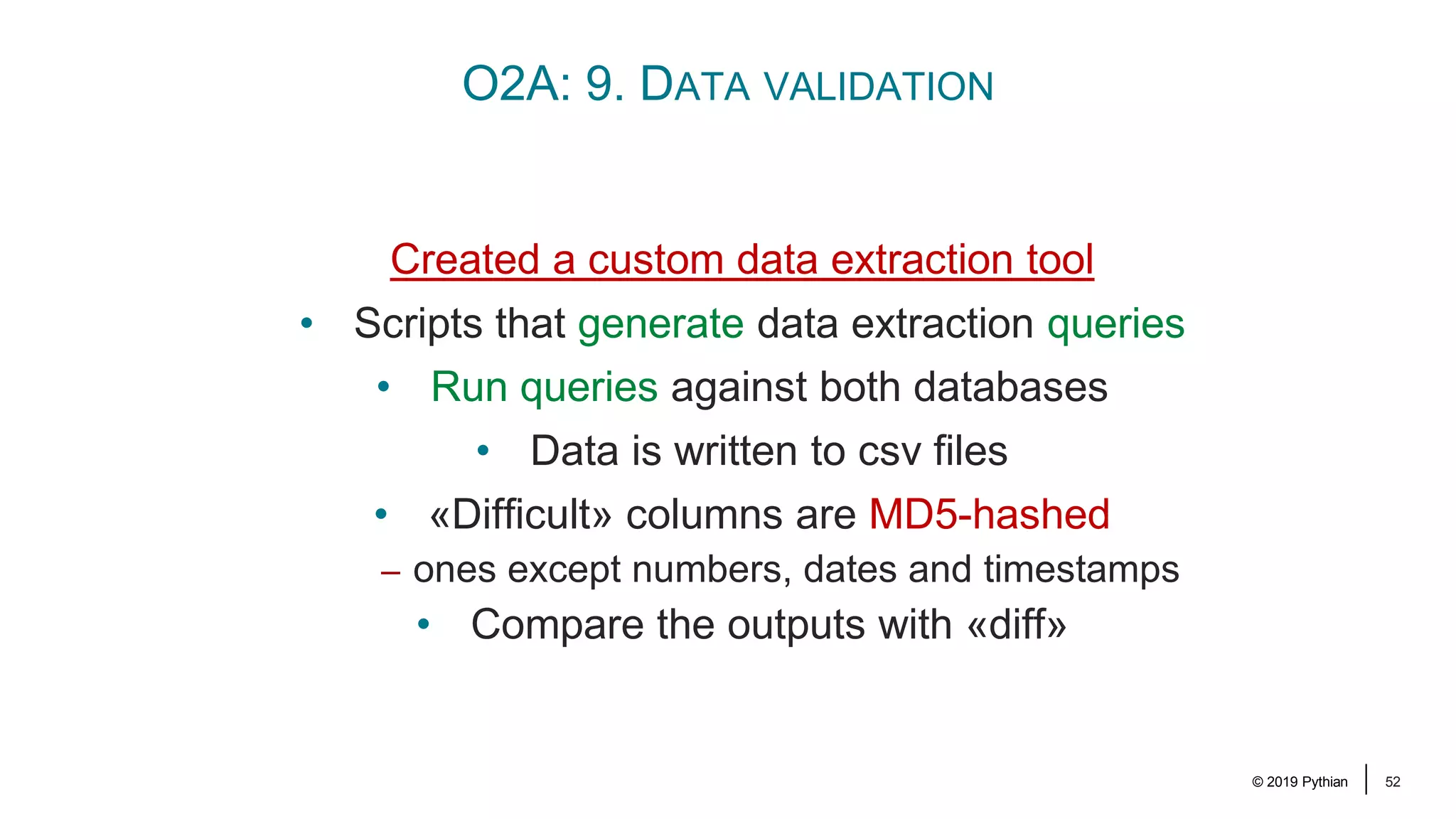
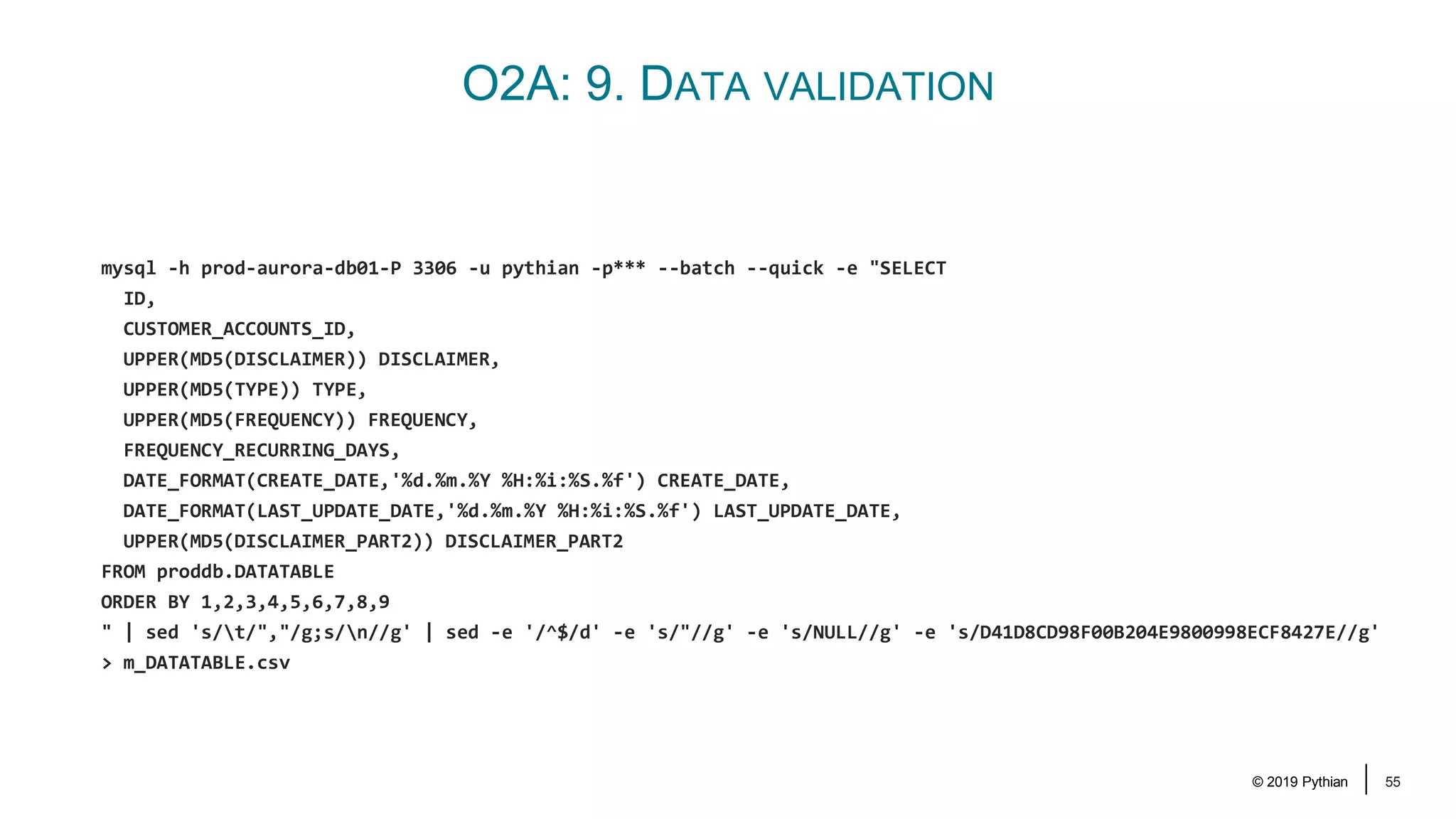
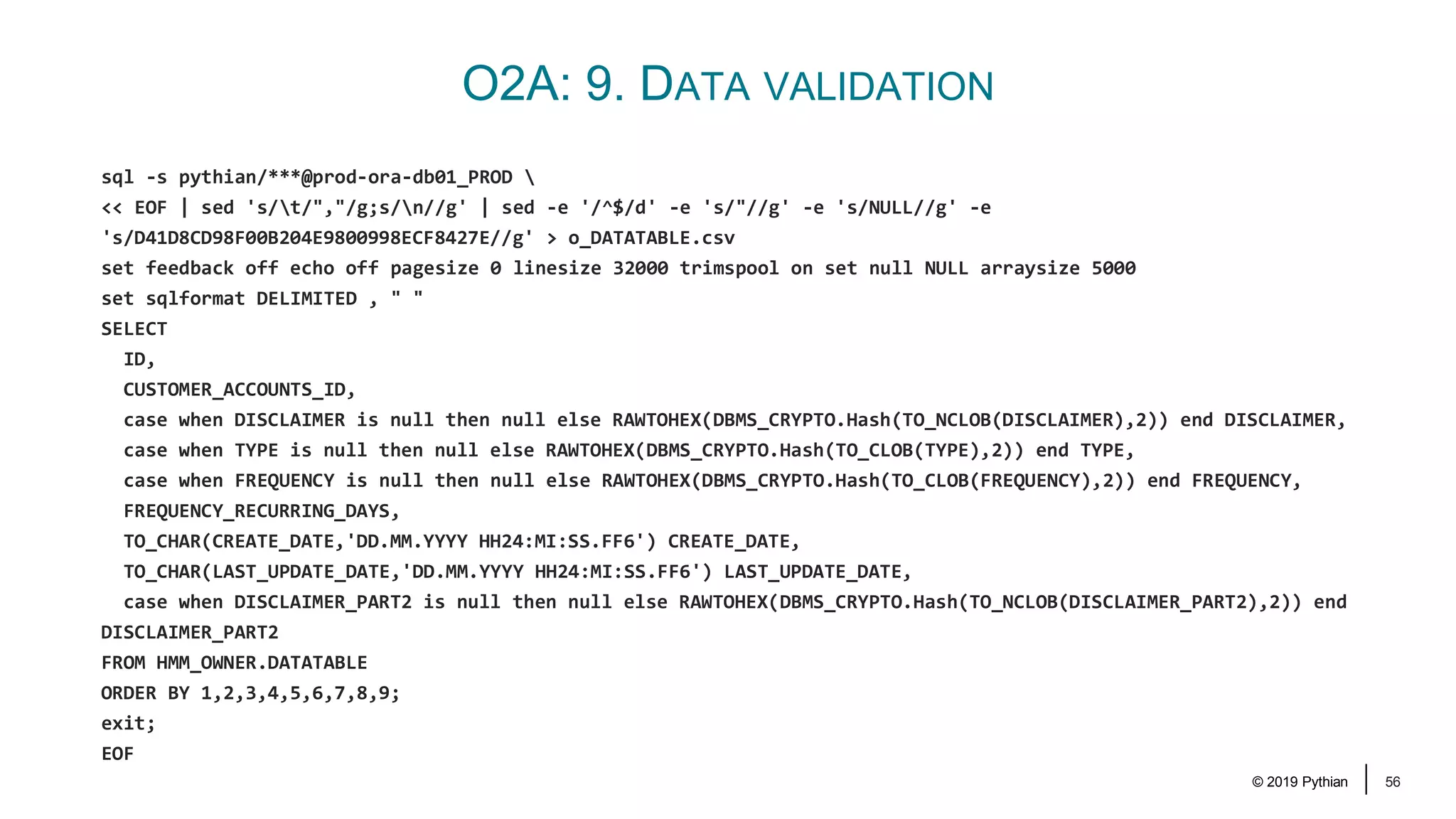
© 2019 Pythian 52 O2A: 9. DATA VALIDATION Created a custom data extraction tool • Scripts that generate data extraction queries • Run queries against both databases • Data is written to csv files • «Difficult» columns are MD5-hashed – ones except numbers, dates and timestamps • Compare the outputs with «diff»
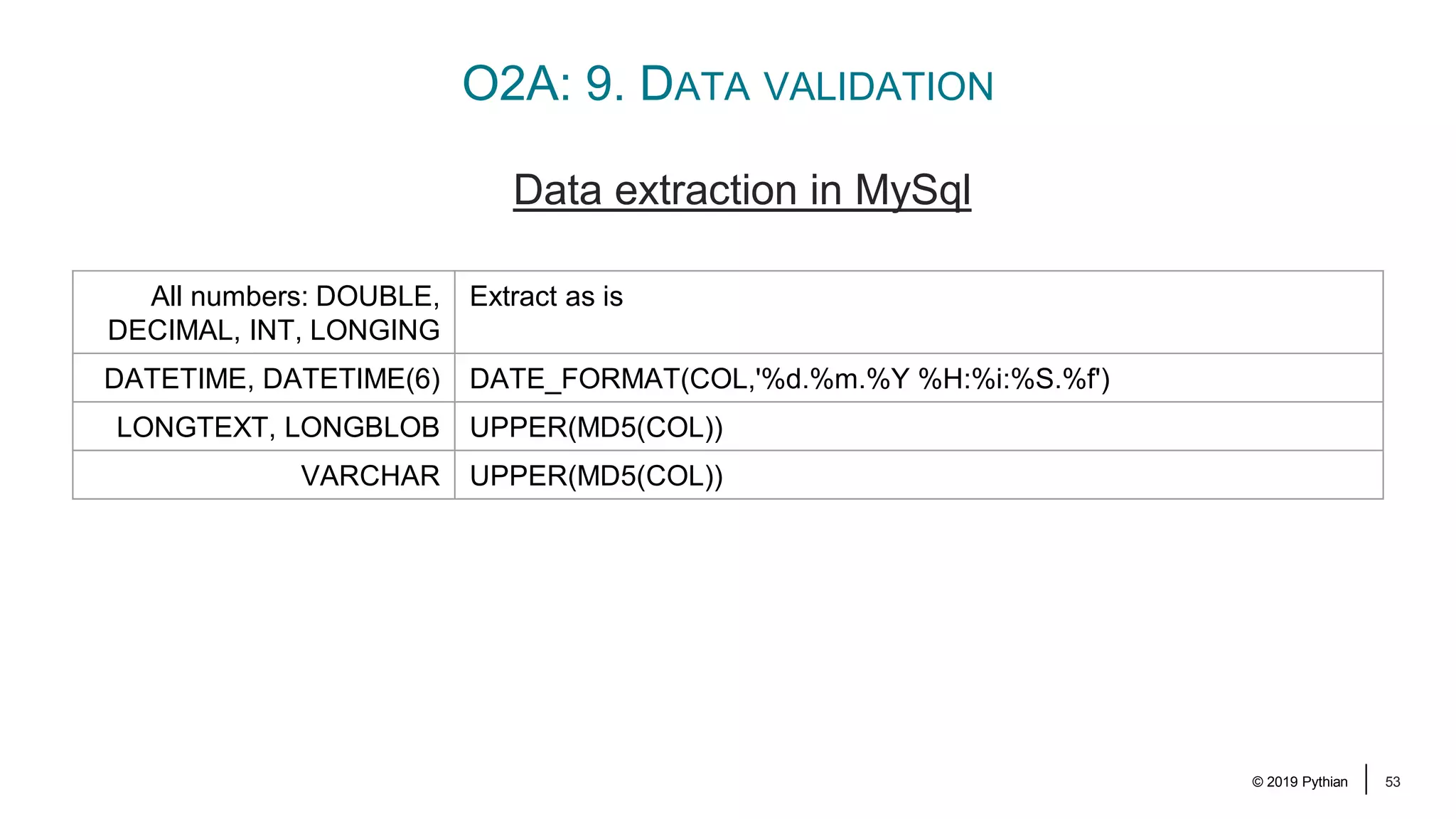
© 2019 Pythian 53 O2A: 9. DATA VALIDATION Data extraction in MySql All numbers: DOUBLE, DECIMAL, INT, LONGING Extract as is DATETIME, DATETIME(6) DATE_FORMAT(COL,'%d.%m.%Y %H:%i:%S.%f') LONGTEXT, LONGBLOB UPPER(MD5(COL)) VARCHAR UPPER(MD5(COL))
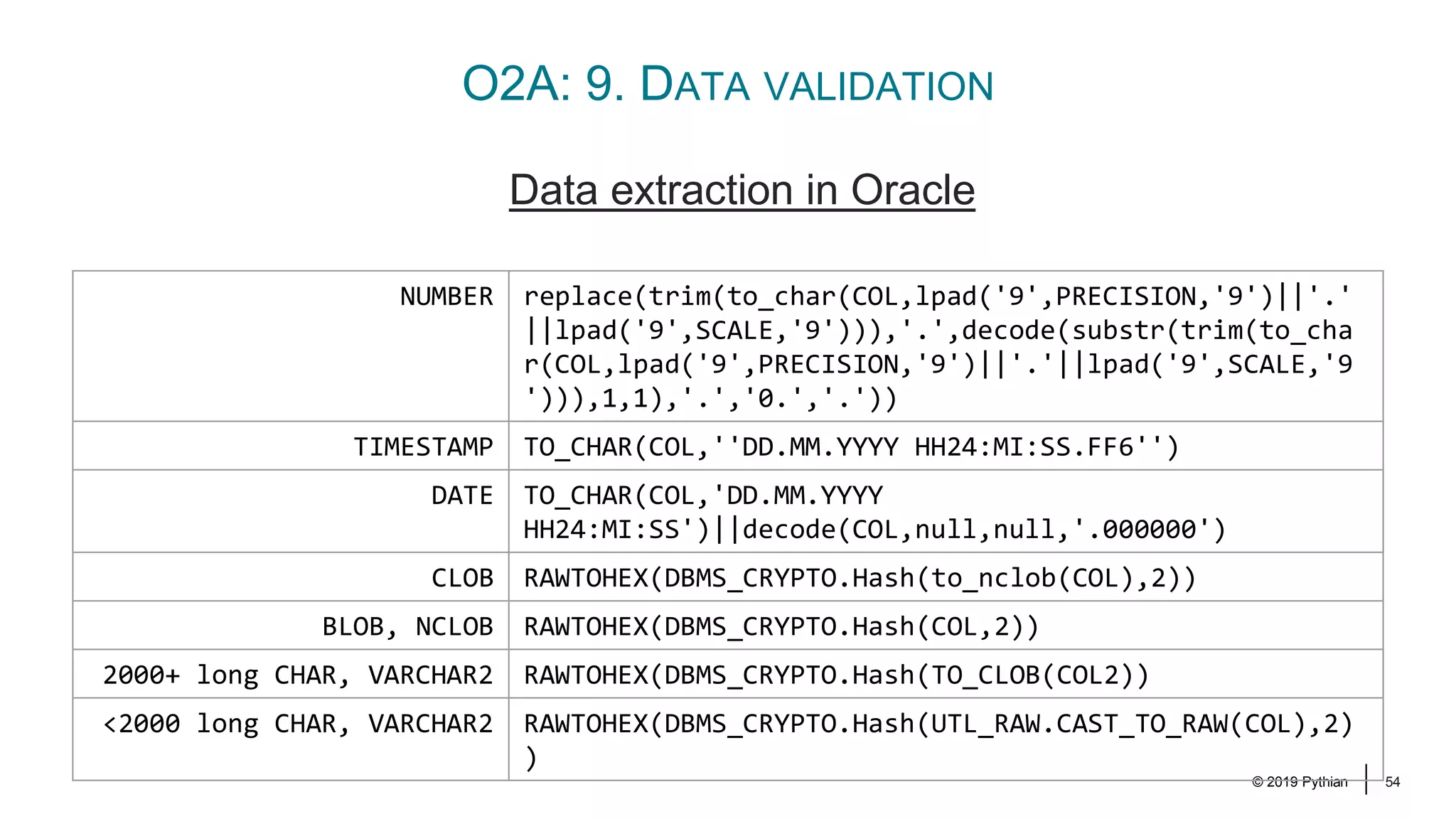
© 2019 Pythian 54 O2A: 9. DATA VALIDATION Data extraction in Oracle NUMBER replace(trim(to_char(COL,lpad('9',PRECISION,'9')||'.' ||lpad('9',SCALE,'9'))),'.',decode(substr(trim(to_cha r(COL,lpad('9',PRECISION,'9')||'.'||lpad('9',SCALE,'9 '))),1,1),'.','0.','.')) TIMESTAMP TO_CHAR(COL,''DD.MM.YYYY HH24:MI:SS.FF6'') DATE TO_CHAR(COL,'DD.MM.YYYY HH24:MI:SS')||decode(COL,null,null,'.000000') CLOB RAWTOHEX(DBMS_CRYPTO.Hash(to_nclob(COL),2)) BLOB, NCLOB RAWTOHEX(DBMS_CRYPTO.Hash(COL,2)) 2000+ long CHAR, VARCHAR2 RAWTOHEX(DBMS_CRYPTO.Hash(TO_CLOB(COL2)) <2000 long CHAR, VARCHAR2 RAWTOHEX(DBMS_CRYPTO.Hash(UTL_RAW.CAST_TO_RAW(COL),2) )
© 2019 Pythian 55 O2A: 9. DATA VALIDATION mysql -h prod-aurora-db01-P 3306 -u pythian -p*** --batch --quick -e "SELECT ID, CUSTOMER_ACCOUNTS_ID, UPPER(MD5(DISCLAIMER)) DISCLAIMER, UPPER(MD5(TYPE)) TYPE, UPPER(MD5(FREQUENCY)) FREQUENCY, FREQUENCY_RECURRING_DAYS, DATE_FORMAT(CREATE_DATE,'%d.%m.%Y %H:%i:%S.%f') CREATE_DATE, DATE_FORMAT(LAST_UPDATE_DATE,'%d.%m.%Y %H:%i:%S.%f') LAST_UPDATE_DATE, UPPER(MD5(DISCLAIMER_PART2)) DISCLAIMER_PART2 FROM proddb.DATATABLE ORDER BY 1,2,3,4,5,6,7,8,9 " | sed 's/t/","/g;s/n//g' | sed -e '/^$/d' -e 's/"//g' -e 's/NULL//g' -e 's/D41D8CD98F00B204E9800998ECF8427E//g' > m_DATATABLE.csv
© 2019 Pythian 56 O2A: 9. DATA VALIDATION sql -s pythian/***@prod-ora-db01_PROD << EOF | sed 's/t/","/g;s/n//g' | sed -e '/^$/d' -e 's/"//g' -e 's/NULL//g' -e 's/D41D8CD98F00B204E9800998ECF8427E//g' > o_DATATABLE.csv set feedback off echo off pagesize 0 linesize 32000 trimspool on set null NULL arraysize 5000 set sqlformat DELIMITED , " " SELECT ID, CUSTOMER_ACCOUNTS_ID, case when DISCLAIMER is null then null else RAWTOHEX(DBMS_CRYPTO.Hash(TO_NCLOB(DISCLAIMER),2)) end DISCLAIMER, case when TYPE is null then null else RAWTOHEX(DBMS_CRYPTO.Hash(TO_CLOB(TYPE),2)) end TYPE, case when FREQUENCY is null then null else RAWTOHEX(DBMS_CRYPTO.Hash(TO_CLOB(FREQUENCY),2)) end FREQUENCY, FREQUENCY_RECURRING_DAYS, TO_CHAR(CREATE_DATE,'DD.MM.YYYY HH24:MI:SS.FF6') CREATE_DATE, TO_CHAR(LAST_UPDATE_DATE,'DD.MM.YYYY HH24:MI:SS.FF6') LAST_UPDATE_DATE, case when DISCLAIMER_PART2 is null then null else RAWTOHEX(DBMS_CRYPTO.Hash(TO_NCLOB(DISCLAIMER_PART2),2)) end DISCLAIMER_PART2 FROM HMM_OWNER.DATATABLE ORDER BY 1,2,3,4,5,6,7,8,9; exit; EOF
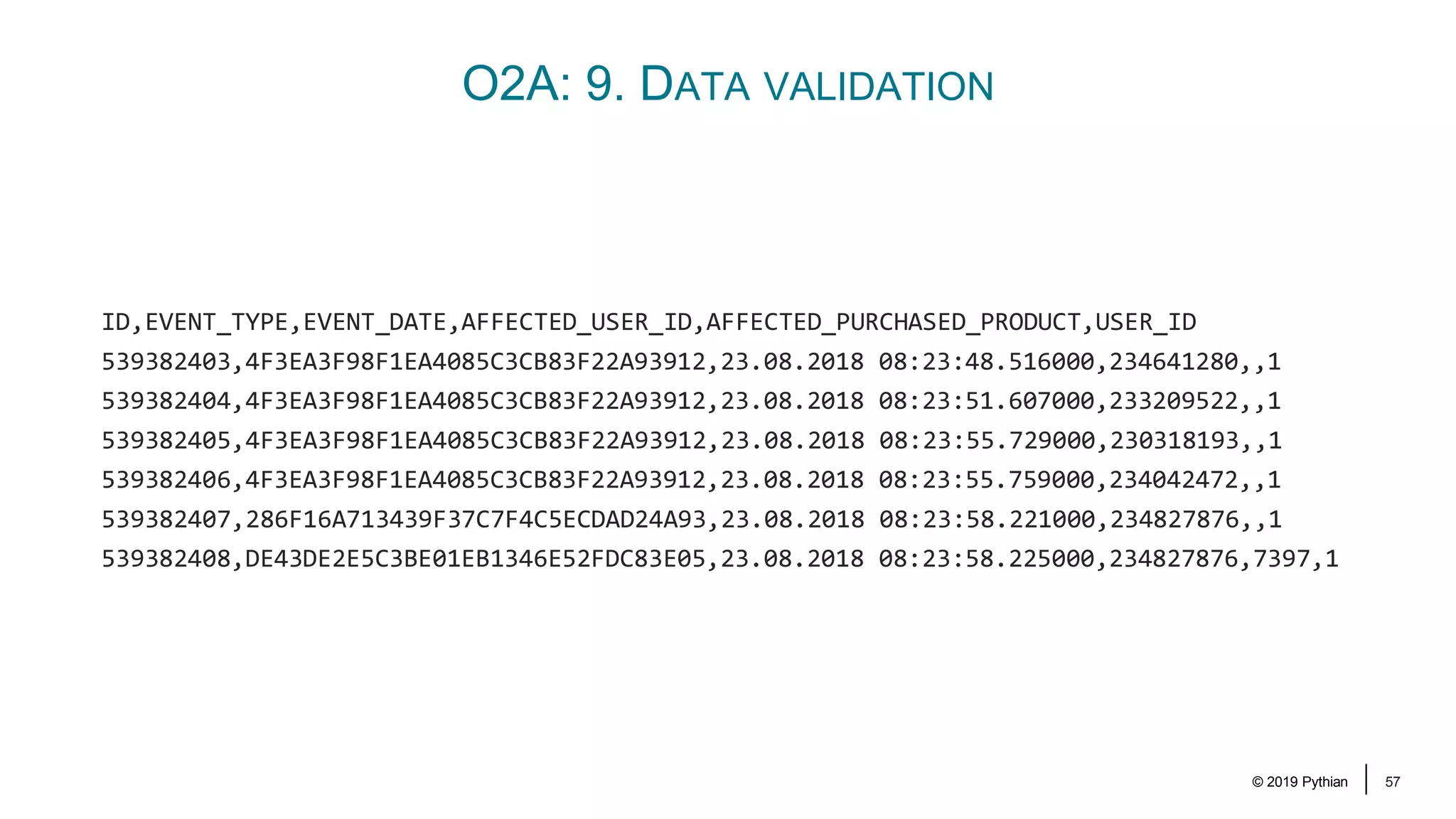
© 2019 Pythian 57 O2A: 9. DATA VALIDATION ID,EVENT_TYPE,EVENT_DATE,AFFECTED_USER_ID,AFFECTED_PURCHASED_PRODUCT,USER_ID 539382403,4F3EA3F98F1EA4085C3CB83F22A93912,23.08.2018 08:23:48.516000,234641280,,1 539382404,4F3EA3F98F1EA4085C3CB83F22A93912,23.08.2018 08:23:51.607000,233209522,,1 539382405,4F3EA3F98F1EA4085C3CB83F22A93912,23.08.2018 08:23:55.729000,230318193,,1 539382406,4F3EA3F98F1EA4085C3CB83F22A93912,23.08.2018 08:23:55.759000,234042472,,1 539382407,286F16A713439F37C7F4C5ECDAD24A93,23.08.2018 08:23:58.221000,234827876,,1 539382408,DE43DE2E5C3BE01EB1346E52FDC83E05,23.08.2018 08:23:58.225000,234827876,7397,1
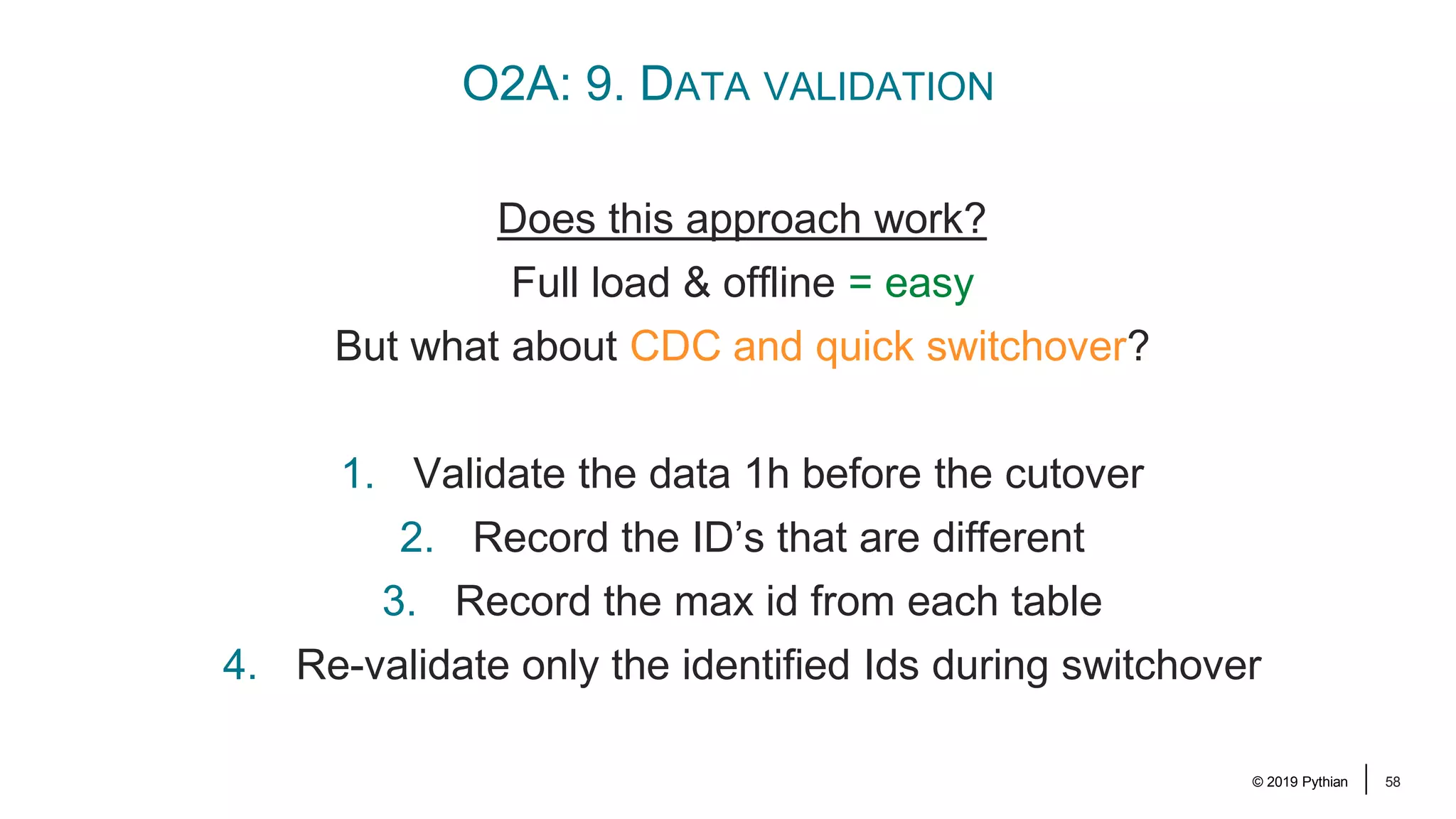
© 2019 Pythian 58 O2A: 9. DATA VALIDATION Does this approach work? Full load & offline = easy But what about CDC and quick switchover? 1. Validate the data 1h before the cutover 2. Record the ID’s that are different 3. Record the max id from each table 4. Re-validate only the identified Ids during switchover
© 2019 Pythian 61 O2A: 10. REMOVE THE UNNECESSARY RESOURCES Once the work is done, Stop and delete the replication task Remove the endpoints (Remove the replication instance) (Delete the source database (after the final snapshot)) We’re still running the Oracle-to-Aurora Replication...
© 2019 Pythian 62 ISSUES WE FACED
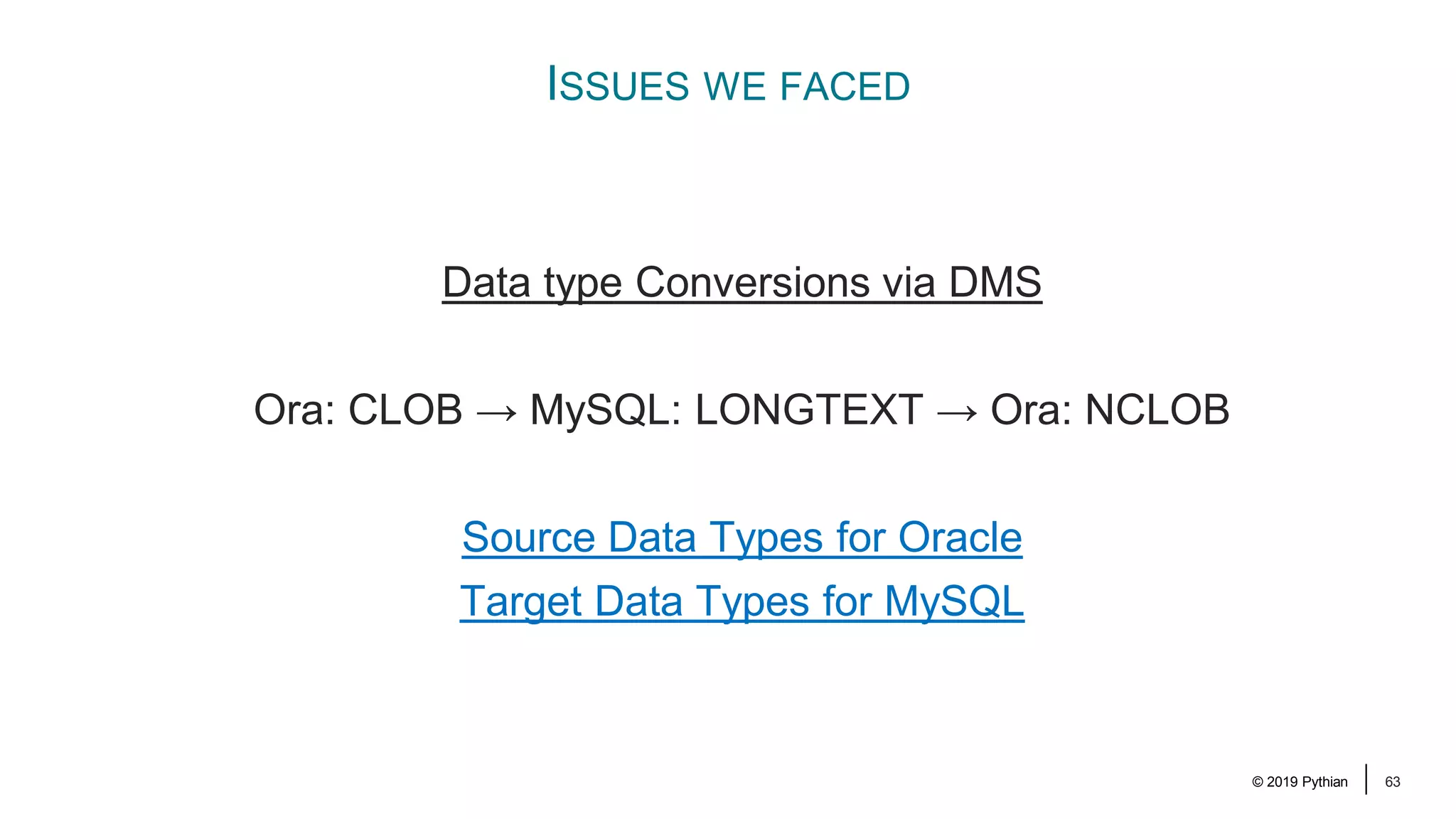
© 2019 Pythian 63 ISSUES WE FACED Data type Conversions via DMS Ora: CLOB → MySQL: LONGTEXT → Ora: NCLOB Source Data Types for Oracle Target Data Types for MySQL
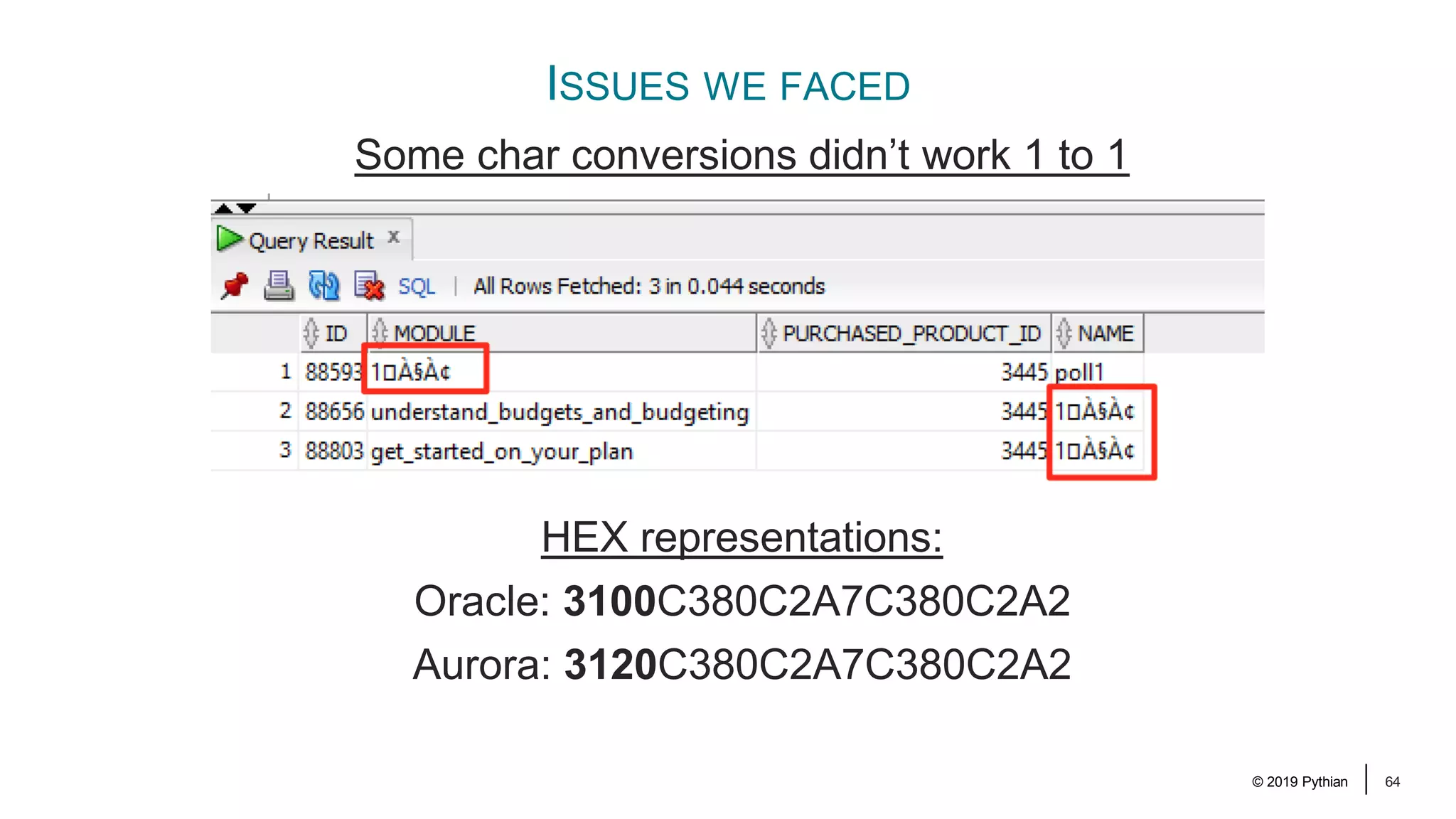
© 2019 Pythian 64 ISSUES WE FACED Some char conversions didn’t work 1 to 1 HEX representations: Oracle: 3100C380C2A7C380C2A2 Aurora: 3120C380C2A7C380C2A2
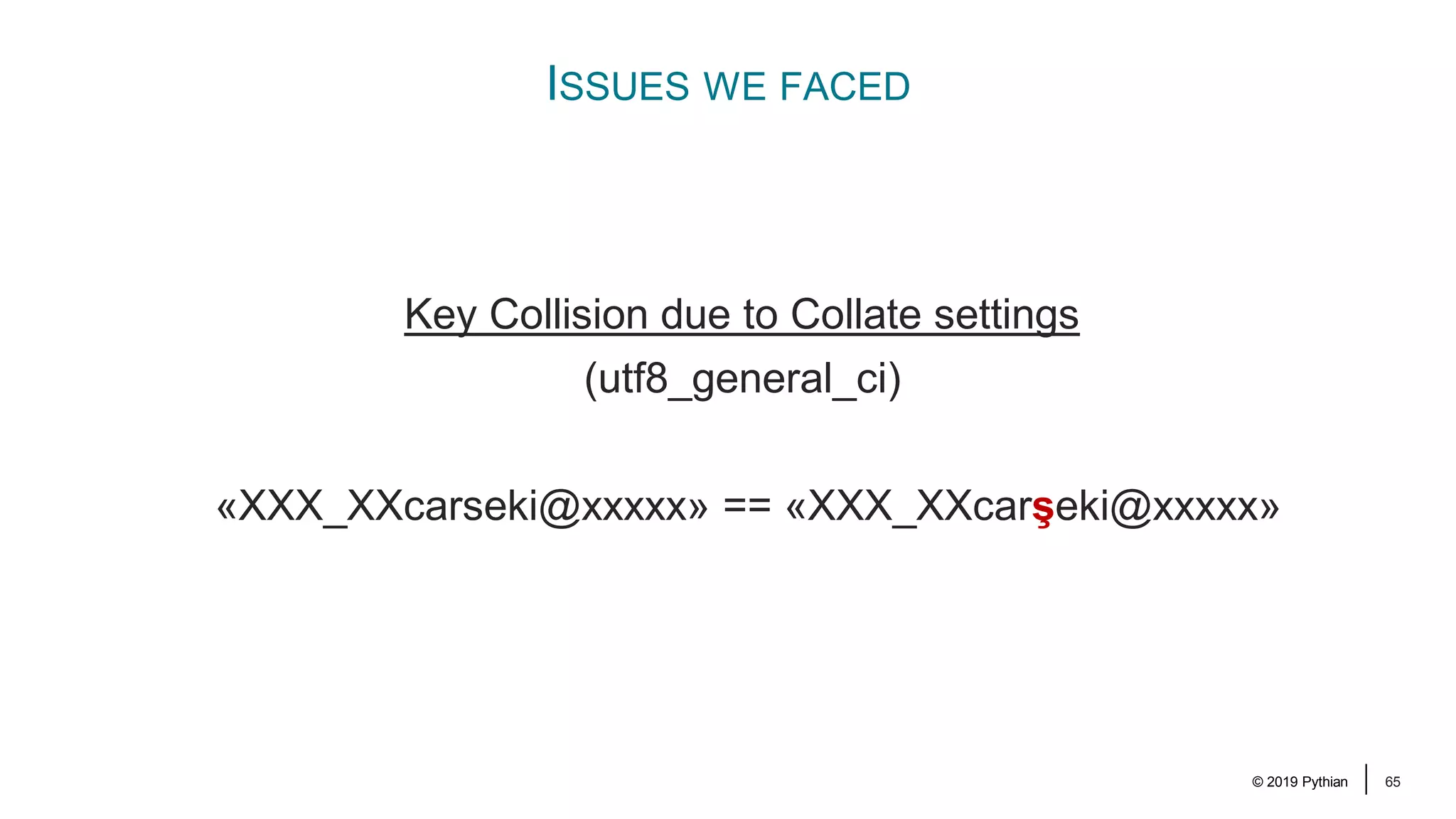
© 2019 Pythian 65 ISSUES WE FACED Key Collision due to Collate settings (utf8_general_ci) «XXX_XXcarseki@xxxxx» == «XXX_XXcarşeki@xxxxx»
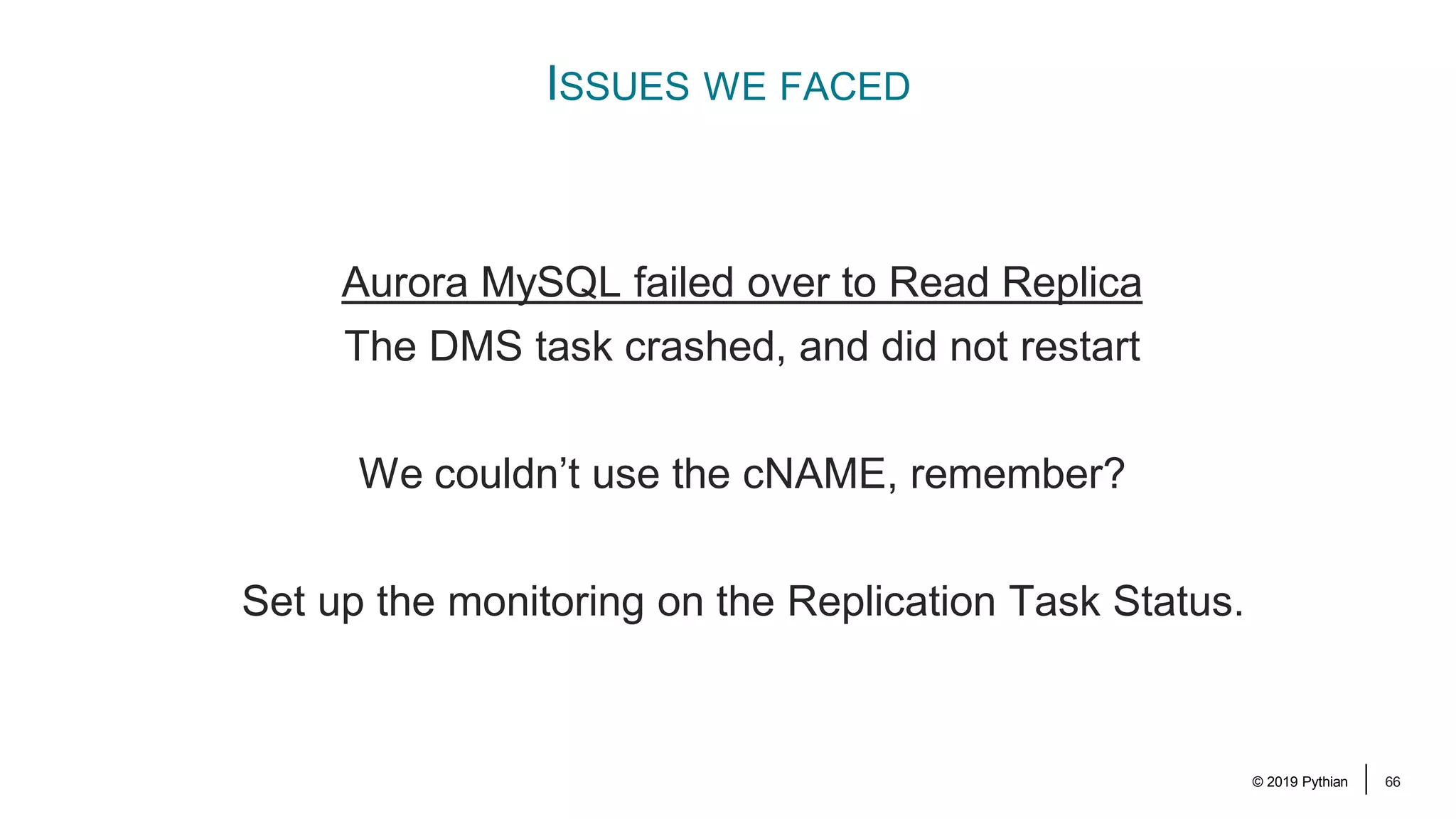
© 2019 Pythian 66 ISSUES WE FACED Aurora MySQL failed over to Read Replica The DMS task crashed, and did not restart We couldn’t use the cNAME, remember? Set up the monitoring on the Replication Task Status.
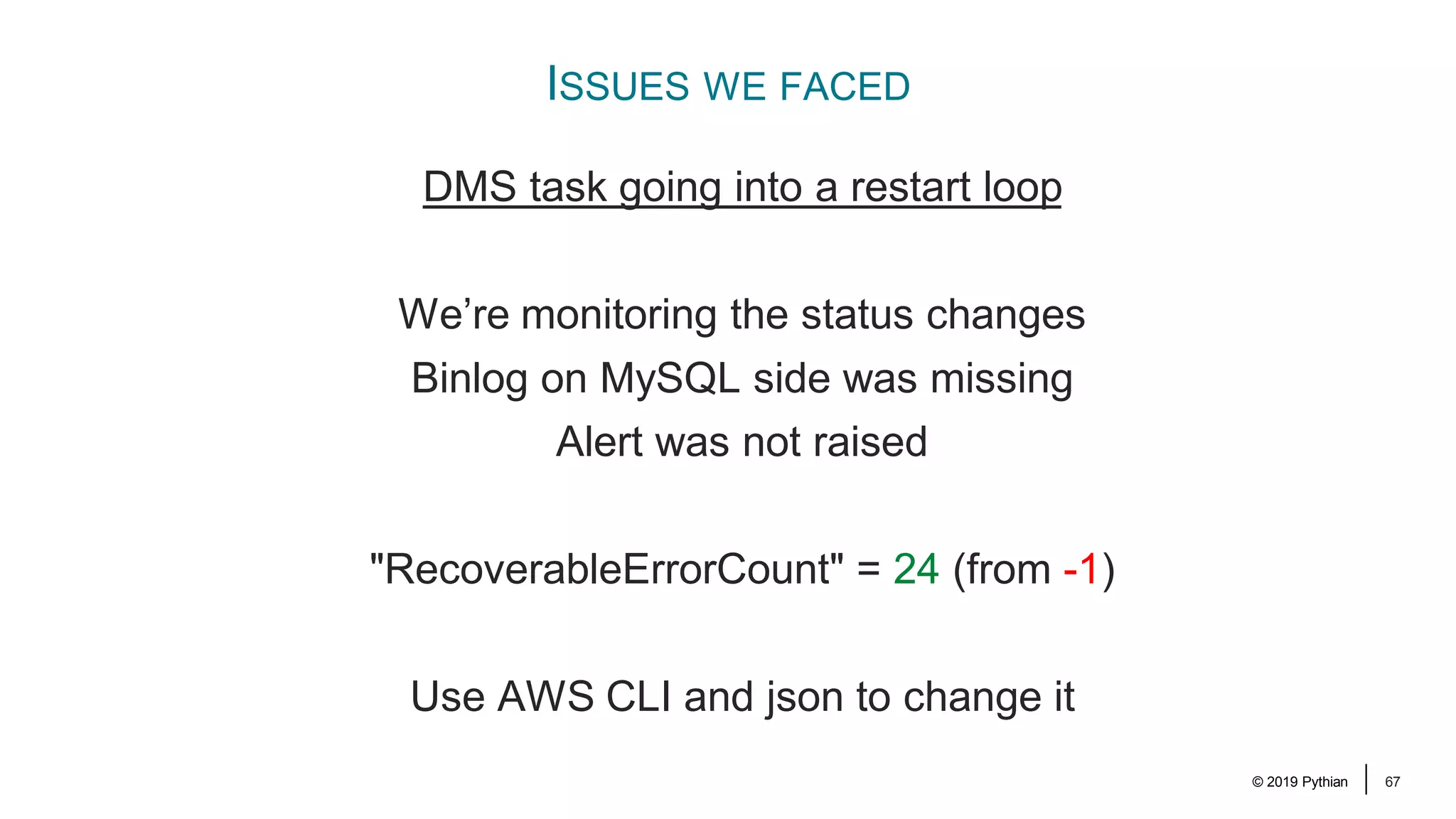
© 2019 Pythian 67 ISSUES WE FACED DMS task going into a restart loop We’re monitoring the status changes Binlog on MySQL side was missing Alert was not raised "RecoverableErrorCount" = 24 (from -1) Use AWS CLI and json to change it
© 2019 Pythian 68 ISSUES WE FACED 11 missing rows in a multimilion-row table ?
© 2019 Pythian 69 ISSUES WE FACED Downsized jpg stored in a BLOB column in MySQL ?
© 2019 Pythian 70 SUMMARY
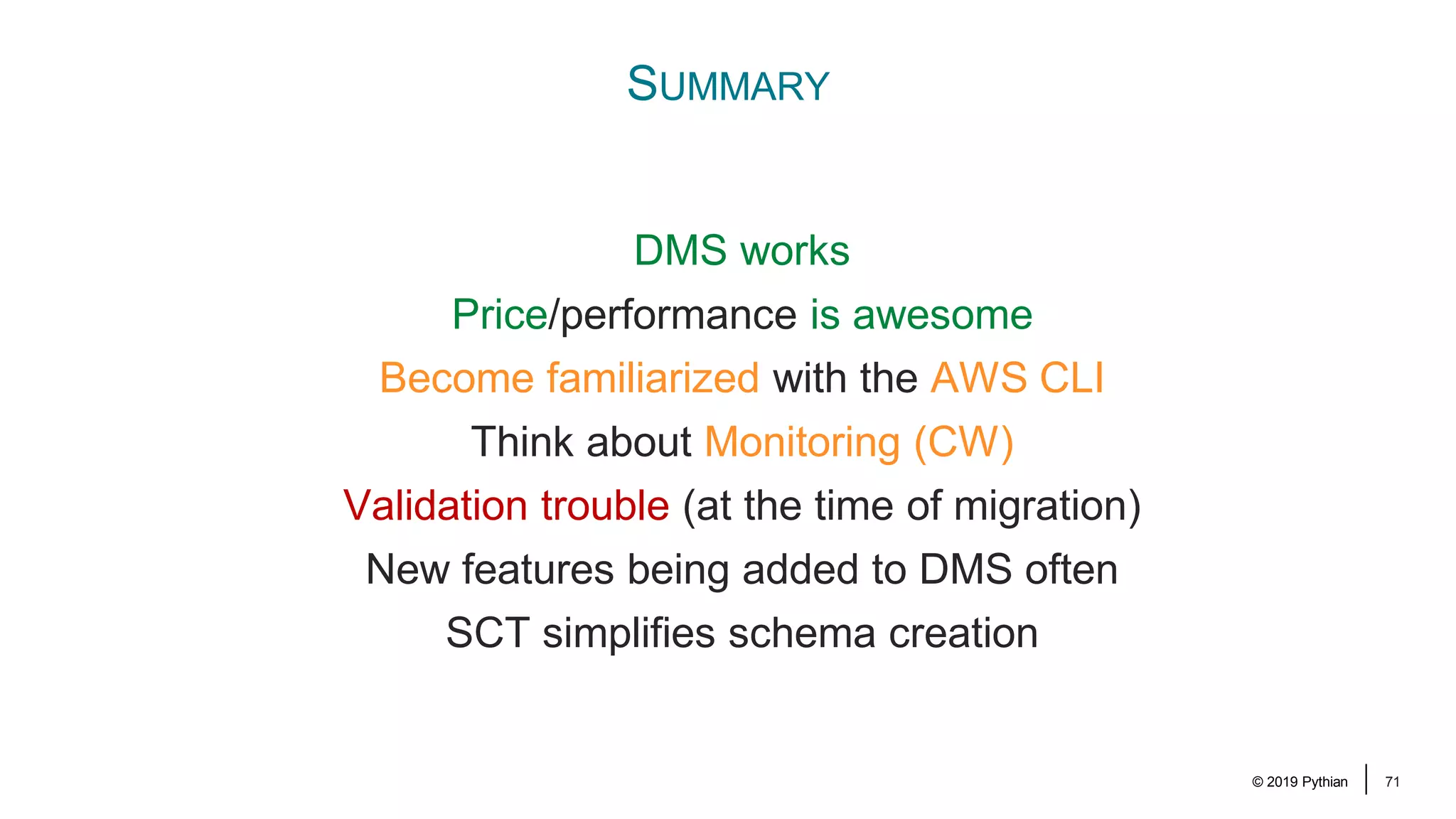
© 2019 Pythian 71 SUMMARY DMS works Price/performance is awesome Become familiarized with the AWS CLI Think about Monitoring (CW) Validation trouble (at the time of migration) New features being added to DMS often SCT simplifies schema creation
Session ID: Remember to complete your evaluation for this session within the app! 220 elsins@pythian.com @MarisDBA

An AWS DMS Replication Journey from Oracle to Aurora MySQL

  • 1.
    Session ID: Prepared by: Rememberto complete your evaluation for this session within the app! 220 An AWS DMS Replication Journey … from Oracle to Aurora MySQL April 9, 2019 Maris Elsins Lead Database Consultant Pythian @MarisDBA
  • 2.
    © 2019 Pythian2 Maris Elsins Lead Database Consultant At Pythian since 2011 Located in Riga, Latvia Oracle [Apps] DBA since 2005 Speaker at conferences since 2007 @MarisDBA elsins@pythian.com
  • 3.
    © 2019 Pythian3 ABOUT PYTHIAN Pythian’s 400+ IT professionals help companies adopt and manage disruptive technologies to better compete
  • 4.
    © 2019 Pythian5 Photo by Day Donaldson / CC BY 2.0 Can I ask questions during the presentation?
  • 5.
    © 2019 Pythian6 AGENDA 1. Motivation, Landscape and Requirements 2. Ideas and The Solution 3. Replications 4. Cutover 5. Issues we faced
  • 6.
    © 2019 Pythian7 WHAT TO EXPECT My goal is: to show what we did and how we did it to provide some hints on what to look out for My goal is not: to teach you how to use AWS DMS to provide the recipe of success with DMS to dig deep in the technical details
  • 7.
    © 2019 Pythian8 MOTIVATION, LANDSCAPE AND REQUIREMENTS
  • 8.
    © 2019 Pythian9 THE MOTIVATION DB Support contract expiring in 2018 Q3 Cost Optimization Moving towards Cloud Native Future Decision to move away from Oracle DBs and use AWS Aurora MySQL for everything I might be using terms «Aurora» and «MySQL» interchangeably
  • 9.
    © 2019 Pythian10 THE LANDSCAPE The project starts in Q1 6 months till the deadline … and it is a hard deadline
  • 10.
    © 2019 Pythian11 THE LANDSCAPE One RDS for Oracle instance (11.2) Data in Multiple schemas Used by 4 applications Can’t move all apps at the same time: Not enough resources Too much risk Milestones: Phase 1 – move one app and it’s schema (400G) Phase 2 – Move the 3 others later This presentation is only about Phase 1
  • 11.
    © 2019 Pythian12 THE LANDSCAPE Our task was to migrate the data to Aurora MySQL Complications: Cross schema FKs Remaining apps need access to the migrated data Good news: Only read only access required Not much PL/SQL code in the DB few triggers / views and packages
  • 12.
    © 2019 Pythian13 THE REQUIREMENTS The First app to be moved in 4 months 1 practice cutover available – in QA 1 hour of downtime for the cutover Conclusions: Replication or “Incremental refresh” Not enough time for an offline move Is that enough?
  • 13.
    © 2019 Pythian14 THE IDEAS AND THE SOLUTION
  • 14.
    © 2019 Pythian15 THE IDEAS Heterogenous Connectivity? Connect Oracle to Aurora (like a DB link) Refresh data on Aurora until the cutover Use something similar to MVs ... or triggers to propagate DML But… Oracle Database Gateway for MySQL not available on RDS Sounds way too complicated anyway
  • 15.
    © 2019 Pythian16 THE IDEAS Replication? Replication is the way to limit the cutover time Options: Oracle Golden Gate was NOT considered AWS Database Migration Service (DMS)
  • 16.
    © 2019 Pythian17 THE SOLUTION AWS Database Migration Service was selected! Advantages: + Built by AWS – well tested on RDS + One Stop Shop (AWS) + Supports CDC Doubts: Previous experience from a year ago when the tool was just recently announced was not great Where have we heard this saying?
  • 17.
    © 2019 Pythian18 How DMS works: Full Load: Table by Table in parallel Ongoing Replication: CDC, Logminer based THE SOLUTION Binary Reader available since mid-2018
  • 18.
    © 2019 Pythian19 THE SOLUTION: REPLICATION APPROACH A Before the Cutover of Application 1
  • 19.
    © 2019 Pythian20 THE SOLUTION: REPLICATION APPROACH A After the Cutover of Application 1
  • 20.
    © 2019 Pythian21 THE SOLUTION: REPLICATION APPROACH A What happens at the cutover: 1. Stop the app 2. Stop the DMS replication O2A 3. Reconnect the app to Aurora MySQL 4. Start replication from Aurora to Oracle (A2O) ... But there’s a problem ...
  • 21.
    © 2019 Pythian22 THE SOLUTION: REPLICATION APPROACH A What happens at the cutover: 1. Stop the app 2. Stop the DMS replication O2A 3. Reconnect the app to Aurora MySQL 4. Start replication from Aurora to Oracle (A2O) The problem: Trusting the replication will work correctly Can’t validate the data for the backward replication before it’s gone live
  • 22.
    © 2019 Pythian23 THE SOLUTION: REPLICATION APPROACH B
  • 23.
    © 2019 Pythian24 THE SOLUTION: REPLICATION APPROACH B
  • 24.
    © 2019 Pythian25 THE SOLUTION: REPLICATION APPROACH B Both Replication tasks running at the same time: – Perform data validations – Assess the stability of the replication task – Observe logs for issues – Prepare for the cutover
  • 25.
    © 2019 Pythian26 THE REPLICATION
  • 26.
    © 2019 Pythian27 O2A: LEARNING CURVE Lots of documentation available: • AWS Database Migration Service Documentation • Migrating an On-Premises Oracle Database to Amazon Aurora MySQL • Migrating an Amazon RDS Oracle Database to Amazon Aurora MySQL • Using an Oracle Database as a Source for AWS DMS • Using a MySQL-Compatible Database as a Target for AWS Database Migration Service Pro Tip: Read the documentation before you start the work ;)
  • 27.
    © 2019 Pythian28 O2A: OVERVIEW OF IMPLEMENTATION 1. Create target Aurora MySQL instances 2. Install AWS Schema Conversion Tool (SCT) on Your Computer 3. Test the connectivity to Oracle and Aurora MySQL 4. Use SCT to convert the schema from Oracle to MySQL 5. Validate the Schema - compare objects between DBs 6. Create a AWS DMS Replication Instance 7. Create AWS DMS Source and Target Endpoints 8. Create and run the AWS DMS Replication Task(s) 9. Verify the Data Migration is successful 10. Remove the Unnecessary Resources Where is the cutover?
  • 28.
    © 2019 Pythian29 O2A: 1. CREATE TARGET AURORA INSTANCES It’s tempting to be agile, slow down! Behavior differences between Oracle and Aurora MySQL Think about the final settings you’ll need to have in the end Character sets (utf8 vs. utf8mb4) Collation (utf8_bin vs. utf8_general_ci) Case insensitive table names (lower_case_table_names) Slow query logging (long_query_time and slow_query_log) 😇 Bytes: F0 9F 98 87 Is Š == S == Ŝ ? Defaults to 0 (NO) «Performance insights» might help too
  • 29.
    © 2019 Pythian30 O2A: 2. INSTALL AWS SCHEMA CONVERSION TOOL (SCT) ON YOUR COMPUTER Supported on Windows, Mac OS X, Ubuntu and Fedora Install required Database Drivers: – Oracle Database 12.1.0.1 JDBC Driver – JDBC Driver for MySQL (Connector/J) There’s nothing really exciting about this part of work ☺
  • 30.
    © 2019 Pythian31 O2A: 3. TEST THE CONNECTIVITY TO ORACLE AND AURORA MYSQL Connectivty setup depends on your «landscape». Controlled VDI in our case ... with only ssh access ... to an EC2 bastion host (a jumpbox) ... that had access to the DBs! Few ssh-tunnels later I was connected to both DBs from the SCT.
  • 31.
    © 2019 Pythian32 O2A: 4. USE SCT TO CONVERT THE SCHEMA FROM ORACLE TO MYSQL Database Migration Assessment Report (PDF)
  • 32.
    © 2019 Pythian33 O2A: 4. USE SCT TO CONVERT THE SCHEMA FROM ORACLE TO MYSQL • Issue 102: MySQL doesn't support the MERGE statement • Issue 198: MySQL doesn't support GLOBAL TEMPORARY TABLE • Issue 207: MySQL doesn't support function indexes • Issue 326: MySQL doesn't support constraints with the status DISABLED • Issue 332: MySQL doesn't support the procedure dbms_output.put_line • Issue 340: Unable to convert functions • Issue 345: The handler might cover not all cases • Issue 350: The function cannot use statements that explicitly or implicitly begin or end a transaction, such as START TRANSACTION, COMMIT, or ROLLBACK • Issue 524: MySQL doesn't support triggers for multiple events • Issue 588: MySQL doesn't support more than one trigger per event. A few triggers were merged • Issue 9996: Internal Converter error occurred
  • 33.
    © 2019 Pythian34 O2A: 4. USE SCT TO CONVERT THE SCHEMA FROM ORACLE TO MYSQL
  • 34.
    © 2019 Pythian35 O2A: 4. USE SCT TO CONVERT THE SCHEMA FROM ORACLE TO MYSQL Generate the Schema Creation Script The SCT can: – Create a «Project» file – 1 to 1 source-target object mappings – Record the automatically converted target object definitions – Record the manually adjusted target object definitions – Execute the create steps in the target database Our way: Just create the initial script – Take it outside SCT – Managed it like any other source code – wanted more control over datatypes Trust required ☺ I.e. Standardise the *INT usage, dates vs timestamps
  • 35.
    © 2019 Pythian36 O2A: 4. USE SCT TO CONVERT THE SCHEMA FROM ORACLE TO MYSQL
  • 36.
    © 2019 Pythian37 O2A: 4. USE SCT TO CONVERT THE SCHEMA FROM ORACLE TO MYSQL SCT helped a lot! Majority of objects were converted automatically without issues Seeing a ready-made script was helpful Remember, I’m a MySQL noob
  • 37.
    © 2019 Pythian38 O2A: 5. VALIDATE THE SCHEMA – COMPARE OBJECTS BETWEEN DBS Extract the object counts from both DBs and compare The process we ran made sure it was OK without this comparison Several iterations of: Drop the target DB Run the schema creation script Check for errors Fix the issues (if any)
  • 38.
    © 2019 Pythian39 O2A: 6. CREATE AN AWS DMS REPLICATION INSTANCE It’s basically just a pre-configured EC2 created by a Wizard by providing parameters: – Name – Instance type (vCPU / RAM) – Storage size – Subnet / VPC Security Groups – KMS Master Key – ... – Extra Connection Attributes
  • 39.
    © 2019 Pythian40 O2A: 7. CREATE AWS DMS SOURCE AND TARGET ENDPOINTS Endpoints: Source / Target connection description + special attributes Replication instance → DB Server Connection test cNAME issue with writer and the read replicas MyDB1 «My1» - Writer instance «My2» - Read Replica
  • 40.
    © 2019 Pythian41 O2A: 7. SOURCE ENDPOINT – SPECIAL ATTRIBUTES aws dms describe-endpoints .. { "Username": "pythian", "Status": "active", "EndpointArn": "xxx", "ServerName": "yyy.vvv.us-east-1.rds.amazonaws.com", "EndpointType": "SOURCE", "SslMode": "none", "KmsKeyId": "***", "ExtraConnectionAttributes": "addSupplementalLogging=Y", "DatabaseName": "PROD", "EngineDisplayName": "Oracle", "EngineName": "oracle", "EndpointIdentifier": «source_db01", "Port": 1521 },
  • 41.
    © 2019 Pythian42 O2A: 7. TARGET ENDPOINT - SPECIAL ATTRIBUTES aws dms describe-endpoints .. { "Username": "pythian", "Status": "active", "EndpointArn": "xxx", "ServerName": "xxxxxxxxxxxxxxx.yyyyyyyyyyyy.us-east-1.rds.amazonaws.com", "EndpointType": "TARGET", "SslMode": "none", "KmsKeyId": "***", "ExtraConnectionAttributes": "initstmt=SET FOREIGN_KEY_CHECKS=0;parallelLoadThreads=1;afterConnectScript=set session sql_mode = 'STRICT_TRANS_TABLES,NO_ZERO_IN_DATE,NO_ZERO_DATE,ERROR_FOR_DIVISION_BY_ZERO,NO_AUTO_CREATE_USER,NO_ENGINE_SUBST ITUTION,NO_AUTO_VALUE_ON_ZERO,STRICT_ALL_TABLES'", "EngineDisplayName": "Amazon Aurora MySQL", "EngineName": "aurora", "EndpointIdentifier": "target-db01", "Port": 3306 }, ..
  • 42.
    © 2019 Pythian43 O2A: 8. CREATE AND RUN THE AWS DMS REPLICATION TASK(S) GUI-way ... and it’s troubles Simple, unless you need a bit of extra Lots of tables / rules Nondefault Logging Specific settings Stop → Start/Restart
  • 43.
    © 2019 Pythian44 O2A: 8. DMS TASK GUI
  • 44.
    © 2019 Pythian45 O2A: 8. DMS TASK GUI
  • 45.
    © 2019 Pythian46 O2A: 8. DMS TASK GUI
  • 46.
    © 2019 Pythian47 O2A: 8. CREATE AND RUN THE AWS DMS REPLICATION TASK(S) { "rules": [ { "rule-type": "selection", "rule-id": "1", "rule-name": "1", "object-locator": { "schema-name": "OLD_PROD", "table-name": "TEST2" }, "rule-action": "include" }, ... { "rule-type": "transformation", "rule-id": «75", "rule-name": «75", "rule-target": "schema", "object-locator": { "schema-name": "OLD_PROD" }, "rule-action": "rename", "value": "newprod" } ] }
  • 47.
    © 2019 Pythian48 O2A: 8. CREATE AND RUN THE AWS DMS REPLICATION TASK(S)
  • 48.
    © 2019 Pythian49 O2A: 8. CREATE AND RUN THE AWS DMS REPLICATION TASK(S) Some advanced options can’t be changed from GUI ... Use AWS CLI and json definition of the task. What we want to change? "RecoverableErrorCount" = 24 (from -1) LOGGER_SEVERITY_DETAILED_DEBUG aws dms create-replication-task --cli-input-json file://prod-ora2aurora.json
  • 49.
    © 2019 Pythian50 O2A: 9. VERIFY THE DATA MIGRATION IS SUCCESSFUL Time to stop the replication! Is all data processed? Is data migrated correctly? Make sure the last redo sequence is processed! DMS provides data validation! Unfortunately: Good for small, simple tables Unreliable / Unpredictable for others
  • 50.
    © 2019 Pythian51 O2A: 9. VERIFY THE DATA MIGRATION IS SUCCESSFUL
  • 51.
    © 2019 Pythian52 O2A: 9. DATA VALIDATION Created a custom data extraction tool • Scripts that generate data extraction queries • Run queries against both databases • Data is written to csv files • «Difficult» columns are MD5-hashed – ones except numbers, dates and timestamps • Compare the outputs with «diff»
  • 52.
    © 2019 Pythian53 O2A: 9. DATA VALIDATION Data extraction in MySql All numbers: DOUBLE, DECIMAL, INT, LONGING Extract as is DATETIME, DATETIME(6) DATE_FORMAT(COL,'%d.%m.%Y %H:%i:%S.%f') LONGTEXT, LONGBLOB UPPER(MD5(COL)) VARCHAR UPPER(MD5(COL))
  • 53.
    © 2019 Pythian54 O2A: 9. DATA VALIDATION Data extraction in Oracle NUMBER replace(trim(to_char(COL,lpad('9',PRECISION,'9')||'.' ||lpad('9',SCALE,'9'))),'.',decode(substr(trim(to_cha r(COL,lpad('9',PRECISION,'9')||'.'||lpad('9',SCALE,'9 '))),1,1),'.','0.','.')) TIMESTAMP TO_CHAR(COL,''DD.MM.YYYY HH24:MI:SS.FF6'') DATE TO_CHAR(COL,'DD.MM.YYYY HH24:MI:SS')||decode(COL,null,null,'.000000') CLOB RAWTOHEX(DBMS_CRYPTO.Hash(to_nclob(COL),2)) BLOB, NCLOB RAWTOHEX(DBMS_CRYPTO.Hash(COL,2)) 2000+ long CHAR, VARCHAR2 RAWTOHEX(DBMS_CRYPTO.Hash(TO_CLOB(COL2)) <2000 long CHAR, VARCHAR2 RAWTOHEX(DBMS_CRYPTO.Hash(UTL_RAW.CAST_TO_RAW(COL),2) )
  • 54.
    © 2019 Pythian55 O2A: 9. DATA VALIDATION mysql -h prod-aurora-db01-P 3306 -u pythian -p*** --batch --quick -e "SELECT ID, CUSTOMER_ACCOUNTS_ID, UPPER(MD5(DISCLAIMER)) DISCLAIMER, UPPER(MD5(TYPE)) TYPE, UPPER(MD5(FREQUENCY)) FREQUENCY, FREQUENCY_RECURRING_DAYS, DATE_FORMAT(CREATE_DATE,'%d.%m.%Y %H:%i:%S.%f') CREATE_DATE, DATE_FORMAT(LAST_UPDATE_DATE,'%d.%m.%Y %H:%i:%S.%f') LAST_UPDATE_DATE, UPPER(MD5(DISCLAIMER_PART2)) DISCLAIMER_PART2 FROM proddb.DATATABLE ORDER BY 1,2,3,4,5,6,7,8,9 " | sed 's/t/","/g;s/n//g' | sed -e '/^$/d' -e 's/"//g' -e 's/NULL//g' -e 's/D41D8CD98F00B204E9800998ECF8427E//g' > m_DATATABLE.csv
  • 55.
    © 2019 Pythian56 O2A: 9. DATA VALIDATION sql -s pythian/***@prod-ora-db01_PROD << EOF | sed 's/t/","/g;s/n//g' | sed -e '/^$/d' -e 's/"//g' -e 's/NULL//g' -e 's/D41D8CD98F00B204E9800998ECF8427E//g' > o_DATATABLE.csv set feedback off echo off pagesize 0 linesize 32000 trimspool on set null NULL arraysize 5000 set sqlformat DELIMITED , " " SELECT ID, CUSTOMER_ACCOUNTS_ID, case when DISCLAIMER is null then null else RAWTOHEX(DBMS_CRYPTO.Hash(TO_NCLOB(DISCLAIMER),2)) end DISCLAIMER, case when TYPE is null then null else RAWTOHEX(DBMS_CRYPTO.Hash(TO_CLOB(TYPE),2)) end TYPE, case when FREQUENCY is null then null else RAWTOHEX(DBMS_CRYPTO.Hash(TO_CLOB(FREQUENCY),2)) end FREQUENCY, FREQUENCY_RECURRING_DAYS, TO_CHAR(CREATE_DATE,'DD.MM.YYYY HH24:MI:SS.FF6') CREATE_DATE, TO_CHAR(LAST_UPDATE_DATE,'DD.MM.YYYY HH24:MI:SS.FF6') LAST_UPDATE_DATE, case when DISCLAIMER_PART2 is null then null else RAWTOHEX(DBMS_CRYPTO.Hash(TO_NCLOB(DISCLAIMER_PART2),2)) end DISCLAIMER_PART2 FROM HMM_OWNER.DATATABLE ORDER BY 1,2,3,4,5,6,7,8,9; exit; EOF
  • 56.
    © 2019 Pythian57 O2A: 9. DATA VALIDATION ID,EVENT_TYPE,EVENT_DATE,AFFECTED_USER_ID,AFFECTED_PURCHASED_PRODUCT,USER_ID 539382403,4F3EA3F98F1EA4085C3CB83F22A93912,23.08.2018 08:23:48.516000,234641280,,1 539382404,4F3EA3F98F1EA4085C3CB83F22A93912,23.08.2018 08:23:51.607000,233209522,,1 539382405,4F3EA3F98F1EA4085C3CB83F22A93912,23.08.2018 08:23:55.729000,230318193,,1 539382406,4F3EA3F98F1EA4085C3CB83F22A93912,23.08.2018 08:23:55.759000,234042472,,1 539382407,286F16A713439F37C7F4C5ECDAD24A93,23.08.2018 08:23:58.221000,234827876,,1 539382408,DE43DE2E5C3BE01EB1346E52FDC83E05,23.08.2018 08:23:58.225000,234827876,7397,1
  • 57.
    © 2019 Pythian58 O2A: 9. DATA VALIDATION Does this approach work? Full load & offline = easy But what about CDC and quick switchover? 1. Validate the data 1h before the cutover 2. Record the ID’s that are different 3. Record the max id from each table 4. Re-validate only the identified Ids during switchover
  • 58.
    © 2019 Pythian61 O2A: 10. REMOVE THE UNNECESSARY RESOURCES Once the work is done, Stop and delete the replication task Remove the endpoints (Remove the replication instance) (Delete the source database (after the final snapshot)) We’re still running the Oracle-to-Aurora Replication...
  • 59.
    © 2019 Pythian62 ISSUES WE FACED
  • 60.
    © 2019 Pythian63 ISSUES WE FACED Data type Conversions via DMS Ora: CLOB → MySQL: LONGTEXT → Ora: NCLOB Source Data Types for Oracle Target Data Types for MySQL
  • 61.
    © 2019 Pythian64 ISSUES WE FACED Some char conversions didn’t work 1 to 1 HEX representations: Oracle: 3100C380C2A7C380C2A2 Aurora: 3120C380C2A7C380C2A2
  • 62.
    © 2019 Pythian65 ISSUES WE FACED Key Collision due to Collate settings (utf8_general_ci) «XXX_XXcarseki@xxxxx» == «XXX_XXcarşeki@xxxxx»
  • 63.
    © 2019 Pythian66 ISSUES WE FACED Aurora MySQL failed over to Read Replica The DMS task crashed, and did not restart We couldn’t use the cNAME, remember? Set up the monitoring on the Replication Task Status.
  • 64.
    © 2019 Pythian67 ISSUES WE FACED DMS task going into a restart loop We’re monitoring the status changes Binlog on MySQL side was missing Alert was not raised "RecoverableErrorCount" = 24 (from -1) Use AWS CLI and json to change it
  • 65.
    © 2019 Pythian68 ISSUES WE FACED 11 missing rows in a multimilion-row table ?
  • 66.
    © 2019 Pythian69 ISSUES WE FACED Downsized jpg stored in a BLOB column in MySQL ?
  • 67.
    © 2019 Pythian70 SUMMARY
  • 68.
    © 2019 Pythian71 SUMMARY DMS works Price/performance is awesome Become familiarized with the AWS CLI Think about Monitoring (CW) Validation trouble (at the time of migration) New features being added to DMS often SCT simplifies schema creation
  • 69.
    Session ID: Remember tocomplete your evaluation for this session within the app! 220 elsins@pythian.com @MarisDBA