Automation Testing With Test Complete..!!
It is defined as developing and executing tests that can run unattended, comparing the actual to expected results and logging status. OR "Automated Testing" is automating the manual testing process currently in use.
The major objectives of software test automation: - To free engineers from tedious and redundant manual testing operations - To speed up a software testing process, and to reduce software testing cost and time during a software life cycle - To increase the quality and effectiveness of a software test process by achieving pre-defined adequate test criteria in a limited schedule - To run Regression tests overnight and weekends
Advantages  Reliable: carries out the same operations - eliminating human error  Reusable: can reuse tests on different versions of an application  Better Quality Software: can run more tests in less time with fewer resources – good coverage  Fast: run tests significantly faster than human users.  Cost Reduction: number of resources for tests are reduced.  Replaces: manually mundane and labour intensive tasks
Disadvantages  High investment is needed in the tools and training  High man power requirement for test preparations  A lot of testing areas are left uncovered  Automated testing is an addition to your testing process as it does not replace the need for manual testing
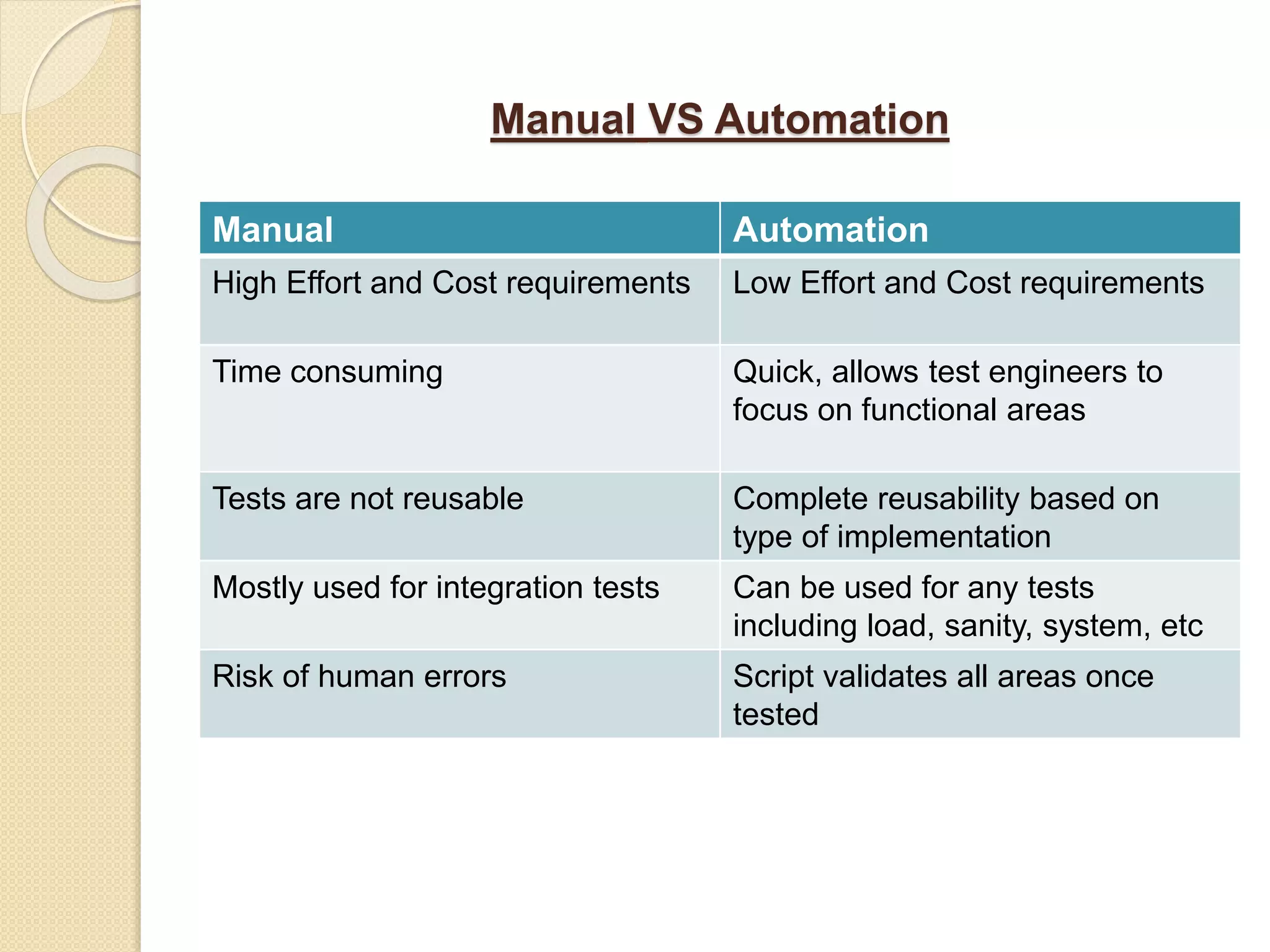
Manual VS Automation Manual Automation High Effort and Cost requirements Low Effort and Cost requirements Time consuming Quick, allows test engineers to focus on functional areas Tests are not reusable Complete reusability based on type of implementation Mostly used for integration tests Can be used for any tests including load, sanity, system, etc Risk of human errors Script validates all areas once tested
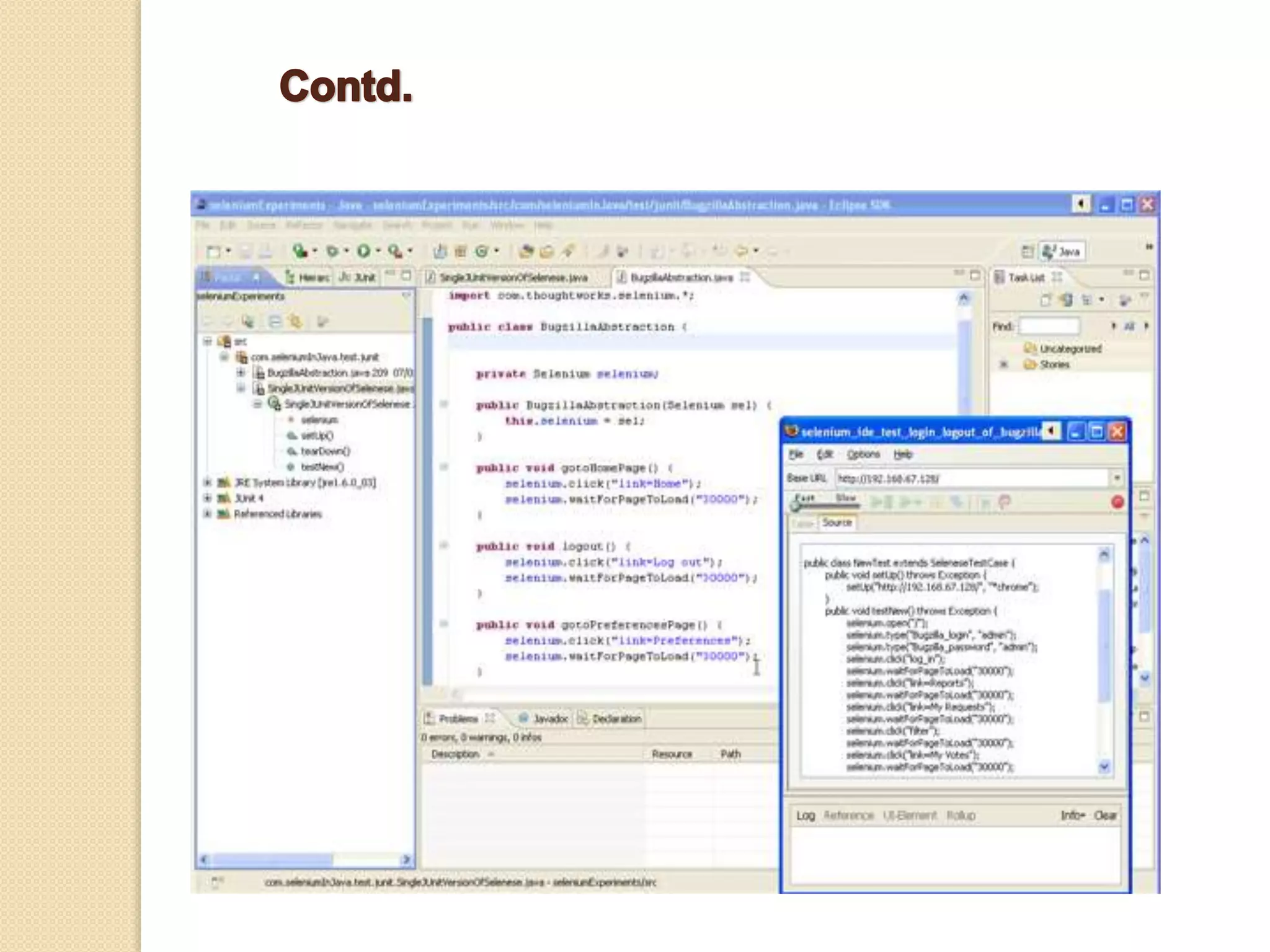
Major Tools Used for Automation Testing There are many available tools for automation testing. Below we are discussing three of them:-  Selenium  QTP ( Quality Test Professional )  Test Complete • Selenium - Selenium was created by Jason Huggins. Selenium is a portable software testing framework for web applications .It is an open source testing tool. With Selenium there is no special tool and specific technology to write the script. It’s key feature is that it allows to automatically rerun tests against multiple browsers.
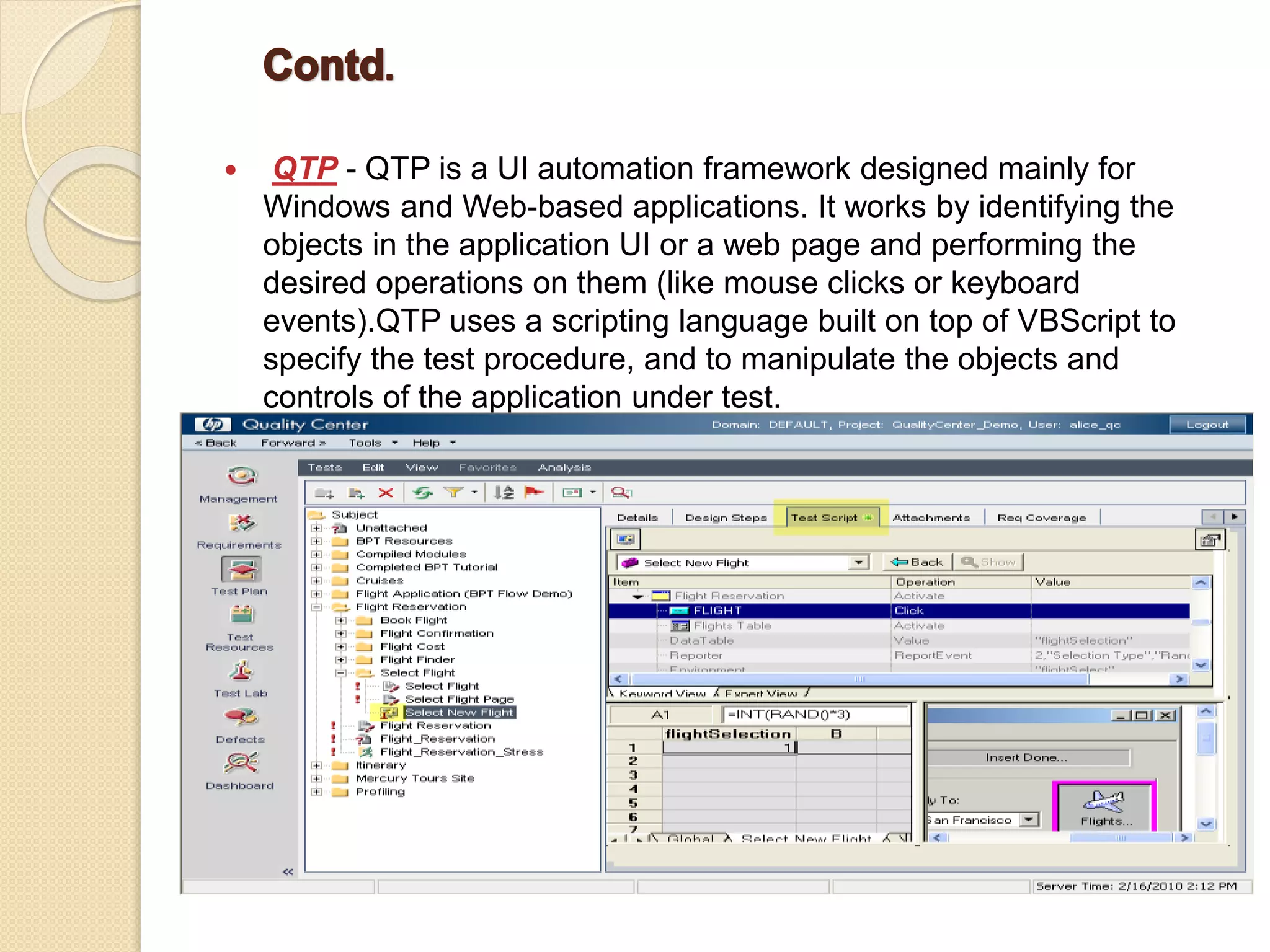
 QTP - QTP is a UI automation framework designed mainly for Windows and Web-based applications. It works by identifying the objects in the application UI or a web page and performing the desired operations on them (like mouse clicks or keyboard events).QTP uses a scripting language built on top of VBScript to specify the test procedure, and to manipulate the objects and controls of the application under test.
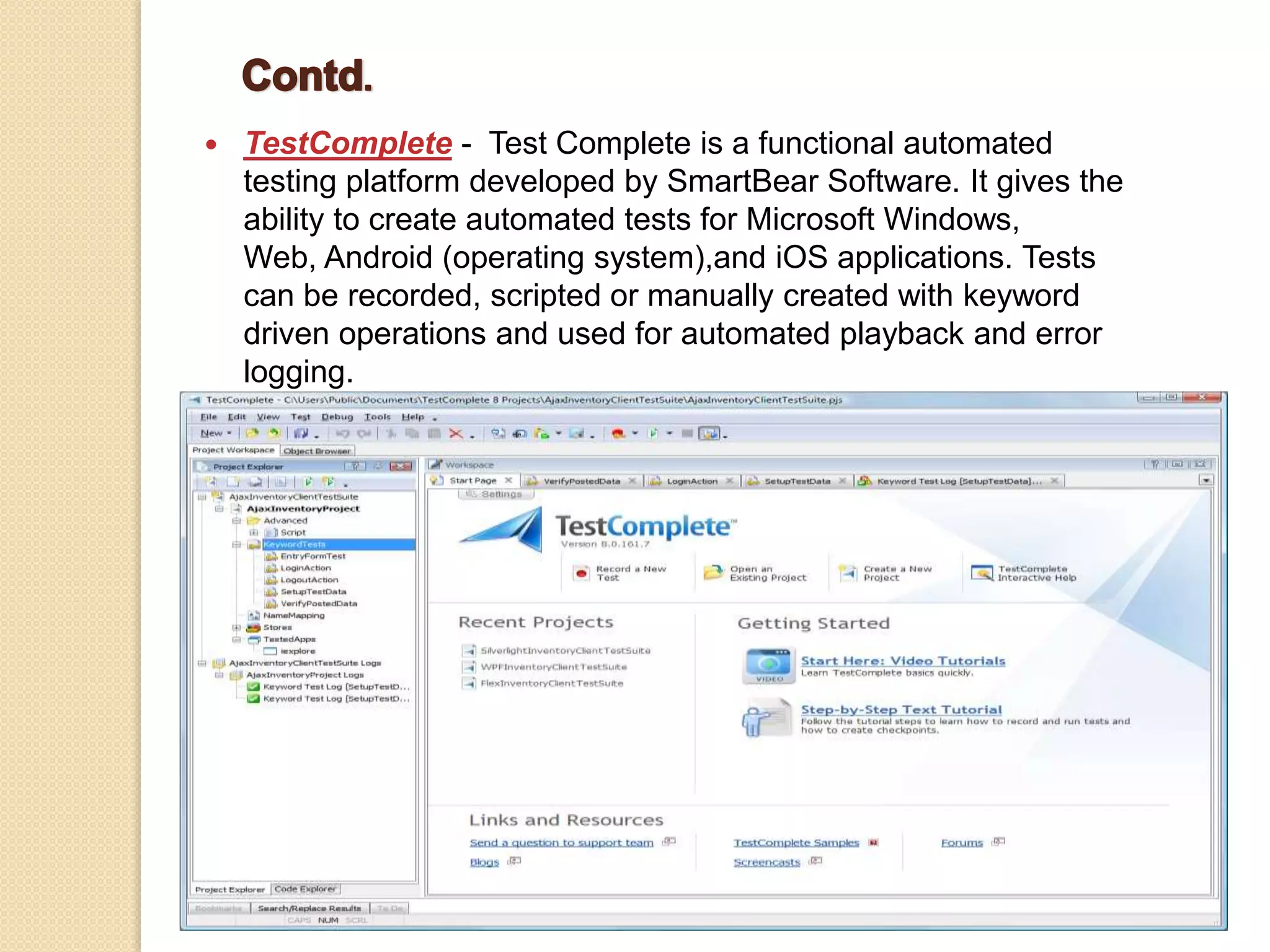
 TestComplete - Test Complete is a functional automated testing platform developed by SmartBear Software. It gives the ability to create automated tests for Microsoft Windows, Web, Android (operating system),and iOS applications. Tests can be recorded, scripted or manually created with keyword driven operations and used for automated playback and error logging.
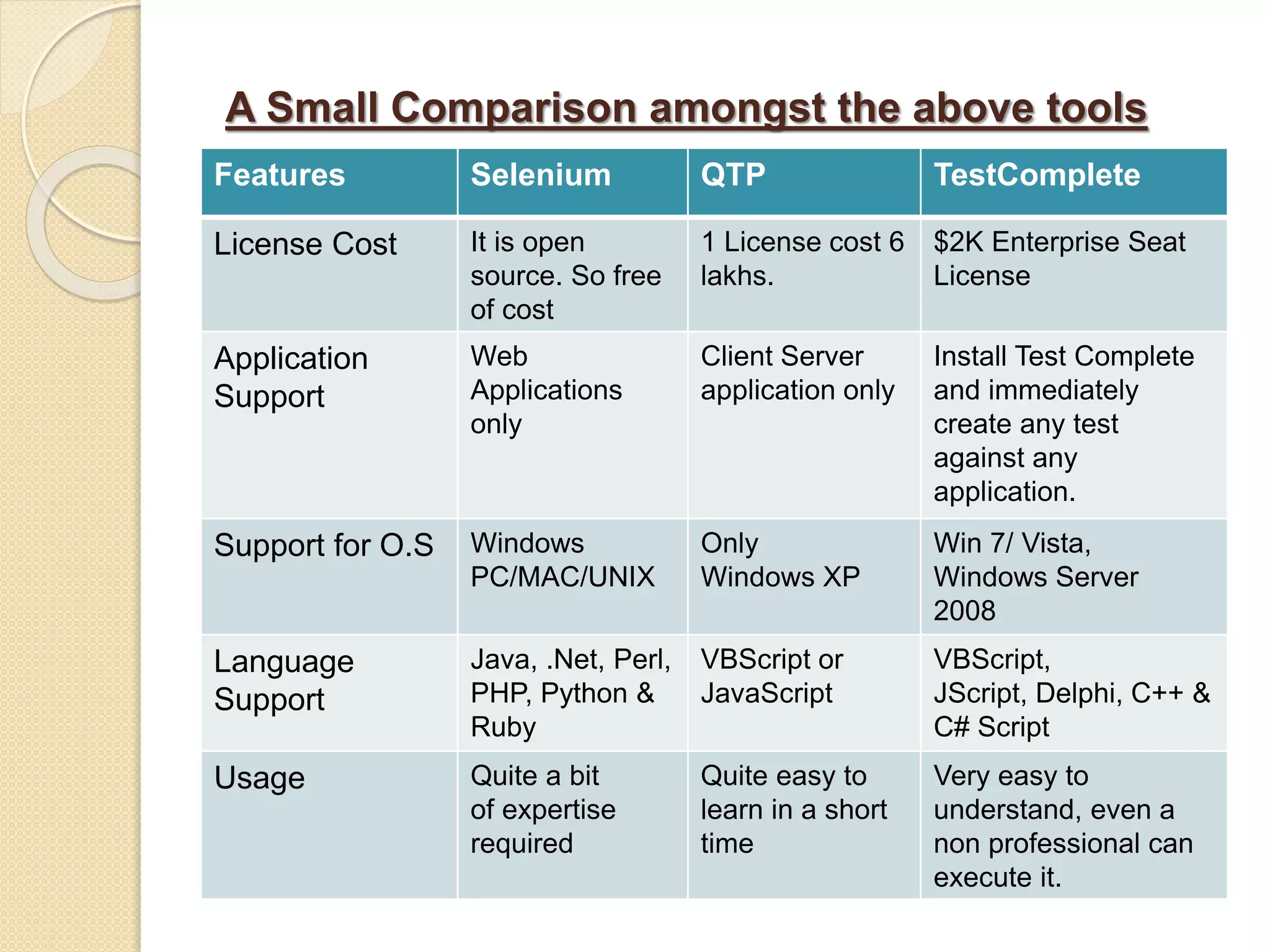
A Small Comparison amongst the above tools Features Selenium QTP TestComplete License Cost It is open source. So free of cost 1 License cost 6 lakhs. $2K Enterprise Seat License Application Support Web Applications only Client Server application only Install Test Complete and immediately create any test against any application. Support for O.S Windows PC/MAC/UNIX Only Windows XP Win 7/ Vista, Windows Server 2008 Language Support Java, .Net, Perl, PHP, Python & Ruby VBScript or JavaScript VBScript, JScript, Delphi, C++ & C# Script Usage Quite a bit of expertise required Quite easy to learn in a short time Very easy to understand, even a non professional can execute it.
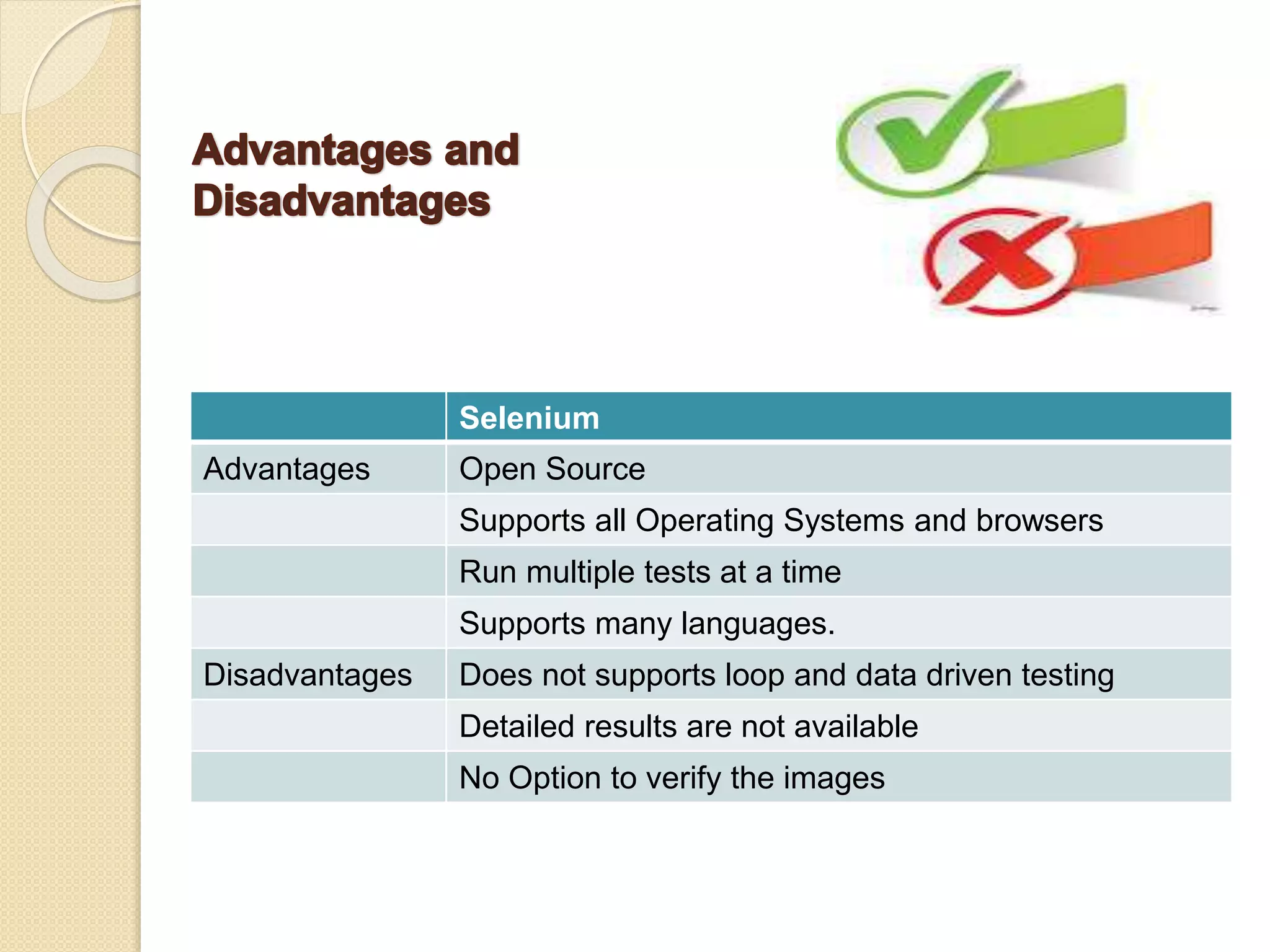
Selenium Advantages Open Source Supports all Operating Systems and browsers Run multiple tests at a time Supports many languages. Disadvantages Does not supports loop and data driven testing Detailed results are not available No Option to verify the images
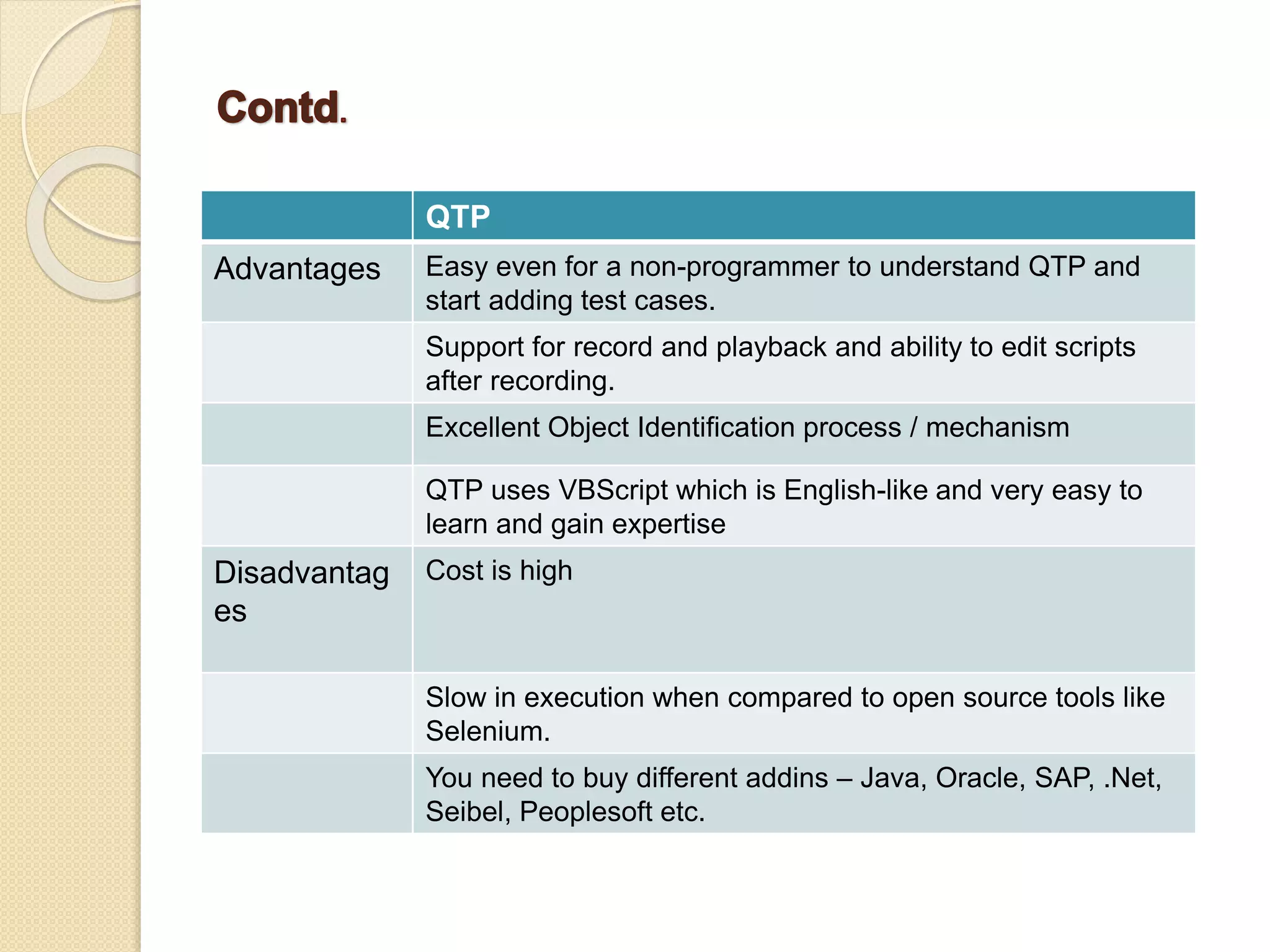
QTP Advantages Easy even for a non-programmer to understand QTP and start adding test cases. Support for record and playback and ability to edit scripts after recording. Excellent Object Identification process / mechanism QTP uses VBScript which is English-like and very easy to learn and gain expertise Disadvantag es Cost is high Slow in execution when compared to open source tools like Selenium. You need to buy different addins – Java, Oracle, SAP, .Net, Seibel, Peoplesoft etc.
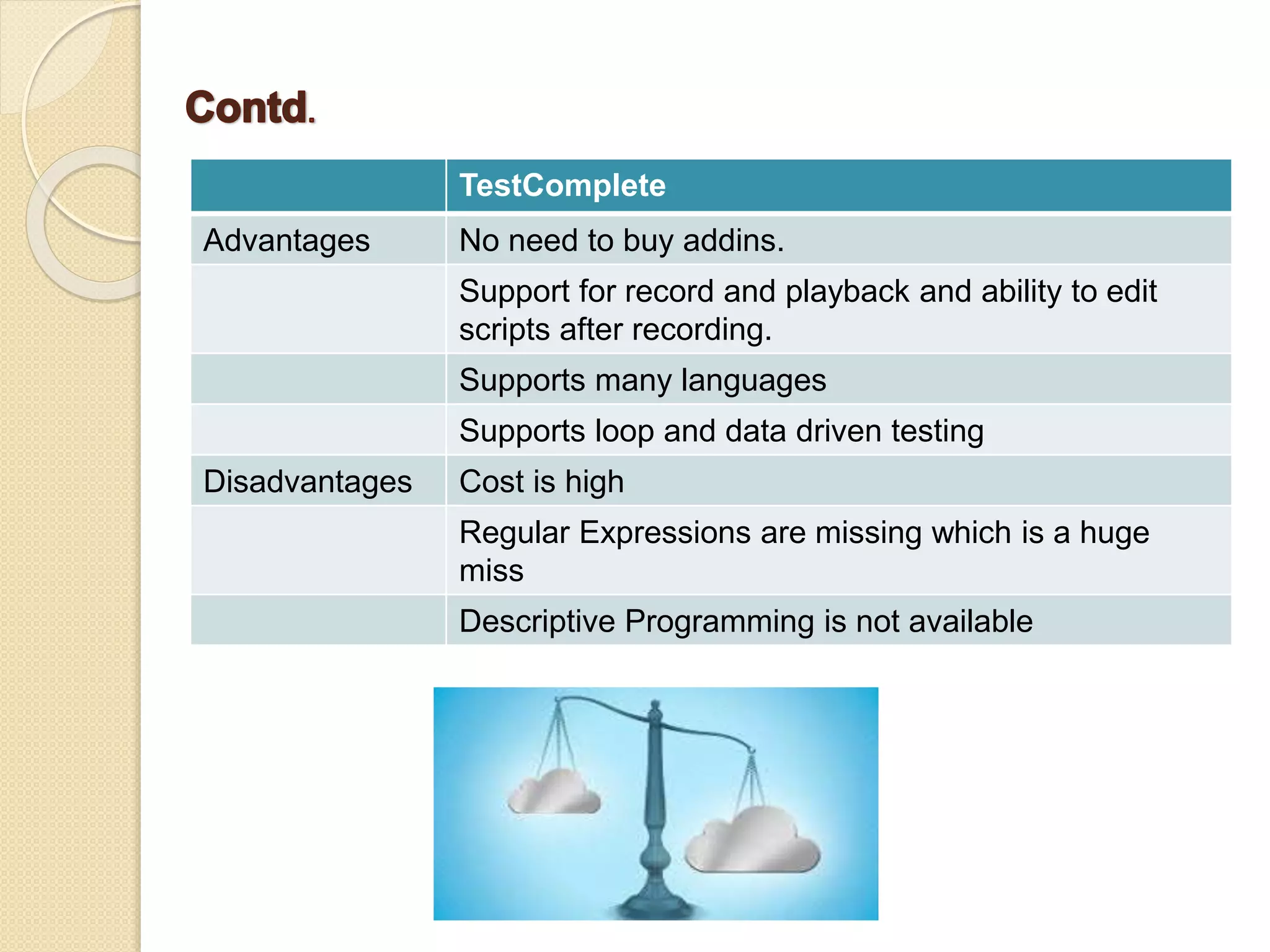
TestComplete Advantages No need to buy addins. Support for record and playback and ability to edit scripts after recording. Supports many languages Supports loop and data driven testing Disadvantages Cost is high Regular Expressions are missing which is a huge miss Descriptive Programming is not available
TestComplete With TestComplete, you can test applications of three major types : - • Desktop applications - These applications are executed on desktop computers running the Windows operating system. • Web applications - These applications are executed in web browsers. • Mobile applications - These applications are executed on Android or iOS devices.
Features Of TestComplete  Smart Automated Test Recording and Playback •The powerful automated test recording engine records object-based operations and do not fail if the applications UI changes. • Recorded automated tests can be successfully played back with little or no modifications. •TestComplete can record operations either on any open application or only on the tested applications, ignoring system utilities, instant messaging, e-mail clients and other programs that may interrupt the test recording process.
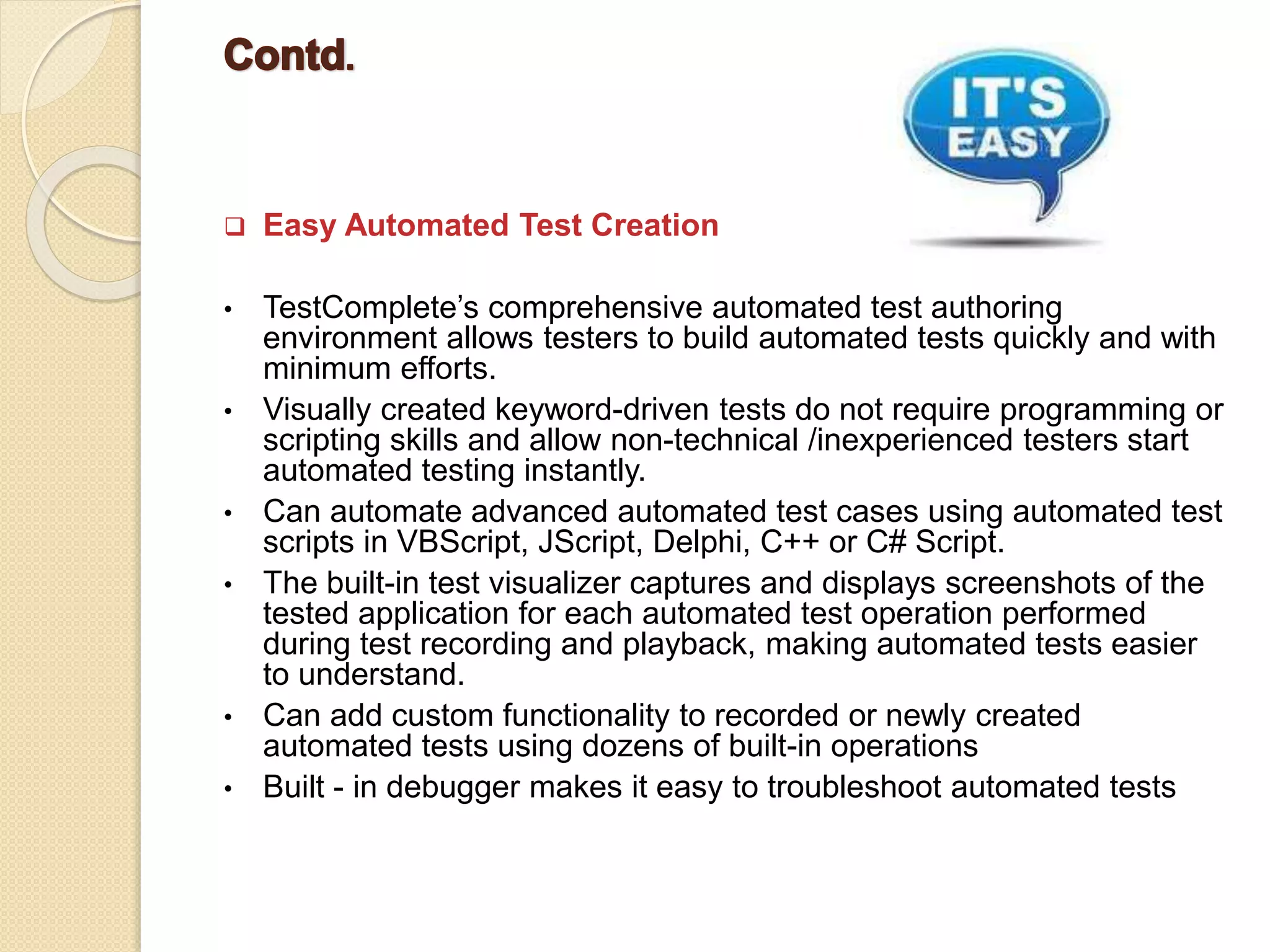
 Easy Automated Test Creation • TestComplete’s comprehensive automated test authoring environment allows testers to build automated tests quickly and with minimum efforts. • Visually created keyword-driven tests do not require programming or scripting skills and allow non-technical /inexperienced testers start automated testing instantly. • Can automate advanced automated test cases using automated test scripts in VBScript, JScript, Delphi, C++ or C# Script. • The built-in test visualizer captures and displays screenshots of the tested application for each automated test operation performed during test recording and playback, making automated tests easier to understand. • Can add custom functionality to recorded or newly created automated tests using dozens of built-in operations • Built - in debugger makes it easy to troubleshoot automated tests
 Automated Testing Checkpoints • Built-in automated testing checkpoints allow testers to easily validate application objects and object properties, files and images, web pages, data in tabular controls and databases and other data by comparing the actual and expected values. • Checkpoints can be inserted during automated test recording and while editing the automated test. • With easily created extensions, you can add custom checkpoint types to TestComplete.  Enhanced Support for Android Testing • Now you can also run Android applications that are part of your project’s tested Applications collection directly from the Mobile Screen window’s toolbar.
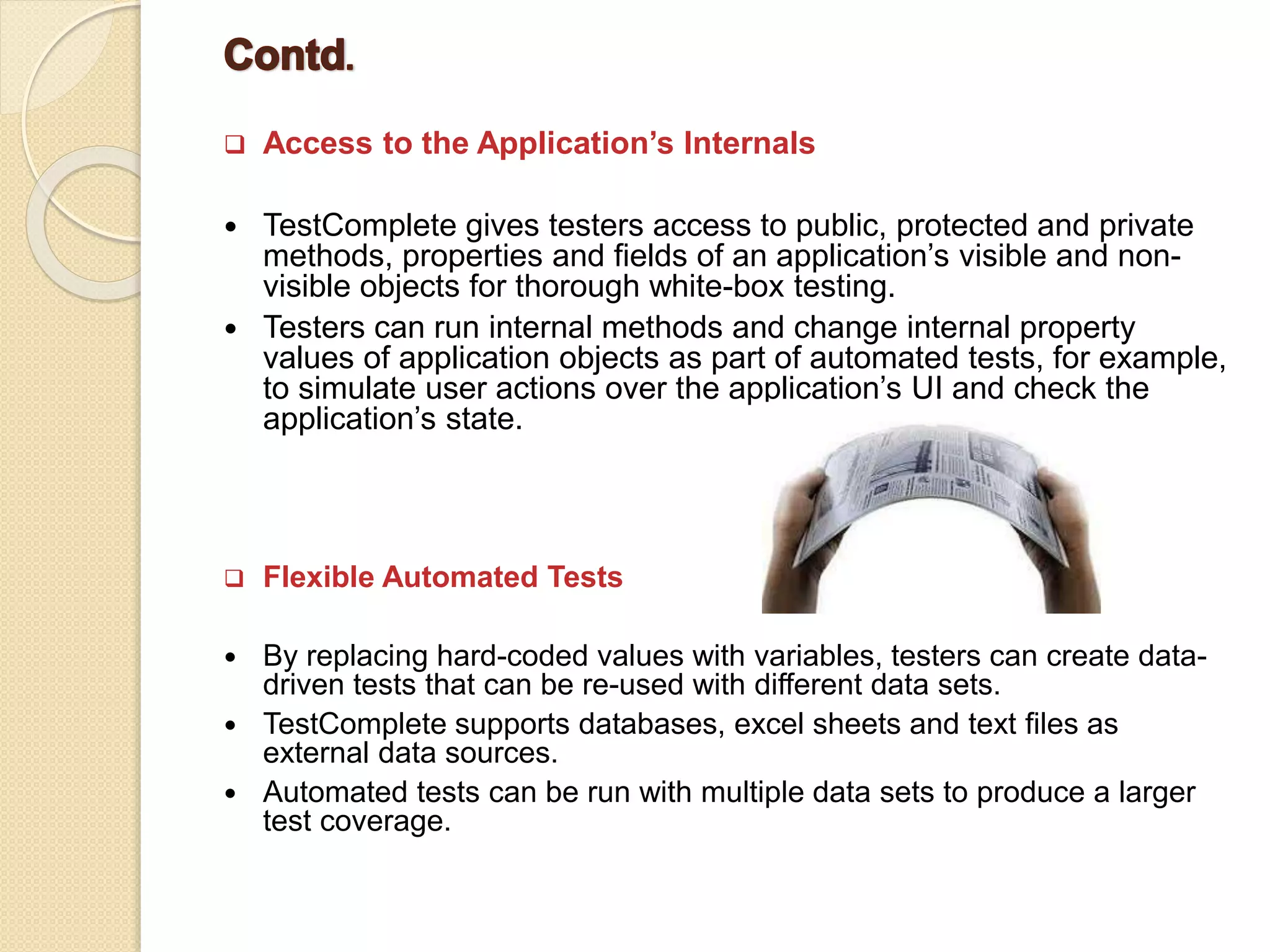
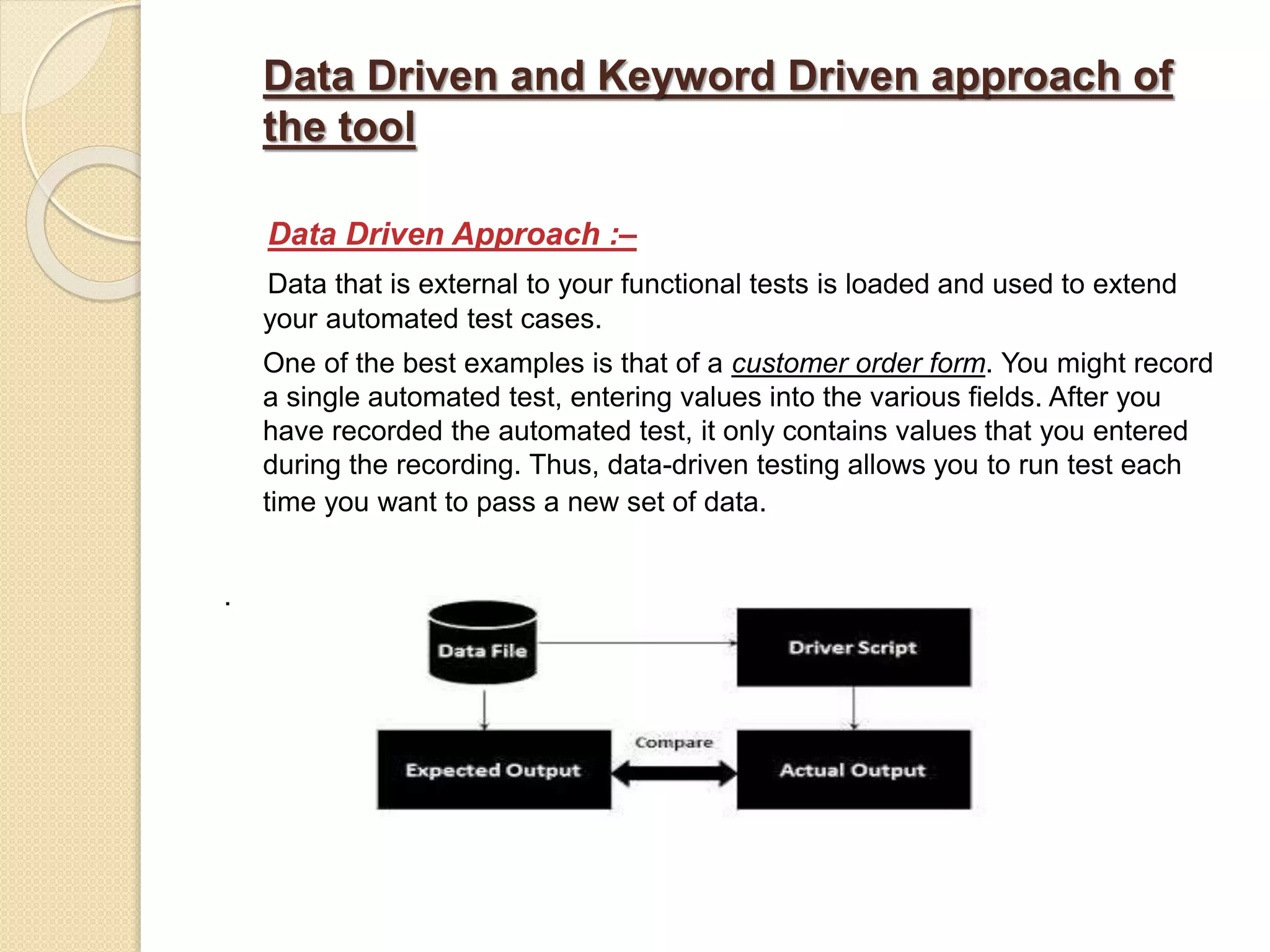
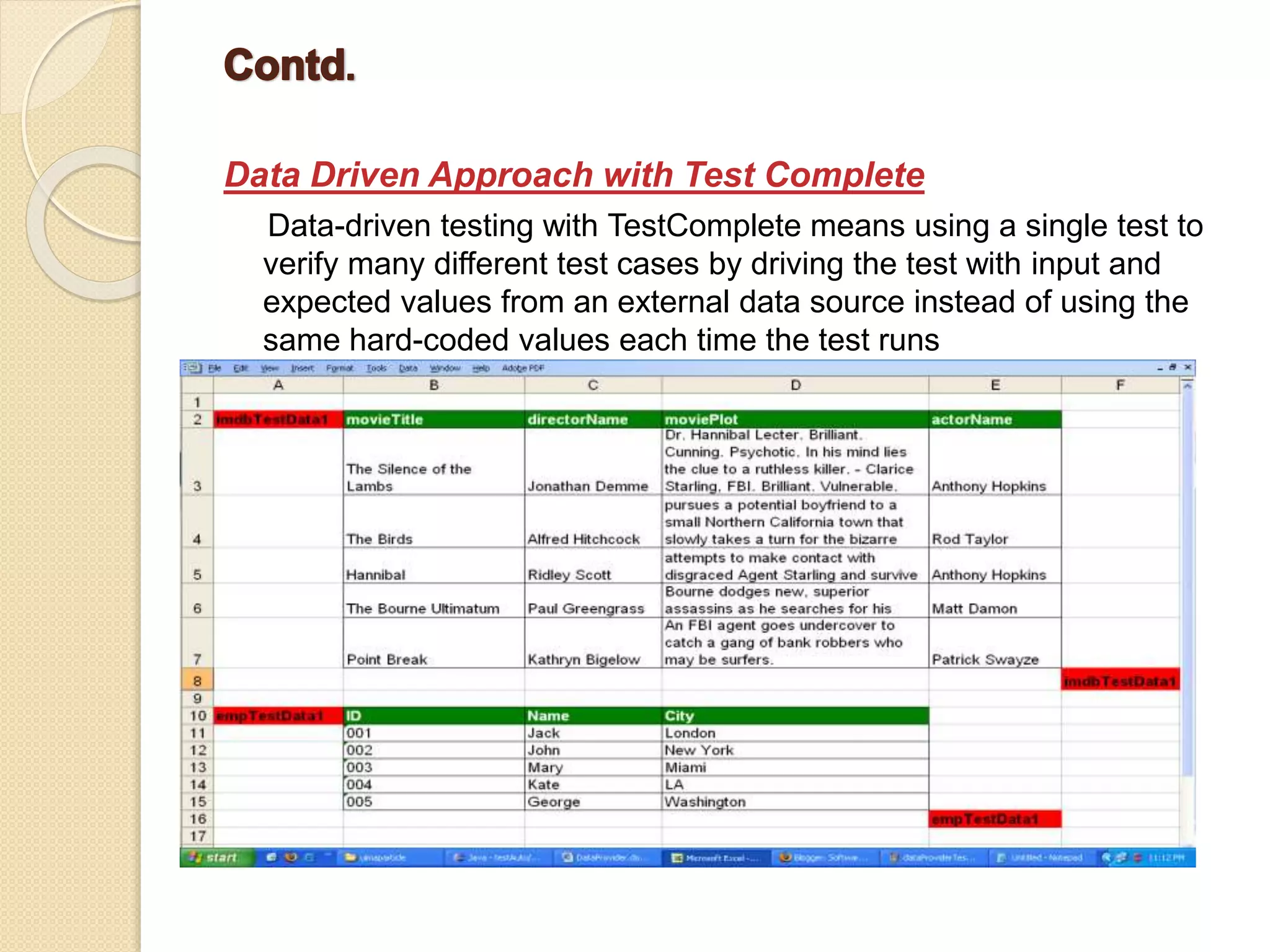
 Access to the Application’s Internals  TestComplete gives testers access to public, protected and private methods, properties and fields of an application’s visible and non- visible objects for thorough white-box testing.  Testers can run internal methods and change internal property values of application objects as part of automated tests, for example, to simulate user actions over the application’s UI and check the application’s state.  Flexible Automated Tests  By replacing hard-coded values with variables, testers can create data- driven tests that can be re-used with different data sets.  TestComplete supports databases, excel sheets and text files as external data sources.  Automated tests can be run with multiple data sets to produce a larger test coverage.
Supporting Scripting Languages Each TestComplete project uses five supported scripting languages: • VBScript • Jscript • DelphiScript • C++ Script • C# Script Note –  The scripting language for the project is specified at the project creation time and cannot be changed later  A project’s scripting language does not depend on your tested application’s programming language. For instance, you can use JScript to test Visual C++ applications  Each scripting language provides a number of built-in functions that help you perform some routine actions, such as converting numerical values to strings and vice versa
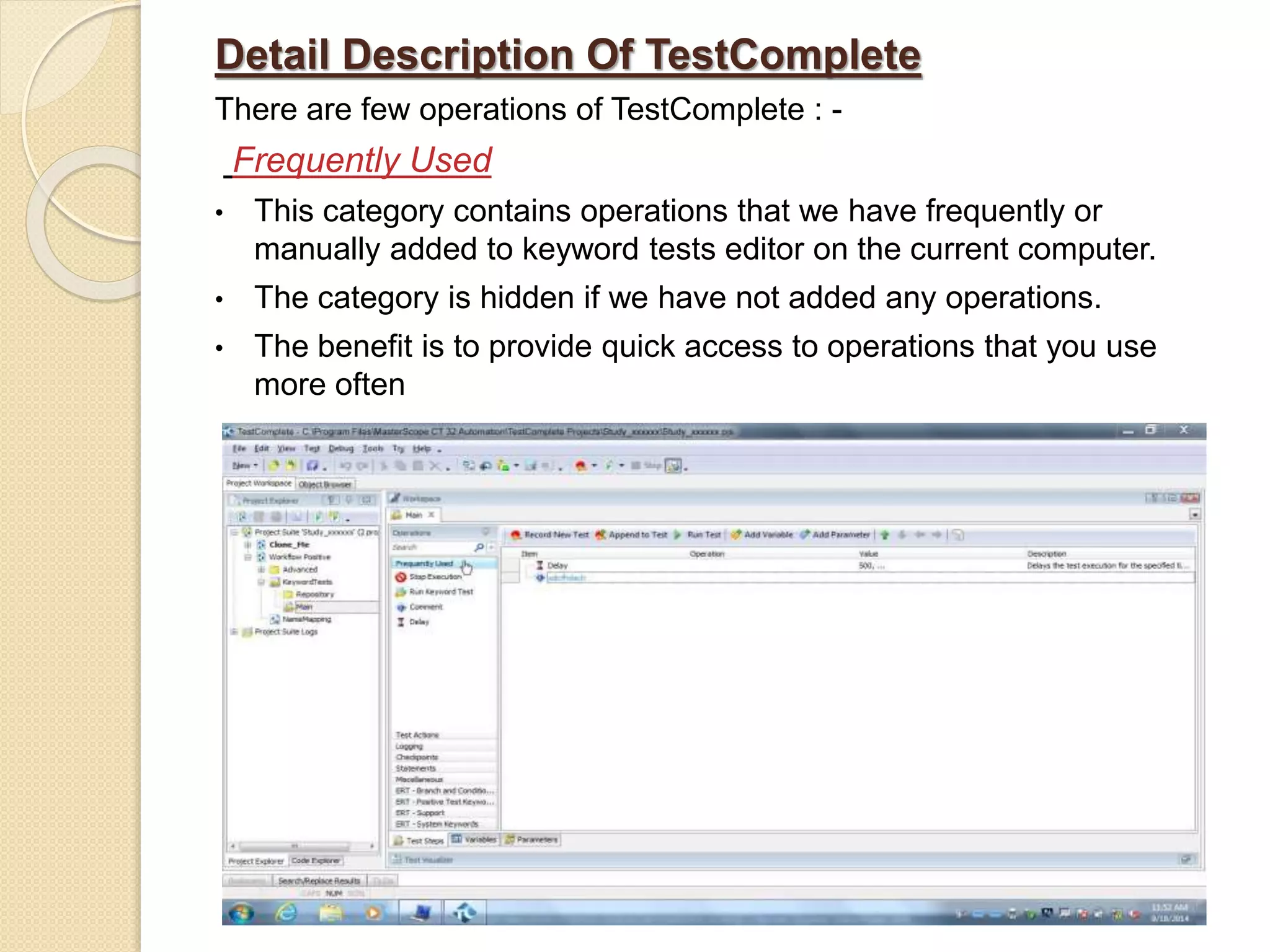
Detail Description Of TestComplete There are few operations of TestComplete : - Frequently Used • This category contains operations that we have frequently or manually added to keyword tests editor on the current computer. • The category is hidden if we have not added any operations. • The benefit is to provide quick access to operations that you use more often
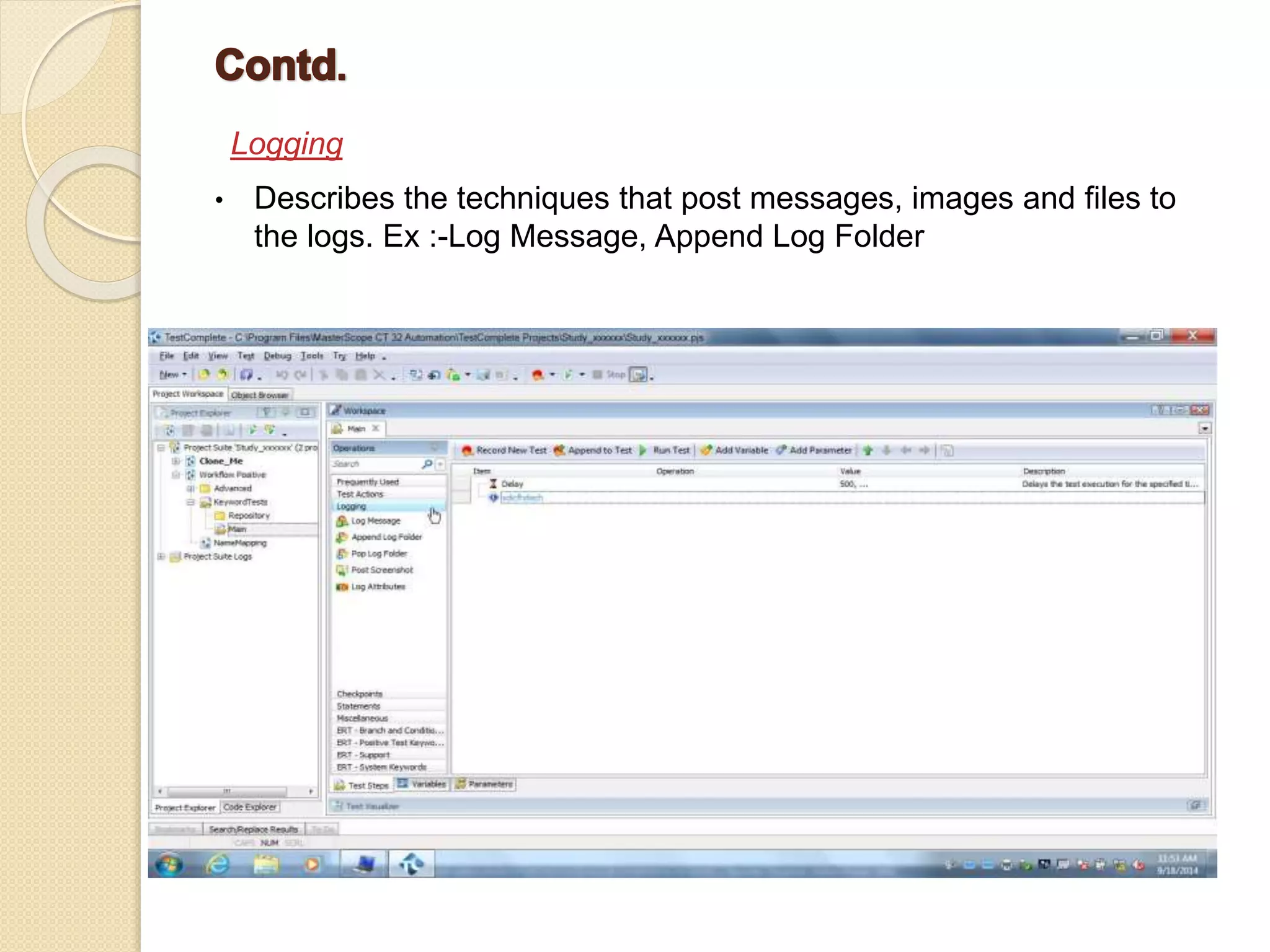
Logging • Describes the techniques that post messages, images and files to the logs. Ex :-Log Message, Append Log Folder
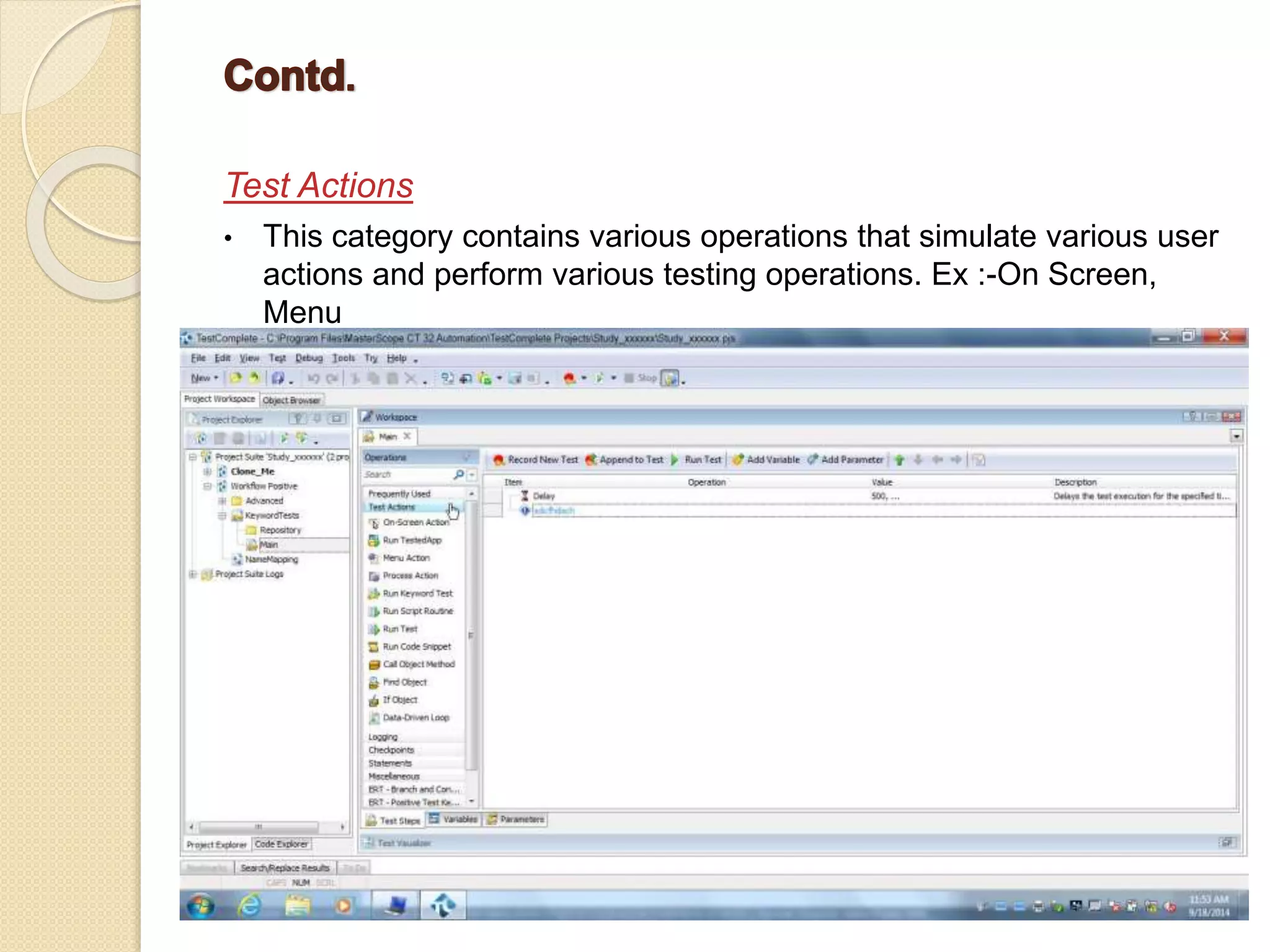
Test Actions • This category contains various operations that simulate various user actions and perform various testing operations. Ex :-On Screen, Menu
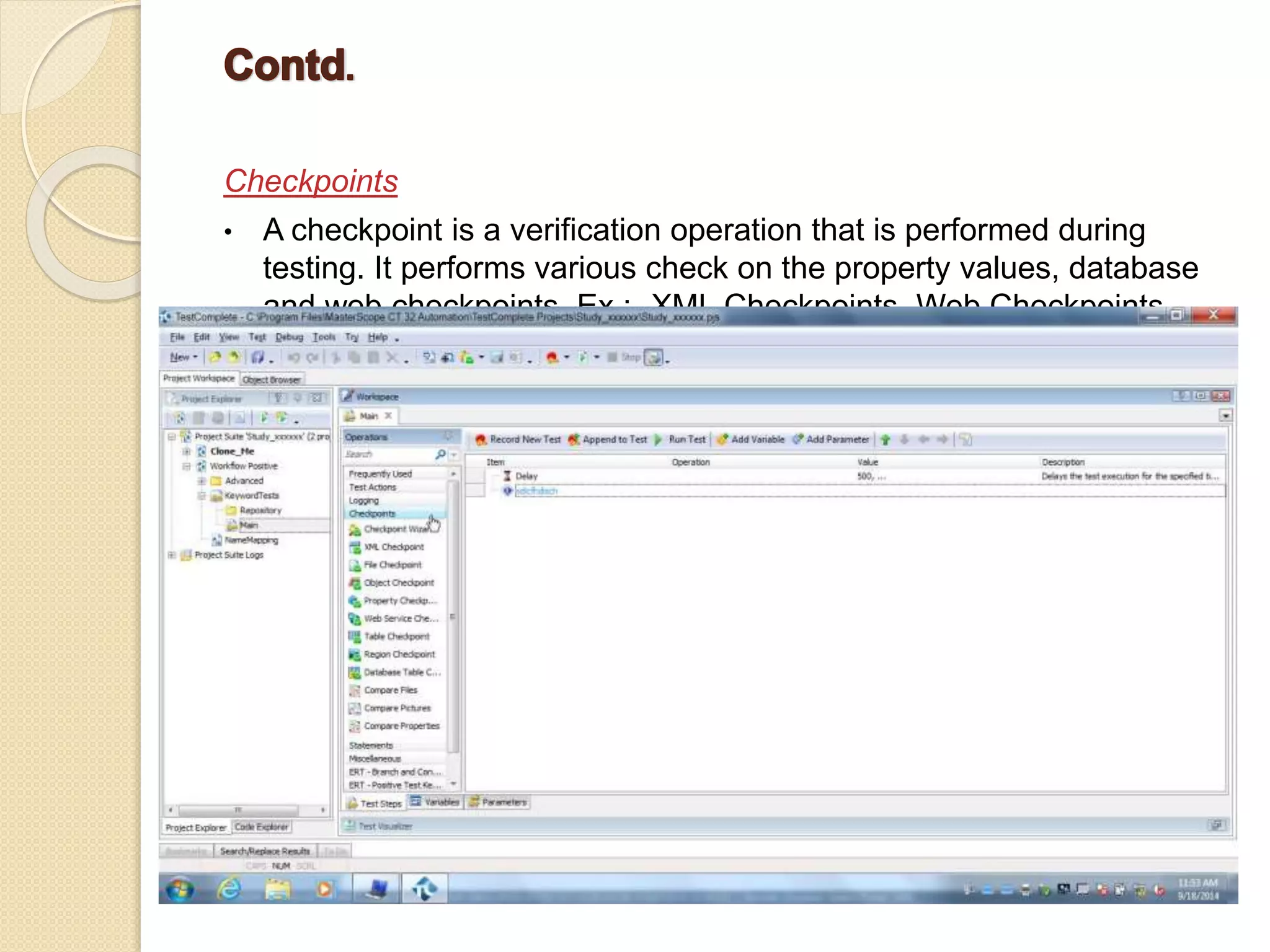
Checkpoints • A checkpoint is a verification operation that is performed during testing. It performs various check on the property values, database and web checkpoints. Ex :- XML Checkpoints, Web Checkpoints.
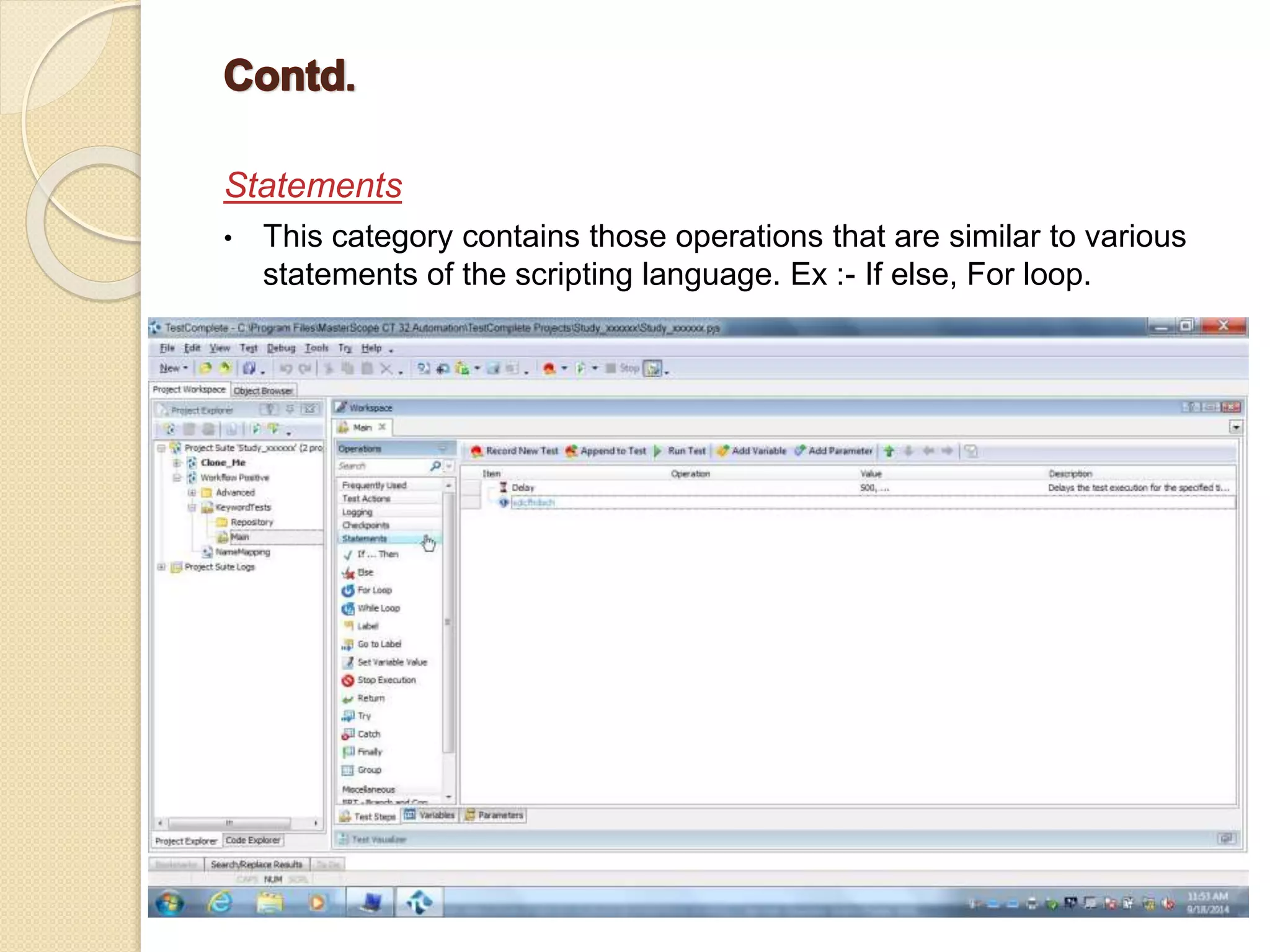
Statements • This category contains those operations that are similar to various statements of the scripting language. Ex :- If else, For loop.
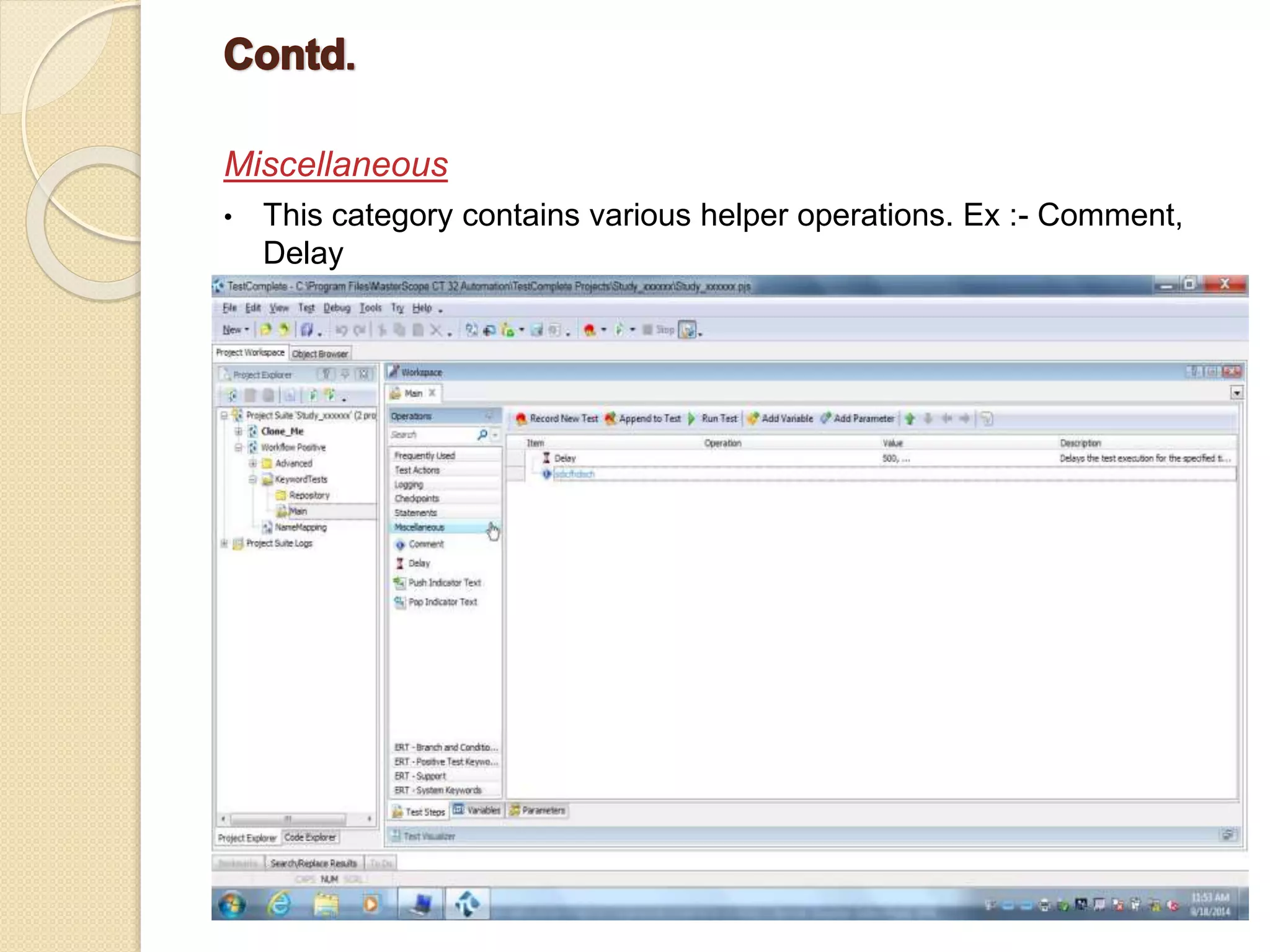
Miscellaneous • This category contains various helper operations. Ex :- Comment, Delay
Data Driven and Keyword Driven approach of the tool Data Driven Approach :– Data that is external to your functional tests is loaded and used to extend your automated test cases. One of the best examples is that of a customer order form. You might record a single automated test, entering values into the various fields. After you have recorded the automated test, it only contains values that you entered during the recording. Thus, data-driven testing allows you to run test each time you want to pass a new set of data. .
Data Driven Approach with Test Complete Data-driven testing with TestComplete means using a single test to verify many different test cases by driving the test with input and expected values from an external data source instead of using the same hard-coded values each time the test runs
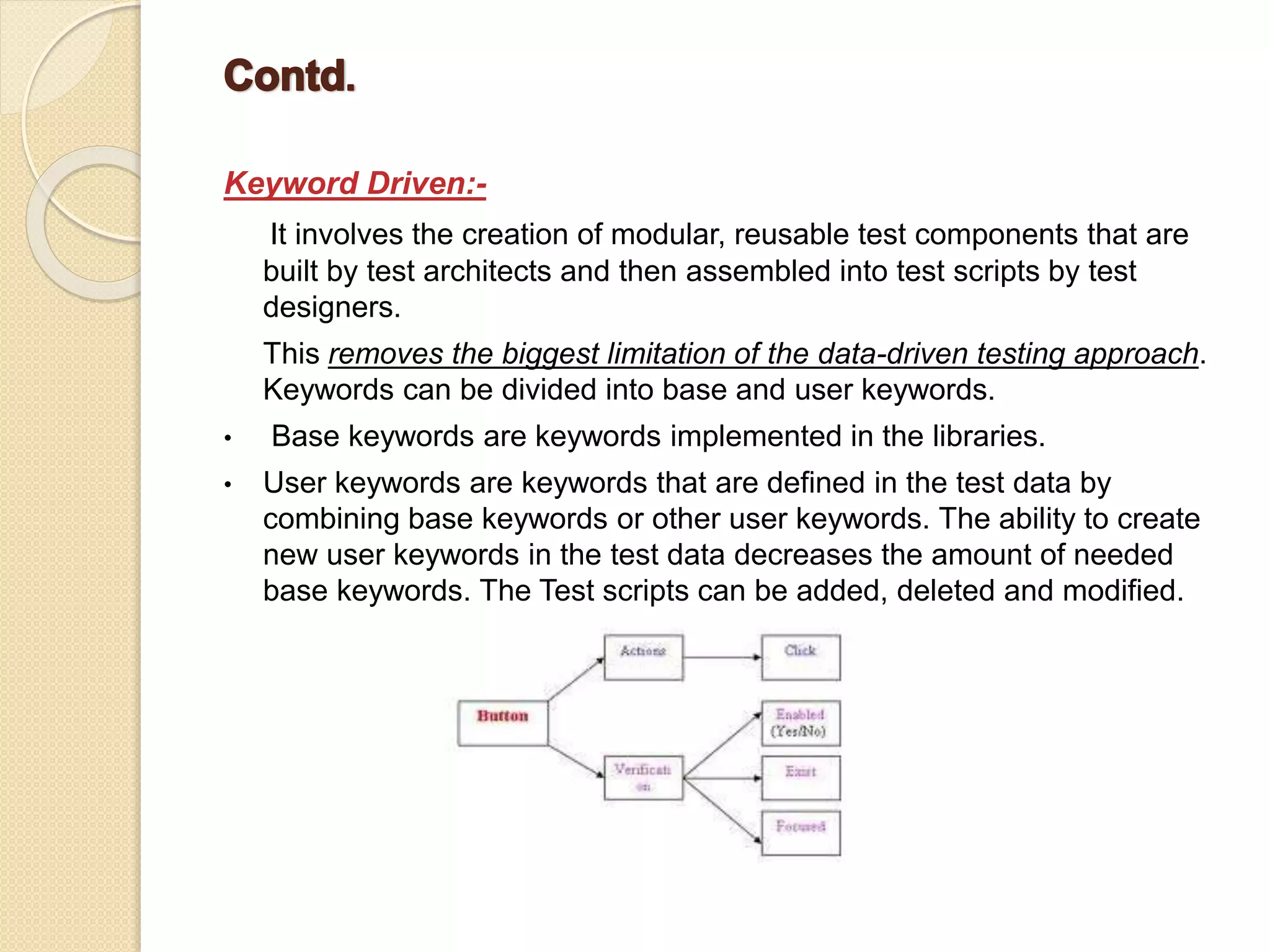
Keyword Driven:- It involves the creation of modular, reusable test components that are built by test architects and then assembled into test scripts by test designers. This removes the biggest limitation of the data-driven testing approach. Keywords can be divided into base and user keywords. • Base keywords are keywords implemented in the libraries. • User keywords are keywords that are defined in the test data by combining base keywords or other user keywords. The ability to create new user keywords in the test data decreases the amount of needed base keywords. The Test scripts can be added, deleted and modified.
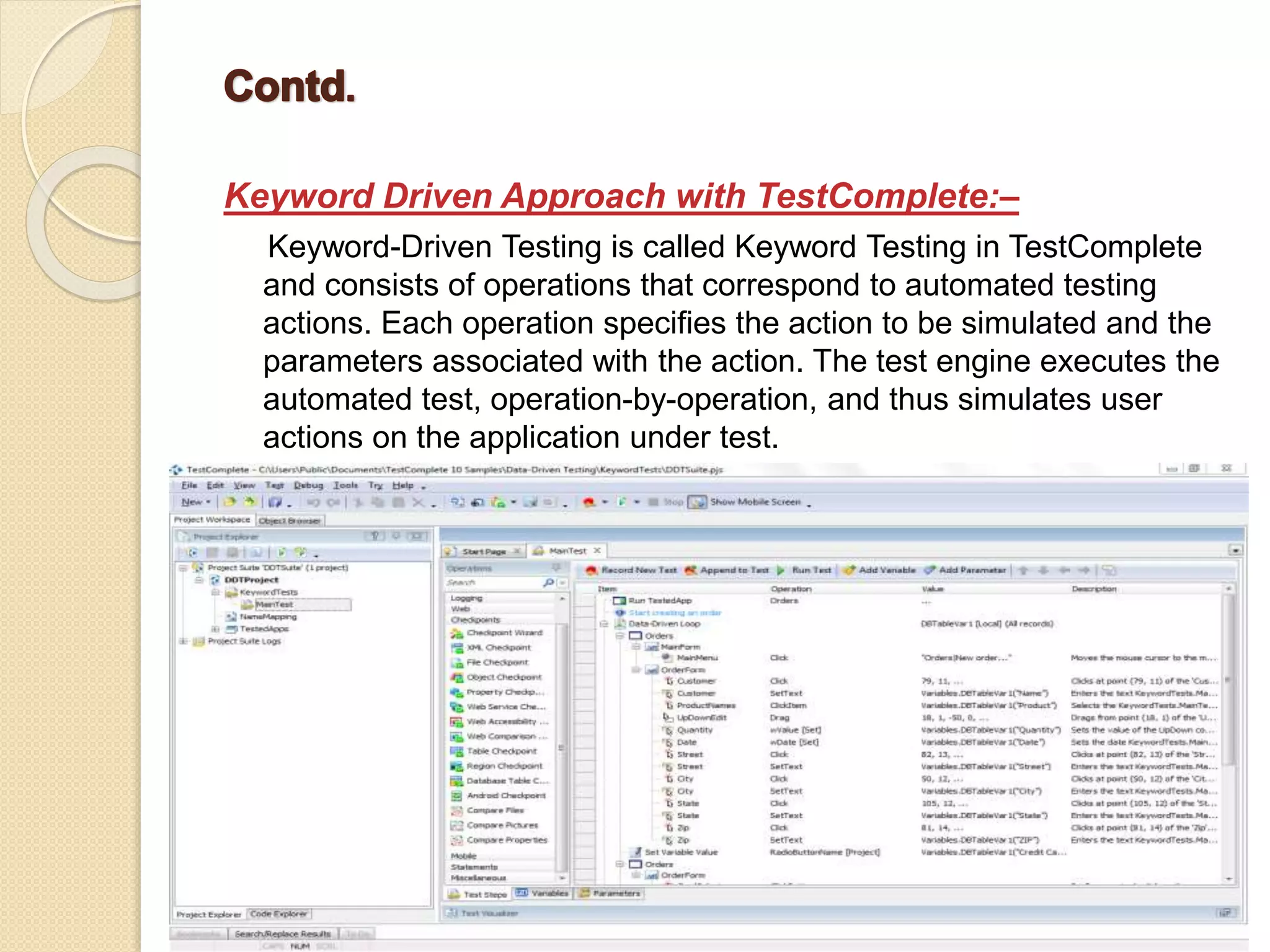
Keyword Driven Approach with TestComplete:– Keyword-Driven Testing is called Keyword Testing in TestComplete and consists of operations that correspond to automated testing actions. Each operation specifies the action to be simulated and the parameters associated with the action. The test engine executes the automated test, operation-by-operation, and thus simulates user actions on the application under test.
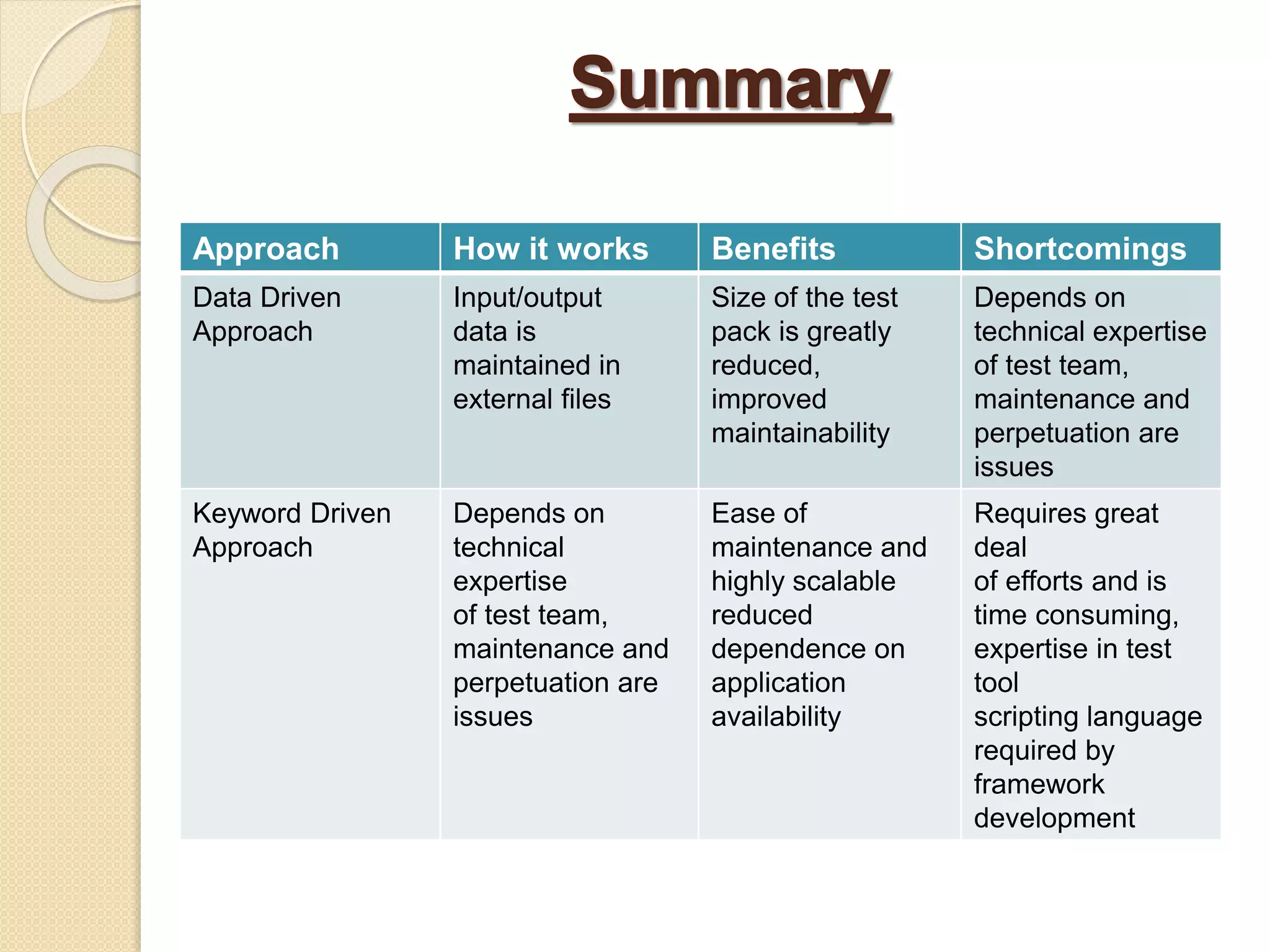
Approach How it works Benefits Shortcomings Data Driven Approach Input/output data is maintained in external files Size of the test pack is greatly reduced, improved maintainability Depends on technical expertise of test team, maintenance and perpetuation are issues Keyword Driven Approach Depends on technical expertise of test team, maintenance and perpetuation are issues Ease of maintenance and highly scalable reduced dependence on application availability Requires great deal of efforts and is time consuming, expertise in test tool scripting language required by framework development
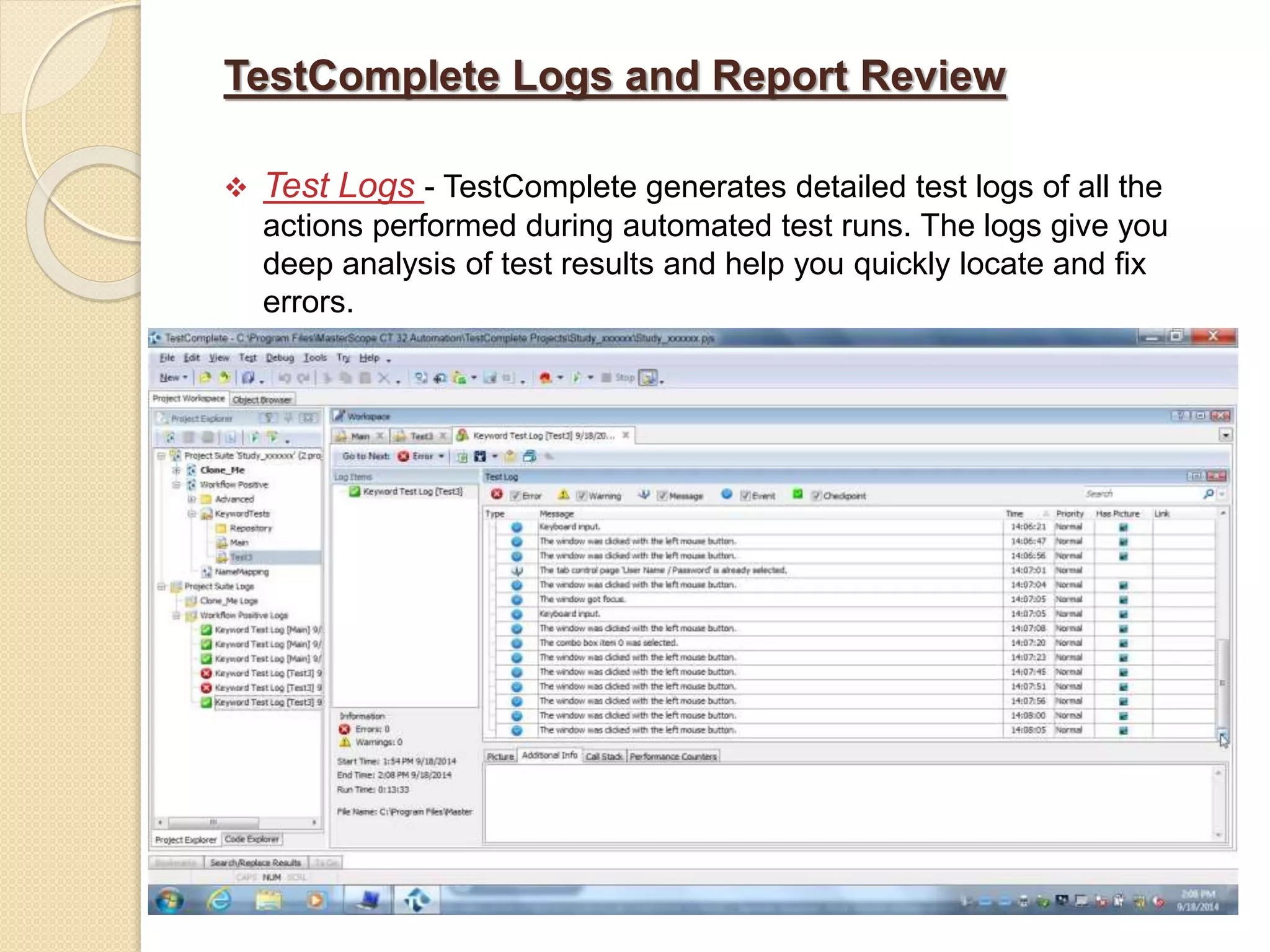
TestComplete Logs and Report Review  Test Logs - TestComplete generates detailed test logs of all the actions performed during automated test runs. The logs give you deep analysis of test results and help you quickly locate and fix errors.
Logs can be viewed directly in TestComplete, or they can be exported to HTML, XML for viewing on machines that do not have TestComplete installed A double-click on a log entry brings you to the corresponding automated test operation, which allows you to quickly detect and fix errors.  Test Report - You can create a bug report for the whole log of the test run or for any of its child logs and post this report to an issue- tracking system. Currently, TestComplete supports Microsoft Visual Studio Team System, Bugzilla, Axosoft OnTime, JIRA and SmartBear ALMComplete .
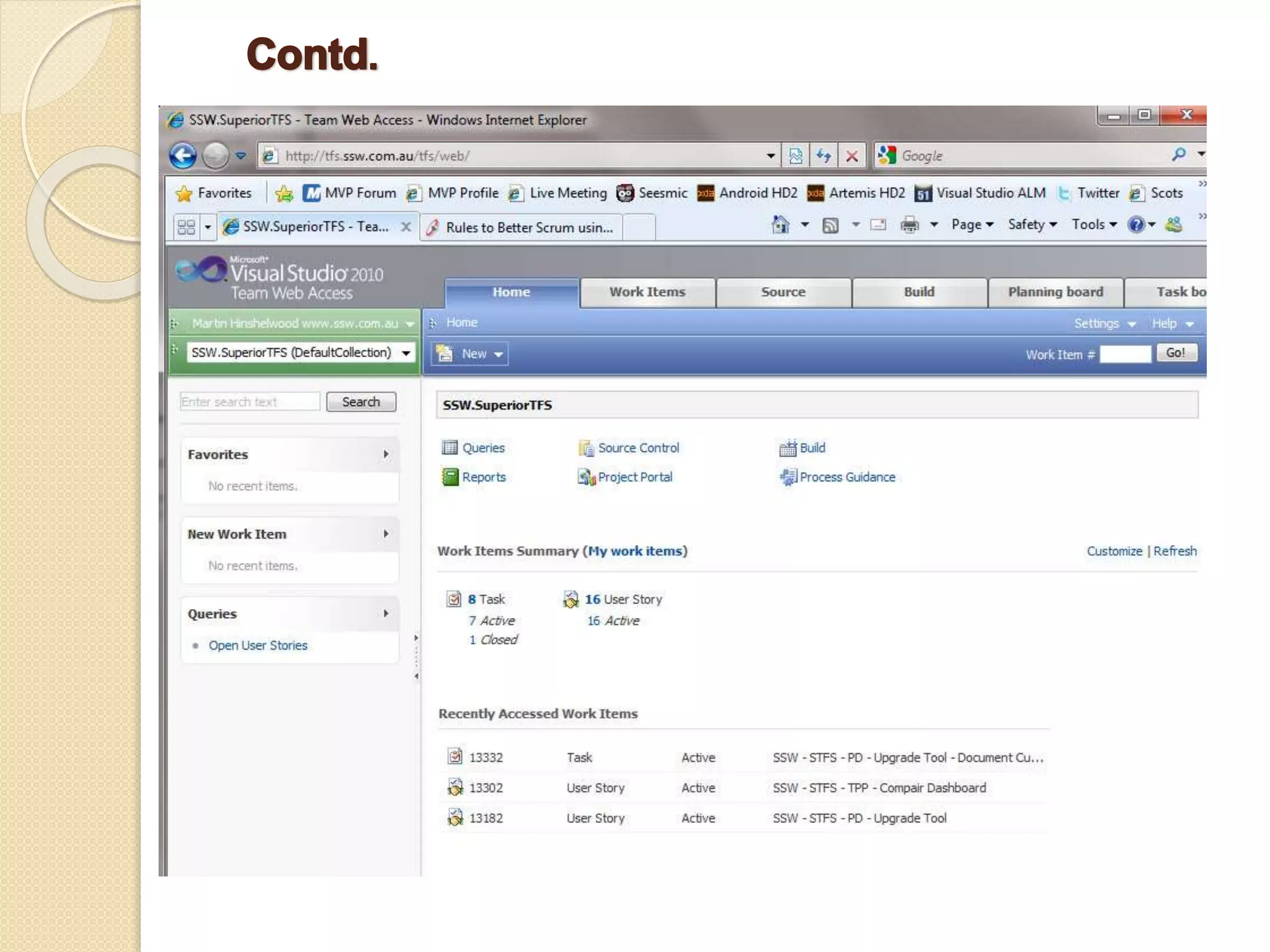
Integration with Bug Management System  When you integrate TestComplete into Microsoft Visual Studio, a new type of TestCompleteTest becomes available in Visual Studio test projects. Using this new test type, you can integrate TestComplete test projects into Visual Studio test projects.  For instance, you can do the following:  Run TestComplete tests locally in Visual Studio.  Link TestComplete tests to test cases in your team project.  Define a build process that executes your TestComplete tests after Team Foundation Build finishes building your application.
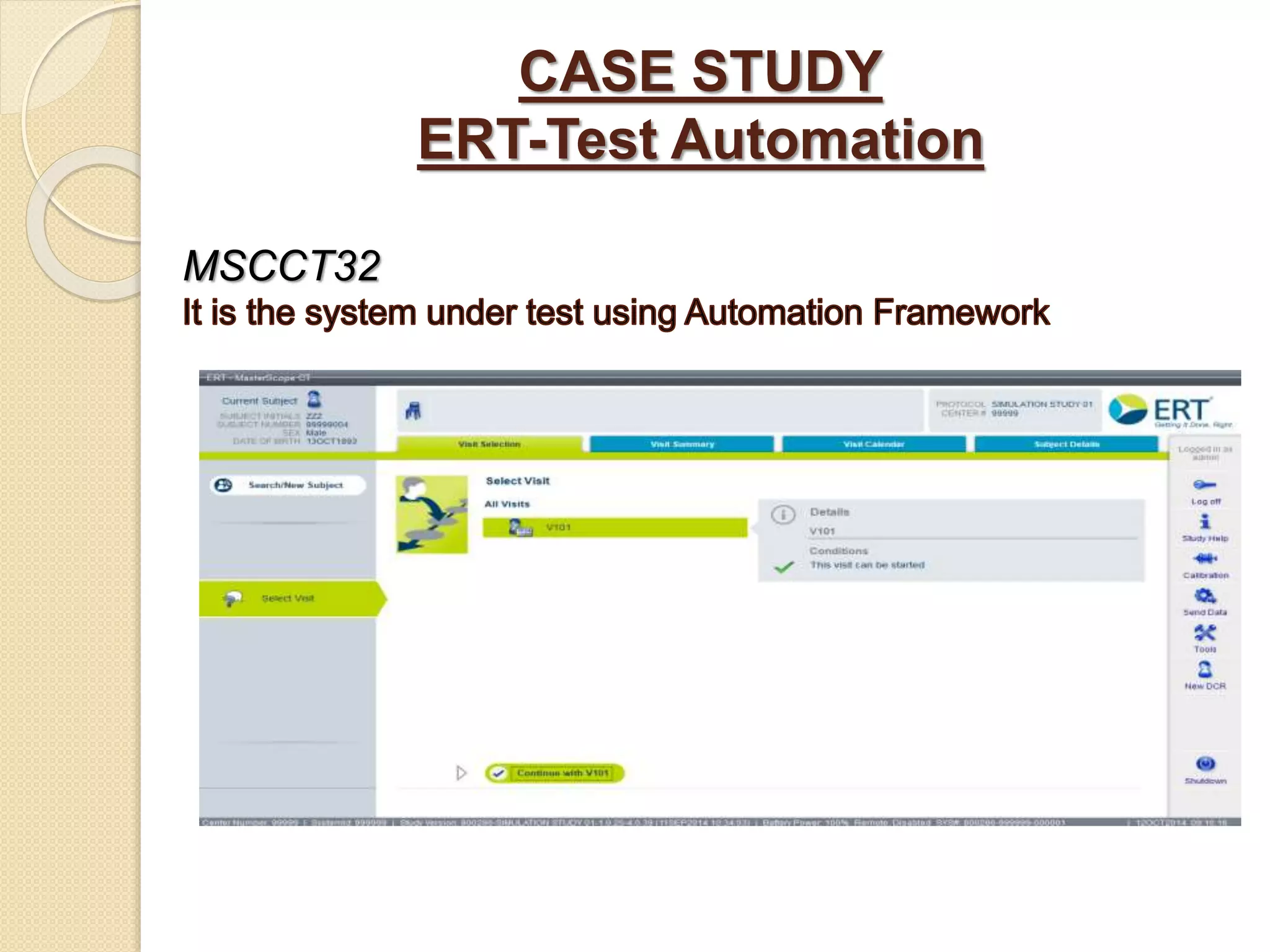
CASE STUDY ERT-Test Automation MSCCT32
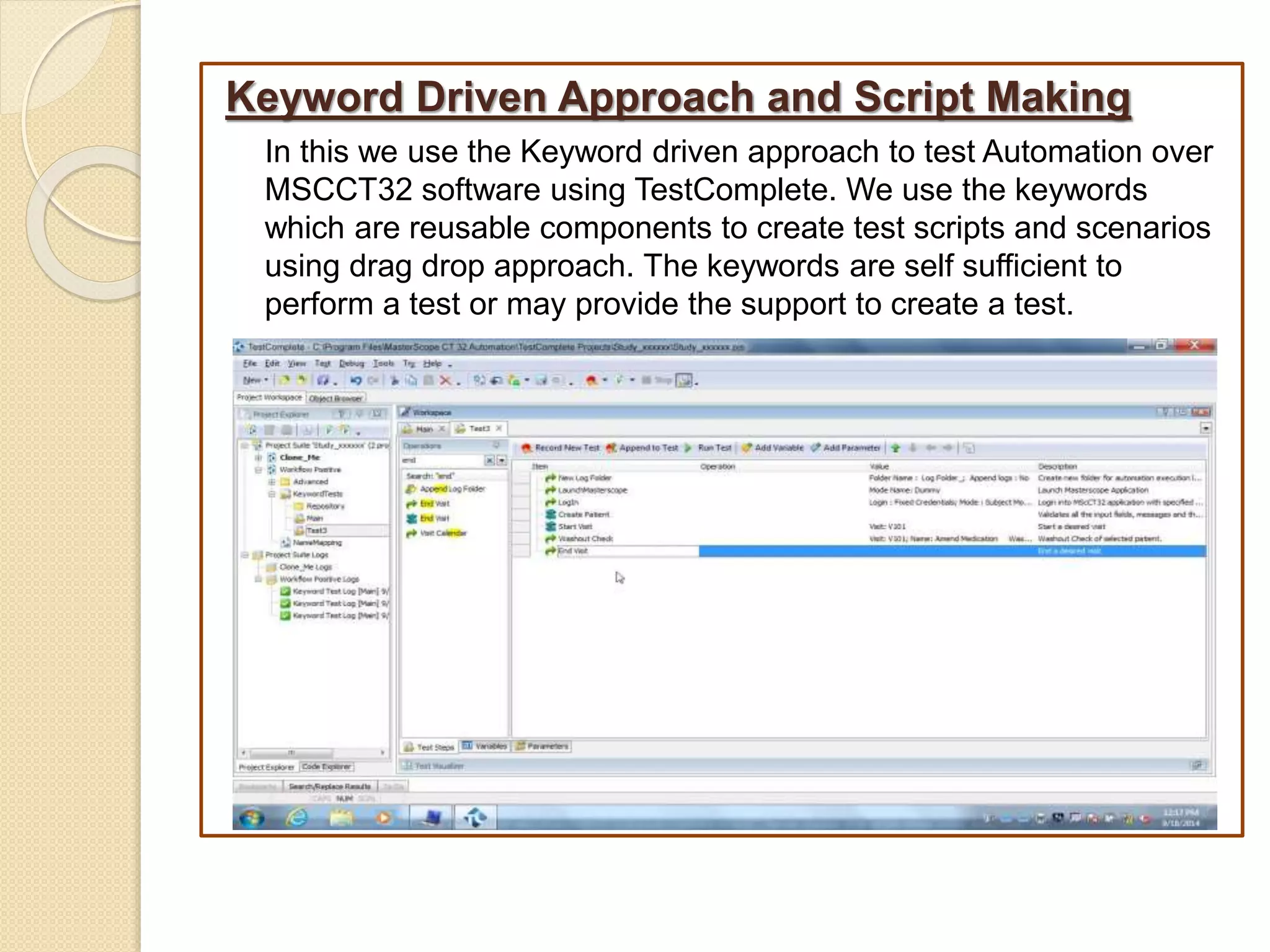
Keyword Driven Approach and Script Making In this we use the Keyword driven approach to test Automation over MSCCT32 software using TestComplete. We use the keywords which are reusable components to create test scripts and scenarios using drag drop approach. The keywords are self sufficient to perform a test or may provide the support to create a test.
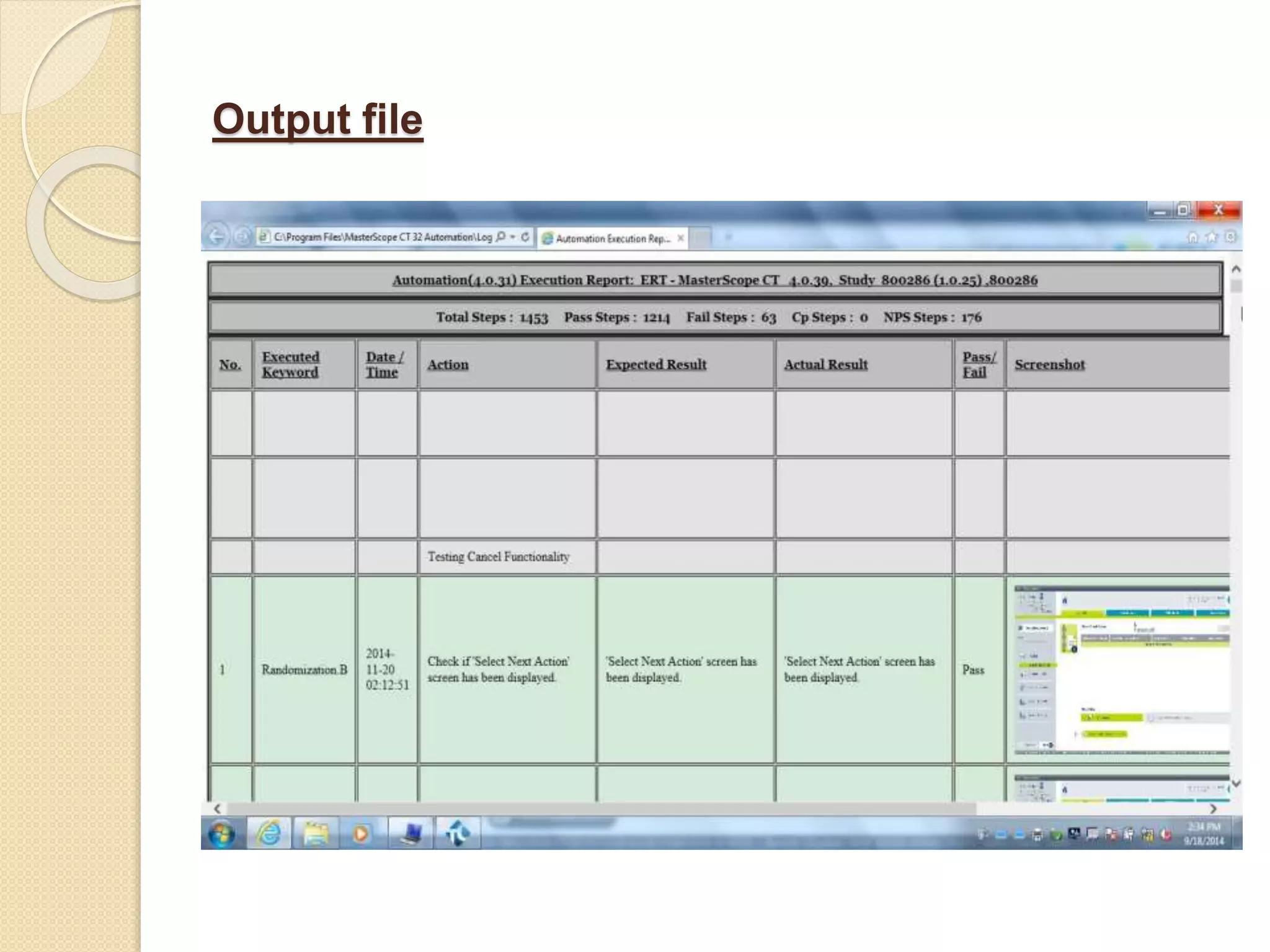
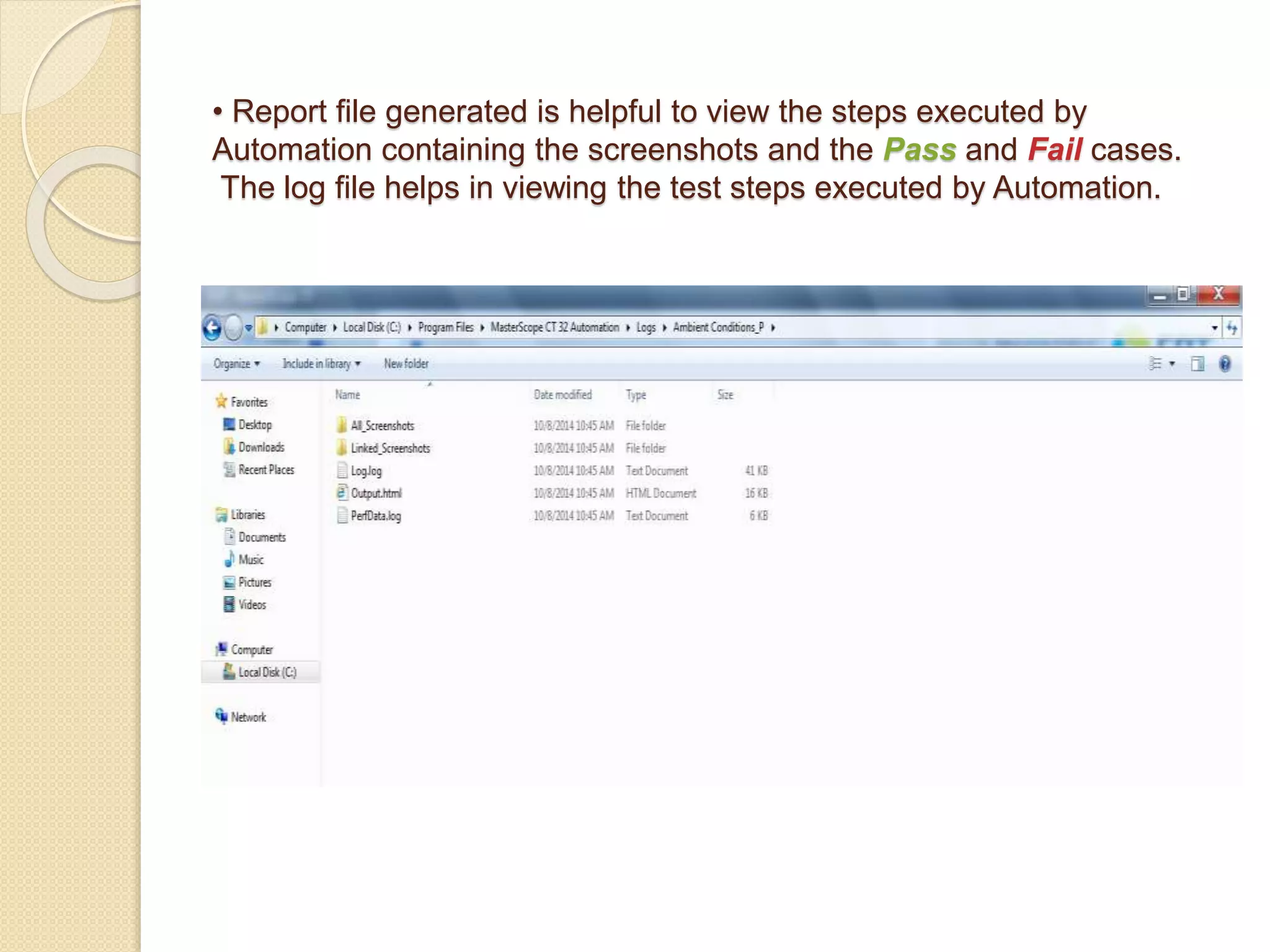
Execution and Report/Log Review • Easy execution which results in report generation and log file generation.
• Report file generated is helpful to view the steps executed by Automation containing the screenshots and the Pass and Fail cases. The log file helps in viewing the test steps executed by Automation.
Output file
Bug Management via TFS Team Foundation Server is a Microsoft product (written in C++, C#) which provides source code management reporting, requirements management, project management , automated builds, lab management, testing and release management capabilities. It covers the entire Application Lifecycle Management. Once we find an issue (a bug or a task), we go to TFS and log that issue accordingly with few details in a NEW state like – a. Issue Name b. When Found c. Where found d. Attached logs e. Symptom After that, the issue is reviewed by the developer and if accepted then the Bug state is changed from NEW to Proposed. When the developer finishes with the issue the state is changed to COMPLETED and assigned back for testing and if the test is passed its state is changed to CLOSED else PROPOSED again.
References • www.testcomplete.com/ • http://en.wikipedia.org/wiki/TestComplete • http://support.smartbear.com/viewarticle/57878/ • http://smartbear.com/products/qa-tools/automated-testing-tools/ • http://www.seleniumhq.org/ • http://www.tutorialspoint.com/qtp/
Automation Testing with Test Complete

Automation Testing with Test Complete

  • 1.
  • 2.
    It is definedas developing and executing tests that can run unattended, comparing the actual to expected results and logging status. OR "Automated Testing" is automating the manual testing process currently in use.
  • 3.
    The major objectivesof software test automation: - To free engineers from tedious and redundant manual testing operations - To speed up a software testing process, and to reduce software testing cost and time during a software life cycle - To increase the quality and effectiveness of a software test process by achieving pre-defined adequate test criteria in a limited schedule - To run Regression tests overnight and weekends
  • 4.
    Advantages  Reliable: carriesout the same operations - eliminating human error  Reusable: can reuse tests on different versions of an application  Better Quality Software: can run more tests in less time with fewer resources – good coverage  Fast: run tests significantly faster than human users.  Cost Reduction: number of resources for tests are reduced.  Replaces: manually mundane and labour intensive tasks
  • 5.
    Disadvantages  High investmentis needed in the tools and training  High man power requirement for test preparations  A lot of testing areas are left uncovered  Automated testing is an addition to your testing process as it does not replace the need for manual testing
  • 6.
    Manual VS Automation ManualAutomation High Effort and Cost requirements Low Effort and Cost requirements Time consuming Quick, allows test engineers to focus on functional areas Tests are not reusable Complete reusability based on type of implementation Mostly used for integration tests Can be used for any tests including load, sanity, system, etc Risk of human errors Script validates all areas once tested
  • 7.
    Major Tools Usedfor Automation Testing There are many available tools for automation testing. Below we are discussing three of them:-  Selenium  QTP ( Quality Test Professional )  Test Complete • Selenium - Selenium was created by Jason Huggins. Selenium is a portable software testing framework for web applications .It is an open source testing tool. With Selenium there is no special tool and specific technology to write the script. It’s key feature is that it allows to automatically rerun tests against multiple browsers.
  • 9.
     QTP -QTP is a UI automation framework designed mainly for Windows and Web-based applications. It works by identifying the objects in the application UI or a web page and performing the desired operations on them (like mouse clicks or keyboard events).QTP uses a scripting language built on top of VBScript to specify the test procedure, and to manipulate the objects and controls of the application under test.
  • 10.
     TestComplete -Test Complete is a functional automated testing platform developed by SmartBear Software. It gives the ability to create automated tests for Microsoft Windows, Web, Android (operating system),and iOS applications. Tests can be recorded, scripted or manually created with keyword driven operations and used for automated playback and error logging.
  • 11.
    A Small Comparisonamongst the above tools Features Selenium QTP TestComplete License Cost It is open source. So free of cost 1 License cost 6 lakhs. $2K Enterprise Seat License Application Support Web Applications only Client Server application only Install Test Complete and immediately create any test against any application. Support for O.S Windows PC/MAC/UNIX Only Windows XP Win 7/ Vista, Windows Server 2008 Language Support Java, .Net, Perl, PHP, Python & Ruby VBScript or JavaScript VBScript, JScript, Delphi, C++ & C# Script Usage Quite a bit of expertise required Quite easy to learn in a short time Very easy to understand, even a non professional can execute it.
  • 12.
    Selenium Advantages Open Source Supportsall Operating Systems and browsers Run multiple tests at a time Supports many languages. Disadvantages Does not supports loop and data driven testing Detailed results are not available No Option to verify the images
  • 13.
    QTP Advantages Easy evenfor a non-programmer to understand QTP and start adding test cases. Support for record and playback and ability to edit scripts after recording. Excellent Object Identification process / mechanism QTP uses VBScript which is English-like and very easy to learn and gain expertise Disadvantag es Cost is high Slow in execution when compared to open source tools like Selenium. You need to buy different addins – Java, Oracle, SAP, .Net, Seibel, Peoplesoft etc.
  • 14.
    TestComplete Advantages No needto buy addins. Support for record and playback and ability to edit scripts after recording. Supports many languages Supports loop and data driven testing Disadvantages Cost is high Regular Expressions are missing which is a huge miss Descriptive Programming is not available
  • 15.
    TestComplete With TestComplete, youcan test applications of three major types : - • Desktop applications - These applications are executed on desktop computers running the Windows operating system. • Web applications - These applications are executed in web browsers. • Mobile applications - These applications are executed on Android or iOS devices.
  • 16.
    Features Of TestComplete Smart Automated Test Recording and Playback •The powerful automated test recording engine records object-based operations and do not fail if the applications UI changes. • Recorded automated tests can be successfully played back with little or no modifications. •TestComplete can record operations either on any open application or only on the tested applications, ignoring system utilities, instant messaging, e-mail clients and other programs that may interrupt the test recording process.
  • 17.
     Easy AutomatedTest Creation • TestComplete’s comprehensive automated test authoring environment allows testers to build automated tests quickly and with minimum efforts. • Visually created keyword-driven tests do not require programming or scripting skills and allow non-technical /inexperienced testers start automated testing instantly. • Can automate advanced automated test cases using automated test scripts in VBScript, JScript, Delphi, C++ or C# Script. • The built-in test visualizer captures and displays screenshots of the tested application for each automated test operation performed during test recording and playback, making automated tests easier to understand. • Can add custom functionality to recorded or newly created automated tests using dozens of built-in operations • Built - in debugger makes it easy to troubleshoot automated tests
  • 18.
     Automated TestingCheckpoints • Built-in automated testing checkpoints allow testers to easily validate application objects and object properties, files and images, web pages, data in tabular controls and databases and other data by comparing the actual and expected values. • Checkpoints can be inserted during automated test recording and while editing the automated test. • With easily created extensions, you can add custom checkpoint types to TestComplete.  Enhanced Support for Android Testing • Now you can also run Android applications that are part of your project’s tested Applications collection directly from the Mobile Screen window’s toolbar.
  • 19.
     Access tothe Application’s Internals  TestComplete gives testers access to public, protected and private methods, properties and fields of an application’s visible and non- visible objects for thorough white-box testing.  Testers can run internal methods and change internal property values of application objects as part of automated tests, for example, to simulate user actions over the application’s UI and check the application’s state.  Flexible Automated Tests  By replacing hard-coded values with variables, testers can create data- driven tests that can be re-used with different data sets.  TestComplete supports databases, excel sheets and text files as external data sources.  Automated tests can be run with multiple data sets to produce a larger test coverage.
  • 20.
    Supporting Scripting Languages EachTestComplete project uses five supported scripting languages: • VBScript • Jscript • DelphiScript • C++ Script • C# Script Note –  The scripting language for the project is specified at the project creation time and cannot be changed later  A project’s scripting language does not depend on your tested application’s programming language. For instance, you can use JScript to test Visual C++ applications  Each scripting language provides a number of built-in functions that help you perform some routine actions, such as converting numerical values to strings and vice versa
  • 21.
    Detail Description OfTestComplete There are few operations of TestComplete : - Frequently Used • This category contains operations that we have frequently or manually added to keyword tests editor on the current computer. • The category is hidden if we have not added any operations. • The benefit is to provide quick access to operations that you use more often
  • 22.
    Logging • Describes thetechniques that post messages, images and files to the logs. Ex :-Log Message, Append Log Folder
  • 23.
    Test Actions • Thiscategory contains various operations that simulate various user actions and perform various testing operations. Ex :-On Screen, Menu
  • 24.
    Checkpoints • A checkpointis a verification operation that is performed during testing. It performs various check on the property values, database and web checkpoints. Ex :- XML Checkpoints, Web Checkpoints.
  • 25.
    Statements • This categorycontains those operations that are similar to various statements of the scripting language. Ex :- If else, For loop.
  • 26.
    Miscellaneous • This categorycontains various helper operations. Ex :- Comment, Delay
  • 27.
    Data Driven andKeyword Driven approach of the tool Data Driven Approach :– Data that is external to your functional tests is loaded and used to extend your automated test cases. One of the best examples is that of a customer order form. You might record a single automated test, entering values into the various fields. After you have recorded the automated test, it only contains values that you entered during the recording. Thus, data-driven testing allows you to run test each time you want to pass a new set of data. .
  • 28.
    Data Driven Approachwith Test Complete Data-driven testing with TestComplete means using a single test to verify many different test cases by driving the test with input and expected values from an external data source instead of using the same hard-coded values each time the test runs
  • 29.
    Keyword Driven:- It involvesthe creation of modular, reusable test components that are built by test architects and then assembled into test scripts by test designers. This removes the biggest limitation of the data-driven testing approach. Keywords can be divided into base and user keywords. • Base keywords are keywords implemented in the libraries. • User keywords are keywords that are defined in the test data by combining base keywords or other user keywords. The ability to create new user keywords in the test data decreases the amount of needed base keywords. The Test scripts can be added, deleted and modified.
  • 30.
    Keyword Driven Approachwith TestComplete:– Keyword-Driven Testing is called Keyword Testing in TestComplete and consists of operations that correspond to automated testing actions. Each operation specifies the action to be simulated and the parameters associated with the action. The test engine executes the automated test, operation-by-operation, and thus simulates user actions on the application under test.
  • 31.
    Approach How itworks Benefits Shortcomings Data Driven Approach Input/output data is maintained in external files Size of the test pack is greatly reduced, improved maintainability Depends on technical expertise of test team, maintenance and perpetuation are issues Keyword Driven Approach Depends on technical expertise of test team, maintenance and perpetuation are issues Ease of maintenance and highly scalable reduced dependence on application availability Requires great deal of efforts and is time consuming, expertise in test tool scripting language required by framework development
  • 32.
    TestComplete Logs andReport Review  Test Logs - TestComplete generates detailed test logs of all the actions performed during automated test runs. The logs give you deep analysis of test results and help you quickly locate and fix errors.
  • 33.
    Logs can beviewed directly in TestComplete, or they can be exported to HTML, XML for viewing on machines that do not have TestComplete installed A double-click on a log entry brings you to the corresponding automated test operation, which allows you to quickly detect and fix errors.  Test Report - You can create a bug report for the whole log of the test run or for any of its child logs and post this report to an issue- tracking system. Currently, TestComplete supports Microsoft Visual Studio Team System, Bugzilla, Axosoft OnTime, JIRA and SmartBear ALMComplete .
  • 34.
    Integration with BugManagement System  When you integrate TestComplete into Microsoft Visual Studio, a new type of TestCompleteTest becomes available in Visual Studio test projects. Using this new test type, you can integrate TestComplete test projects into Visual Studio test projects.  For instance, you can do the following:  Run TestComplete tests locally in Visual Studio.  Link TestComplete tests to test cases in your team project.  Define a build process that executes your TestComplete tests after Team Foundation Build finishes building your application.
  • 36.
  • 37.
    Keyword Driven Approachand Script Making In this we use the Keyword driven approach to test Automation over MSCCT32 software using TestComplete. We use the keywords which are reusable components to create test scripts and scenarios using drag drop approach. The keywords are self sufficient to perform a test or may provide the support to create a test.
  • 38.
    Execution and Report/LogReview • Easy execution which results in report generation and log file generation.
  • 39.
    • Report filegenerated is helpful to view the steps executed by Automation containing the screenshots and the Pass and Fail cases. The log file helps in viewing the test steps executed by Automation.
  • 40.
  • 41.
    Bug Management viaTFS Team Foundation Server is a Microsoft product (written in C++, C#) which provides source code management reporting, requirements management, project management , automated builds, lab management, testing and release management capabilities. It covers the entire Application Lifecycle Management. Once we find an issue (a bug or a task), we go to TFS and log that issue accordingly with few details in a NEW state like – a. Issue Name b. When Found c. Where found d. Attached logs e. Symptom After that, the issue is reviewed by the developer and if accepted then the Bug state is changed from NEW to Proposed. When the developer finishes with the issue the state is changed to COMPLETED and assigned back for testing and if the test is passed its state is changed to CLOSED else PROPOSED again.
  • 43.
    References • www.testcomplete.com/ • http://en.wikipedia.org/wiki/TestComplete •http://support.smartbear.com/viewarticle/57878/ • http://smartbear.com/products/qa-tools/automated-testing-tools/ • http://www.seleniumhq.org/ • http://www.tutorialspoint.com/qtp/