Data  Modeling  With  Neo4j  
Topics   •  Data  complexity     •  Graph  model  building  blocks   •  Quick  intro  to  Cypher   •  Modeling  guidelines   •  Common  graph  structures   •  Evolving  a  graph  model  
Addressing  Data  Complexity  With   Graphs  
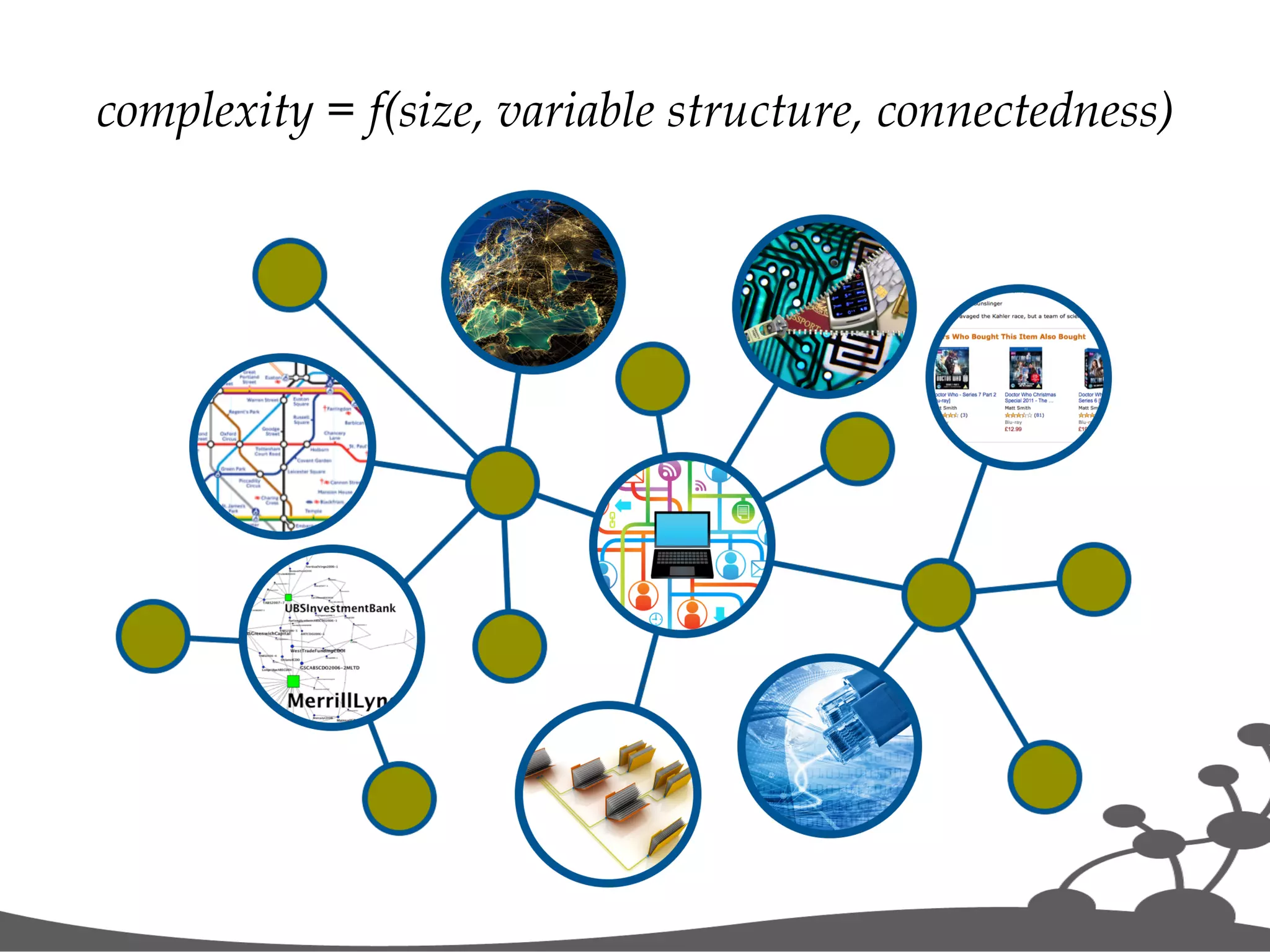
complexity = f(size, variable structure, connectedness)  
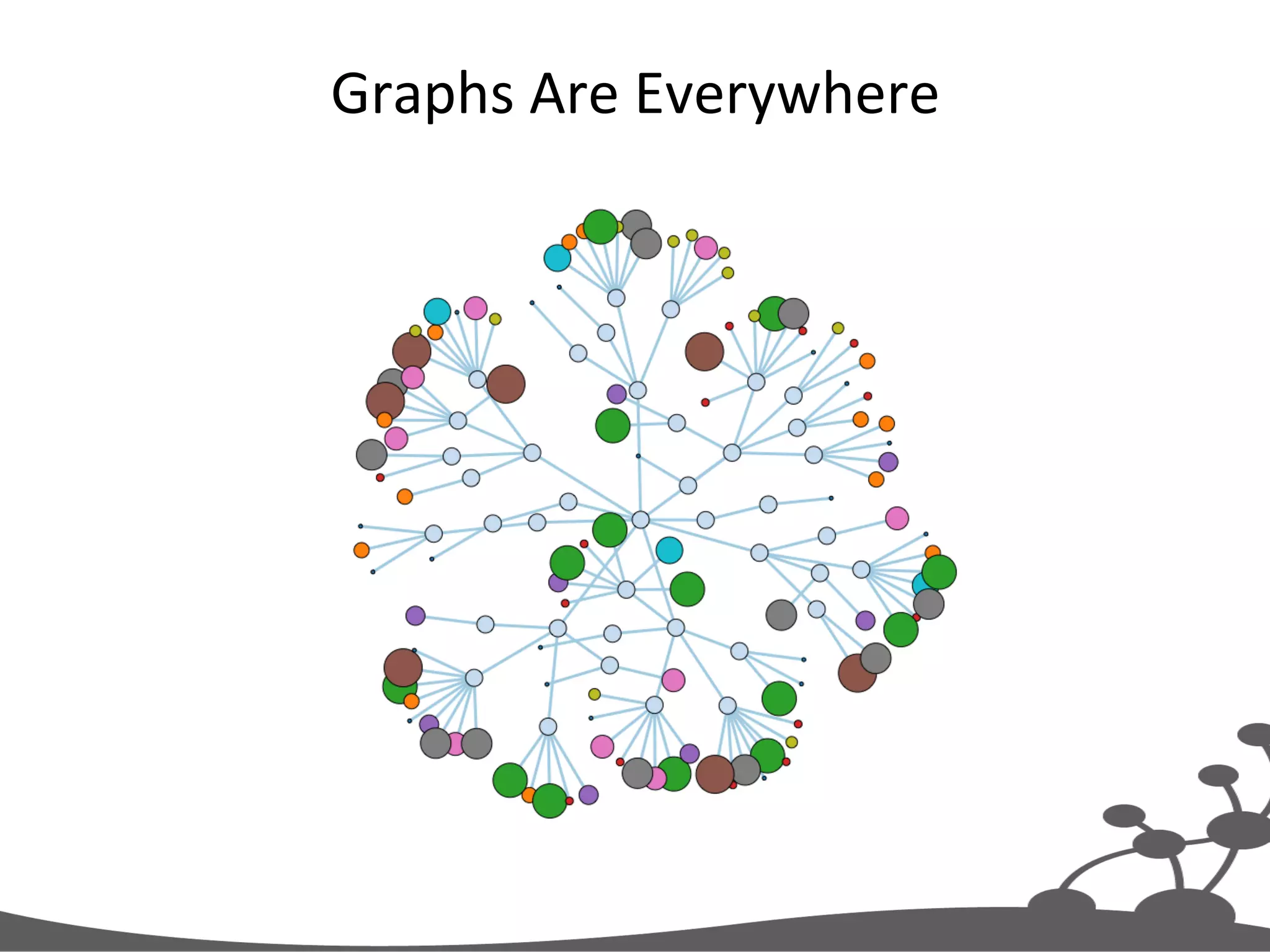
Graphs  Are  Everywhere  
•  Store   •  Manage   •  Query   data   Graph  Databases  
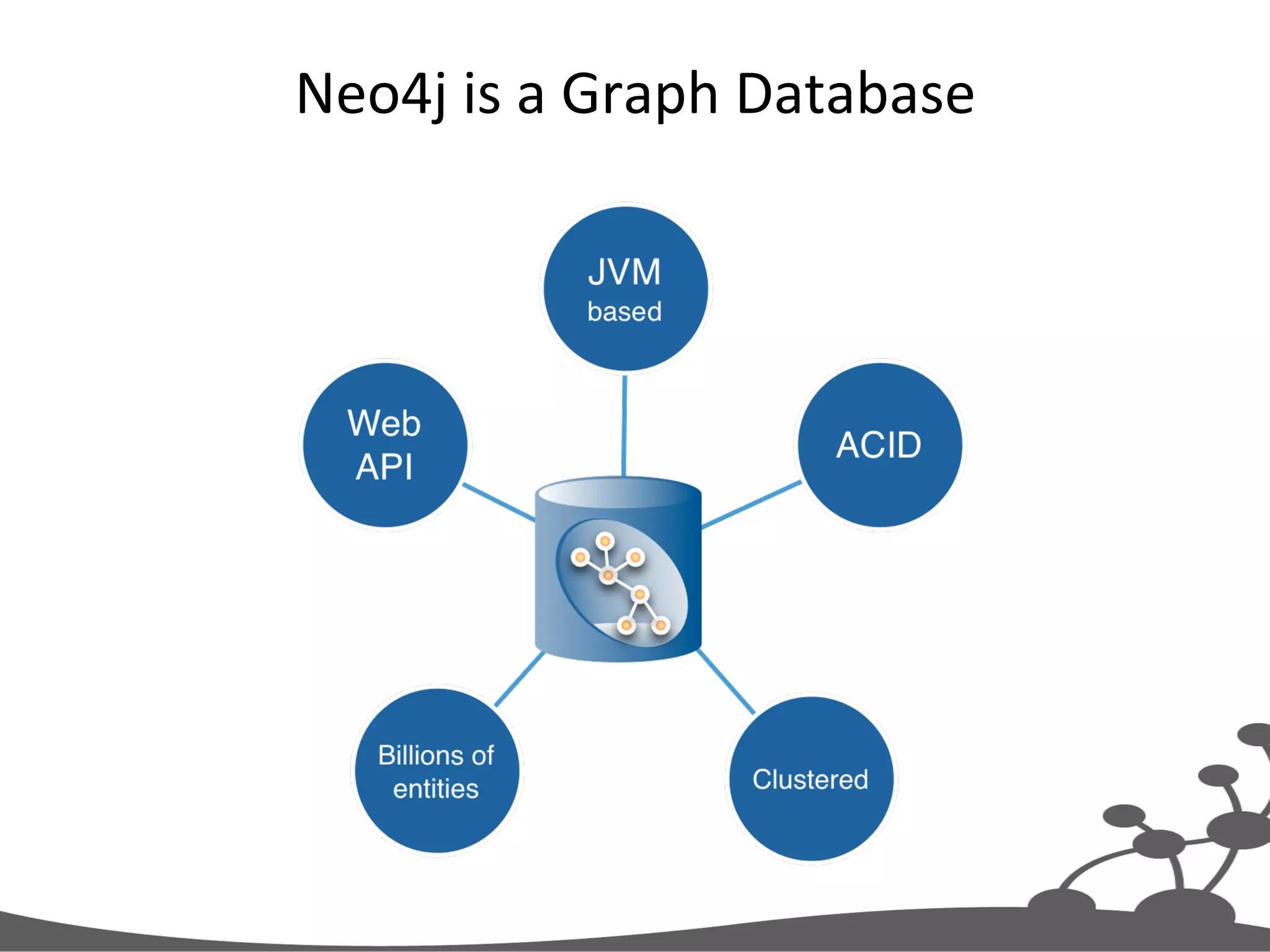
Neo4j  is  a  Graph  Database  
Graph  Model  Building  Blocks  
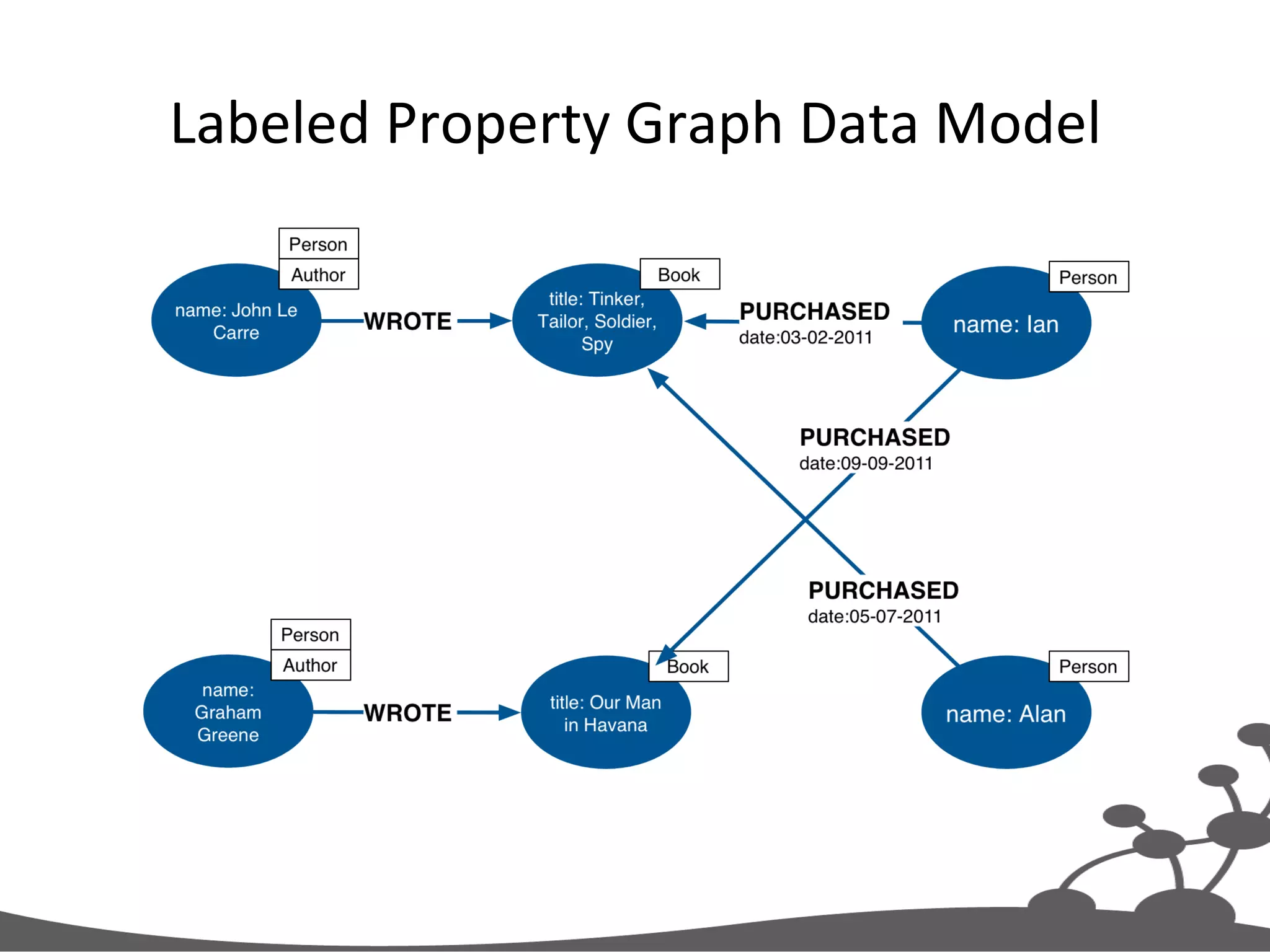
Labeled  Property  Graph  Data  Model  
Four  Building  Blocks   •  Nodes   •  RelaJonships   •  ProperJes   •  Labels  
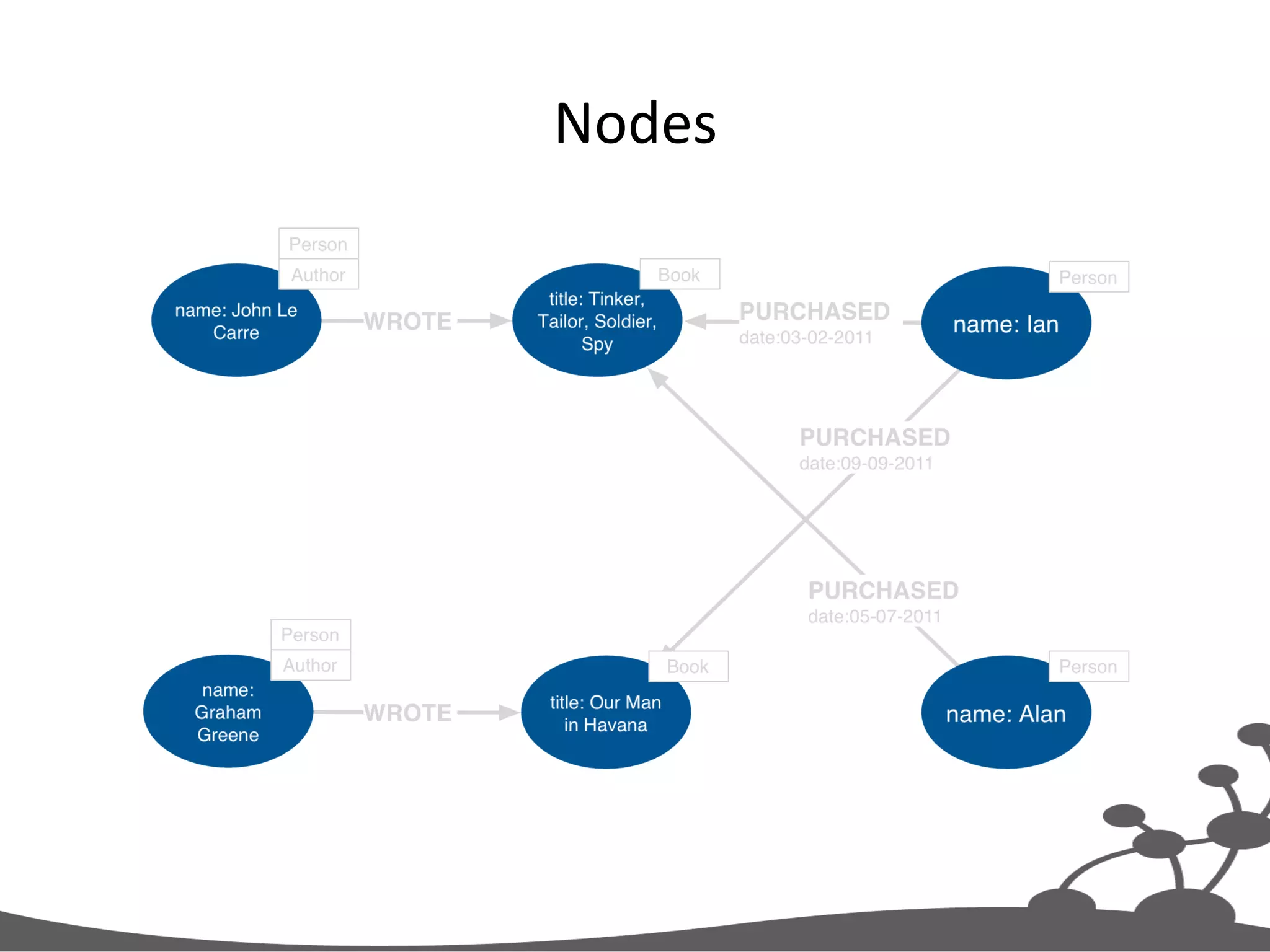
Nodes  
Nodes   •  Used  to  represent  en##es  and  complex  value   types  in  your  domain   •  Can  contain  properJes   – Used  to  represent  enJty  a1ributes  and/or   metadata  (e.g.  Jmestamps,  version)   – Key-­‐value  pairs   •  Java  primiJves   •  Arrays   •  null  is  not  a  valid  value   – Every  node  can  have  different  properJes  
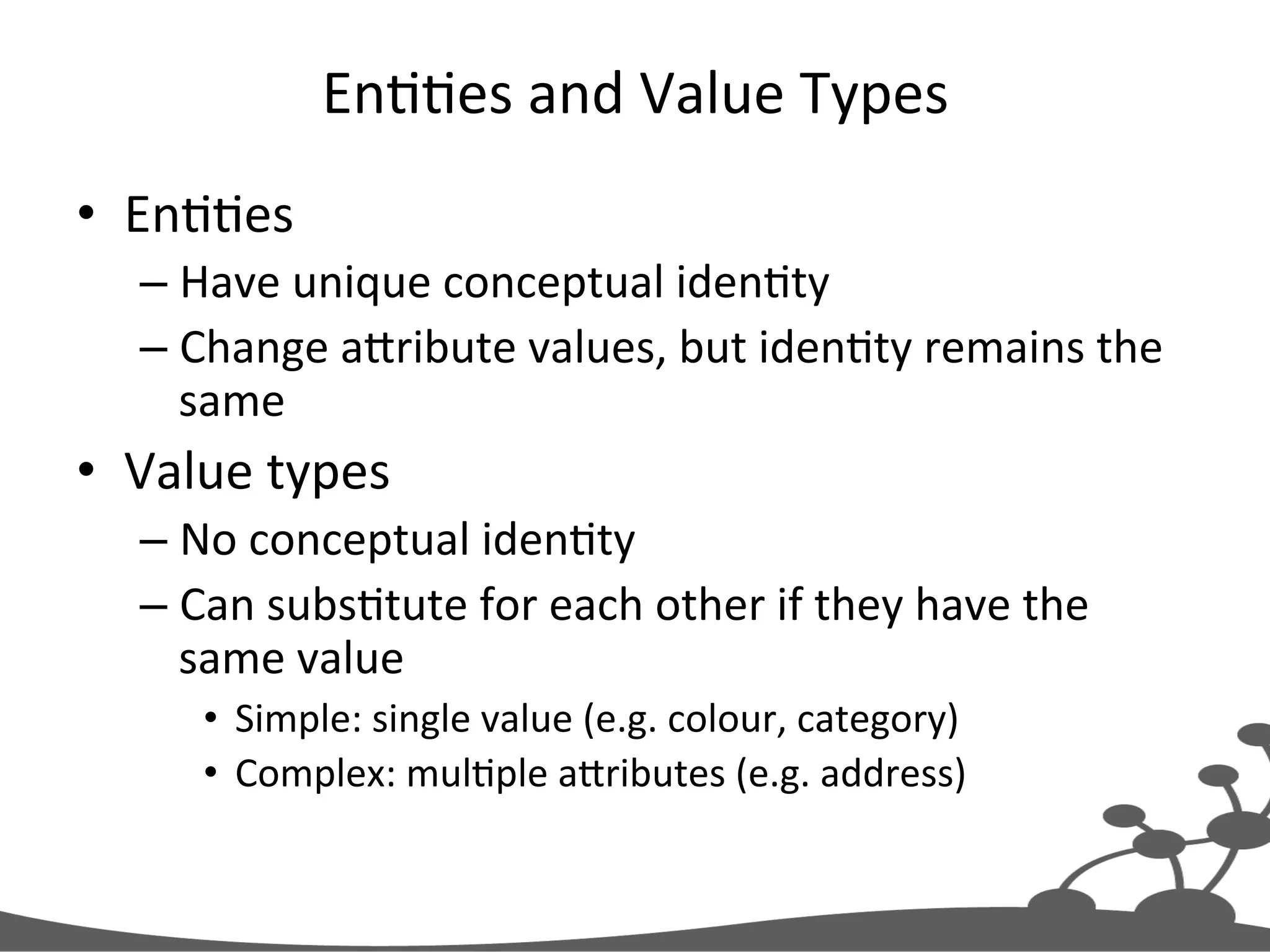
EnJJes  and  Value  Types   •  EnJJes   – Have  unique  conceptual  idenJty   – Change  aXribute  values,  but  idenJty  remains  the   same   •  Value  types   – No  conceptual  idenJty   – Can  subsJtute  for  each  other  if  they  have  the   same  value   •  Simple:  single  value  (e.g.  colour,  category)   •  Complex:  mulJple  aXributes  (e.g.  address)  
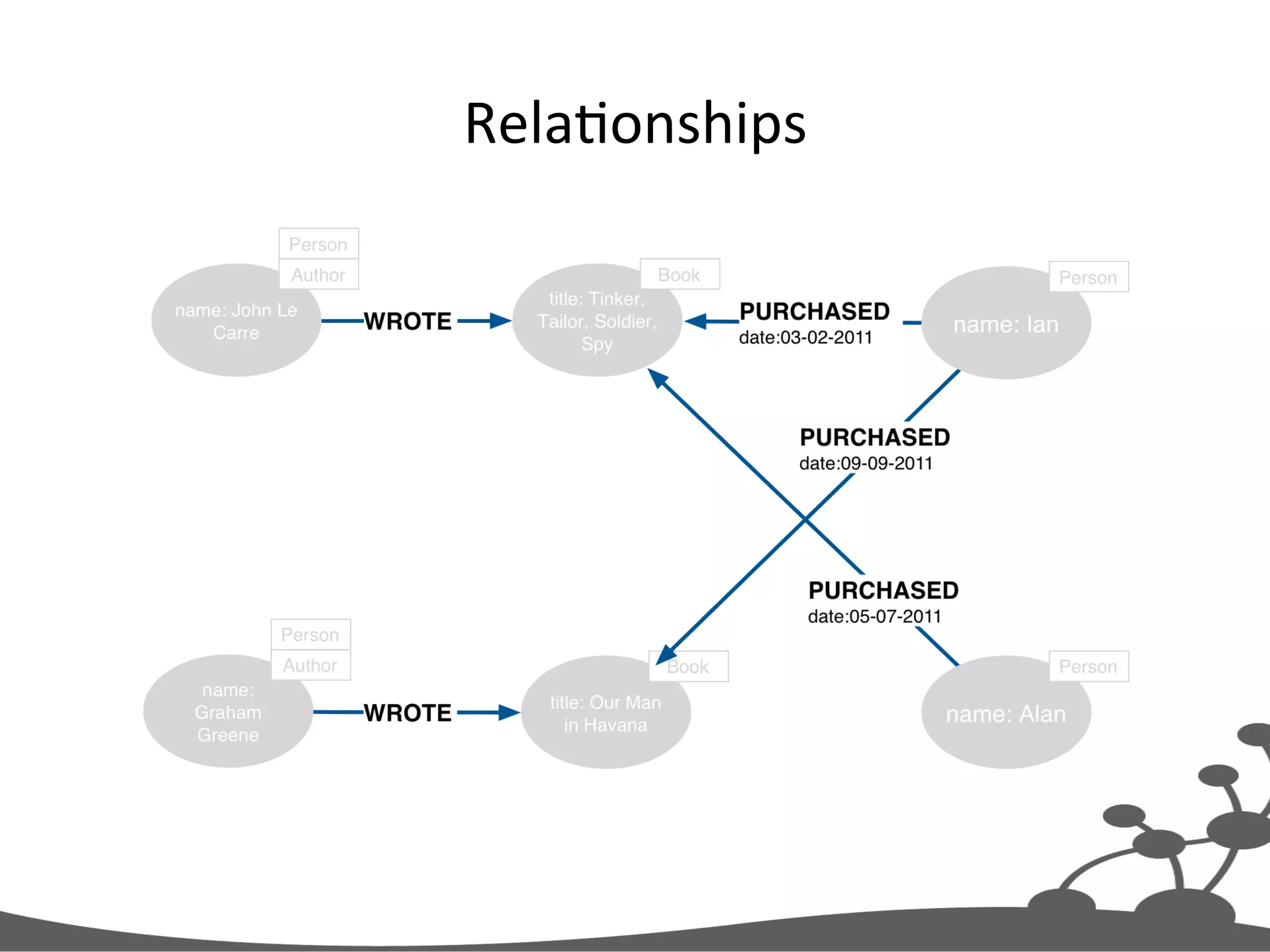
RelaJonships  
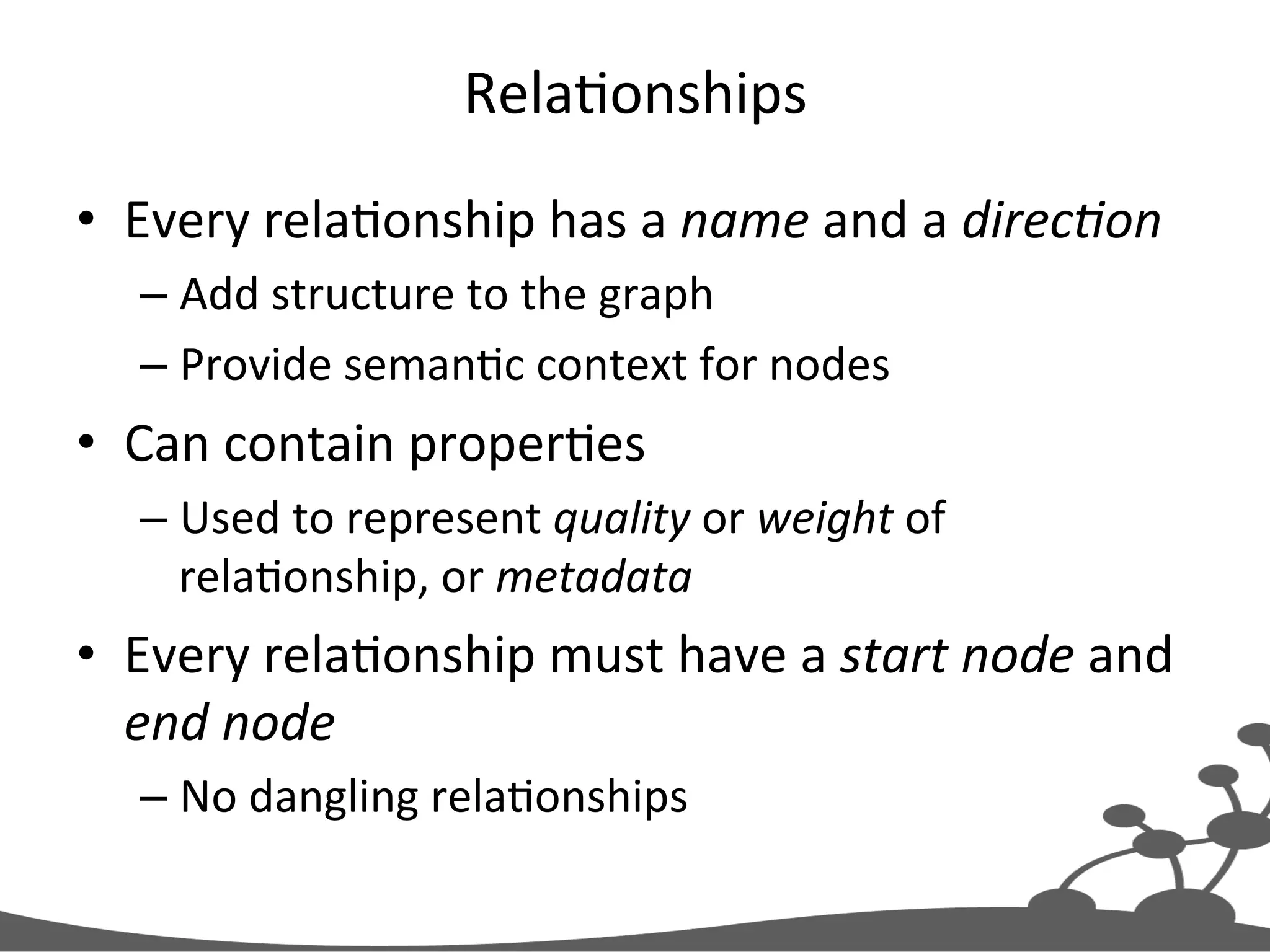
RelaJonships   •  Every  relaJonship  has  a  name  and  a  direc#on   – Add  structure  to  the  graph   – Provide  semanJc  context  for  nodes   •  Can  contain  properJes   – Used  to  represent  quality  or  weight  of   relaJonship,  or  metadata   •  Every  relaJonship  must  have  a  start  node  and   end  node   – No  dangling  relaJonships  
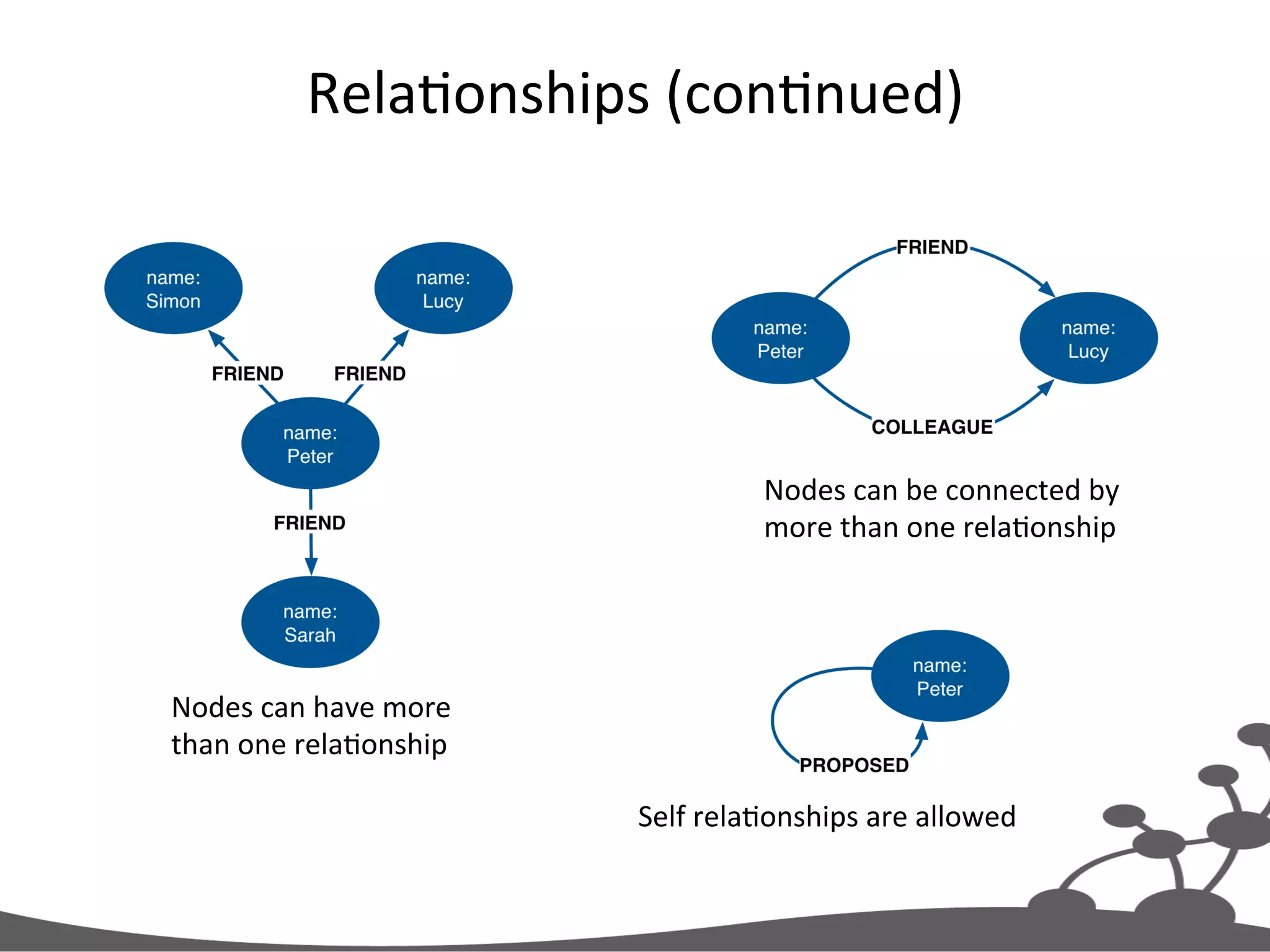
RelaJonships  (conJnued)   Nodes  can  have  more   than  one  relaJonship   Self  relaJonships  are  allowed   Nodes  can  be  connected  by   more  than  one  relaJonship  
Variable  Structure   •  RelaJonships  are  defined  with  regard  to  node   instances,  not  classes  of  nodes   – Two  nodes  represenJng  the  same  kind  of  “thing”   can  be  connected  in  very  different  ways   •  Allows  for  structural  variaJon  in  the  domain   – Contrast  with  relaJonal  schemas,  where  foreign   key  relaJonships  apply  to  all  rows  in  a  table   •  No  need  to  use  null  to  represent  the  absence  of  a   connecJon    
Labels  
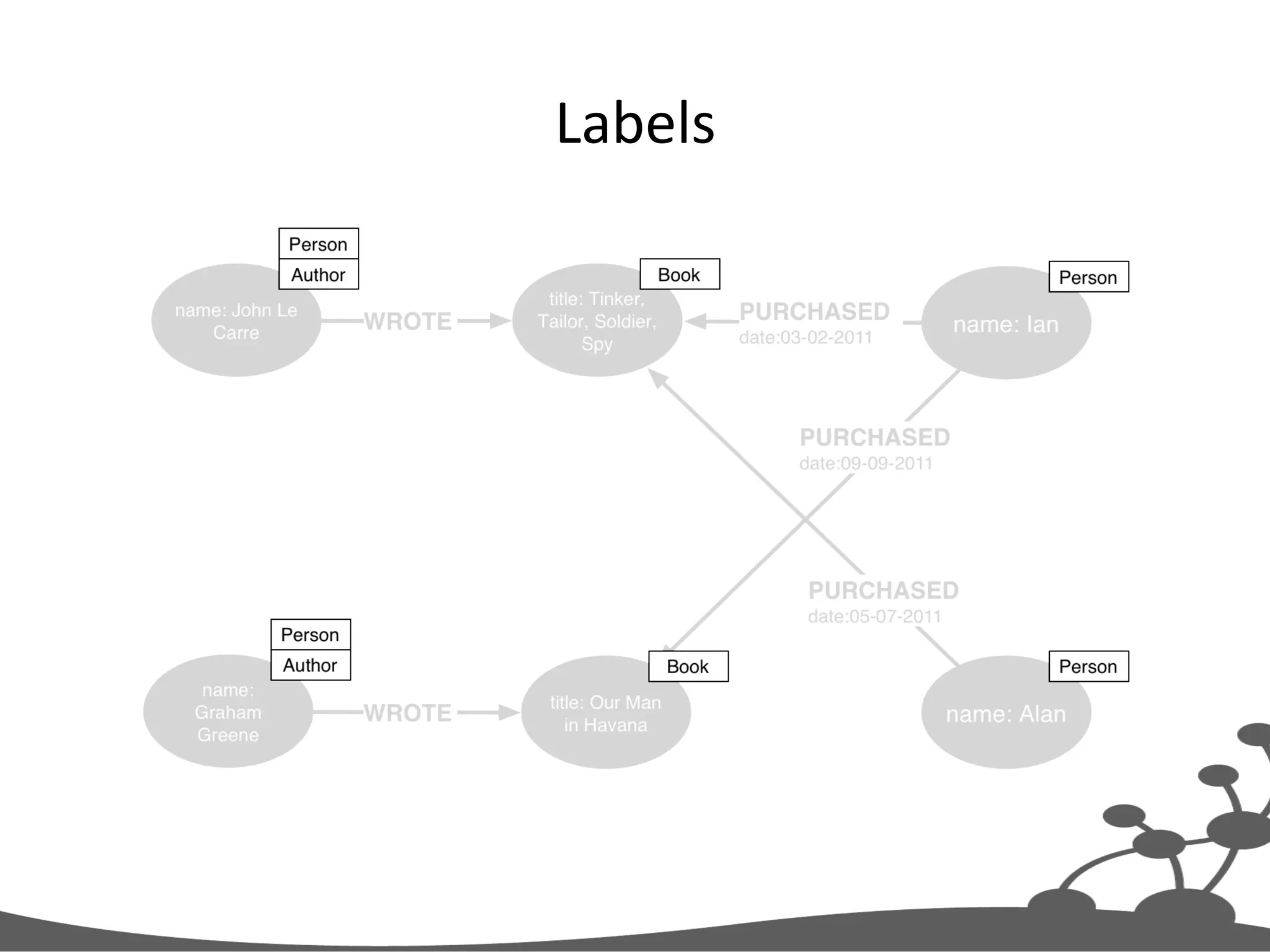
Labels   •  Every  node  can  have  zero  or  more  labels   •  Used  to  represent  roles  (e.g.  user,  product,   company)   – Group  nodes   – Allow  us  to  associate  indexes  and  constraints  with   groups  of  nodes  
Four  Building  Blocks   •  Nodes   – EnJJes   •  RelaJonships   – Connect  enJJes  and  structure  domain   •  ProperJes   – EnJty  aXributes,  relaJonship  qualiJes,  and   metadata   •  Labels   – Group  nodes  by  role  
Cypher  Query  Language  
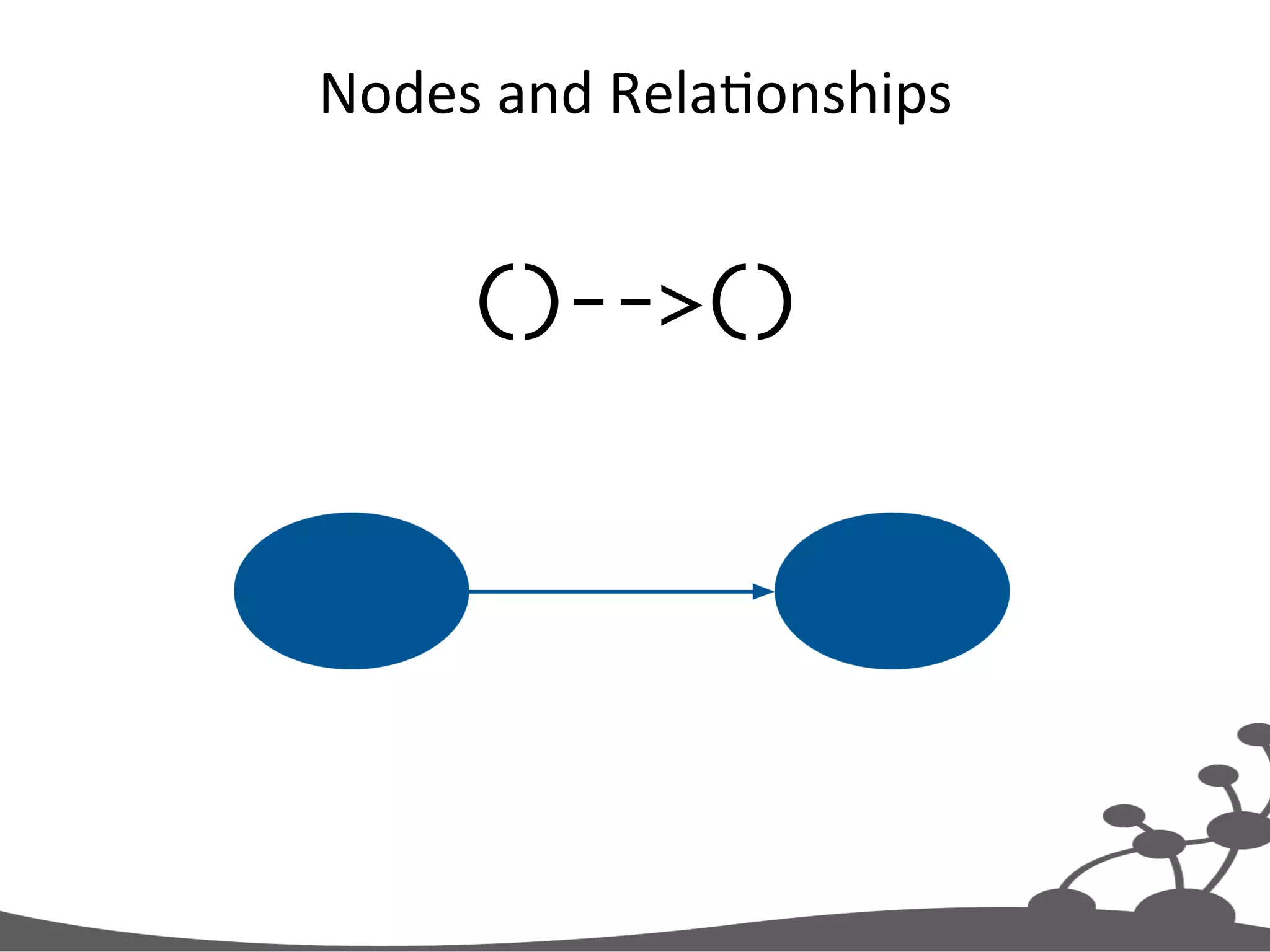
Nodes  and  RelaJonships   ()-->()
Labels  and  RelaJonship  Types   (:Person)-[:FRIEND]->(:Person)
ProperJes   (:Person{name:'Peter'})-[:FRIEND]->(:Person{name:'Lucy'})
IdenJfiers   (p1:Person{name:'Peter'})-[r:FRIEND]->(p2:Person{name:'Lucy'})
Cypher   MATCH graph_pattern RETURN results http://docs.neo4j.org/chunked/milestone/query-match.html http://docs.neo4j.org/chunked/milestone/query-return.html
Example  Query   MATCH (:Person{name:'Peter'}) -[:FRIEND]->(friends) RETURN friends
Find  This  PaXern   MATCH (:Person{name:'Peter'}) -[:FRIEND]->(friends) RETURN friends
Lookup  Using  IdenJfier  +  Label     MATCH (:Person{name:'Peter'}) -[:FRIEND]->(friends) RETURN friends Search  nodes  labeled   ‘Person’,  matching  on   ‘name’  property  
Return  Nodes   MATCH (:Person{name:'Peter'}) -[:FRIEND]->(friends) RETURN friends
Exercise  1   Modeling  Example  
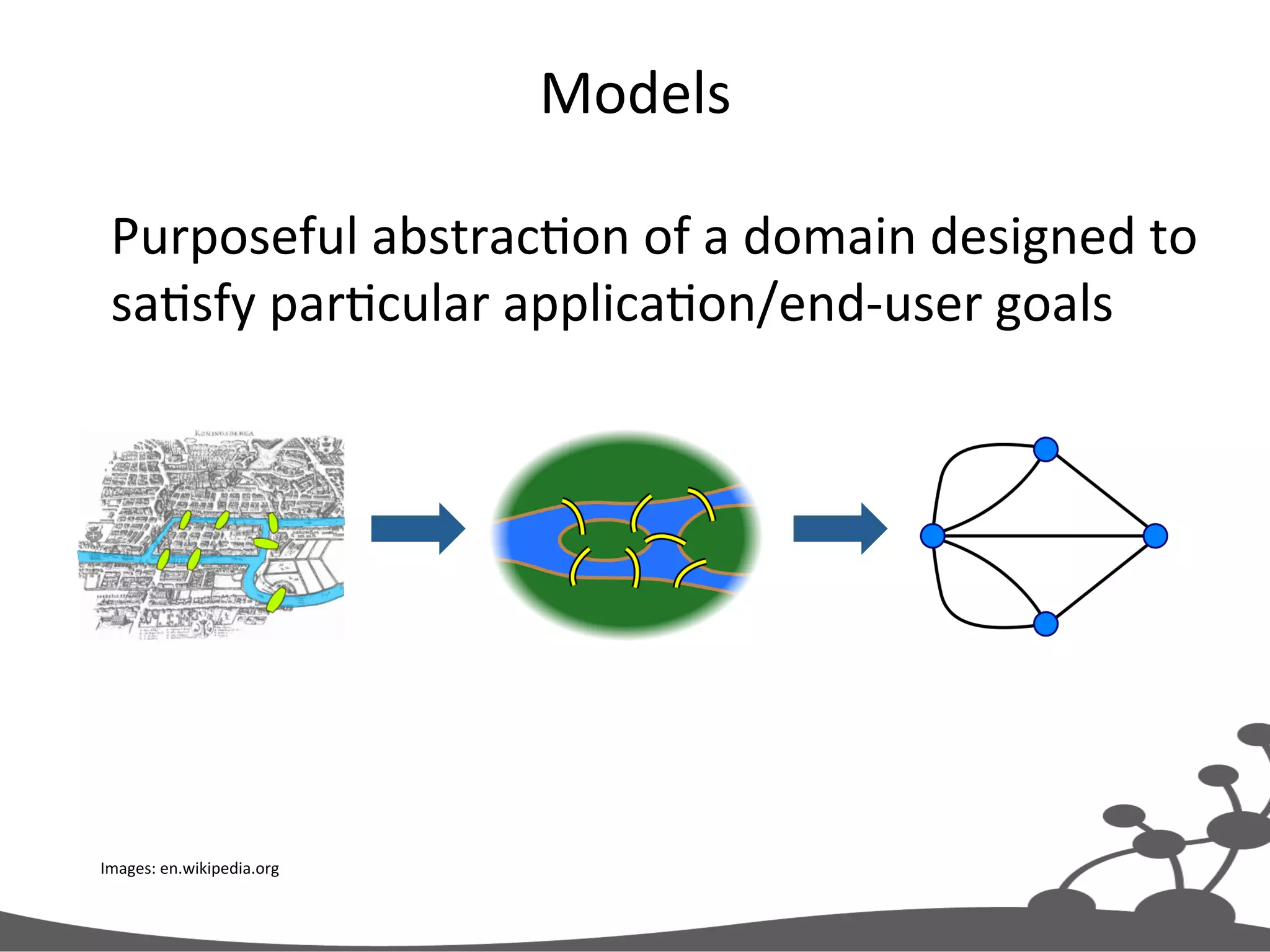
Models   Images:  en.wikipedia.org   Purposeful  abstracJon  of  a  domain  designed  to   saJsfy  parJcular  applicaJon/end-­‐user  goals  
Example  ApplicaJon   •  Knowledge  management   – People,  companies,  skills   – Cross  organizaJonal   •  Find  my  professional  social  network   – Exchange  knowledge   – Interest  groups   – Help   – Staff  projects  
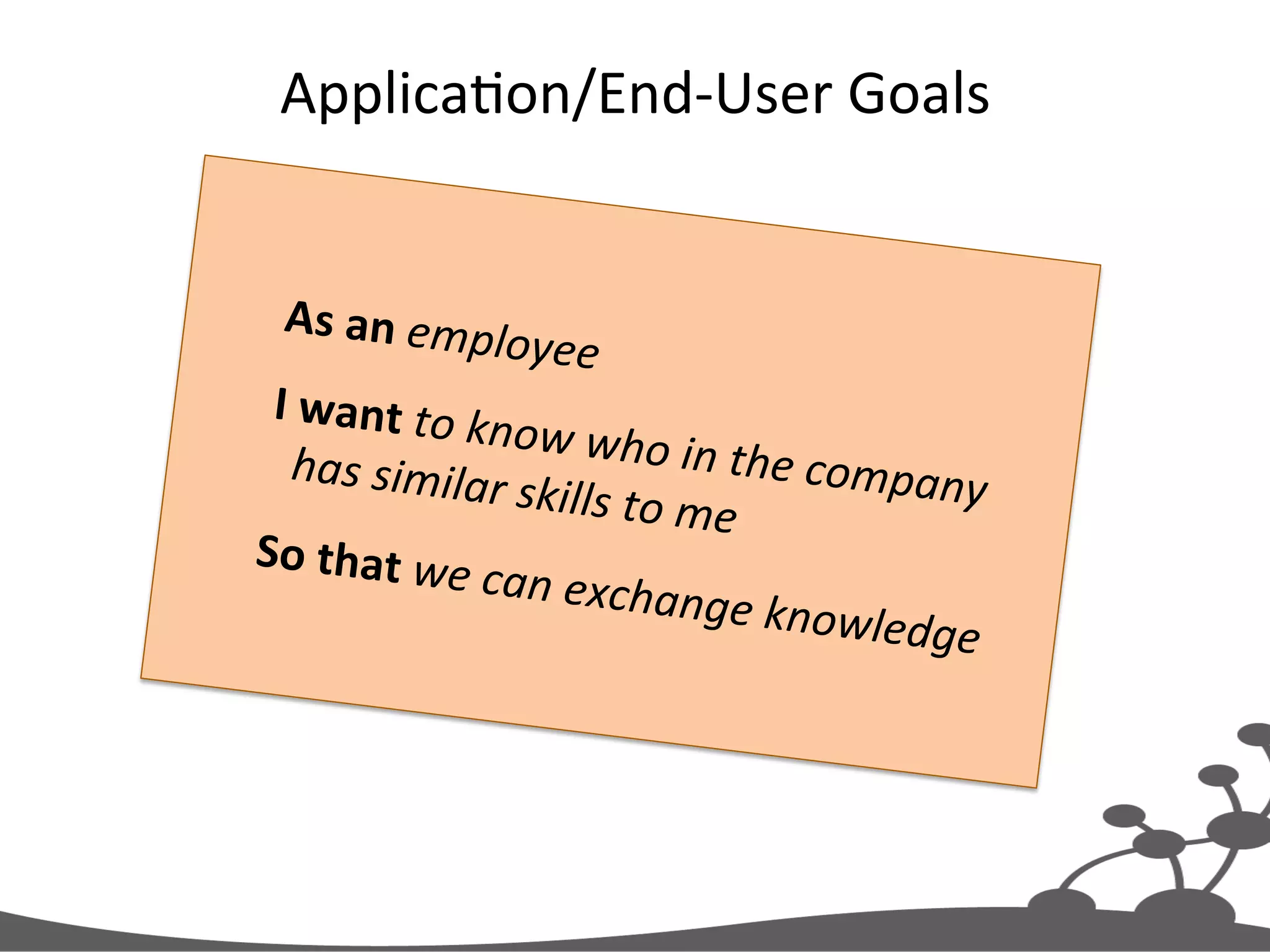
ApplicaJon/End-­‐User  Goals   As  an  employee     I  want  to  know  who  in  the  company   has  similar  skills  to  me     So  that  we  can  exchange  knowledge  
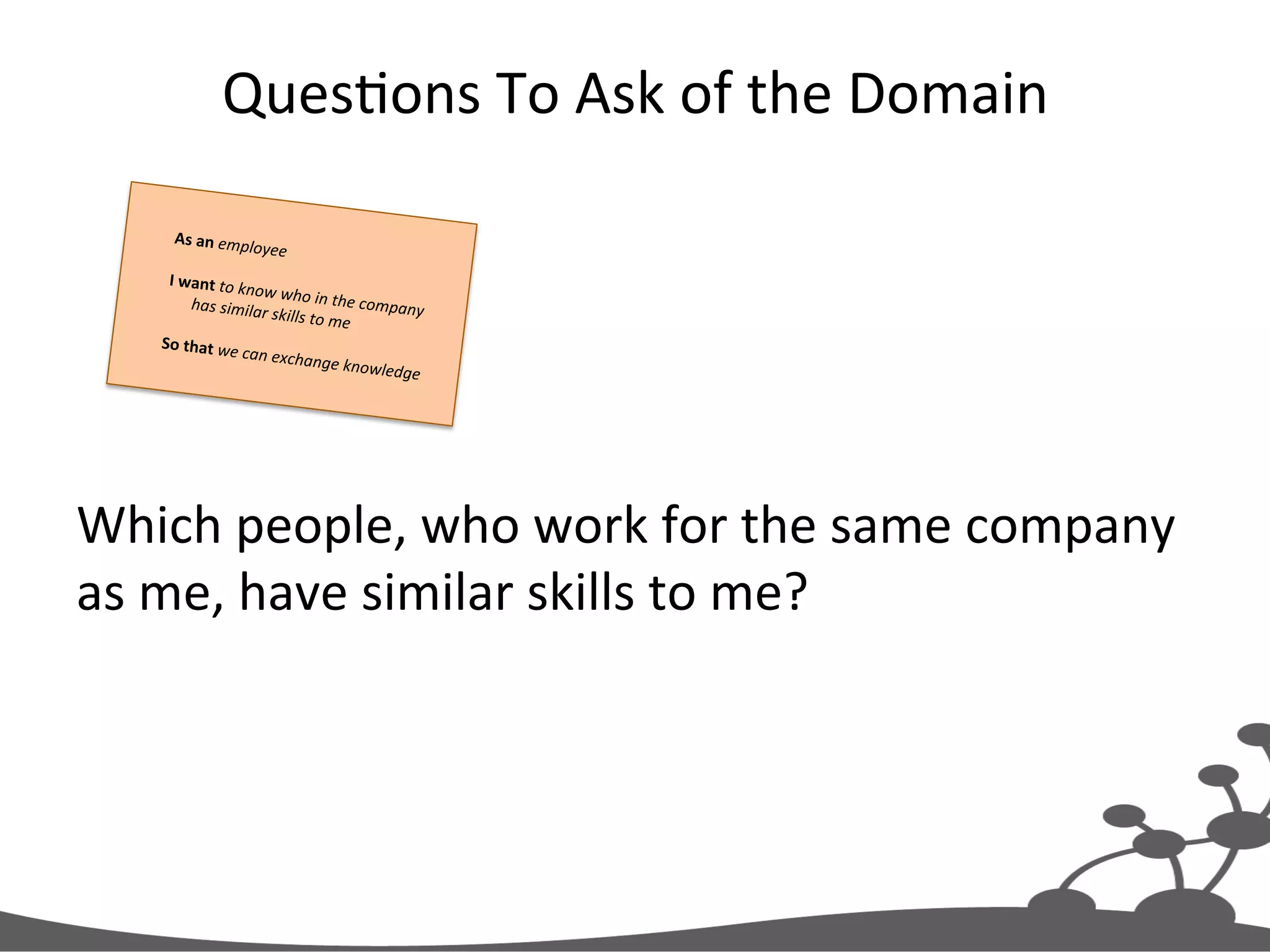
QuesJons  To  Ask  of  the  Domain   Which  people,  who  work  for  the  same  company   as  me,  have  similar  skills  to  me?   As  an  employee     I  want  to  know  who  in  the  company  has  similar  skills  to  me     So  that  we  can  exchange  knowledge  
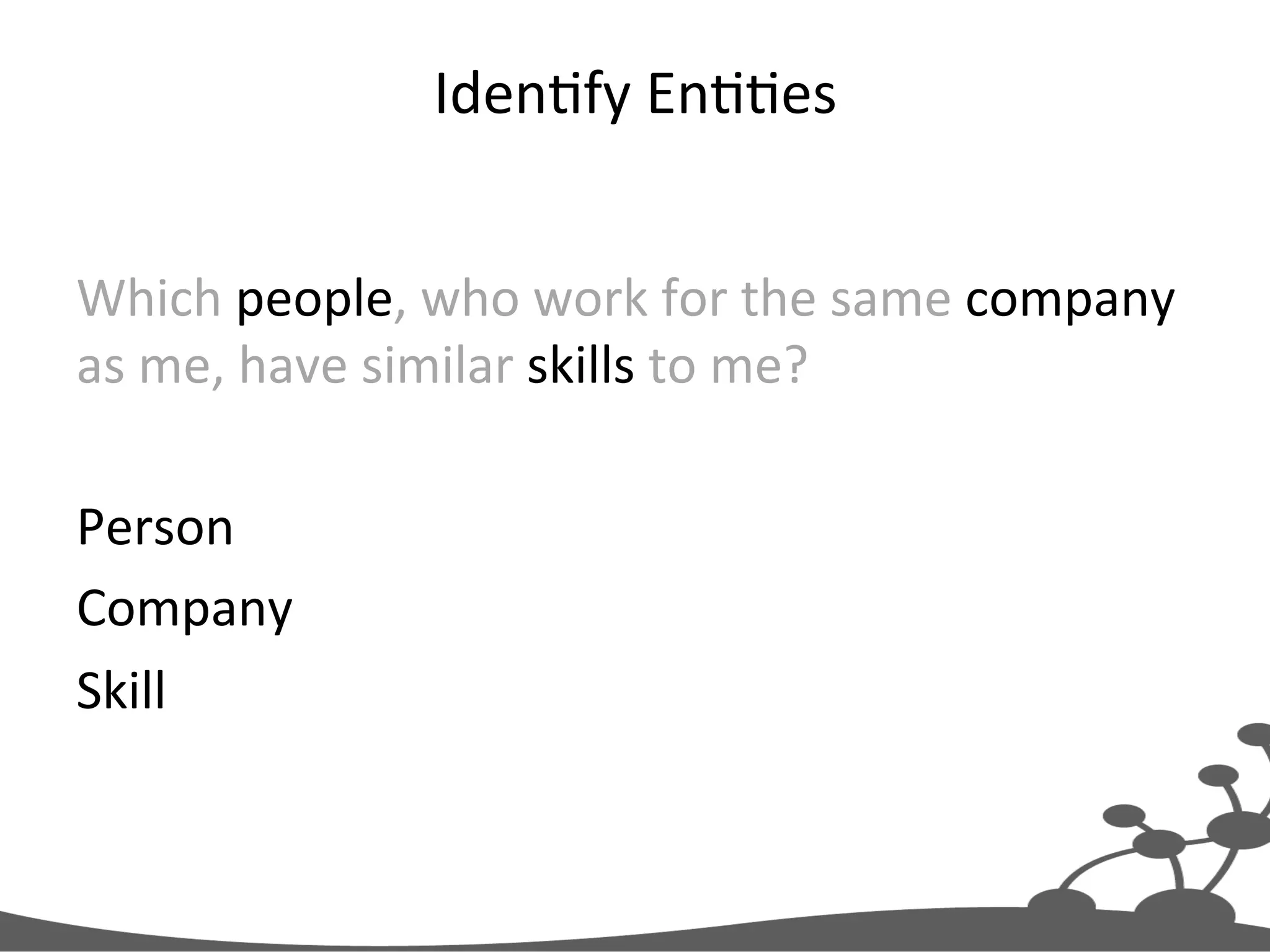
IdenJfy  EnJJes   Which  people,  who  work  for  the  same  company   as  me,  have  similar  skills  to  me?     Person   Company   Skill  
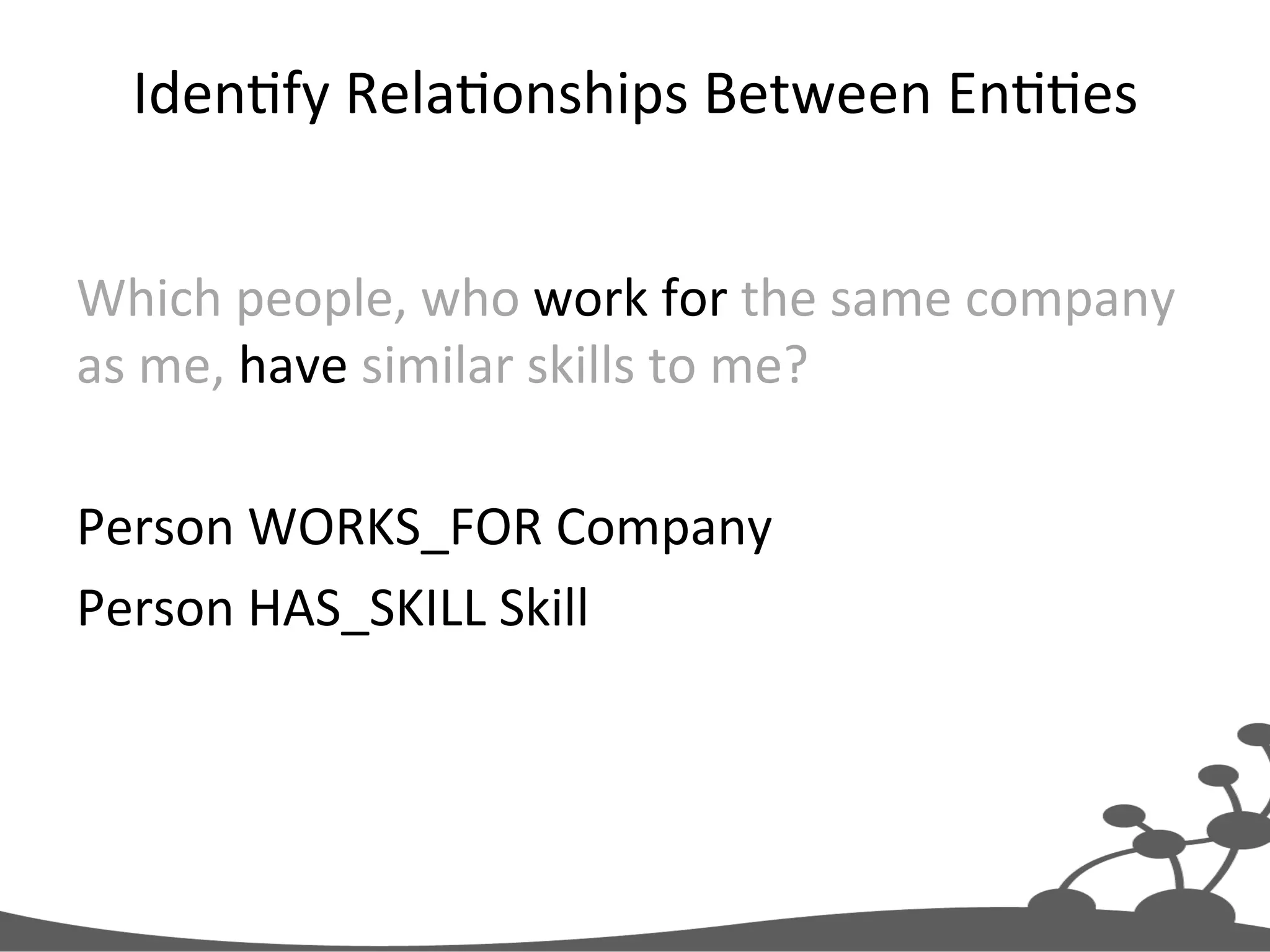
IdenJfy  RelaJonships  Between  EnJJes   Which  people,  who  work  for  the  same  company   as  me,  have  similar  skills  to  me?     Person  WORKS_FOR  Company   Person  HAS_SKILL  Skill  
Convert  to  Cypher  Paths   Person  WORKS_FOR  Company   Person  HAS_SKILL  Skill   RelaJonship   Label   (:Person)-[:WORKS_FOR]->(:Company), (:Person)-[:HAS_SKILL]->(:Skill)
Consolidate  Paths   (:Person)-[:WORKS_FOR]->(:Company), (:Person)-[:HAS_SKILL]->(:Skill) (:Company)<-[:WORKS_FOR]-(:Person)-[:HAS_SKILL]->(:Skill)
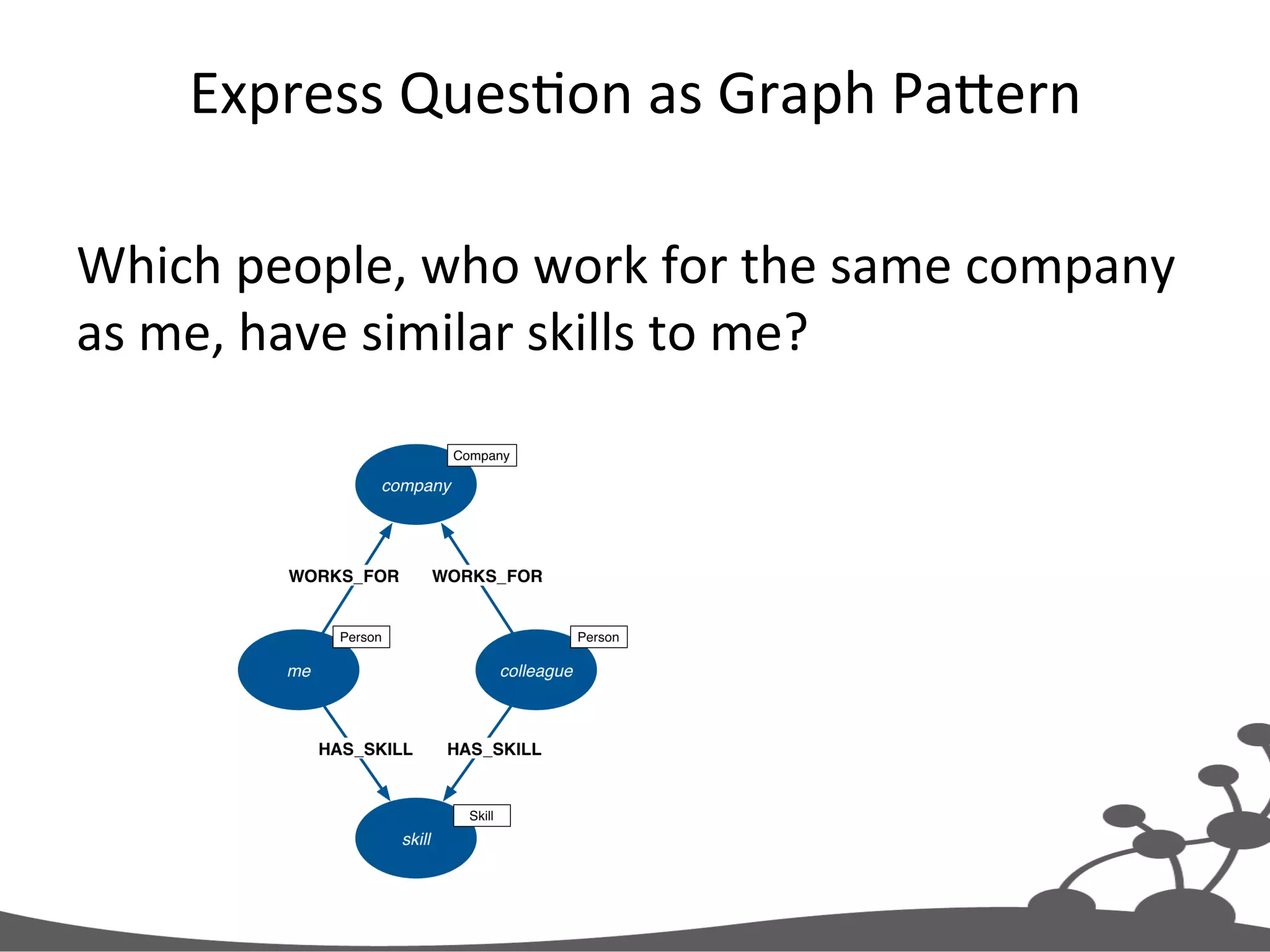
Candidate  Data  Model   (:Company)<-[:WORKS_FOR]-(:Person)-[:HAS_SKILL]->(:Skill)
Express  QuesJon  as  Graph  PaXern   Which  people,  who  work  for  the  same  company   as  me,  have  similar  skills  to  me?  
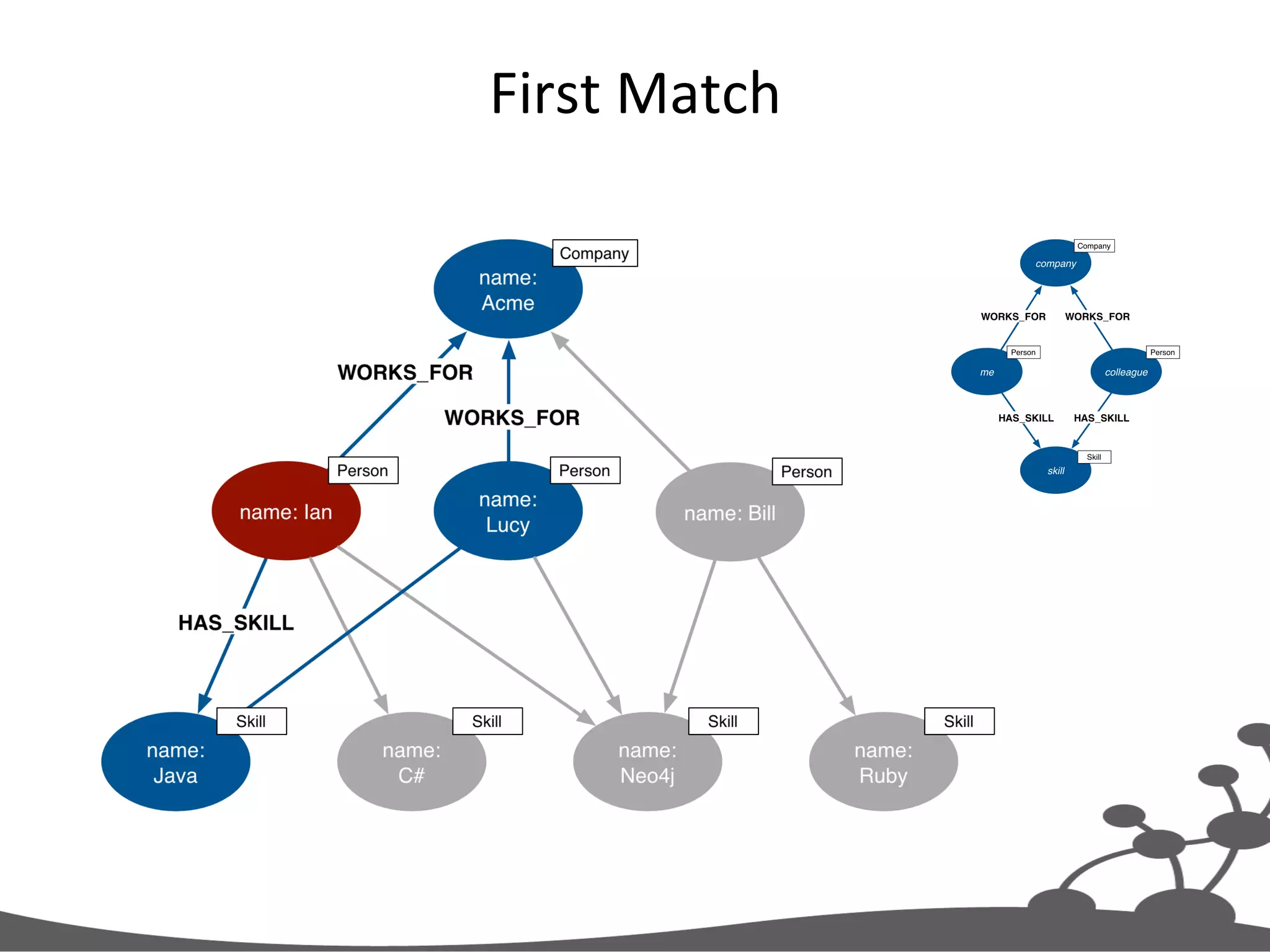
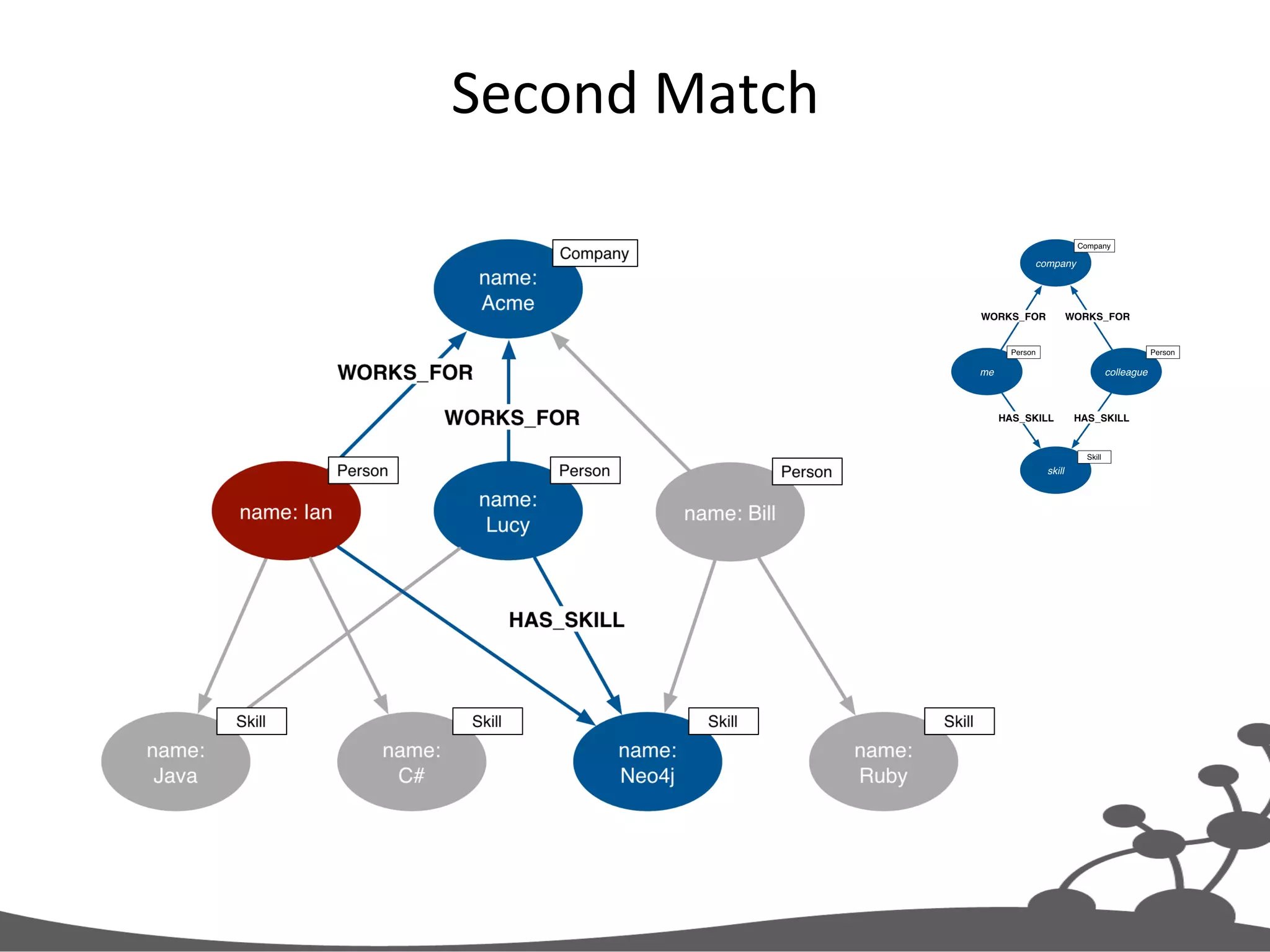
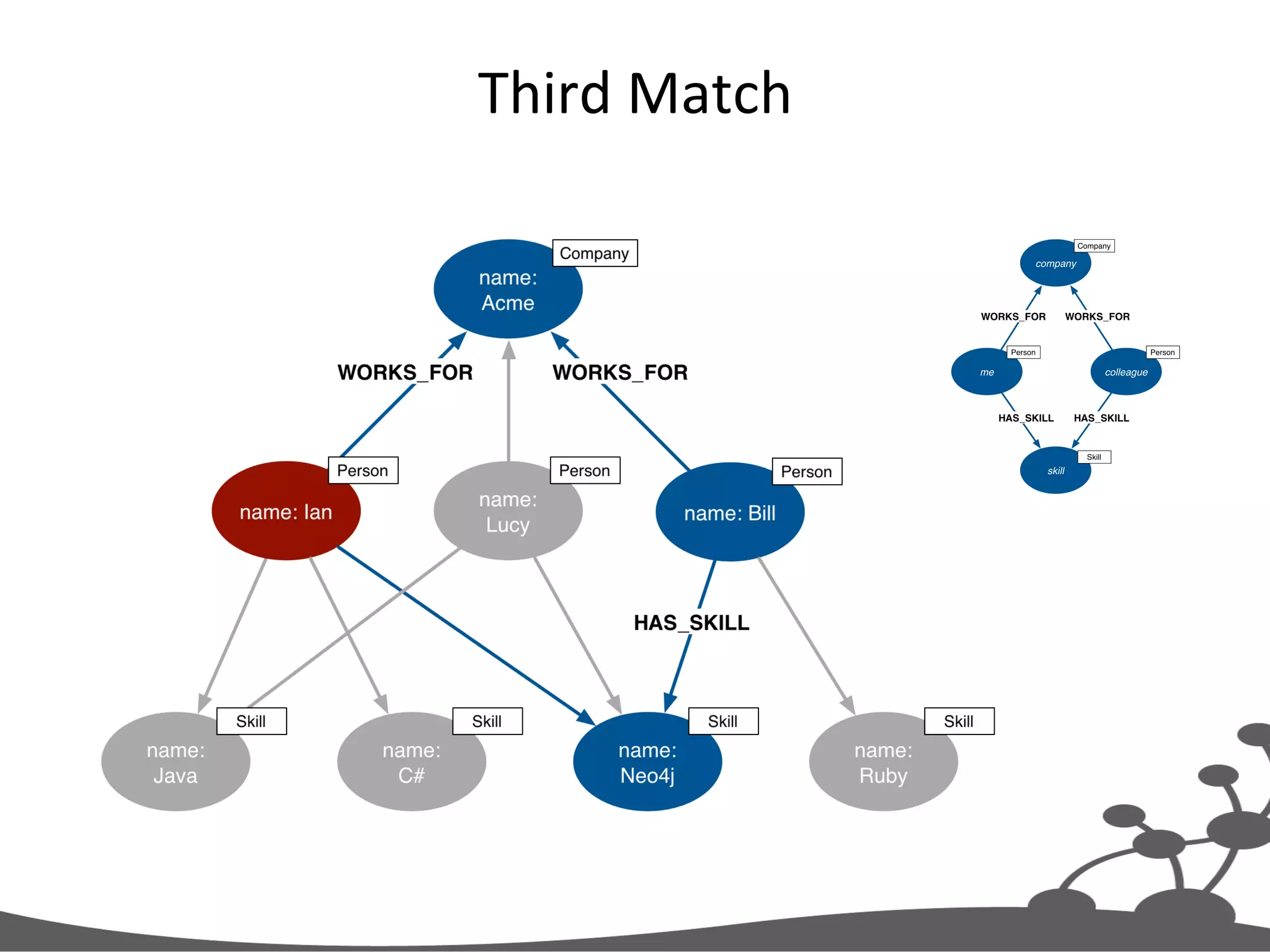
Cypher  Query   Which  people,  who  work  for  the  same  company   as  me,  have  similar  skills  to  me?   MATCH (company)<-[:WORKS_FOR]-(:Person{name:'Ian'}) -[:HAS_SKILL]->(skill), (company)<-[:WORKS_FOR]-(colleague)-[:HAS_SKILL]->(skill) RETURN colleague.name AS name, count(skill) AS score, collect(skill.name) AS skills ORDER BY score DESC
Graph  PaXern   Which  people,  who  work  for  the  same  company   as  me,  have  similar  skills  to  me?   MATCH (company)<-[:WORKS_FOR]-(:Person{name:'Ian'}) -[:HAS_SKILL]->(skill), (company)<-[:WORKS_FOR]-(colleague)-[:HAS_SKILL]->(skill) RETURN colleague.name AS name, count(skill) AS score, collect(skill.name) AS skills ORDER BY score DESC
Which  people,  who  work  for  the  same  company   as  me,  have  similar  skills  to  me?   MATCH (company)<-[:WORKS_FOR]-(:Person{name:'Ian'}) -[:HAS_SKILL]->(skill), (company)<-[:WORKS_FOR]-(colleague)-[:HAS_SKILL]->(skill) RETURN colleague.name AS name, count(skill) AS score, collect(skill.name) AS skills ORDER BY score DESC Anchor  PaXern  in  Graph   Search  nodes  labeled   ‘Person’,  matching  on   ‘name’  property  
Create  ProjecJon  of  Results   Which  people,  who  work  for  the  same  company   as  me,  have  similar  skills  to  me?   MATCH (company)<-[:WORKS_FOR]-(:Person{name:'Ian'}) -[:HAS_SKILL]->(skill), (company)<-[:WORKS_FOR]-(colleague)-[:HAS_SKILL]->(skill) RETURN colleague.name AS name, count(skill) AS score, collect(skill.name) AS skills ORDER BY score DESC
First  Match  
Second  Match  
Third  Match  
Running  the  Query   +-----------------------------------+ | name | score | skills | +-----------------------------------+ | "Lucy" | 2 | ["Java","Neo4j"] | | "Bill" | 1 | ["Neo4j"] | +-----------------------------------+ 2 rows
From  User  Story  to  Model  and  Query   MATCH (company)<-[:WORKS_FOR]-(me:Person)-[:HAS_SKILL]->(skill), (company)<-[:WORKS_FOR]-(colleague)-[:HAS_SKILL]->(skill) WHERE me.name = {name} RETURN colleague.name AS name, count(skill) AS score, collect(skill.name) AS skills ORDER BY score DESC As  an  employee     I  want  to  know  who  in  the  company  has  similar  skills  to  me     So  that  we  can  exchange  knowledge   (:Company)<-[:WORKS_FOR]-(:Person)-[:HAS_SKILL]->(:Skill) Person  WORKS_FOR  Company   Person  HAS_SKILL  Skill ?Which  people,  who  work  for  the  same   company  as  me,  have  similar  skills  to  me?
Modeling  Guidelines  
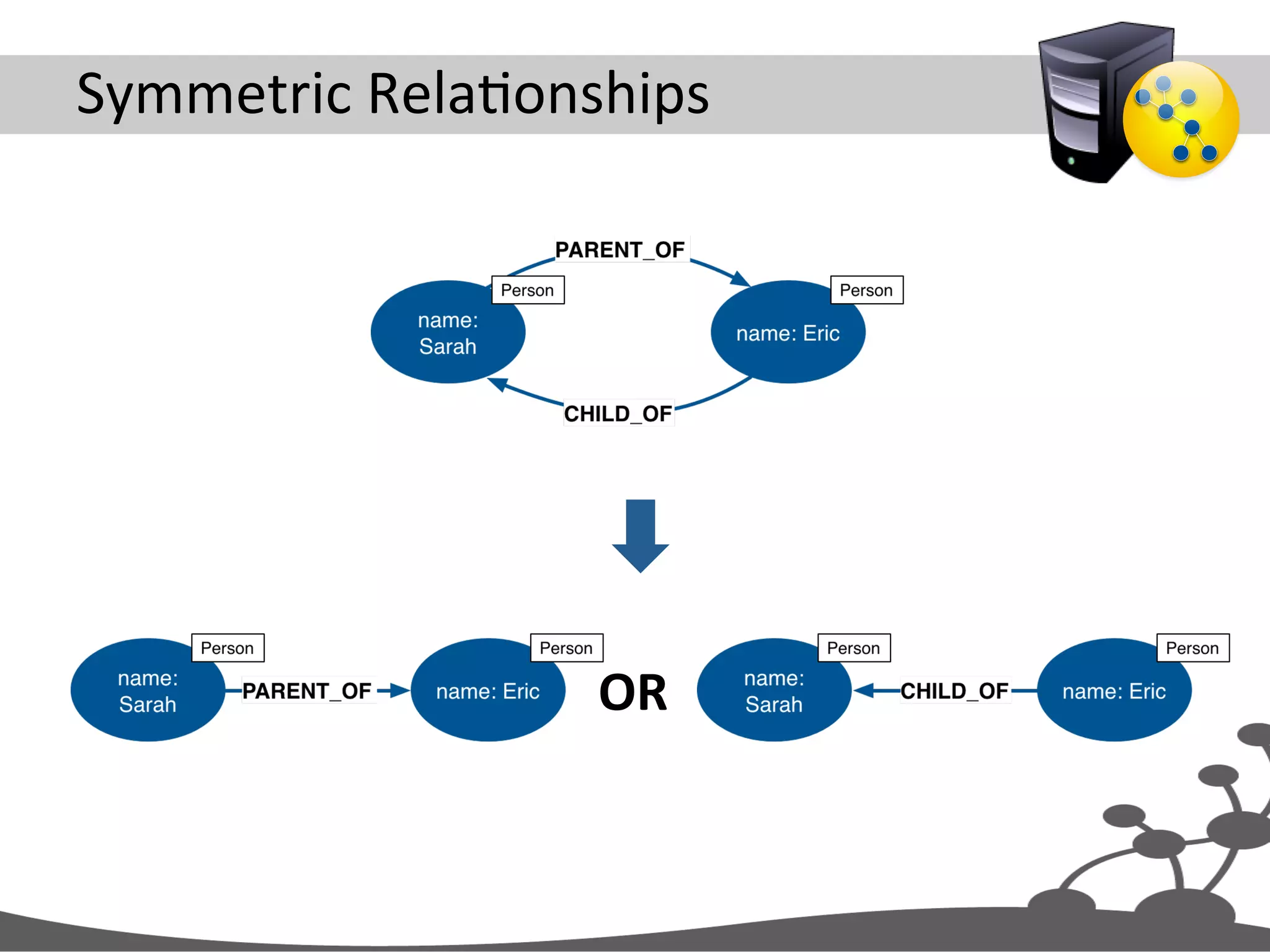
Symmetric  RelaJonships   OR  
Infer  Symmetric  RelaJonship   Find  child: MATCH (parent{name:'Sarah'}) -[:PARENT_OF]->(child) RETURN child Find  parent:   MATCH (parent)-[:PARENT_OF]-> (child{name:'Eric'}) RETURN parent
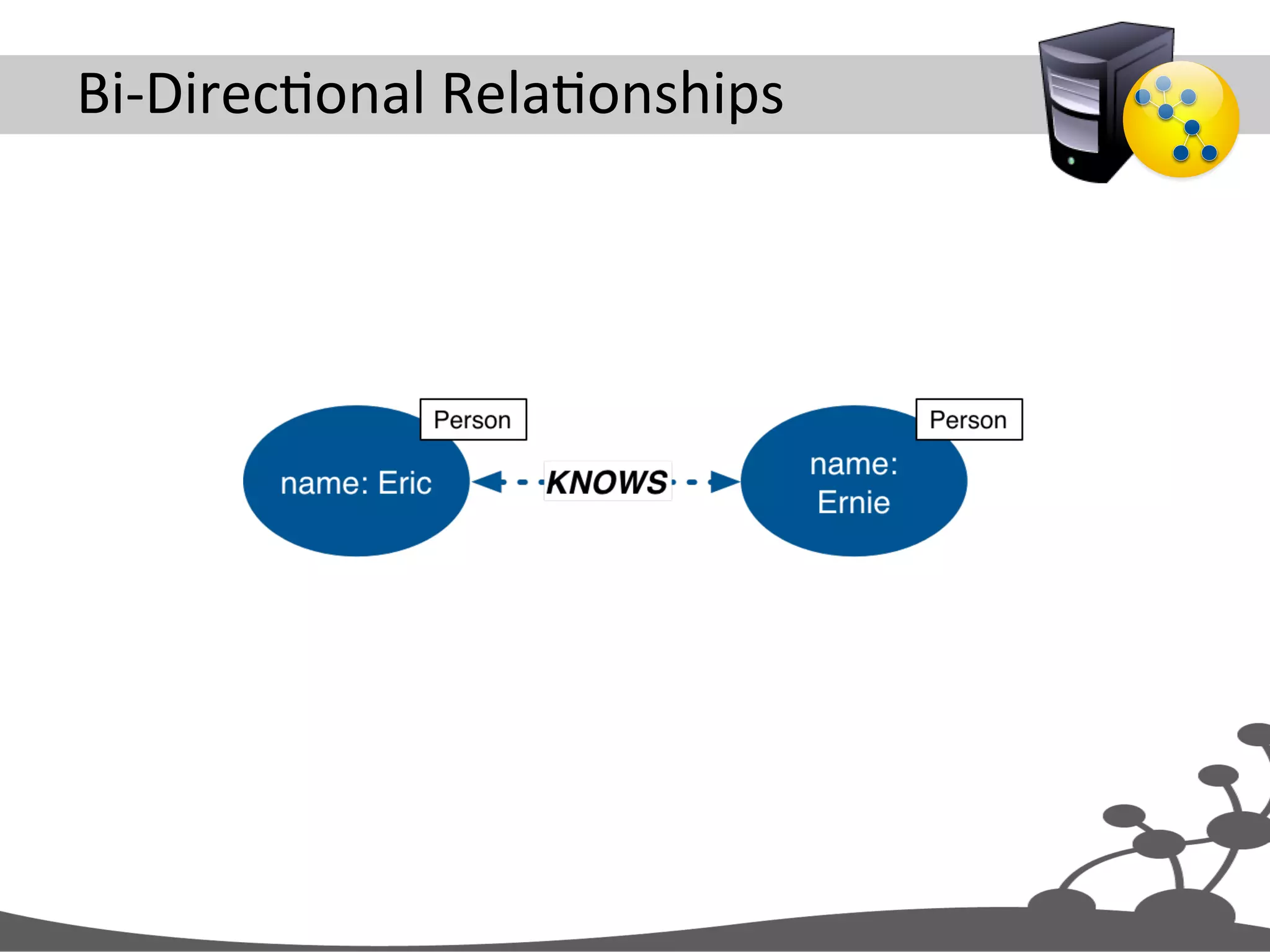
Bi-­‐DirecJonal  RelaJonships  
Use  Single  RelaJonship  and  Ignore  RelaJonship   DirecJon  in  Queries   MATCH (p1{name:'Eric'}) -[:KNOWS]-(p2) RETURN p2
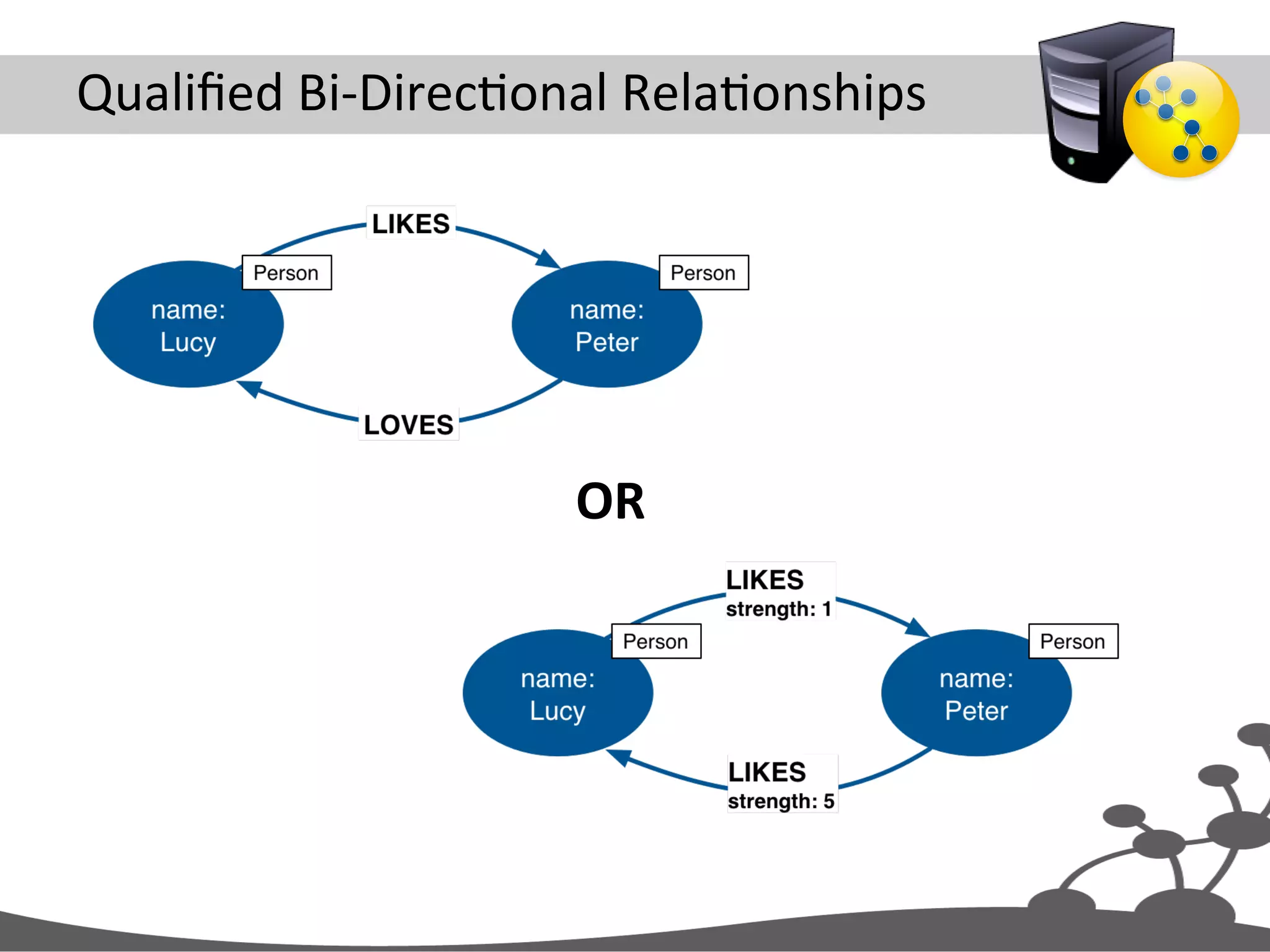
Qualified  Bi-­‐DirecJonal  RelaJonships   OR  
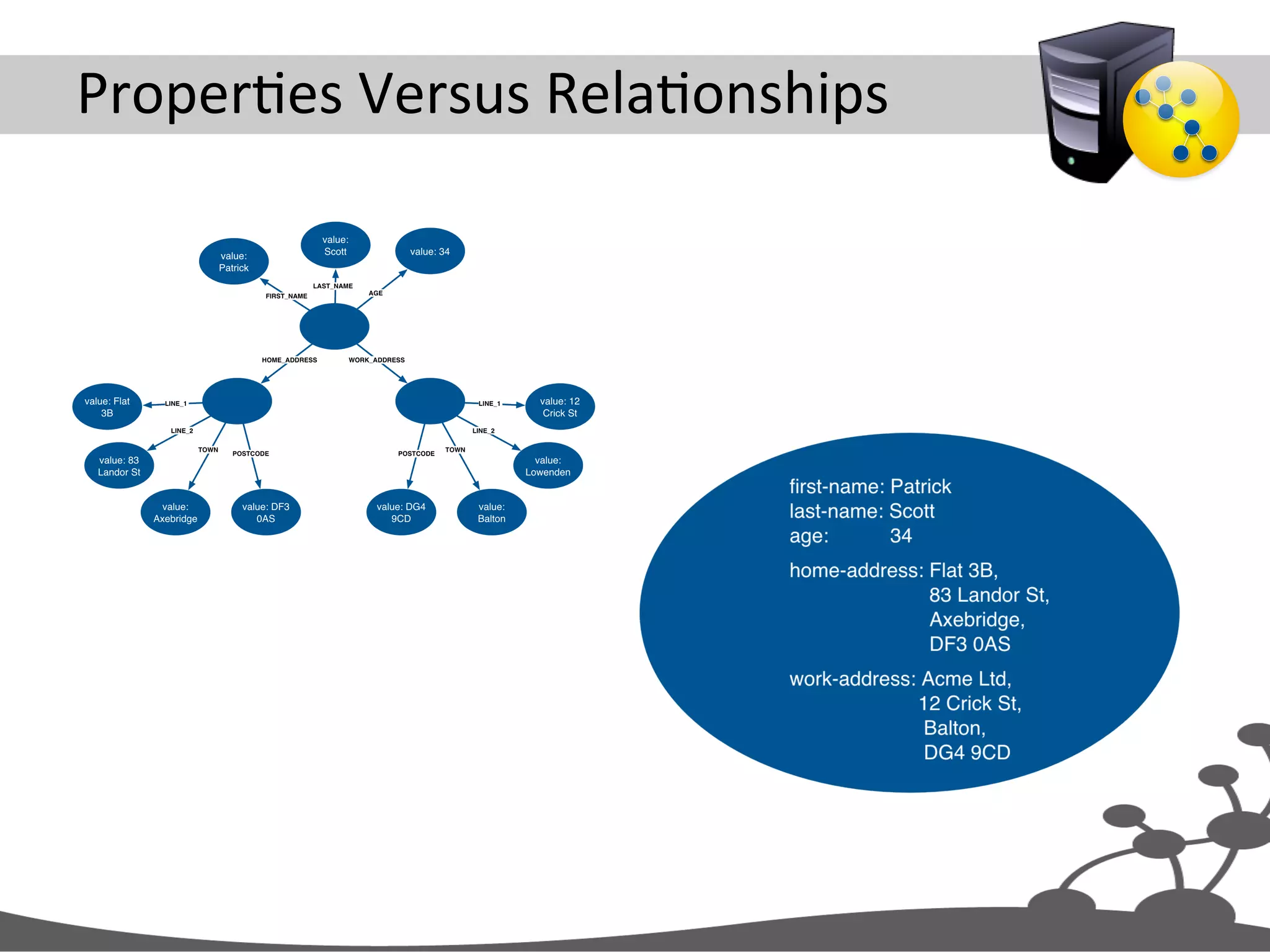
ProperJes  Versus  RelaJonships  
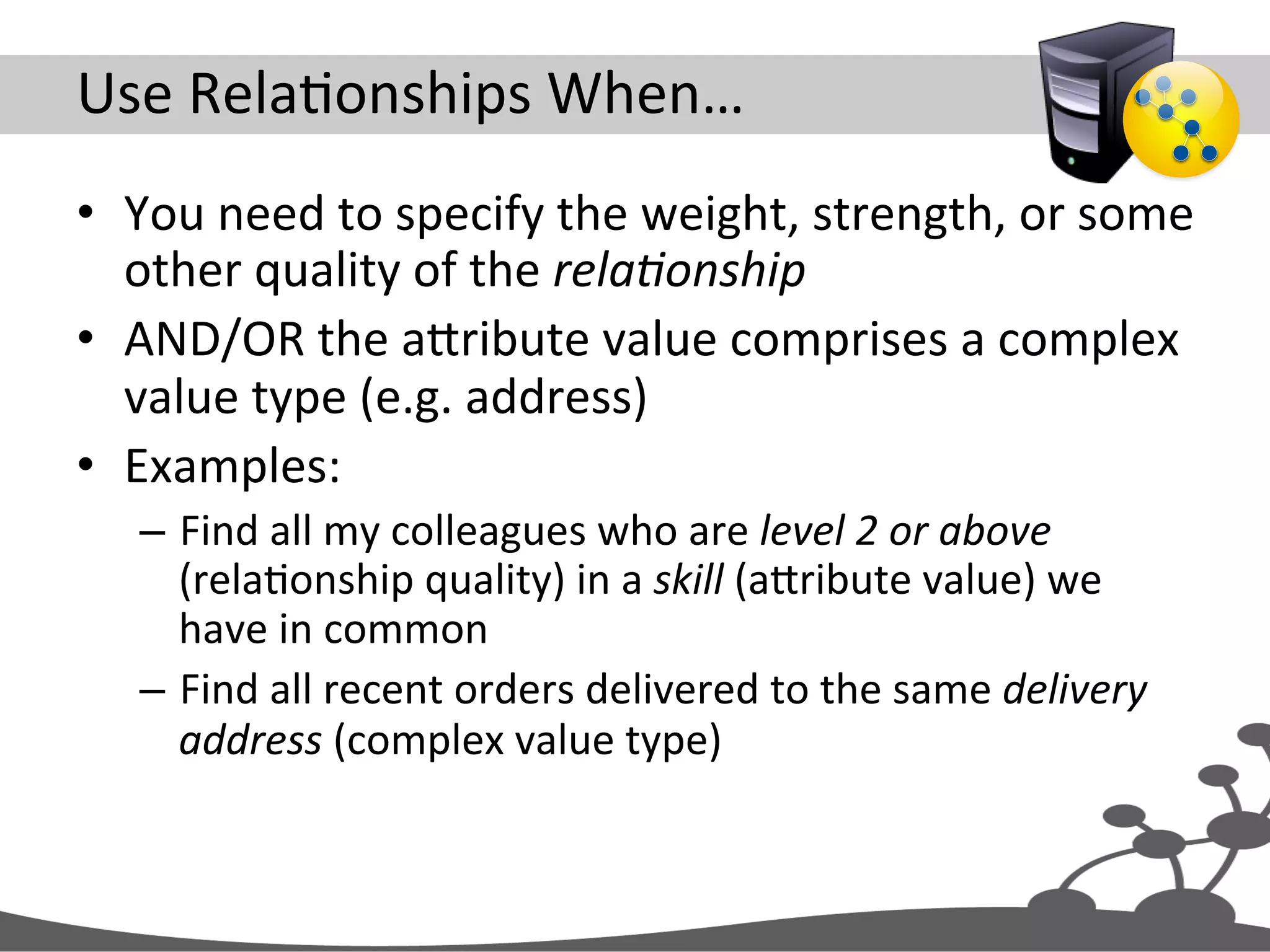
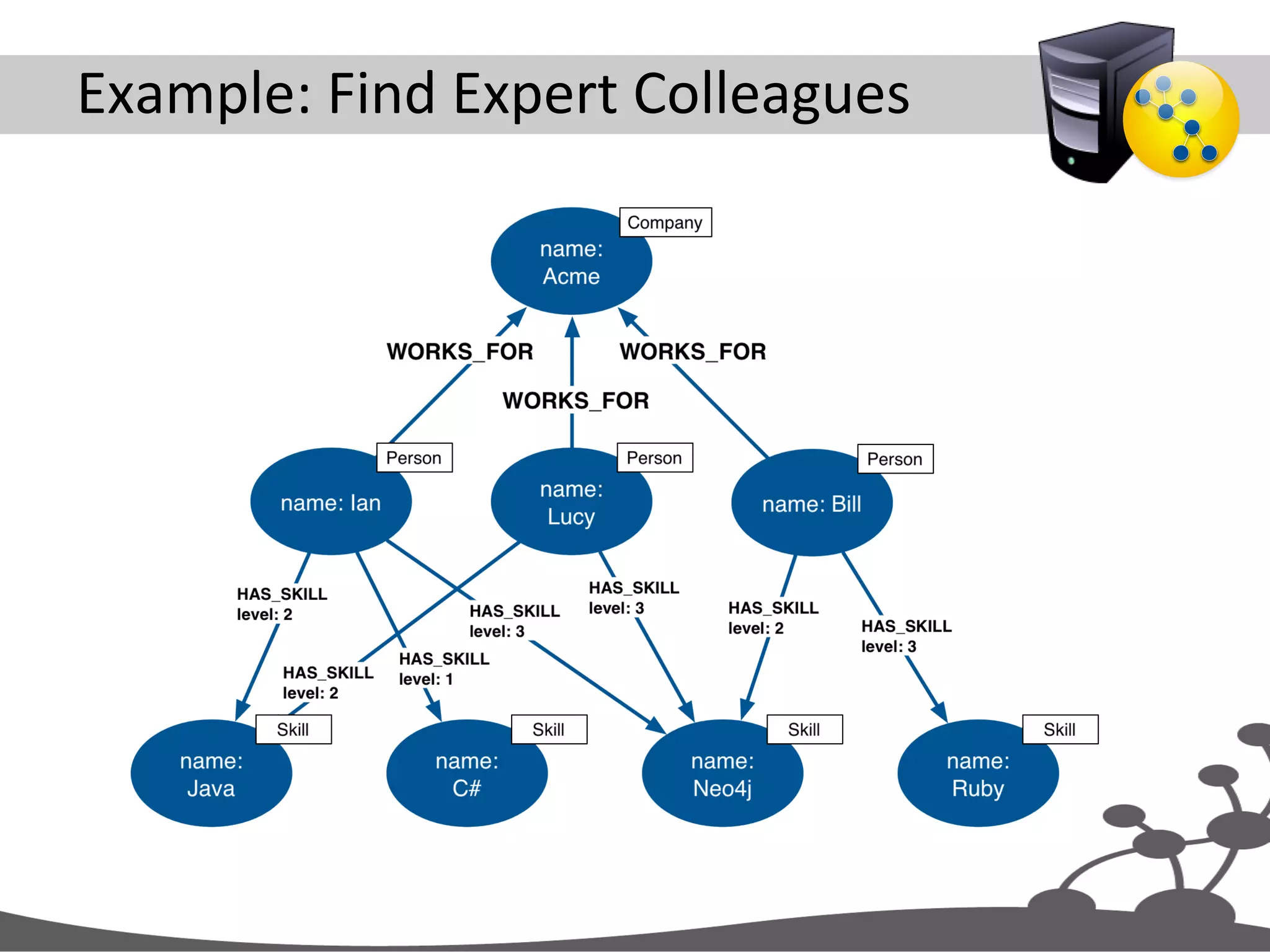
Use  RelaJonships  When…   •  You  need  to  specify  the  weight,  strength,  or  some   other  quality  of  the  rela#onship   •  AND/OR  the  aXribute  value  comprises  a  complex   value  type  (e.g.  address)   •  Examples:   –  Find  all  my  colleagues  who  are  level  2  or  above   (relaJonship  quality)  in  a  skill  (aXribute  value)  we   have  in  common   –  Find  all  recent  orders  delivered  to  the  same  delivery   address  (complex  value  type)  
Example:  Find  Expert  Colleagues  
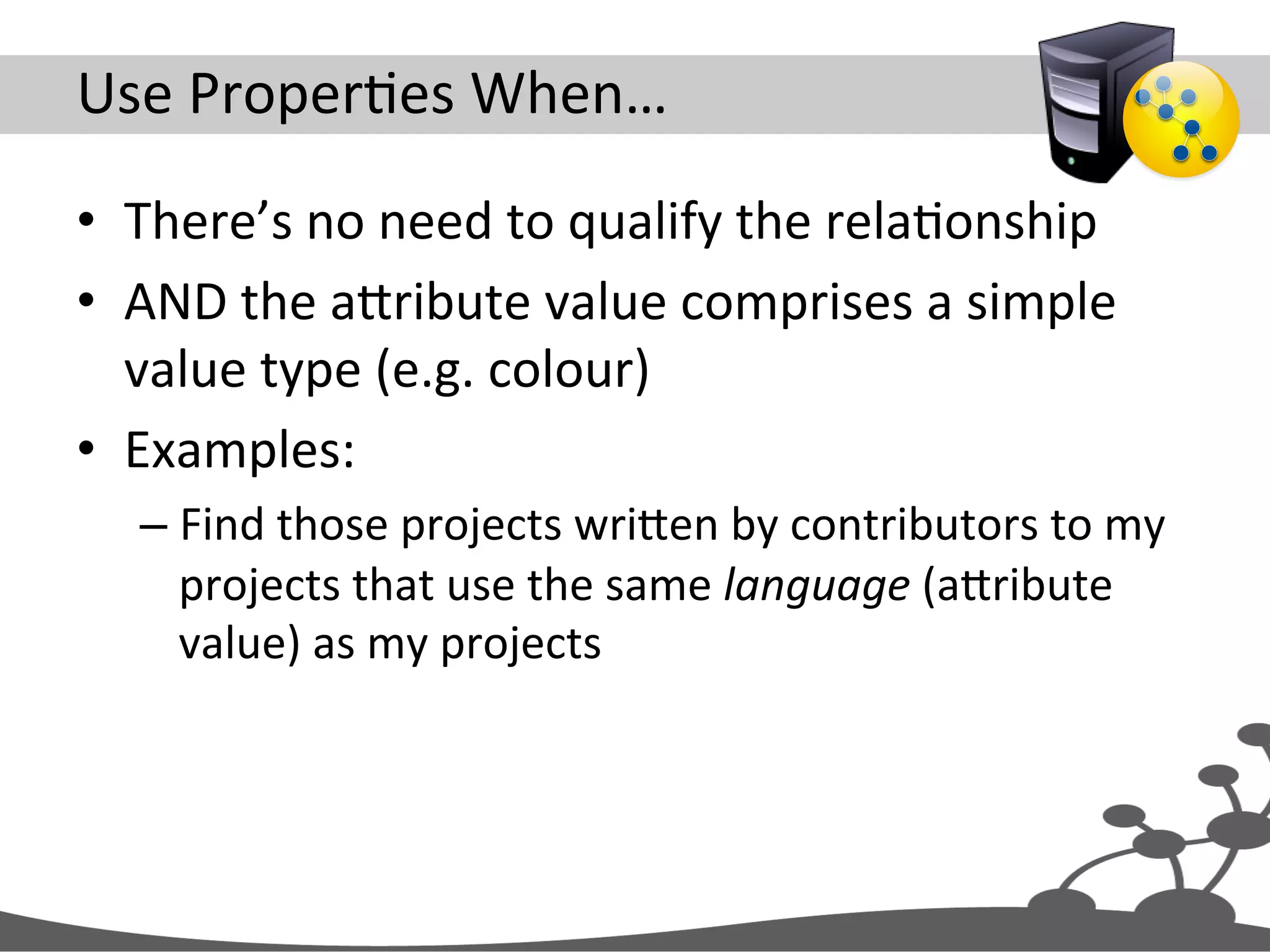
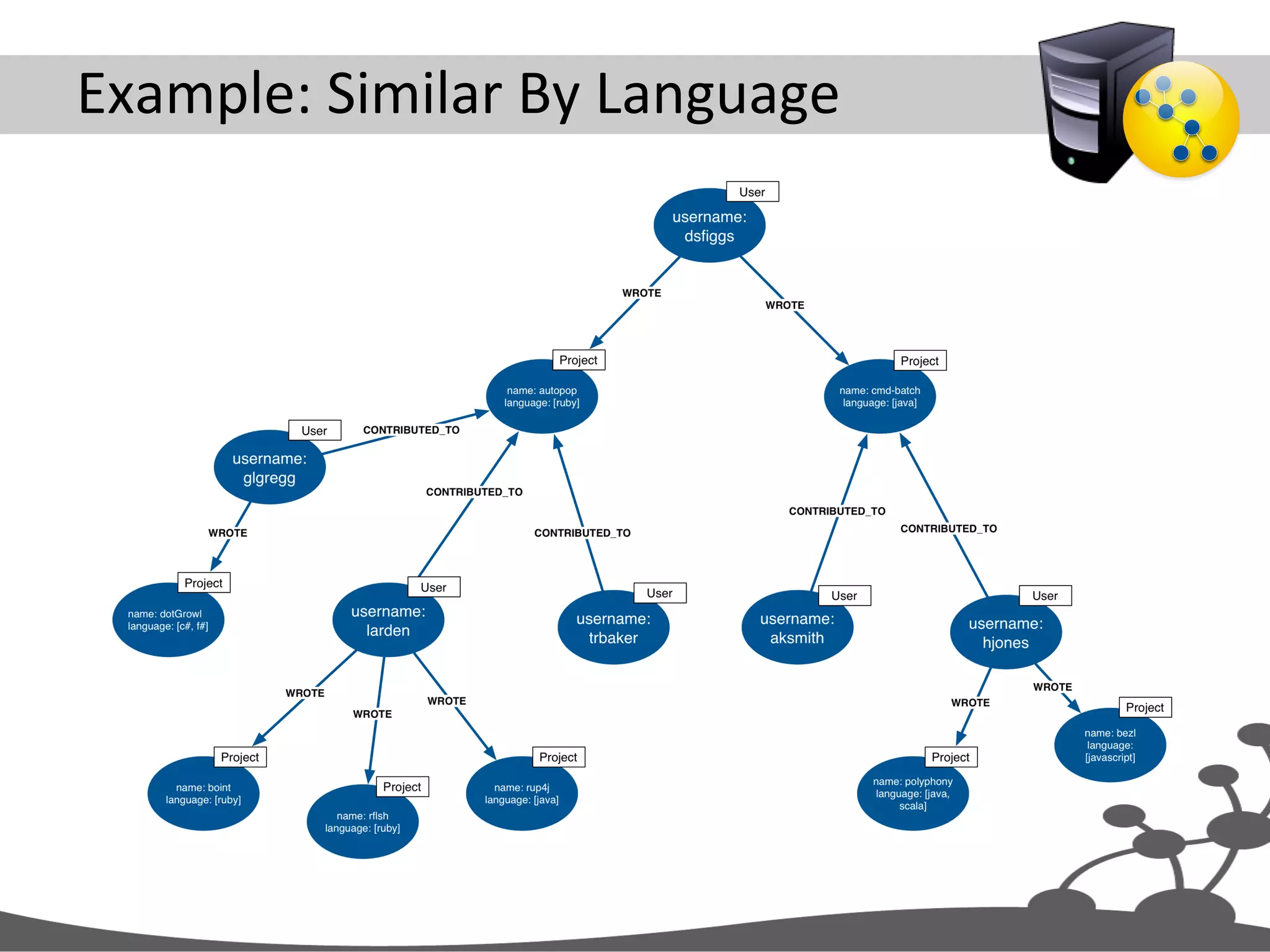
Use  ProperJes  When…   •  There’s  no  need  to  qualify  the  relaJonship   •  AND  the  aXribute  value  comprises  a  simple   value  type  (e.g.  colour)   •  Examples:   – Find  those  projects  wriXen  by  contributors  to  my   projects  that  use  the  same  language  (aXribute   value)  as  my  projects  
Example:  Similar  By  Language  
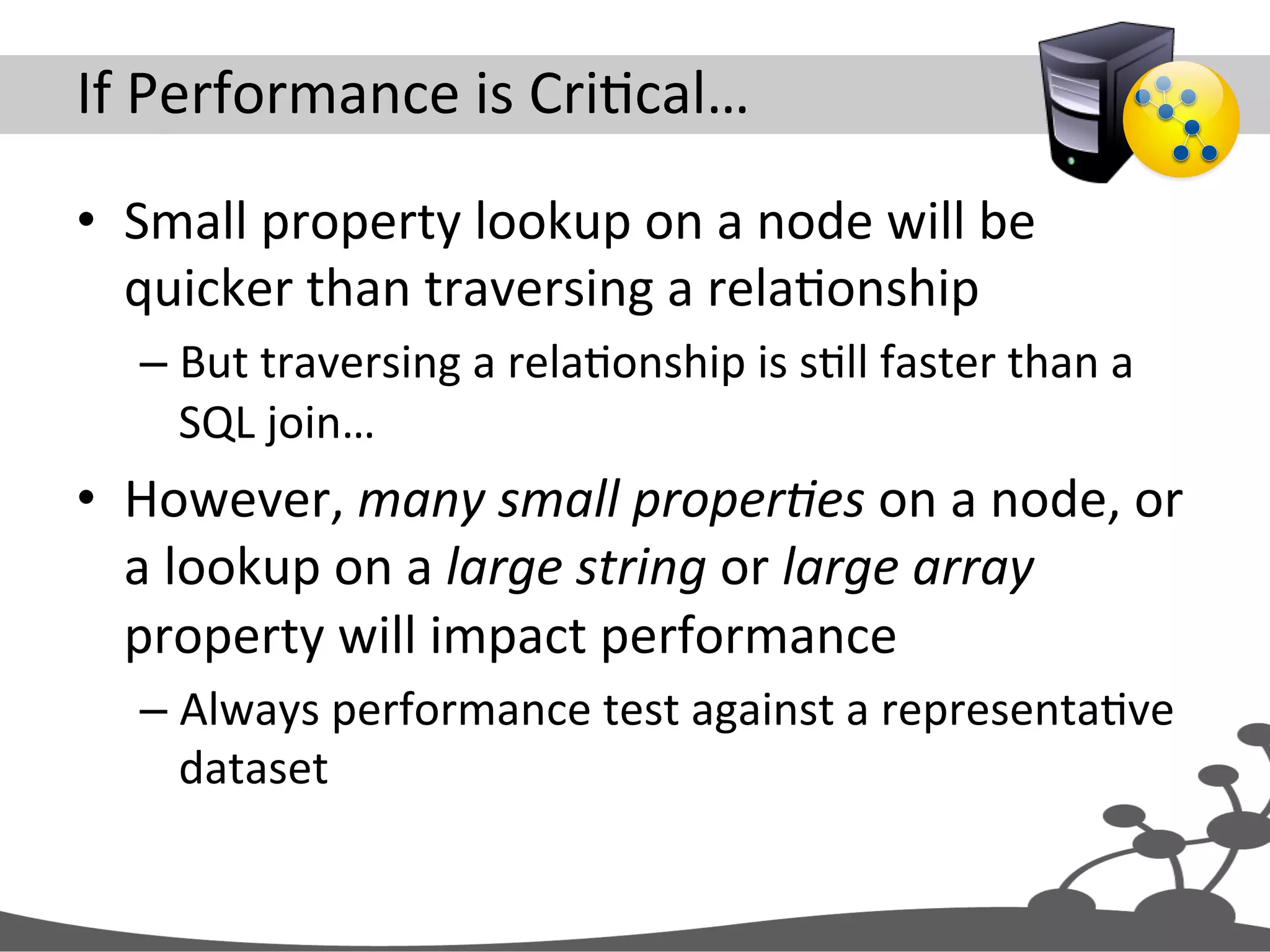
If  Performance  is  CriJcal…   •  Small  property  lookup  on  a  node  will  be   quicker  than  traversing  a  relaJonship   – But  traversing  a  relaJonship  is  sJll  faster  than  a   SQL  join…   •  However,  many  small  proper#es  on  a  node,  or   a  lookup  on  a  large  string  or  large  array   property  will  impact  performance   – Always  performance  test  against  a  representaJve   dataset  
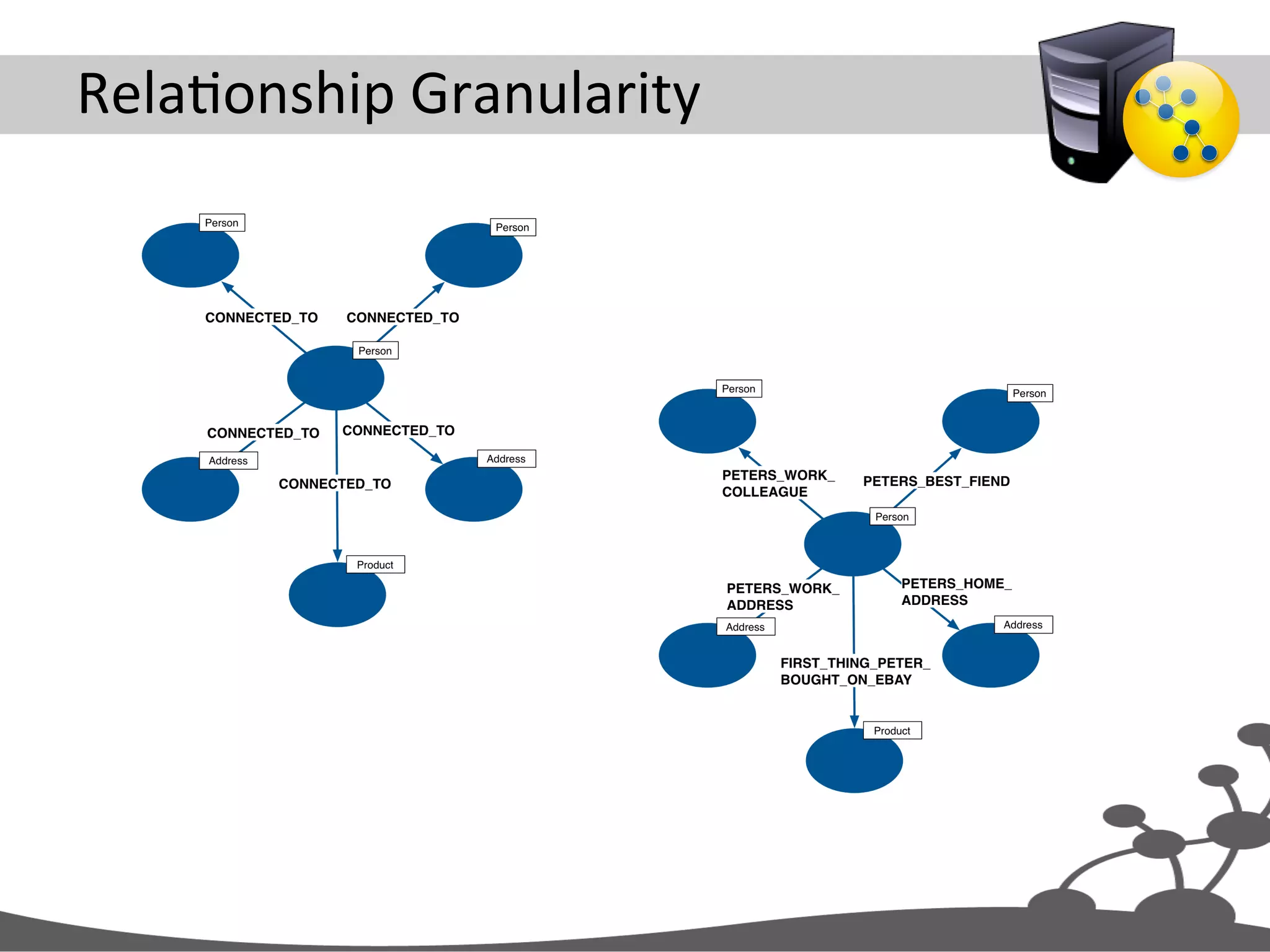
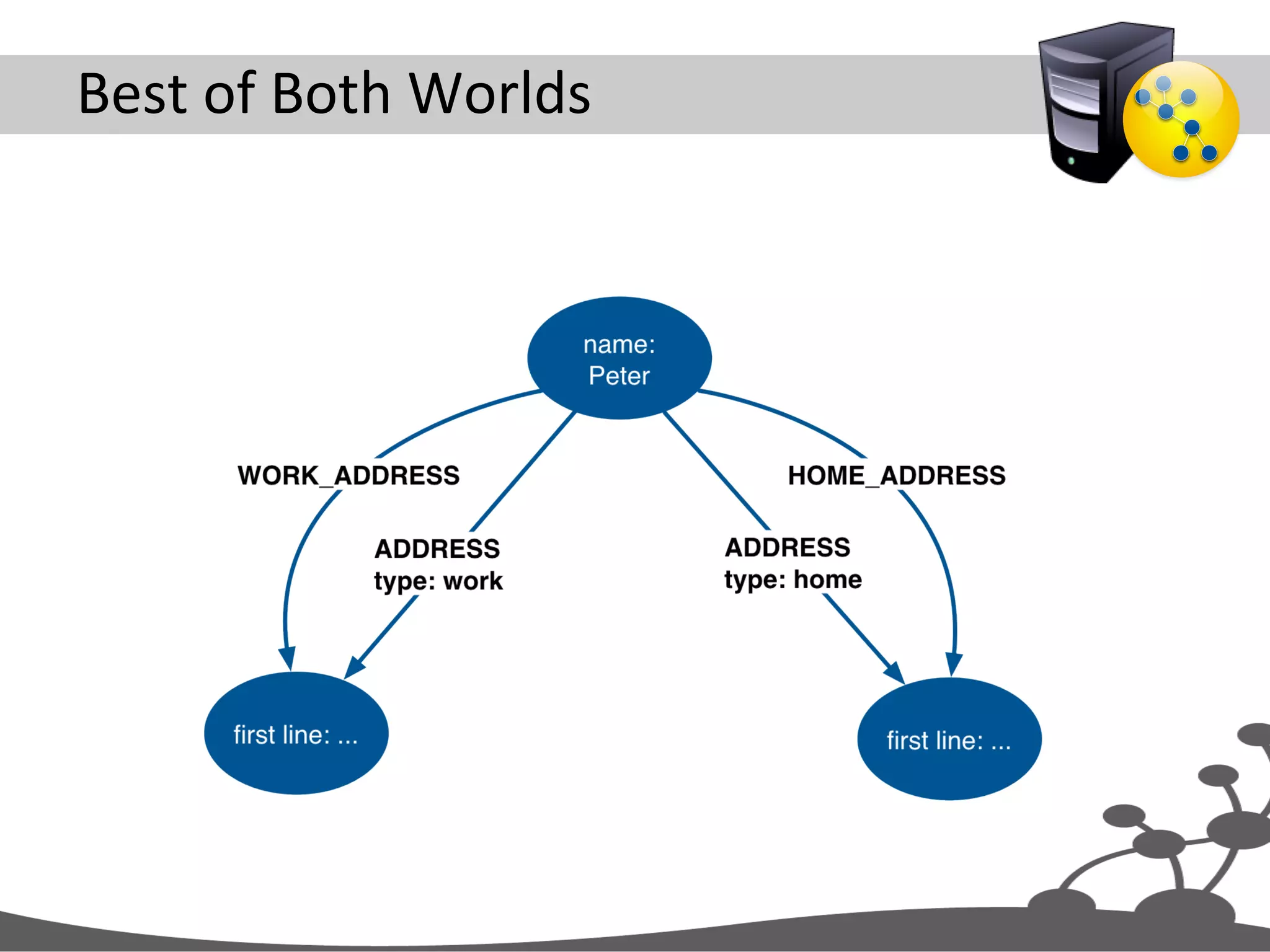
RelaJonship  Granularity  
Align  With  Use  Cases   •  RelaJonships  are  the  “royal  road”  into  the   graph   •  When  querying,  well-­‐named  relaJonships   help  discover  only  what  is  absolutely   necessary   – And  eliminate  unnecessary  porJons  of  the  graph   from  consideraJon  
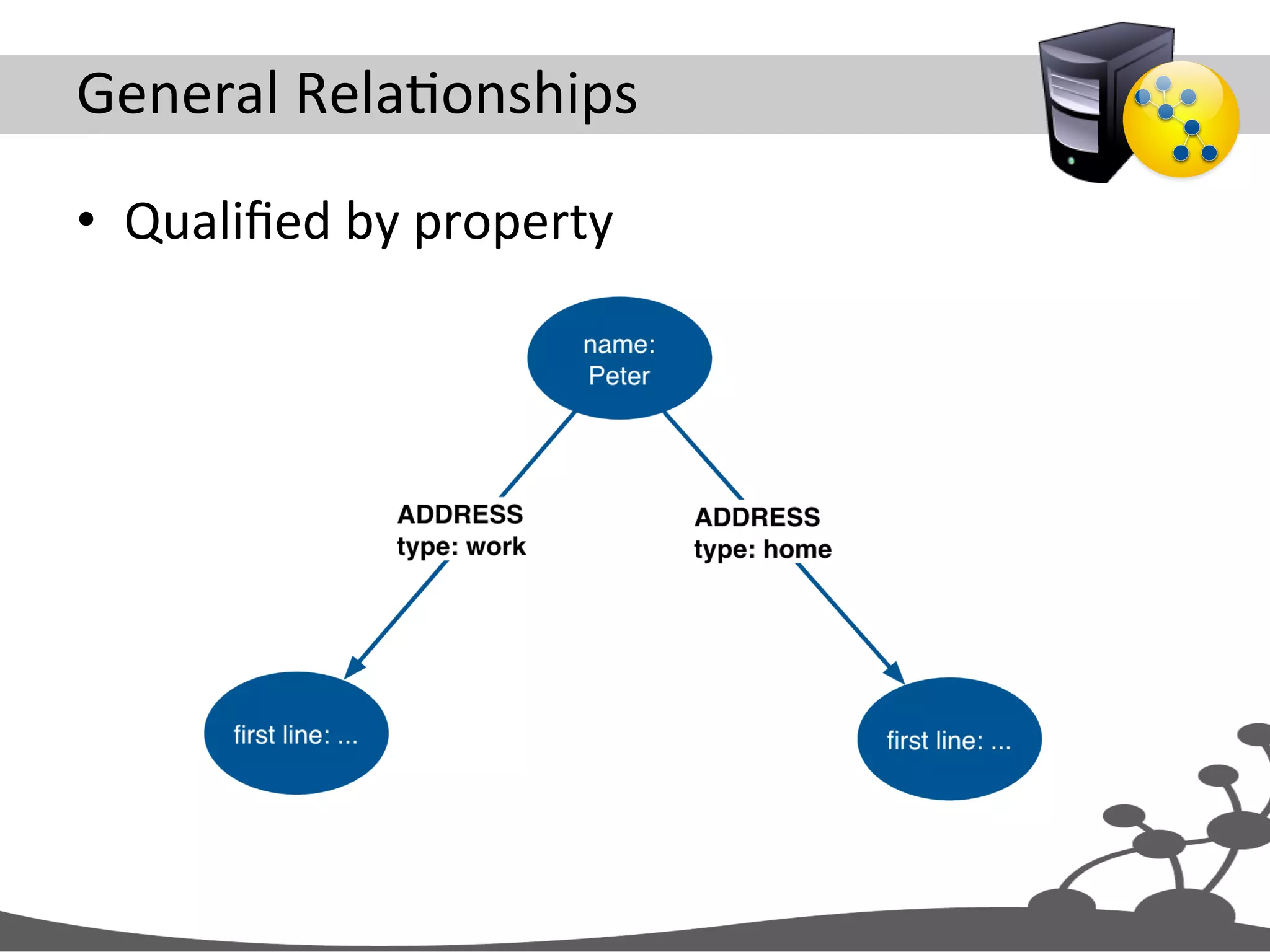
General  RelaJonships   •  Qualified  by  property  
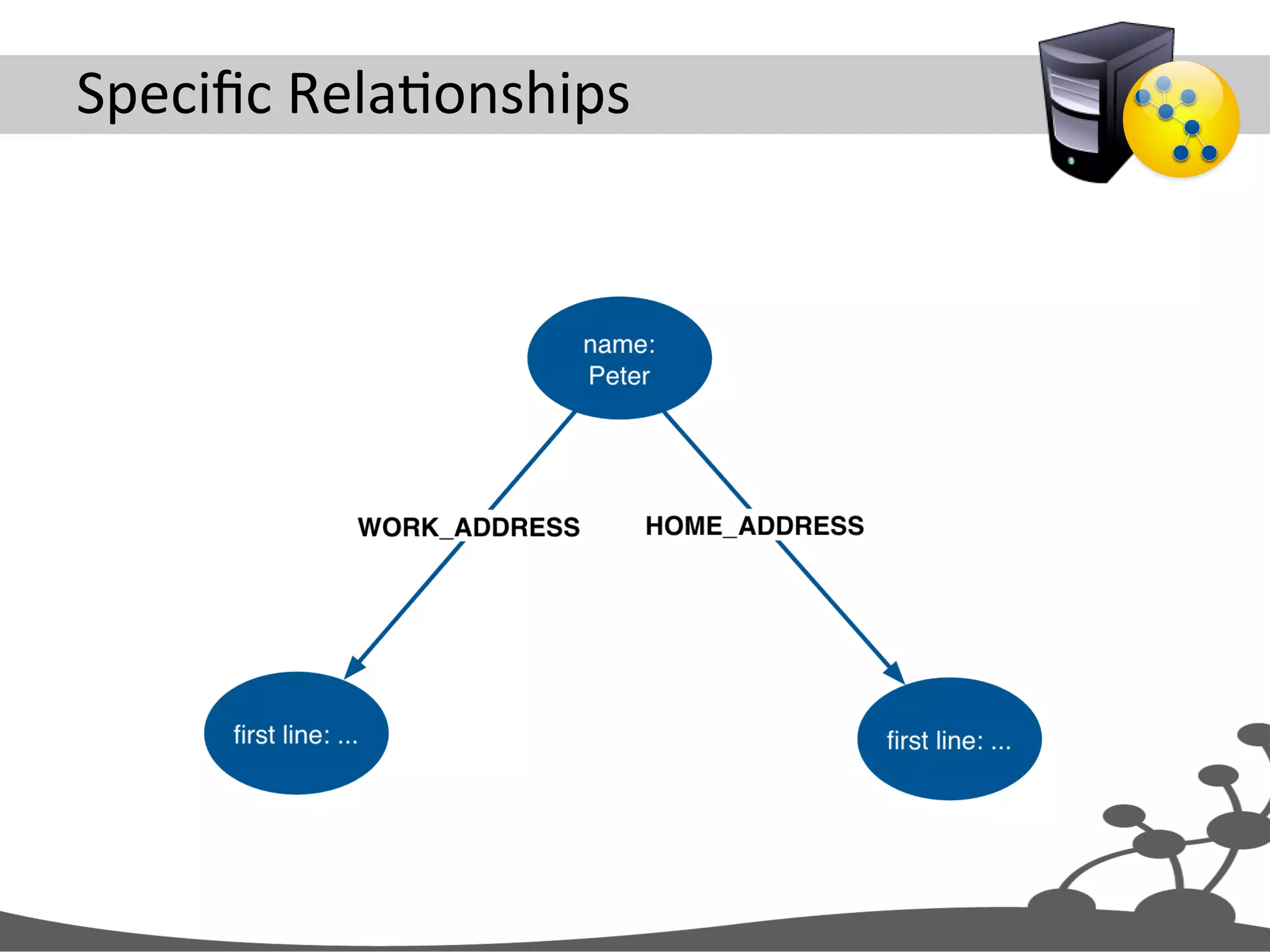
Specific  RelaJonships  
Best  of  Both  Worlds  
Exercise  2   CreaJng  Data  
Exercise  2  -­‐  Create  Some  data   •  Clean  the  database   •  Execute  create-­‐1.txt   •  View  the  results     –  MATCH (n) RETURN n  
create-­‐1.txt   CREATE (ben:Person{username:'ben'}), (acme:Company{name:'Acme, Inc'}), (neo4j:Skill{name:'Neo4j'}), (rest:Skill{name:'REST'}), (ben)-[:WORKS_FOR]->(acme), (ben)-[:HAS_SKILL{level:1}]->(neo4j), (ben)-[:HAS_SKILL{level:3}]->(rest)
Create  Nodes   CREATE (ben:Person{username:'ben'}), (acme:Company{name:'Acme, Inc'}), (neo4j:Skill{name:'Neo4j'}), (rest:Skill{name:'REST'}), (ben)-[:WORKS_FOR]->(acme), (ben)-[:HAS_SKILL{level:1}]->(neo4j), (ben)-[:HAS_SKILL{level:3}]->(rest)
Connect  Nodes   CREATE (ben:Person{username:'ben'}), (acme:Company{name:'Acme, Inc'}), (neo4j:Skill{name:'Neo4j'}), (rest:Skill{name:'REST'}), (ben)-[:WORKS_FOR]->(acme), (ben)-[:HAS_SKILL{level:1}]->(neo4j), (ben)-[:HAS_SKILL{level:3}]->(rest)
Create  Some  More  Data   •  Create  more  people   – Same  skills  (Neo4j  and  REST)   – Same  company  (Acme)   •  View  the  results   –  MATCH (n) RETURN n  
Your  Turn   •  Clean  the  database   •  Execute  create-­‐2.txt,  create-­‐3.txt  and   create-­‐4.txt   – Ajer  each  operaJon,  view  the  results   •  What  happens  if  you  add  or  remove   properJes  when  specifying  unique  nodes  and   relaJonships?  
CreaJng  Unique  Nodes  and  RelaJonships   MERGE (c:Company{name:'Acme'}) MERGE (p:Person{username:'ian'}) MERGE (s1:Skill{name:'Java'}) MERGE (s2:Skill{name:'C#'}) MERGE (s3:Skill{name:'Neo4j'}) MERGE (c)<-[:WORKS_FOR]-(p) MERGE (p)-[r1:HAS_SKILL]->(s1) MERGE (p)-[r2:HAS_SKILL]->(s2) MERGE (p)-[r3:HAS_SKILL]->(s3) SET r1.level = 2 SET r2.level = 2 SET r3.level = 3 RETURN c, p, s1, s2, s3
Create  Unique  Nodes   MERGE (c:Company{name:'Acme'}) MERGE (p:Person{username:'ian'}) MERGE (s1:Skill{name:'Java'}) MERGE (s2:Skill{name:'C#'}) MERGE (s3:Skill{name:'Neo4j'}) MERGE (c)<-[:WORKS_FOR]-(p) MERGE (p)-[r1:HAS_SKILL]->(s1) MERGE (p)-[r2:HAS_SKILL]->(s2) MERGE (p)-[r3:HAS_SKILL]->(s3) SET r1.level = 2 SET r2.level = 2 SET r3.level = 3 RETURN c, p, s1, s2, s3
Create  Unique  RelaJonships   MERGE (c:Company{name:'Acme'}) MERGE (p:Person{username:'ian'}) MERGE (s1:Skill{name:'Java'}) MERGE (s2:Skill{name:'C#'}) MERGE (s3:Skill{name:'Neo4j'}) MERGE (c)<-[:WORKS_FOR]-(p) MERGE (p)-[r1:HAS_SKILL]->(s1) MERGE (p)-[r2:HAS_SKILL]->(s2) MERGE (p)-[r3:HAS_SKILL]->(s3) SET r1.level = 2 SET r2.level = 2 SET r3.level = 3 RETURN c, p, s1, s2, s3
Set  RelaJonship  ProperJes   MERGE (c:Company{name:'Acme'}) MERGE (p:Person{username:'ian'}) MERGE (s1:Skill{name:'Java'}) MERGE (s2:Skill{name:'C#'}) MERGE (s3:Skill{name:'Neo4j'}) MERGE (c)<-[:WORKS_FOR]-(p) MERGE (p)-[r1:HAS_SKILL]->(s1) MERGE (p)-[r2:HAS_SKILL]->(s2) MERGE (p)-[r3:HAS_SKILL]->(s3) SET r1.level = 2 SET r2.level = 2 SET r3.level = 3 RETURN c, p, s1, s2, s3
MERGE   MERGE  ensures  that  a  paXern  exists  in  the  graph.   Either  the  paXern  already  exists,  or  it  needs  to   be  created.   http://docs.neo4j.org/chunked/milestone/query-merge.html
Common  Graph  Structures  
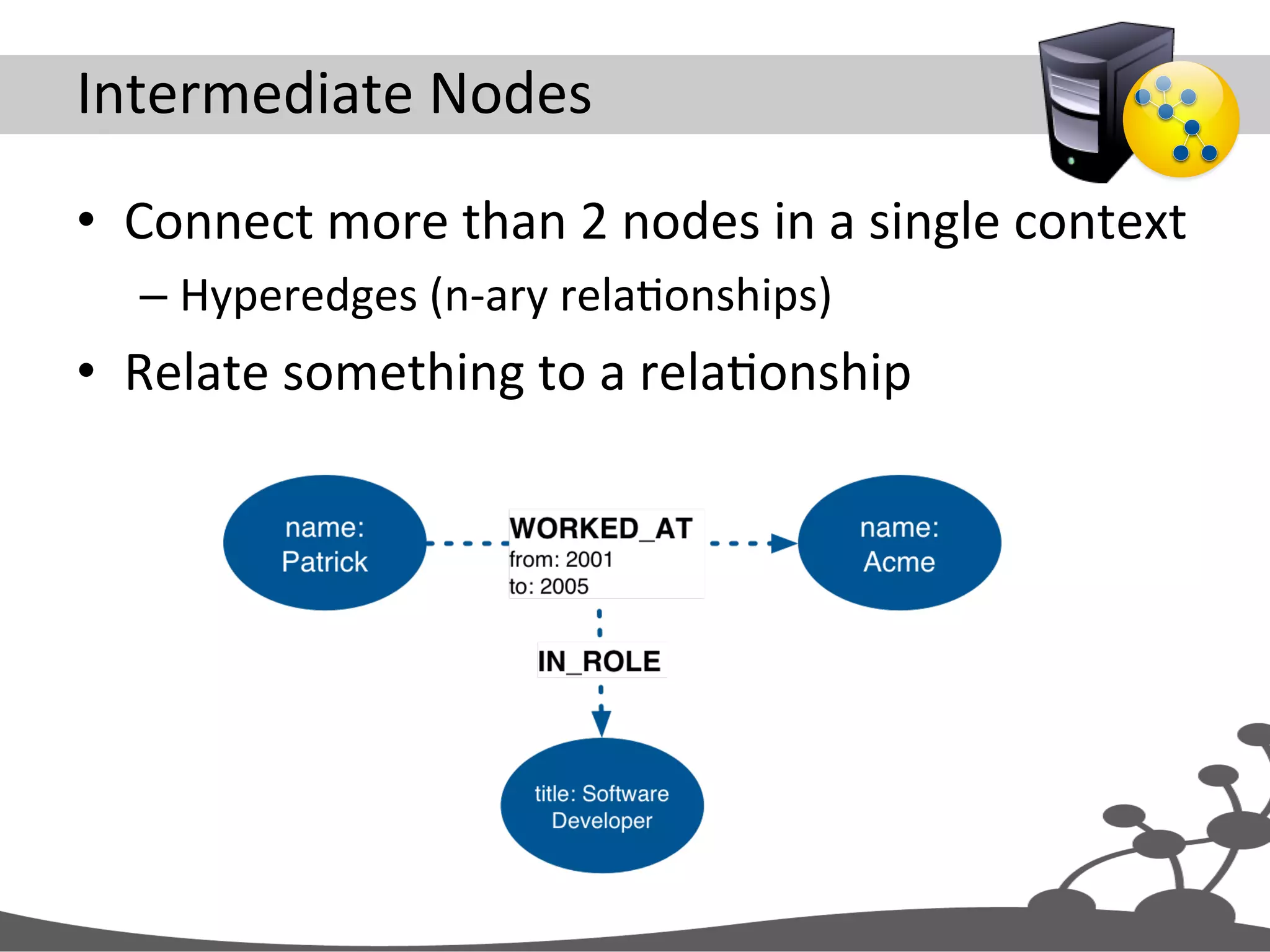
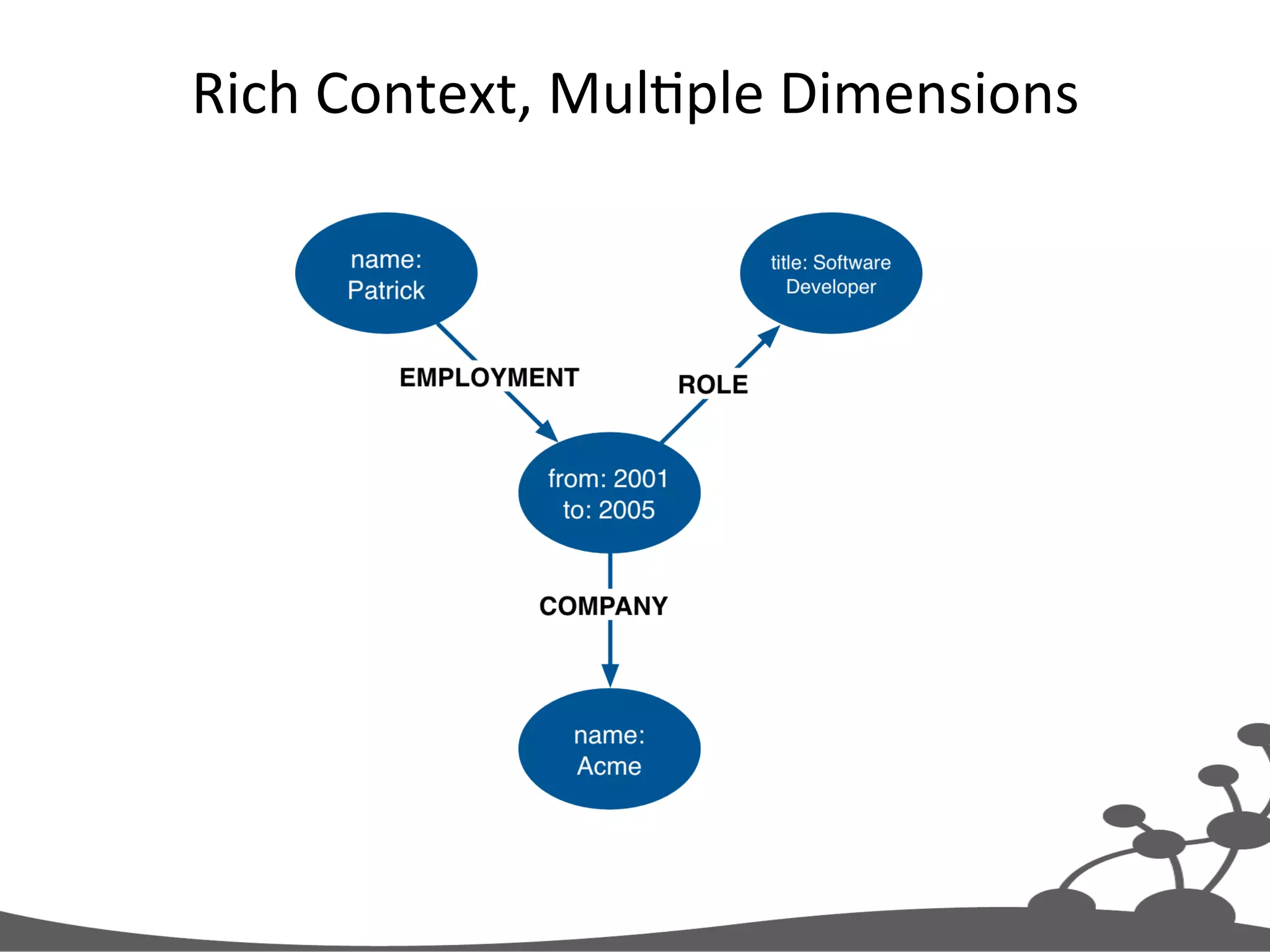
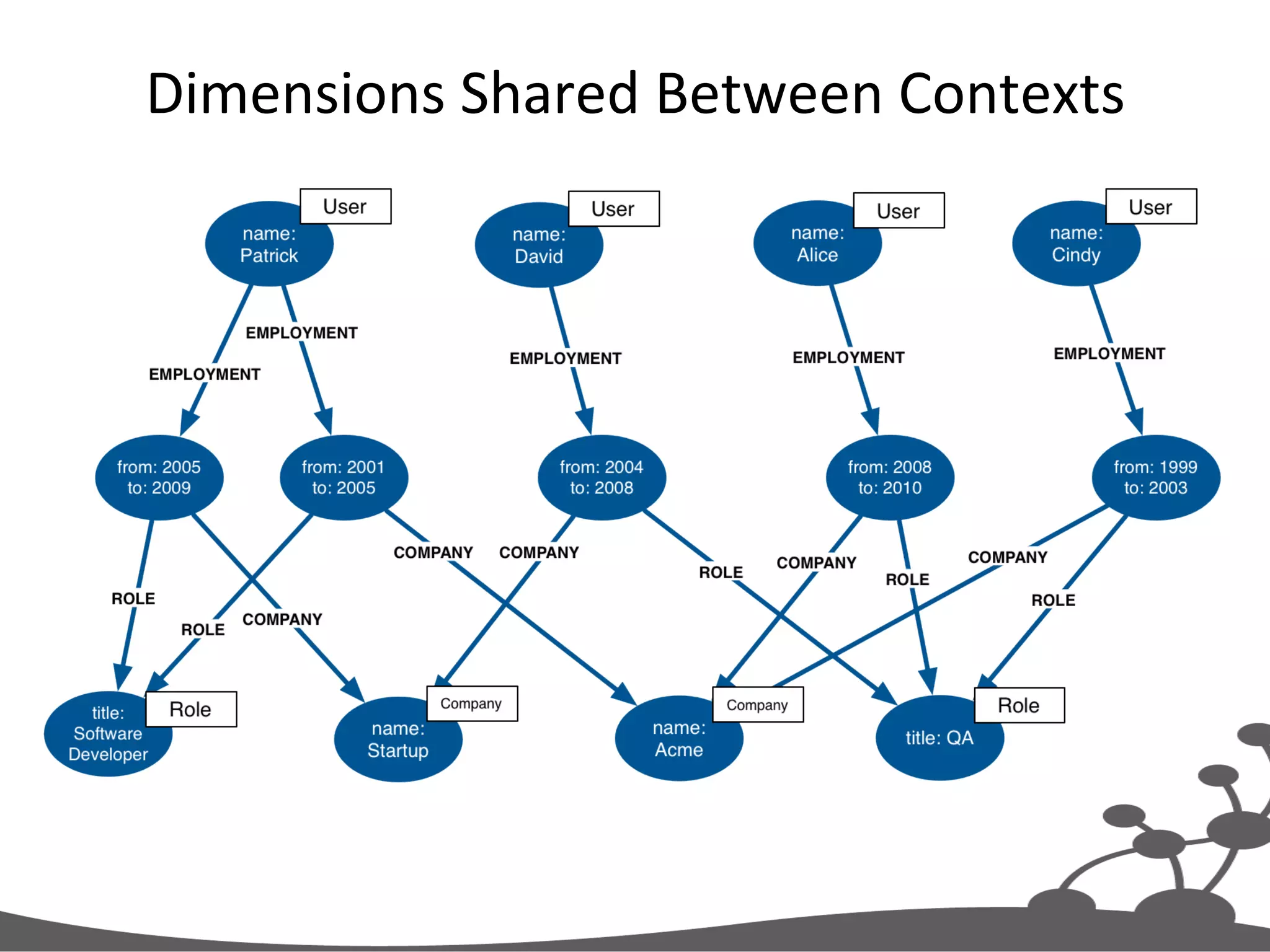
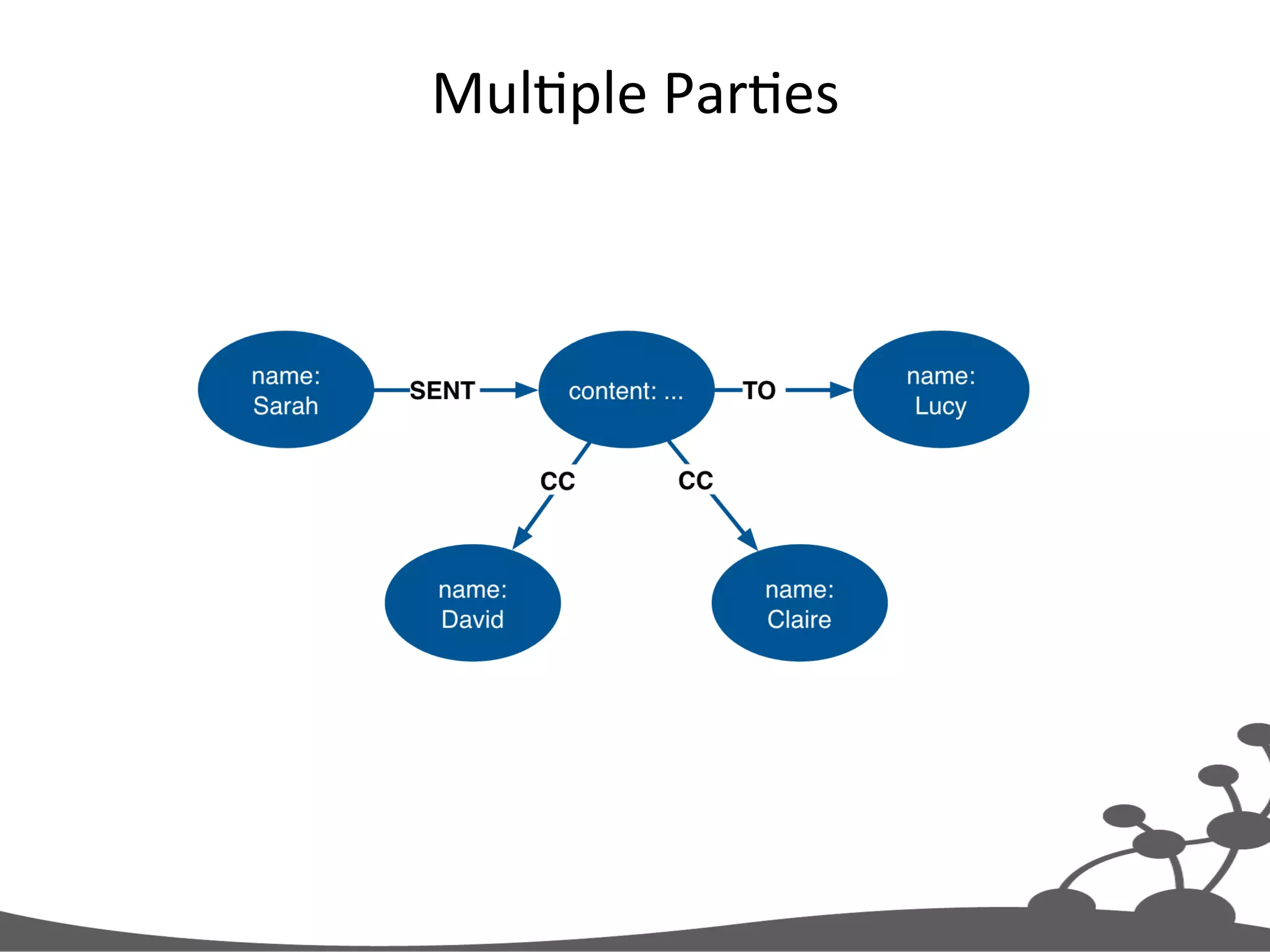
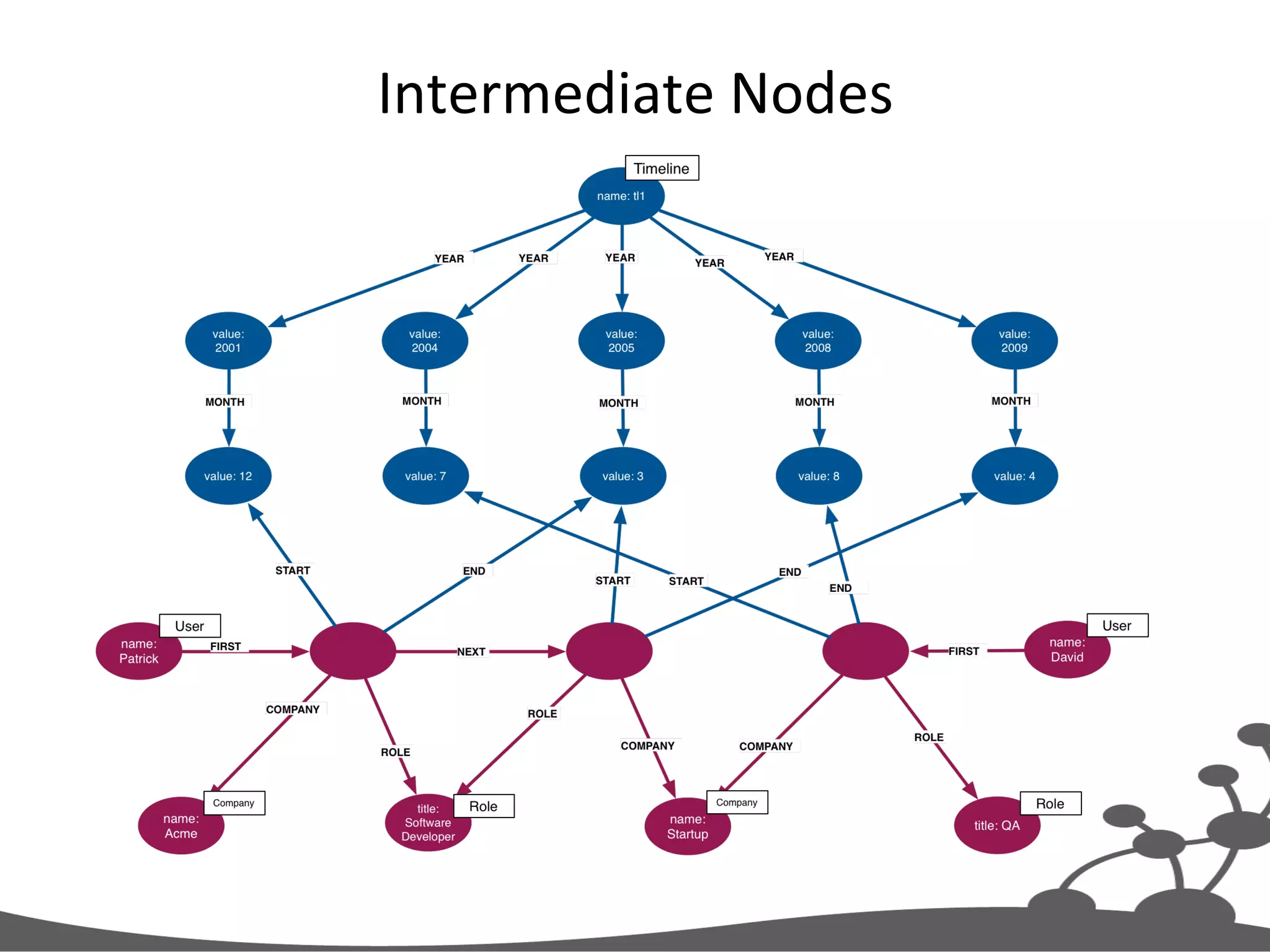
Intermediate  Nodes   •  Connect  more  than  2  nodes  in  a  single  context   – Hyperedges  (n-­‐ary  relaJonships)   •  Relate  something  to  a  relaJonship  
Rich  Context,  MulJple  Dimensions  
Dimensions  Shared  Between  Contexts  
MulJple  ParJes  
ConsideraJons   •  An  intermediate  node  provides  flexibility   – It  allows  more  than  two  nodes  to  be  connected  in   a  single  context     •  But  it  can  be  overkill,  and  will  have  an  impact   on  performance  
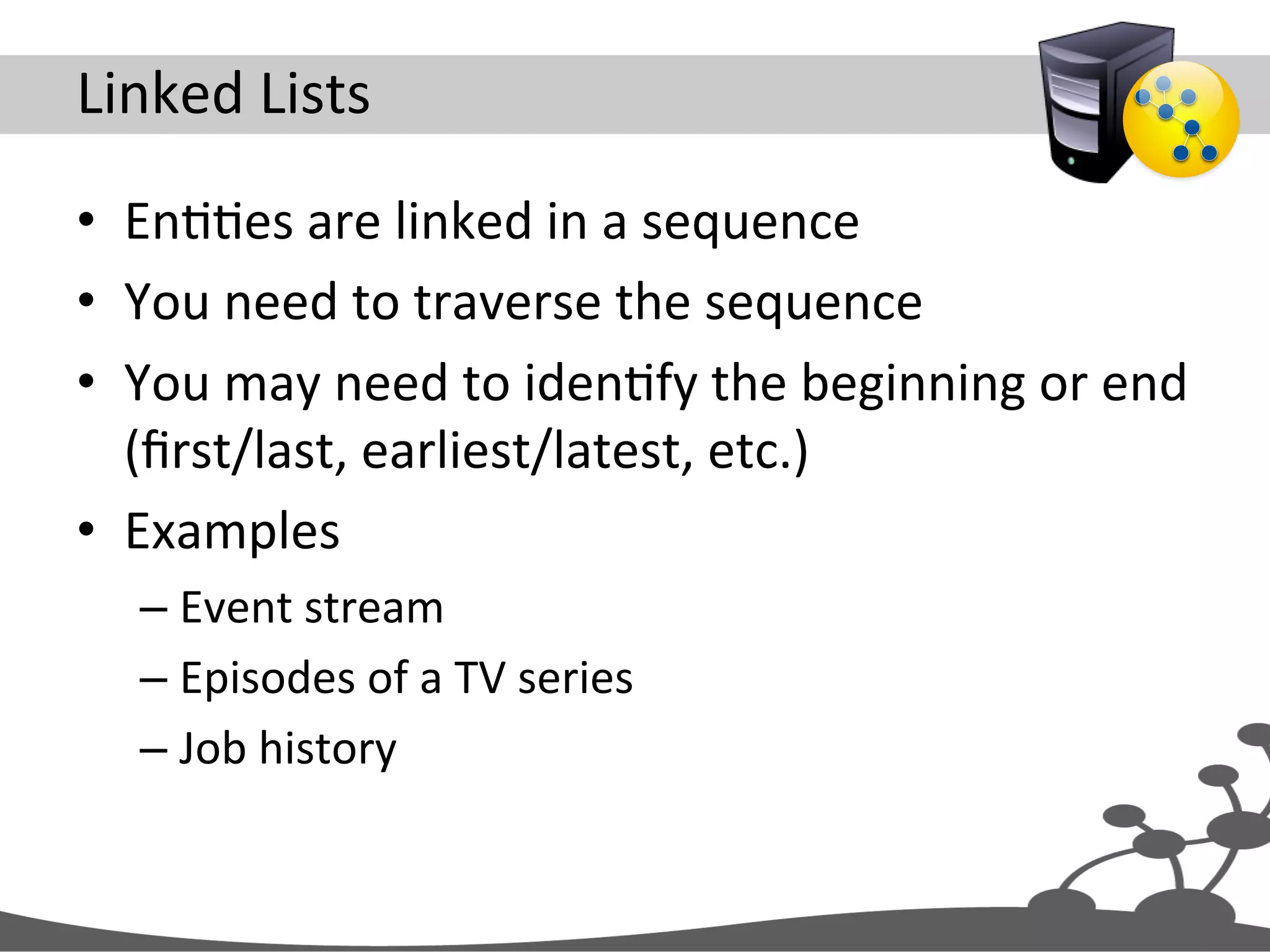
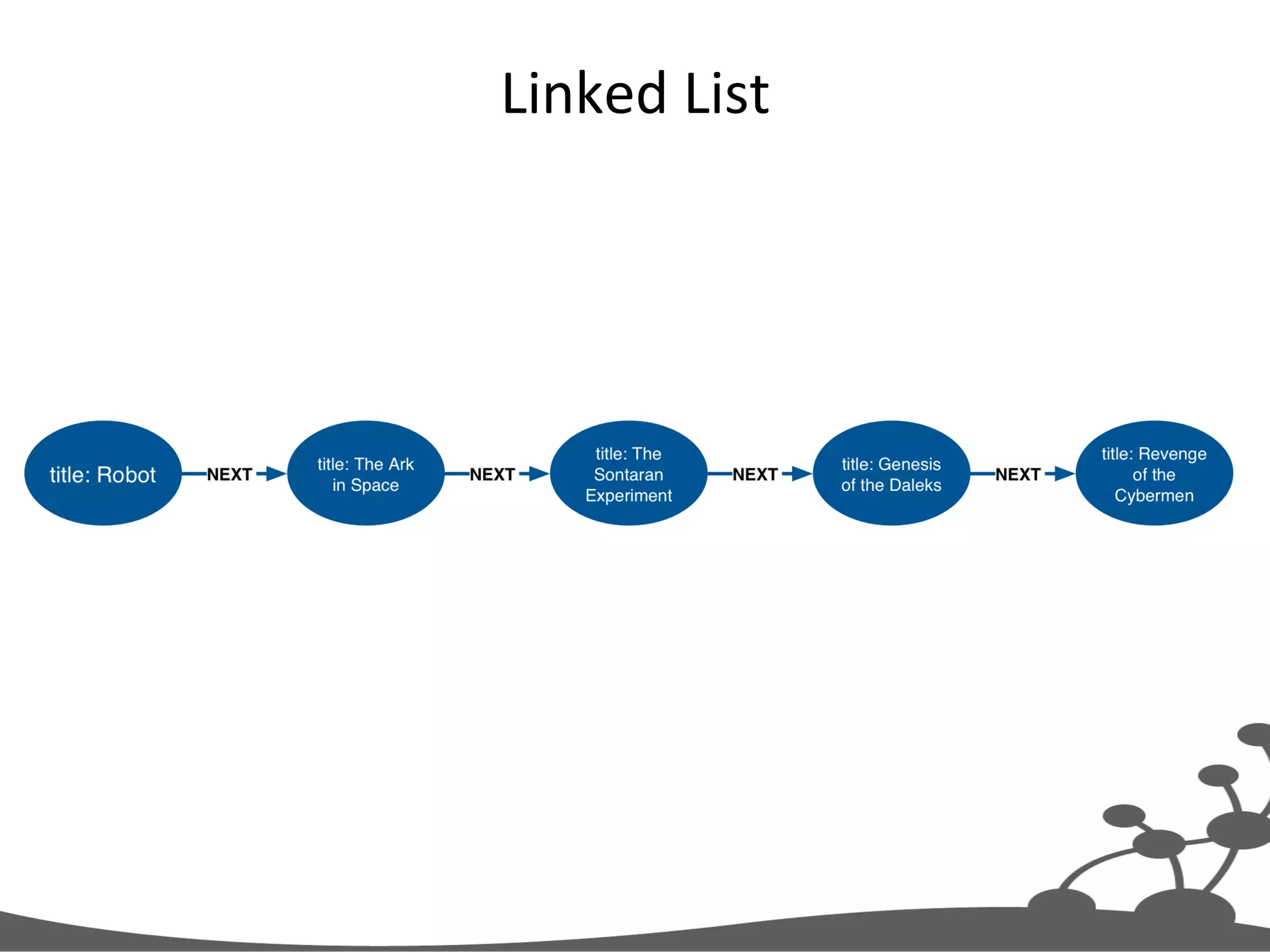
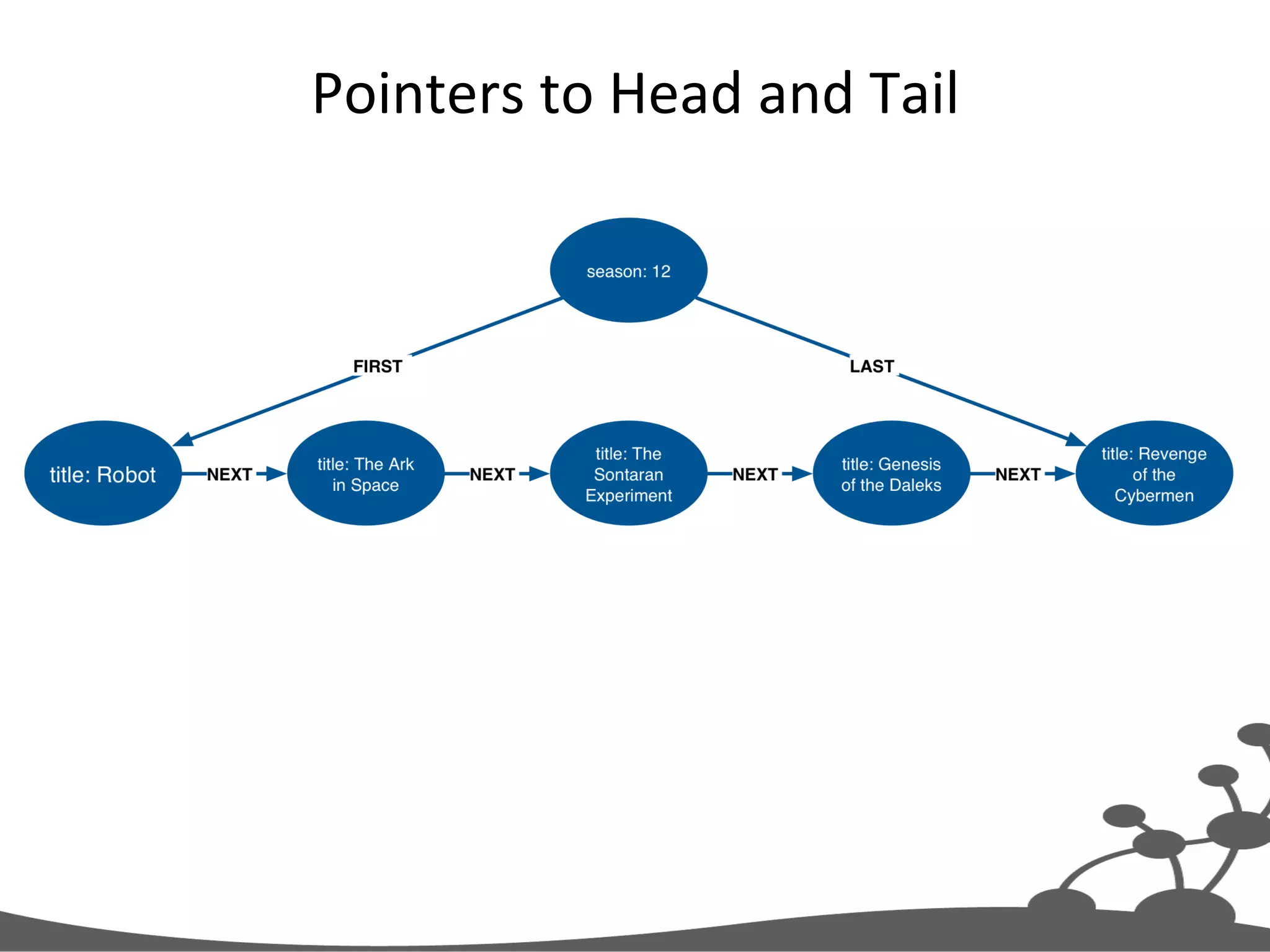
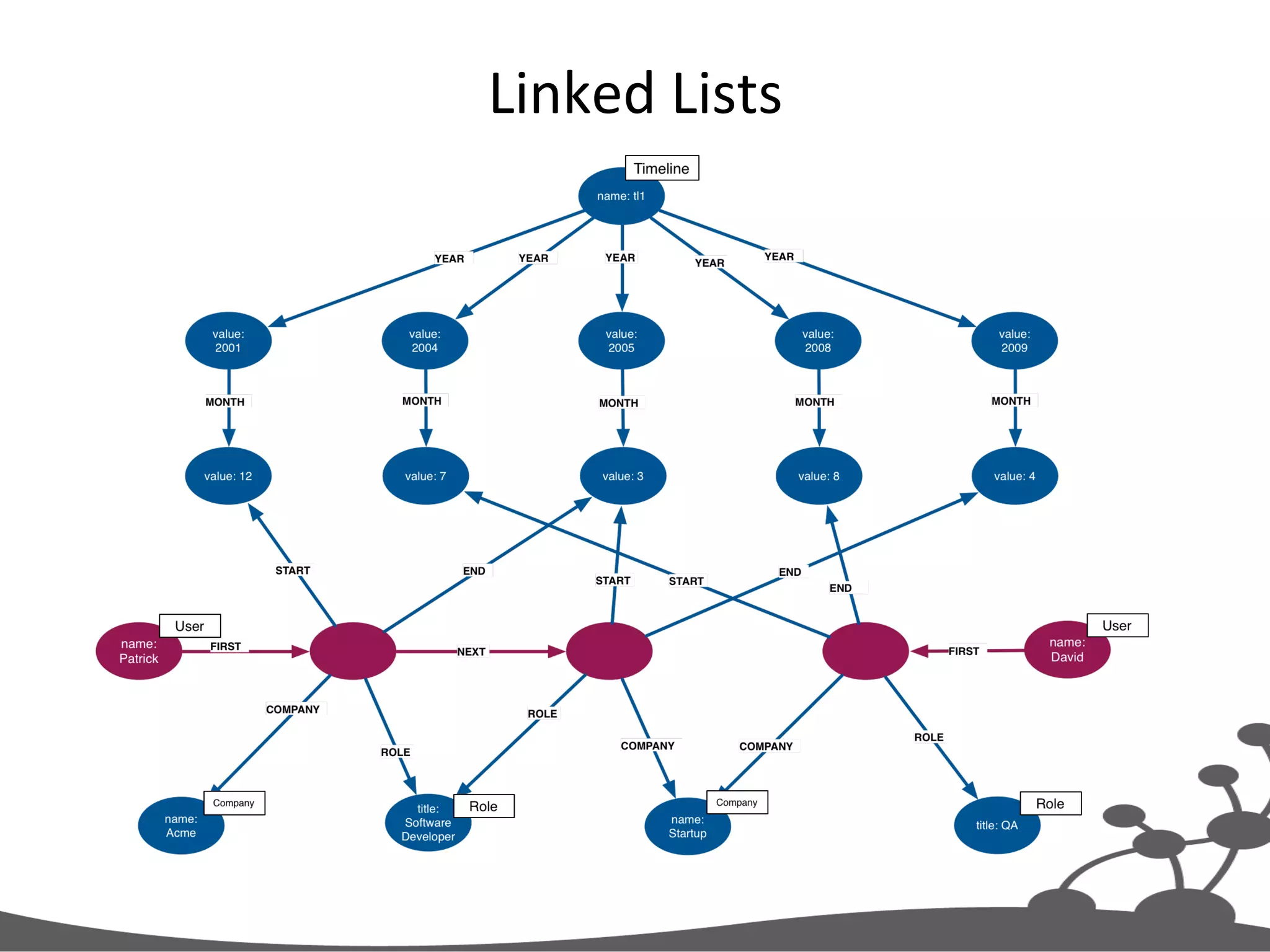
Linked  Lists   •  EnJJes  are  linked  in  a  sequence   •  You  need  to  traverse  the  sequence   •  You  may  need  to  idenJfy  the  beginning  or  end   (first/last,  earliest/latest,  etc.)   •  Examples   – Event  stream   – Episodes  of  a  TV  series   – Job  history  
Linked  List  
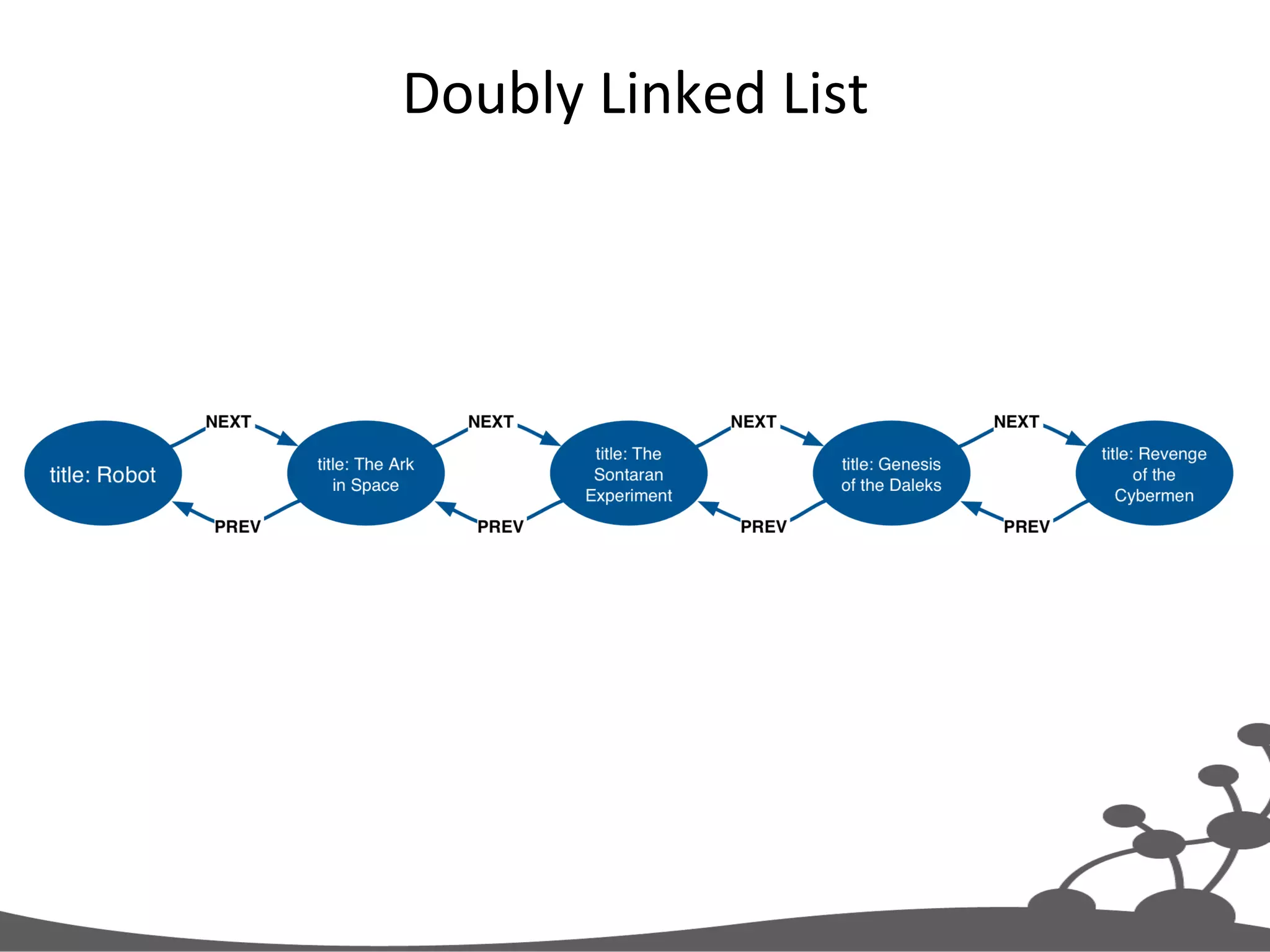
Doubly  Linked  List  
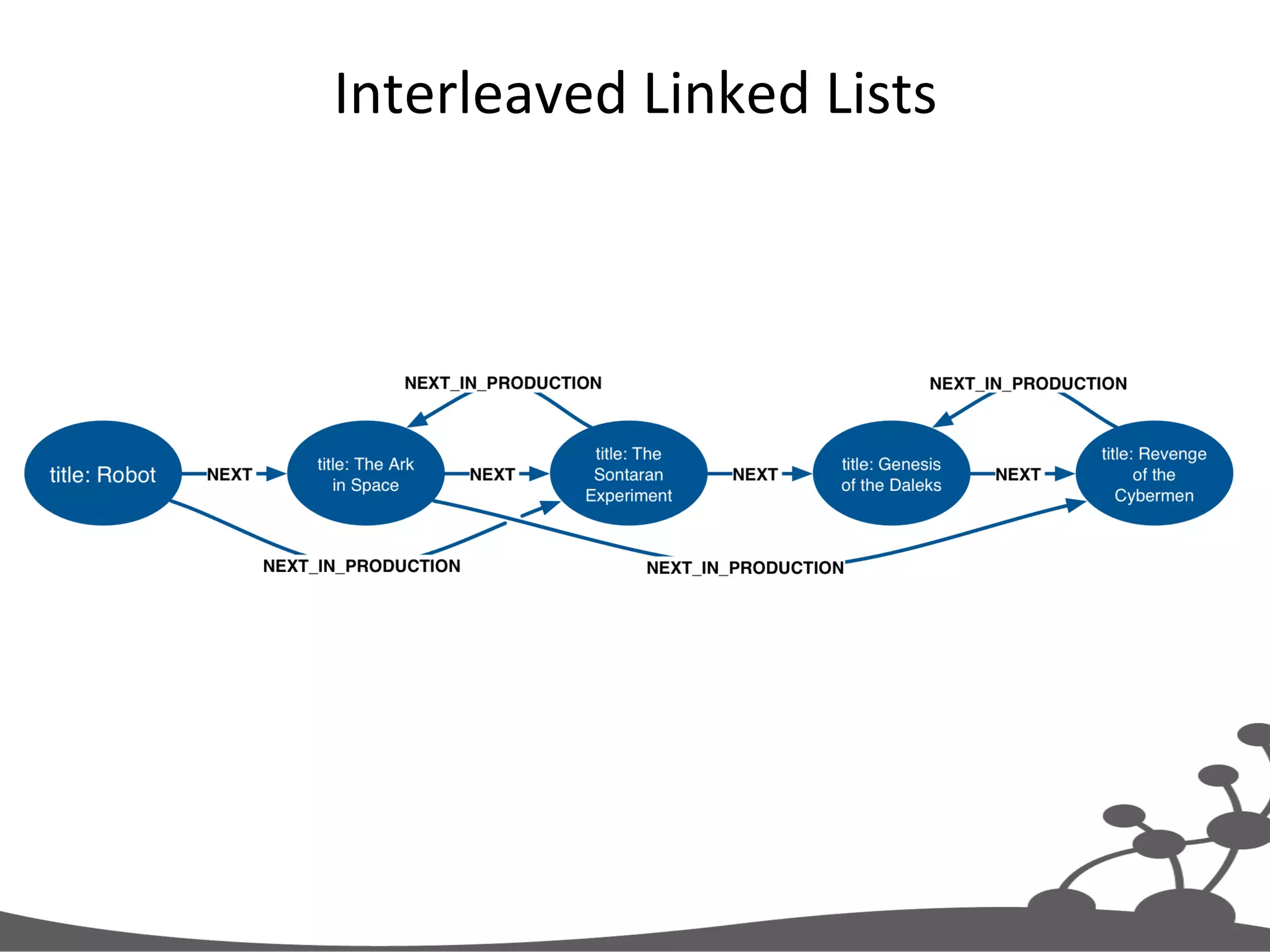
Interleaved  Linked  Lists  
Pointers  to  Head  and  Tail  
Exercise  3   Linked  List  Example  
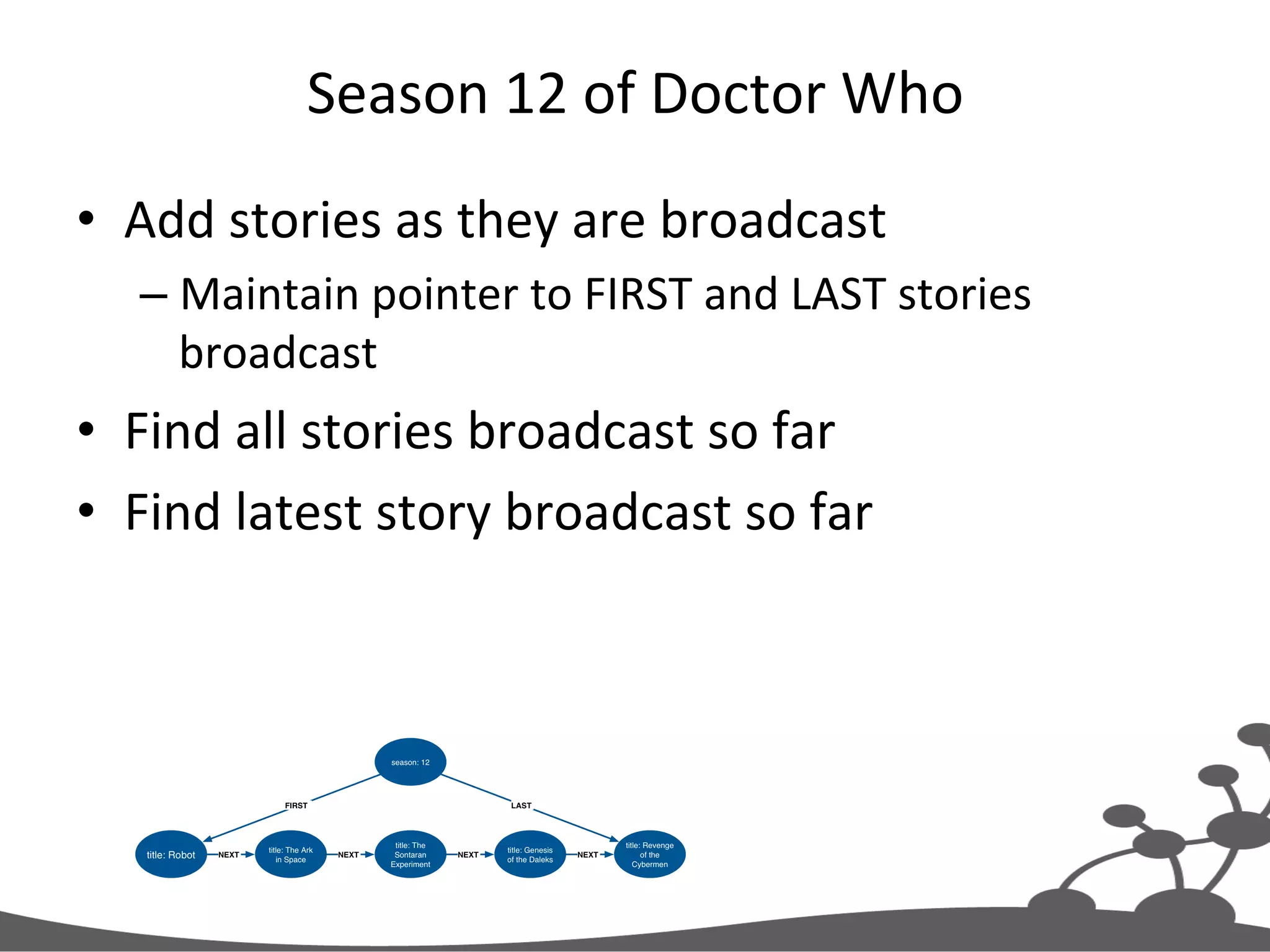
Season  12  of  Doctor  Who   •  Add  stories  as  they  are  broadcast   – Maintain  pointer  to  FIRST  and  LAST  stories   broadcast   •  Find  all  stories  broadcast  so  far   •  Find  latest  story  broadcast  so  far  
Your  Turn   •  Clean  the  database   •  Execute  setup.txt   – Creates  root  season  node   •  Execute  add-­‐node.txt   – Adds  Robot   •  Modify  the  query  to  add  more  stories  in   broadcast  order   •  At  each  stage,  view  the  results   – MATCH  (n)  RETURN  n  
Add  Story  to  Season   MERGE (season:Season{season:12}) MERGE (season)-[:LAST]->(newStory:Story{title:'Robot'}) WITH season, newStory // Determine whether first story already exists WITH season, newStory, CASE WHEN NOT ((season)-[:FIRST]->()) THEN [1] ELSE [] END AS firstExists // Create FIRST rel newStory is first story FOREACH (i IN firstExists | MERGE (season)-[:FIRST]->(newStory)) WITH season, newStory // Delete old LAST relationship MATCH (newStory)<-[:LAST]-(season)-[oldRel:LAST]->(oldLast) DELETE oldRel MERGE (oldLast)-[:NEXT]->(newStory)
Query-­‐1  -­‐  Find  All  Stories  Broadcast  So  Far   MATCH (season:Season)-[:FIRST]->(firstStory) -[:NEXT*0..]->(nextStory) RETURN nextStory.title AS nextStory
Query-­‐2  -­‐  Find  Last  Story  to  be  Broadcast   MATCH (season:Season)-[:LAST]->(lastStory) RETURN lastStory.title AS lastStory
In-­‐Graph  Indexes   •  Indexes  are  graphs:   – B-­‐tree  (binary  search)   – R-­‐tree  (spaJal  access,  mulJ-­‐dimensional   informaJon)  
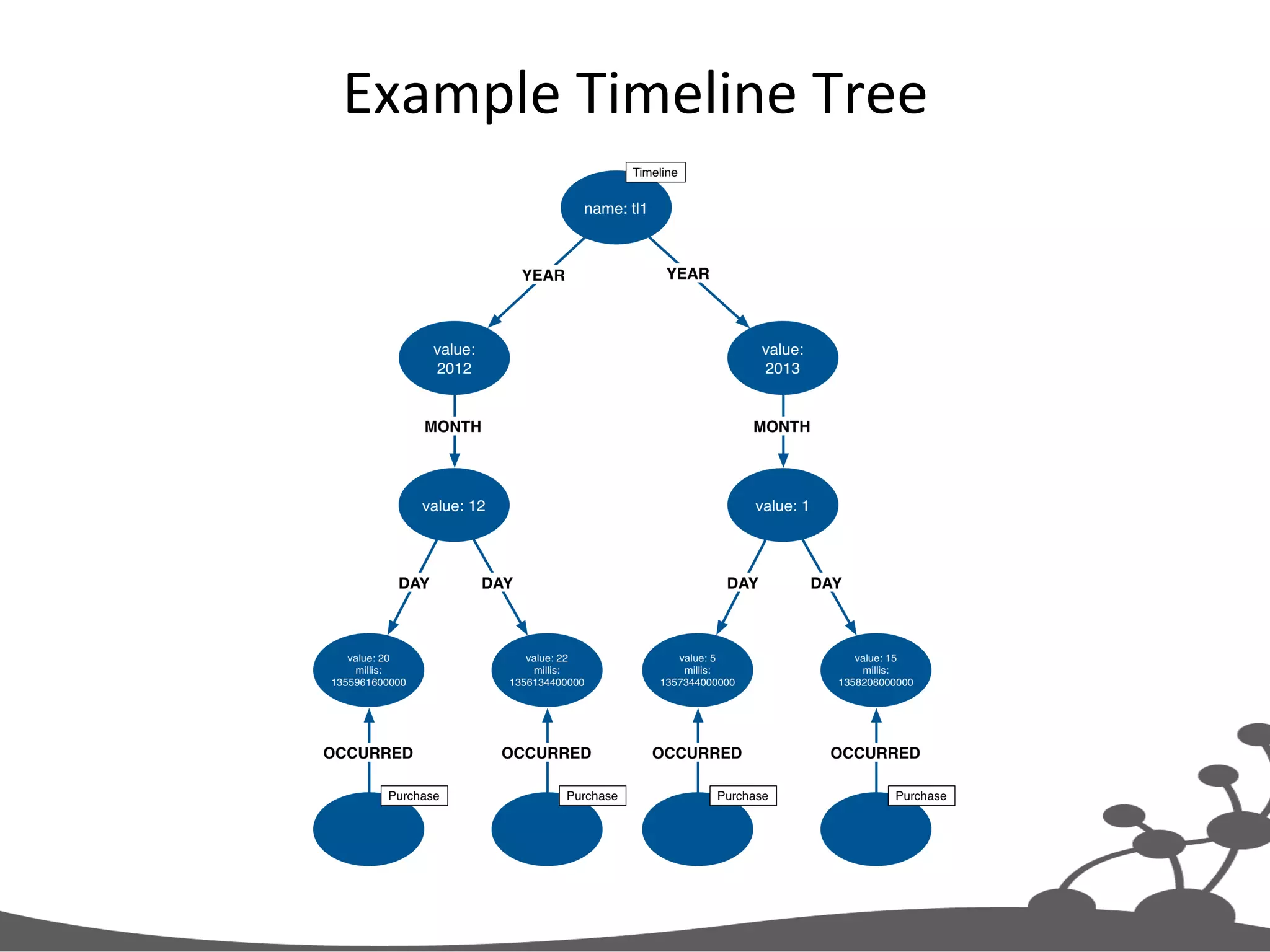
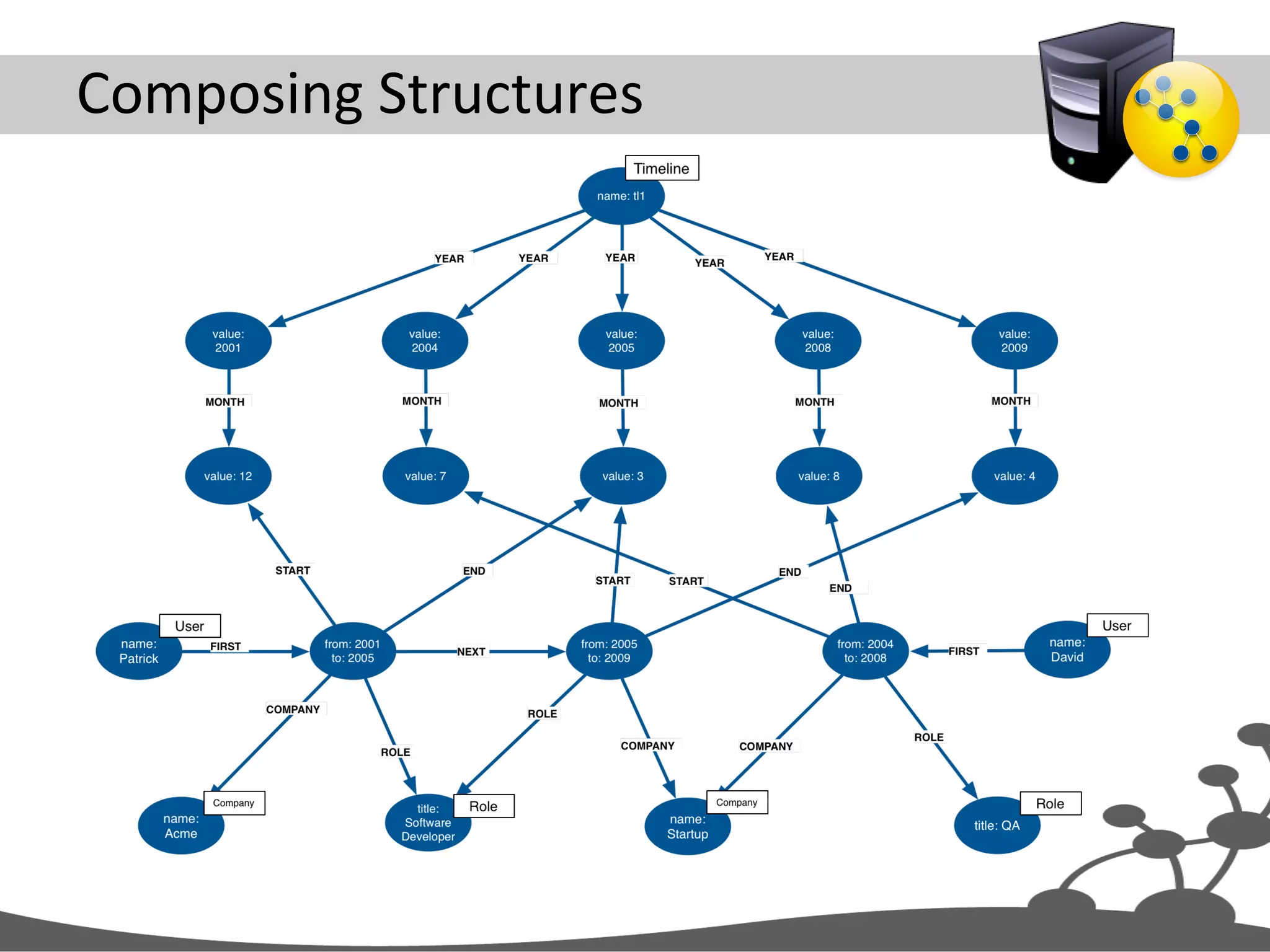
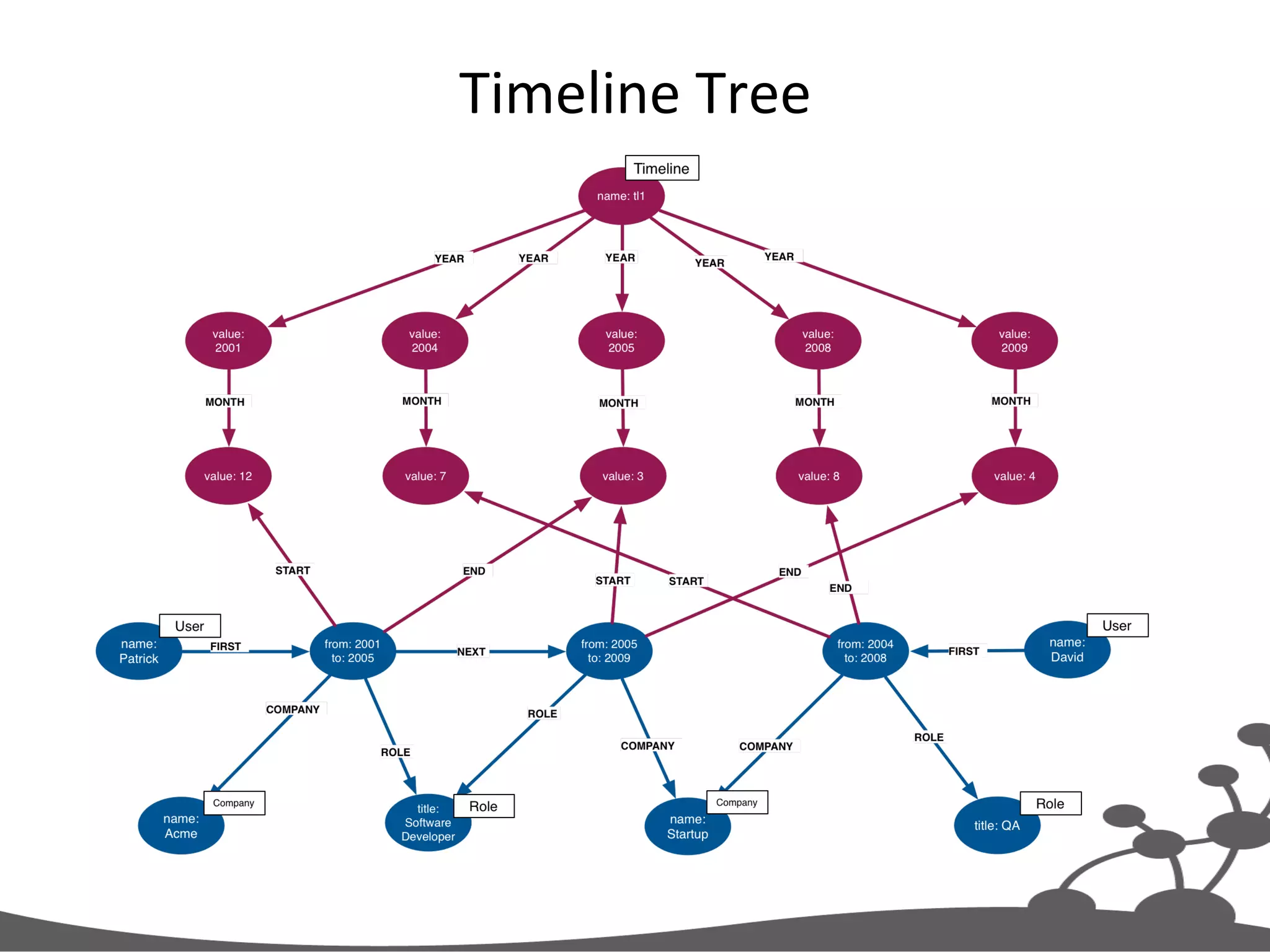
Timeline  Tree   •  Discrete  events   – No  natural  relaJonships  to  other  events   •  You  need  to  find  events  at  differing  levels  of   granularity   – Between  two  days   – Between  two  months   – Between  two  minutes  
Example  Timeline  Tree  
Exercise  4   Timeline  Tree  Example  
Your  Turn   •  Clean  the  database   •  Execute  create-­‐1.txt  to  create-­‐6.txt  in  order   •  At  each  stage,  view  the  results   – MATCH  (n)  RETURN  n  
Lazily  Insert  Date  Elements   MERGE (timeline:Timeline{name:'timeline-1'}) MERGE (timeline)-[:YEAR]->(year{value:2007}) MERGE (year)-[:MONTH]->(month{value:1}) MERGE (month)-[:DAY]->(day{value:14}) MERGE (day)<-[:OCCURRED]- (n:Purchase{name:'purchase-1'})
Create  or  Insert  Root   MERGE (timeline:Timeline{name:'timeline-1'}) MERGE (timeline)-[:YEAR]->(year{value:2007}) MERGE (year)-[:MONTH]->(month{value:1}) MERGE (month)-[:DAY]->(day{value:14}) MERGE (day)<-[:OCCURRED]- (n:Purchase{name:'purchase-1'})
The  Add  ‘Locally  Unique’  Nodes   MERGE (timeline:Timeline{name:'timeline-1'}) MERGE (timeline)-[:YEAR]->(year{value:2007}) MERGE (year)-[:MONTH]->(month{value:1}) MERGE (month)-[:DAY]->(day{value:14}) MERGE (day)<-[:OCCURRED]- (n:Purchase{name:'purchase-1'})
Query-­‐1  -­‐  Get  All  Events  Between  Two  Dates   MATCH (timeline:Timeline{name:'timeline-1'}) -[:YEAR]->(y) -[:MONTH]->(m) -[:DAY]->(d)<-[:OCCURRED]-(n) WHERE (y.value > {startYear} AND y.value < {endYear}) OR ({startYear} = {endYear}) OR (y.value = {startYear} AND ((m.value > {startMonth}) OR (m.value = {startMonth} AND d.value >= {startDay}))) OR (y.value = {endYear} AND ((m.value < {endMonth}) OR (m.value = {endMonth} AND d.value <= {endDay}))) RETURN n.name, (d.value + "-" + m.value + "-" + y.value) AS date
Composing  Structures  
Timeline  Tree  
Intermediate  Nodes  
Linked  Lists  
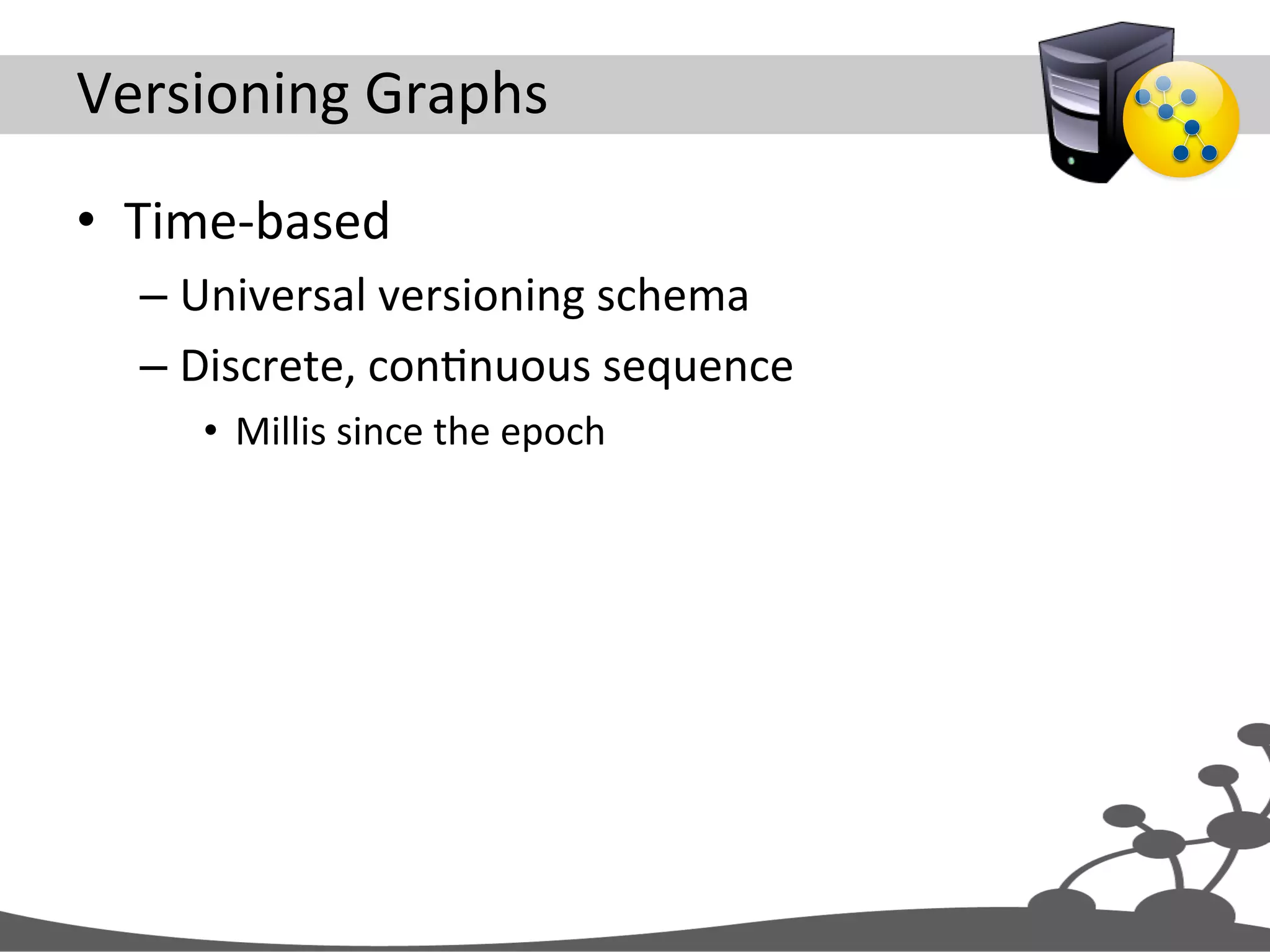
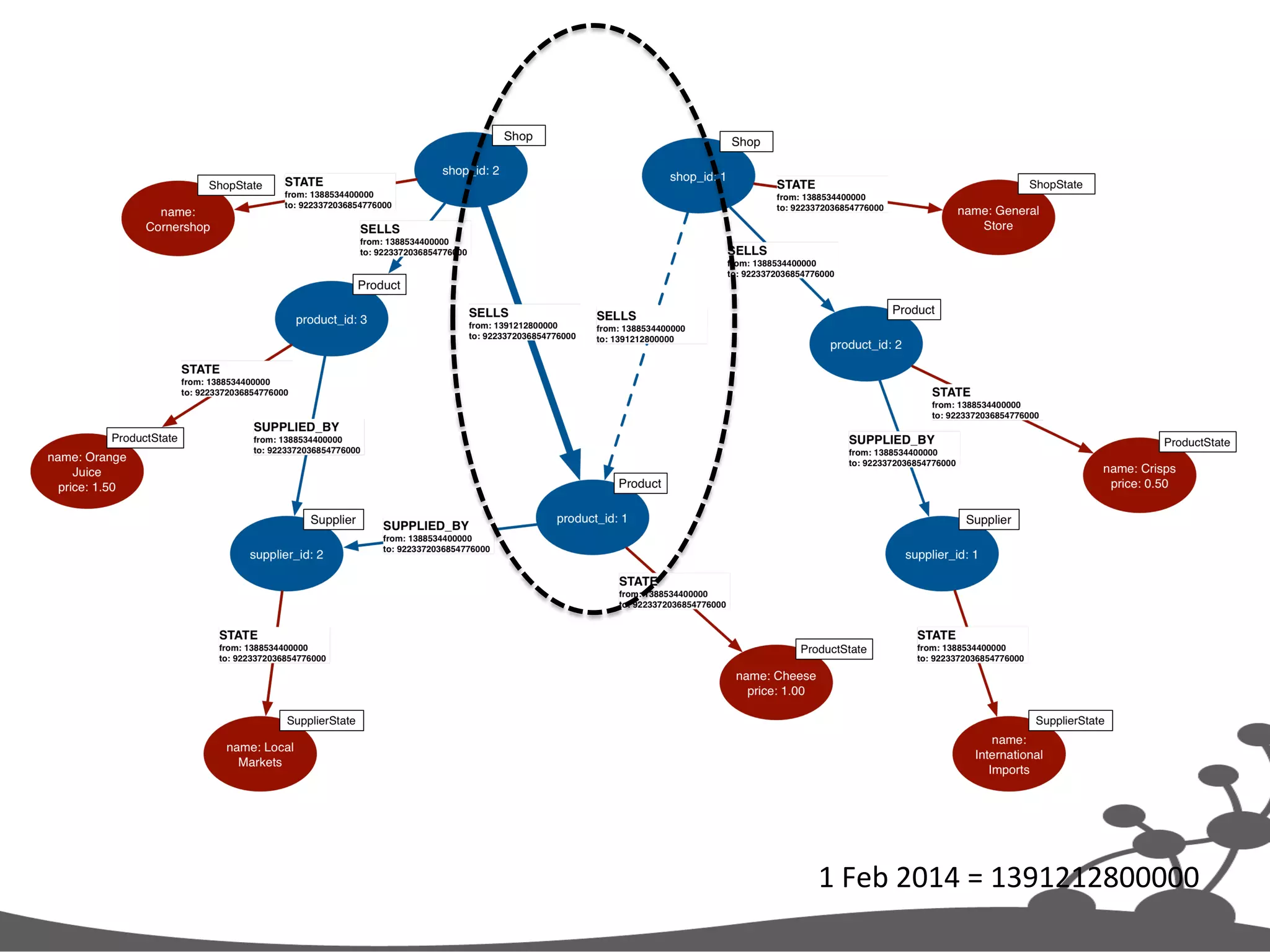
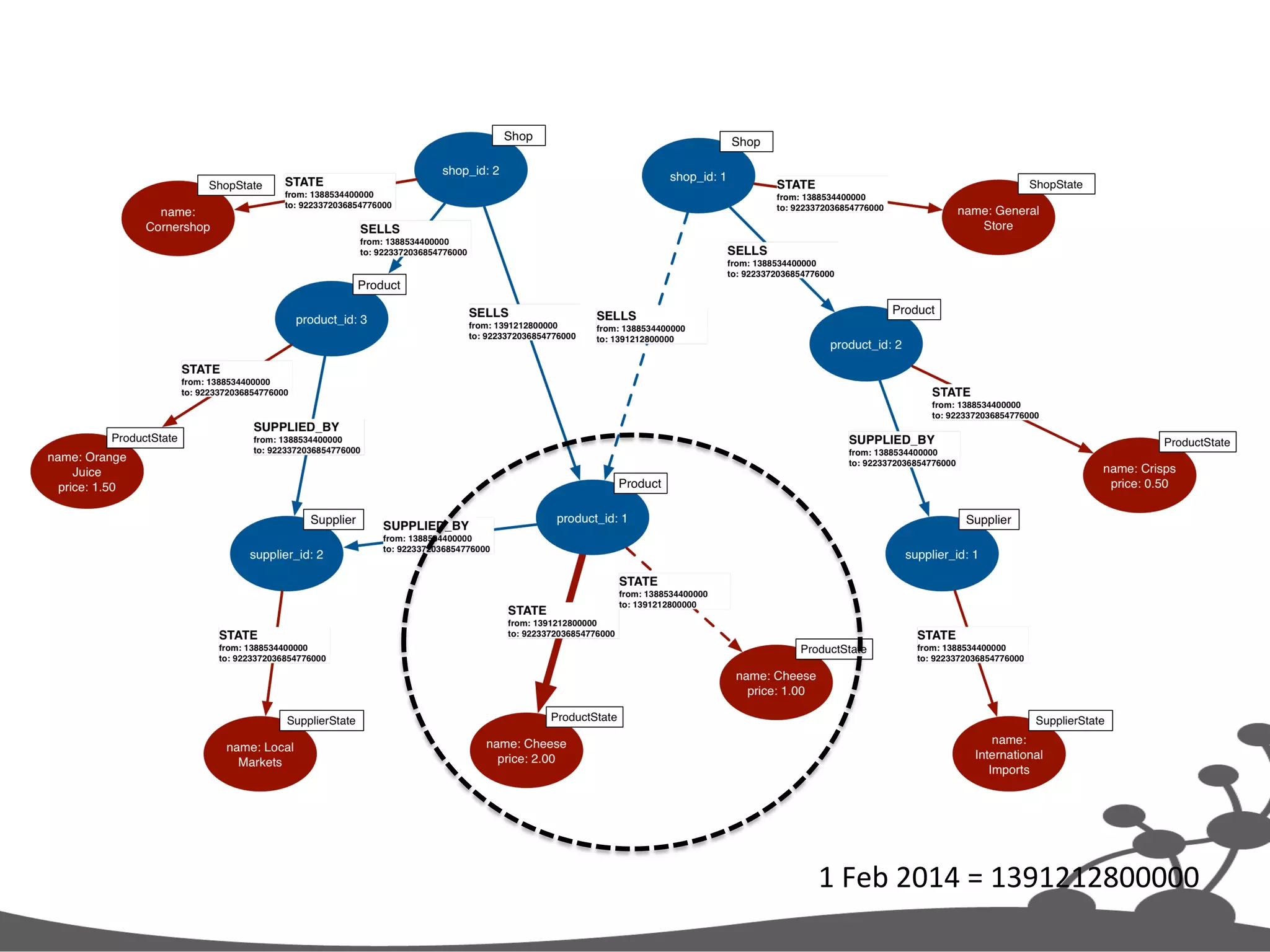
Versioning  Graphs   •  Time-­‐based   – Universal  versioning  schema   – Discrete,  conJnuous  sequence   •  Millis  since  the  epoch  
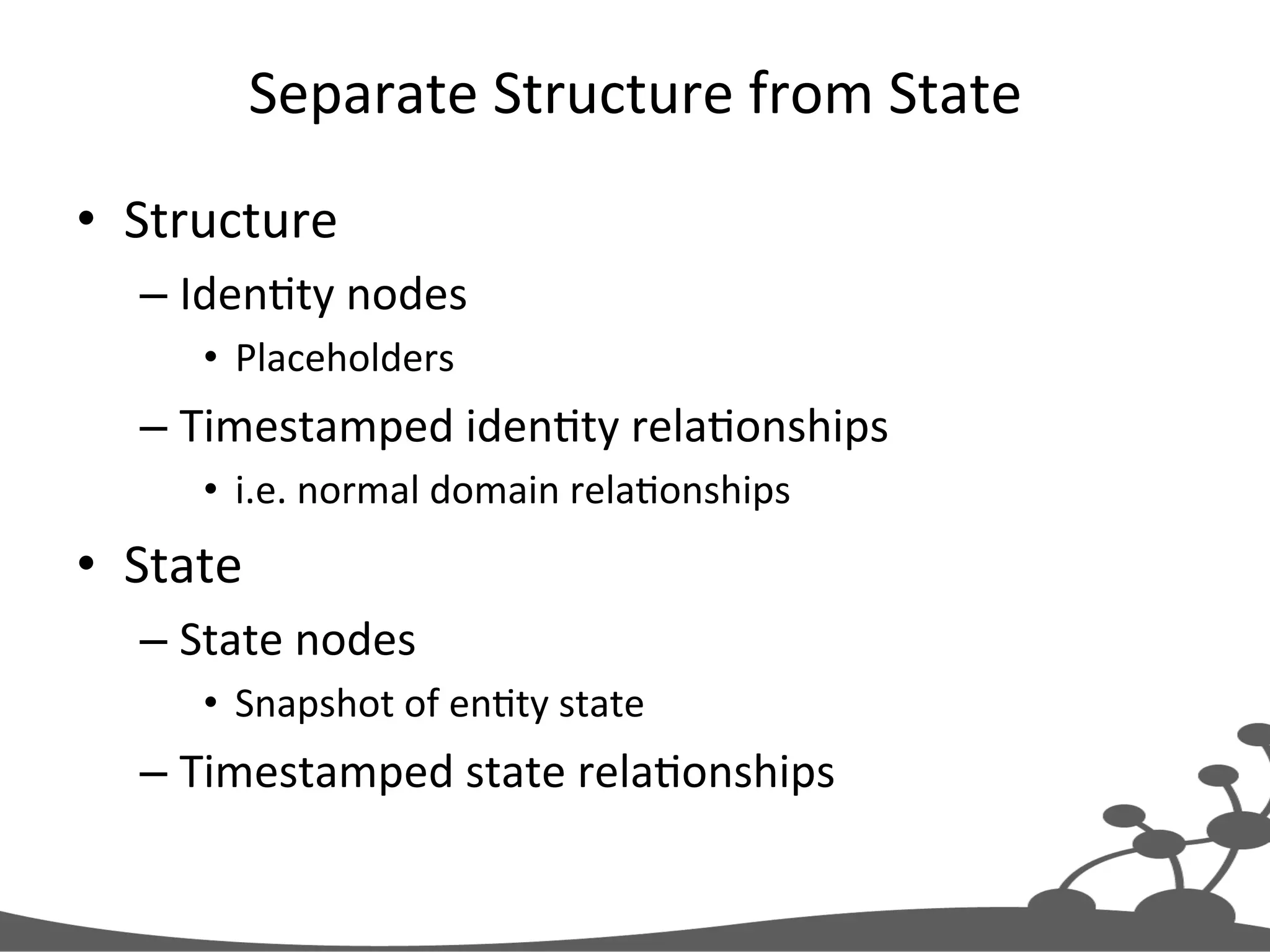
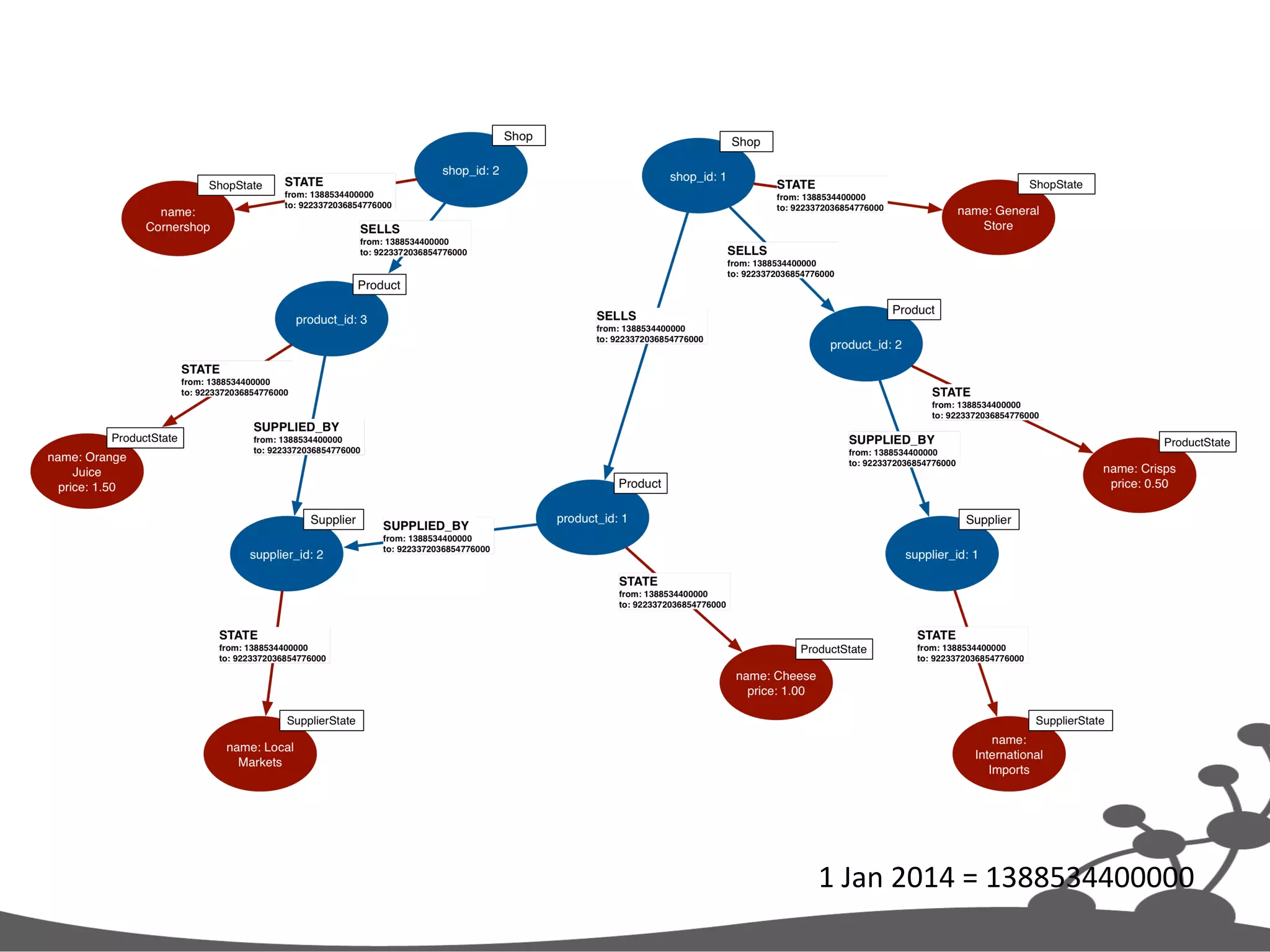
Separate  Structure  from  State   •  Structure   – IdenJty  nodes   •  Placeholders   – Timestamped  idenJty  relaJonships   •  i.e.  normal  domain  relaJonships   •  State   – State  nodes   •  Snapshot  of  enJty  state   – Timestamped  state  relaJonships  
1  Jan  2014  =  1388534400000  
1  Feb  2014  =  1391212800000  
Find  Current  Structural  RelaJonship   MATCH (p:Product{product_id:1})<-[r:SELLS]-(:Shop) WHERE r.to = 9223372036854775807 MATCH (s:Shop{shop_id:2}) SET r.to = 1391212800000 CREATE (s) -[:SELLS{from:1391212800000,to:9223372036854775807}]->(p) 9223372036854775807  =  End  of  Time  =  EOT  
Archive  Structural  RelaJonship   MATCH (p:Product{product_id:1})<-[r:SELLS]-(:Shop) WHERE r.to = 9223372036854775807 MATCH (s:Shop{shop_id:2}) SET r.to = 1391212800000 CREATE (s) -[:SELLS{from:1391212800000,to:9223372036854775807}]->(p)
Create  New  Structural  RelaJonship   MATCH (p:Product{product_id:1})<-[r:SELLS]-(:Shop) WHERE r.to = 9223372036854775807 MATCH (s:Shop{shop_id:2}) SET r.to = 1391212800000 CREATE (s) -[:SELLS{from:1391212800000,to:9223372036854775807}]->(p)
1  Feb  2014  =  1391212800000  
All  Products  Sold  by  Shop  1     on  5  January  2014     MATCH (s:Shop{shop_id:1})-[r1:SELLS]->(p:Product) WHERE (r1.from <= 1388880000000 AND r1.to > 1388880000000) MATCH (p)-[r2:STATE]->(ps:ProductState) WHERE (r2.from <= 1388880000000 AND r2.to > 1388880000000) RETURN p.product_id AS productId, ps.name AS product, ps.price AS price ORDER BY price DESC
Find  Structure   MATCH (s:Shop{shop_id:1})-[r1:SELLS]->(p:Product) WHERE (r1.from <= 1388880000000 AND r1.to > 1388880000000) MATCH (p)-[r2:STATE]->(ps:ProductState) WHERE (r2.from <= 1388880000000 AND r2.to > 1388880000000) RETURN p.product_id AS productId, ps.name AS product, ps.price AS price ORDER BY price DESC
Find  State   MATCH (s:Shop{shop_id:1})-[r1:SELLS]->(p:Product) WHERE (r1.from <= 1388880000000 AND r1.to > 1388880000000) MATCH (p)-[r2:STATE]->(ps:ProductState) WHERE (r2.from <= 1388880000000 AND r2.to > 1388880000000) RETURN p.product_id AS productId, ps.name AS product, ps.price AS price ORDER BY price DESC
Return  Results   MATCH (s:Shop{shop_id:1})-[r1:SELLS]->(p:Product) WHERE (r1.from <= 1388880000000 AND r1.to > 1388880000000) MATCH (p)-[r2:STATE]->(ps:ProductState) WHERE (r2.from <= 1388880000000 AND r2.to > 1388880000000) RETURN p.product_id AS productId, ps.name AS product, ps.price AS price ORDER BY price DESC
Evolving  a  Graph  Model  
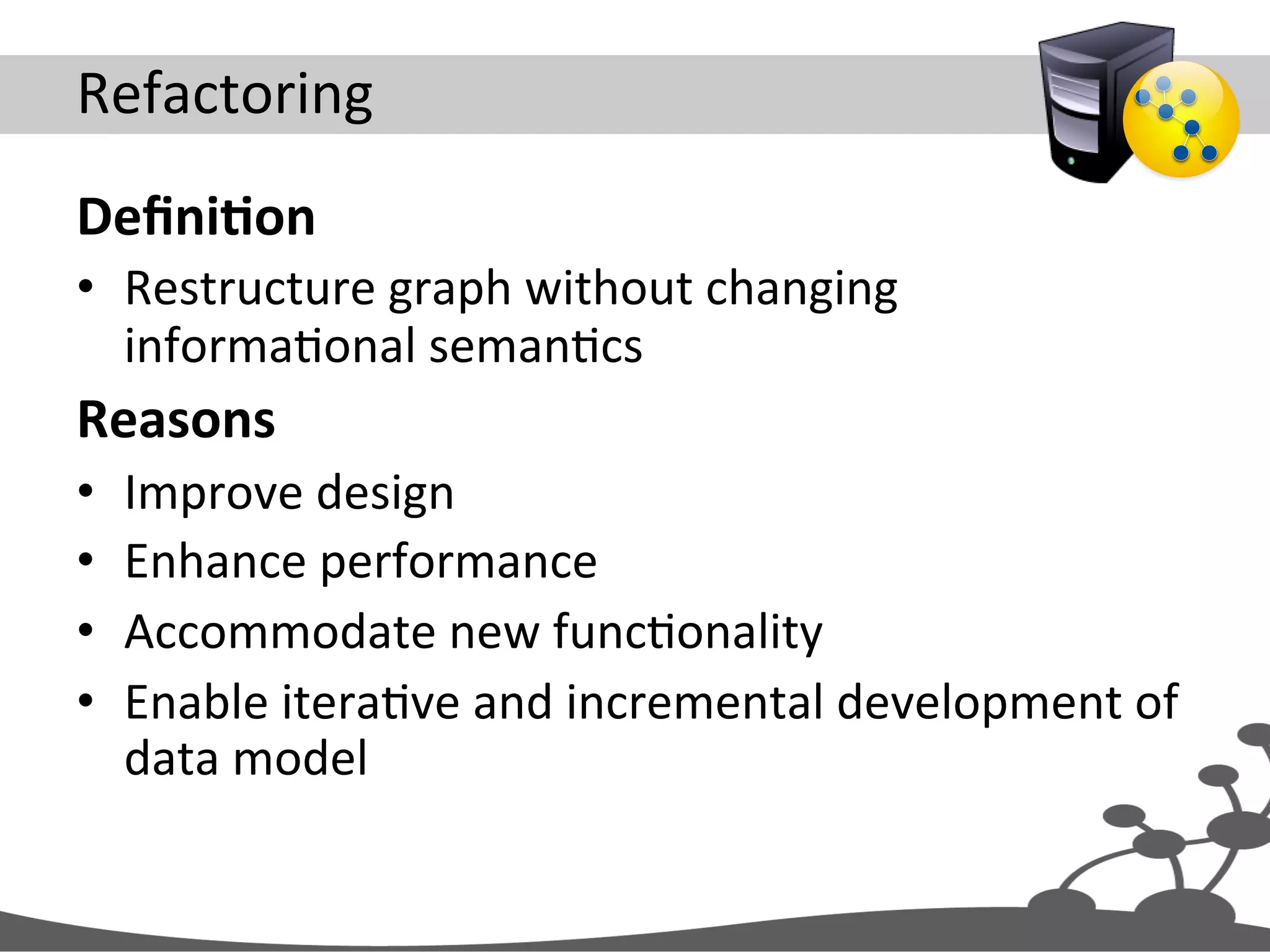
Refactoring   DefiniAon   •  Restructure  graph  without  changing   informaJonal  semanJcs   Reasons   •  Improve  design   •  Enhance  performance   •  Accommodate  new  funcJonality   •  Enable  iteraJve  and  incremental  development  of   data  model  
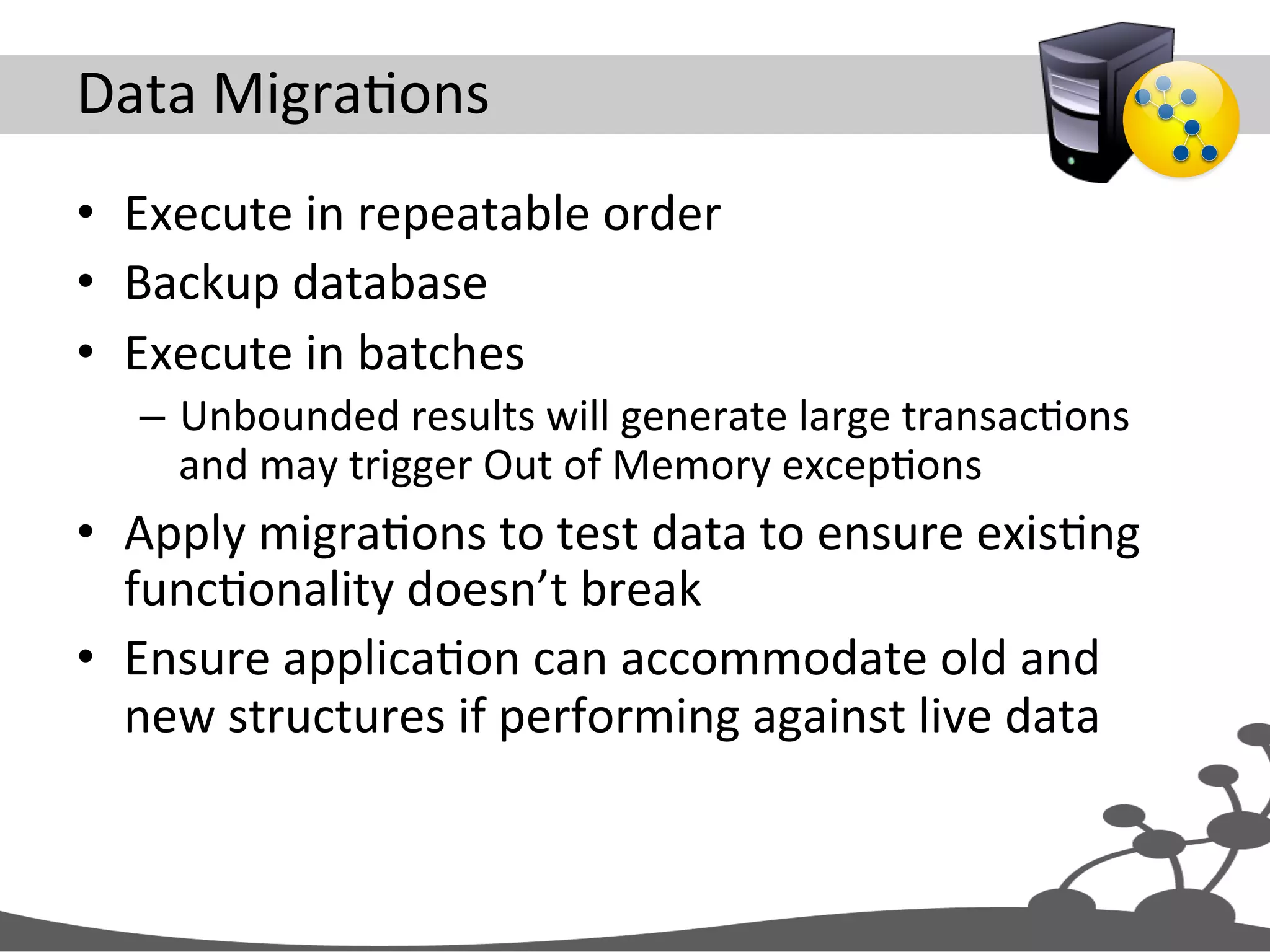
Data  MigraJons   •  Execute  in  repeatable  order   •  Backup  database   •  Execute  in  batches   –  Unbounded  results  will  generate  large  transacJons   and  may  trigger  Out  of  Memory  excepJons   •  Apply  migraJons  to  test  data  to  ensure  exisJng   funcJonality  doesn’t  break   •  Ensure  applicaJon  can  accommodate  old  and   new  structures  if  performing  against  live  data  
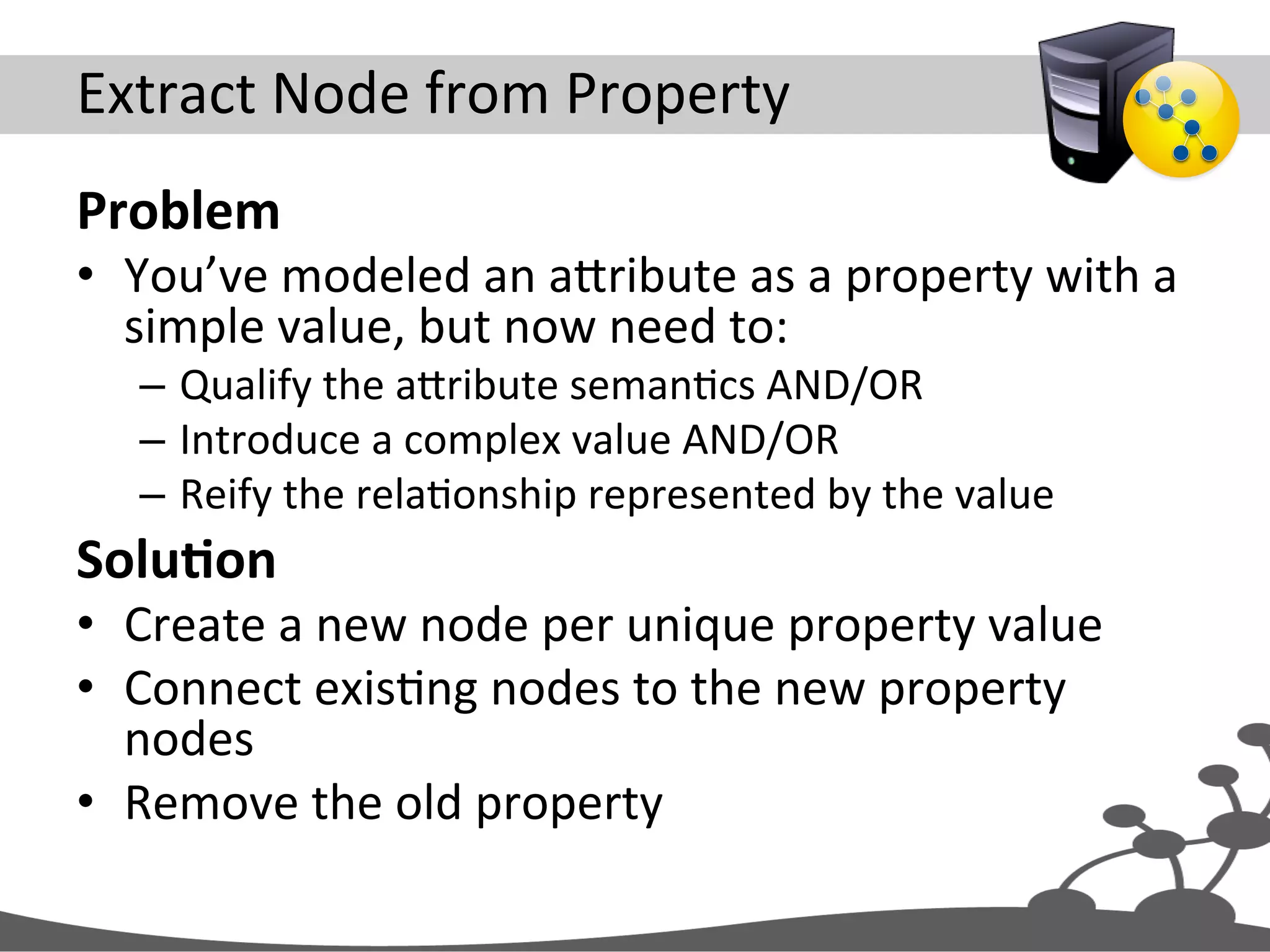
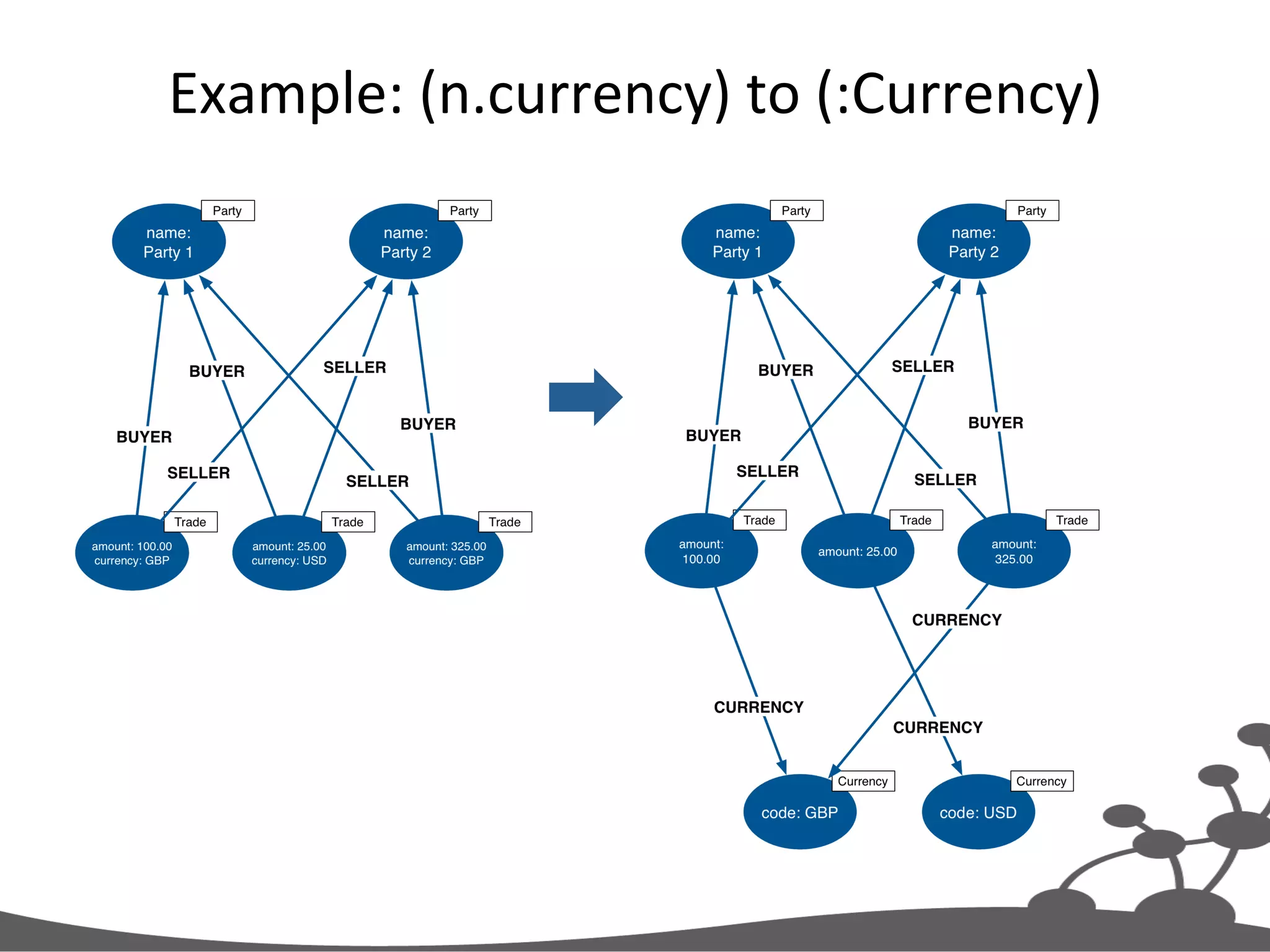
Extract  Node  from  Property   Problem   •  You’ve  modeled  an  aXribute  as  a  property  with  a   simple  value,  but  now  need  to:   –  Qualify  the  aXribute  semanJcs  AND/OR   –  Introduce  a  complex  value  AND/OR   –  Reify  the  relaJonship  represented  by  the  value   SoluAon   •  Create  a  new  node  per  unique  property  value   •  Connect  exisJng  nodes  to  the  new  property   nodes   •  Remove  the  old  property  
Exercise  5   Extract  Node  From  Property  
Example:  (n.currency)  to  (:Currency)  
Your  Turn   •  Clean  the  database   •  Execute  setup.txt   •  View  the  results   – MATCH  (n)  RETURN  n   •  Execute  update-­‐1.txt  repeatedly,  unJl   numberRemoved  is  zero   – At  each  stage,  view  the  results  
Extract  Node  From  Property   MATCH (t:Trade) WHERE has(t.currency) WITH t LIMIT {batchSize} MERGE (c:Currency{code:t.currency}) MERGE (t)-[:CURRENCY]->(c) REMOVE t.currency RETURN count(t) AS numberRemoved
Select  Batch  of  Nodes  With  Property   MATCH (t:Trade) WHERE has(t.currency) WITH t LIMIT {batchSize} MERGE (c:Currency{code:t.currency}) MERGE (t)-[:CURRENCY]->(c) REMOVE t.currency RETURN count(t) AS numberRemoved
Create  Property  Node   MATCH (t:Trade) WHERE has(t.currency) WITH t LIMIT {batchSize} MERGE (c:Currency{code:t.currency}) MERGE (t)-[:CURRENCY]->(c) REMOVE t.currency RETURN count(t) AS numberRemoved Copy  property  value   from  exisJng  node  
Relate  ExisJng  Node  to  Property  Node   MATCH (t:Trade) WHERE has(t.currency) WITH t LIMIT {batchSize} MERGE (c:Currency{code:t.currency}) MERGE (t)-[:CURRENCY]->(c) REMOVE t.currency RETURN count(t) AS numberRemoved
Remove  Old  Property   MATCH (t:Trade) WHERE has(t.currency) WITH t LIMIT {batchSize} MERGE (c:Currency{code:t.currency}) MERGE (t)-[:CURRENCY]->(c) REMOVE t.currency RETURN count(t) AS numberRemoved Repeat  unJl   numberRemoved   is  zero  
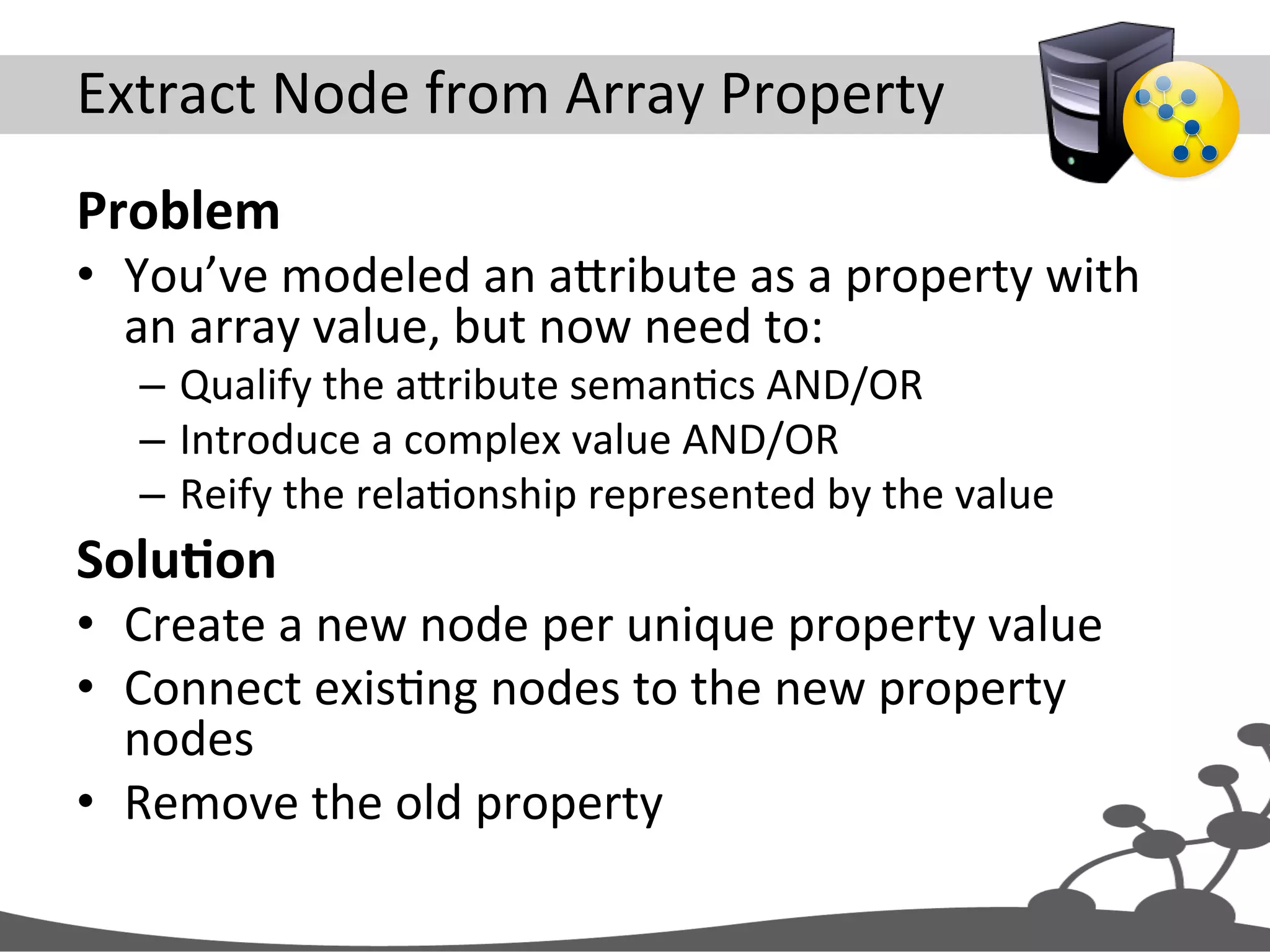
Extract  Node  from  Array  Property   Problem   •  You’ve  modeled  an  aXribute  as  a  property  with   an  array  value,  but  now  need  to:   –  Qualify  the  aXribute  semanJcs  AND/OR   –  Introduce  a  complex  value  AND/OR   –  Reify  the  relaJonship  represented  by  the  value   SoluAon   •  Create  a  new  node  per  unique  property  value   •  Connect  exisJng  nodes  to  the  new  property   nodes   •  Remove  the  old  property  
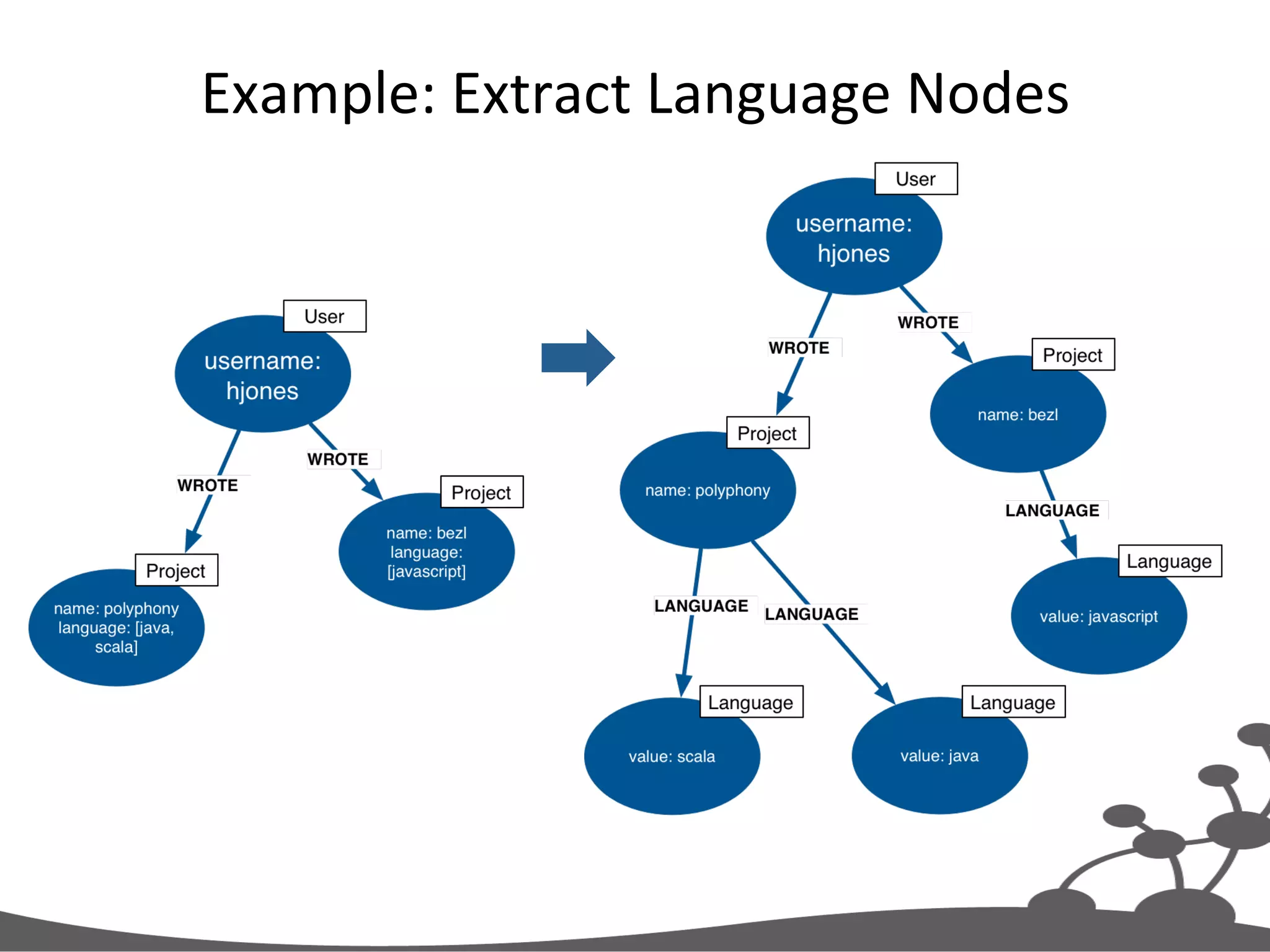
Example:  Extract  Language  Nodes  
Exercise  6   Extract  Node  From  Array  Property  
Your  Turn   •  Clean  the  database   •  Execute  setup.txt   •  View  the  results   – MATCH  (n)  RETURN  n   •  Execute  update-­‐1.txt  repeatedly,  unJl   numberRemoved  is  zero   – At  each  stage,  view  the  results  
Extract  Node  From  Array  Property   MATCH (project:Project) WHERE has(project.language) WITH project LIMIT 2 FOREACH (l IN project.language | MERGE (language:Language{value:l}) MERGE (project)-[:LANGUAGE]->(language)) REMOVE project.language RETURN count(project) AS numberRemoved
Select  Batch  of  Nodes  With  Property   MATCH (project:Project) WHERE has(project.language) WITH project LIMIT 2 FOREACH (l IN project.language | MERGE (language:Language{value:l}) MERGE (project)-[:LANGUAGE]->(language)) REMOVE project.language RETURN count(project) AS numberRemoved
Loop  Through  Values  in  Array…   MATCH (project:Project) WHERE has(project.language) WITH project LIMIT 2 FOREACH (l IN project.language | MERGE (language:Language{value:l}) MERGE (project)-[:LANGUAGE]->(language)) REMOVE project.language RETURN count(project) AS numberRemoved
Create  New  Unique  Node  Per  Value   MATCH (project:Project) WHERE has(project.language) WITH project LIMIT 2 FOREACH (l IN project.language | MERGE (language:Language{value:l}) MERGE (project)-[:LANGUAGE]->(language)) REMOVE project.language RETURN count(project) AS numberRemoved Copy  value  from   current  iteraJon  
Relate  ExisJng  Node  to  Value  Node   MATCH (project:Project) WHERE has(project.language) WITH project LIMIT 2 FOREACH (l IN project.language | MERGE (language:Language{value:l}) MERGE (project)-[:LANGUAGE]->(language)) REMOVE project.language RETURN count(project) AS numberRemoved
Remove  Array  Property   MATCH (project:Project) WHERE has(project.language) WITH project LIMIT 2 FOREACH (l IN project.language | MERGE (language:Language{value:l}) MERGE (project)-[:LANGUAGE]->(language)) REMOVE project.language RETURN count(project) AS numberRemoved Repeat  unJl   numberRemoved   is  zero  
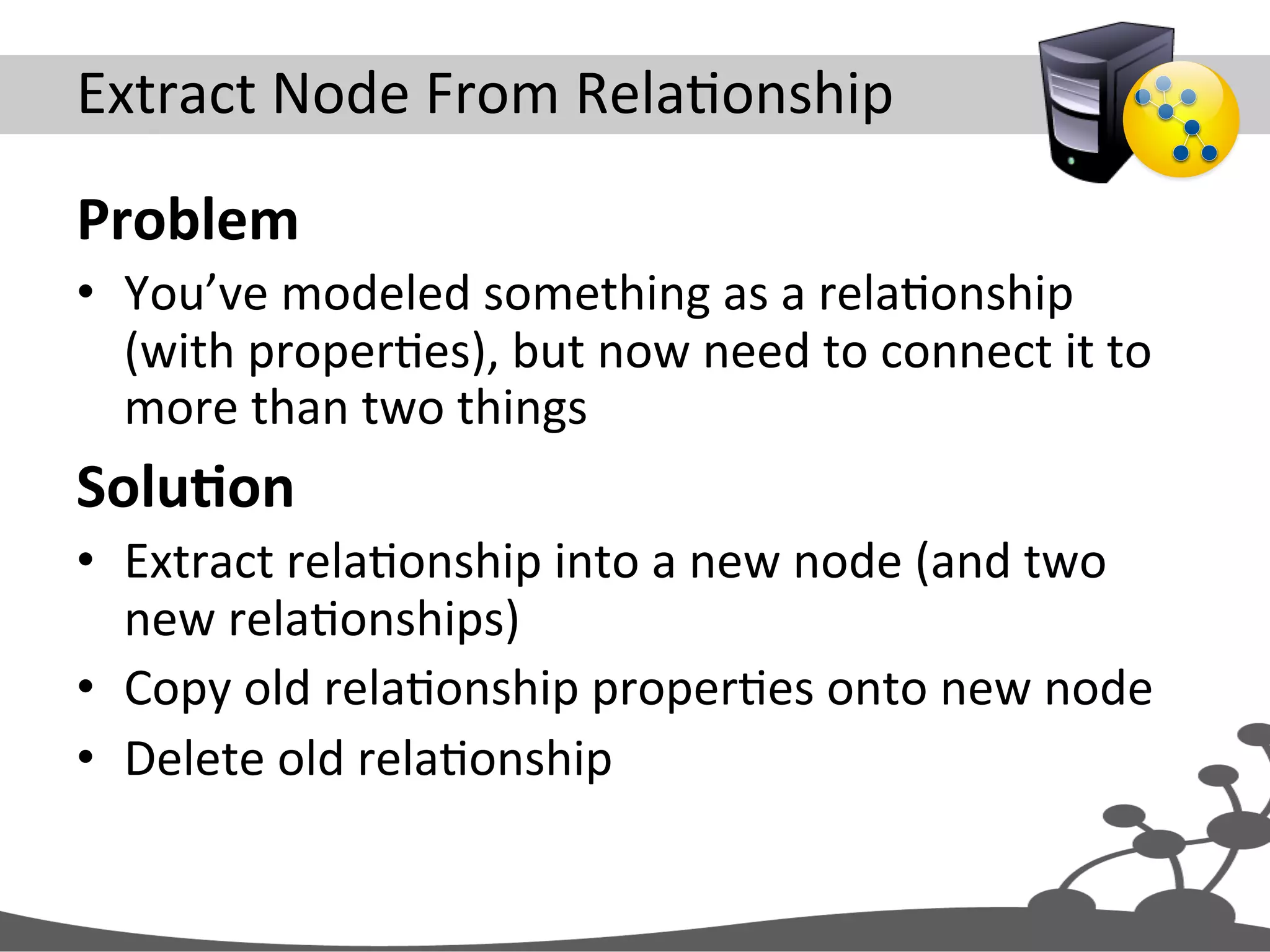
Extract  Node  From  RelaJonship   Problem   •  You’ve  modeled  something  as  a  relaJonship   (with  properJes),  but  now  need  to  connect  it  to   more  than  two  things   SoluAon   •  Extract  relaJonship  into  a  new  node  (and  two   new  relaJonships)   •  Copy  old  relaJonship  properJes  onto  new  node   •  Delete  old  relaJonship  
Exercise  7   Extract  Node  From  RelaJonship  
Example:  [:EMAILED]  to  (:Email)  
Your  Turn   •  Clean  the  database   •  Execute  setup.txt   •  View  the  results   – MATCH  (n)  RETURN  n   •  Execute  update-­‐1.txt  repeatedly,  unJl   numberDeleted  is  zero   – At  each  stage,  view  the  results  
Extract  Node  From  RelaJonship   MATCH (a:User)-[r:EMAILED]->(b:User) WITH a, r, b LIMIT 2 CREATE (email:Email{content:r.content}) MERGE (a)-[:SENT]->(email)-[:TO]->(b) DELETE r RETURN count(r) AS numberDeleted
Select  Batch  of  RelaJonships   MATCH (a:User)-[r:EMAILED]->(b:User) WITH a, r, b LIMIT 2 CREATE (email:Email{content:r.content}) MERGE (a)-[:SENT]->(email)-[:TO]->(b) DELETE r RETURN count(r) AS numberDeleted
Create  New  Node  and  RelaJonships   MATCH (a:User)-[r:EMAILED]->(b:User) WITH a, r, b LIMIT 2 CREATE (email:Email{content:r.content}) MERGE (a)-[:SENT]->(email)-[:TO]->(b) DELETE r RETURN count(r) AS numberDeleted “Refactoring  ID”   ensures  uniqueness   Copy  properJes  from   old  relaJonship  
Delete  Old  RelaJonship   MATCH (a:User)-[r:EMAILED]->(b:User) WITH a, r, b LIMIT 2 CREATE (email:Email{content:r.content}) MERGE (a)-[:SENT]->(email)-[:TO]->(b) DELETE r RETURN count(r) AS numberDeleted Repeat  unJl   numberDeleted   is  zero  

Data modeling with neo4j tutorial

  • 1.
  • 2.
    Topics   •  Data  complexity     •  Graph  model  building  blocks   •  Quick  intro  to  Cypher   •  Modeling  guidelines   •  Common  graph  structures   •  Evolving  a  graph  model  
  • 3.
  • 4.
    complexity = f(size,variable structure, connectedness)  
  • 5.
  • 6.
    •  Store   • Manage   •  Query   data   Graph  Databases  
  • 7.
    Neo4j  is  a  Graph  Database  
  • 8.
  • 9.
    Labeled  Property  Graph  Data  Model  
  • 10.
    Four  Building  Blocks   •  Nodes   •  RelaJonships   •  ProperJes   •  Labels  
  • 11.
  • 12.
    Nodes   •  Used  to  represent  en##es  and  complex  value   types  in  your  domain   •  Can  contain  properJes   – Used  to  represent  enJty  a1ributes  and/or   metadata  (e.g.  Jmestamps,  version)   – Key-­‐value  pairs   •  Java  primiJves   •  Arrays   •  null  is  not  a  valid  value   – Every  node  can  have  different  properJes  
  • 13.
    EnJJes  and  Value  Types   •  EnJJes   – Have  unique  conceptual  idenJty   – Change  aXribute  values,  but  idenJty  remains  the   same   •  Value  types   – No  conceptual  idenJty   – Can  subsJtute  for  each  other  if  they  have  the   same  value   •  Simple:  single  value  (e.g.  colour,  category)   •  Complex:  mulJple  aXributes  (e.g.  address)  
  • 14.
  • 15.
    RelaJonships   •  Every  relaJonship  has  a  name  and  a  direc#on   – Add  structure  to  the  graph   – Provide  semanJc  context  for  nodes   •  Can  contain  properJes   – Used  to  represent  quality  or  weight  of   relaJonship,  or  metadata   •  Every  relaJonship  must  have  a  start  node  and   end  node   – No  dangling  relaJonships  
  • 16.
    RelaJonships  (conJnued)   Nodes  can  have  more   than  one  relaJonship   Self  relaJonships  are  allowed   Nodes  can  be  connected  by   more  than  one  relaJonship  
  • 17.
    Variable  Structure   • RelaJonships  are  defined  with  regard  to  node   instances,  not  classes  of  nodes   – Two  nodes  represenJng  the  same  kind  of  “thing”   can  be  connected  in  very  different  ways   •  Allows  for  structural  variaJon  in  the  domain   – Contrast  with  relaJonal  schemas,  where  foreign   key  relaJonships  apply  to  all  rows  in  a  table   •  No  need  to  use  null  to  represent  the  absence  of  a   connecJon    
  • 18.
  • 19.
    Labels   •  Every  node  can  have  zero  or  more  labels   •  Used  to  represent  roles  (e.g.  user,  product,   company)   – Group  nodes   – Allow  us  to  associate  indexes  and  constraints  with   groups  of  nodes  
  • 20.
    Four  Building  Blocks   •  Nodes   – EnJJes   •  RelaJonships   – Connect  enJJes  and  structure  domain   •  ProperJes   – EnJty  aXributes,  relaJonship  qualiJes,  and   metadata   •  Labels   – Group  nodes  by  role  
  • 21.
  • 22.
  • 23.
    Labels  and  RelaJonship  Types   (:Person)-[:FRIEND]->(:Person)
  • 24.
  • 25.
  • 26.
    Cypher   MATCH graph_pattern RETURNresults http://docs.neo4j.org/chunked/milestone/query-match.html http://docs.neo4j.org/chunked/milestone/query-return.html
  • 27.
    Example  Query   MATCH(:Person{name:'Peter'}) -[:FRIEND]->(friends) RETURN friends
  • 28.
    Find  This  PaXern   MATCH (:Person{name:'Peter'}) -[:FRIEND]->(friends) RETURN friends
  • 29.
    Lookup  Using  IdenJfier  +  Label     MATCH (:Person{name:'Peter'}) -[:FRIEND]->(friends) RETURN friends Search  nodes  labeled   ‘Person’,  matching  on   ‘name’  property  
  • 30.
    Return  Nodes   MATCH(:Person{name:'Peter'}) -[:FRIEND]->(friends) RETURN friends
  • 31.
  • 32.
    Models   Images:  en.wikipedia.org   Purposeful  abstracJon  of  a  domain  designed  to   saJsfy  parJcular  applicaJon/end-­‐user  goals  
  • 33.
    Example  ApplicaJon   • Knowledge  management   – People,  companies,  skills   – Cross  organizaJonal   •  Find  my  professional  social  network   – Exchange  knowledge   – Interest  groups   – Help   – Staff  projects  
  • 34.
    ApplicaJon/End-­‐User  Goals   As  an  employee     I  want  to  know  who  in  the  company   has  similar  skills  to  me     So  that  we  can  exchange  knowledge  
  • 35.
    QuesJons  To  Ask  of  the  Domain   Which  people,  who  work  for  the  same  company   as  me,  have  similar  skills  to  me?   As  an  employee     I  want  to  know  who  in  the  company  has  similar  skills  to  me     So  that  we  can  exchange  knowledge  
  • 36.
    IdenJfy  EnJJes   Which  people,  who  work  for  the  same  company   as  me,  have  similar  skills  to  me?     Person   Company   Skill  
  • 37.
    IdenJfy  RelaJonships  Between  EnJJes   Which  people,  who  work  for  the  same  company   as  me,  have  similar  skills  to  me?     Person  WORKS_FOR  Company   Person  HAS_SKILL  Skill  
  • 38.
    Convert  to  Cypher  Paths   Person  WORKS_FOR  Company   Person  HAS_SKILL  Skill   RelaJonship   Label   (:Person)-[:WORKS_FOR]->(:Company), (:Person)-[:HAS_SKILL]->(:Skill)
  • 39.
  • 40.
    Candidate  Data  Model   (:Company)<-[:WORKS_FOR]-(:Person)-[:HAS_SKILL]->(:Skill)
  • 41.
    Express  QuesJon  as  Graph  PaXern   Which  people,  who  work  for  the  same  company   as  me,  have  similar  skills  to  me?  
  • 42.
    Cypher  Query   Which  people,  who  work  for  the  same  company   as  me,  have  similar  skills  to  me?   MATCH (company)<-[:WORKS_FOR]-(:Person{name:'Ian'}) -[:HAS_SKILL]->(skill), (company)<-[:WORKS_FOR]-(colleague)-[:HAS_SKILL]->(skill) RETURN colleague.name AS name, count(skill) AS score, collect(skill.name) AS skills ORDER BY score DESC
  • 43.
    Graph  PaXern   Which  people,  who  work  for  the  same  company   as  me,  have  similar  skills  to  me?   MATCH (company)<-[:WORKS_FOR]-(:Person{name:'Ian'}) -[:HAS_SKILL]->(skill), (company)<-[:WORKS_FOR]-(colleague)-[:HAS_SKILL]->(skill) RETURN colleague.name AS name, count(skill) AS score, collect(skill.name) AS skills ORDER BY score DESC
  • 44.
    Which  people,  who  work  for  the  same  company   as  me,  have  similar  skills  to  me?   MATCH (company)<-[:WORKS_FOR]-(:Person{name:'Ian'}) -[:HAS_SKILL]->(skill), (company)<-[:WORKS_FOR]-(colleague)-[:HAS_SKILL]->(skill) RETURN colleague.name AS name, count(skill) AS score, collect(skill.name) AS skills ORDER BY score DESC Anchor  PaXern  in  Graph   Search  nodes  labeled   ‘Person’,  matching  on   ‘name’  property  
  • 45.
    Create  ProjecJon  of  Results   Which  people,  who  work  for  the  same  company   as  me,  have  similar  skills  to  me?   MATCH (company)<-[:WORKS_FOR]-(:Person{name:'Ian'}) -[:HAS_SKILL]->(skill), (company)<-[:WORKS_FOR]-(colleague)-[:HAS_SKILL]->(skill) RETURN colleague.name AS name, count(skill) AS score, collect(skill.name) AS skills ORDER BY score DESC
  • 46.
  • 47.
  • 48.
  • 49.
    Running  the  Query   +-----------------------------------+ | name | score | skills | +-----------------------------------+ | "Lucy" | 2 | ["Java","Neo4j"] | | "Bill" | 1 | ["Neo4j"] | +-----------------------------------+ 2 rows
  • 50.
    From  User  Story  to  Model  and  Query   MATCH (company)<-[:WORKS_FOR]-(me:Person)-[:HAS_SKILL]->(skill), (company)<-[:WORKS_FOR]-(colleague)-[:HAS_SKILL]->(skill) WHERE me.name = {name} RETURN colleague.name AS name, count(skill) AS score, collect(skill.name) AS skills ORDER BY score DESC As  an  employee     I  want  to  know  who  in  the  company  has  similar  skills  to  me     So  that  we  can  exchange  knowledge   (:Company)<-[:WORKS_FOR]-(:Person)-[:HAS_SKILL]->(:Skill) Person  WORKS_FOR  Company   Person  HAS_SKILL  Skill ?Which  people,  who  work  for  the  same   company  as  me,  have  similar  skills  to  me?
  • 51.
  • 52.
  • 53.
    Infer  Symmetric  RelaJonship   Find  child: MATCH (parent{name:'Sarah'}) -[:PARENT_OF]->(child) RETURN child Find  parent:   MATCH (parent)-[:PARENT_OF]-> (child{name:'Eric'}) RETURN parent
  • 54.
  • 55.
    Use  Single  RelaJonship  and  Ignore  RelaJonship   DirecJon  in  Queries   MATCH (p1{name:'Eric'}) -[:KNOWS]-(p2) RETURN p2
  • 56.
  • 57.
  • 58.
    Use  RelaJonships  When…   •  You  need  to  specify  the  weight,  strength,  or  some   other  quality  of  the  rela#onship   •  AND/OR  the  aXribute  value  comprises  a  complex   value  type  (e.g.  address)   •  Examples:   –  Find  all  my  colleagues  who  are  level  2  or  above   (relaJonship  quality)  in  a  skill  (aXribute  value)  we   have  in  common   –  Find  all  recent  orders  delivered  to  the  same  delivery   address  (complex  value  type)  
  • 59.
  • 60.
    Use  ProperJes  When…   •  There’s  no  need  to  qualify  the  relaJonship   •  AND  the  aXribute  value  comprises  a  simple   value  type  (e.g.  colour)   •  Examples:   – Find  those  projects  wriXen  by  contributors  to  my   projects  that  use  the  same  language  (aXribute   value)  as  my  projects  
  • 61.
  • 62.
    If  Performance  is  CriJcal…   •  Small  property  lookup  on  a  node  will  be   quicker  than  traversing  a  relaJonship   – But  traversing  a  relaJonship  is  sJll  faster  than  a   SQL  join…   •  However,  many  small  proper#es  on  a  node,  or   a  lookup  on  a  large  string  or  large  array   property  will  impact  performance   – Always  performance  test  against  a  representaJve   dataset  
  • 63.
  • 64.
    Align  With  Use  Cases   •  RelaJonships  are  the  “royal  road”  into  the   graph   •  When  querying,  well-­‐named  relaJonships   help  discover  only  what  is  absolutely   necessary   – And  eliminate  unnecessary  porJons  of  the  graph   from  consideraJon  
  • 65.
    General  RelaJonships   • Qualified  by  property  
  • 66.
  • 67.
    Best  of  Both  Worlds  
  • 68.
  • 69.
    Exercise  2  -­‐  Create  Some  data   •  Clean  the  database   •  Execute  create-­‐1.txt   •  View  the  results     –  MATCH (n) RETURN n  
  • 70.
    create-­‐1.txt   CREATE (ben:Person{username:'ben'}), (acme:Company{name:'Acme,Inc'}), (neo4j:Skill{name:'Neo4j'}), (rest:Skill{name:'REST'}), (ben)-[:WORKS_FOR]->(acme), (ben)-[:HAS_SKILL{level:1}]->(neo4j), (ben)-[:HAS_SKILL{level:3}]->(rest)
  • 71.
    Create  Nodes   CREATE (ben:Person{username:'ben'}), (acme:Company{name:'Acme, Inc'}), (neo4j:Skill{name:'Neo4j'}), (rest:Skill{name:'REST'}), (ben)-[:WORKS_FOR]->(acme), (ben)-[:HAS_SKILL{level:1}]->(neo4j), (ben)-[:HAS_SKILL{level:3}]->(rest)
  • 72.
    Connect  Nodes   CREATE (ben:Person{username:'ben'}), (acme:Company{name:'Acme, Inc'}), (neo4j:Skill{name:'Neo4j'}), (rest:Skill{name:'REST'}), (ben)-[:WORKS_FOR]->(acme), (ben)-[:HAS_SKILL{level:1}]->(neo4j), (ben)-[:HAS_SKILL{level:3}]->(rest)
  • 73.
    Create  Some  More  Data   •  Create  more  people   – Same  skills  (Neo4j  and  REST)   – Same  company  (Acme)   •  View  the  results   –  MATCH (n) RETURN n  
  • 74.
    Your  Turn   • Clean  the  database   •  Execute  create-­‐2.txt,  create-­‐3.txt  and   create-­‐4.txt   – Ajer  each  operaJon,  view  the  results   •  What  happens  if  you  add  or  remove   properJes  when  specifying  unique  nodes  and   relaJonships?  
  • 75.
    CreaJng  Unique  Nodes  and  RelaJonships   MERGE (c:Company{name:'Acme'}) MERGE (p:Person{username:'ian'}) MERGE (s1:Skill{name:'Java'}) MERGE (s2:Skill{name:'C#'}) MERGE (s3:Skill{name:'Neo4j'}) MERGE (c)<-[:WORKS_FOR]-(p) MERGE (p)-[r1:HAS_SKILL]->(s1) MERGE (p)-[r2:HAS_SKILL]->(s2) MERGE (p)-[r3:HAS_SKILL]->(s3) SET r1.level = 2 SET r2.level = 2 SET r3.level = 3 RETURN c, p, s1, s2, s3
  • 76.
    Create  Unique  Nodes   MERGE (c:Company{name:'Acme'}) MERGE (p:Person{username:'ian'}) MERGE (s1:Skill{name:'Java'}) MERGE (s2:Skill{name:'C#'}) MERGE (s3:Skill{name:'Neo4j'}) MERGE (c)<-[:WORKS_FOR]-(p) MERGE (p)-[r1:HAS_SKILL]->(s1) MERGE (p)-[r2:HAS_SKILL]->(s2) MERGE (p)-[r3:HAS_SKILL]->(s3) SET r1.level = 2 SET r2.level = 2 SET r3.level = 3 RETURN c, p, s1, s2, s3
  • 77.
    Create  Unique  RelaJonships   MERGE (c:Company{name:'Acme'}) MERGE (p:Person{username:'ian'}) MERGE (s1:Skill{name:'Java'}) MERGE (s2:Skill{name:'C#'}) MERGE (s3:Skill{name:'Neo4j'}) MERGE (c)<-[:WORKS_FOR]-(p) MERGE (p)-[r1:HAS_SKILL]->(s1) MERGE (p)-[r2:HAS_SKILL]->(s2) MERGE (p)-[r3:HAS_SKILL]->(s3) SET r1.level = 2 SET r2.level = 2 SET r3.level = 3 RETURN c, p, s1, s2, s3
  • 78.
    Set  RelaJonship  ProperJes   MERGE (c:Company{name:'Acme'}) MERGE (p:Person{username:'ian'}) MERGE (s1:Skill{name:'Java'}) MERGE (s2:Skill{name:'C#'}) MERGE (s3:Skill{name:'Neo4j'}) MERGE (c)<-[:WORKS_FOR]-(p) MERGE (p)-[r1:HAS_SKILL]->(s1) MERGE (p)-[r2:HAS_SKILL]->(s2) MERGE (p)-[r3:HAS_SKILL]->(s3) SET r1.level = 2 SET r2.level = 2 SET r3.level = 3 RETURN c, p, s1, s2, s3
  • 79.
    MERGE   MERGE  ensures  that  a  paXern  exists  in  the  graph.   Either  the  paXern  already  exists,  or  it  needs  to   be  created.   http://docs.neo4j.org/chunked/milestone/query-merge.html
  • 80.
  • 81.
    Intermediate  Nodes   • Connect  more  than  2  nodes  in  a  single  context   – Hyperedges  (n-­‐ary  relaJonships)   •  Relate  something  to  a  relaJonship  
  • 82.
  • 83.
  • 84.
  • 85.
    ConsideraJons   •  An  intermediate  node  provides  flexibility   – It  allows  more  than  two  nodes  to  be  connected  in   a  single  context     •  But  it  can  be  overkill,  and  will  have  an  impact   on  performance  
  • 86.
    Linked  Lists   • EnJJes  are  linked  in  a  sequence   •  You  need  to  traverse  the  sequence   •  You  may  need  to  idenJfy  the  beginning  or  end   (first/last,  earliest/latest,  etc.)   •  Examples   – Event  stream   – Episodes  of  a  TV  series   – Job  history  
  • 87.
  • 88.
  • 89.
  • 90.
    Pointers  to  Head  and  Tail  
  • 91.
    Exercise  3   Linked  List  Example  
  • 92.
    Season  12  of  Doctor  Who   •  Add  stories  as  they  are  broadcast   – Maintain  pointer  to  FIRST  and  LAST  stories   broadcast   •  Find  all  stories  broadcast  so  far   •  Find  latest  story  broadcast  so  far  
  • 93.
    Your  Turn   • Clean  the  database   •  Execute  setup.txt   – Creates  root  season  node   •  Execute  add-­‐node.txt   – Adds  Robot   •  Modify  the  query  to  add  more  stories  in   broadcast  order   •  At  each  stage,  view  the  results   – MATCH  (n)  RETURN  n  
  • 94.
    Add  Story  to  Season   MERGE (season:Season{season:12}) MERGE (season)-[:LAST]->(newStory:Story{title:'Robot'}) WITH season, newStory // Determine whether first story already exists WITH season, newStory, CASE WHEN NOT ((season)-[:FIRST]->()) THEN [1] ELSE [] END AS firstExists // Create FIRST rel newStory is first story FOREACH (i IN firstExists | MERGE (season)-[:FIRST]->(newStory)) WITH season, newStory // Delete old LAST relationship MATCH (newStory)<-[:LAST]-(season)-[oldRel:LAST]->(oldLast) DELETE oldRel MERGE (oldLast)-[:NEXT]->(newStory)
  • 95.
    Query-­‐1  -­‐  Find  All  Stories  Broadcast  So  Far   MATCH (season:Season)-[:FIRST]->(firstStory) -[:NEXT*0..]->(nextStory) RETURN nextStory.title AS nextStory
  • 96.
    Query-­‐2  -­‐  Find  Last  Story  to  be  Broadcast   MATCH (season:Season)-[:LAST]->(lastStory) RETURN lastStory.title AS lastStory
  • 97.
    In-­‐Graph  Indexes   • Indexes  are  graphs:   – B-­‐tree  (binary  search)   – R-­‐tree  (spaJal  access,  mulJ-­‐dimensional   informaJon)  
  • 98.
    Timeline  Tree   • Discrete  events   – No  natural  relaJonships  to  other  events   •  You  need  to  find  events  at  differing  levels  of   granularity   – Between  two  days   – Between  two  months   – Between  two  minutes  
  • 99.
  • 100.
    Exercise  4   Timeline  Tree  Example  
  • 101.
    Your  Turn   • Clean  the  database   •  Execute  create-­‐1.txt  to  create-­‐6.txt  in  order   •  At  each  stage,  view  the  results   – MATCH  (n)  RETURN  n  
  • 102.
    Lazily  Insert  Date  Elements   MERGE (timeline:Timeline{name:'timeline-1'}) MERGE (timeline)-[:YEAR]->(year{value:2007}) MERGE (year)-[:MONTH]->(month{value:1}) MERGE (month)-[:DAY]->(day{value:14}) MERGE (day)<-[:OCCURRED]- (n:Purchase{name:'purchase-1'})
  • 103.
    Create  or  Insert  Root   MERGE (timeline:Timeline{name:'timeline-1'}) MERGE (timeline)-[:YEAR]->(year{value:2007}) MERGE (year)-[:MONTH]->(month{value:1}) MERGE (month)-[:DAY]->(day{value:14}) MERGE (day)<-[:OCCURRED]- (n:Purchase{name:'purchase-1'})
  • 104.
    The  Add  ‘Locally  Unique’  Nodes   MERGE (timeline:Timeline{name:'timeline-1'}) MERGE (timeline)-[:YEAR]->(year{value:2007}) MERGE (year)-[:MONTH]->(month{value:1}) MERGE (month)-[:DAY]->(day{value:14}) MERGE (day)<-[:OCCURRED]- (n:Purchase{name:'purchase-1'})
  • 105.
    Query-­‐1  -­‐  Get  All  Events  Between  Two  Dates   MATCH (timeline:Timeline{name:'timeline-1'}) -[:YEAR]->(y) -[:MONTH]->(m) -[:DAY]->(d)<-[:OCCURRED]-(n) WHERE (y.value > {startYear} AND y.value < {endYear}) OR ({startYear} = {endYear}) OR (y.value = {startYear} AND ((m.value > {startMonth}) OR (m.value = {startMonth} AND d.value >= {startDay}))) OR (y.value = {endYear} AND ((m.value < {endMonth}) OR (m.value = {endMonth} AND d.value <= {endDay}))) RETURN n.name, (d.value + "-" + m.value + "-" + y.value) AS date
  • 106.
  • 107.
  • 108.
  • 109.
  • 110.
    Versioning  Graphs   • Time-­‐based   – Universal  versioning  schema   – Discrete,  conJnuous  sequence   •  Millis  since  the  epoch  
  • 111.
    Separate  Structure  from  State   •  Structure   – IdenJty  nodes   •  Placeholders   – Timestamped  idenJty  relaJonships   •  i.e.  normal  domain  relaJonships   •  State   – State  nodes   •  Snapshot  of  enJty  state   – Timestamped  state  relaJonships  
  • 112.
    1  Jan  2014  =  1388534400000  
  • 113.
    1  Feb  2014  =  1391212800000  
  • 114.
    Find  Current  Structural  RelaJonship   MATCH (p:Product{product_id:1})<-[r:SELLS]-(:Shop) WHERE r.to = 9223372036854775807 MATCH (s:Shop{shop_id:2}) SET r.to = 1391212800000 CREATE (s) -[:SELLS{from:1391212800000,to:9223372036854775807}]->(p) 9223372036854775807  =  End  of  Time  =  EOT  
  • 115.
    Archive  Structural  RelaJonship   MATCH (p:Product{product_id:1})<-[r:SELLS]-(:Shop) WHERE r.to = 9223372036854775807 MATCH (s:Shop{shop_id:2}) SET r.to = 1391212800000 CREATE (s) -[:SELLS{from:1391212800000,to:9223372036854775807}]->(p)
  • 116.
    Create  New  Structural  RelaJonship   MATCH (p:Product{product_id:1})<-[r:SELLS]-(:Shop) WHERE r.to = 9223372036854775807 MATCH (s:Shop{shop_id:2}) SET r.to = 1391212800000 CREATE (s) -[:SELLS{from:1391212800000,to:9223372036854775807}]->(p)
  • 117.
    1  Feb  2014  =  1391212800000  
  • 118.
    All  Products  Sold  by  Shop  1     on  5  January  2014     MATCH (s:Shop{shop_id:1})-[r1:SELLS]->(p:Product) WHERE (r1.from <= 1388880000000 AND r1.to > 1388880000000) MATCH (p)-[r2:STATE]->(ps:ProductState) WHERE (r2.from <= 1388880000000 AND r2.to > 1388880000000) RETURN p.product_id AS productId, ps.name AS product, ps.price AS price ORDER BY price DESC
  • 119.
    Find  Structure   MATCH(s:Shop{shop_id:1})-[r1:SELLS]->(p:Product) WHERE (r1.from <= 1388880000000 AND r1.to > 1388880000000) MATCH (p)-[r2:STATE]->(ps:ProductState) WHERE (r2.from <= 1388880000000 AND r2.to > 1388880000000) RETURN p.product_id AS productId, ps.name AS product, ps.price AS price ORDER BY price DESC
  • 120.
    Find  State   MATCH(s:Shop{shop_id:1})-[r1:SELLS]->(p:Product) WHERE (r1.from <= 1388880000000 AND r1.to > 1388880000000) MATCH (p)-[r2:STATE]->(ps:ProductState) WHERE (r2.from <= 1388880000000 AND r2.to > 1388880000000) RETURN p.product_id AS productId, ps.name AS product, ps.price AS price ORDER BY price DESC
  • 121.
    Return  Results   MATCH(s:Shop{shop_id:1})-[r1:SELLS]->(p:Product) WHERE (r1.from <= 1388880000000 AND r1.to > 1388880000000) MATCH (p)-[r2:STATE]->(ps:ProductState) WHERE (r2.from <= 1388880000000 AND r2.to > 1388880000000) RETURN p.product_id AS productId, ps.name AS product, ps.price AS price ORDER BY price DESC
  • 122.
  • 123.
    Refactoring   DefiniAon   • Restructure  graph  without  changing   informaJonal  semanJcs   Reasons   •  Improve  design   •  Enhance  performance   •  Accommodate  new  funcJonality   •  Enable  iteraJve  and  incremental  development  of   data  model  
  • 124.
    Data  MigraJons   • Execute  in  repeatable  order   •  Backup  database   •  Execute  in  batches   –  Unbounded  results  will  generate  large  transacJons   and  may  trigger  Out  of  Memory  excepJons   •  Apply  migraJons  to  test  data  to  ensure  exisJng   funcJonality  doesn’t  break   •  Ensure  applicaJon  can  accommodate  old  and   new  structures  if  performing  against  live  data  
  • 125.
    Extract  Node  from  Property   Problem   •  You’ve  modeled  an  aXribute  as  a  property  with  a   simple  value,  but  now  need  to:   –  Qualify  the  aXribute  semanJcs  AND/OR   –  Introduce  a  complex  value  AND/OR   –  Reify  the  relaJonship  represented  by  the  value   SoluAon   •  Create  a  new  node  per  unique  property  value   •  Connect  exisJng  nodes  to  the  new  property   nodes   •  Remove  the  old  property  
  • 126.
    Exercise  5   Extract  Node  From  Property  
  • 127.
  • 128.
    Your  Turn   • Clean  the  database   •  Execute  setup.txt   •  View  the  results   – MATCH  (n)  RETURN  n   •  Execute  update-­‐1.txt  repeatedly,  unJl   numberRemoved  is  zero   – At  each  stage,  view  the  results  
  • 129.
    Extract  Node  From  Property   MATCH (t:Trade) WHERE has(t.currency) WITH t LIMIT {batchSize} MERGE (c:Currency{code:t.currency}) MERGE (t)-[:CURRENCY]->(c) REMOVE t.currency RETURN count(t) AS numberRemoved
  • 130.
    Select  Batch  of  Nodes  With  Property   MATCH (t:Trade) WHERE has(t.currency) WITH t LIMIT {batchSize} MERGE (c:Currency{code:t.currency}) MERGE (t)-[:CURRENCY]->(c) REMOVE t.currency RETURN count(t) AS numberRemoved
  • 131.
    Create  Property  Node   MATCH (t:Trade) WHERE has(t.currency) WITH t LIMIT {batchSize} MERGE (c:Currency{code:t.currency}) MERGE (t)-[:CURRENCY]->(c) REMOVE t.currency RETURN count(t) AS numberRemoved Copy  property  value   from  exisJng  node  
  • 132.
    Relate  ExisJng  Node  to  Property  Node   MATCH (t:Trade) WHERE has(t.currency) WITH t LIMIT {batchSize} MERGE (c:Currency{code:t.currency}) MERGE (t)-[:CURRENCY]->(c) REMOVE t.currency RETURN count(t) AS numberRemoved
  • 133.
    Remove  Old  Property   MATCH (t:Trade) WHERE has(t.currency) WITH t LIMIT {batchSize} MERGE (c:Currency{code:t.currency}) MERGE (t)-[:CURRENCY]->(c) REMOVE t.currency RETURN count(t) AS numberRemoved Repeat  unJl   numberRemoved   is  zero  
  • 134.
    Extract  Node  from  Array  Property   Problem   •  You’ve  modeled  an  aXribute  as  a  property  with   an  array  value,  but  now  need  to:   –  Qualify  the  aXribute  semanJcs  AND/OR   –  Introduce  a  complex  value  AND/OR   –  Reify  the  relaJonship  represented  by  the  value   SoluAon   •  Create  a  new  node  per  unique  property  value   •  Connect  exisJng  nodes  to  the  new  property   nodes   •  Remove  the  old  property  
  • 135.
  • 136.
    Exercise  6   Extract  Node  From  Array  Property  
  • 137.
    Your  Turn   • Clean  the  database   •  Execute  setup.txt   •  View  the  results   – MATCH  (n)  RETURN  n   •  Execute  update-­‐1.txt  repeatedly,  unJl   numberRemoved  is  zero   – At  each  stage,  view  the  results  
  • 138.
    Extract  Node  From  Array  Property   MATCH (project:Project) WHERE has(project.language) WITH project LIMIT 2 FOREACH (l IN project.language | MERGE (language:Language{value:l}) MERGE (project)-[:LANGUAGE]->(language)) REMOVE project.language RETURN count(project) AS numberRemoved
  • 139.
    Select  Batch  of  Nodes  With  Property   MATCH (project:Project) WHERE has(project.language) WITH project LIMIT 2 FOREACH (l IN project.language | MERGE (language:Language{value:l}) MERGE (project)-[:LANGUAGE]->(language)) REMOVE project.language RETURN count(project) AS numberRemoved
  • 140.
    Loop  Through  Values  in  Array…   MATCH (project:Project) WHERE has(project.language) WITH project LIMIT 2 FOREACH (l IN project.language | MERGE (language:Language{value:l}) MERGE (project)-[:LANGUAGE]->(language)) REMOVE project.language RETURN count(project) AS numberRemoved
  • 141.
    Create  New  Unique  Node  Per  Value   MATCH (project:Project) WHERE has(project.language) WITH project LIMIT 2 FOREACH (l IN project.language | MERGE (language:Language{value:l}) MERGE (project)-[:LANGUAGE]->(language)) REMOVE project.language RETURN count(project) AS numberRemoved Copy  value  from   current  iteraJon  
  • 142.
    Relate  ExisJng  Node  to  Value  Node   MATCH (project:Project) WHERE has(project.language) WITH project LIMIT 2 FOREACH (l IN project.language | MERGE (language:Language{value:l}) MERGE (project)-[:LANGUAGE]->(language)) REMOVE project.language RETURN count(project) AS numberRemoved
  • 143.
    Remove  Array  Property   MATCH (project:Project) WHERE has(project.language) WITH project LIMIT 2 FOREACH (l IN project.language | MERGE (language:Language{value:l}) MERGE (project)-[:LANGUAGE]->(language)) REMOVE project.language RETURN count(project) AS numberRemoved Repeat  unJl   numberRemoved   is  zero  
  • 144.
    Extract  Node  From  RelaJonship   Problem   •  You’ve  modeled  something  as  a  relaJonship   (with  properJes),  but  now  need  to  connect  it  to   more  than  two  things   SoluAon   •  Extract  relaJonship  into  a  new  node  (and  two   new  relaJonships)   •  Copy  old  relaJonship  properJes  onto  new  node   •  Delete  old  relaJonship  
  • 145.
    Exercise  7   Extract  Node  From  RelaJonship  
  • 146.
  • 147.
    Your  Turn   • Clean  the  database   •  Execute  setup.txt   •  View  the  results   – MATCH  (n)  RETURN  n   •  Execute  update-­‐1.txt  repeatedly,  unJl   numberDeleted  is  zero   – At  each  stage,  view  the  results  
  • 148.
    Extract  Node  From  RelaJonship   MATCH (a:User)-[r:EMAILED]->(b:User) WITH a, r, b LIMIT 2 CREATE (email:Email{content:r.content}) MERGE (a)-[:SENT]->(email)-[:TO]->(b) DELETE r RETURN count(r) AS numberDeleted
  • 149.
    Select  Batch  of  RelaJonships   MATCH (a:User)-[r:EMAILED]->(b:User) WITH a, r, b LIMIT 2 CREATE (email:Email{content:r.content}) MERGE (a)-[:SENT]->(email)-[:TO]->(b) DELETE r RETURN count(r) AS numberDeleted
  • 150.
    Create  New  Node  and  RelaJonships   MATCH (a:User)-[r:EMAILED]->(b:User) WITH a, r, b LIMIT 2 CREATE (email:Email{content:r.content}) MERGE (a)-[:SENT]->(email)-[:TO]->(b) DELETE r RETURN count(r) AS numberDeleted “Refactoring  ID”   ensures  uniqueness   Copy  properJes  from   old  relaJonship  
  • 151.
    Delete  Old  RelaJonship   MATCH (a:User)-[r:EMAILED]->(b:User) WITH a, r, b LIMIT 2 CREATE (email:Email{content:r.content}) MERGE (a)-[:SENT]->(email)-[:TO]->(b) DELETE r RETURN count(r) AS numberDeleted Repeat  unJl   numberDeleted   is  zero