Learn Version Control with Git Dealing with Merge Conflicts in Git
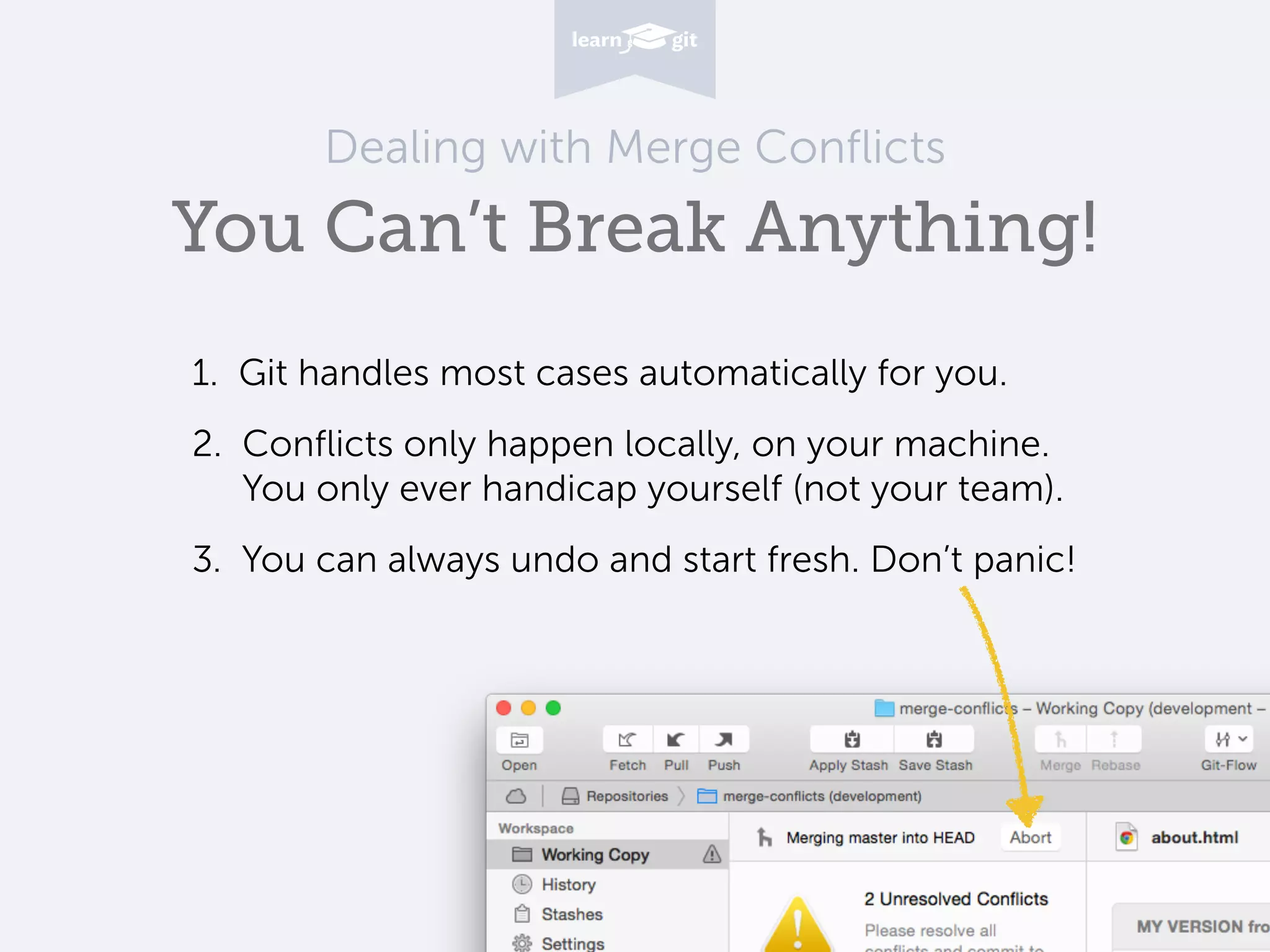
Dealing with Merge Conflicts You Can’t Break Anything! 1. Git handles most cases automatically for you. 2. Conflicts only happen locally, on your machine. 
 You only ever handicap yourself (not your team). 3. You can always undo and start fresh. Don’t panic!
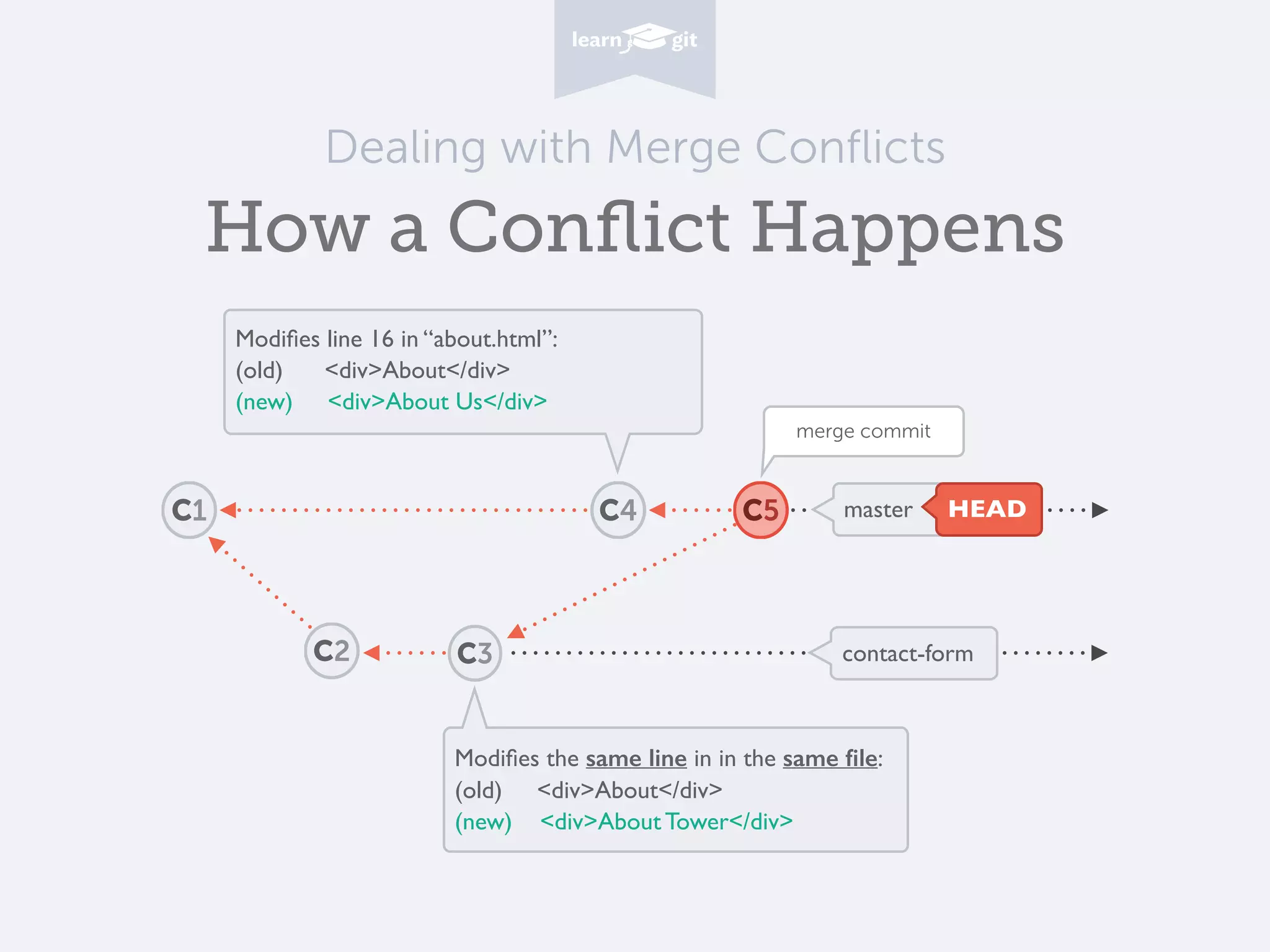
Dealing with Merge Conflicts How a Conflict Happens Modifies line 16 in “about.html”: (old) <div>About</div> (new) <div>About Us</div> Modifies the same line in in the same file: (old) <div>About</div> (new) <div>About Tower</div> C1 C2 contact-form master HEAD C3 C4 merge commit C5
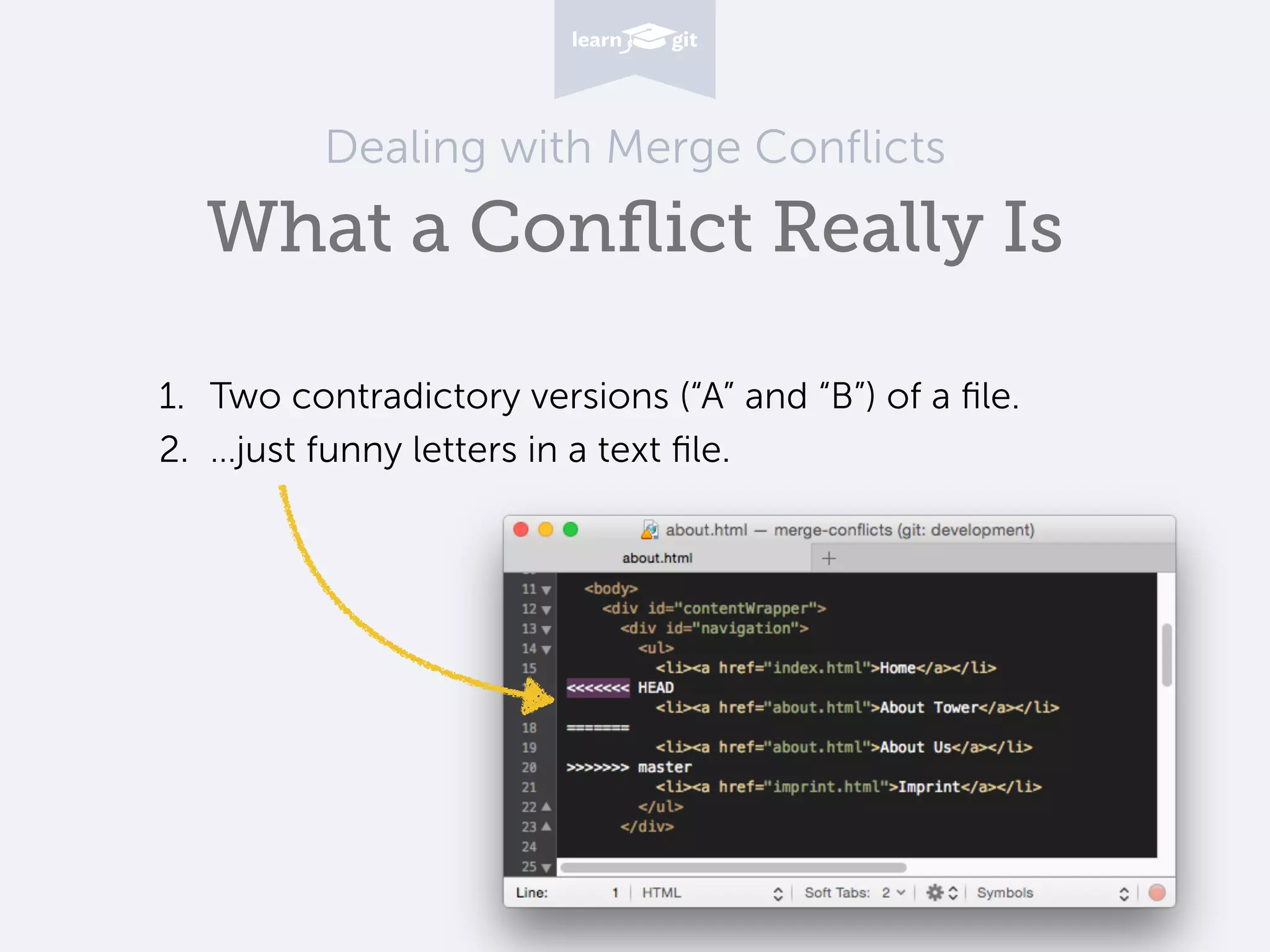
Dealing with Merge Conflicts What a Conflict Really Is 1. Two contradictory versions (“A” and “B”) of a file. 2. …just funny letters in a text file.
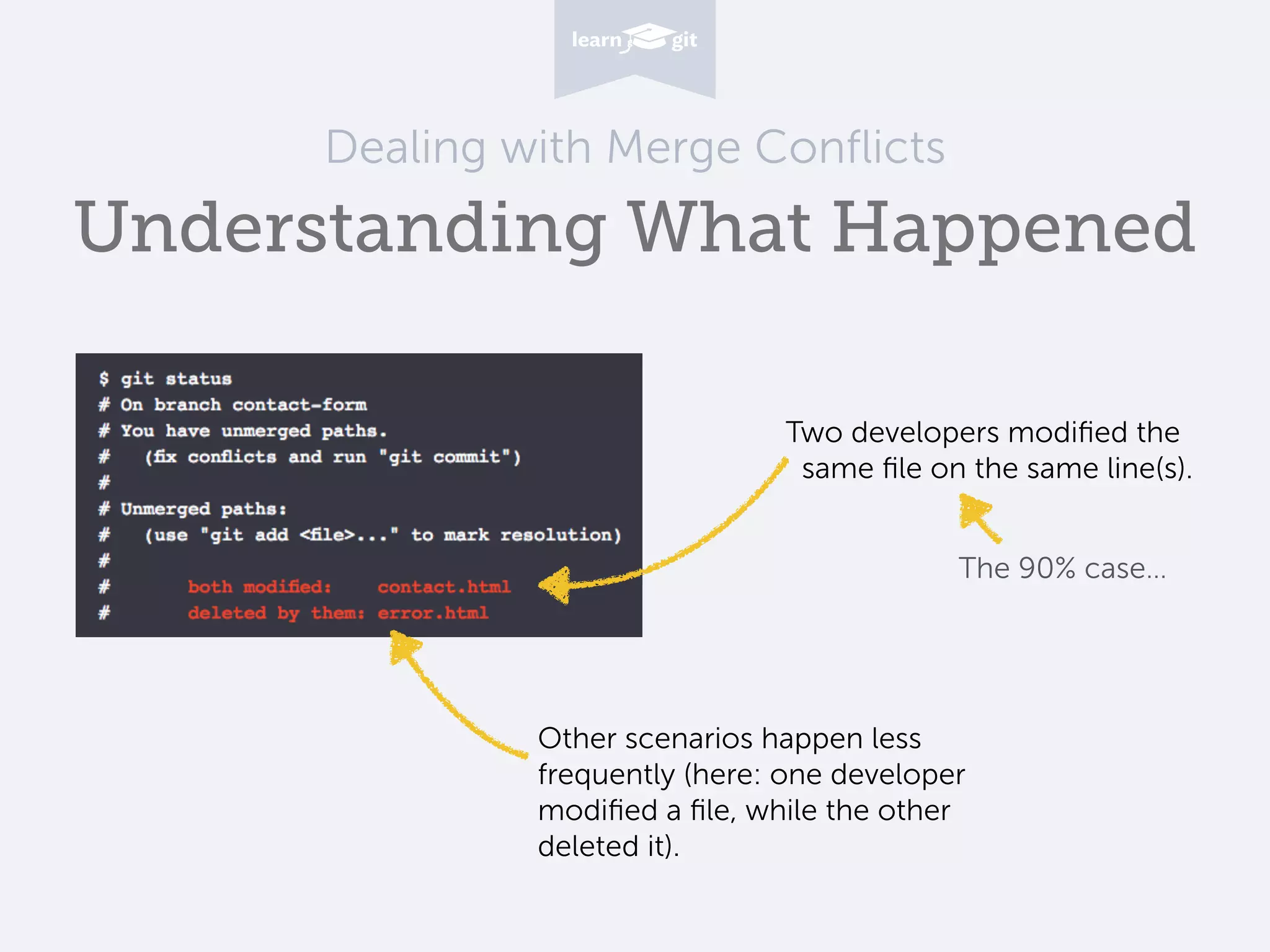
Dealing with Merge Conflicts Understanding What Happened Two developers modified the same file on the same line(s). The 90% case… Other scenarios happen less frequently (here: one developer modified a file, while the other deleted it).
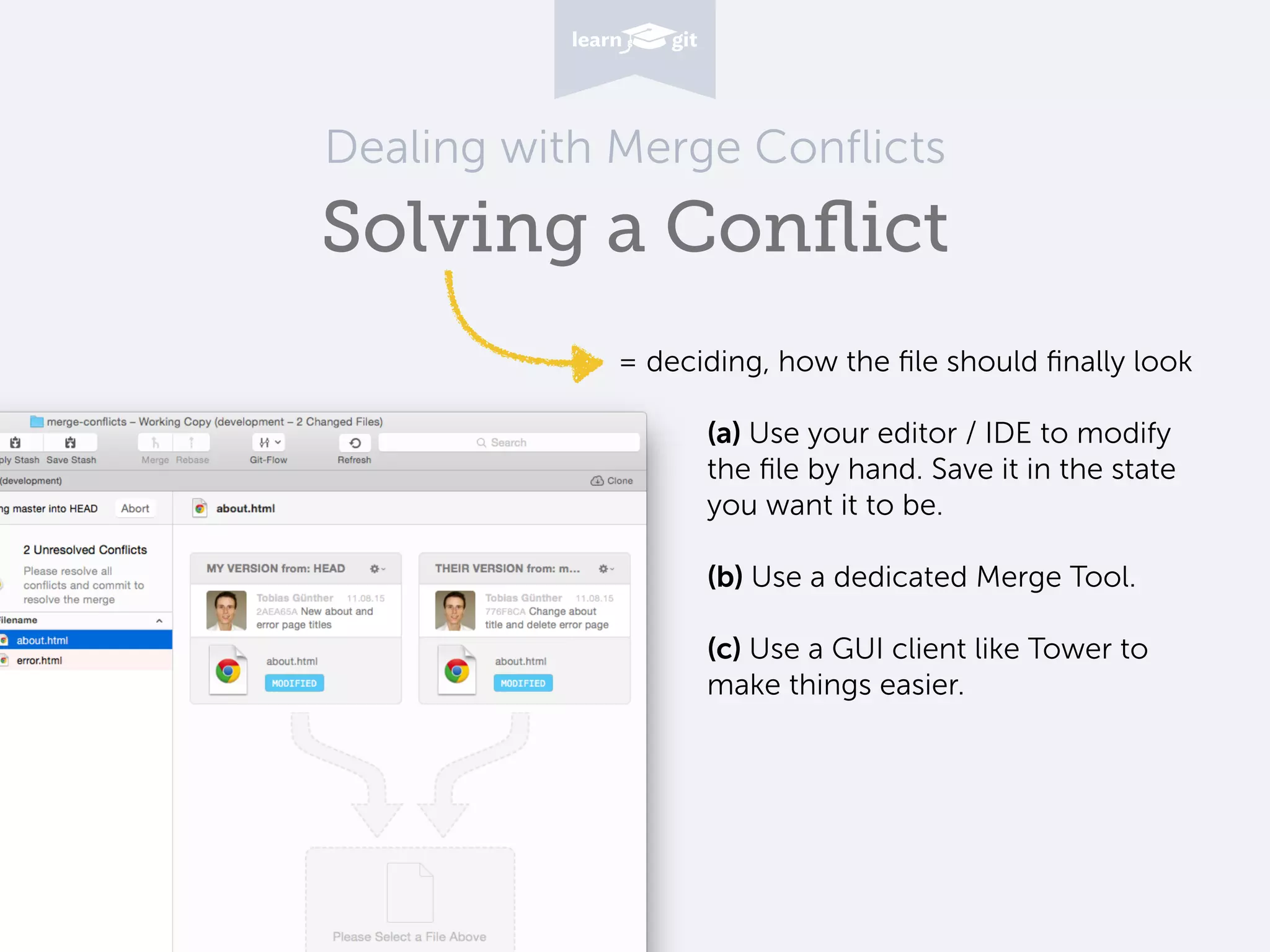
Dealing with Merge Conflicts Solving a Conflict (a) Use your editor / IDE to modify the file by hand. Save it in the state you want it to be.
 
 (b) Use a dedicated Merge Tool. 
 (c) Use a GUI client like Tower to make things easier. = deciding, how the file should finally look
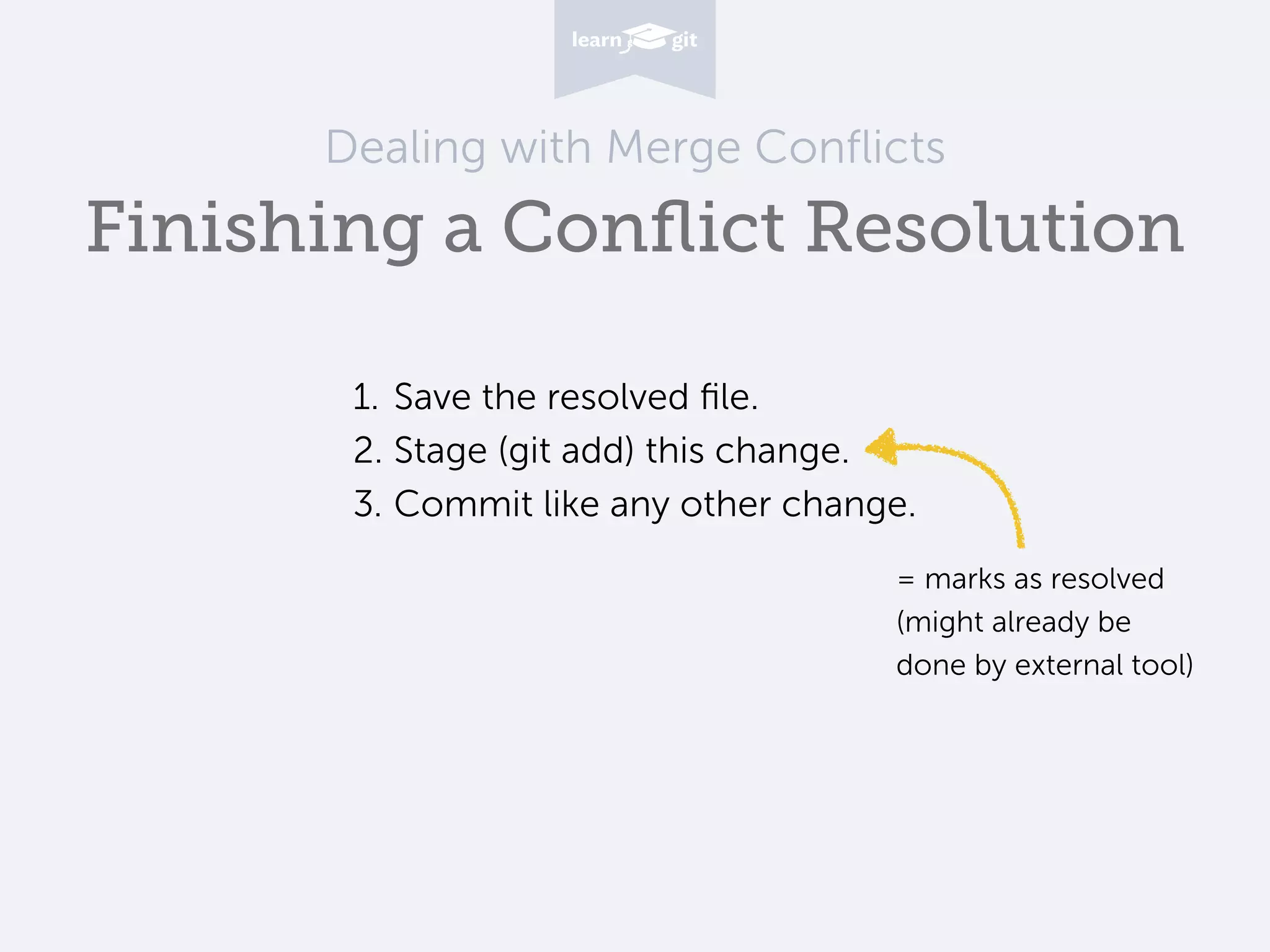
Dealing with Merge Conflicts Finishing a Conflict Resolution 1. Save the resolved file. 2. Stage (git add) this change. 3. Commit like any other change. = marks as resolved
 (might already be
 done by external tool)
Learn Git with our free online book on www.git-tower.com/learn

Dealing with Merge Conflicts in Git

  • 1.
    Learn Version Controlwith Git Dealing with Merge Conflicts in Git
  • 2.
    Dealing with MergeConflicts You Can’t Break Anything! 1. Git handles most cases automatically for you. 2. Conflicts only happen locally, on your machine. 
 You only ever handicap yourself (not your team). 3. You can always undo and start fresh. Don’t panic!
  • 3.
    Dealing with MergeConflicts How a Conflict Happens Modifies line 16 in “about.html”: (old) <div>About</div> (new) <div>About Us</div> Modifies the same line in in the same file: (old) <div>About</div> (new) <div>About Tower</div> C1 C2 contact-form master HEAD C3 C4 merge commit C5
  • 4.
    Dealing with MergeConflicts What a Conflict Really Is 1. Two contradictory versions (“A” and “B”) of a file. 2. …just funny letters in a text file.
  • 5.
    Dealing with MergeConflicts Understanding What Happened Two developers modified the same file on the same line(s). The 90% case… Other scenarios happen less frequently (here: one developer modified a file, while the other deleted it).
  • 6.
    Dealing with MergeConflicts Solving a Conflict (a) Use your editor / IDE to modify the file by hand. Save it in the state you want it to be.
 
 (b) Use a dedicated Merge Tool. 
 (c) Use a GUI client like Tower to make things easier. = deciding, how the file should finally look
  • 7.
    Dealing with MergeConflicts Finishing a Conflict Resolution 1. Save the resolved file. 2. Stage (git add) this change. 3. Commit like any other change. = marks as resolved
 (might already be
 done by external tool)
  • 8.
    Learn Git withour free online book on www.git-tower.com/learn