Deploying Windows Apps with Kubernetes, Draft and Helm
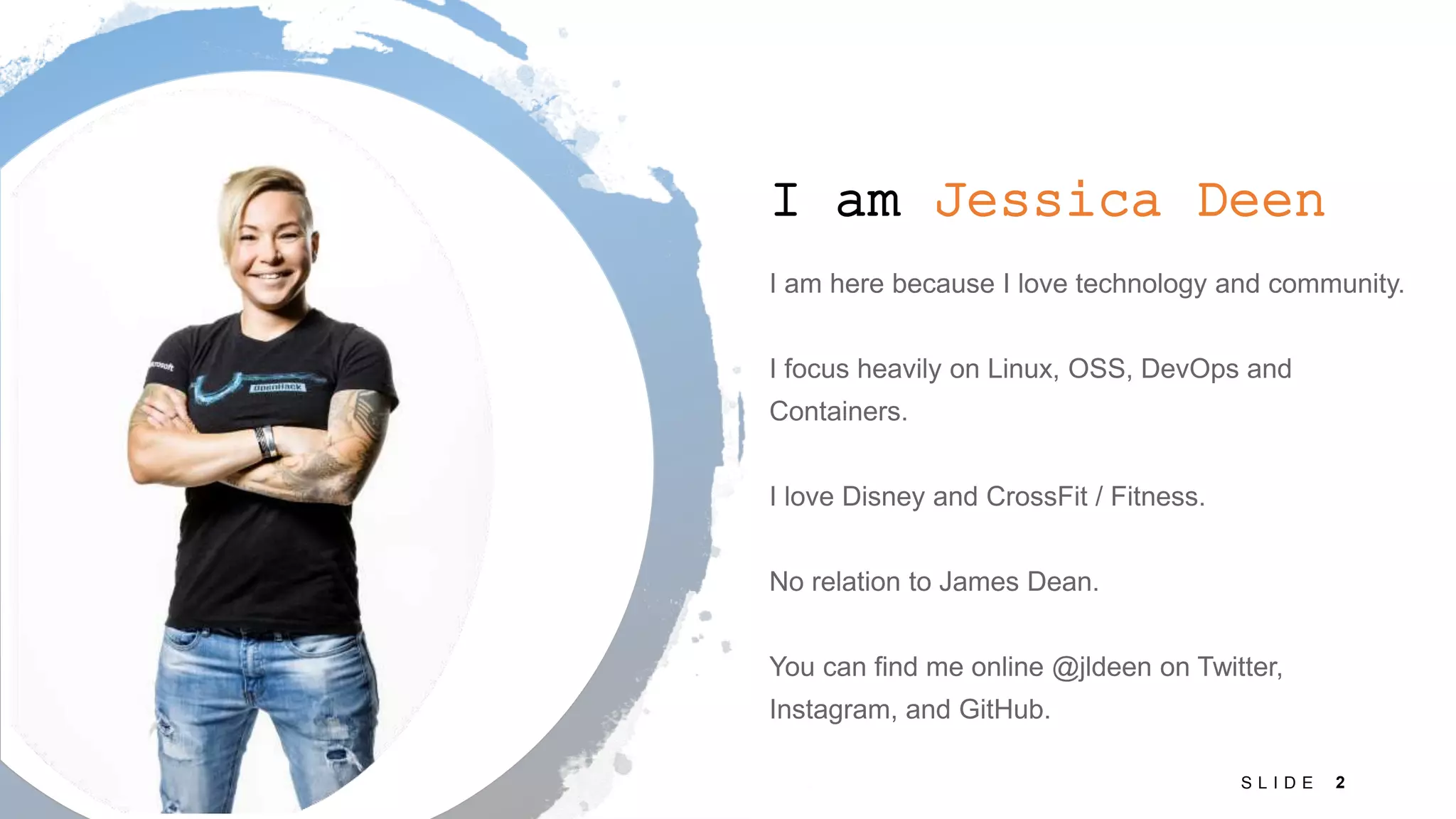
I am Jessica Deen 2S L I D E
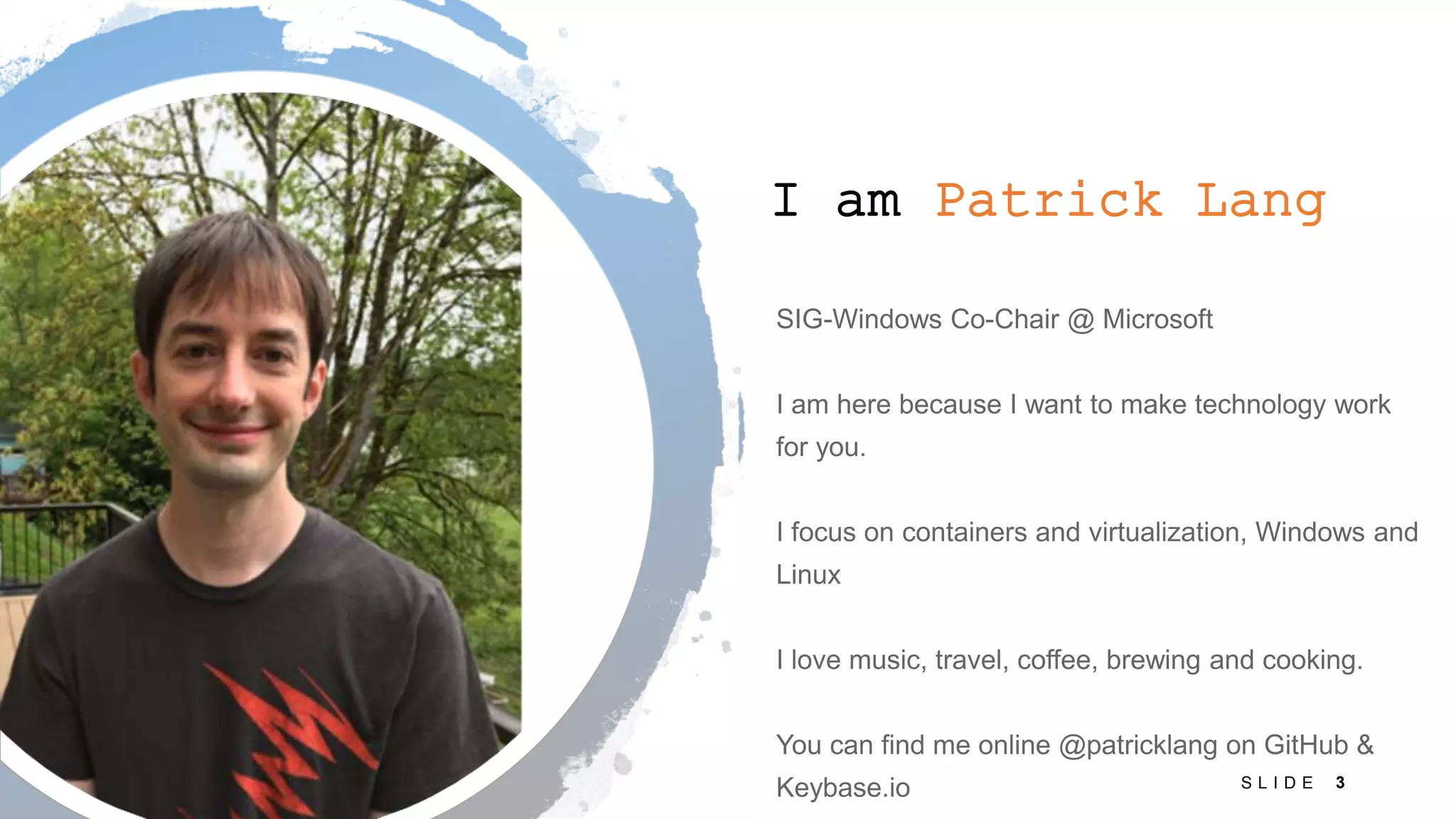
I am Patrick Lang 3S L I D E
Disclaimer Before we begin, there are a few things we want to highlight: • This session was intentionally created to get you thinking and show you where we are with building Kubernetes on windows • This tutorial session has limited space due to the hands-on lab machines we have prepared • The lab VMs we do have on hold are using a PREVIEW service (Azure Labs) and we are putting it to the test today! What could go wrong? • All resources are available on GitHub so you can try your own deployment, your own lab, on your own time • The video of the tutorial will be recorded and will be available online after the event
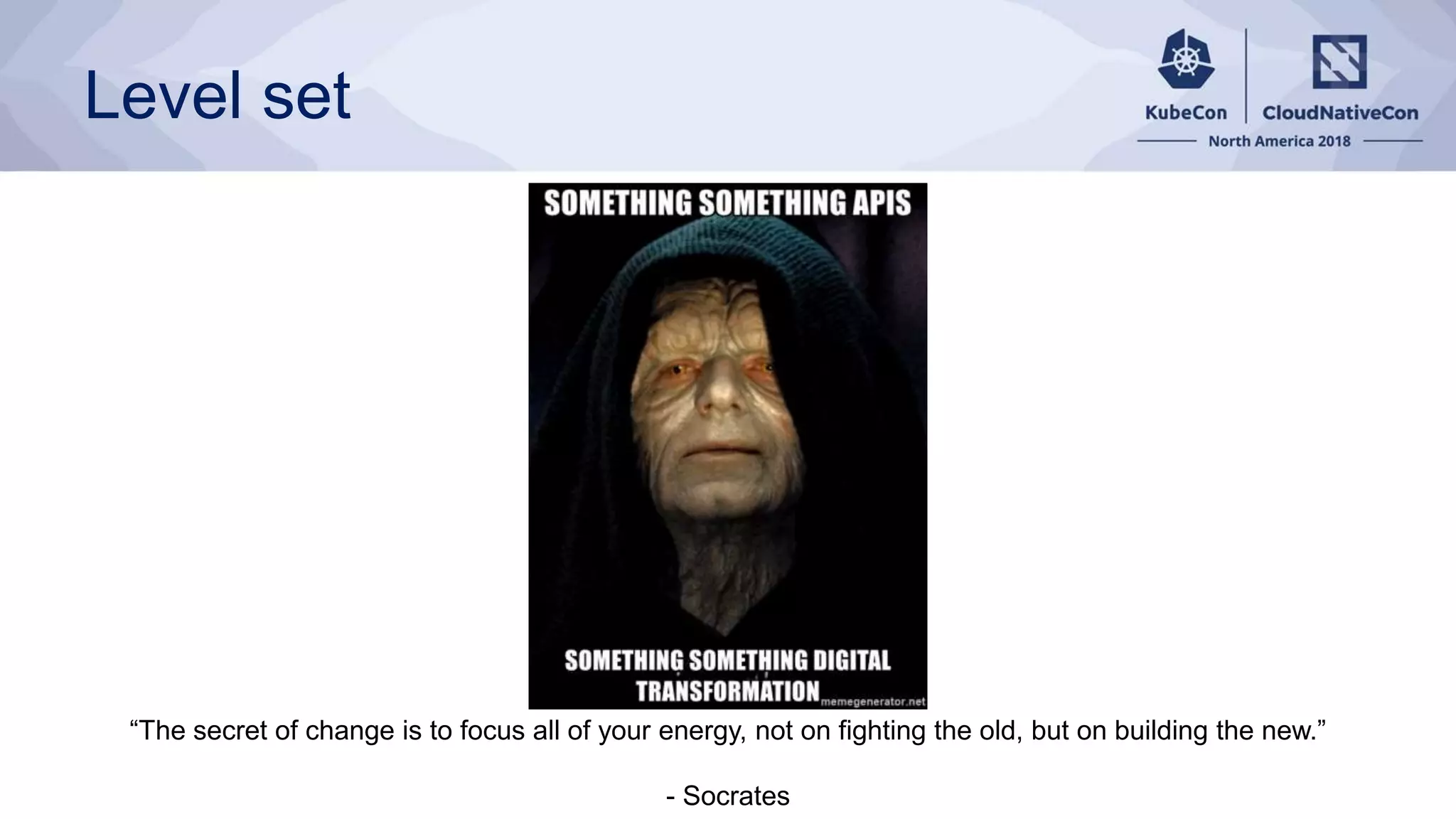
Level set “The secret of change is to focus all of your energy, not on fighting the old, but on building the new.” - Socrates
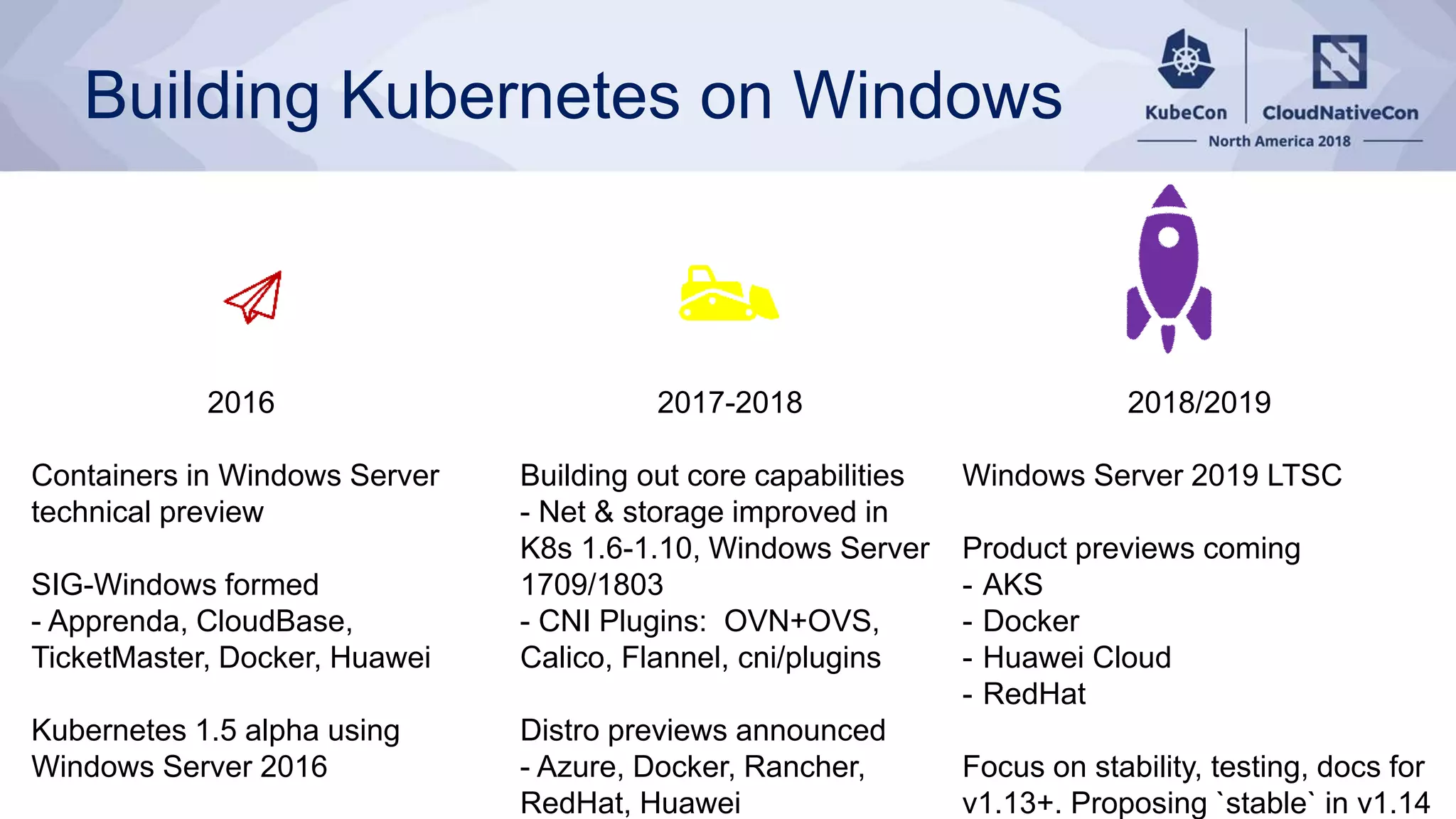
Building Kubernetes on Windows 2016 Containers in Windows Server technical preview SIG-Windows formed - Apprenda, CloudBase, TicketMaster, Docker, Huawei Kubernetes 1.5 alpha using Windows Server 2016 2018/2019 Windows Server 2019 LTSC Product previews coming - AKS - Docker - Huawei Cloud - RedHat Focus on stability, testing, docs for v1.13+. Proposing `stable` in v1.14 2017-2018 Building out core capabilities - Net & storage improved in K8s 1.6-1.10, Windows Server 1709/1803 - CNI Plugins: OVN+OVS, Calico, Flannel, cni/plugins Distro previews announced - Azure, Docker, Rancher, RedHat, Huawei
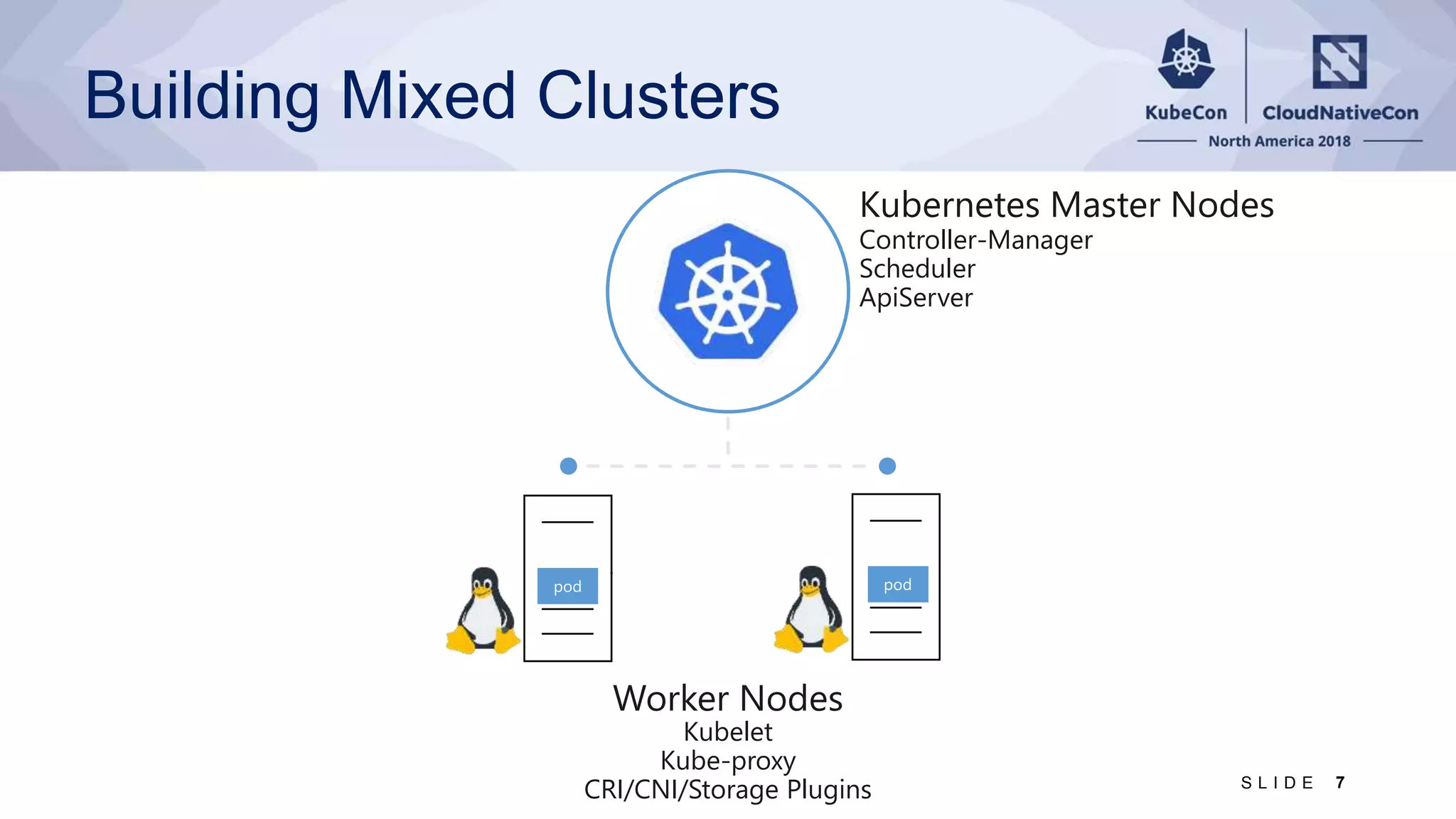
Building Mixed Clusters Controller-Manager Scheduler ApiServer Kubelet Kube-proxy CRI/CNI/Storage Plugins 7S L I D E
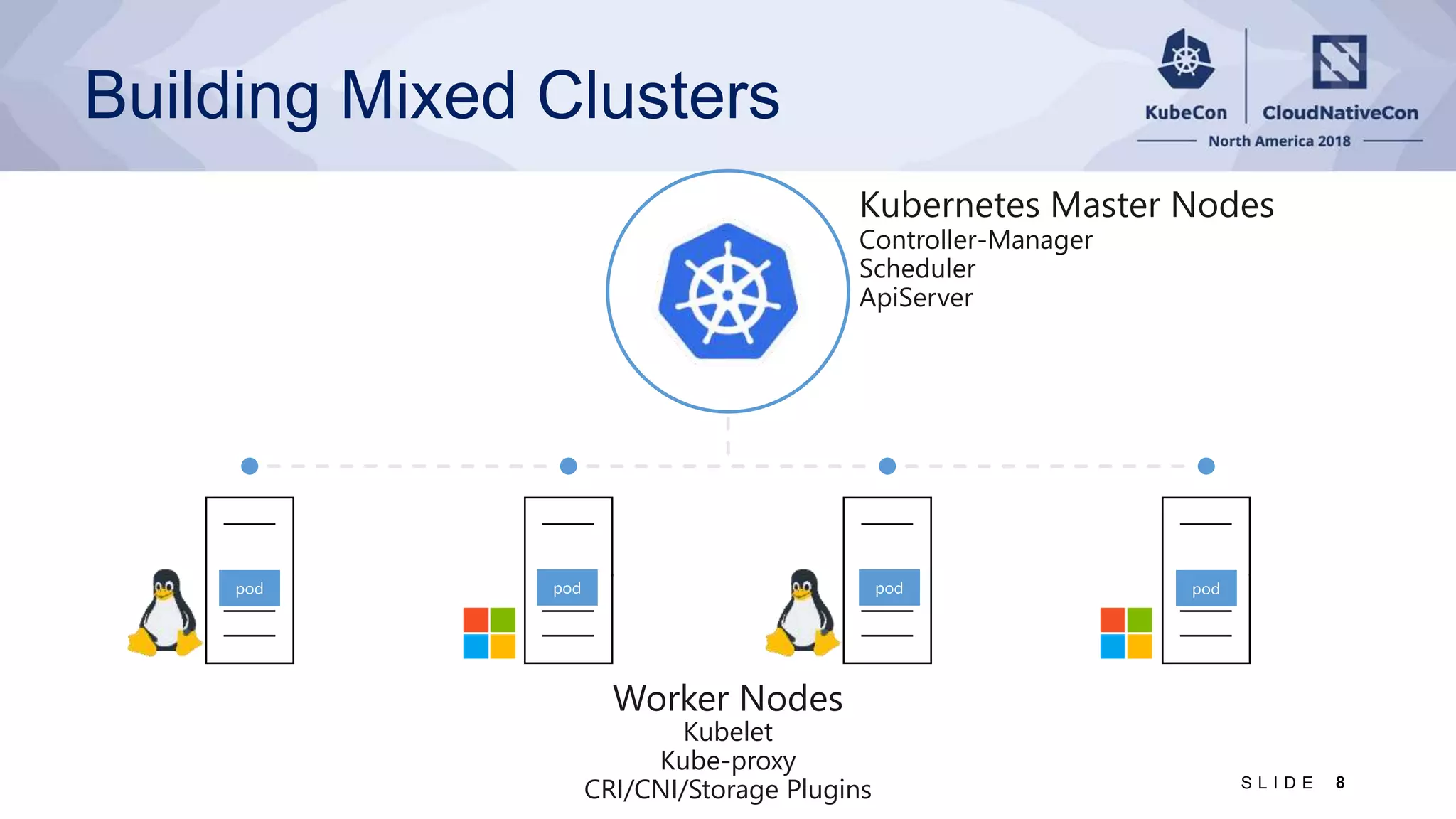
Building Mixed Clusters Controller-Manager Scheduler ApiServer Kubelet Kube-proxy CRI/CNI/Storage Plugins 8S L I D E
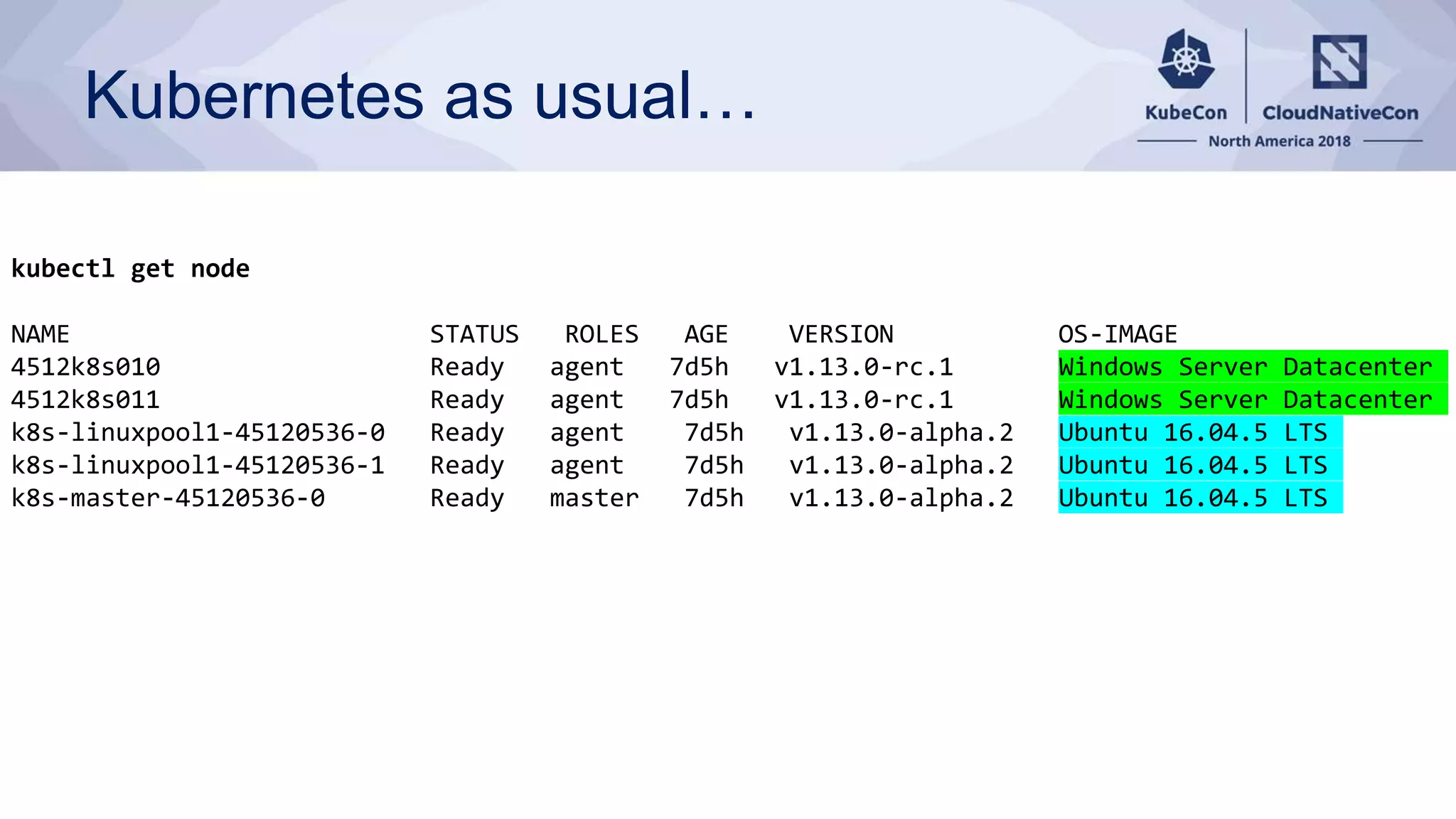
Kubernetes as usual… kubectl get node NAME STATUS ROLES AGE VERSION OS-IMAGE 4512k8s010 Ready agent 7d5h v1.13.0-rc.1 Windows Server Datacenter 4512k8s011 Ready agent 7d5h v1.13.0-rc.1 Windows Server Datacenter k8s-linuxpool1-45120536-0 Ready agent 7d5h v1.13.0-alpha.2 Ubuntu 16.04.5 LTS k8s-linuxpool1-45120536-1 Ready agent 7d5h v1.13.0-alpha.2 Ubuntu 16.04.5 LTS k8s-master-45120536-0 Ready master 7d5h v1.13.0-alpha.2 Ubuntu 16.04.5 LTS
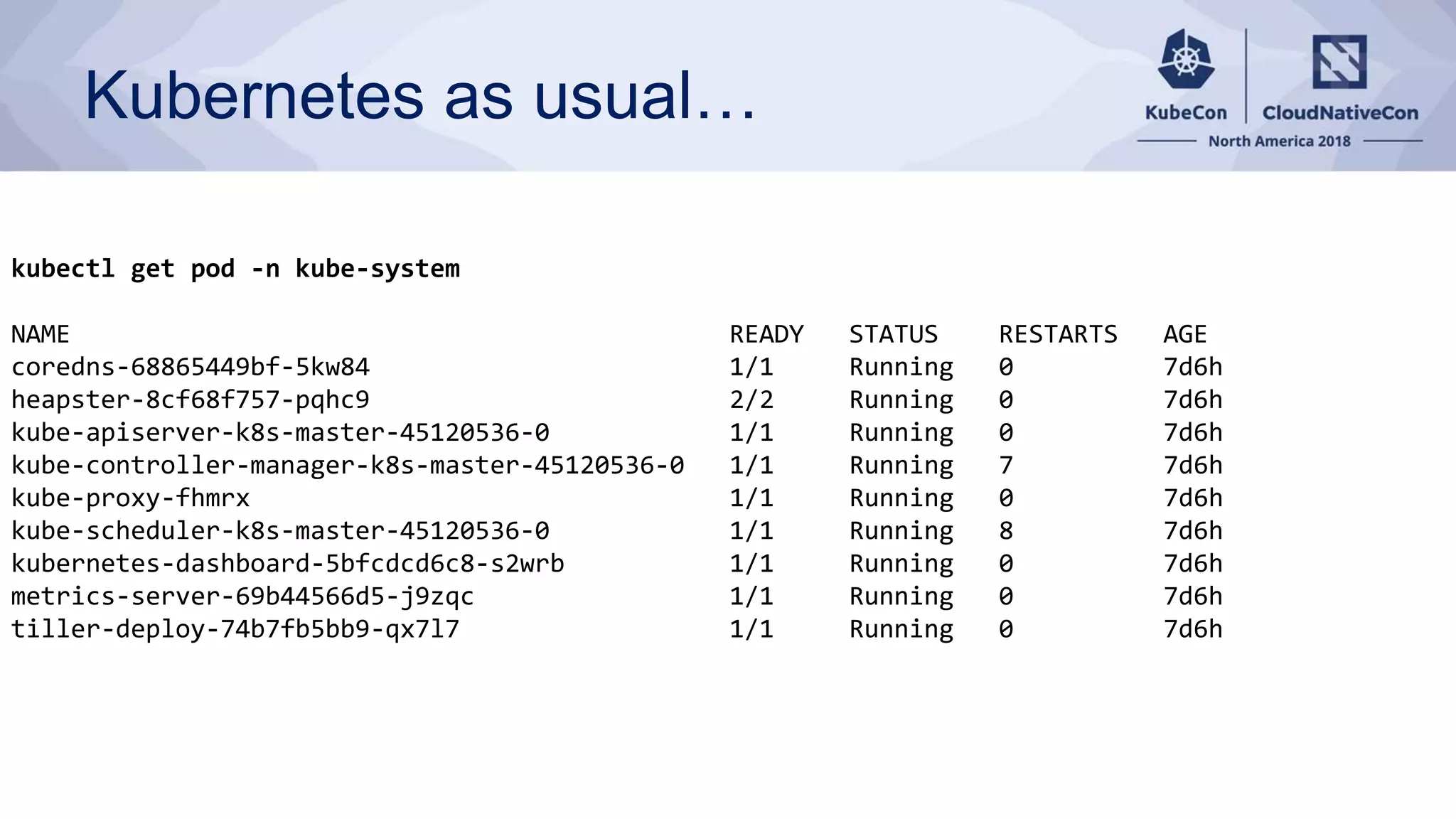
Kubernetes as usual… kubectl get pod -n kube-system NAME READY STATUS RESTARTS AGE coredns-68865449bf-5kw84 1/1 Running 0 7d6h heapster-8cf68f757-pqhc9 2/2 Running 0 7d6h kube-apiserver-k8s-master-45120536-0 1/1 Running 0 7d6h kube-controller-manager-k8s-master-45120536-0 1/1 Running 7 7d6h kube-proxy-fhmrx 1/1 Running 0 7d6h kube-scheduler-k8s-master-45120536-0 1/1 Running 8 7d6h kubernetes-dashboard-5bfcdcd6c8-s2wrb 1/1 Running 0 7d6h metrics-server-69b44566d5-j9zqc 1/1 Running 0 7d6h tiller-deploy-74b7fb5bb9-qx7l7 1/1 Running 0 7d6h
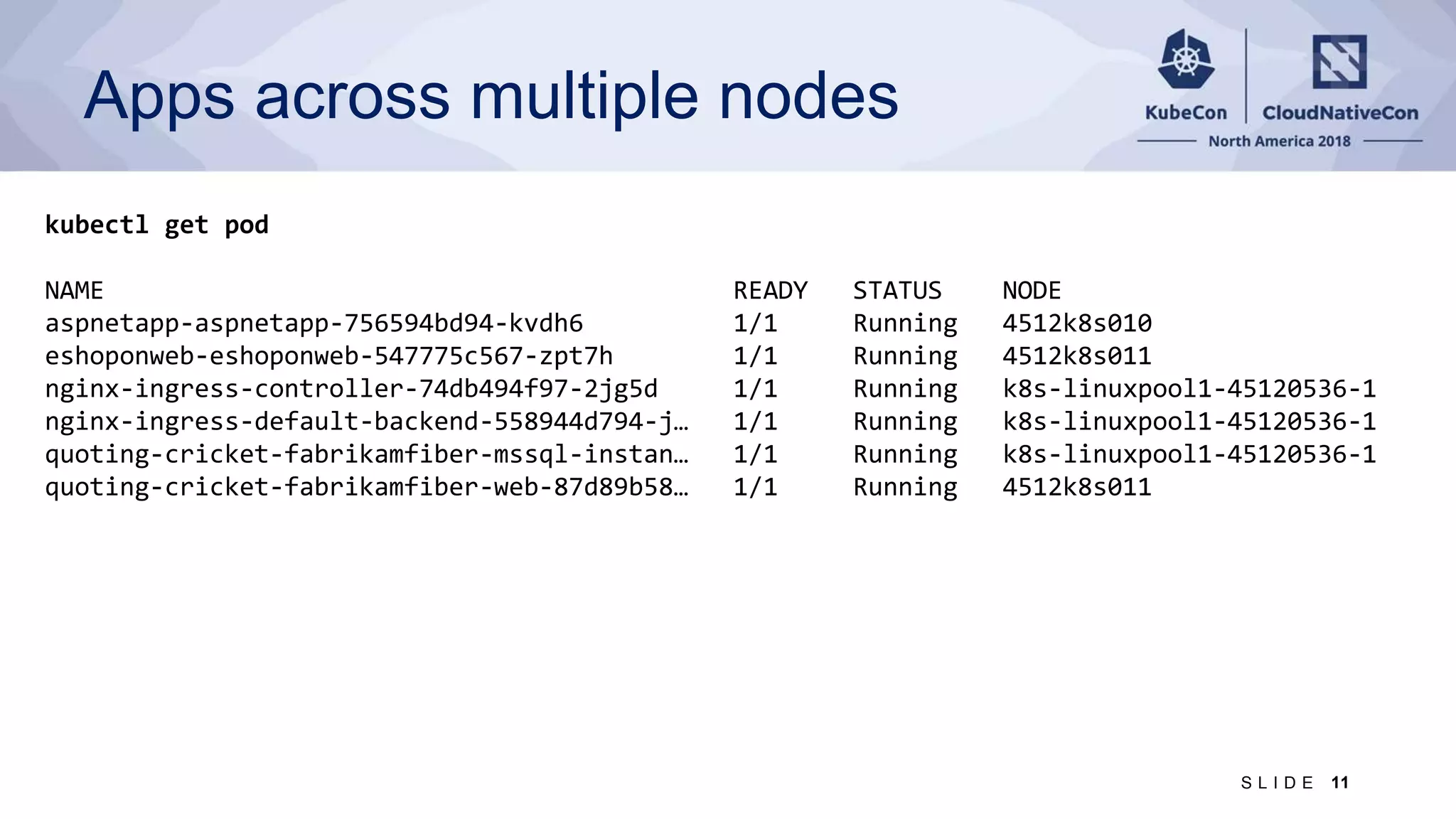
Apps across multiple nodes 11S L I D E kubectl get pod NAME READY STATUS NODE aspnetapp-aspnetapp-756594bd94-kvdh6 1/1 Running 4512k8s010 eshoponweb-eshoponweb-547775c567-zpt7h 1/1 Running 4512k8s011 nginx-ingress-controller-74db494f97-2jg5d 1/1 Running k8s-linuxpool1-45120536-1 nginx-ingress-default-backend-558944d794-j… 1/1 Running k8s-linuxpool1-45120536-1 quoting-cricket-fabrikamfiber-mssql-instan… 1/1 Running k8s-linuxpool1-45120536-1 quoting-cricket-fabrikamfiber-web-87d89b58… 1/1 Running 4512k8s011
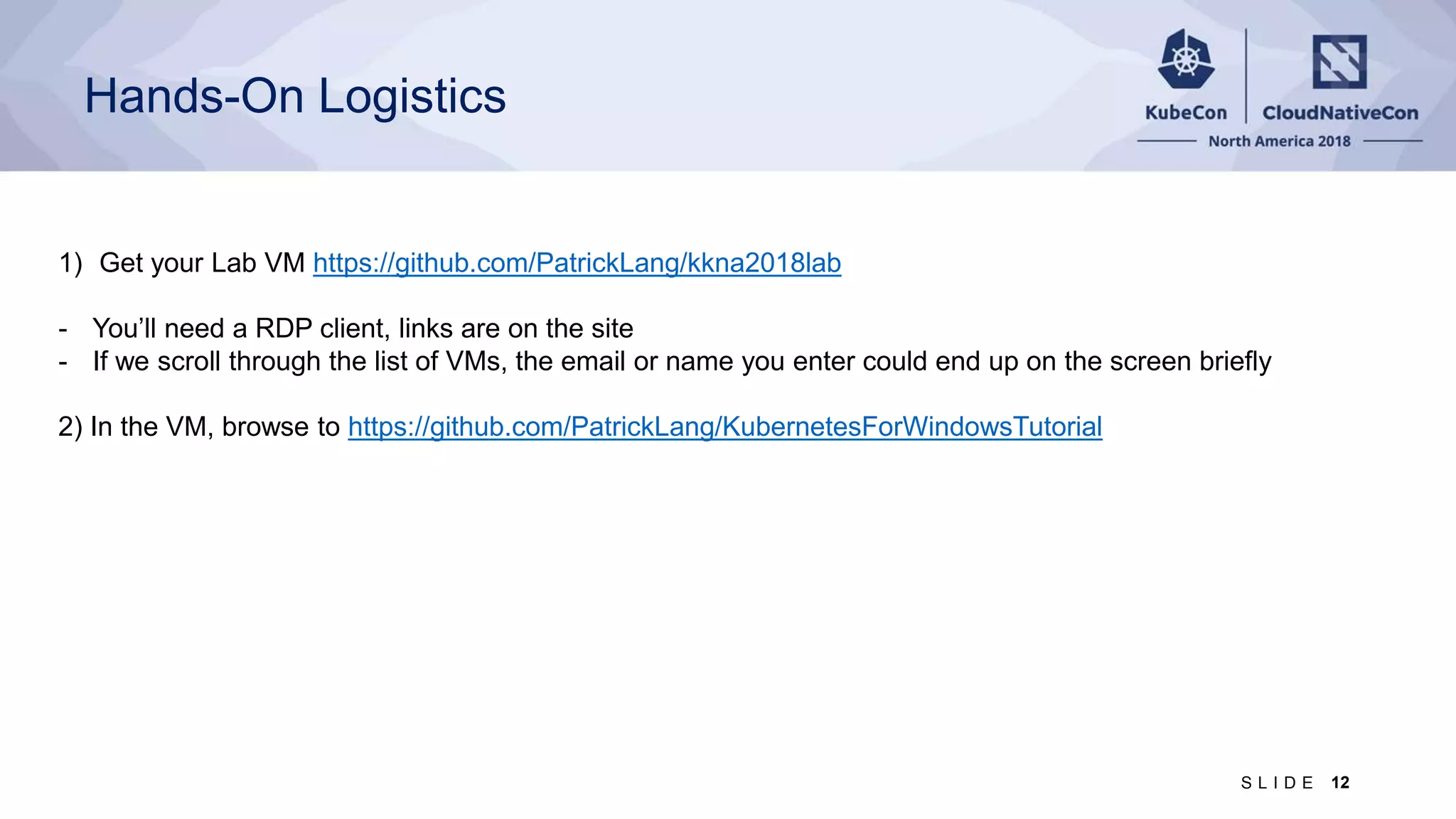
Hands-On Logistics 1) Get your Lab VM https://github.com/PatrickLang/kkna2018lab - You’ll need a RDP client, links are on the site - If we scroll through the list of VMs, the email or name you enter could end up on the screen briefly 2) In the VM, browse to https://github.com/PatrickLang/KubernetesForWindowsTutorial 12S L I D E
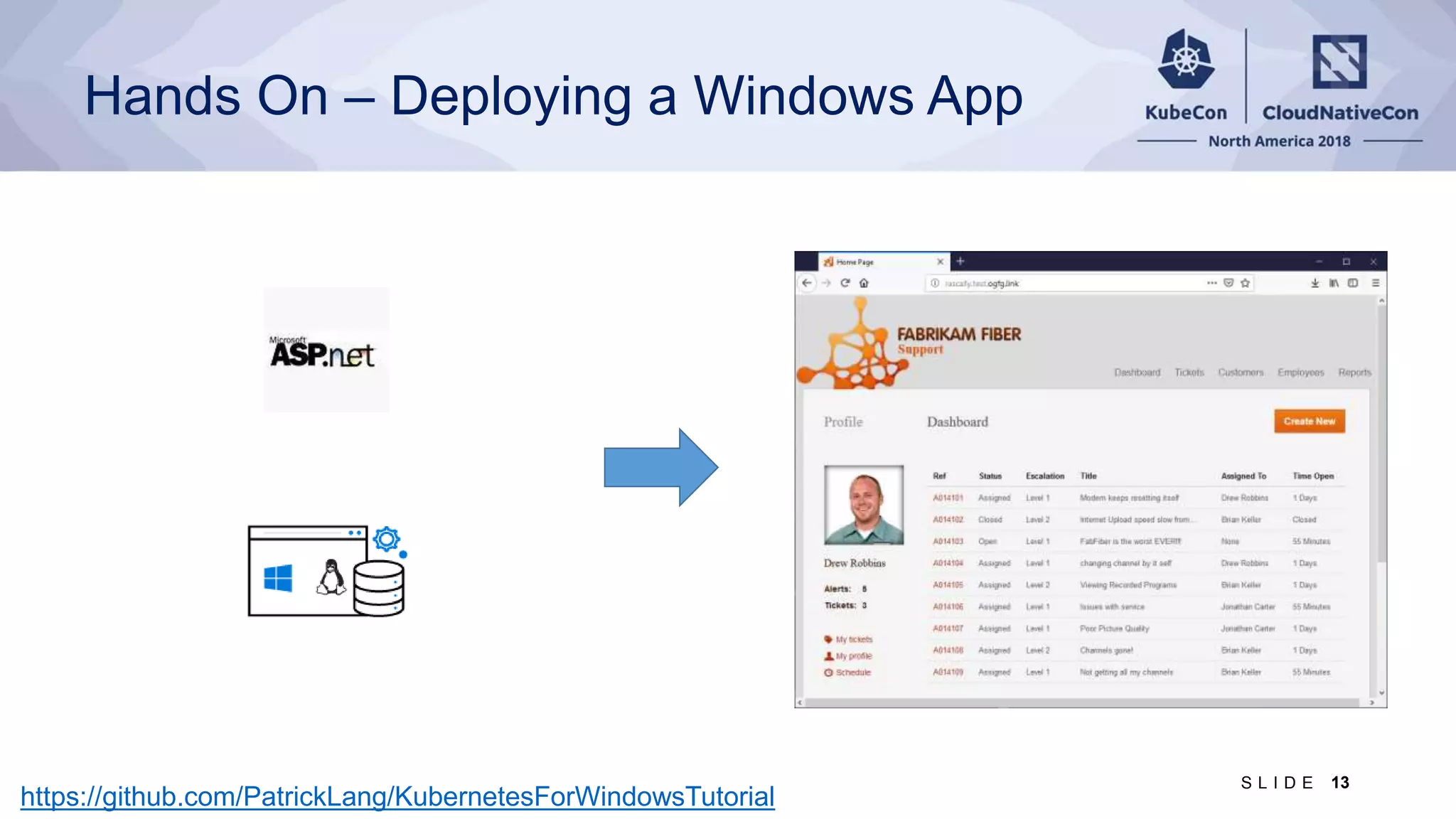
Hands On – Deploying a Windows App https://github.com/PatrickLang/KubernetesForWindowsTutorial 13S L I D E
It’s the same right? Same API = management tools - Kubectl - Helm Manage Linux from Windows, Windows from Linux, Linux from Windows running Linux tools with WSL, … Same processes - kubelet, dockerd/containerd, cni Same supporting container infrastructure - Container registries (including Docker Hub) 14S L I D E
Things to Consider Where the container runs - Need a Windows Server node = Use NodeSelector If you’re adding Windows and don’t already have nodeSelector on Linux deployments - Option 1: Add a taint to Windows nodes, toleration to Windows deployments - Option 2: Update your Helm Charts and YAML files Resource Consumption - Need higher limits (300Mb min) - need Windows background services per container Kernel/User compatibility - Windows kernel major version should match (for now) - Build on Windows Server 2019 = must run on Windows Server 2019 - Likewise for other versions - Hyper-V isolation [alpha] can run older containers on a newer node 15S L I D E
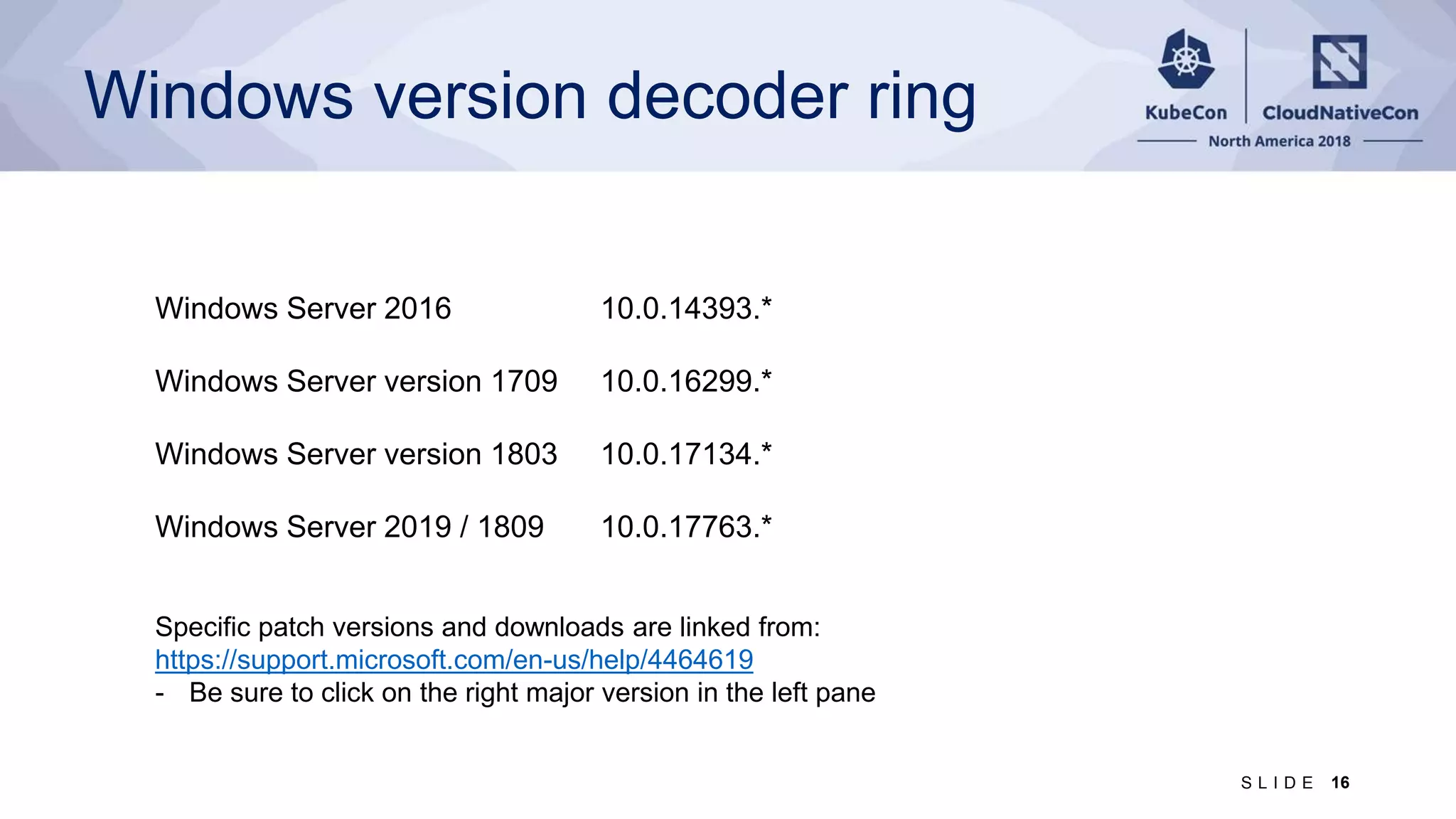
Windows version decoder ring Windows Server 2016 10.0.14393.* Windows Server version 1709 10.0.16299.* Windows Server version 1803 10.0.17134.* Windows Server 2019 / 1809 10.0.17763.* Specific patch versions and downloads are linked from: https://support.microsoft.com/en-us/help/4464619 - Be sure to click on the right major version in the left pane 16S L I D E
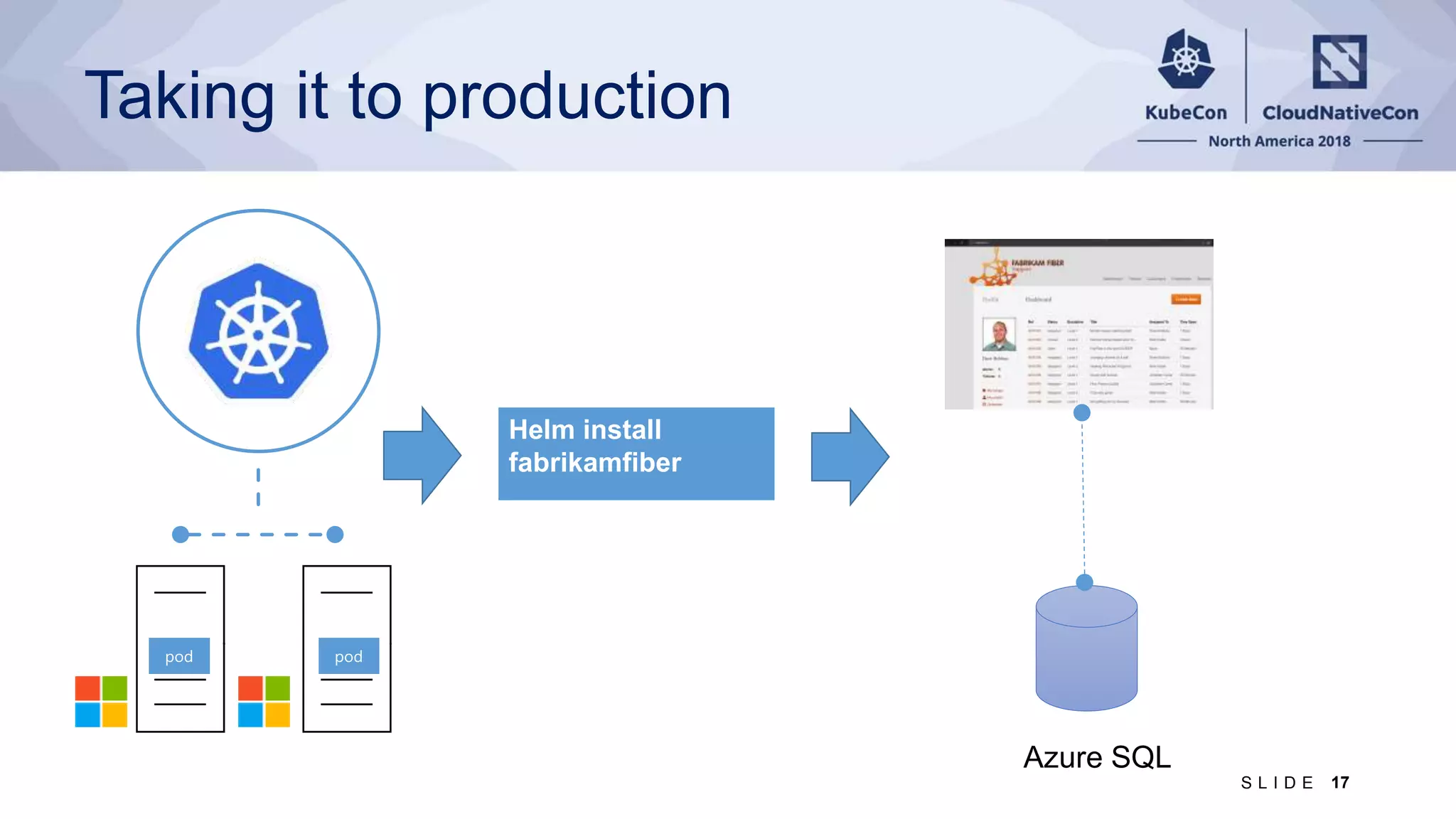
Taking it to production Helm install fabrikamfiber 17S L I D E
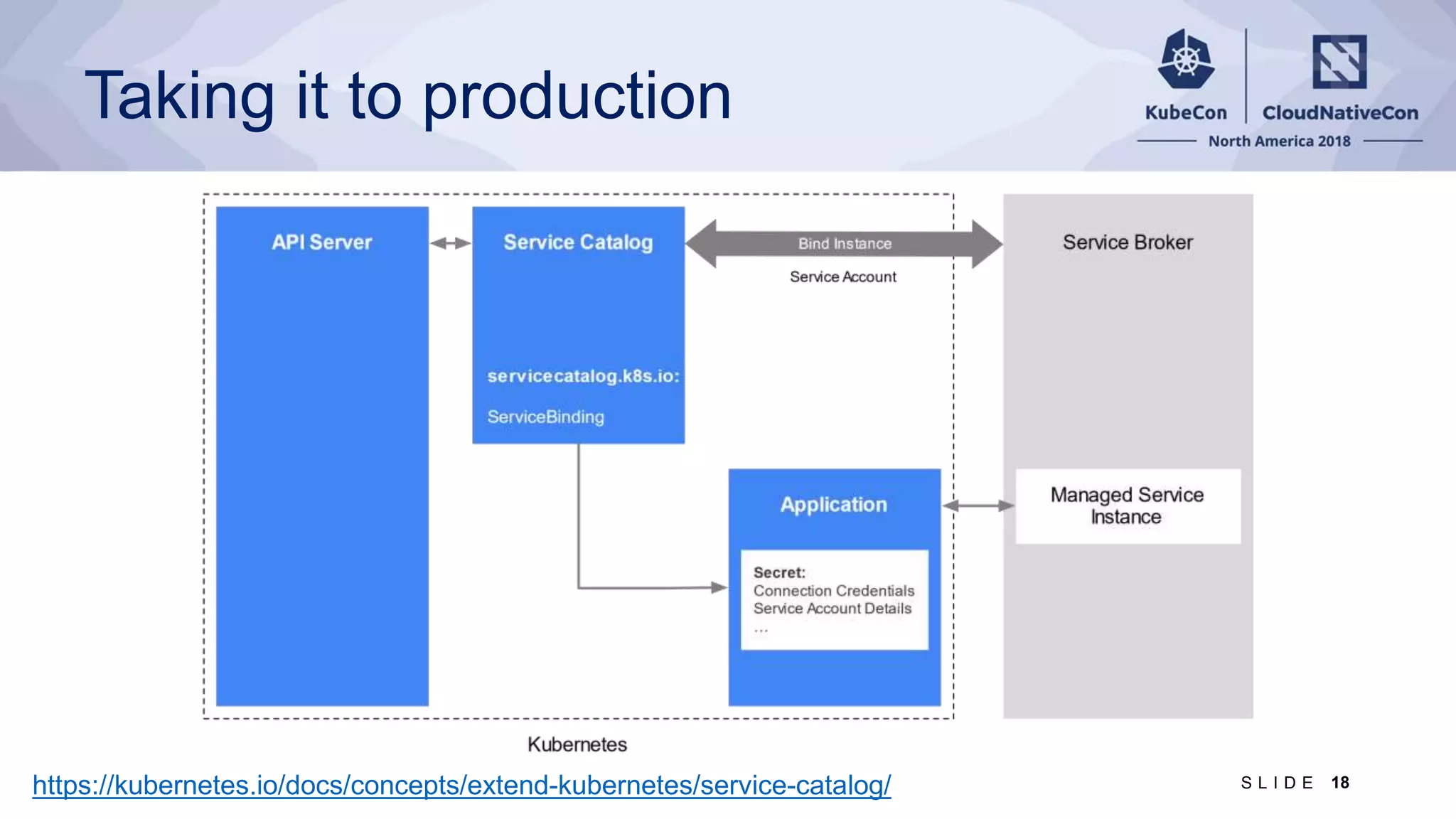
Taking it to production https://kubernetes.io/docs/concepts/extend-kubernetes/service-catalog/ 18S L I D E
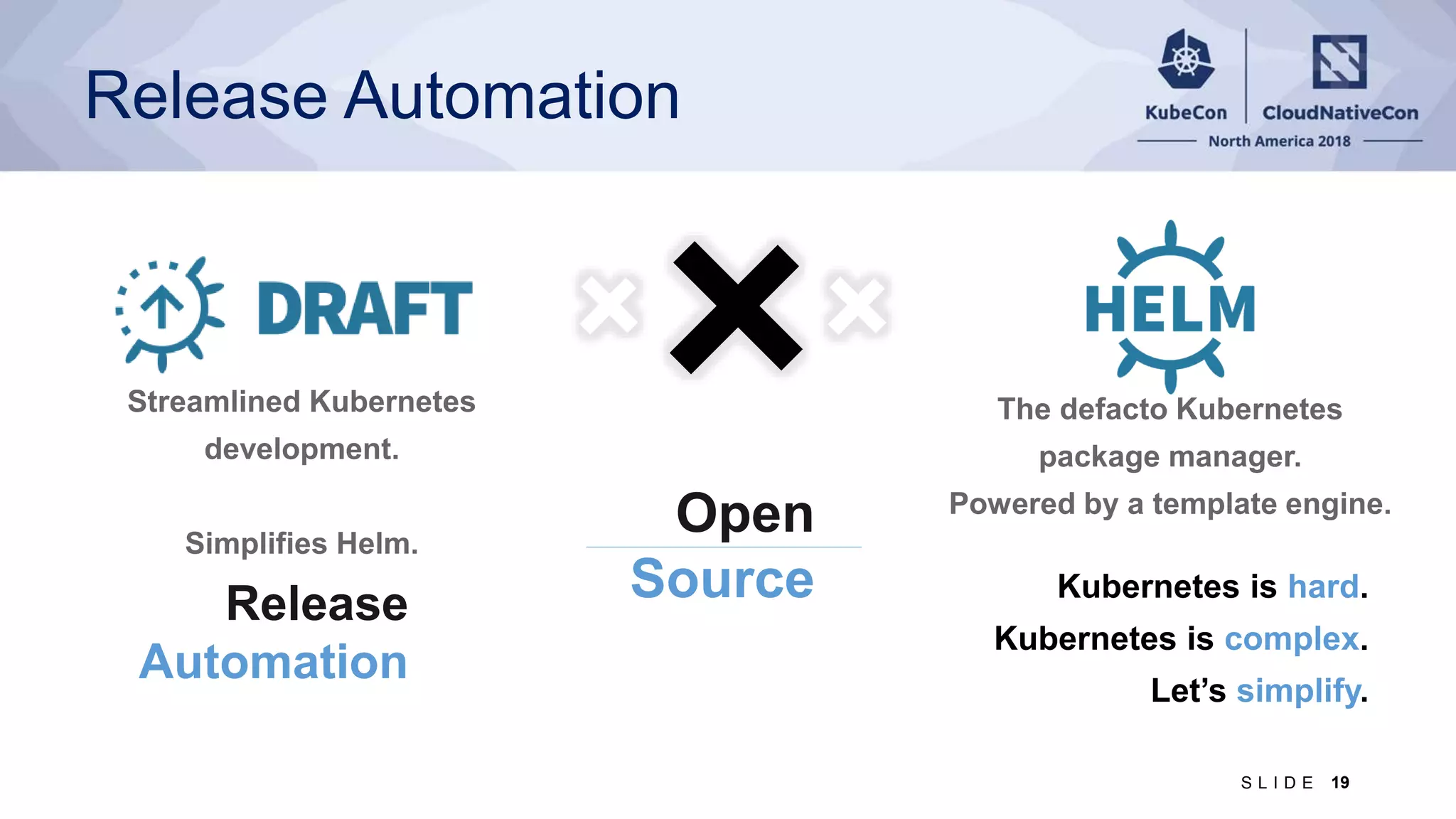
Release Automation Kubernetes is hard. Kubernetes is complex. Let’s simplify. Open Source Release Automation 19S L I D E
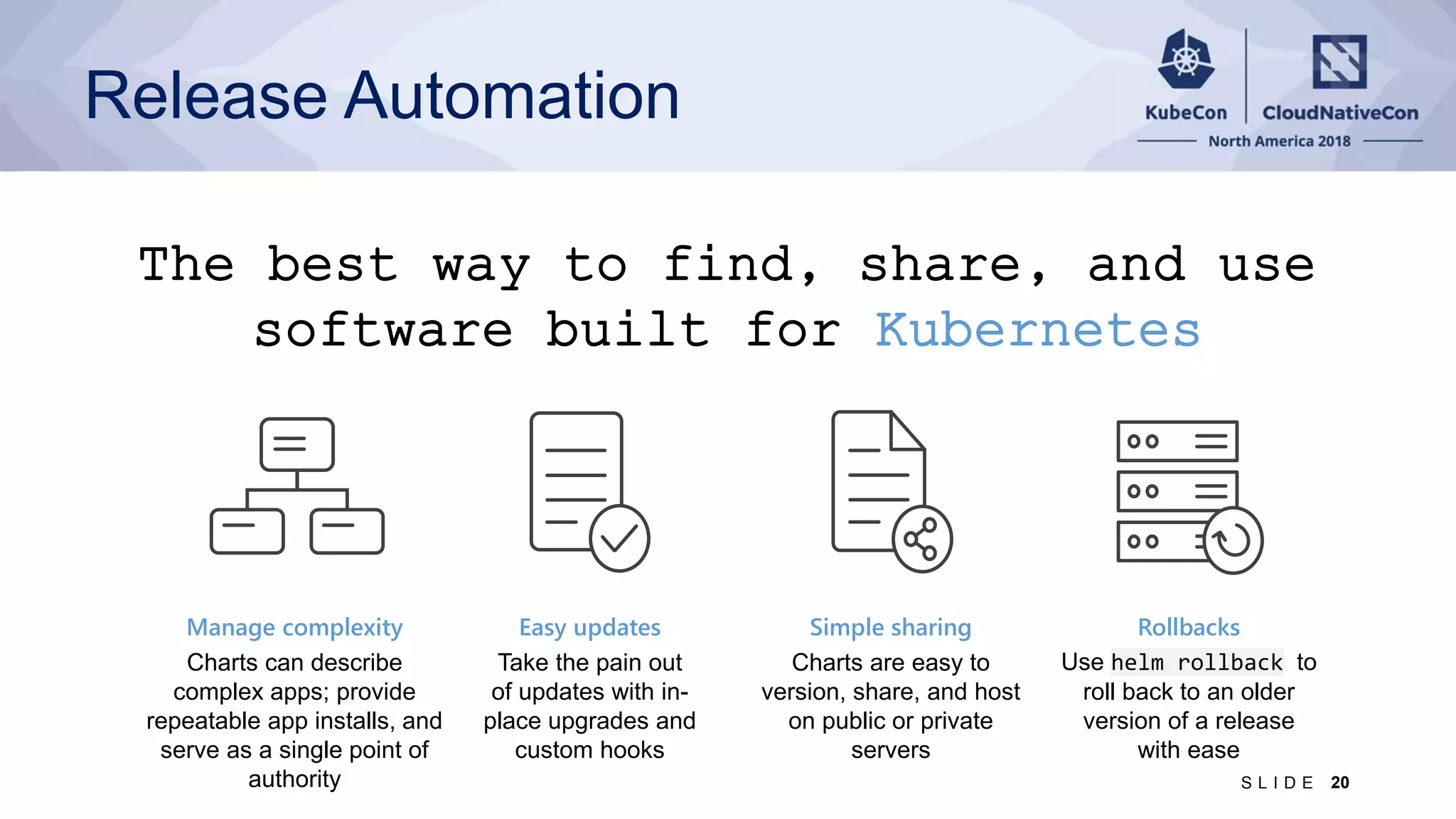
Manage complexity Charts can describe complex apps; provide repeatable app installs, and serve as a single point of authority Easy updates Take the pain out of updates with in- place upgrades and custom hooks Simple sharing Charts are easy to version, share, and host on public or private servers Rollbacks Use helm rollback to roll back to an older version of a release with ease The best way to find, share, and use software built for Kubernetes Release Automation 20S L I D E
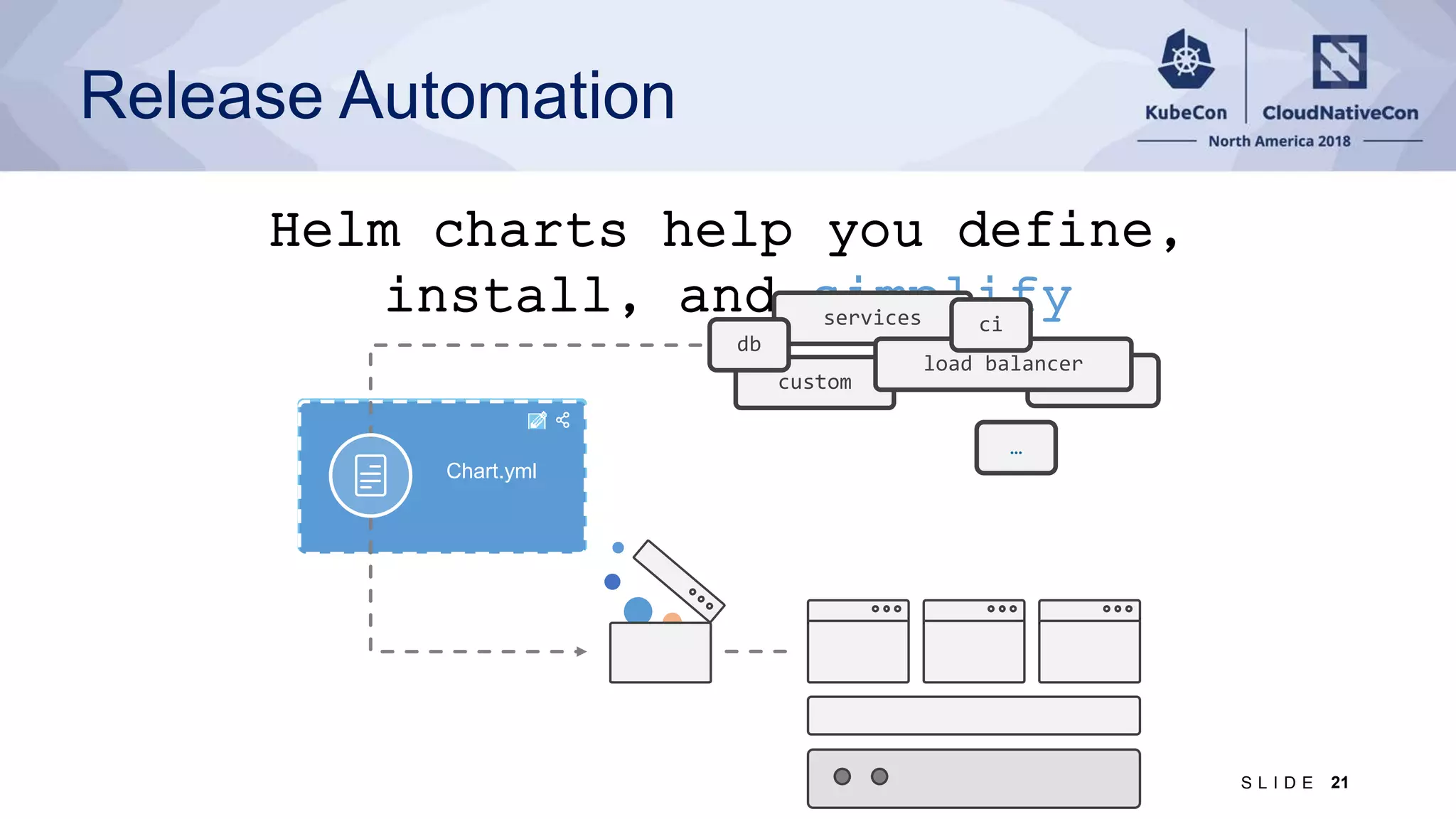
Helm charts help you define, install, and simplify custom services Chart.yml db load balancer ci … Release Automation 21S L I D E
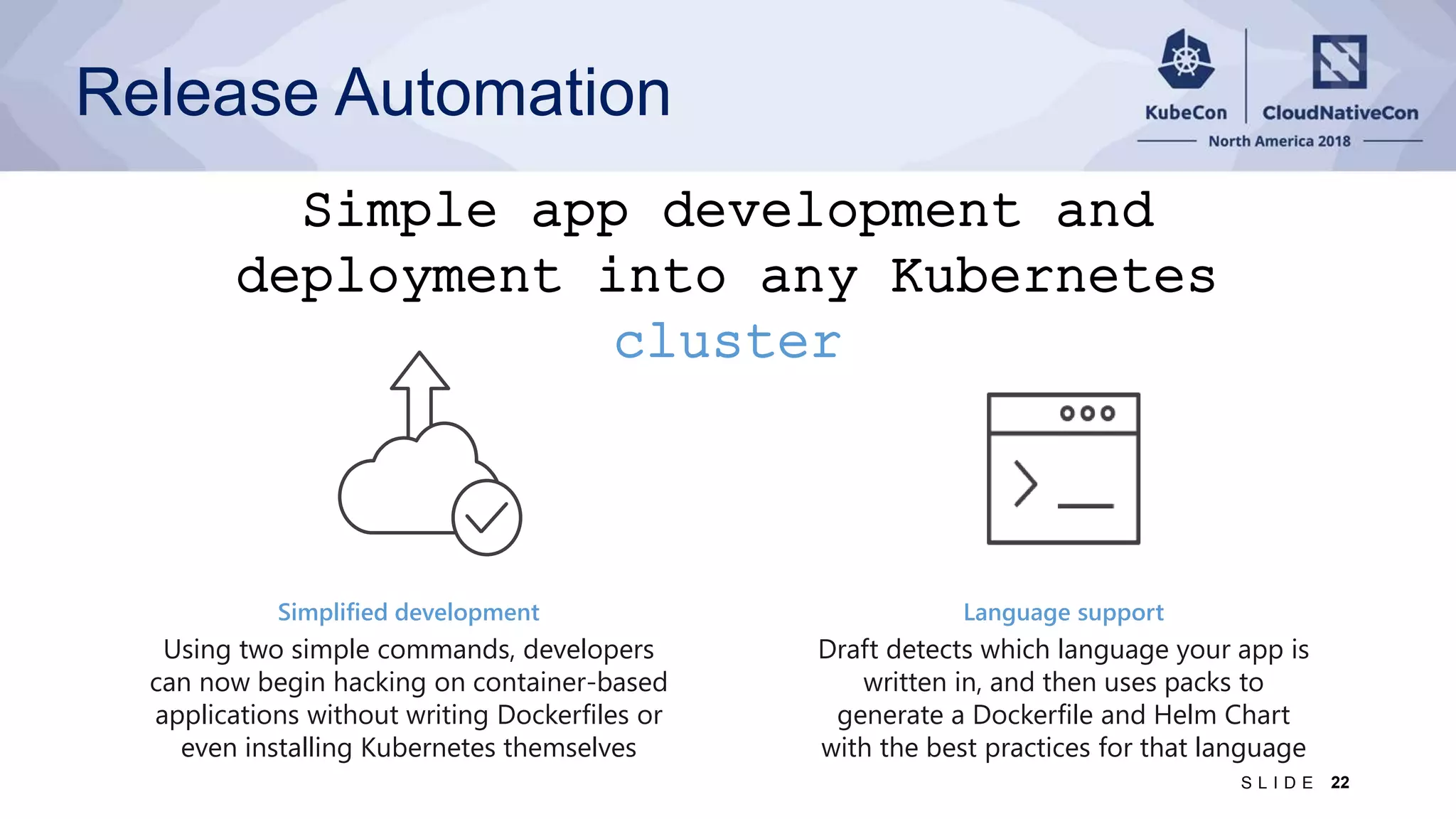
Simple app development and deployment into any Kubernetes cluster Simplified development Using two simple commands, developers can now begin hacking on container-based applications without writing Dockerfiles or even installing Kubernetes themselves Language support Draft detects which language your app is written in, and then uses packs to generate a Dockerfile and Helm Chart with the best practices for that language Release Automation 22S L I D E
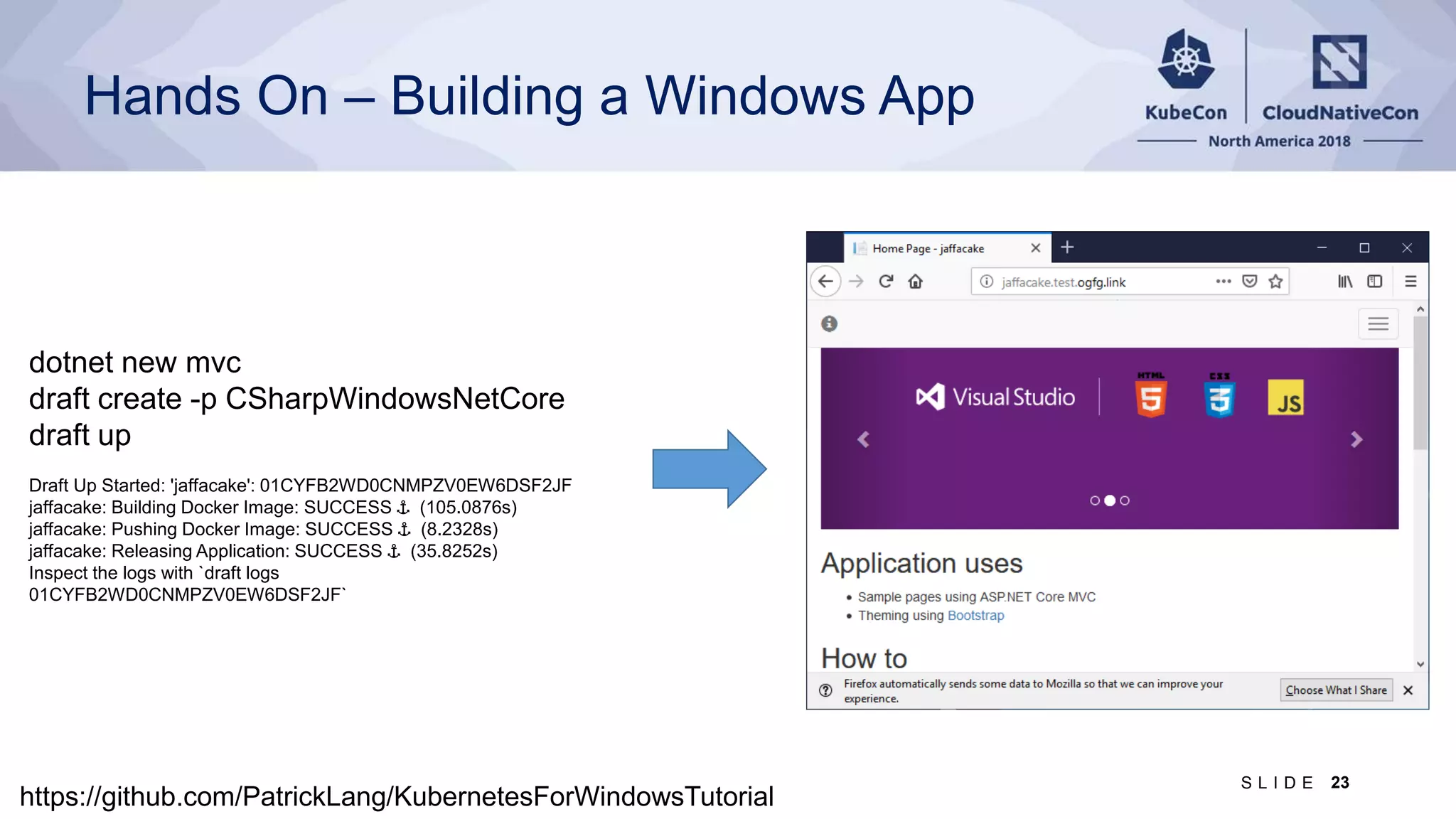
Hands On – Building a Windows App https://github.com/PatrickLang/KubernetesForWindowsTutorial 23S L I D E dotnet new mvc draft create -p CSharpWindowsNetCore draft up Draft Up Started: 'jaffacake': 01CYFB2WD0CNMPZV0EW6DSF2JF jaffacake: Building Docker Image: SUCCESS ⚓ (105.0876s) jaffacake: Pushing Docker Image: SUCCESS ⚓ (8.2328s) jaffacake: Releasing Application: SUCCESS ⚓ (35.8252s) Inspect the logs with `draft logs 01CYFB2WD0CNMPZV0EW6DSF2JF`
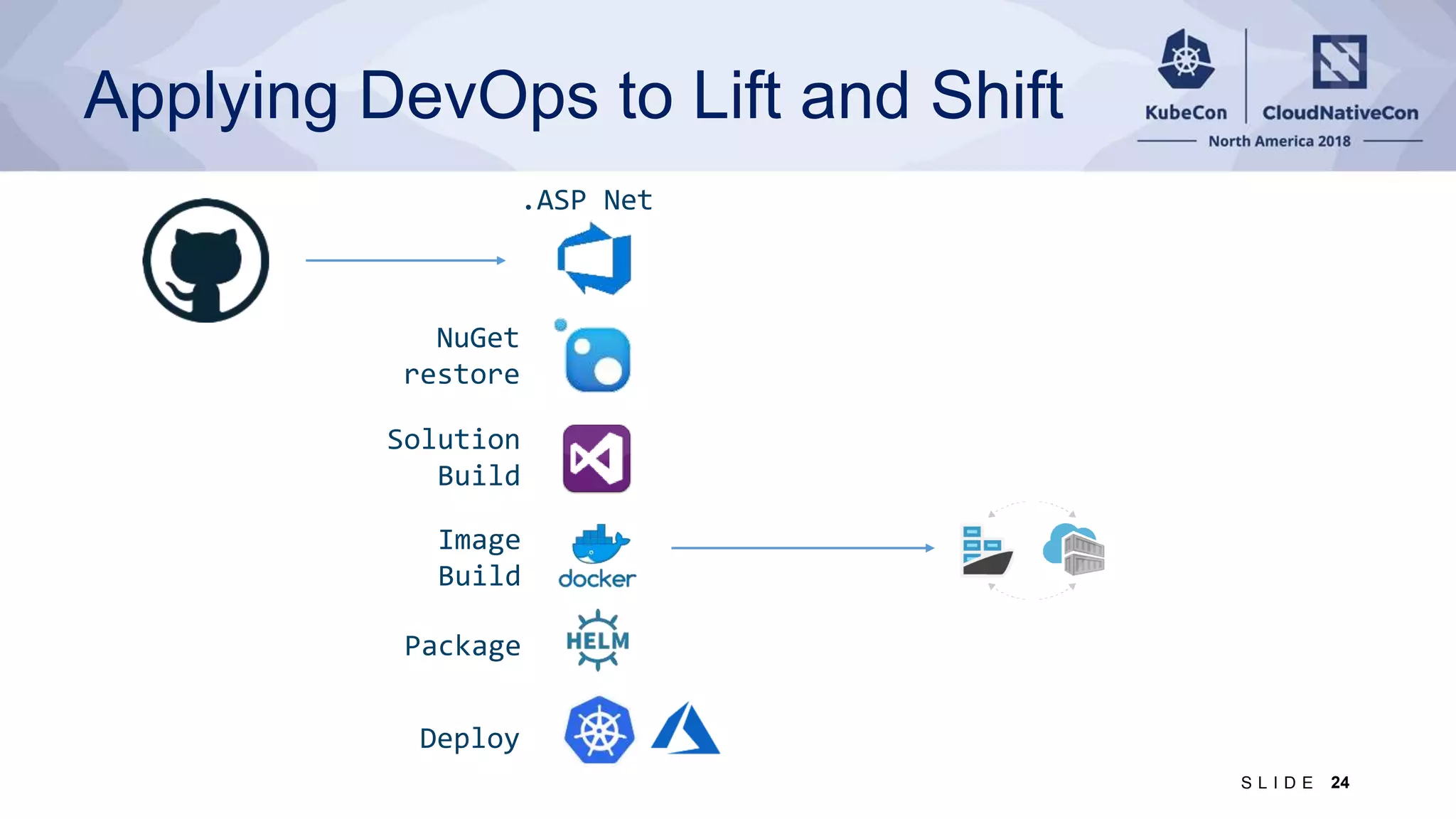
Applying DevOps to Lift and Shift 24S L I D E Image Build Package Deploy .ASP Net Solution Build NuGet restore
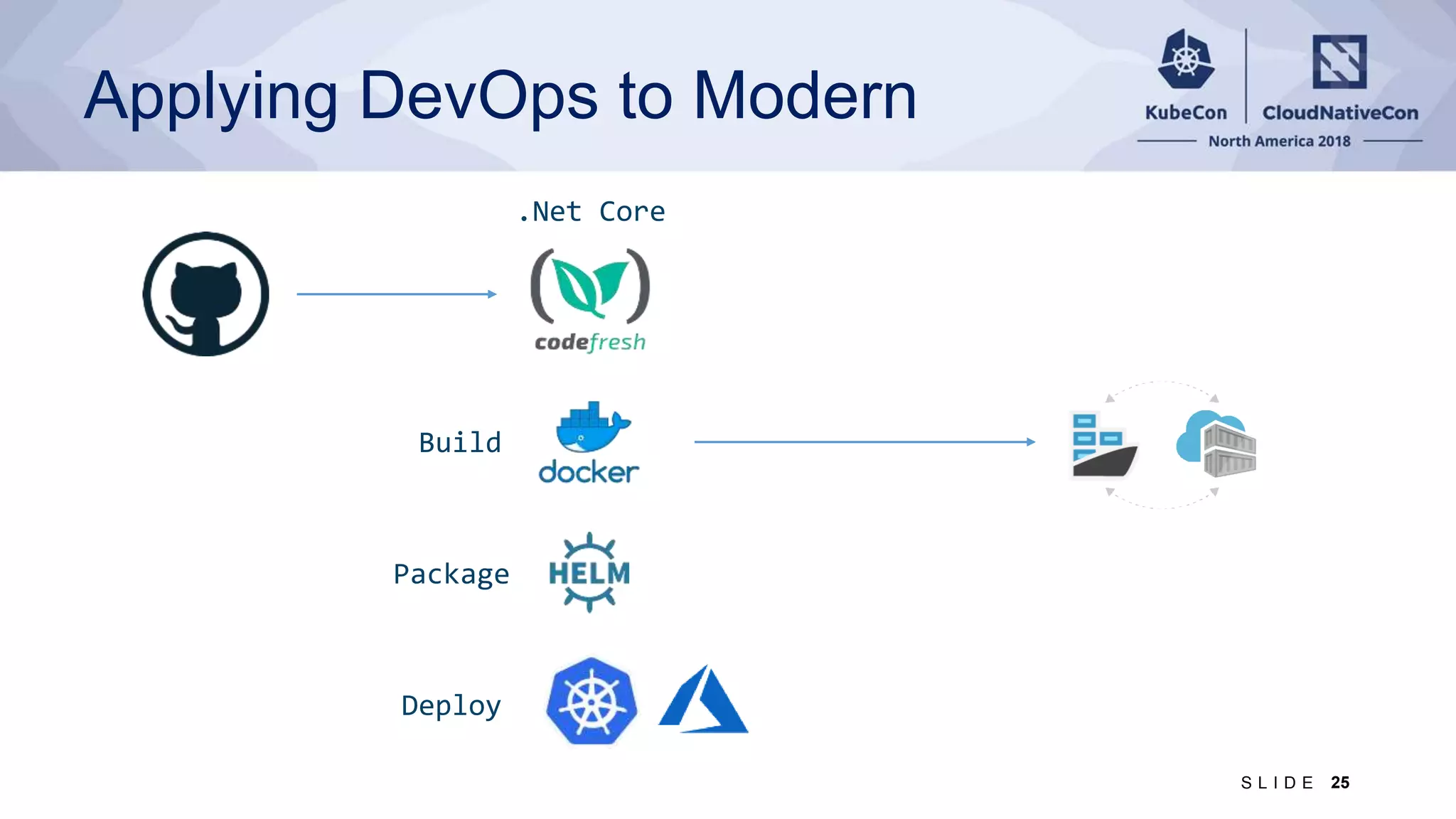
Applying DevOps to Modern 25S L I D E Build Package Deploy .Net Core
26S L I D E aka.ms/winkubecon SEARCH You will want to take a picture (of this slide)
Deploying Windows Apps to Kubernetes with Draft and Helm

Deploying Windows Apps to Kubernetes with Draft and Helm

  • 1.
    Deploying Windows Apps withKubernetes, Draft and Helm
  • 2.
    I am JessicaDeen 2S L I D E
  • 3.
    I am PatrickLang 3S L I D E
  • 4.
    Disclaimer Before we begin,there are a few things we want to highlight: • This session was intentionally created to get you thinking and show you where we are with building Kubernetes on windows • This tutorial session has limited space due to the hands-on lab machines we have prepared • The lab VMs we do have on hold are using a PREVIEW service (Azure Labs) and we are putting it to the test today! What could go wrong? • All resources are available on GitHub so you can try your own deployment, your own lab, on your own time • The video of the tutorial will be recorded and will be available online after the event
  • 5.
    Level set “The secretof change is to focus all of your energy, not on fighting the old, but on building the new.” - Socrates
  • 6.
    Building Kubernetes onWindows 2016 Containers in Windows Server technical preview SIG-Windows formed - Apprenda, CloudBase, TicketMaster, Docker, Huawei Kubernetes 1.5 alpha using Windows Server 2016 2018/2019 Windows Server 2019 LTSC Product previews coming - AKS - Docker - Huawei Cloud - RedHat Focus on stability, testing, docs for v1.13+. Proposing `stable` in v1.14 2017-2018 Building out core capabilities - Net & storage improved in K8s 1.6-1.10, Windows Server 1709/1803 - CNI Plugins: OVN+OVS, Calico, Flannel, cni/plugins Distro previews announced - Azure, Docker, Rancher, RedHat, Huawei
  • 7.
  • 8.
  • 9.
    Kubernetes as usual… kubectlget node NAME STATUS ROLES AGE VERSION OS-IMAGE 4512k8s010 Ready agent 7d5h v1.13.0-rc.1 Windows Server Datacenter 4512k8s011 Ready agent 7d5h v1.13.0-rc.1 Windows Server Datacenter k8s-linuxpool1-45120536-0 Ready agent 7d5h v1.13.0-alpha.2 Ubuntu 16.04.5 LTS k8s-linuxpool1-45120536-1 Ready agent 7d5h v1.13.0-alpha.2 Ubuntu 16.04.5 LTS k8s-master-45120536-0 Ready master 7d5h v1.13.0-alpha.2 Ubuntu 16.04.5 LTS
  • 10.
    Kubernetes as usual… kubectlget pod -n kube-system NAME READY STATUS RESTARTS AGE coredns-68865449bf-5kw84 1/1 Running 0 7d6h heapster-8cf68f757-pqhc9 2/2 Running 0 7d6h kube-apiserver-k8s-master-45120536-0 1/1 Running 0 7d6h kube-controller-manager-k8s-master-45120536-0 1/1 Running 7 7d6h kube-proxy-fhmrx 1/1 Running 0 7d6h kube-scheduler-k8s-master-45120536-0 1/1 Running 8 7d6h kubernetes-dashboard-5bfcdcd6c8-s2wrb 1/1 Running 0 7d6h metrics-server-69b44566d5-j9zqc 1/1 Running 0 7d6h tiller-deploy-74b7fb5bb9-qx7l7 1/1 Running 0 7d6h
  • 11.
    Apps across multiplenodes 11S L I D E kubectl get pod NAME READY STATUS NODE aspnetapp-aspnetapp-756594bd94-kvdh6 1/1 Running 4512k8s010 eshoponweb-eshoponweb-547775c567-zpt7h 1/1 Running 4512k8s011 nginx-ingress-controller-74db494f97-2jg5d 1/1 Running k8s-linuxpool1-45120536-1 nginx-ingress-default-backend-558944d794-j… 1/1 Running k8s-linuxpool1-45120536-1 quoting-cricket-fabrikamfiber-mssql-instan… 1/1 Running k8s-linuxpool1-45120536-1 quoting-cricket-fabrikamfiber-web-87d89b58… 1/1 Running 4512k8s011
  • 12.
    Hands-On Logistics 1) Getyour Lab VM https://github.com/PatrickLang/kkna2018lab - You’ll need a RDP client, links are on the site - If we scroll through the list of VMs, the email or name you enter could end up on the screen briefly 2) In the VM, browse to https://github.com/PatrickLang/KubernetesForWindowsTutorial 12S L I D E
  • 13.
    Hands On –Deploying a Windows App https://github.com/PatrickLang/KubernetesForWindowsTutorial 13S L I D E
  • 14.
    It’s the sameright? Same API = management tools - Kubectl - Helm Manage Linux from Windows, Windows from Linux, Linux from Windows running Linux tools with WSL, … Same processes - kubelet, dockerd/containerd, cni Same supporting container infrastructure - Container registries (including Docker Hub) 14S L I D E
  • 15.
    Things to Consider Wherethe container runs - Need a Windows Server node = Use NodeSelector If you’re adding Windows and don’t already have nodeSelector on Linux deployments - Option 1: Add a taint to Windows nodes, toleration to Windows deployments - Option 2: Update your Helm Charts and YAML files Resource Consumption - Need higher limits (300Mb min) - need Windows background services per container Kernel/User compatibility - Windows kernel major version should match (for now) - Build on Windows Server 2019 = must run on Windows Server 2019 - Likewise for other versions - Hyper-V isolation [alpha] can run older containers on a newer node 15S L I D E
  • 16.
    Windows version decoderring Windows Server 2016 10.0.14393.* Windows Server version 1709 10.0.16299.* Windows Server version 1803 10.0.17134.* Windows Server 2019 / 1809 10.0.17763.* Specific patch versions and downloads are linked from: https://support.microsoft.com/en-us/help/4464619 - Be sure to click on the right major version in the left pane 16S L I D E
  • 17.
    Taking it toproduction Helm install fabrikamfiber 17S L I D E
  • 18.
    Taking it toproduction https://kubernetes.io/docs/concepts/extend-kubernetes/service-catalog/ 18S L I D E
  • 19.
    Release Automation Kubernetes is hard. Kubernetesis complex. Let’s simplify. Open Source Release Automation 19S L I D E
  • 20.
    Manage complexity Charts candescribe complex apps; provide repeatable app installs, and serve as a single point of authority Easy updates Take the pain out of updates with in- place upgrades and custom hooks Simple sharing Charts are easy to version, share, and host on public or private servers Rollbacks Use helm rollback to roll back to an older version of a release with ease The best way to find, share, and use software built for Kubernetes Release Automation 20S L I D E
  • 21.
    Helm charts helpyou define, install, and simplify custom services Chart.yml db load balancer ci … Release Automation 21S L I D E
  • 22.
    Simple app developmentand deployment into any Kubernetes cluster Simplified development Using two simple commands, developers can now begin hacking on container-based applications without writing Dockerfiles or even installing Kubernetes themselves Language support Draft detects which language your app is written in, and then uses packs to generate a Dockerfile and Helm Chart with the best practices for that language Release Automation 22S L I D E
  • 23.
    Hands On –Building a Windows App https://github.com/PatrickLang/KubernetesForWindowsTutorial 23S L I D E dotnet new mvc draft create -p CSharpWindowsNetCore draft up Draft Up Started: 'jaffacake': 01CYFB2WD0CNMPZV0EW6DSF2JF jaffacake: Building Docker Image: SUCCESS ⚓ (105.0876s) jaffacake: Pushing Docker Image: SUCCESS ⚓ (8.2328s) jaffacake: Releasing Application: SUCCESS ⚓ (35.8252s) Inspect the logs with `draft logs 01CYFB2WD0CNMPZV0EW6DSF2JF`
  • 24.
    Applying DevOps toLift and Shift 24S L I D E Image Build Package Deploy .ASP Net Solution Build NuGet restore
  • 25.
    Applying DevOps toModern 25S L I D E Build Package Deploy .Net Core
  • 26.
    26S L ID E aka.ms/winkubecon SEARCH You will want to take a picture (of this slide)

Editor's Notes

  • #10 Just added Windows agent nodes
  • #11 No changes to how core components are deployed
  • #12 Output of kubectl with namespace – showing apps split across nodes
  • #14 Patrick – record , get timings
  • #18 Briefly show chart used to deploy Along with status once it’s deployed – helm search service-catalog, svccat instances
  • #24 (record demo, timings)