Let’s Git Together GIT STRATEGIES FOR TEAMS
Me: Scott Coldwell ‣ DevOps ‣ Computer Know How ‣ Houston, TX ‣ @scottcoldwell ‣ CF dev since 2006 ‣ Git since 2013 ‣ 2nd ever tech presentation
‣ DO IT ‣ Track changes ‣ Backups ‣ Manage deployments Source Control
‣ COMMUNICATION ‣ Standards ‣ Process ‣ Expectations Source Control
‣ Branching! ‣ Forking! ‣ Pull requests! ‣ Distributedness! ‣ Conflicts! ‣ Other SC systems had (most of) these too! The Blessings of Git
‣ Team makeup and competency ‣ Will you be the bottleneck? ‣ Who will approve code promotion? ‣ How much do you trust your developers? Selection Criteria
‣ Business and/or Project process ‣ Ticketing system and workflow ‣ Environments - testing / staging / qa / ci / beta / etc ‣ Deployment process and schedule ‣ Automation (Continuous Integration/Delivery) Selection Criteria
Branching Strategies
‣ Wing and a Prayer ‣ Long-Running Branches ‣ Git Flow ‣ Branch-per-Feature Strategies
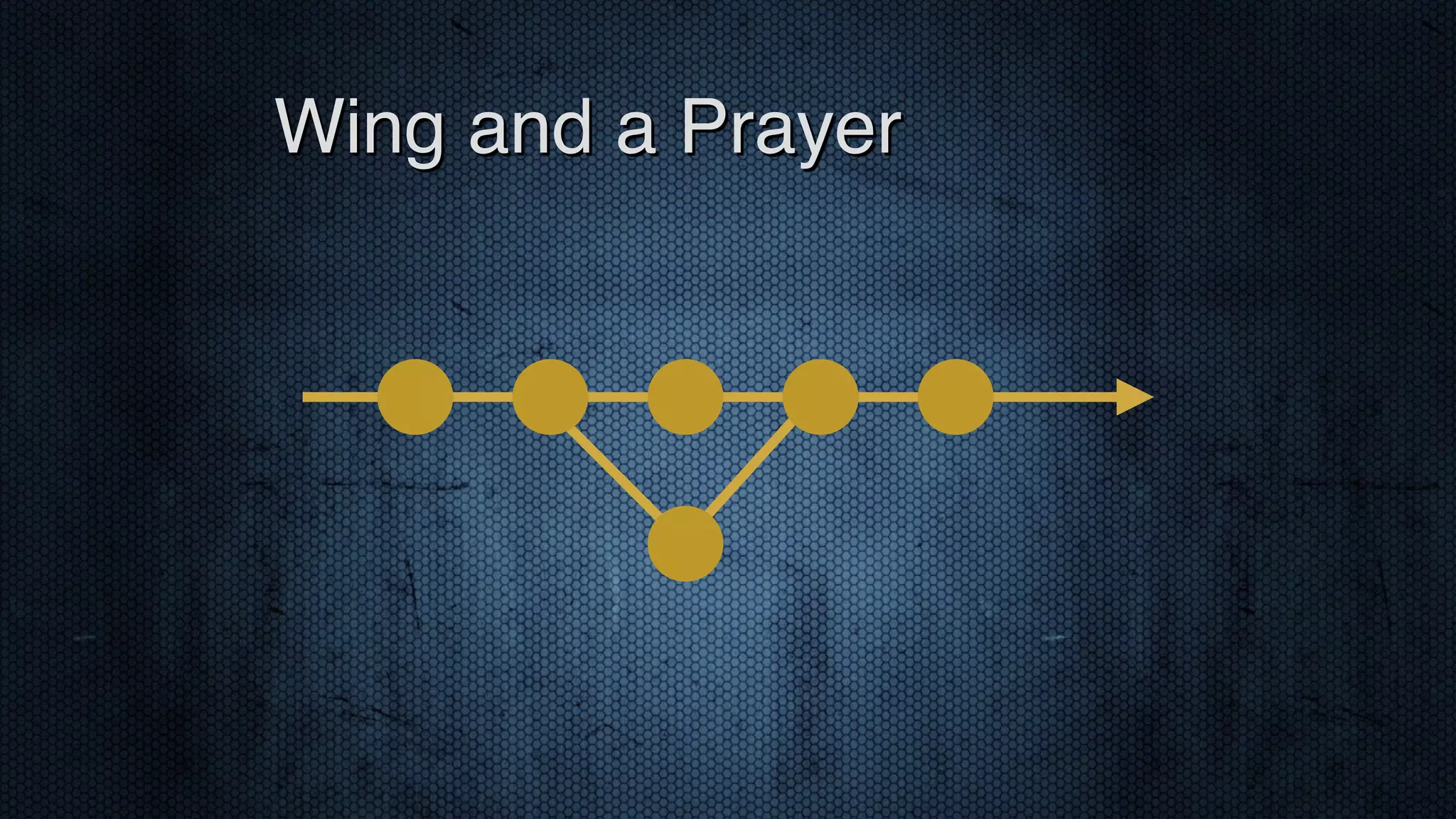
‣ Single Branch ‣ Commit when you want to ‣ Deploy with tags? ‣ Careful ‣ Unfinished code could creep in ‣ Unclear what’s in production Wing and a Prayer
Wing and a Prayer
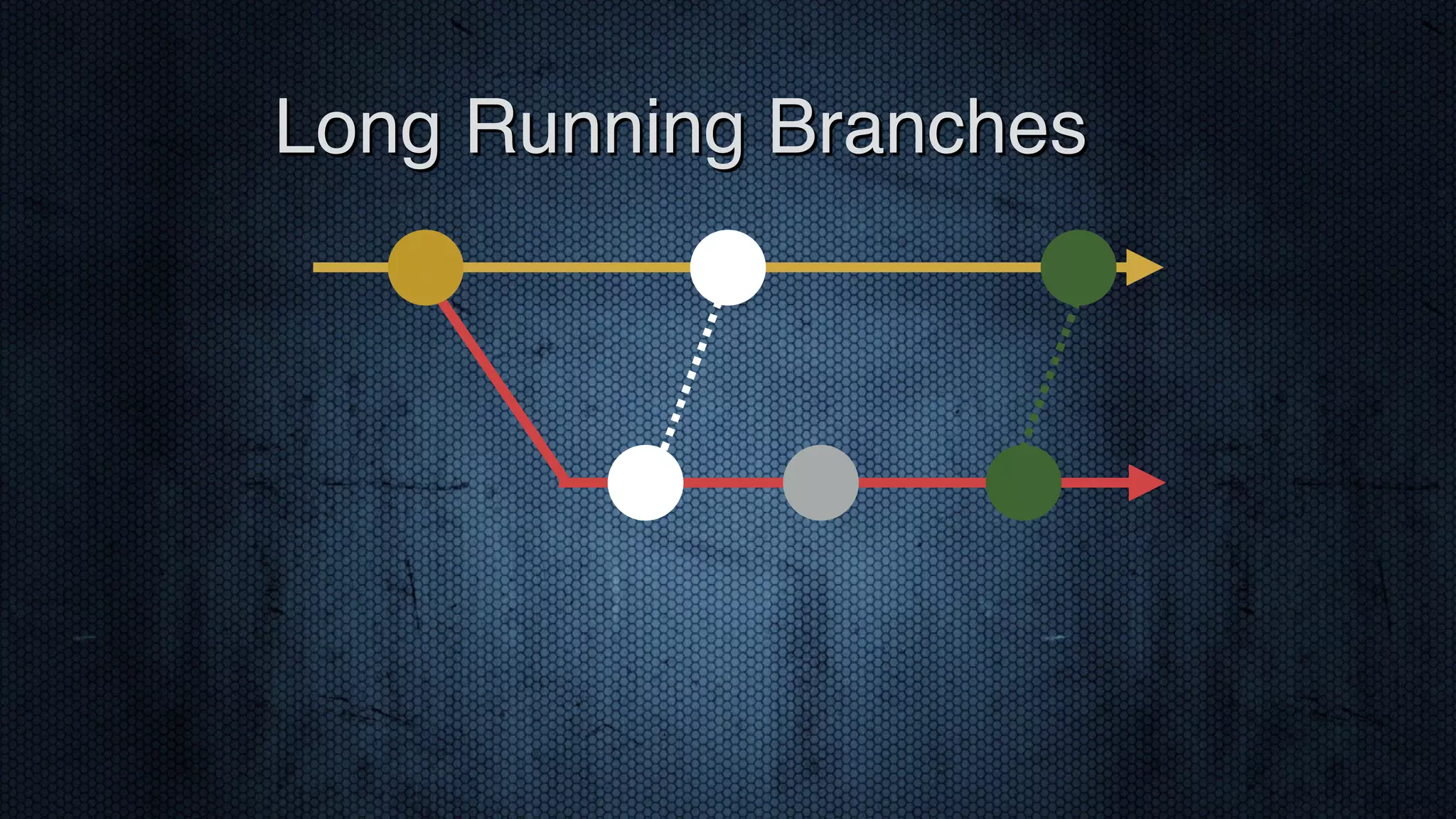
‣ One branch for development, one for production ‣ Cherry pick commits to deploy ‣ Tag production branch ‣ Cleaner history in Git than SVN Long Running Branches
Long Running Branches
‣ Careful: ‣ Branches will diverge ‣ Not developing on production code ‣ Tedious to keep track of commits for a change ‣ Cumbersome to revert Long Running Branches
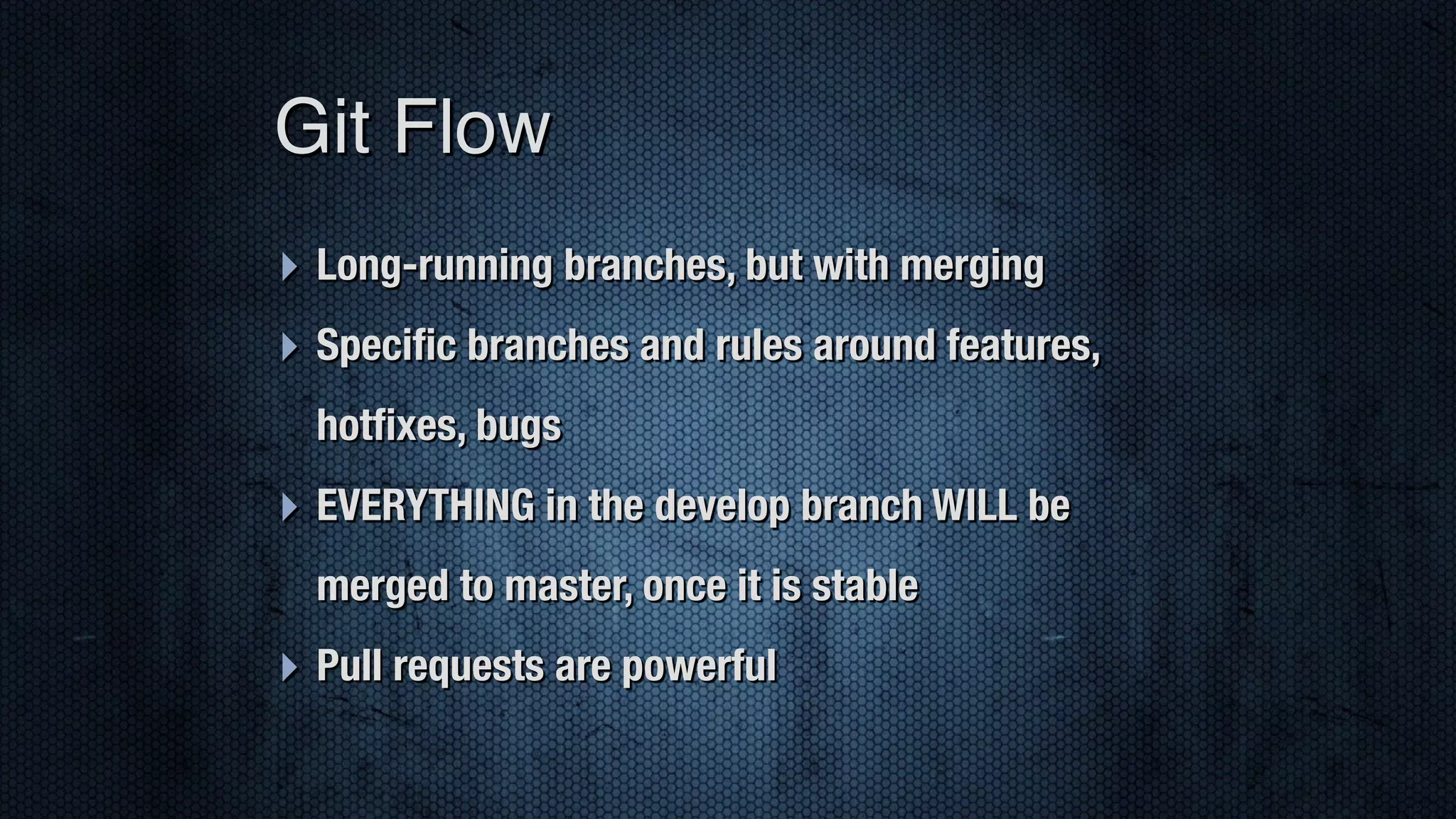
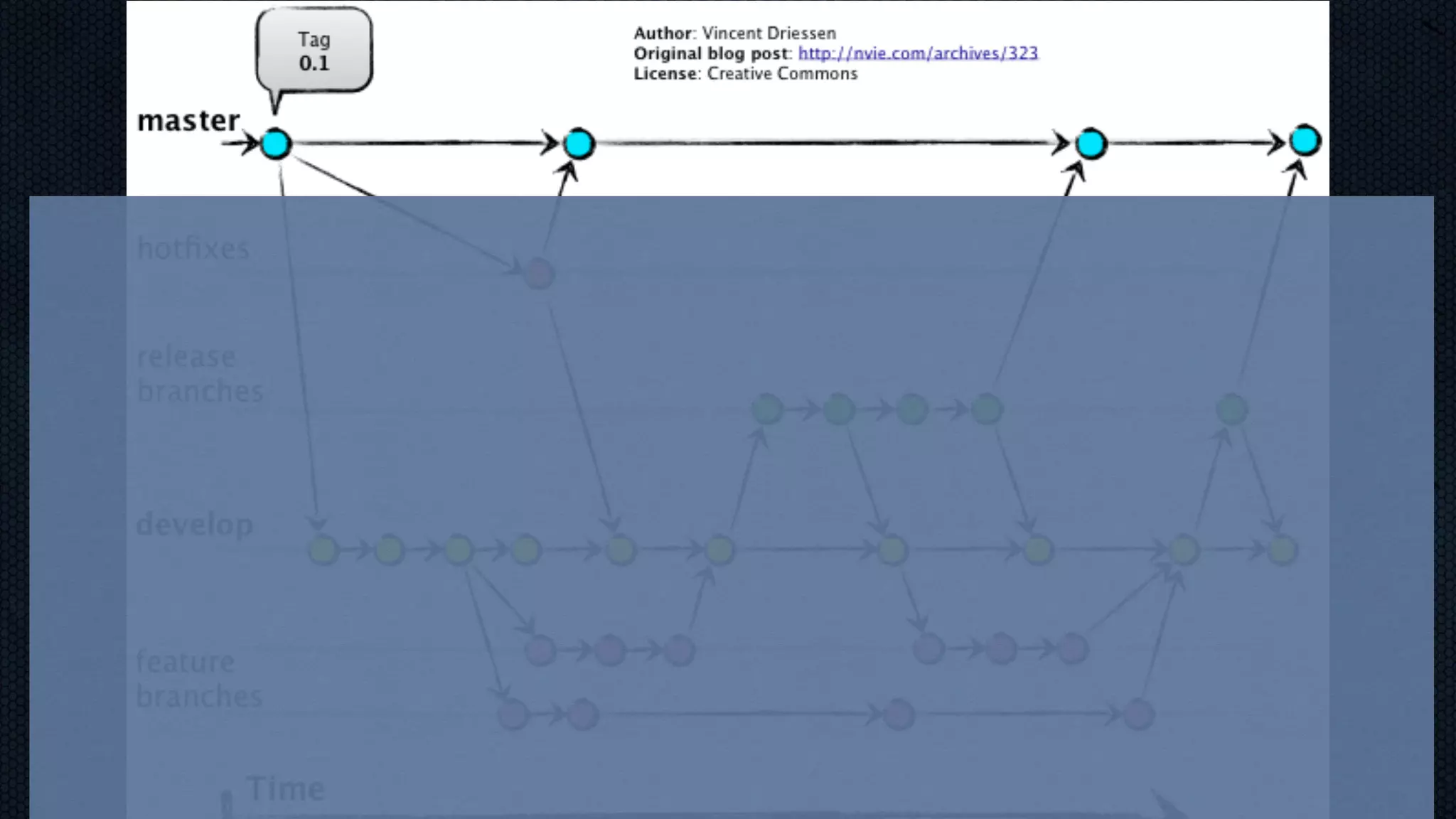
‣ Long-running branches, but with merging ‣ Specific branches and rules around features, hotfixes, bugs ‣ EVERYTHING in the develop branch WILL be merged to master, once it is stable ‣ Pull requests are powerful Git Flow
http://lanziani http://lanziani.com/slides/gitflow/images/ gitflow_1.png.com/slides/gitflow/images/gitflow_1.png
‣ Powerful for fast-moving teams ‣ Great separation between dev and prod ‣ Many toolsets available ‣ Much responsibility given to developers Git Flow Pros
‣ Much responsibility given to developers ‣ Hard to pull stuff back ‣ Frustrating for project managers ‣ Limited number of environments Git Flow Cons
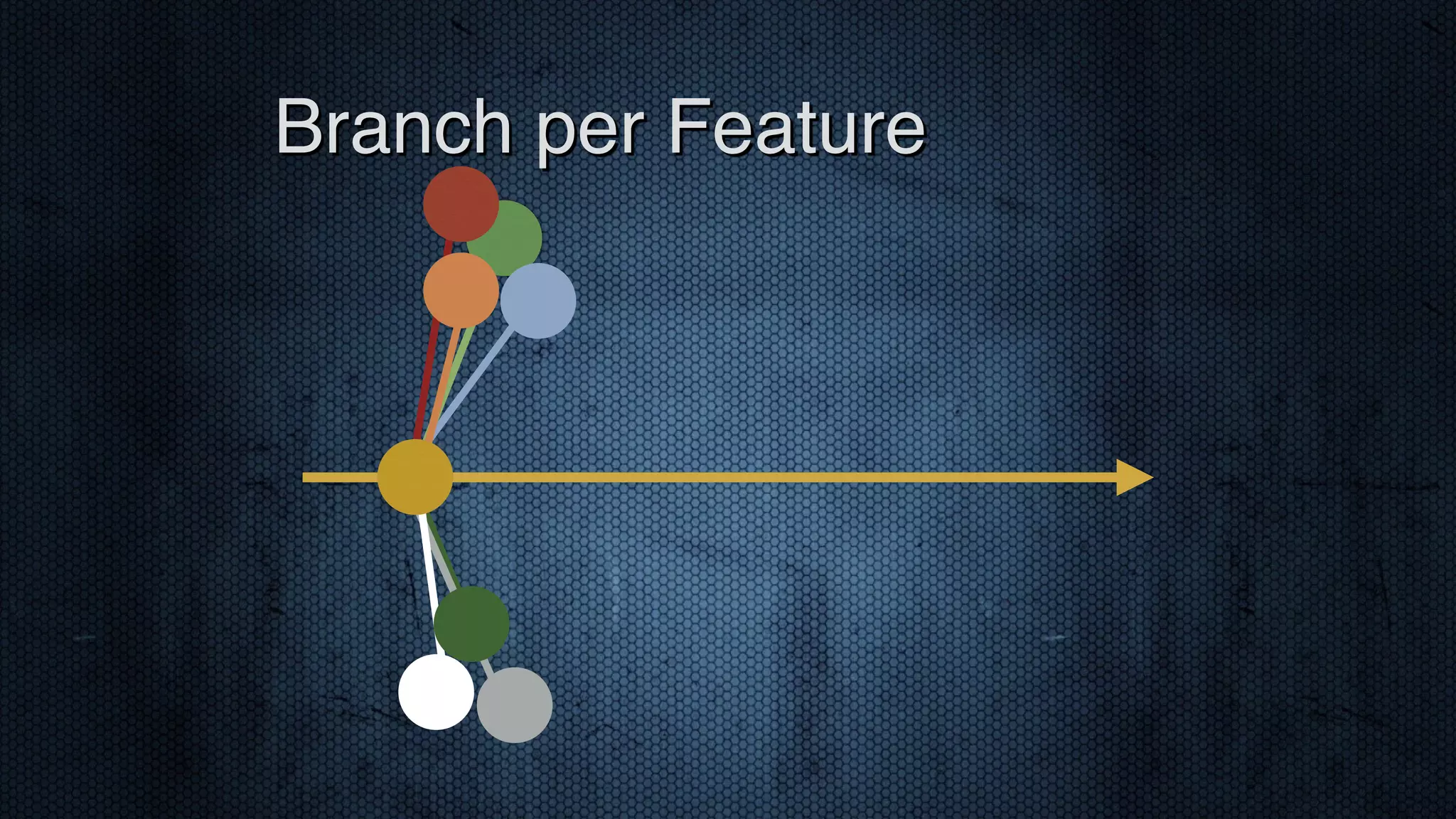
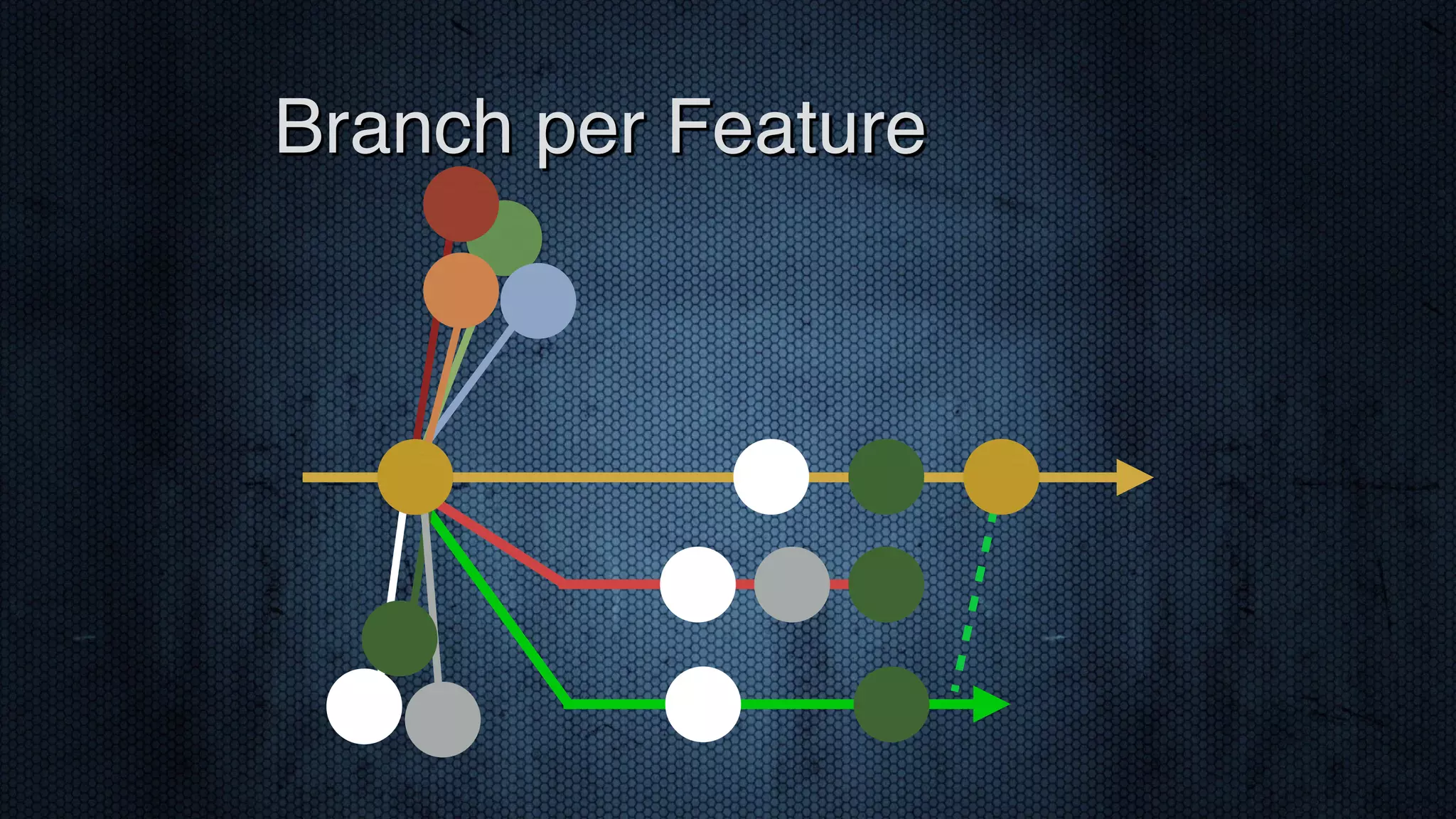
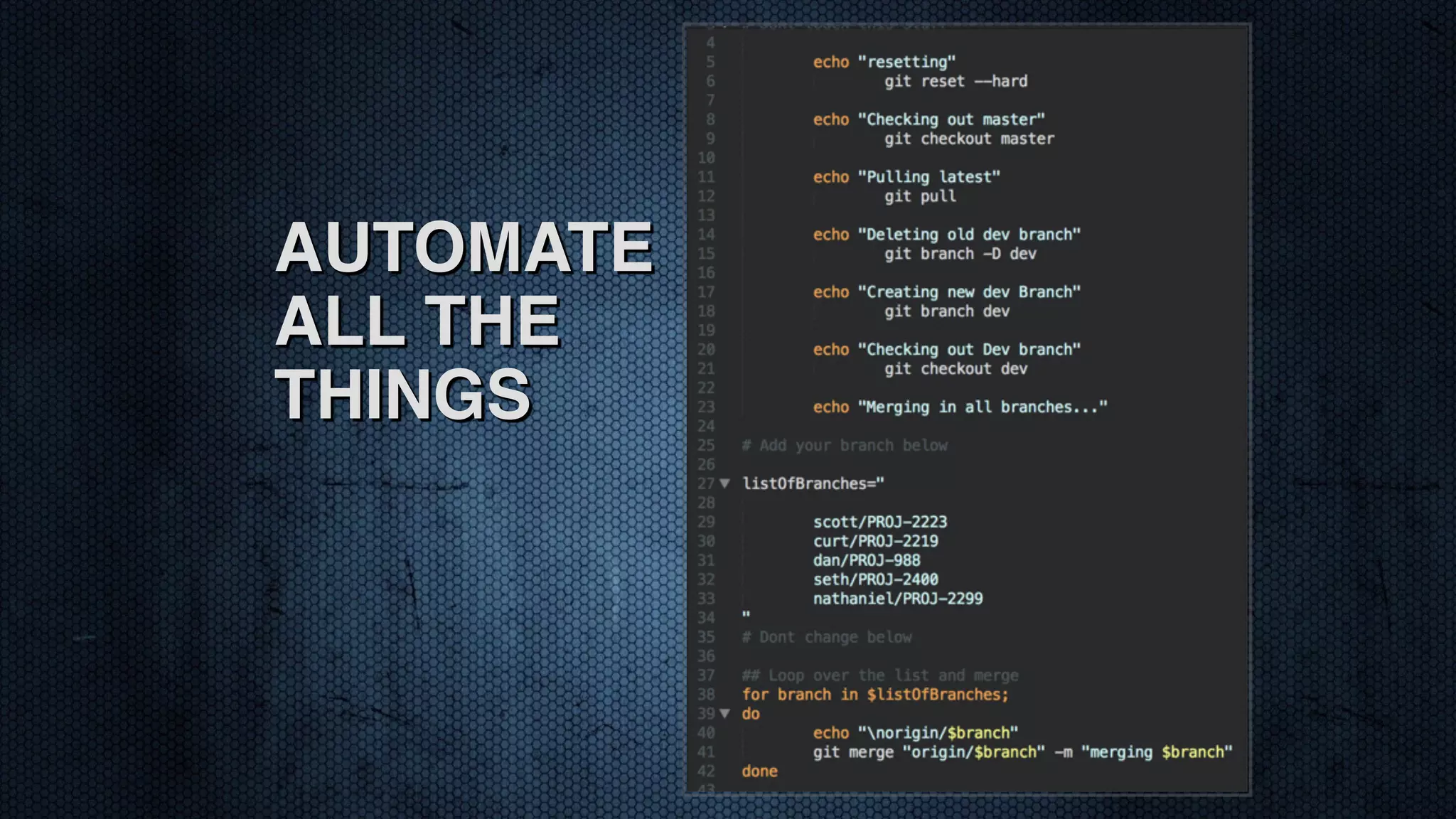
‣ Master represents production ‣ Every feature and hotfix gets a branch ‣ Nothing is merged until prod deployment ‣ Utilize “throw away” branches for various environments ‣ A build process reruns when branches are added/ removed Branch per Feature
Branch per Feature
Branch per Feature
‣ Allows for limitless environments ‣ Restrict who can merge to master ‣ Granular control over code progression ‣ Easy to remove branches from an environment ‣ We can always deploy BPF Pros
‣ Code conflicts can be tricky to track down ‣ Requires some automation ‣ Pull requests are used less frequently ‣ Training for team BPF Cons
AUTOMATE ALL THE THINGS
‣ Team makeup and competency ‣ Will you be the bottleneck? ‣ Who will approve code promotion? ‣ How much do you trust your developers? Selection Criteria
‣ Business and/or Project process ‣ Ticketing system and workflow ‣ Environments - testing / staging / qa / ci / beta / etc ‣ Deployment process and schedule ‣ Automation (Continuous Integration/Delivery) Selection Criteria
‣ Git Flow ‣ http://nvie.com/posts/a-successful-git-branching-model/ ‣ http://jeffkreeftmeijer.com/2010/why-arent-you-using-git-flow/ ‣ Branch per Feature ‣ https://www.acquia.com/blog/pragmatic-guide-branch- feature-git-branching-strategy ‣ http://dymitruk.com/blog/2012/02/05/branch-per-feature/ Further Reading
Thank You

Dev objective2015 lets git together

  • 1.
    Let’s Git Together GITSTRATEGIES FOR TEAMS
  • 2.
    Me: Scott Coldwell ‣DevOps ‣ Computer Know How ‣ Houston, TX ‣ @scottcoldwell ‣ CF dev since 2006 ‣ Git since 2013 ‣ 2nd ever tech presentation
  • 3.
    ‣ DO IT ‣Track changes ‣ Backups ‣ Manage deployments Source Control
  • 4.
    ‣ COMMUNICATION ‣ Standards ‣Process ‣ Expectations Source Control
  • 5.
    ‣ Branching! ‣ Forking! ‣Pull requests! ‣ Distributedness! ‣ Conflicts! ‣ Other SC systems had (most of) these too! The Blessings of Git
  • 6.
    ‣ Team makeupand competency ‣ Will you be the bottleneck? ‣ Who will approve code promotion? ‣ How much do you trust your developers? Selection Criteria
  • 7.
    ‣ Business and/orProject process ‣ Ticketing system and workflow ‣ Environments - testing / staging / qa / ci / beta / etc ‣ Deployment process and schedule ‣ Automation (Continuous Integration/Delivery) Selection Criteria
  • 8.
  • 9.
    ‣ Wing anda Prayer ‣ Long-Running Branches ‣ Git Flow ‣ Branch-per-Feature Strategies
  • 10.
    ‣ Single Branch ‣Commit when you want to ‣ Deploy with tags? ‣ Careful ‣ Unfinished code could creep in ‣ Unclear what’s in production Wing and a Prayer
  • 11.
    Wing and aPrayer
  • 12.
    ‣ One branchfor development, one for production ‣ Cherry pick commits to deploy ‣ Tag production branch ‣ Cleaner history in Git than SVN Long Running Branches
  • 13.
  • 14.
    ‣ Careful: ‣ Brancheswill diverge ‣ Not developing on production code ‣ Tedious to keep track of commits for a change ‣ Cumbersome to revert Long Running Branches
  • 15.
    ‣ Long-running branches,but with merging ‣ Specific branches and rules around features, hotfixes, bugs ‣ EVERYTHING in the develop branch WILL be merged to master, once it is stable ‣ Pull requests are powerful Git Flow
  • 16.
  • 17.
    ‣ Powerful forfast-moving teams ‣ Great separation between dev and prod ‣ Many toolsets available ‣ Much responsibility given to developers Git Flow Pros
  • 18.
    ‣ Much responsibilitygiven to developers ‣ Hard to pull stuff back ‣ Frustrating for project managers ‣ Limited number of environments Git Flow Cons
  • 19.
    ‣ Master representsproduction ‣ Every feature and hotfix gets a branch ‣ Nothing is merged until prod deployment ‣ Utilize “throw away” branches for various environments ‣ A build process reruns when branches are added/ removed Branch per Feature
  • 20.
  • 21.
  • 22.
    ‣ Allows forlimitless environments ‣ Restrict who can merge to master ‣ Granular control over code progression ‣ Easy to remove branches from an environment ‣ We can always deploy BPF Pros
  • 23.
    ‣ Code conflictscan be tricky to track down ‣ Requires some automation ‣ Pull requests are used less frequently ‣ Training for team BPF Cons
  • 24.
  • 25.
    ‣ Team makeupand competency ‣ Will you be the bottleneck? ‣ Who will approve code promotion? ‣ How much do you trust your developers? Selection Criteria
  • 26.
    ‣ Business and/orProject process ‣ Ticketing system and workflow ‣ Environments - testing / staging / qa / ci / beta / etc ‣ Deployment process and schedule ‣ Automation (Continuous Integration/Delivery) Selection Criteria
  • 27.
    ‣ Git Flow ‣http://nvie.com/posts/a-successful-git-branching-model/ ‣ http://jeffkreeftmeijer.com/2010/why-arent-you-using-git-flow/ ‣ Branch per Feature ‣ https://www.acquia.com/blog/pragmatic-guide-branch- feature-git-branching-strategy ‣ http://dymitruk.com/blog/2012/02/05/branch-per-feature/ Further Reading
  • 28.