Getting To Know MySQL Enterprise Monitor Mark Leith (@MarkLeith)
Agenda The MySQL Enterprise Monitor Vision
Architecture A Tour Around The UI Key Configuration
Questions
The MySQL Enterprise Monitor Team Vision Continually monitor all aspects of MySQL environments Analyze for problems, alerting when necessary Streamline common “database problem” resolution Simplify database management at scale
The MySQL Enterprise Monitor Vision “ MySQL is simple to use ” ... but … there are many complex interactions happening within the database Much of what is happening within MySQL has historically been termed as “ a black-box ” … but … that is changing rapidly No one person can continually monitor what a single database is doing, let alone 10's, or 100's, of instances
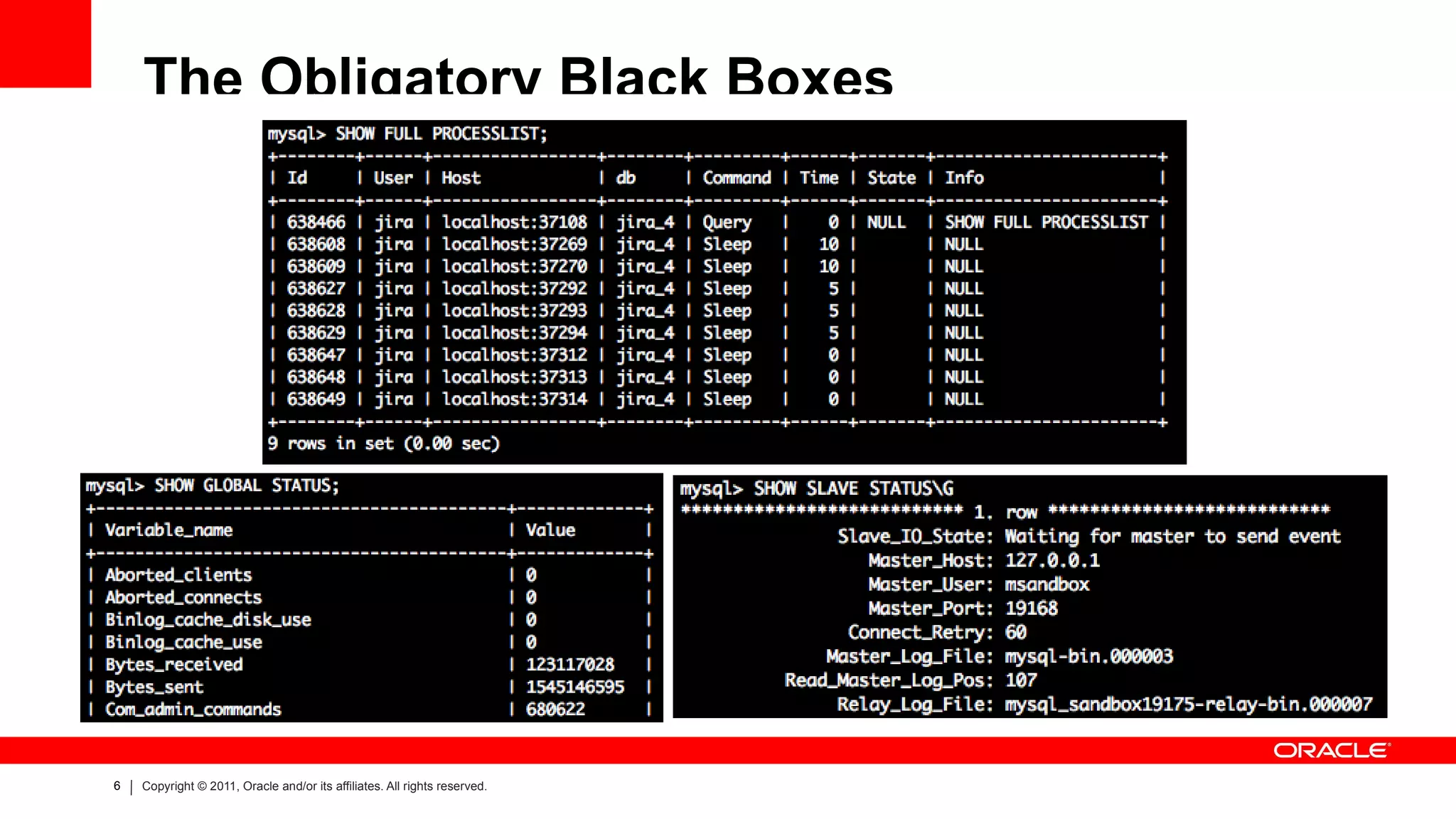
The Obligatory Black Boxes
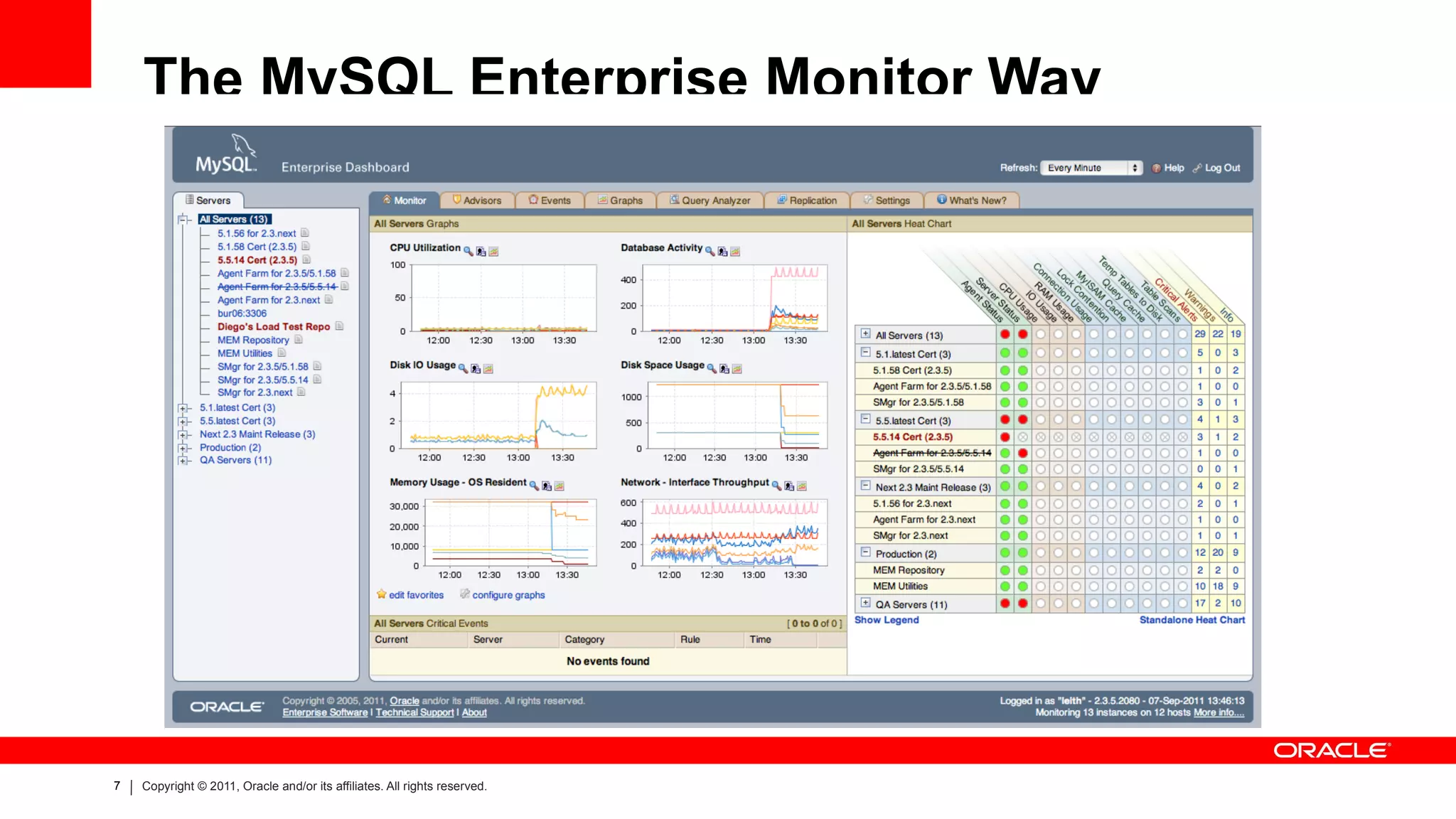
The MySQL Enterprise Monitor Way
Agenda Architecture A Tour Around The UI Key Configuration
Questions
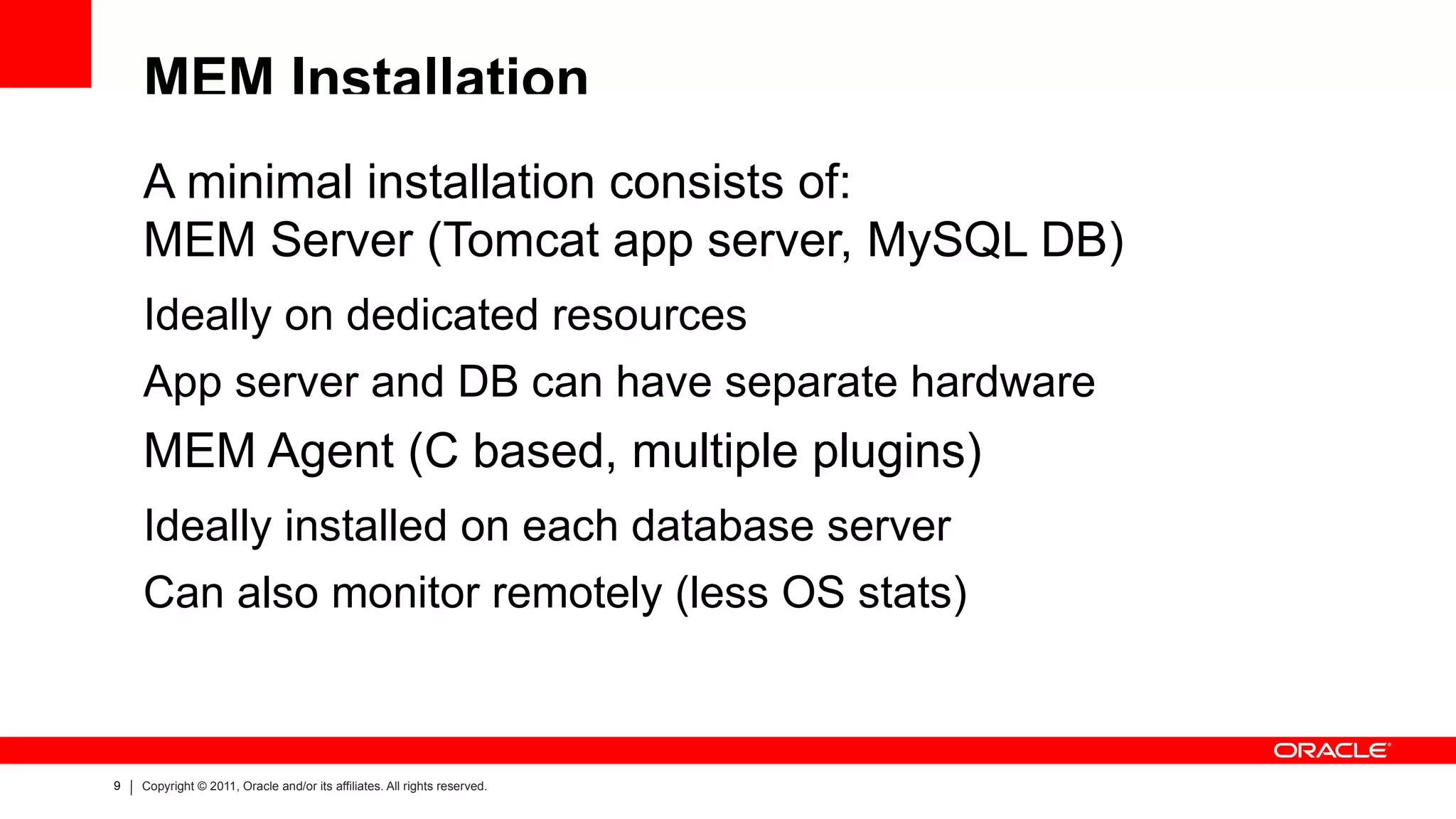
MEM Installation A minimal installation consists of: MEM Server (Tomcat app server, MySQL DB) Ideally on dedicated resources
App server and DB can have separate hardware MEM Agent (C based, multiple plugins) Ideally installed on each database server
Can also monitor remotely (less OS stats)
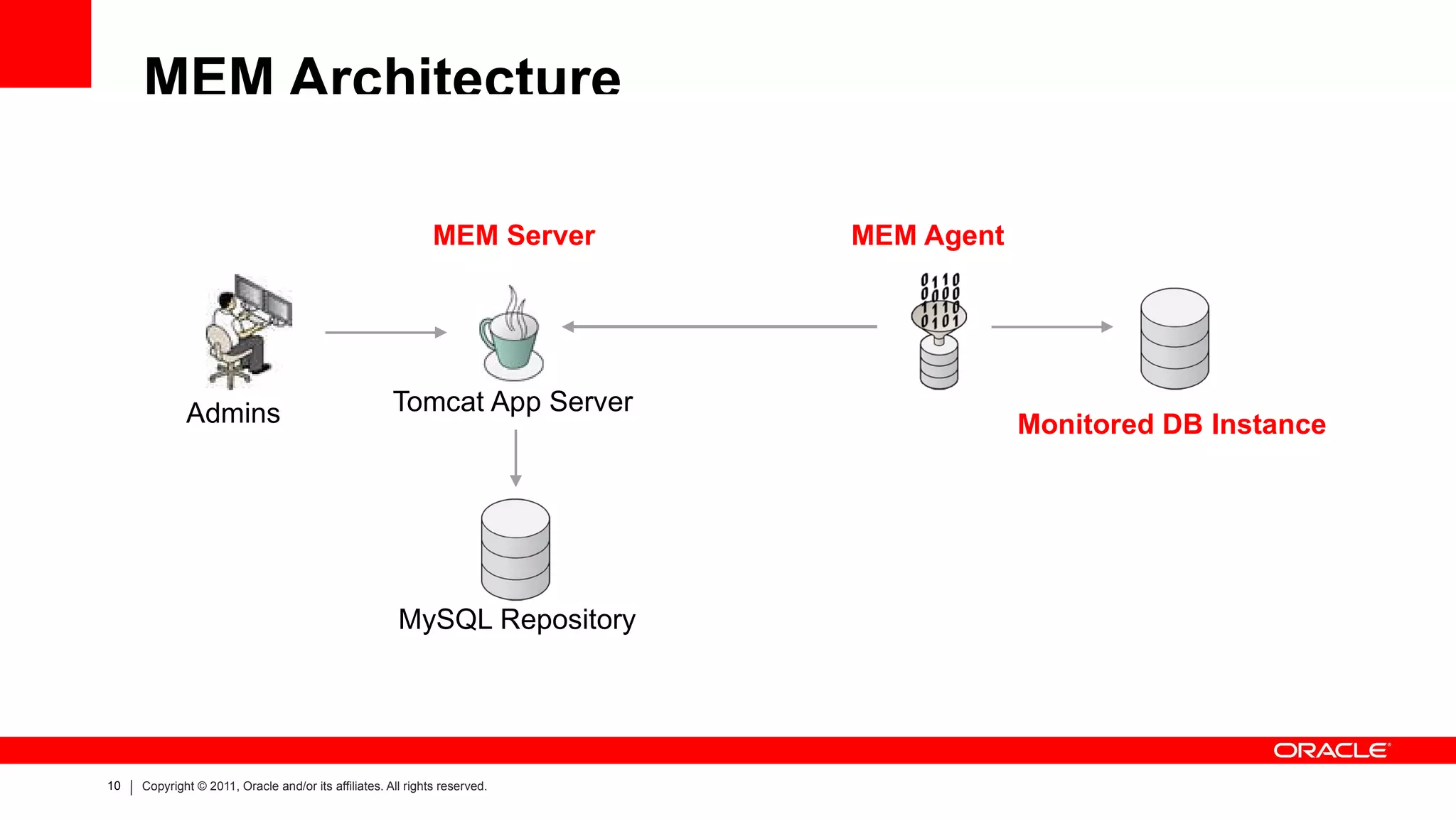
MEM Architecture Tomcat App Server MySQL Repository Admins MEM Server MEM Agent Monitored DB Instance
MEM Installation – Statement Collection MySQL Proxy integrated in to the Agent process Funnel “legacy” app traffic for analysis
Data sent via the agent plugin Connector Plugins for app side statement monitoring Allows client side monitoring of statement latency
Allow tracing statement origination
Also spreads the load of statement analysis
Data sent directly to the MEM server via REST
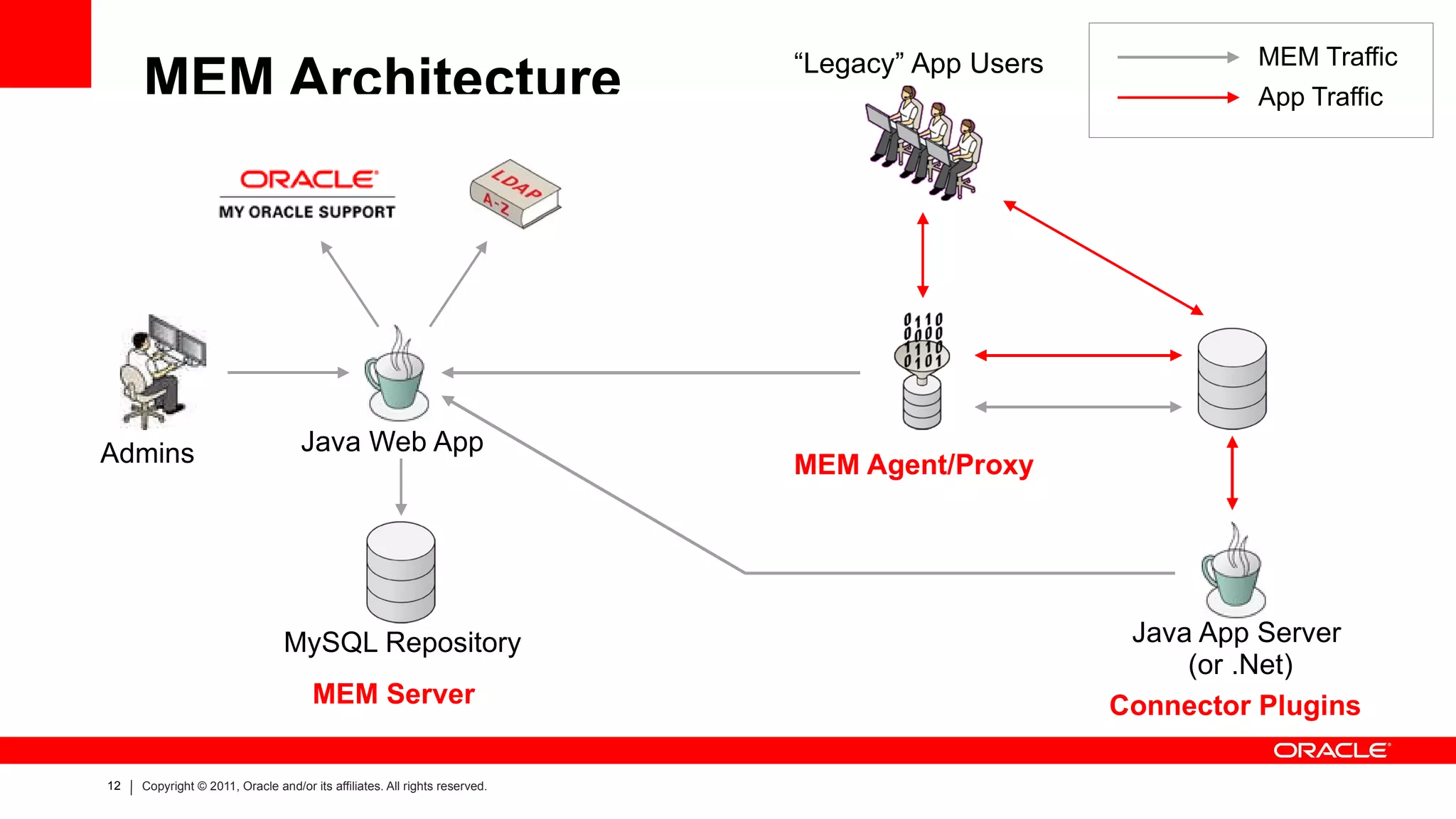
MEM Architecture Java Web App MySQL Repository Admins Java App Server (or .Net) MEM Traffic App Traffic “ Legacy” App Users MEM Server Connector Plugins MEM Agent/Proxy
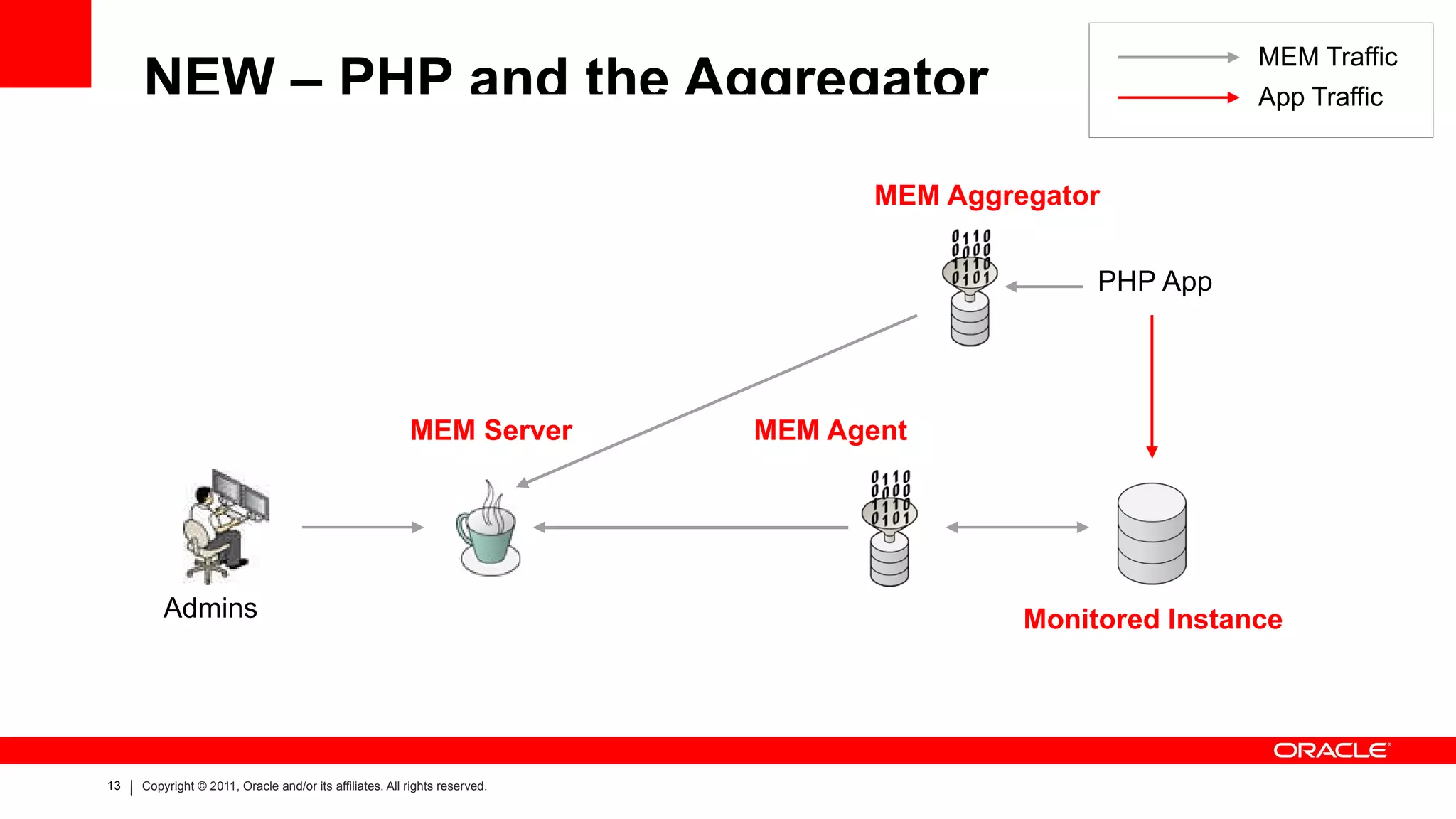
NEW – PHP and the Aggregator Admins MEM Server MEM Agent Monitored Instance PHP App MEM Traffic App Traffic MEM Aggregator
Agenda A Tour Around The UI Key Configuration
Questions
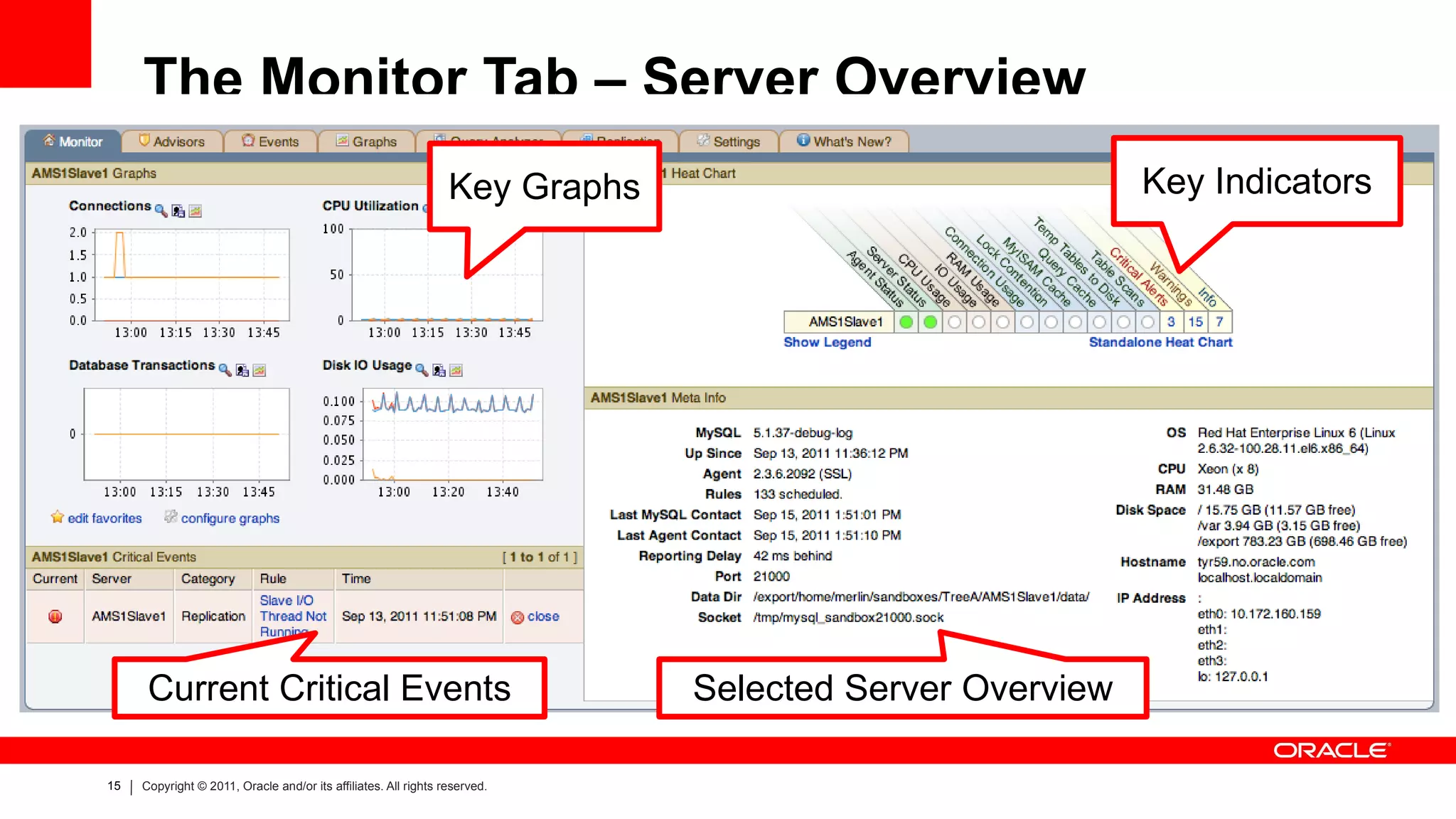
The Monitor Tab – Server Overview Key Graphs Current Critical Events Selected Server Overview Key Indicators
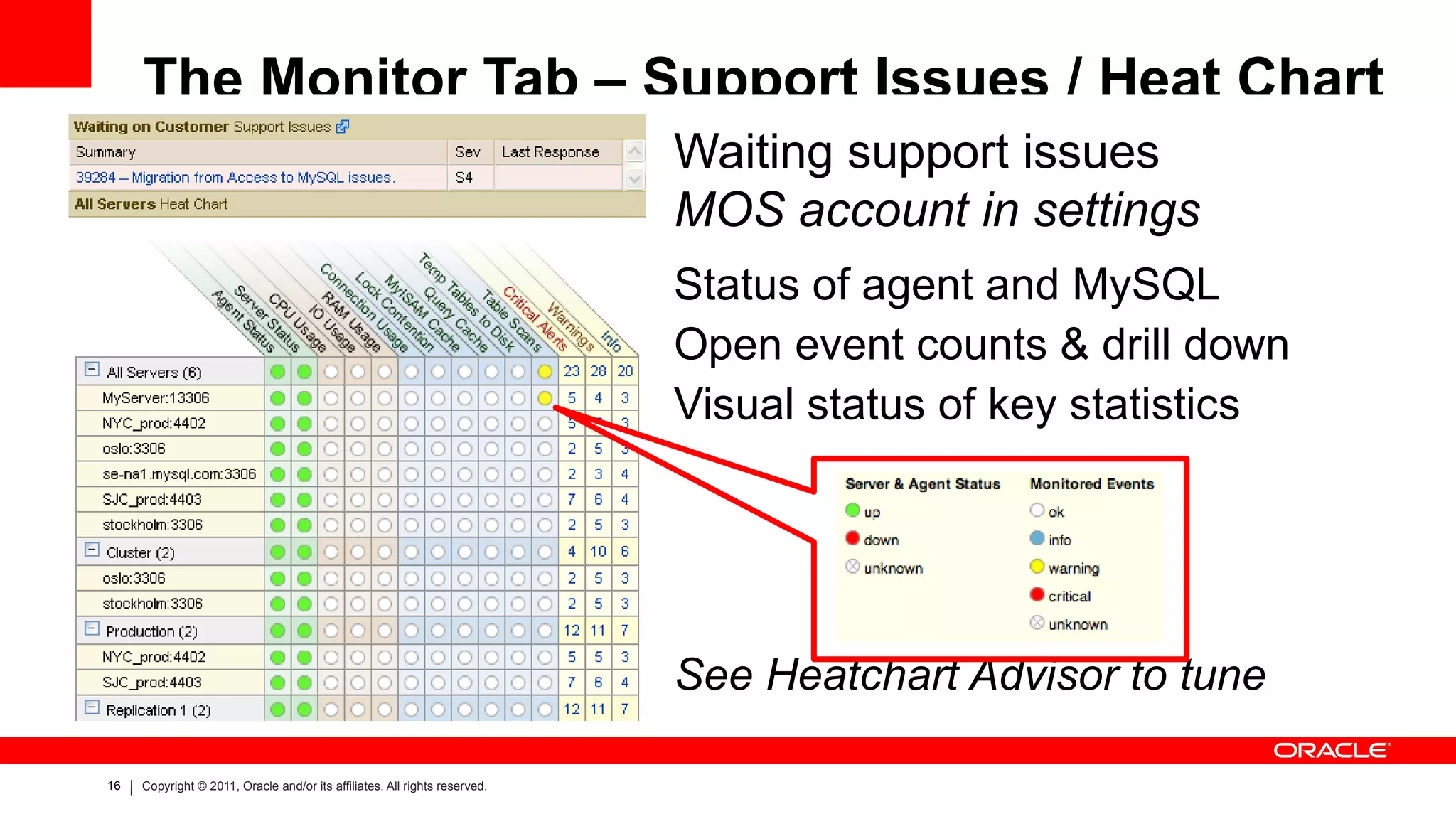
The Monitor Tab – Support Issues / Heat Chart Waiting support issues MOS account in settings Status of agent and MySQL Open event counts & drill down Visual status of key statistics See Heatchart Advisor to tune
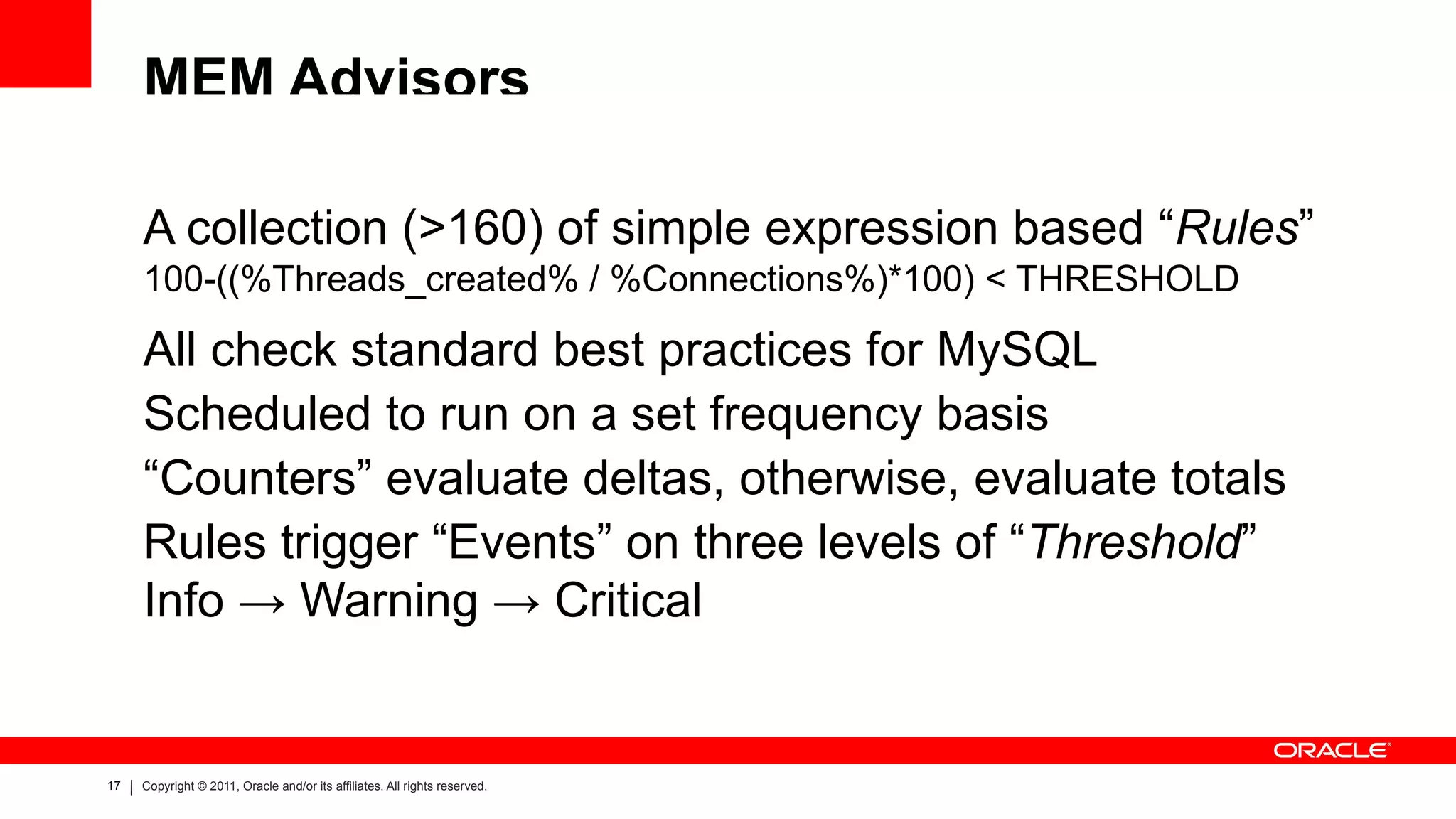
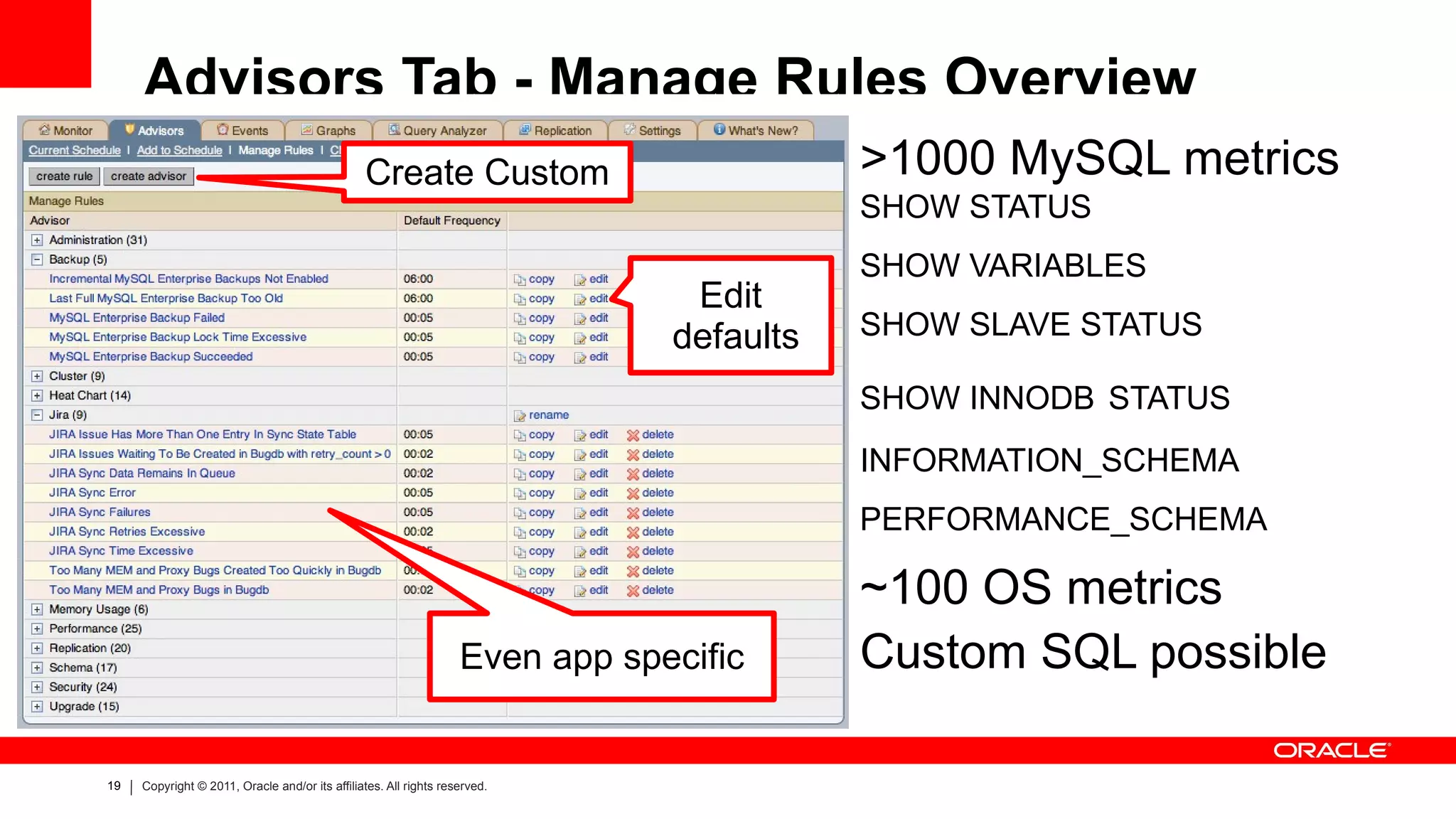
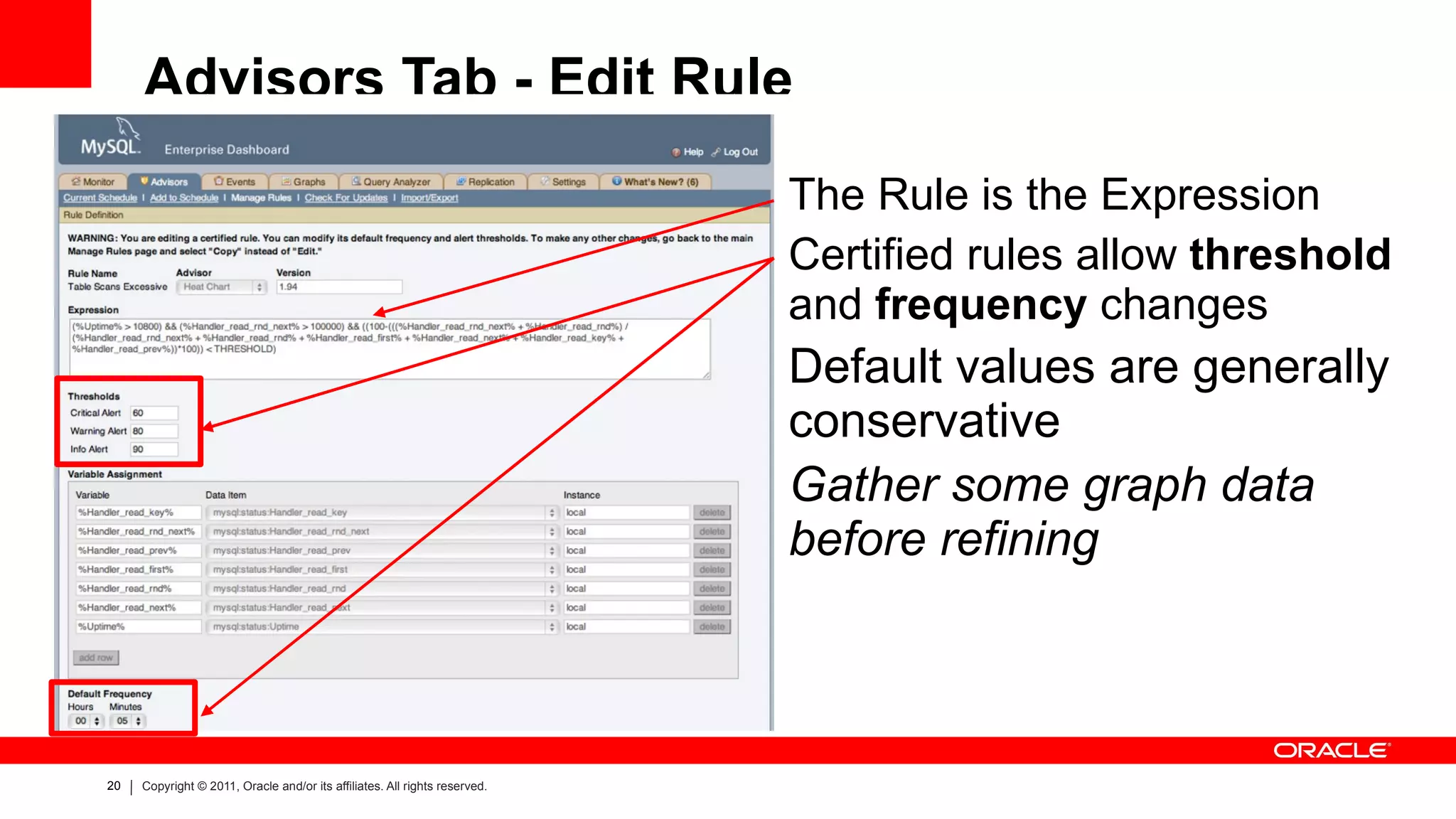
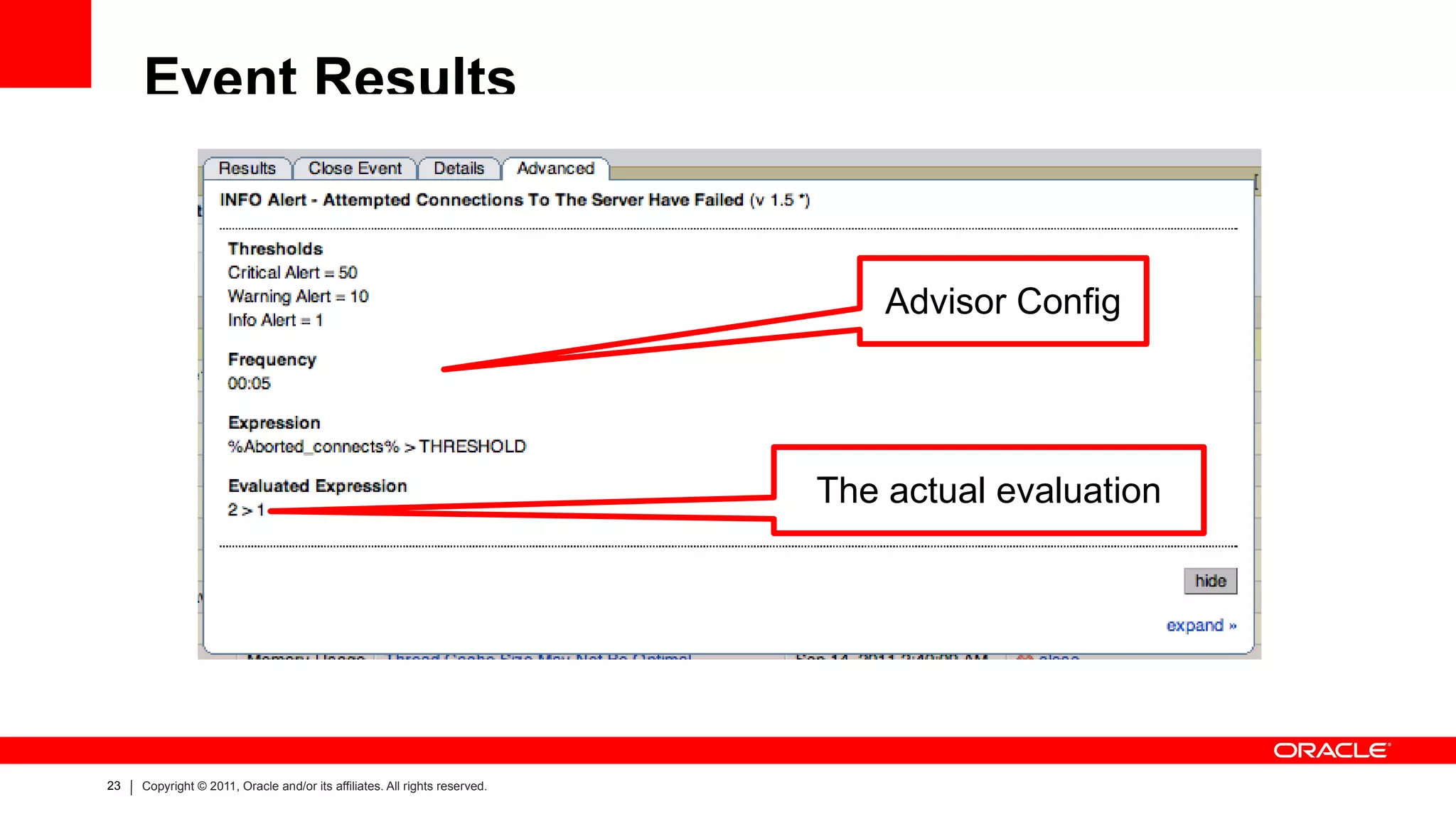
MEM Advisors A collection (>160) of simple expression based “ Rules ” 100-((%Threads_created% / %Connections%)*100) < THRESHOLD All check standard best practices for MySQL
Scheduled to run on a set frequency basis
“ Counters” evaluate deltas, otherwise, evaluate totals
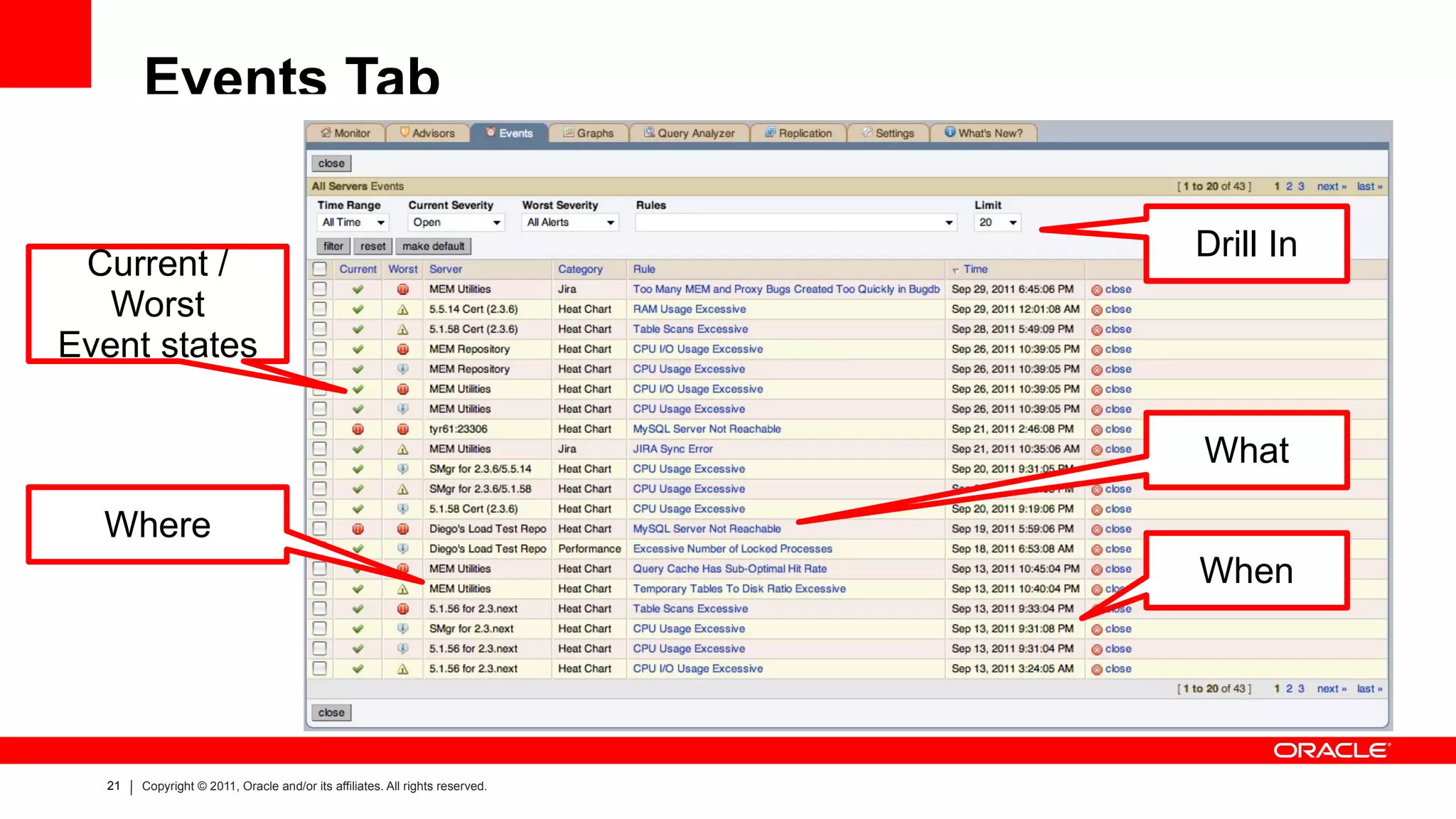
Rules trigger “Events” on three levels of “ Threshold ” Info -> Warning -> Critical
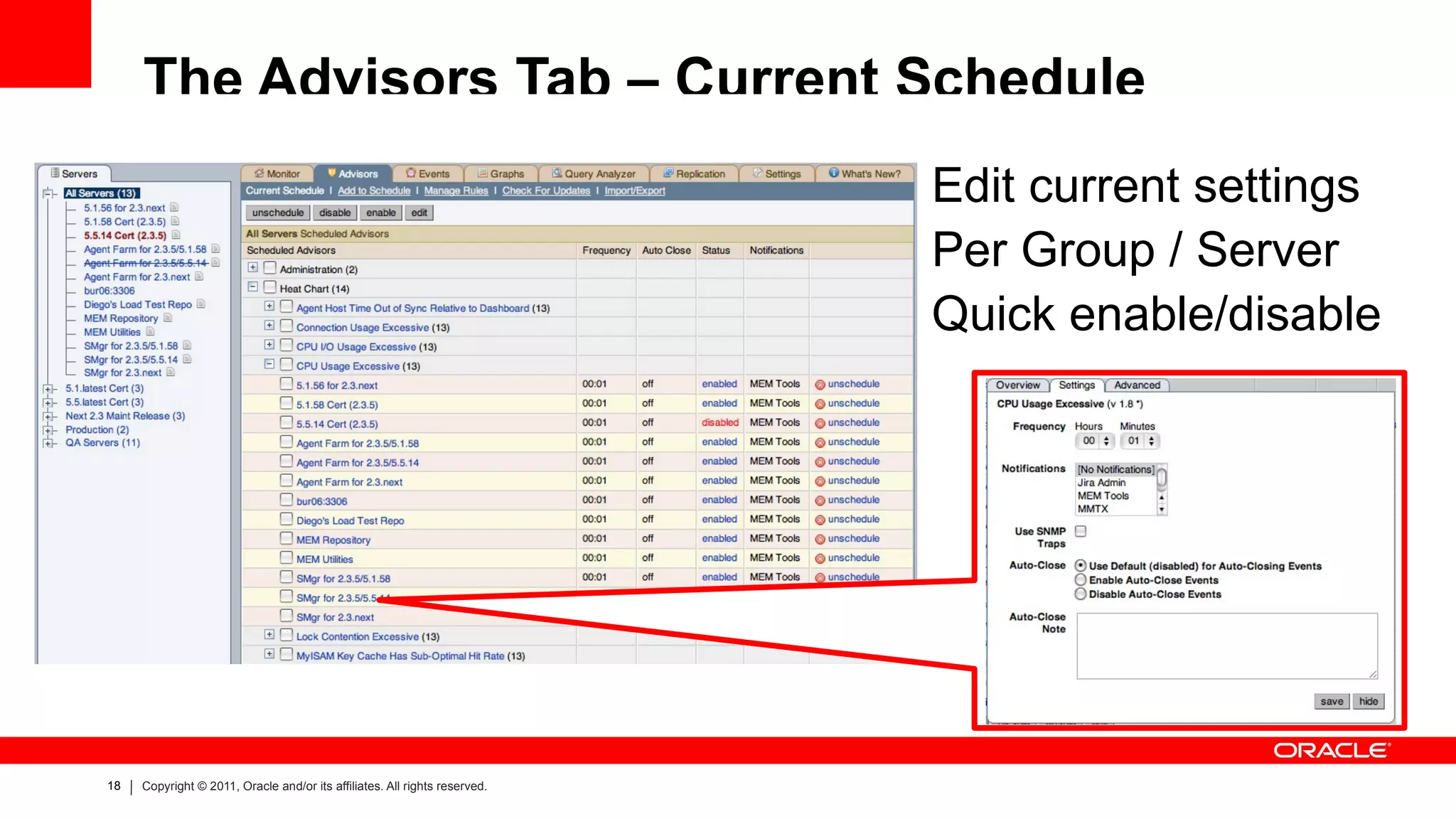
The Advisors Tab – Current Schedule Edit current settings
Per Group / Server
Quick enable/disable
Advisors Tab - Manage Rules Overview >1000 MySQL metrics SHOW STATUS
SHOW VARIABLES
SHOW SLAVE STATUS
SHOW INNODB STATUS
INFORMATION_SCHEMA
PERFORMANCE_SCHEMA ~100 OS metrics
Custom SQL possible Create Custom Edit defaults Even app specific
Advisors Tab - Edit Rule The Rule is the Expression
Certified rules allow threshold and frequency changes
Default values are generally conservative
Gather some graph data before refining

Getting to Know MySQL Enterprise Monitor