Chapter 19-2 PHP LECTUR 8: PHP & MYSQL PART 2 Web-Based Design IT210 1
OBJECTIVES By the end of this lecture student will be able to: Apply php methodology for different SQL queries using MySQLi extension(procedural) through interface (form) 2
OUTL INE 3 Insert to database through form Display the data in a table Update to database through form Delete to database through form
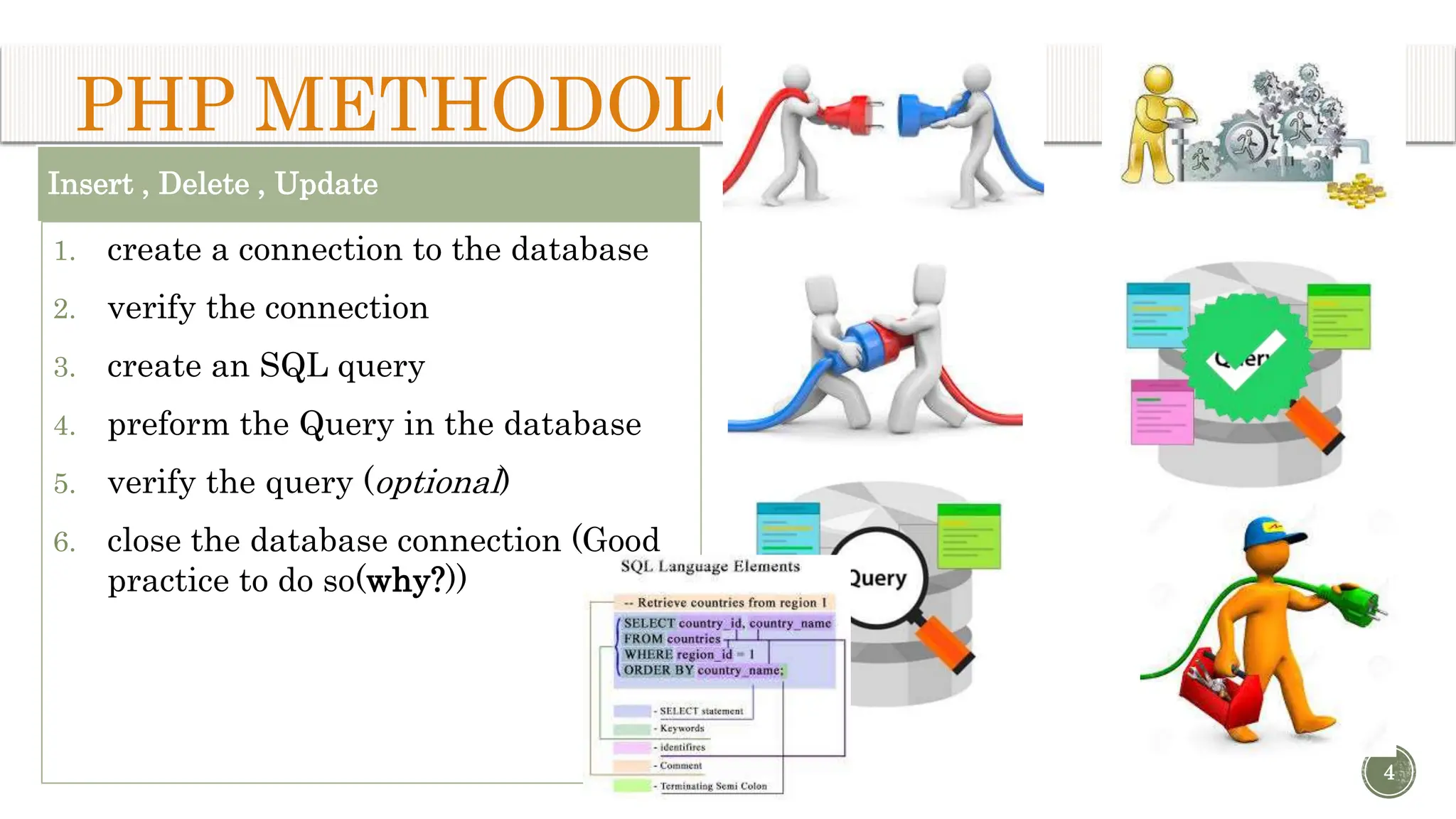
Insert , Delete , Update 1. create a connection to the database 2. verify the connection 3. create an SQL query 4. preform the Query in the database 5. verify the query (optional) 6. close the database connection (Good practice to do so(why?)) 4 PHP METHODOLOGY:
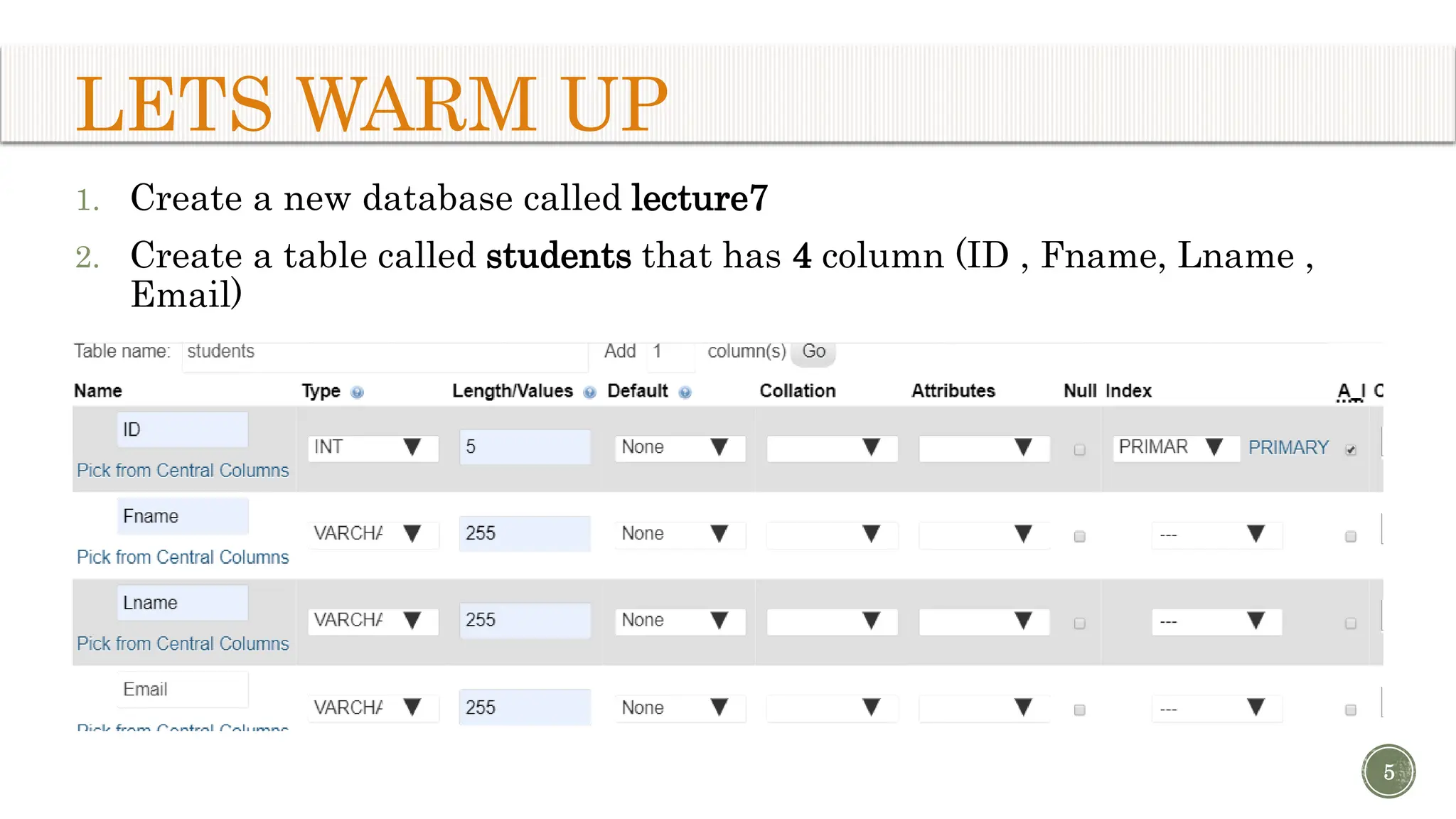
LETS WARM UP 1. Create a new database called lecture7 2. Create a table called students that has 4 column (ID , Fname, Lname , Email) 5
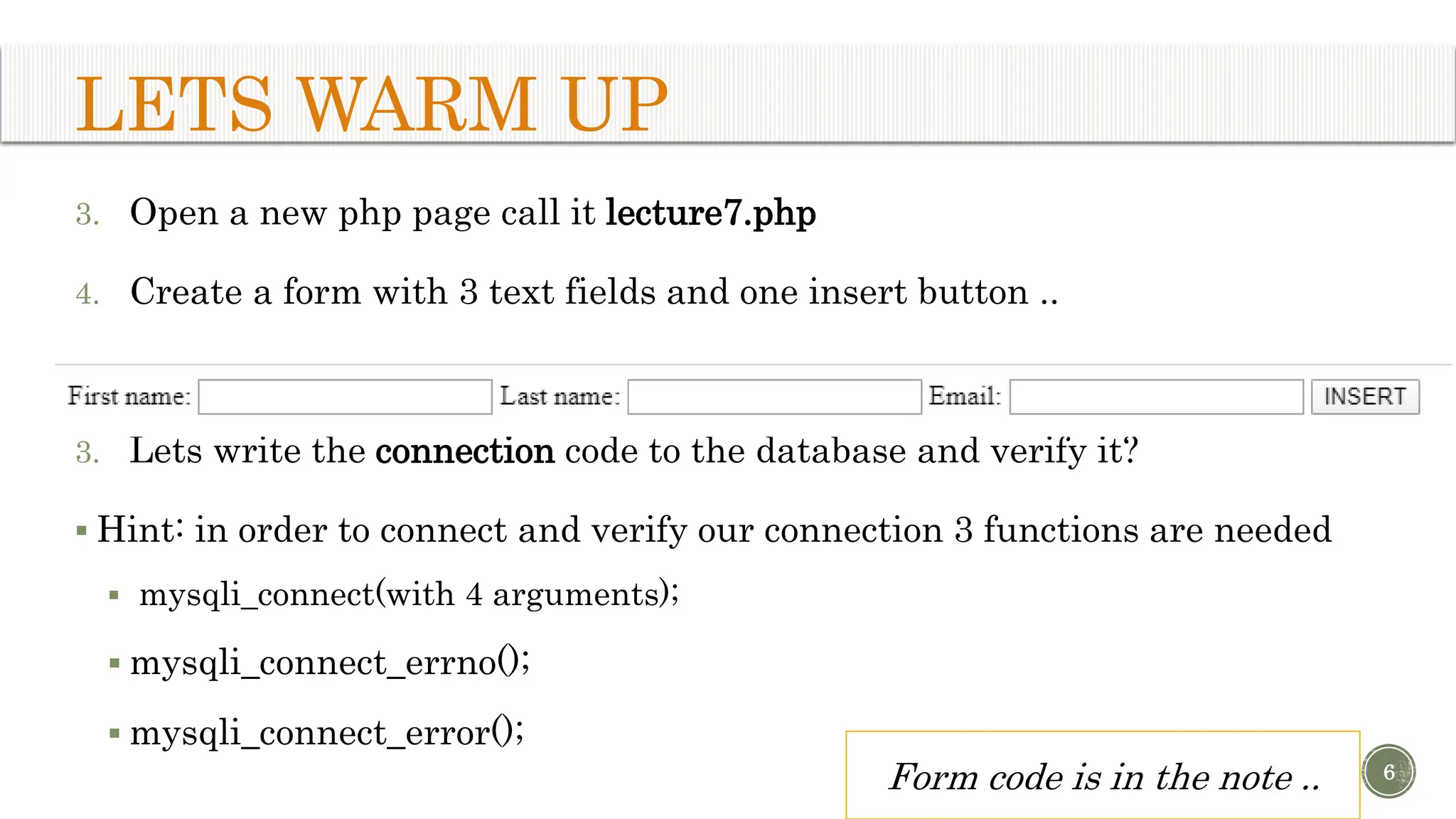
LETS WARM UP 3. Open a new php page call it lecture7.php 4. Create a form with 3 text fields and one insert button .. 3. Lets write the connection code to the database and verify it?  Hint: in order to connect and verify our connection 3 functions are needed  mysqli_connect(with 4 arguments);  mysqli_connect_errno();  mysqli_connect_error(); 6 Form code is in the note ..
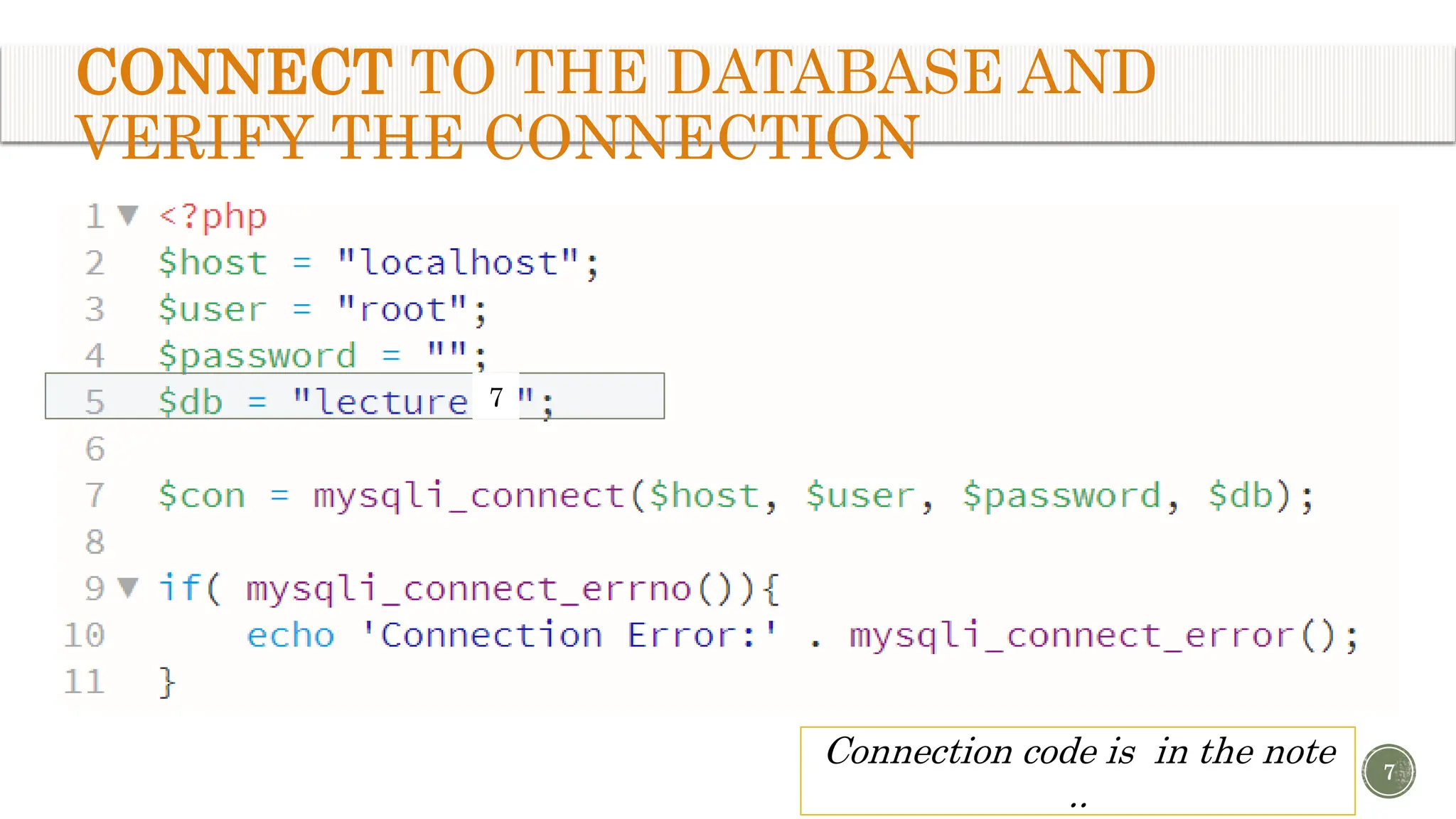
CONNECT TO THE DATABASE AND VERIFY THE CONNECTION 7 Connection code is in the note .. 7
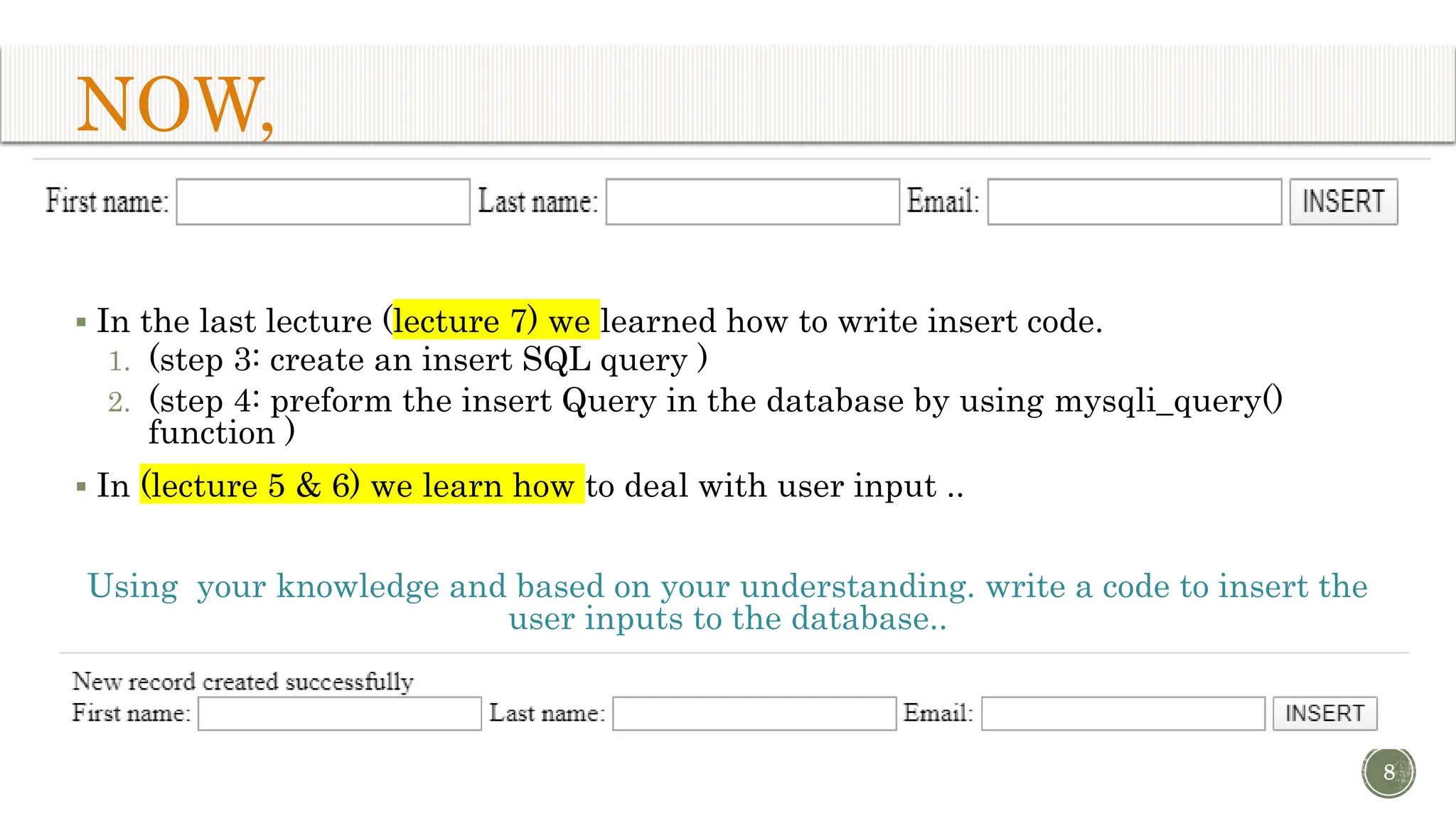
NOW,  In the last lecture (lecture 7) we learned how to write insert code. 1. (step 3: create an insert SQL query ) 2. (step 4: preform the insert Query in the database by using mysqli_query() function )  In (lecture 5 & 6) we learn how to deal with user input .. Using your knowledge and based on your understanding. write a code to insert the user inputs to the database.. 8
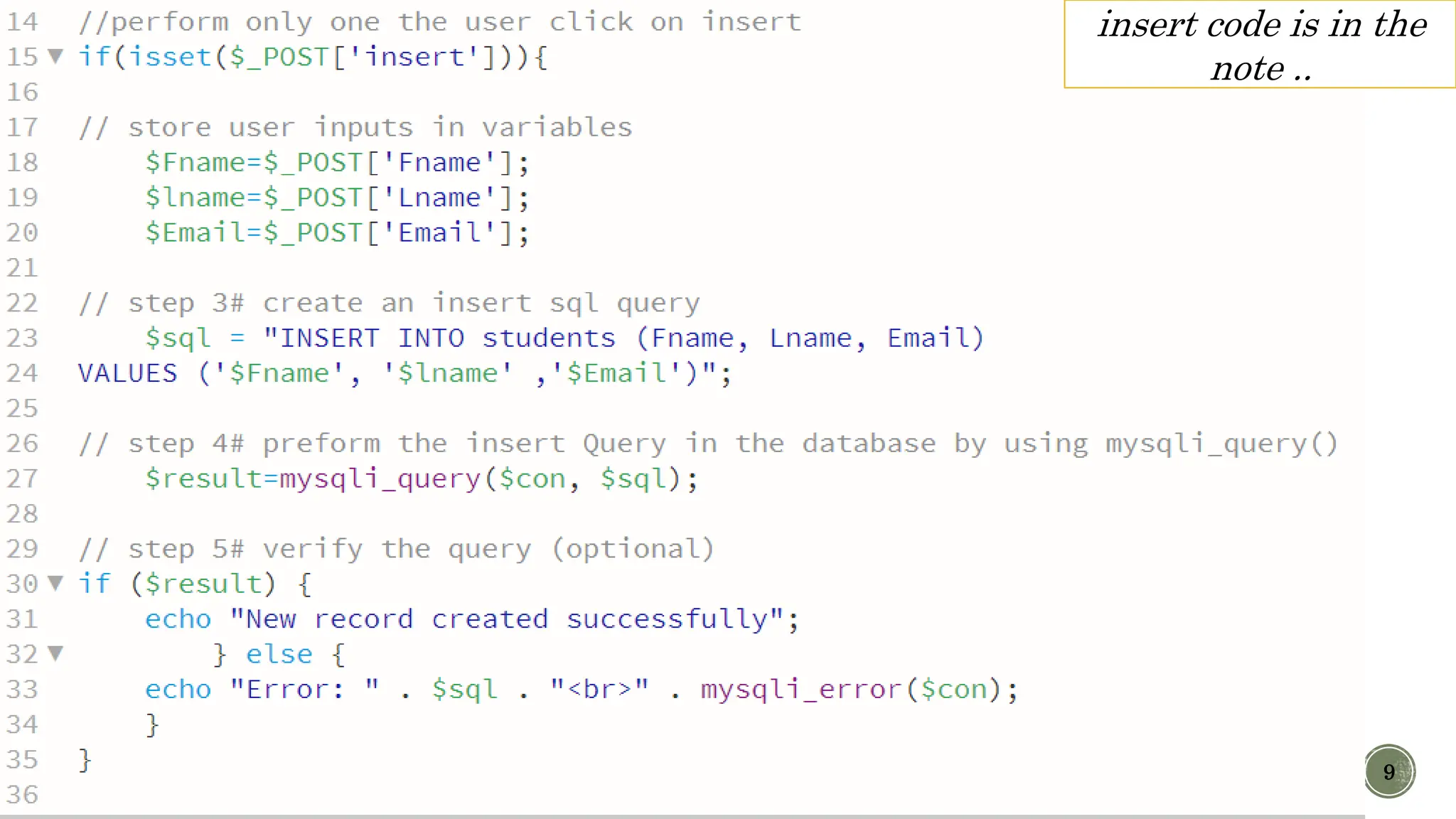
9 insert code is in the note ..
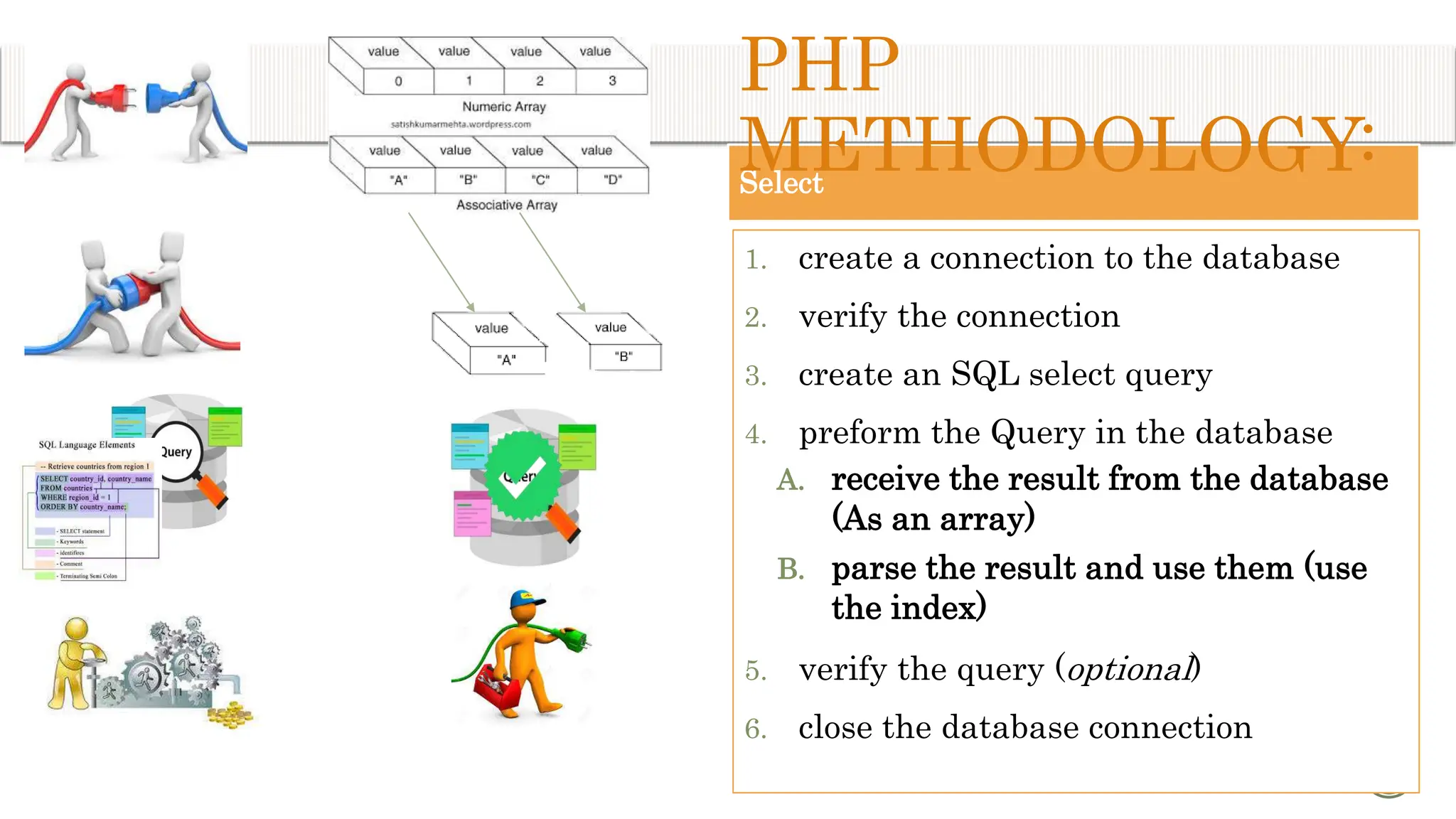
Select 1. create a connection to the database 2. verify the connection 3. create an SQL select query 4. preform the Query in the database A. receive the result from the database (As an array) B. parse the result and use them (use the index) 5. verify the query (optional) 6. close the database connection 10 PHP METHODOLOGY:
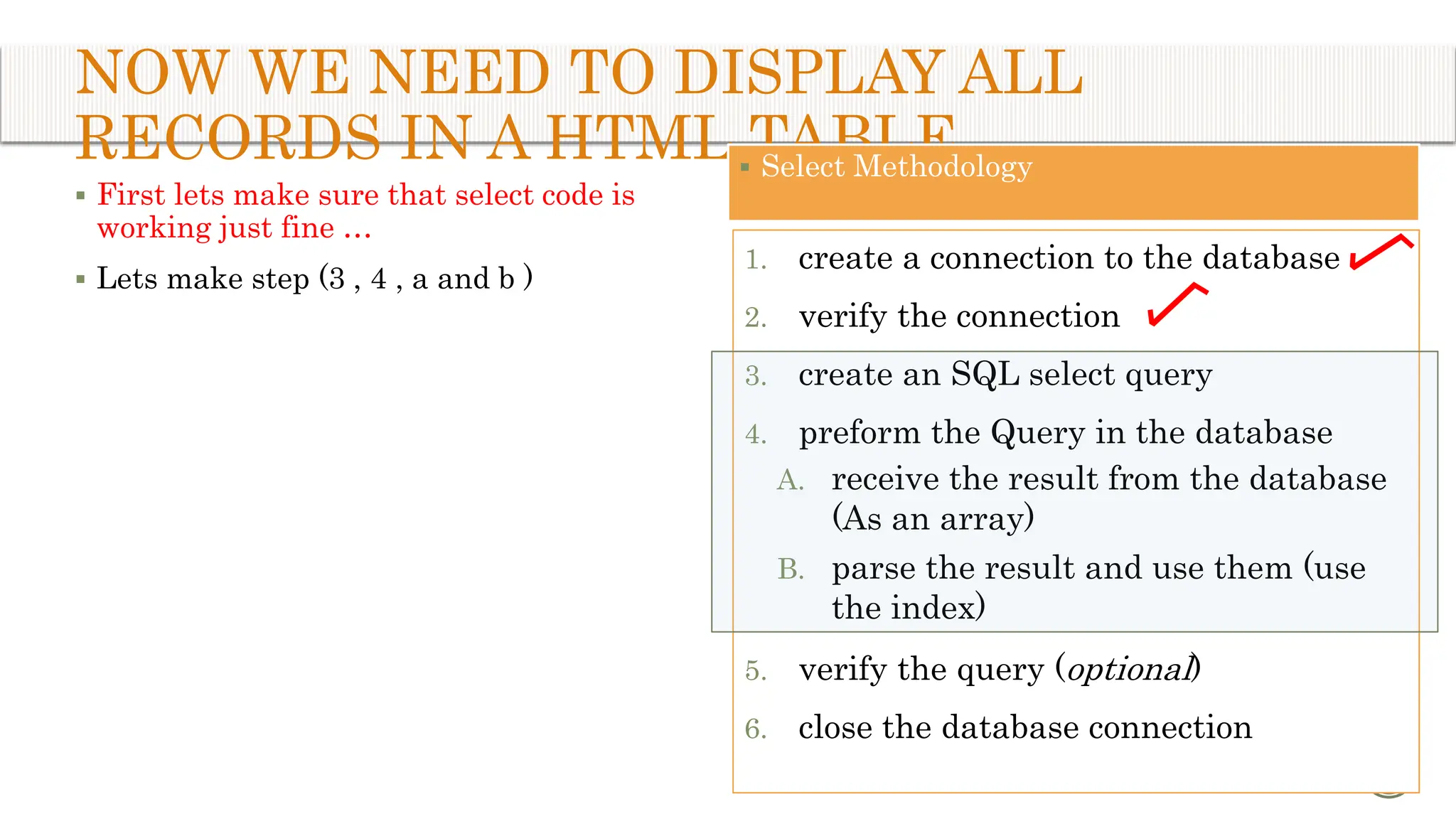
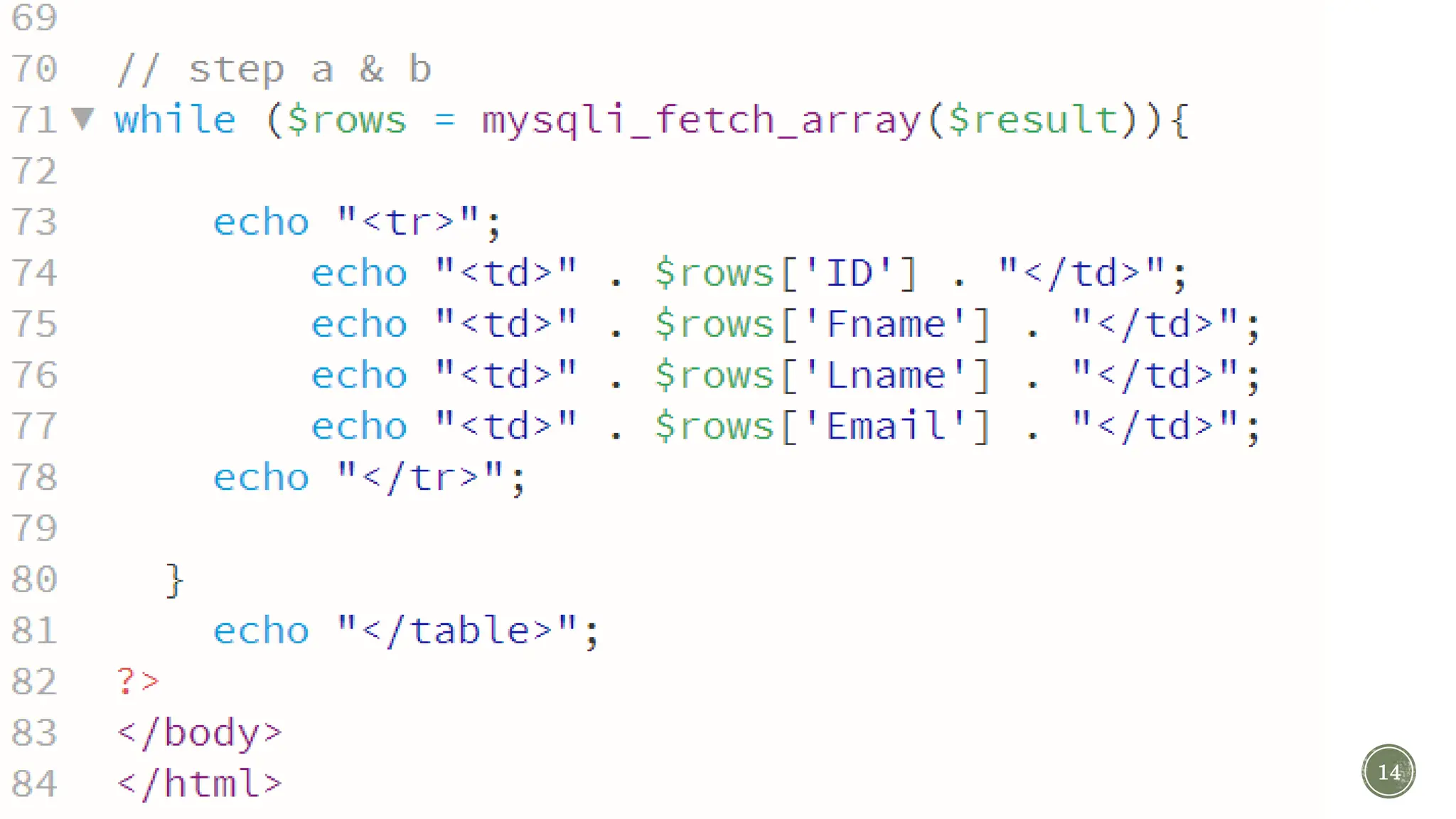
NOW WE NEED TO DISPLAY ALL RECORDS IN A HTML TABLE  First lets make sure that select code is working just fine …  Lets make step (3 , 4 , a and b ) 11  Select Methodology 1. create a connection to the database 2. verify the connection 3. create an SQL select query 4. preform the Query in the database A. receive the result from the database (As an array) B. parse the result and use them (use the index) 5. verify the query (optional) 6. close the database connection
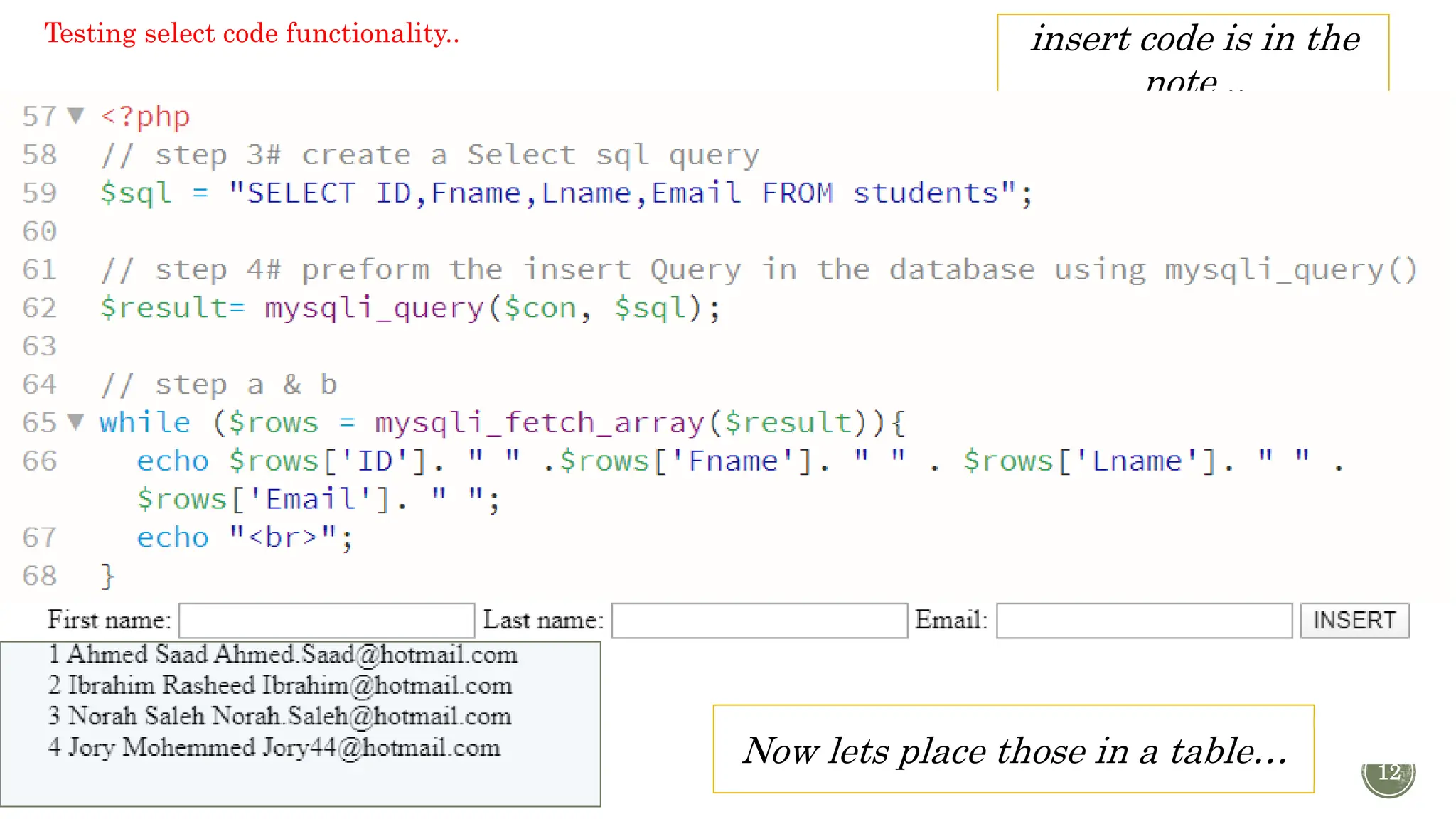
12 insert code is in the note .. Now lets place those in a table… Testing select code functionality..
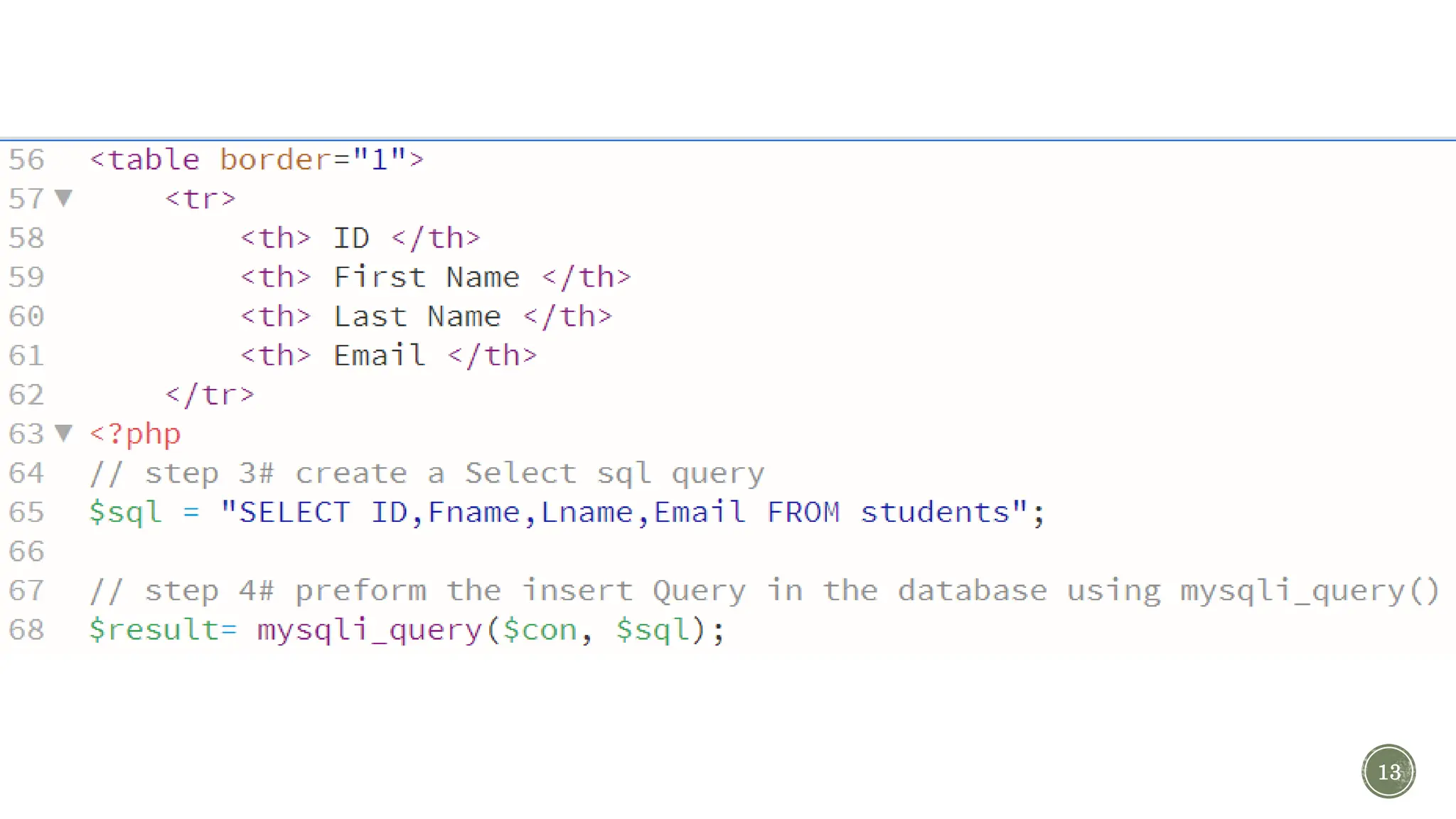
13
14
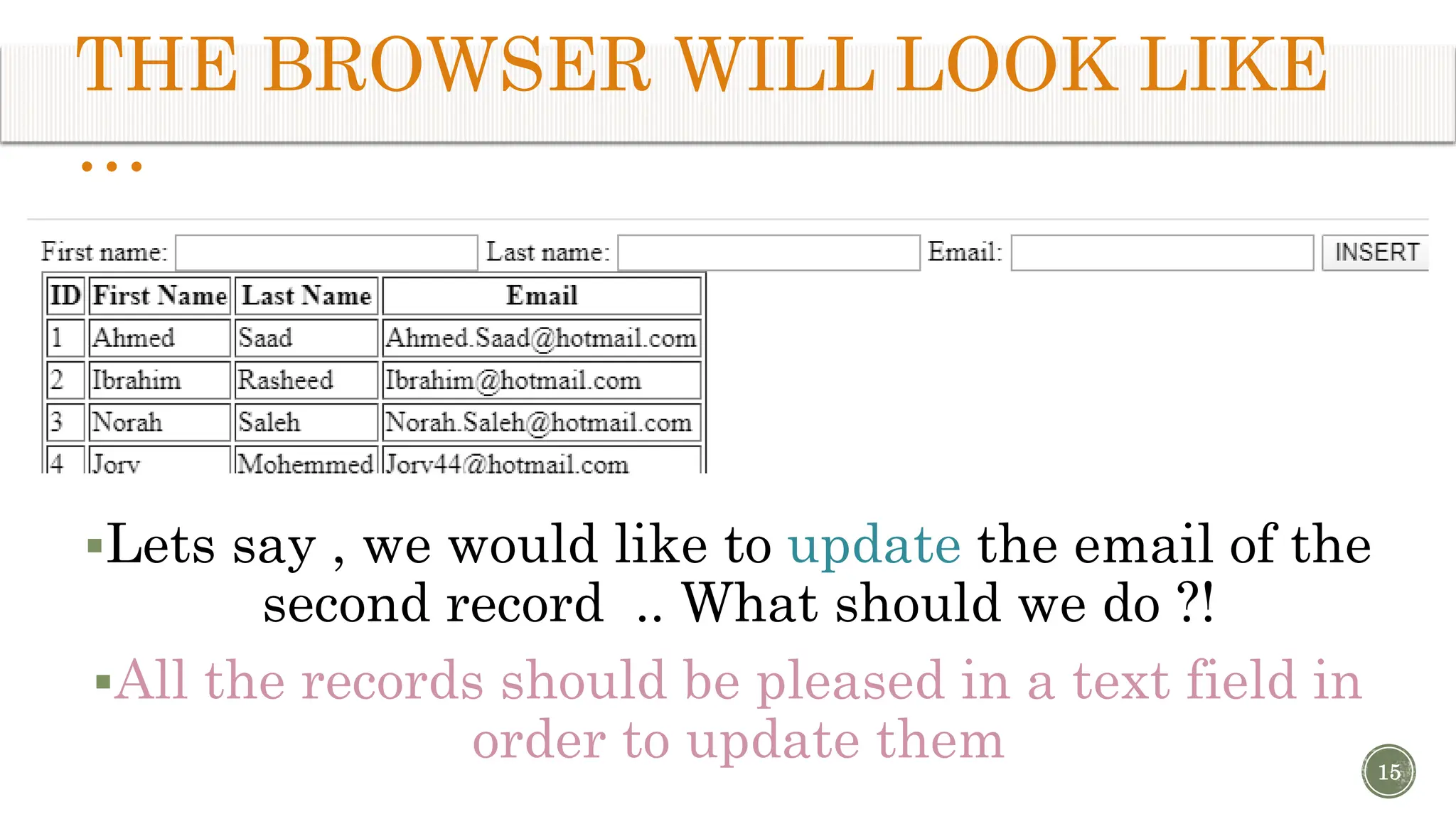
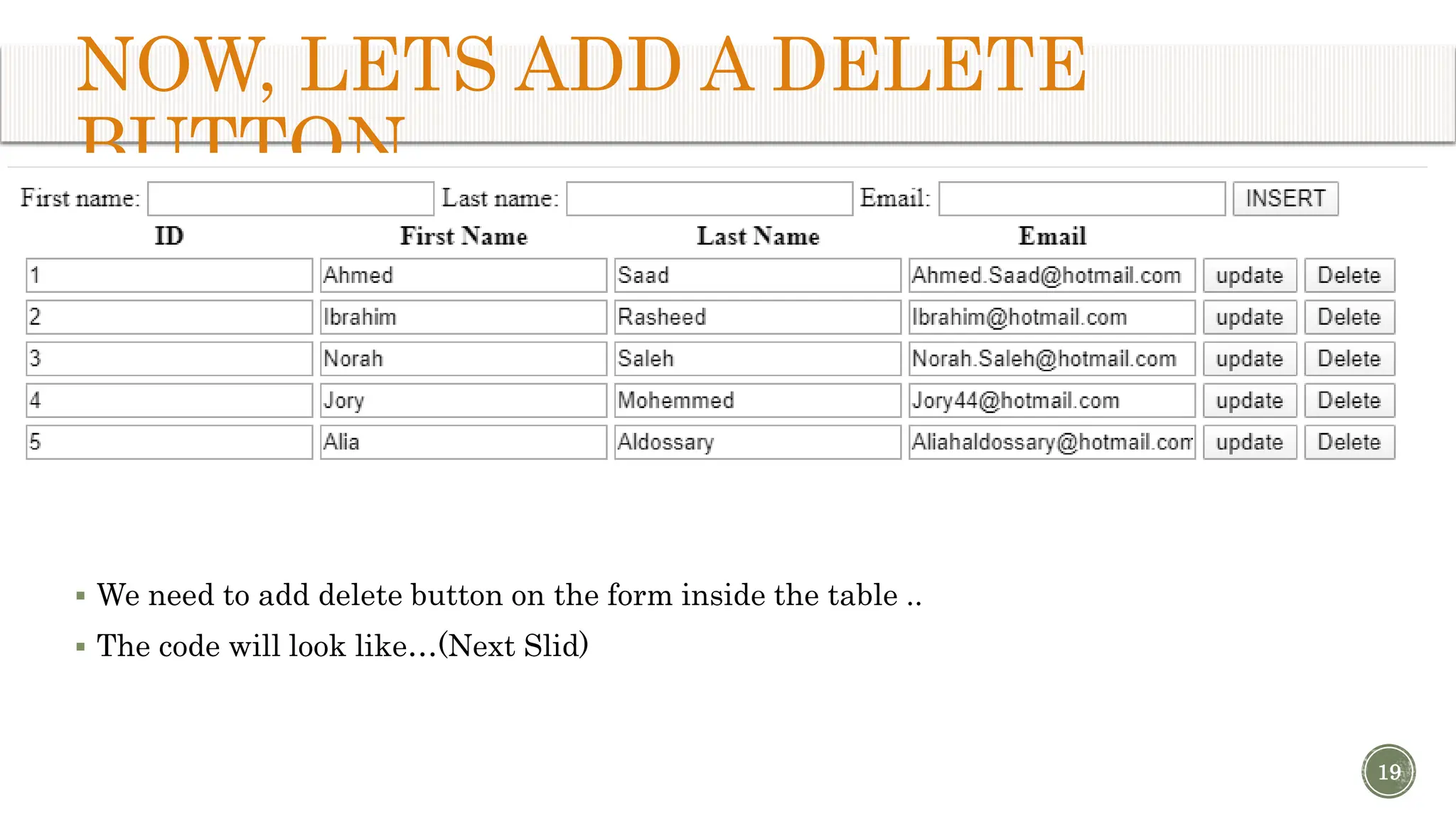
THE BROWSER WILL LOOK LIKE … Lets say , we would like to update the email of the second record .. What should we do ?! All the records should be pleased in a text field in order to update them 15
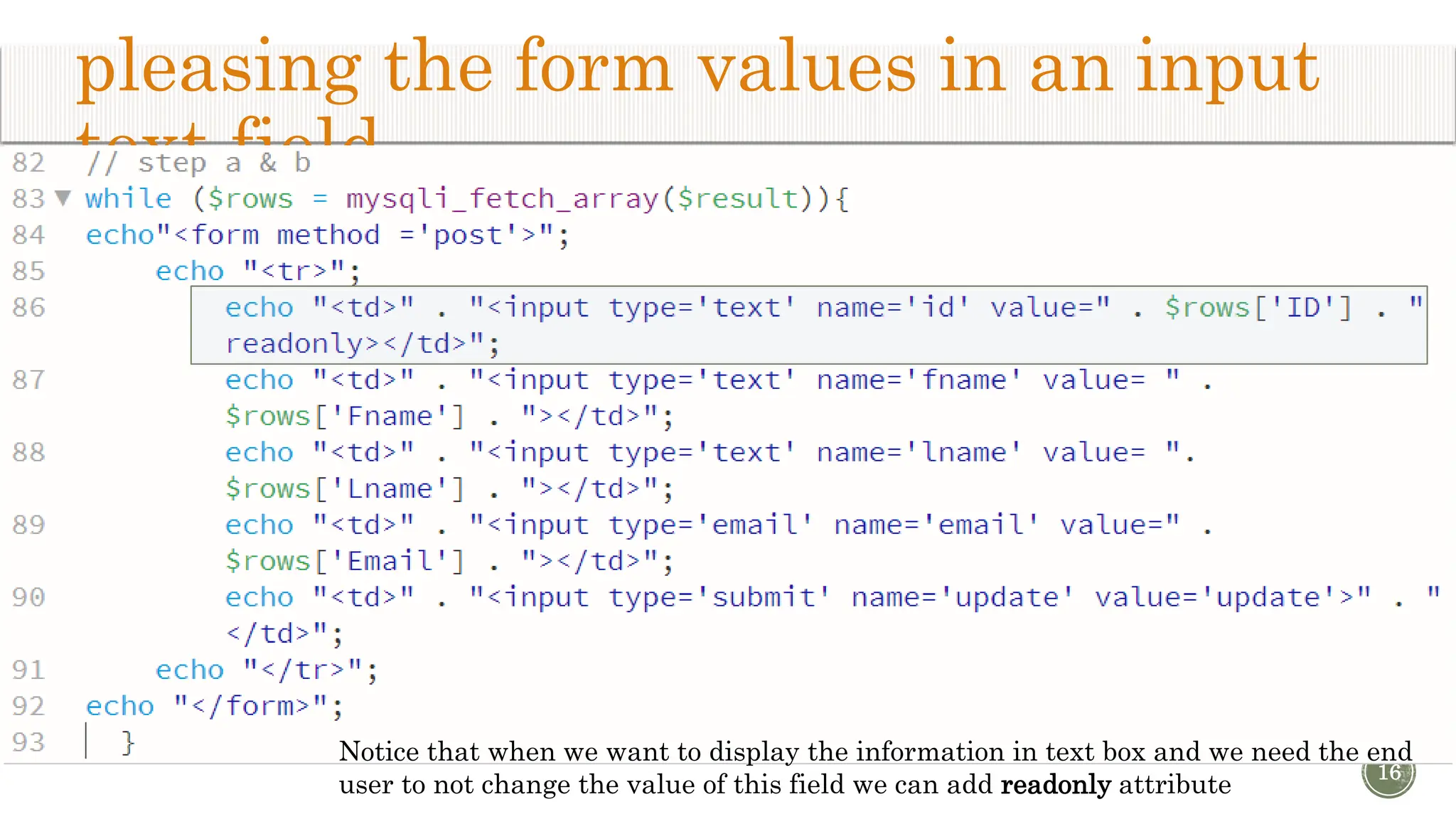
pleasing the form values in an input text field 16 Notice that when we want to display the information in text box and we need the end user to not change the value of this field we can add readonly attribute
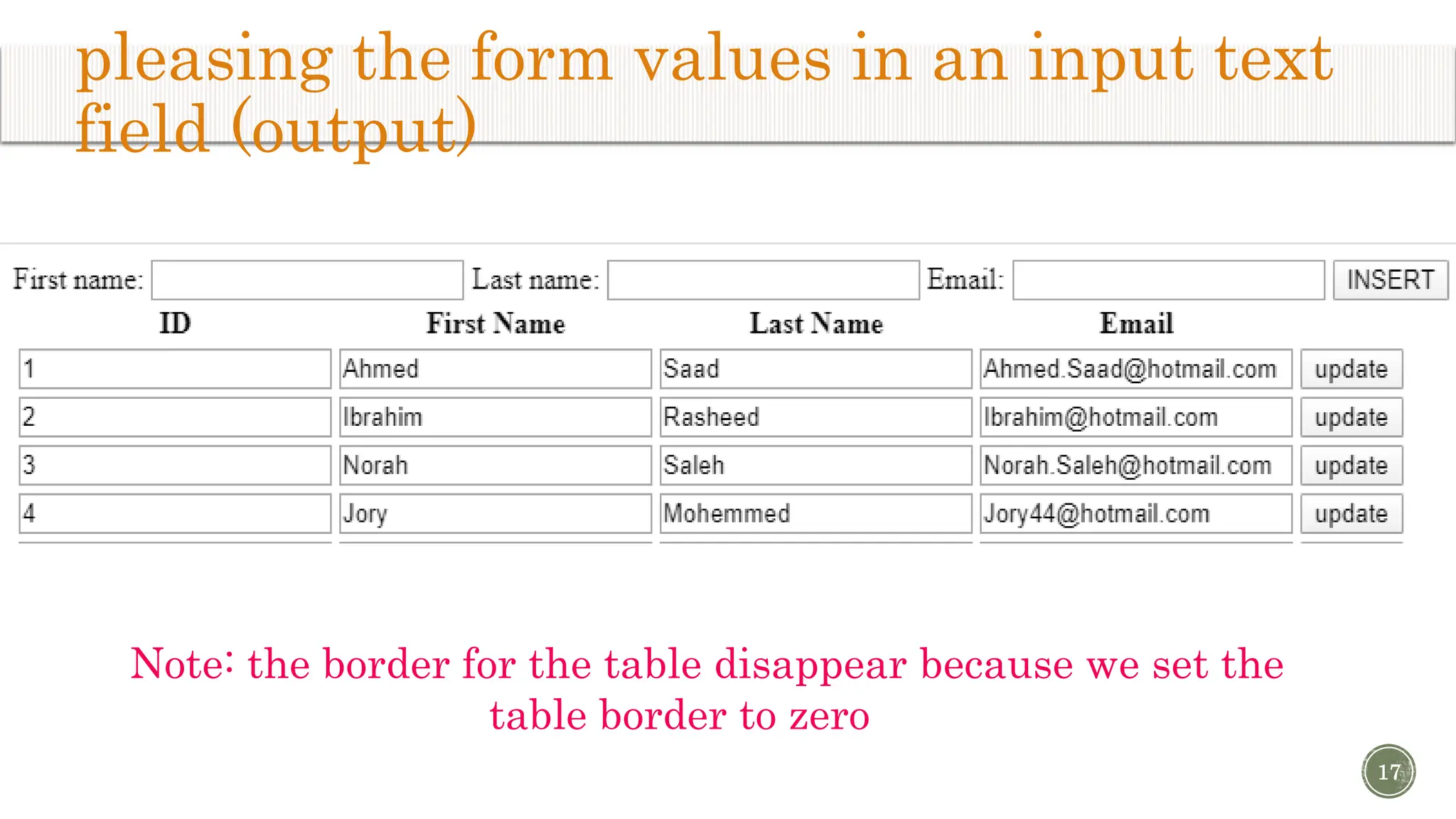
pleasing the form values in an input text field (output) 17 Note: the border for the table disappear because we set the table border to zero
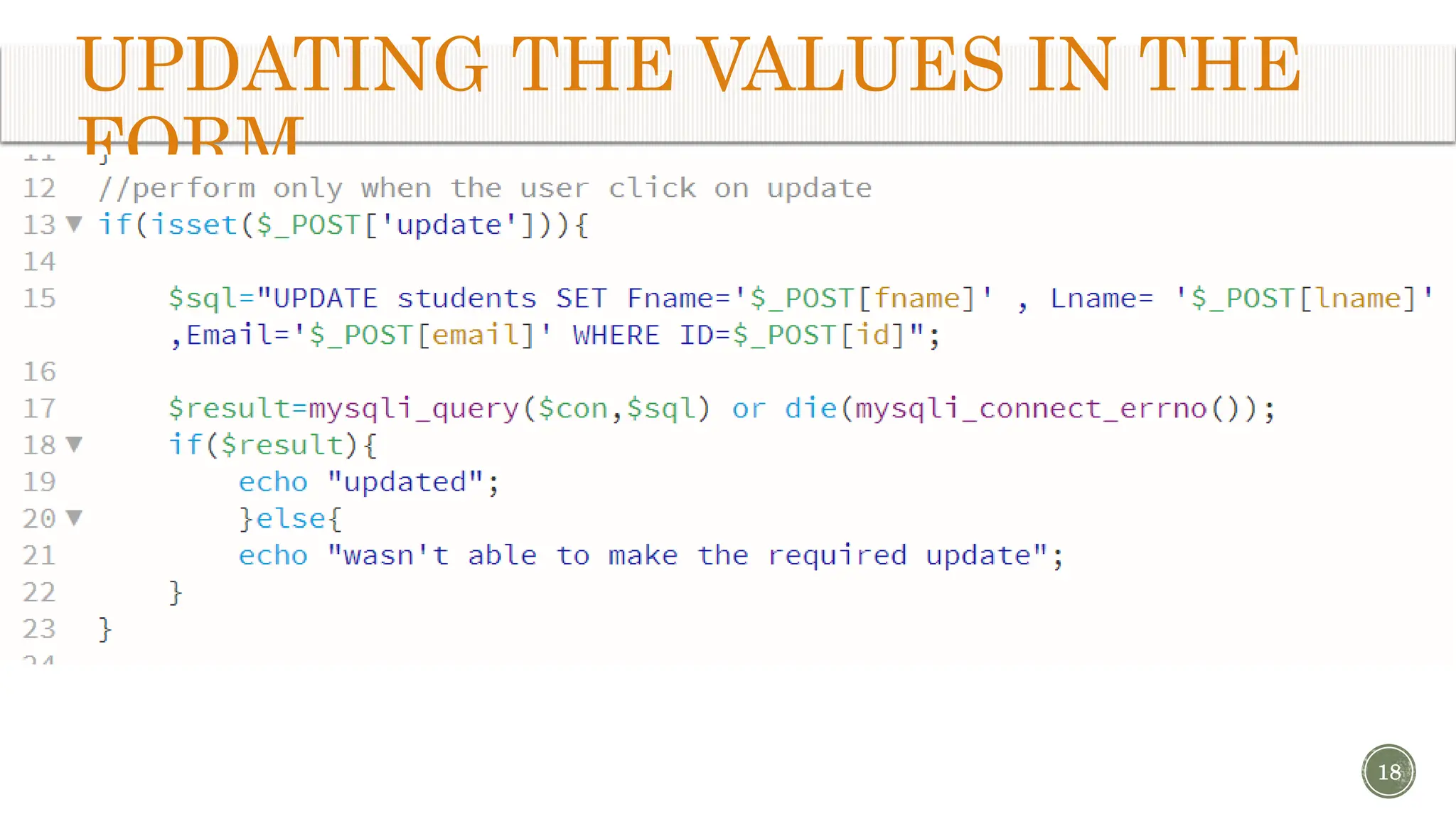
UPDATING THE VALUES IN THE FORM 18
NOW, LETS ADD A DELETE BUTTON  We need to add delete button on the form inside the table ..  The code will look like…(Next Slid) 19
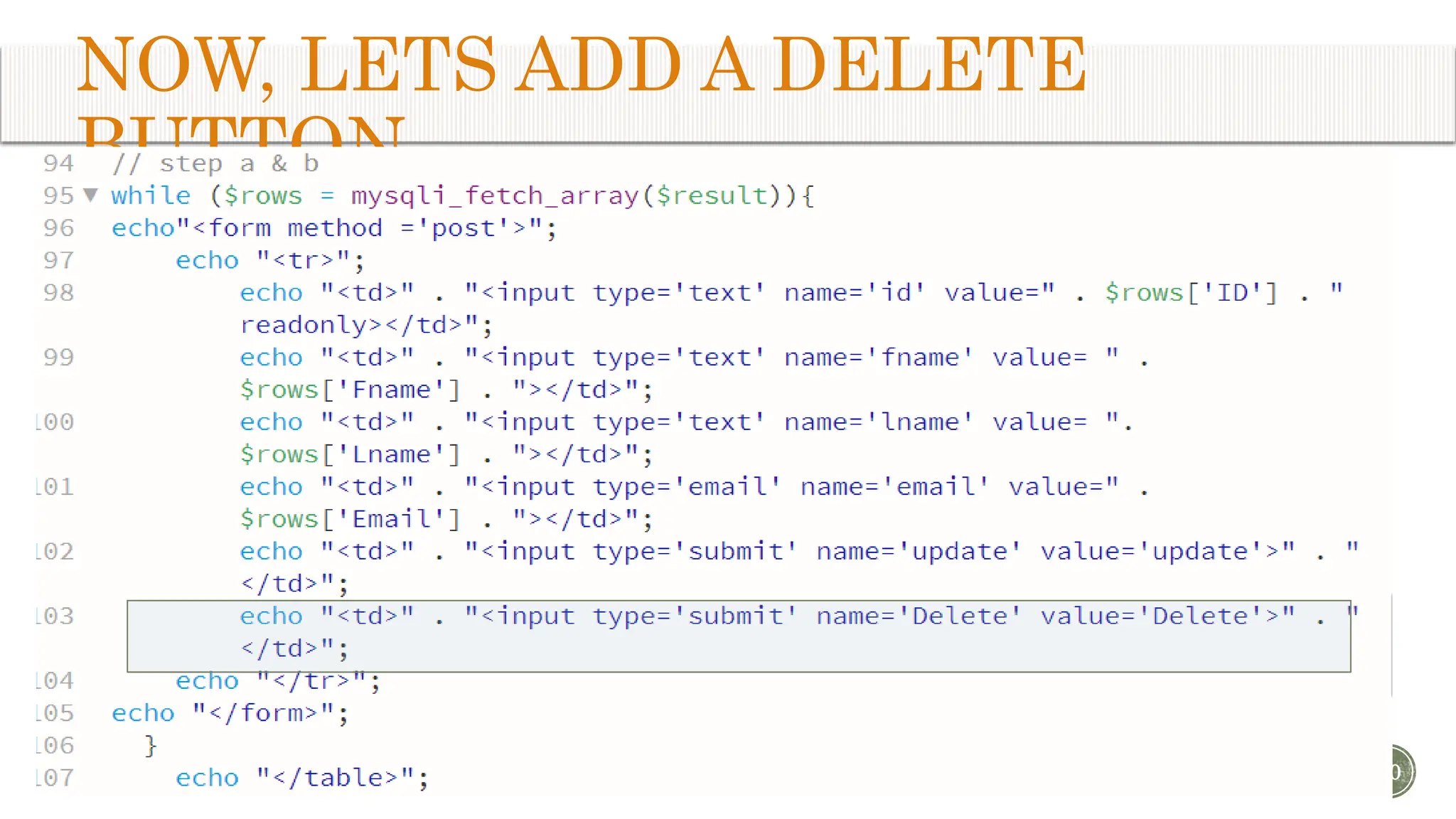
NOW, LETS ADD A DELETE BUTTON 20
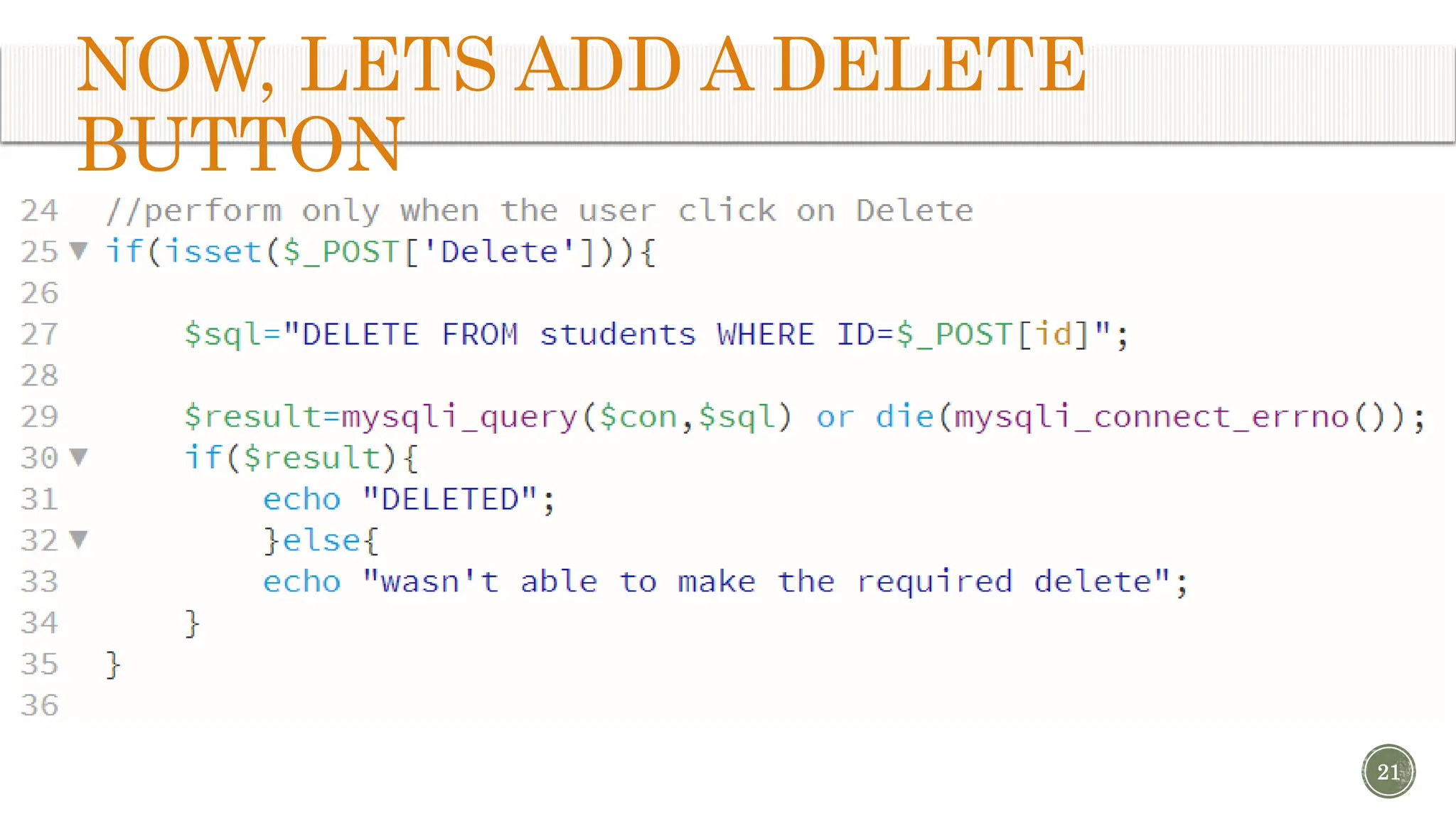
NOW, LETS ADD A DELETE BUTTON 21
LETS TEST THE FORM 22 Try to insert a record Delete the last record
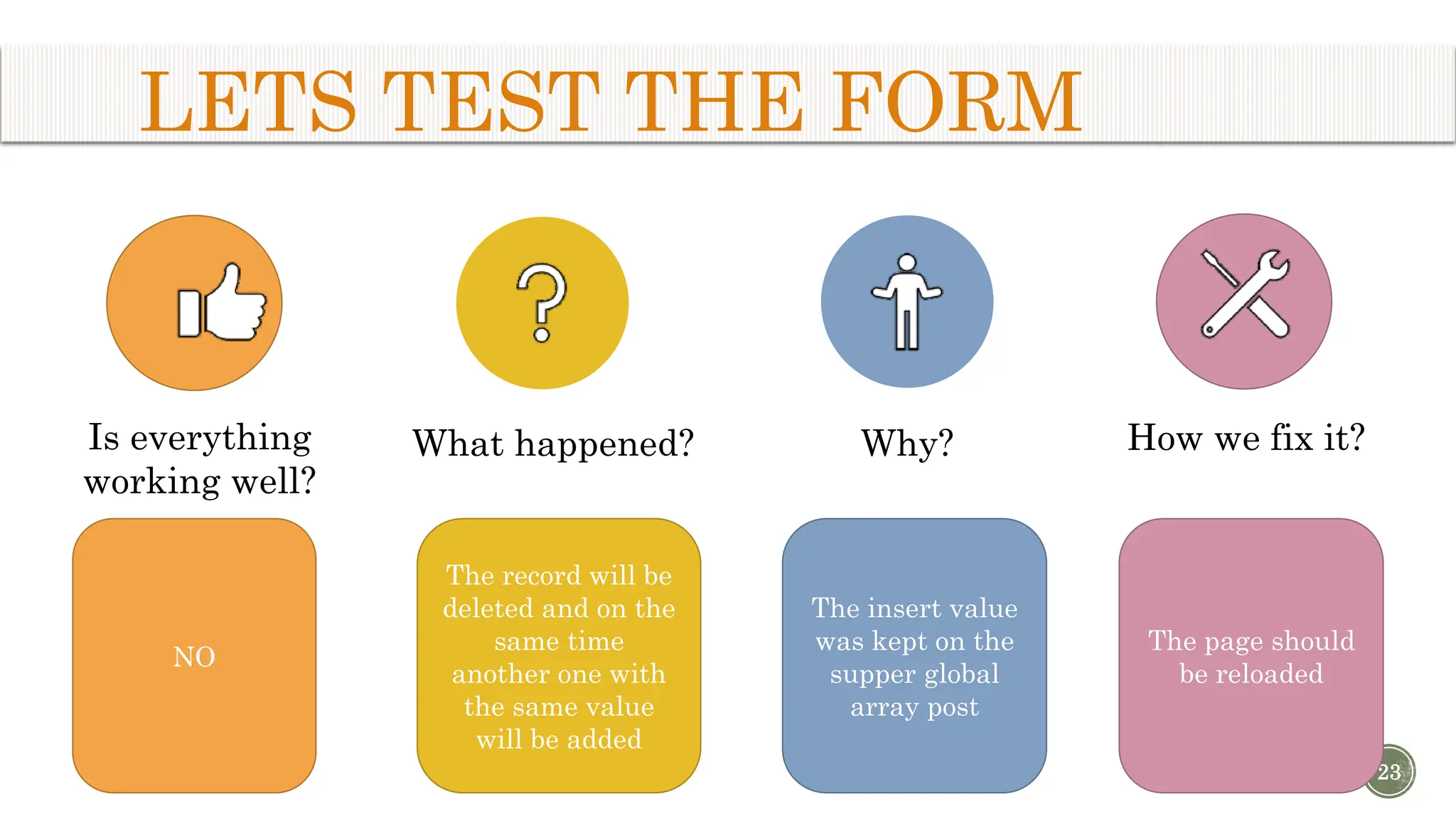
LETS TEST THE FORM 23 Is everything working well? What happened? Why? How we fix it? NO The record will be deleted and on the same time another one with the same value will be added The insert value was kept on the supper global array post The page should be reloaded
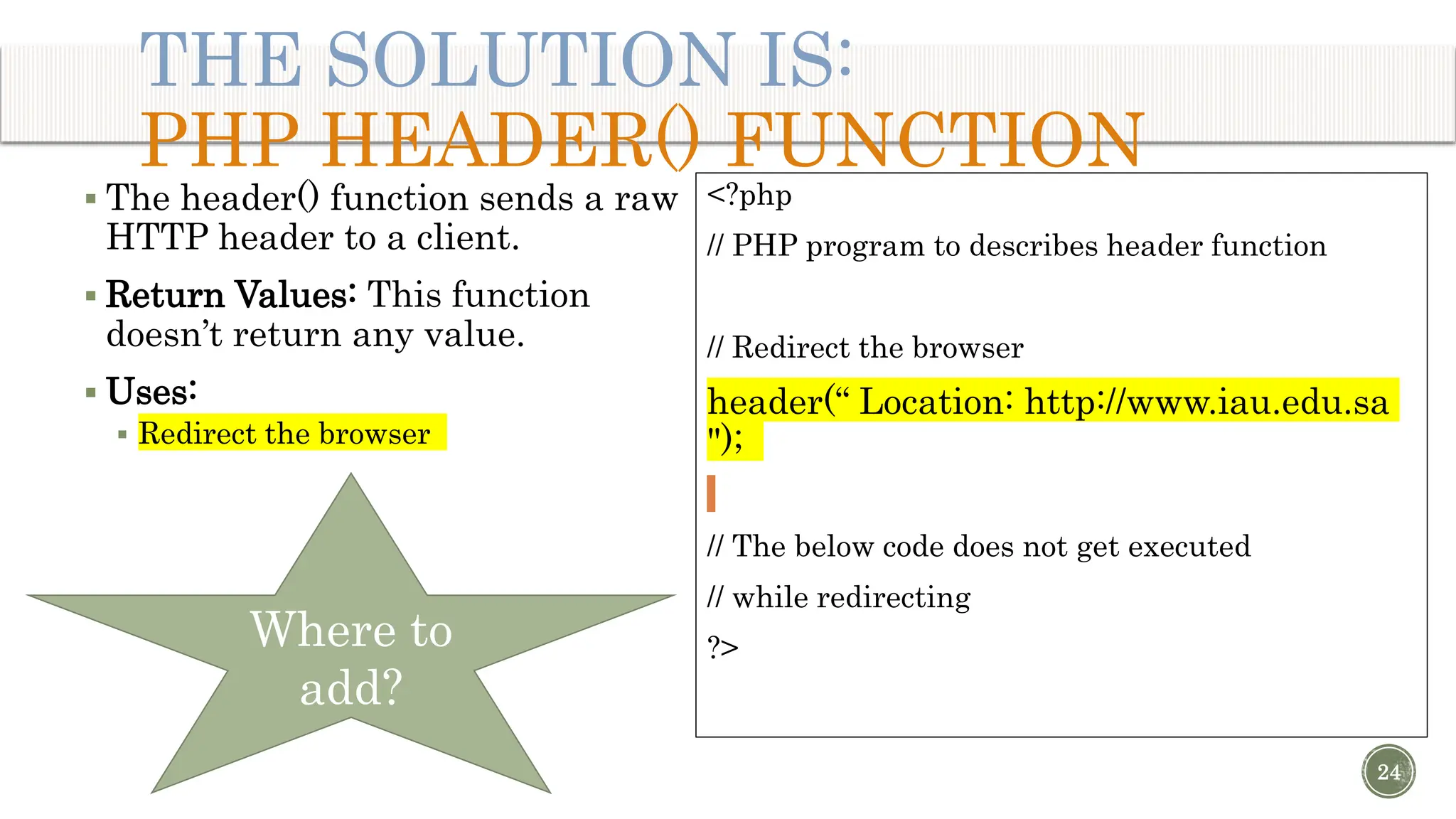
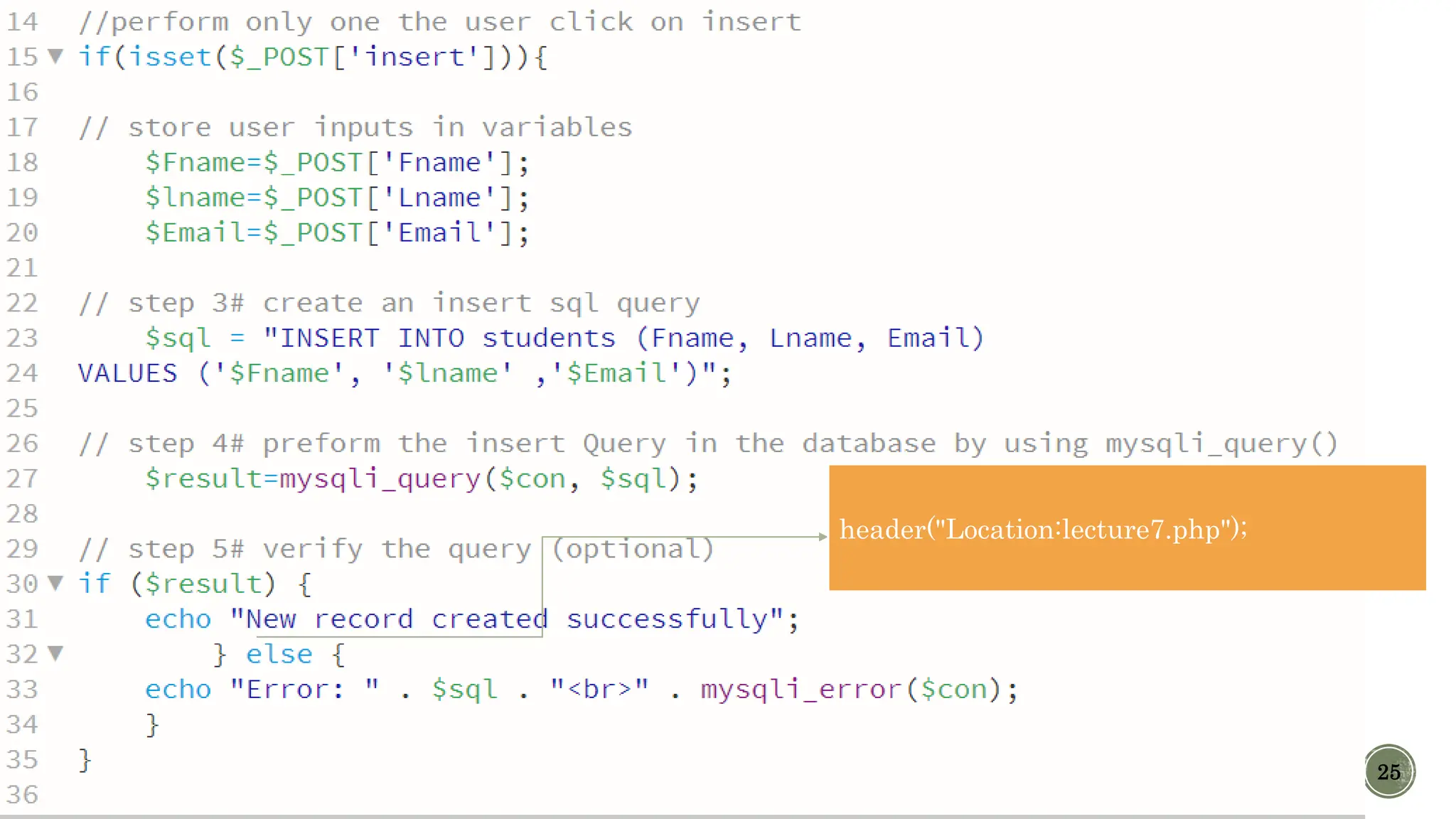
 The header() function sends a raw HTTP header to a client.  Return Values: This function doesn’t return any value.  Uses:  Redirect the browser THE SOLUTION IS: PHP HEADER() FUNCTION <?php // PHP program to describes header function // Redirect the browser header(“ Location: http://www.iau.edu.sa "); // The below code does not get executed // while redirecting ?> 24 Where to add?
25 header("Location:lecture7.php");
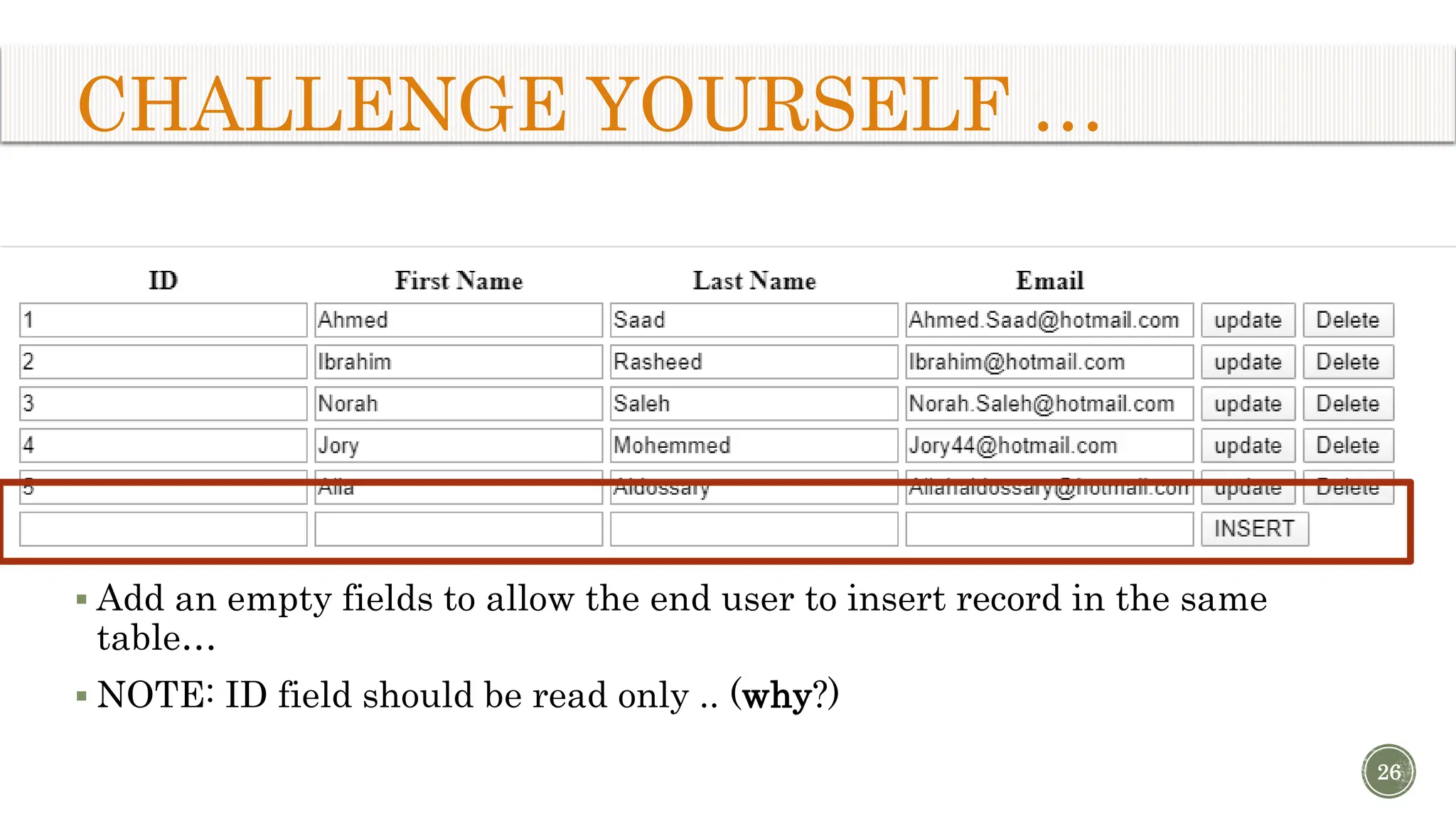
CHALLENGE YOURSELF … 26  Add an empty fields to allow the end user to insert record in the same table…  NOTE: ID field should be read only .. (why?)
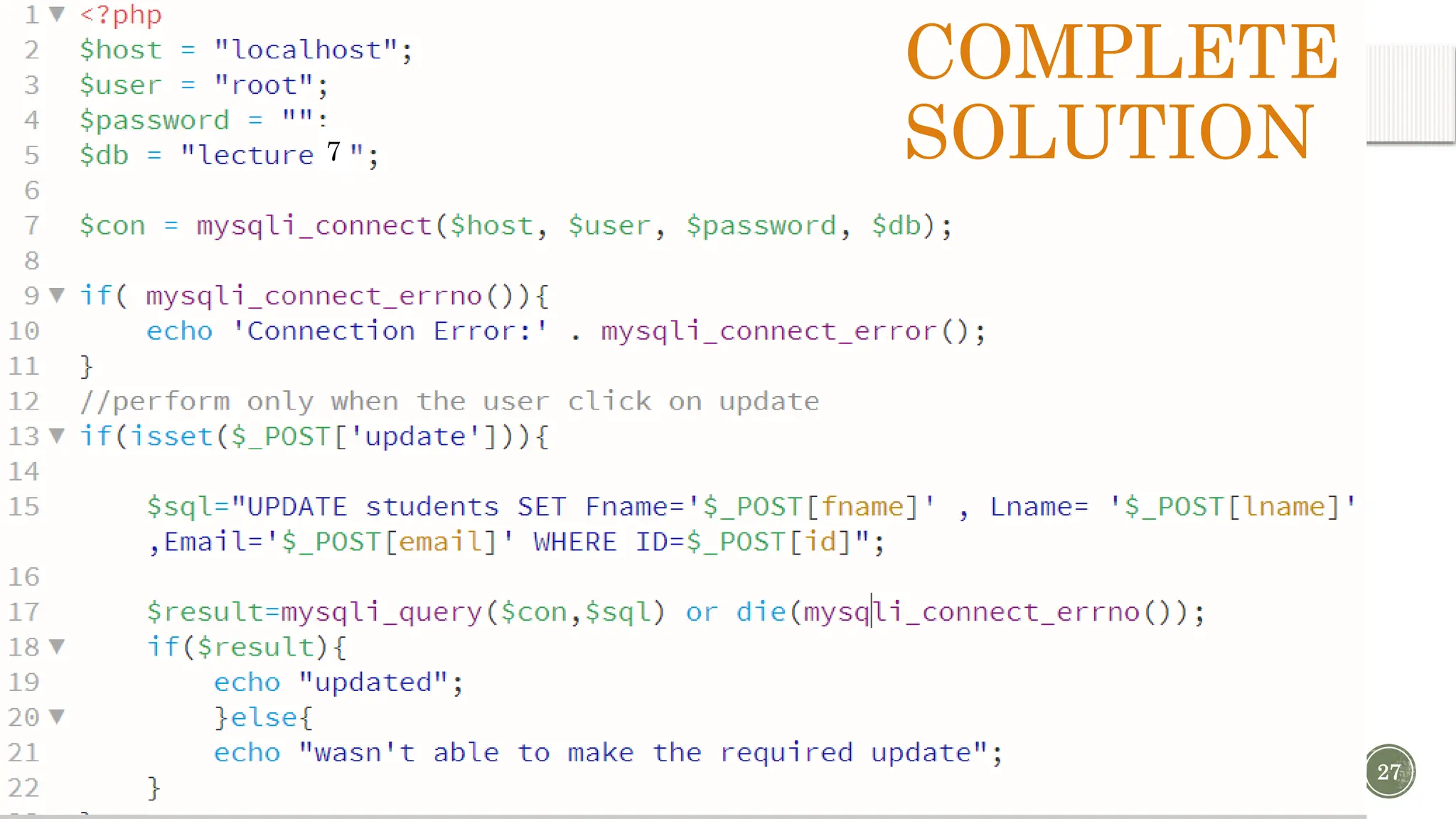
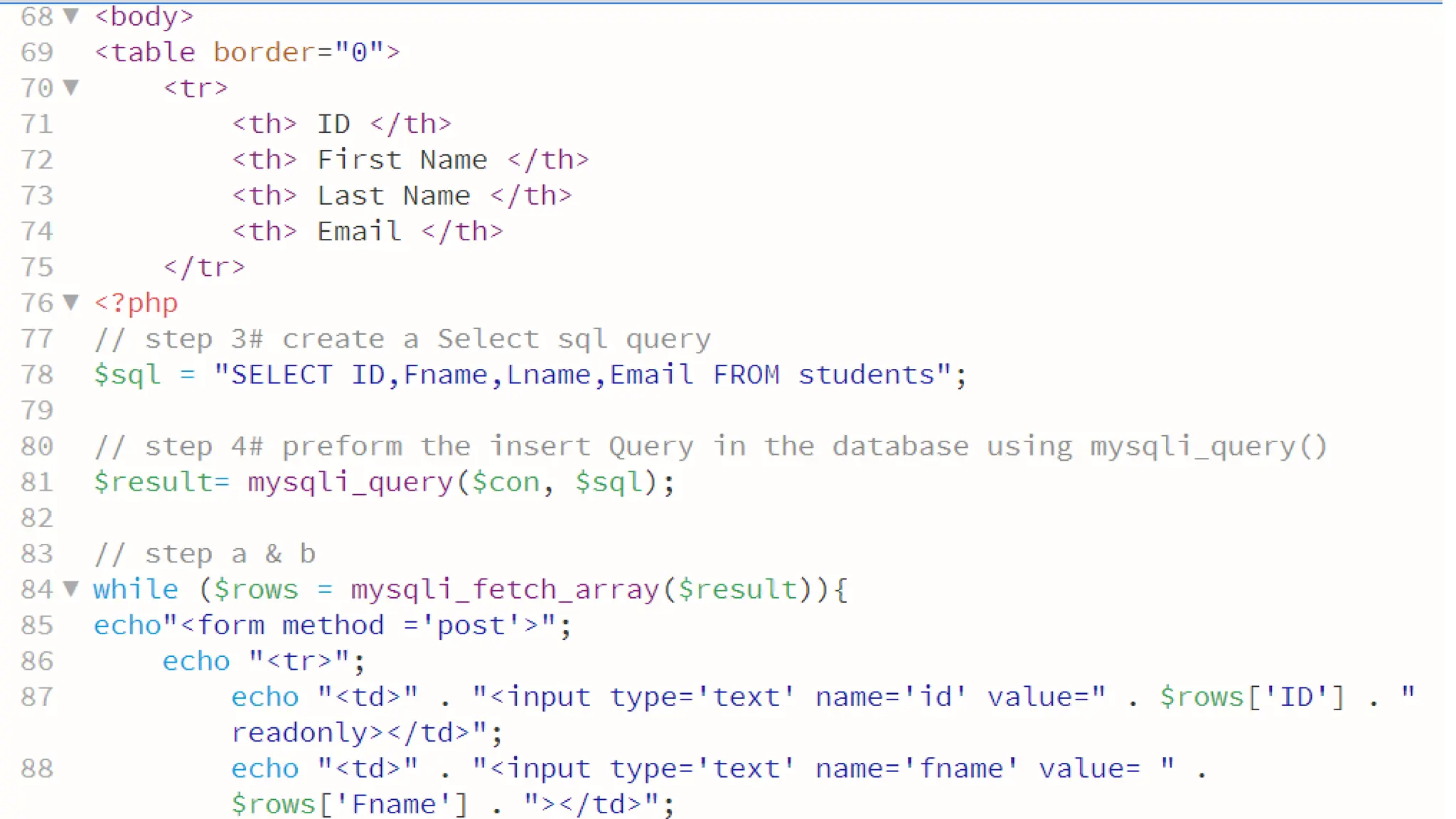
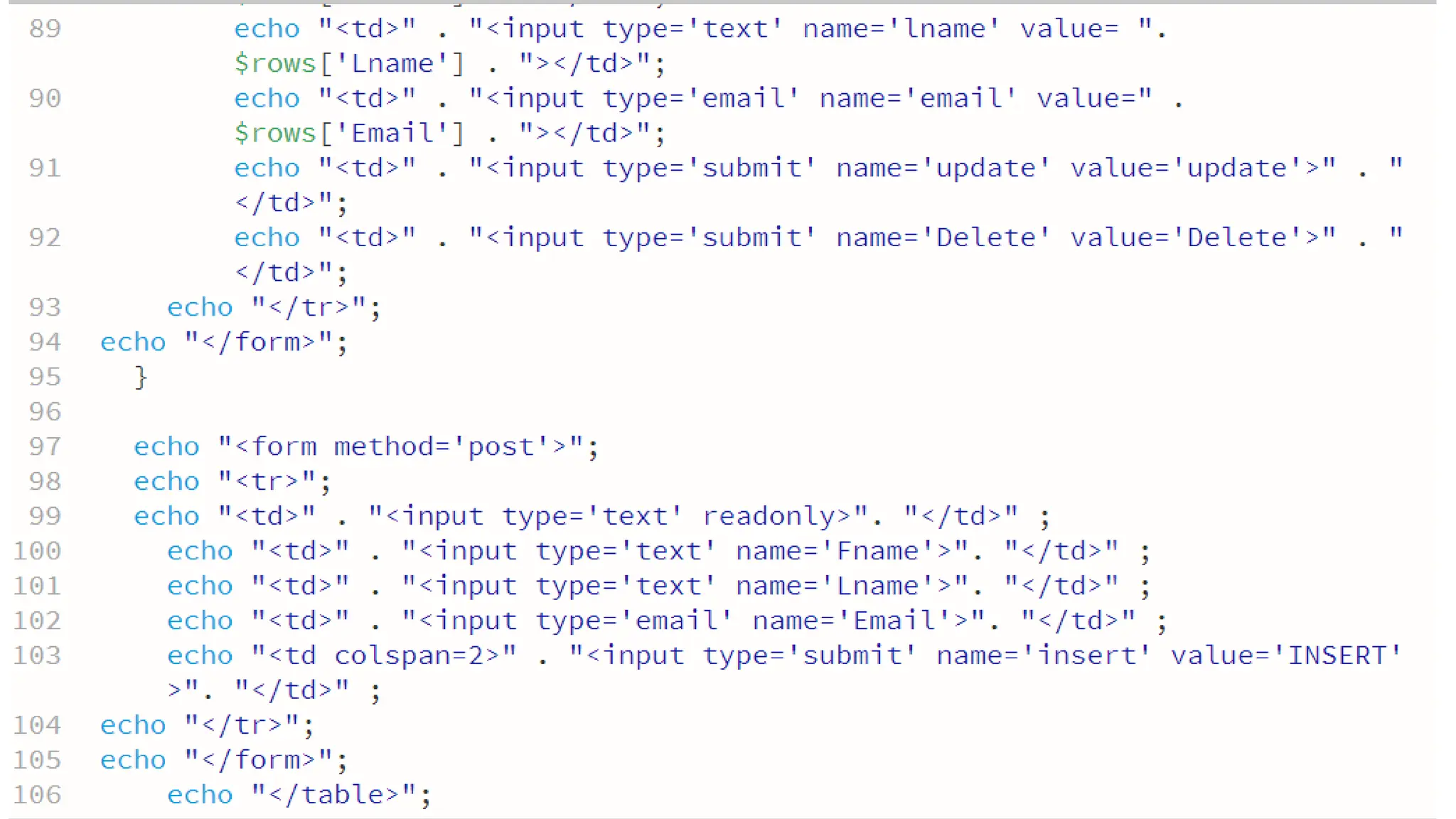
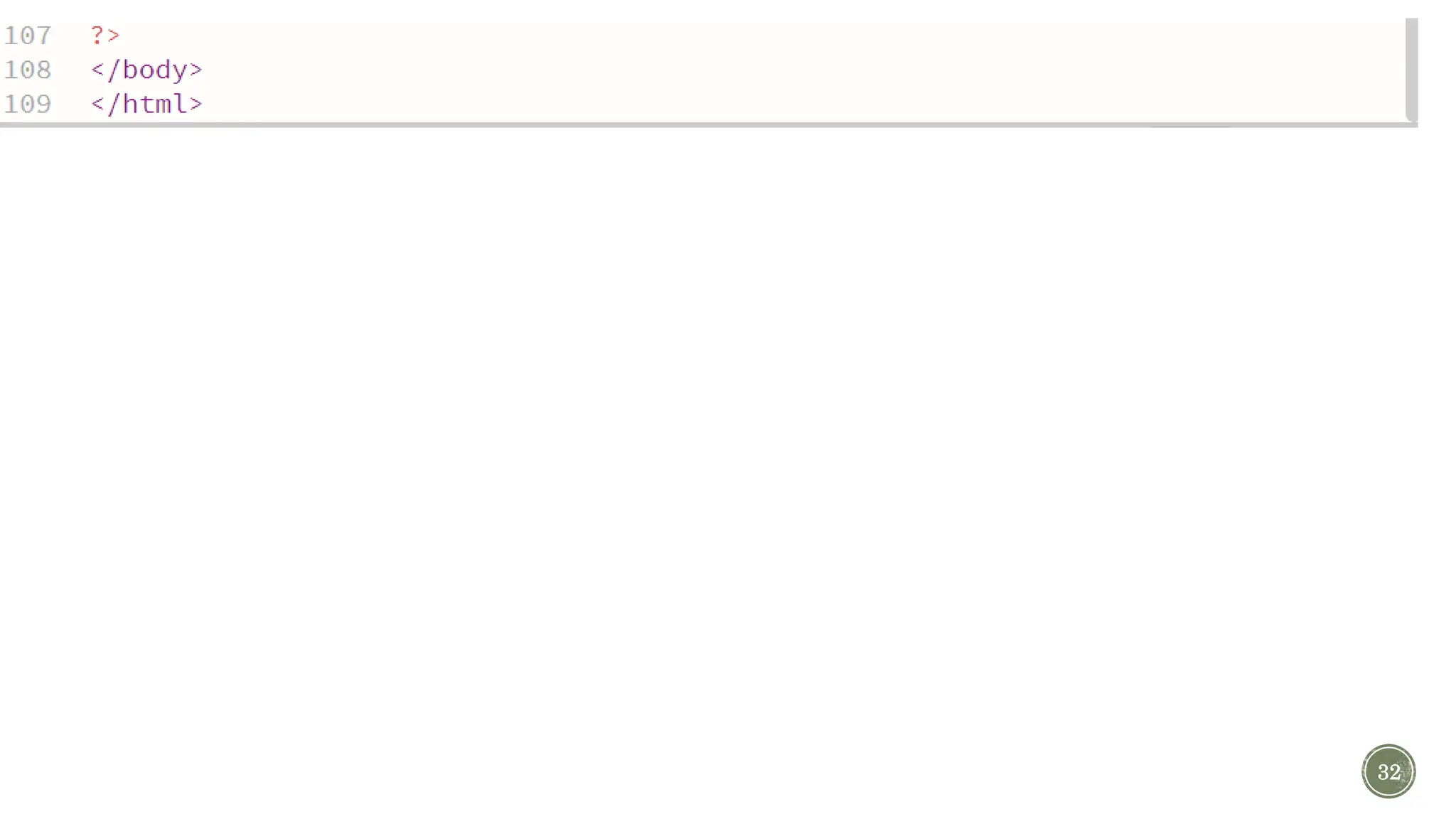
27 COMPLETE SOLUTION 7
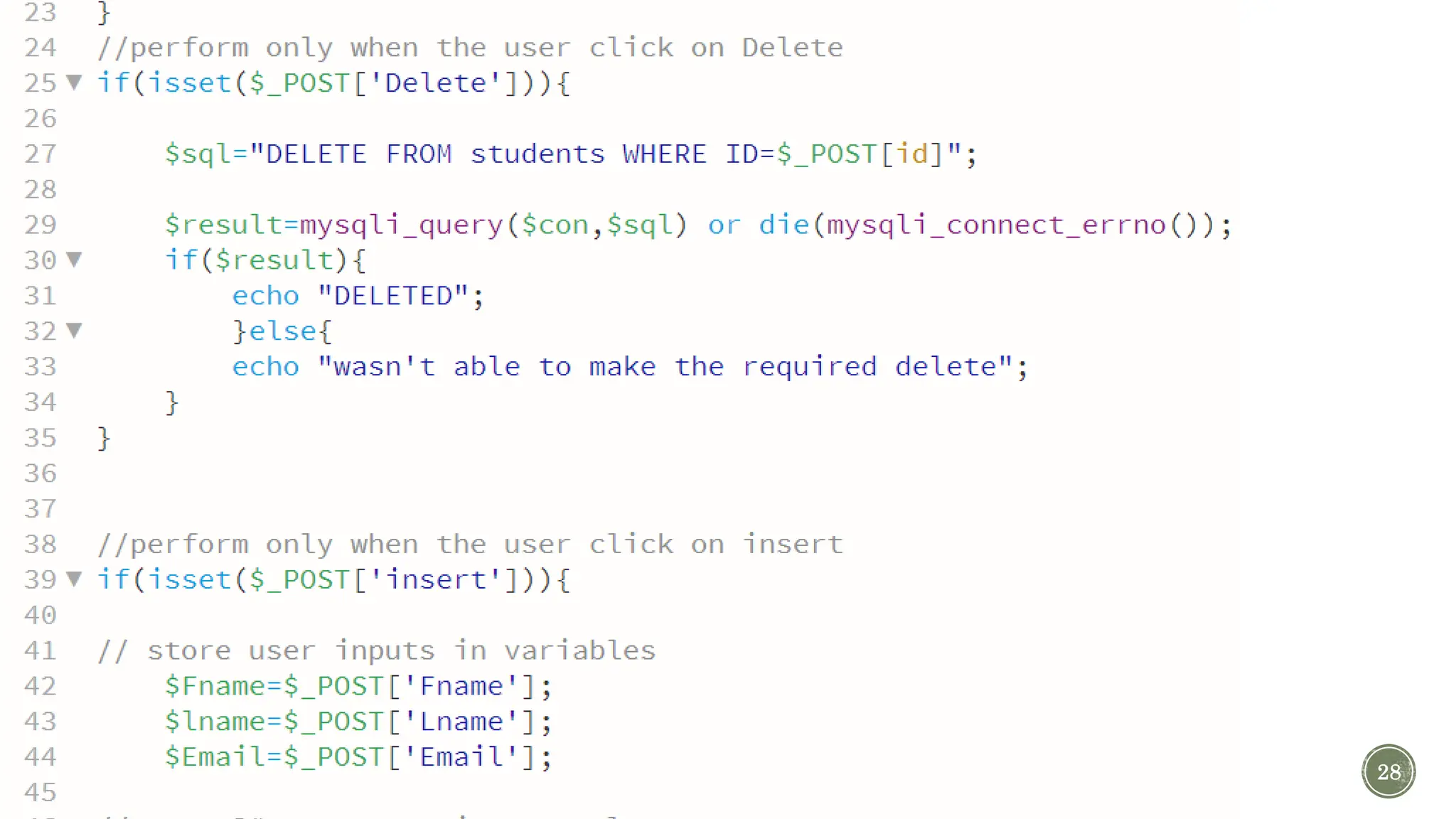
28
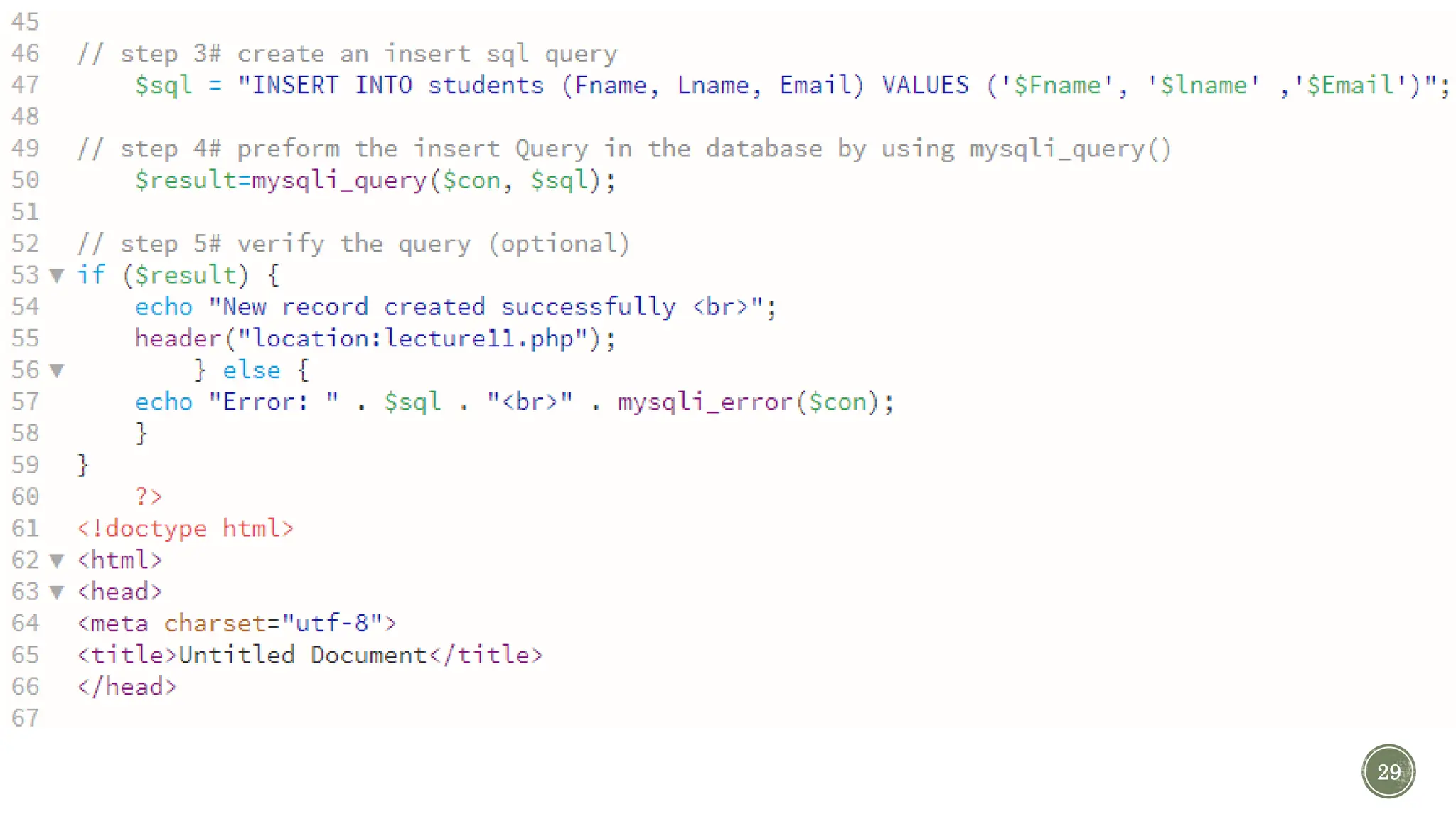
29
30
31
32

Lecture 8 PHP and MYSQL part 2.ppType Classificationtx

  • 1.
    Chapter 19-2 PHP LECTUR 8: PHP& MYSQL PART 2 Web-Based Design IT210 1
  • 2.
    OBJECTIVES By the endof this lecture student will be able to: Apply php methodology for different SQL queries using MySQLi extension(procedural) through interface (form) 2
  • 3.
    OUTL INE 3 Insert to database throughform Display the data in a table Update to database through form Delete to database through form
  • 4.
    Insert , Delete, Update 1. create a connection to the database 2. verify the connection 3. create an SQL query 4. preform the Query in the database 5. verify the query (optional) 6. close the database connection (Good practice to do so(why?)) 4 PHP METHODOLOGY:
  • 5.
    LETS WARM UP 1.Create a new database called lecture7 2. Create a table called students that has 4 column (ID , Fname, Lname , Email) 5
  • 6.
    LETS WARM UP 3.Open a new php page call it lecture7.php 4. Create a form with 3 text fields and one insert button .. 3. Lets write the connection code to the database and verify it?  Hint: in order to connect and verify our connection 3 functions are needed  mysqli_connect(with 4 arguments);  mysqli_connect_errno();  mysqli_connect_error(); 6 Form code is in the note ..
  • 7.
    CONNECT TO THEDATABASE AND VERIFY THE CONNECTION 7 Connection code is in the note .. 7
  • 8.
    NOW,  In thelast lecture (lecture 7) we learned how to write insert code. 1. (step 3: create an insert SQL query ) 2. (step 4: preform the insert Query in the database by using mysqli_query() function )  In (lecture 5 & 6) we learn how to deal with user input .. Using your knowledge and based on your understanding. write a code to insert the user inputs to the database.. 8
  • 9.
    9 insert code isin the note ..
  • 10.
    Select 1. create aconnection to the database 2. verify the connection 3. create an SQL select query 4. preform the Query in the database A. receive the result from the database (As an array) B. parse the result and use them (use the index) 5. verify the query (optional) 6. close the database connection 10 PHP METHODOLOGY:
  • 11.
    NOW WE NEEDTO DISPLAY ALL RECORDS IN A HTML TABLE  First lets make sure that select code is working just fine …  Lets make step (3 , 4 , a and b ) 11  Select Methodology 1. create a connection to the database 2. verify the connection 3. create an SQL select query 4. preform the Query in the database A. receive the result from the database (As an array) B. parse the result and use them (use the index) 5. verify the query (optional) 6. close the database connection
  • 12.
    12 insert code isin the note .. Now lets place those in a table… Testing select code functionality..
  • 13.
  • 14.
  • 15.
    THE BROWSER WILLLOOK LIKE … Lets say , we would like to update the email of the second record .. What should we do ?! All the records should be pleased in a text field in order to update them 15
  • 16.
    pleasing the formvalues in an input text field 16 Notice that when we want to display the information in text box and we need the end user to not change the value of this field we can add readonly attribute
  • 17.
    pleasing the formvalues in an input text field (output) 17 Note: the border for the table disappear because we set the table border to zero
  • 18.
    UPDATING THE VALUESIN THE FORM 18
  • 19.
    NOW, LETS ADDA DELETE BUTTON  We need to add delete button on the form inside the table ..  The code will look like…(Next Slid) 19
  • 20.
    NOW, LETS ADDA DELETE BUTTON 20
  • 21.
    NOW, LETS ADDA DELETE BUTTON 21
  • 22.
    LETS TEST THEFORM 22 Try to insert a record Delete the last record
  • 23.
    LETS TEST THEFORM 23 Is everything working well? What happened? Why? How we fix it? NO The record will be deleted and on the same time another one with the same value will be added The insert value was kept on the supper global array post The page should be reloaded
  • 24.
     The header()function sends a raw HTTP header to a client.  Return Values: This function doesn’t return any value.  Uses:  Redirect the browser THE SOLUTION IS: PHP HEADER() FUNCTION <?php // PHP program to describes header function // Redirect the browser header(“ Location: http://www.iau.edu.sa "); // The below code does not get executed // while redirecting ?> 24 Where to add?
  • 25.
  • 26.
    CHALLENGE YOURSELF … 26 Add an empty fields to allow the end user to insert record in the same table…  NOTE: ID field should be read only .. (why?)
  • 27.
  • 28.
  • 29.
  • 30.
  • 31.
  • 32.

Editor's Notes

  • #7  <form method="post"> First name: <input type="text" name="Fname"> Last name: <input type="text" name="Lname"> Email: <input type="text" name="Email"> <input type="submit" name="insert" value="INSERT" > </form>
  • #8 <?php // Define DataBase connection ...... $host = "localhost"; $user = "root"; $password = ""; $db = “lecture7"; // Make the Connection ...... $con = mysqli_connect($host, $user, $password, $db); //verfiy the Connection if( mysqli_connect_errno()){ echo “ Connection Error:” . mysqli_connect_error(); } ?>
  • #10 //perform only when the user click on insert if(isset($_POST['insert'])){ // store user inputs in variables $Fname=$_POST['Fname']; $lname=$_POST['Lname']; $Email=$_POST['Email']; // step 3# create an insert sql query $sql = "INSERT INTO students (Fname, Lname, Email) VALUES ('$Fname', '$lname' ,'$Email')"; // step 4# preform the insert Query in the database by using mysqli_query() $result=mysqli_query($con, $sql); // verify the query (optional) if ($result) { echo "New record created successfully"; } else { echo "Error: " . $sql . "<br>" . mysqli_error($con); } }
  • #13 // step 3# create a Select sql query $sql = "SELECT ID,Fname,Lname,Email FROM students"; // step 4# preform the insert Query in the database using mysqli_query() $result= mysqli_query($con, $sql); // step a & b while ($rows = mysqli_fetch_array($result)){ echo $rows['ID']. " " .$rows['Fname']. " " . $rows['Lname']. " " . $rows['Email']. " "; echo "<br>"; }
  • #14 <?php $host = "localhost"; $user = "root"; $password = ""; $db = "lecture11"; $con = mysqli_connect($host, $user, $password, $db); if( mysqli_connect_errno()){ echo 'Connection Error:' . mysqli_connect_error(); } //$Fname=$Lname=$Email=""; //perform only when the user click on insert if(isset($_POST['insert'])){ // store user inputs in variables $Fname=$_POST['Fname']; $lname=$_POST['Lname']; $Email=$_POST['Email']; // step 3# create an insert sql query $sql = "INSERT INTO students (Fname, Lname, Email) VALUES ('$Fname', '$lname' ,'$Email')"; // step 4# preform the insert Query in the database by using mysqli_query() $result=mysqli_query($con, $sql); // step 5# verify the query (optional) if ($result) { echo "New record created successfully <br>"; } else { echo "Error: " . $sql . "<br>" . mysqli_error($con); } }?> <!doctype html> <html> <head> <meta charset="utf-8"> <title>Lecture 11</title> </head> <body> <form method="post"> First name: <input type="text" name="Fname"> Last name: <input type="text" name="Lname"> Email: <input type="text" name="Email"> <input type="submit" name="insert" value="INSERT" > </form> <table border="1"> <tr> <th> ID </th> <th> First Name </th> <th> Last Name </th> <th> Email </th> </tr> <?php // step 3# create a Select sql query $sql = "SELECT ID,Fname,Lname,Email FROM students"; // step 4# preform the insert Query in the database using mysqli_query() $result= mysqli_query($con, $sql); // step a & b while ($rows = mysqli_fetch_array($result)){ echo "<tr>"; echo "<td>" . $rows['ID'] . "</td>"; echo "<td>" . $rows['Fname'] . "</td>"; echo "<td>" . $rows['Lname'] . "</td>"; echo "<td>" . $rows['Email'] . "</td>"; echo "</tr>"; } echo "</table>"; ?> </body> </html>
  • #15 <?php $host = "localhost"; $user = "root"; $password = ""; $db = "lecture11"; $con = mysqli_connect($host, $user, $password, $db); if( mysqli_connect_errno()){ echo 'Connection Error:' . mysqli_connect_error(); } //$Fname=$Lname=$Email=""; //perform only when the user click on insert if(isset($_POST['insert'])){ // store user inputs in variables $Fname=$_POST['Fname']; $lname=$_POST['Lname']; $Email=$_POST['Email']; // step 3# create an insert sql query $sql = "INSERT INTO students (Fname, Lname, Email) VALUES ('$Fname', '$lname' ,'$Email')"; // step 4# preform the insert Query in the database by using mysqli_query() $result=mysqli_query($con, $sql); // step 5# verify the query (optional) if ($result) { echo "New record created successfully <br>"; } else { echo "Error: " . $sql . "<br>" . mysqli_error($con); } }?> <!doctype html> <html> <head> <meta charset="utf-8"> <title>Lecture 11</title> </head> <body> <form method="post"> First name: <input type="text" name="Fname"> Last name: <input type="text" name="Lname"> Email: <input type="text" name="Email"> <input type="submit" name="insert" value="INSERT" > </form> <table border="1"> <tr> <th> ID </th> <th> First Name </th> <th> Last Name </th> <th> Email </th> </tr> <?php // step 3# create a Select sql query $sql = "SELECT ID,Fname,Lname,Email FROM students"; // step 4# preform the insert Query in the database using mysqli_query() $result= mysqli_query($con, $sql); // step a & b while ($rows = mysqli_fetch_array($result)){ echo "<tr>"; echo "<td>" . $rows['ID'] . "</td>"; echo "<td>" . $rows['Fname'] . "</td>"; echo "<td>" . $rows['Lname'] . "</td>"; echo "<td>" . $rows['Email'] . "</td>"; echo "</tr>"; } echo "</table>"; ?> </body> </html>
  • #17 // step a & b while ($rows = mysqli_fetch_array($result)){ echo"<form method ='post'>"; echo "<tr>"; echo "<td>" . "<input type='text' name='id' value=" . $rows['ID'] . " readonly></td>"; echo "<td>" . "<input type='text' name='fname' value= " . $rows['Fname'] . "></td>"; echo "<td>" . "<input type='text' name='lname' value= ". $rows['Lname'] . "></td>"; echo "<td>" . "<input type='email' name='email' value=" . $rows['Email'] . "></td>"; echo "<td>" . "<input type='submit' name='update' value='update'>" . "</td>"; echo "</tr>"; echo "</form>"; }
  • #19 //perform only when the user click on update if(isset($_POST['update'])){ $sql="UPDATE students SET Fname='$_POST[fname]' , Lname= '$_POST[lname]' ,Email='$_POST[email]' WHERE ID=$_POST[id]"; $result=mysqli_query($con,$sql) or die(mysqli_connect_errno()); if($result){ echo "updated"; }else{ echo "wasn't able to make the required update"; } }
  • #21 while ($rows = mysqli_fetch_array($result)){ echo"<form method ='post'>"; echo "<tr>"; echo "<td>" . "<input type='text' name='id' value=" . $rows['ID'] . " readonly></td>"; echo "<td>" . "<input type='text' name='fname' value= " . $rows['Fname'] . "></td>"; echo "<td>" . "<input type='text' name='lname' value= ". $rows['Lname'] . "></td>"; echo "<td>" . "<input type='email' name='email' value=" . $rows['Email'] . "></td>"; echo "<td>" . "<input type='submit' name='update' value='update'>" . "</td>"; echo "<td>" . "<input type='submit' name='Delete' value='Delete'>" . "</td>"; echo "</tr>"; echo "</form>"; } echo "</table>";
  • #22 //perform only when the user click on Delete if(isset($_POST['Delete'])){ $sql="DELETE FROM students WHERE ID=$_POST[id]"; $result=mysqli_query($con,$sql) or die(mysqli_connect_errno()); if($result){ echo "DELETED"; }else{ echo "wasn't able to make the required delete"; } }
  • #26 //perform only when the user click on insert if(isset($_POST['insert'])){ // store user inputs in variables $Fname=$_POST['Fname']; $lname=$_POST['Lname']; $Email=$_POST['Email']; // step 3# create an insert sql query $sql = "INSERT INTO students (Fname, Lname, Email) VALUES ('$Fname', '$lname' ,'$Email')"; // step 4# preform the insert Query in the database by using mysqli_query() $result=mysqli_query($con, $sql); // verify the query (optional) if ($result) { echo "New record created successfully"; } else { echo "Error: " . $sql . "<br>" . mysqli_error($con); } }
  • #28 <?php $host = "localhost"; $user = "root"; $password = ""; $db = "lecture7"; $con = mysqli_connect($host, $user, $password, $db); if( mysqli_connect_errno()){ echo 'Connection Error:' . mysqli_connect_error(); } //perform only when the user click on update if(isset($_POST['update'])){ $sql="UPDATE students SET Fname='$_POST[fname]' , Lname= '$_POST[lname]' ,Email='$_POST[email]' WHERE ID=$_POST[id]"; $result=mysqli_query($con,$sql) or die(mysqli_connect_errno()); if($result){ echo "updated"; }else{ echo "wasn't able to make the required update"; } } //perform only when the user click on Delete if(isset($_POST['Delete'])){ $sql="DELETE FROM students WHERE ID=$_POST[id]"; $result=mysqli_query($con,$sql) or die(mysqli_connect_errno()); if($result){ echo "DELETED"; }else{ echo "wasn't able to make the required delete"; } } //perform only when the user click on insert if(isset($_POST['insert'])){ // store user inputs in variables $Fname=$_POST['Fname']; $lname=$_POST['Lname']; $Email=$_POST['Email']; // step 3# create an insert sql query $sql = "INSERT INTO students (Fname, Lname, Email) VALUES ('$Fname', '$lname' ,'$Email')"; // step 4# preform the insert Query in the database by using mysqli_query() $result=mysqli_query($con, $sql); // step 5# verify the query (optional) if ($result) { echo "New record created successfully <br>"; } else { echo "Error: " . $sql . "<br>" . mysqli_error($con); } }?> <!doctype html> <html> <head> <meta charset="utf-8"> <title>Lecture 11</title> </head> <body> <table border="0"> <tr> <th> ID </th> <th> First Name </th> <th> Last Name </th> <th> Email </th> </tr> <?php // step 3# create a Select sql query $sql = "SELECT ID,Fname,Lname,Email FROM students"; // step 4# preform the insert Query in the database using mysqli_query() $result= mysqli_query($con, $sql); // step a & b while ($rows = mysqli_fetch_array($result)){ echo"<form method ='post'>"; echo "<tr>"; echo "<td>" . "<input type='text' name='id' value=" . $rows['ID'] . " readonly></td>"; echo "<td>" . "<input type='text' name='fname' value= " . $rows['Fname'] . "></td>"; echo "<td>" . "<input type='text' name='lname' value= ". $rows['Lname'] . "></td>"; echo "<td>" . "<input type='email' name='email' value=" . $rows['Email'] . "></td>"; echo "<td>" . "<input type='submit' name='update' value='update'>" . "</td>"; echo "<td>" . "<input type='submit' name='Delete' value='Delete'>" . "</td>"; echo "</tr>"; echo "</form>"; } echo "<form method='post'>"; echo "<tr>"; echo "<td>" . "<input type='text' readonly>". "</td>" ; echo "<td>" . "<input type='text' name='Fname'>". "</td>" ; echo "<td>" . "<input type='text' name='Lname'>". "</td>" ; echo "<td>" . "<input type='email' name='Email'>". "</td>" ; echo "<td colspan=2>" . "<input type='submit' name='insert' value='INSERT' >". "</td>" ; echo "</tr>"; echo "</form>"; echo "</table>"; ?> </body> </html>