











Preparing Your QA Team for Mobile Testing Where Reality and New Beginnings Meet
@ggeoffreggeoffre.com 20 years of experience in the development, marketing, sales, and leadership of computer software A C T S
Where did the term "bug" come from? 66 years ago on September 9th 1947, operators of the Mark II Aiken Relay Computer being tested at Harvard University, found something curious trapped between points at Relay #70, Panel F.
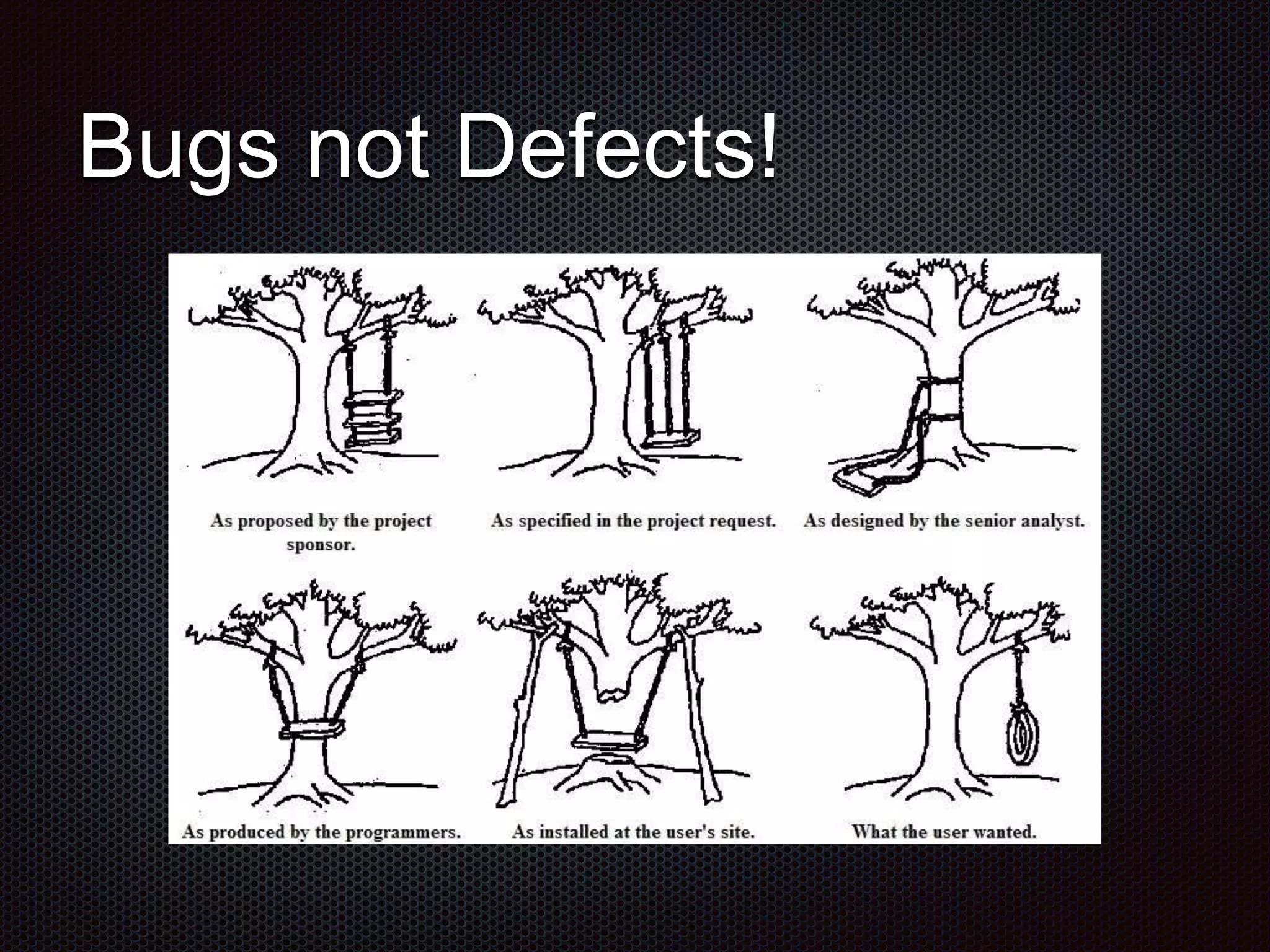
Bugs not Defects!
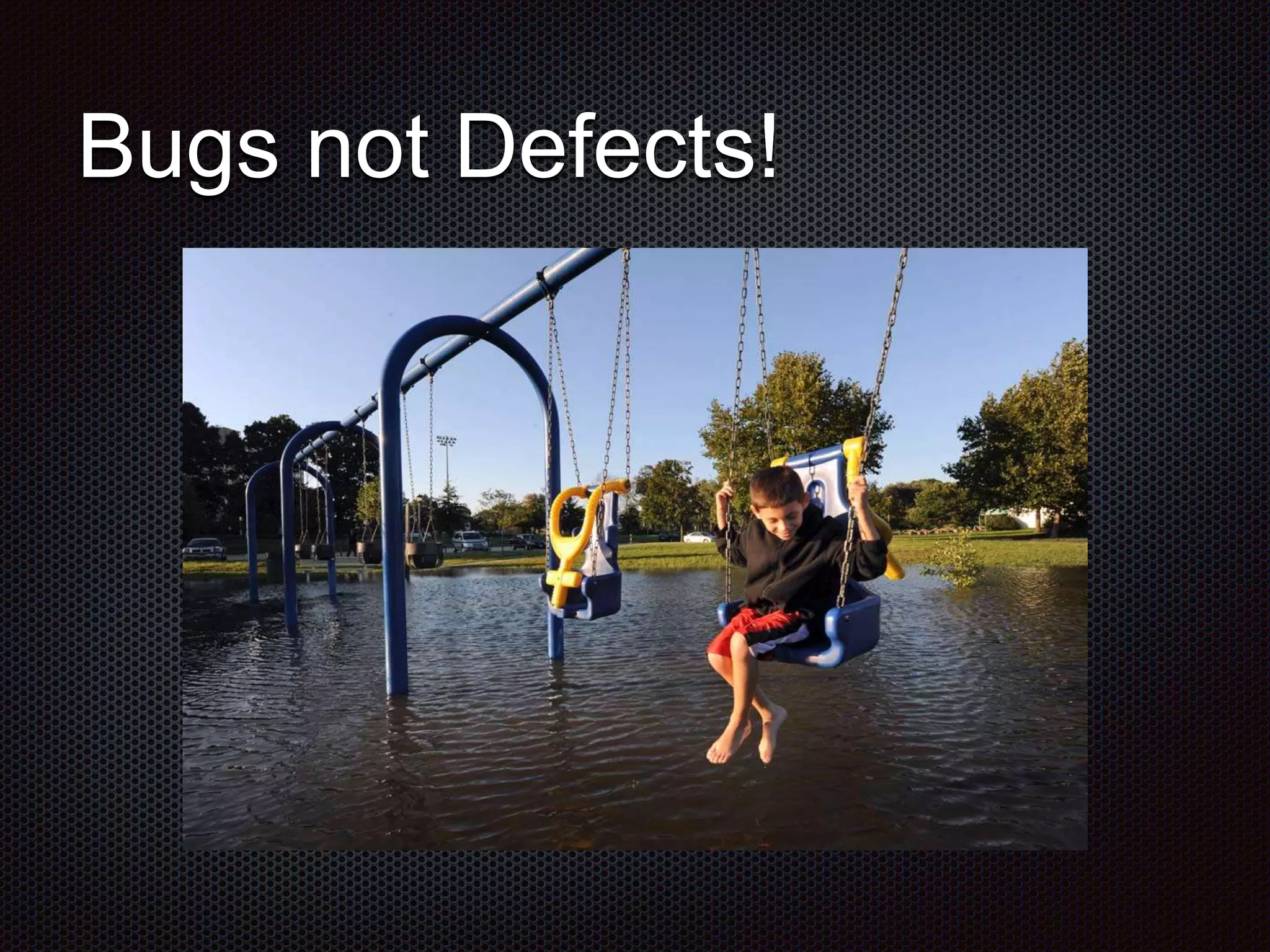
Bugs not Defects!
Bugs not Defects!
Bugs not Defects!
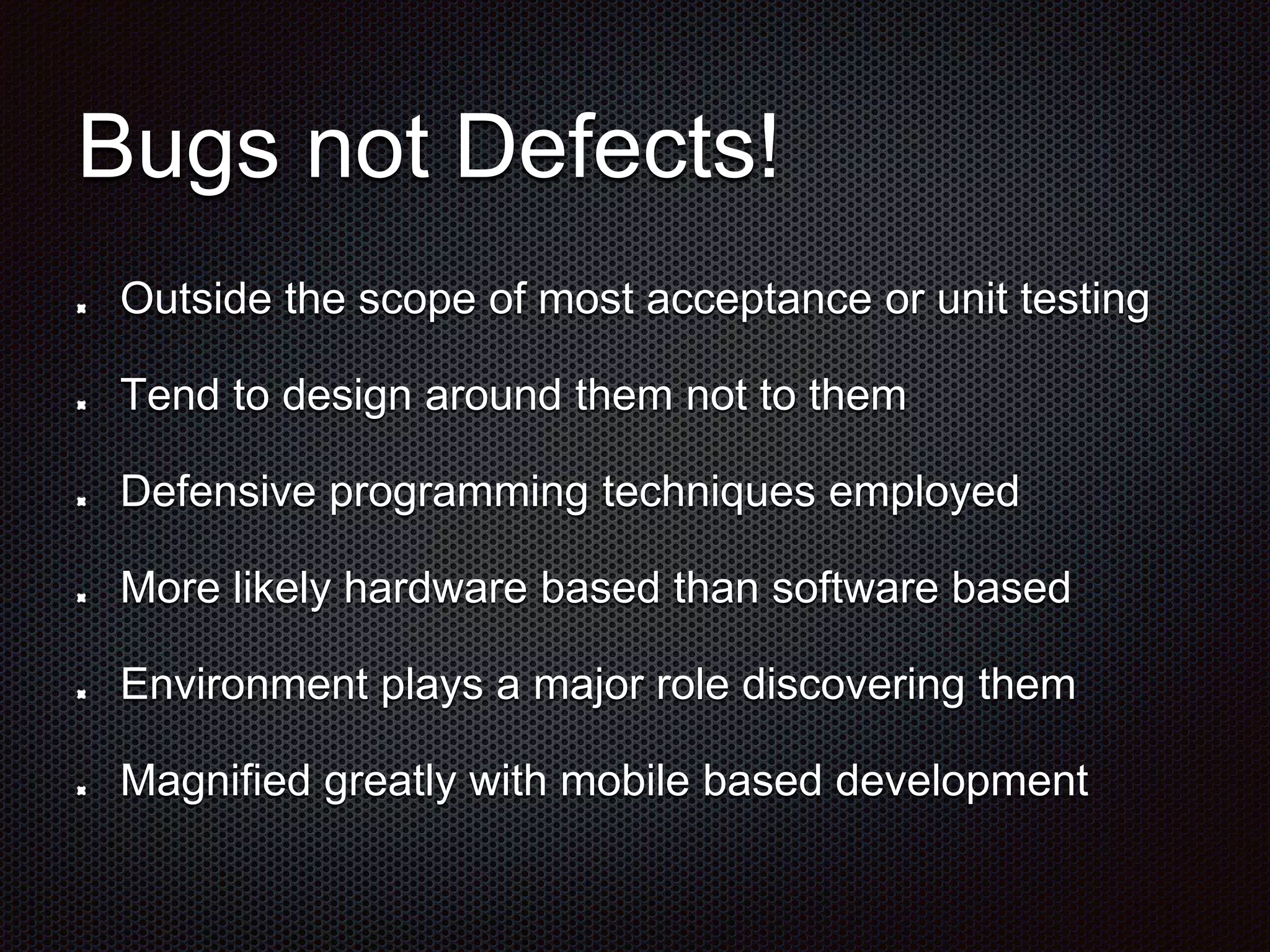
Bugs not Defects! Outside the scope of most acceptance or unit testing Tend to design around them not to them Defensive programming techniques employed More likely hardware based than software based Environment plays a major role discovering them Magnified greatly with mobile based development
Ubiquitous (not just mobile)
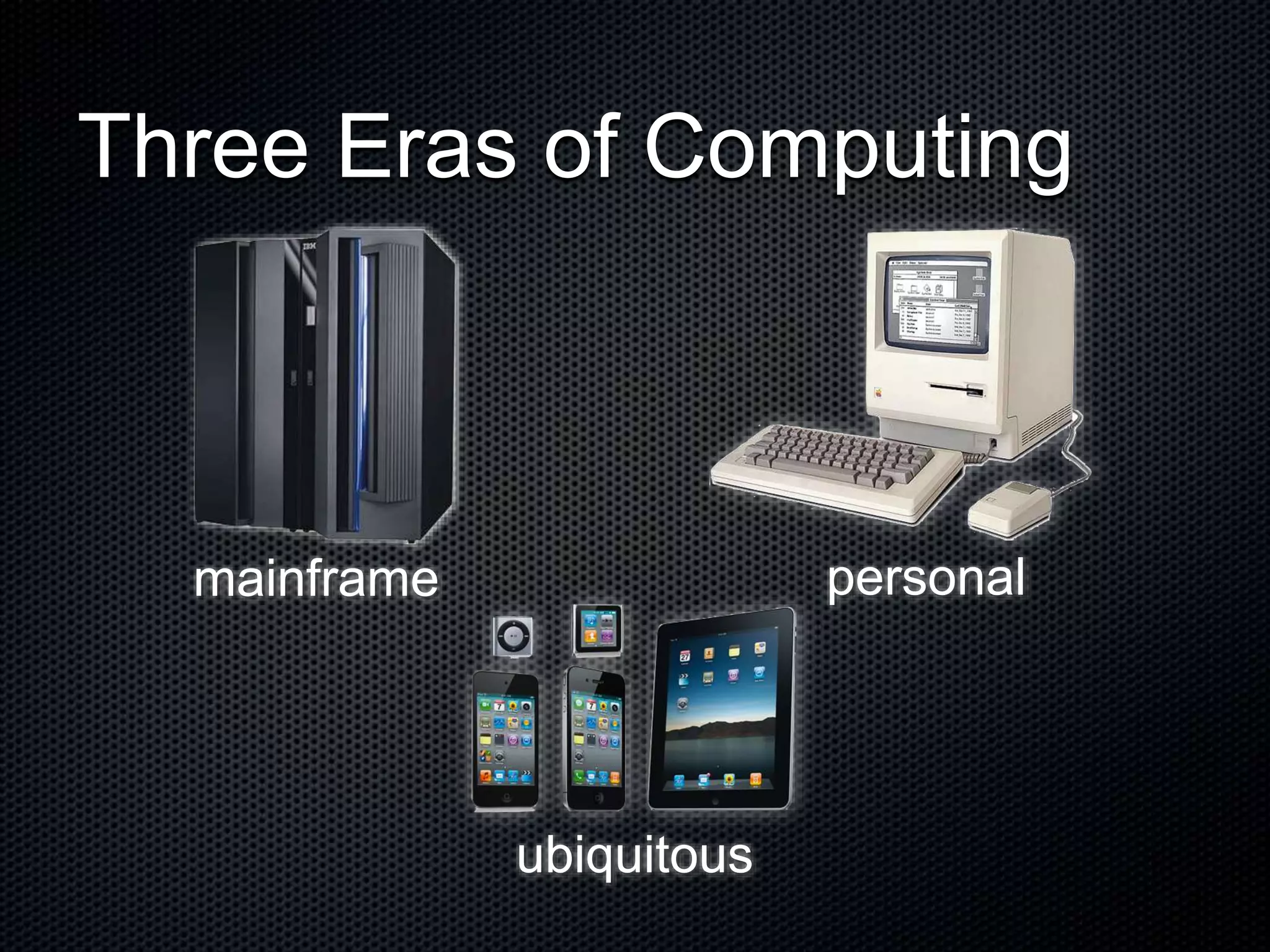
Three Eras of Computing mainframe personal ubiquitous
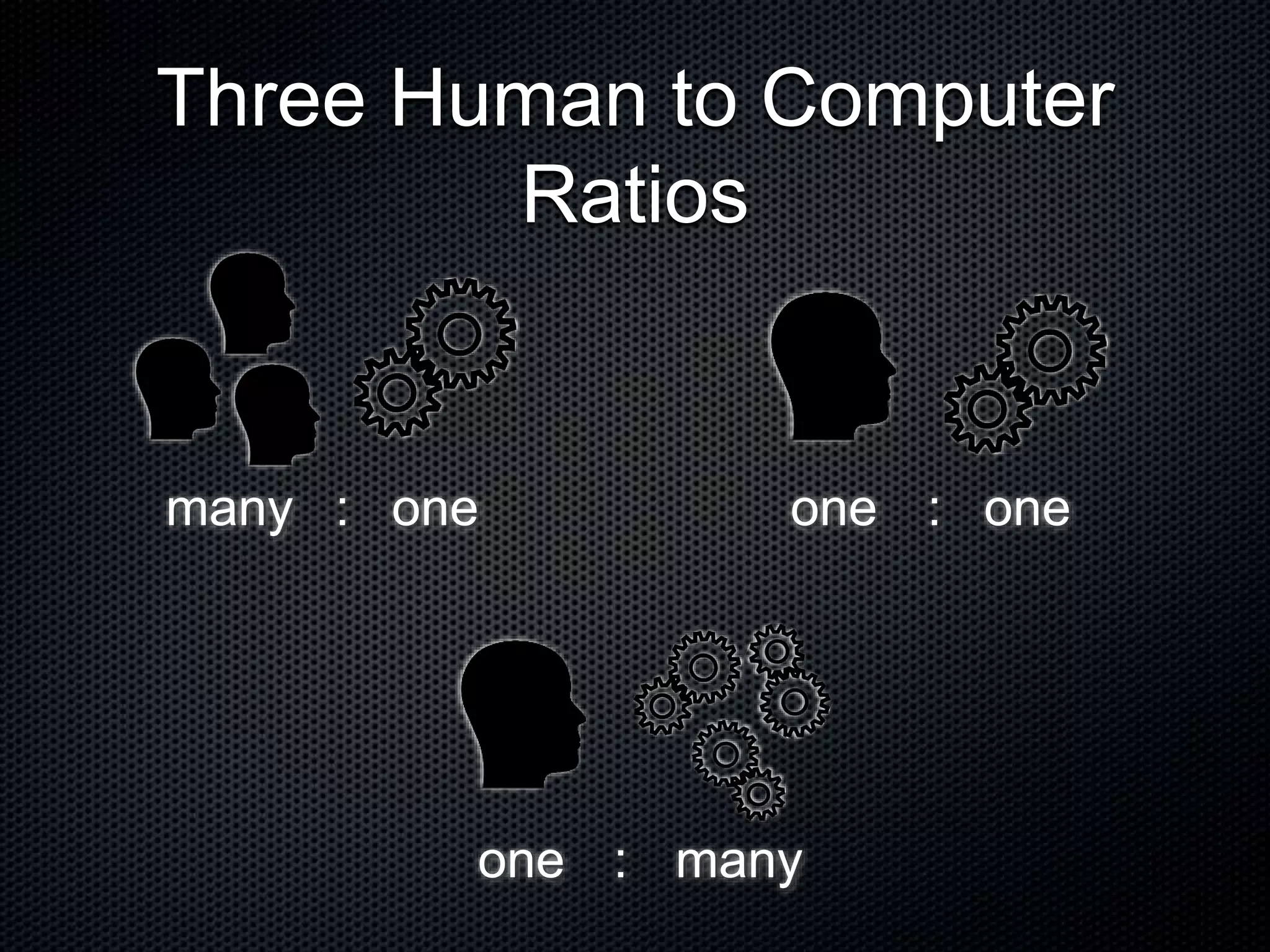
Three Human to Computer Ratios many one one one one many : : :
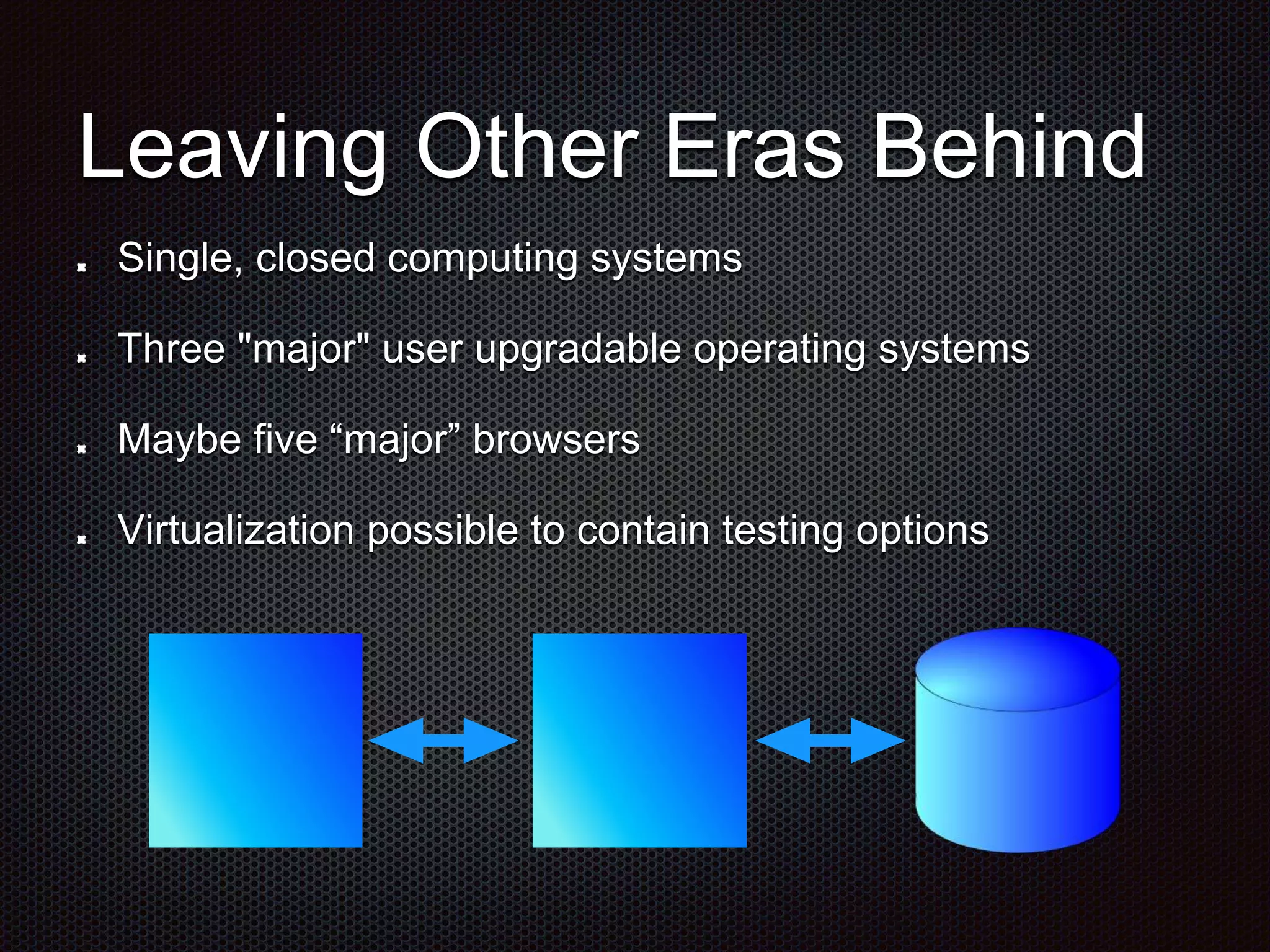
Leaving Other Eras Behind Single, closed computing systems Three "major" user upgradable operating systems Maybe five “major” browsers Virtualization possible to contain testing options
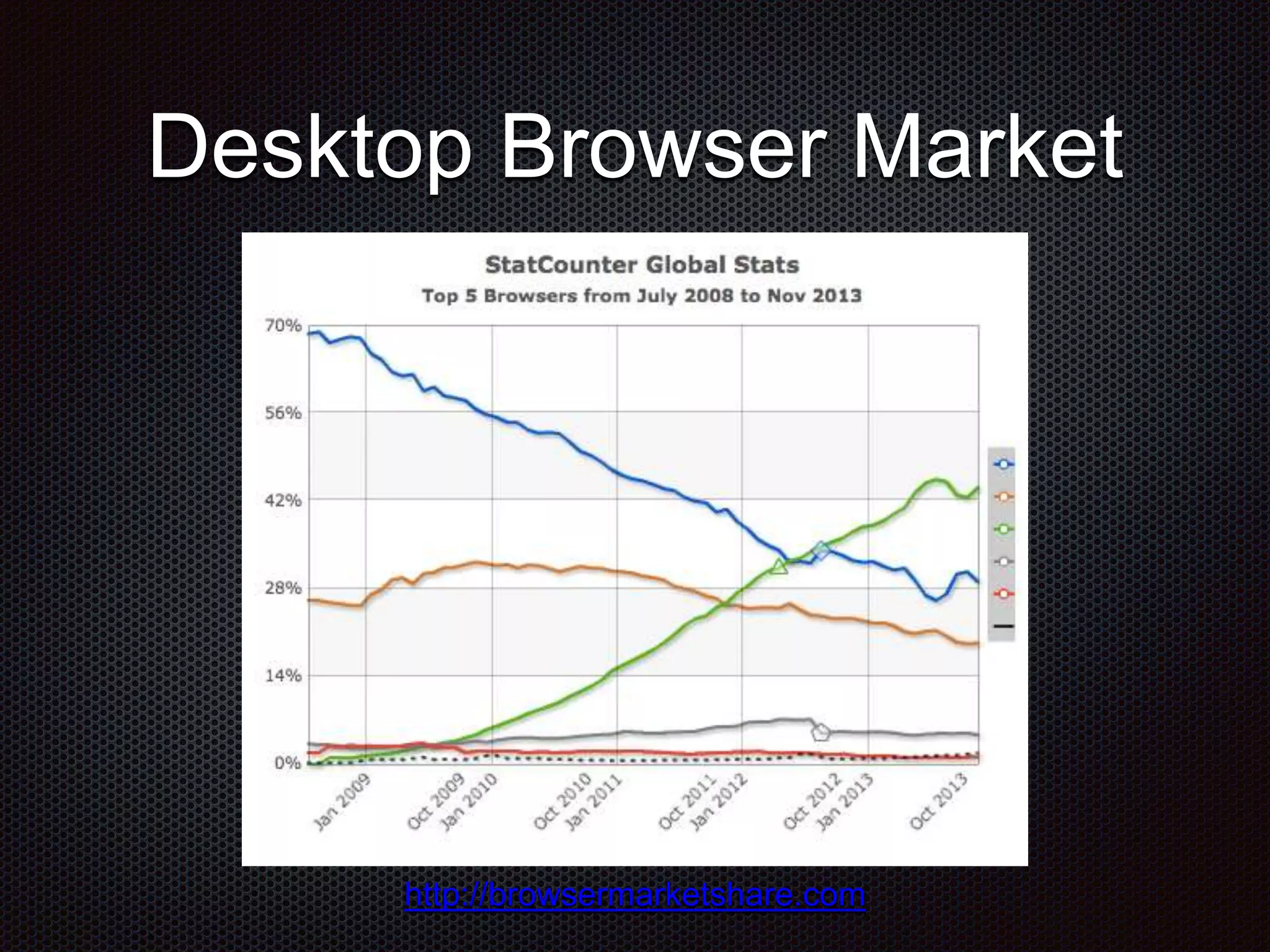
Desktop Browser Market http://browsermarketshare.com
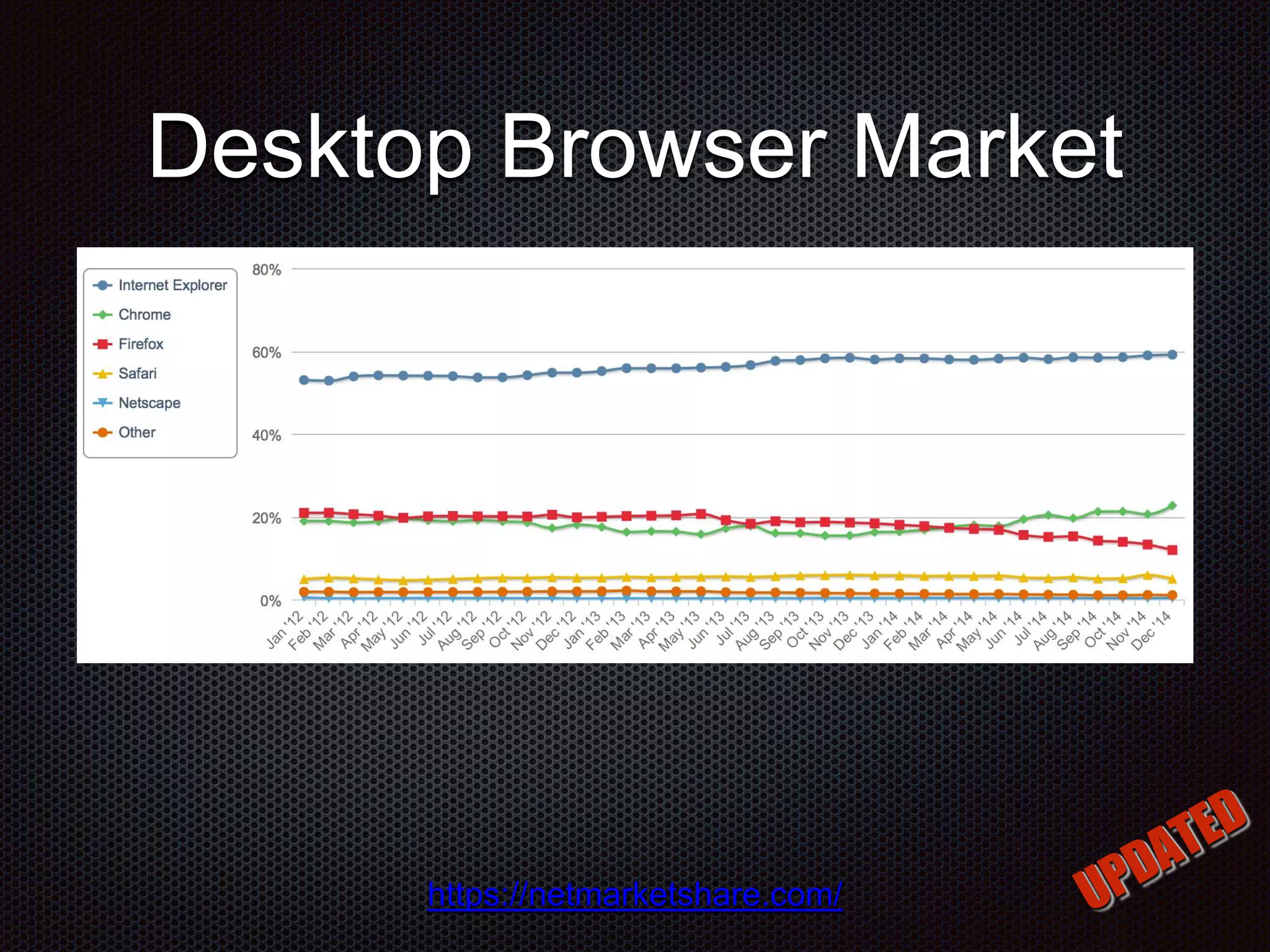
Desktop Browser Market https://netmarketshare.com/
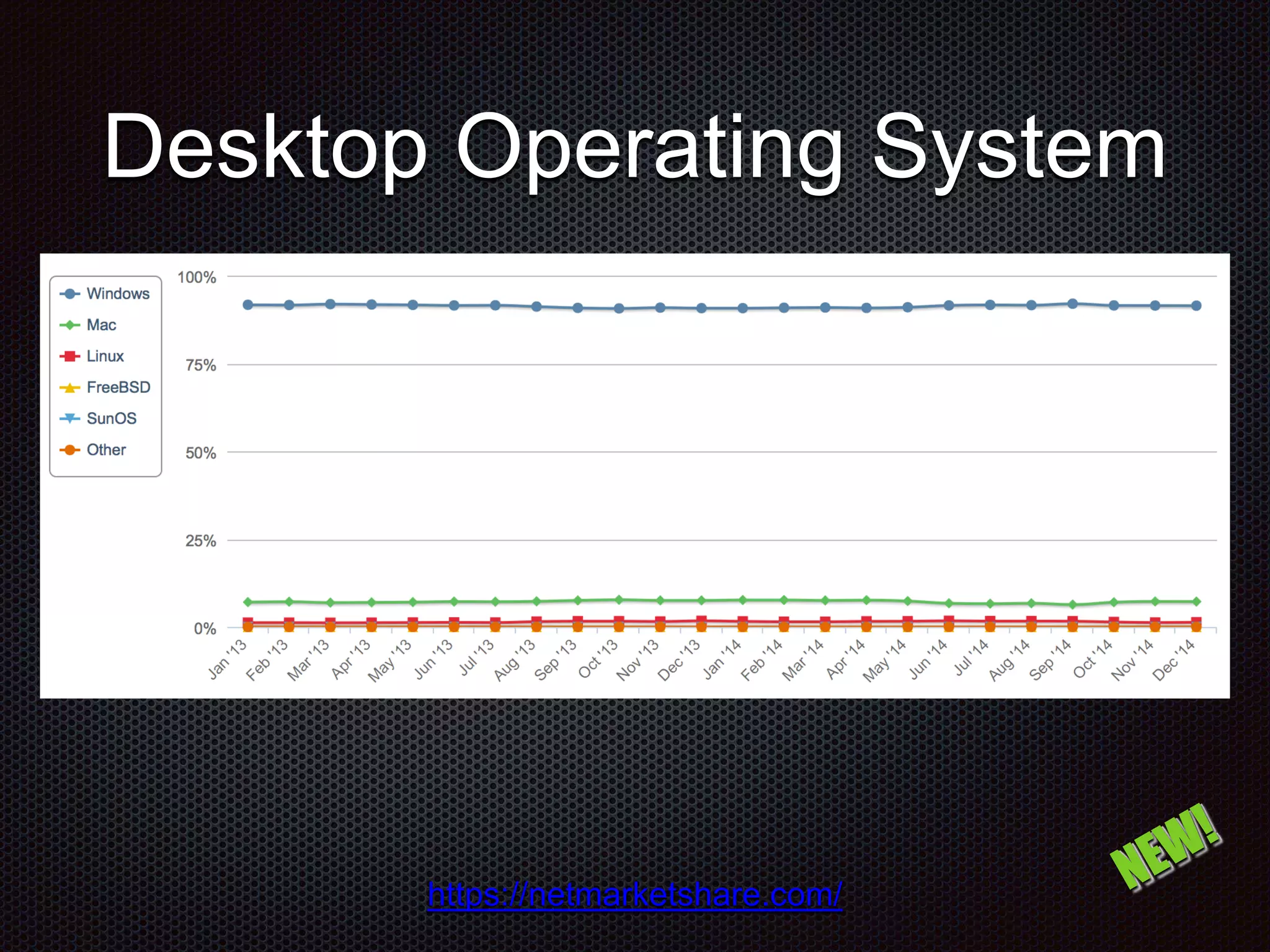
Desktop Operating System https://netmarketshare.com/
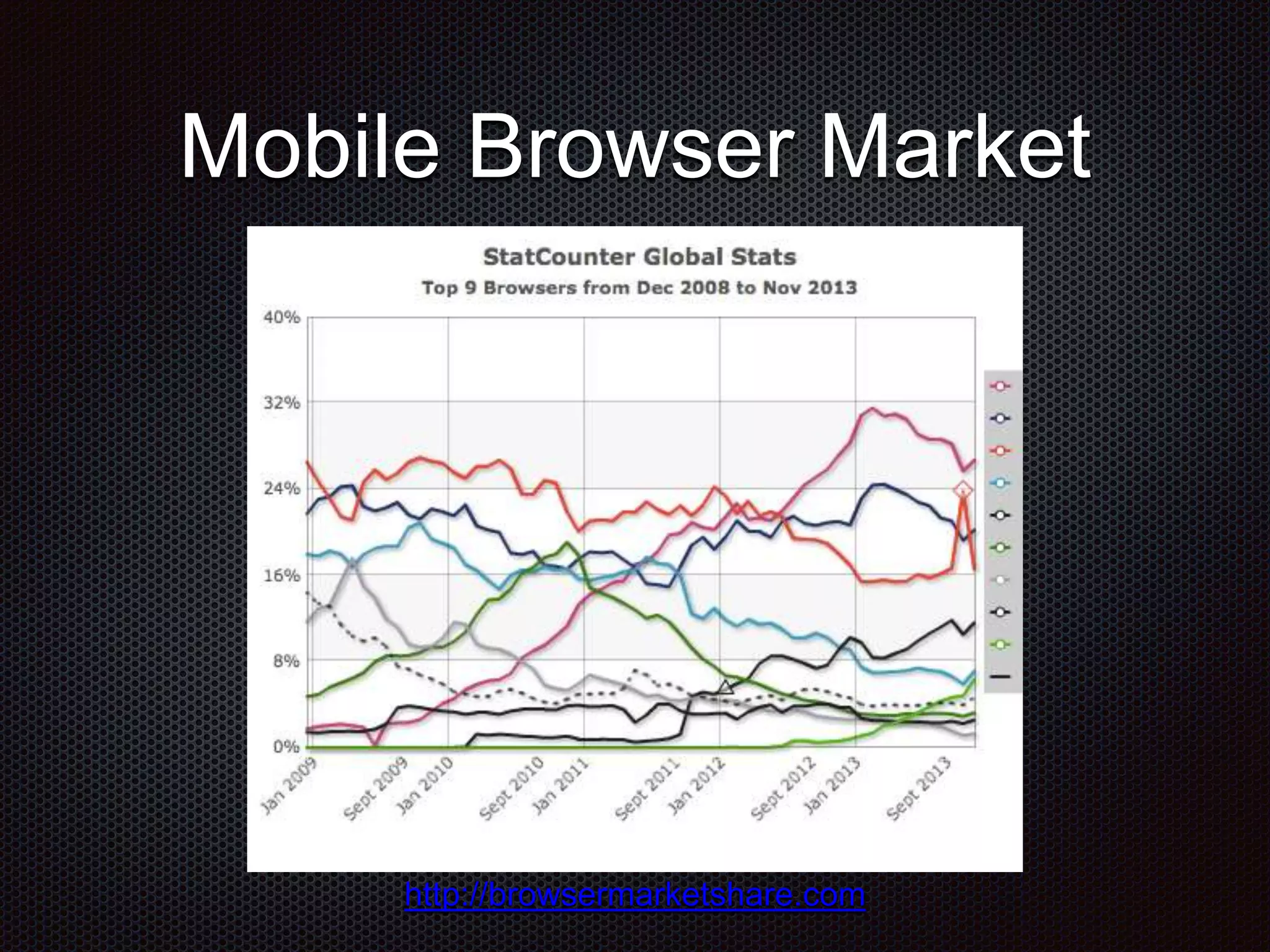
Mobile Browser Market http://browsermarketshare.com
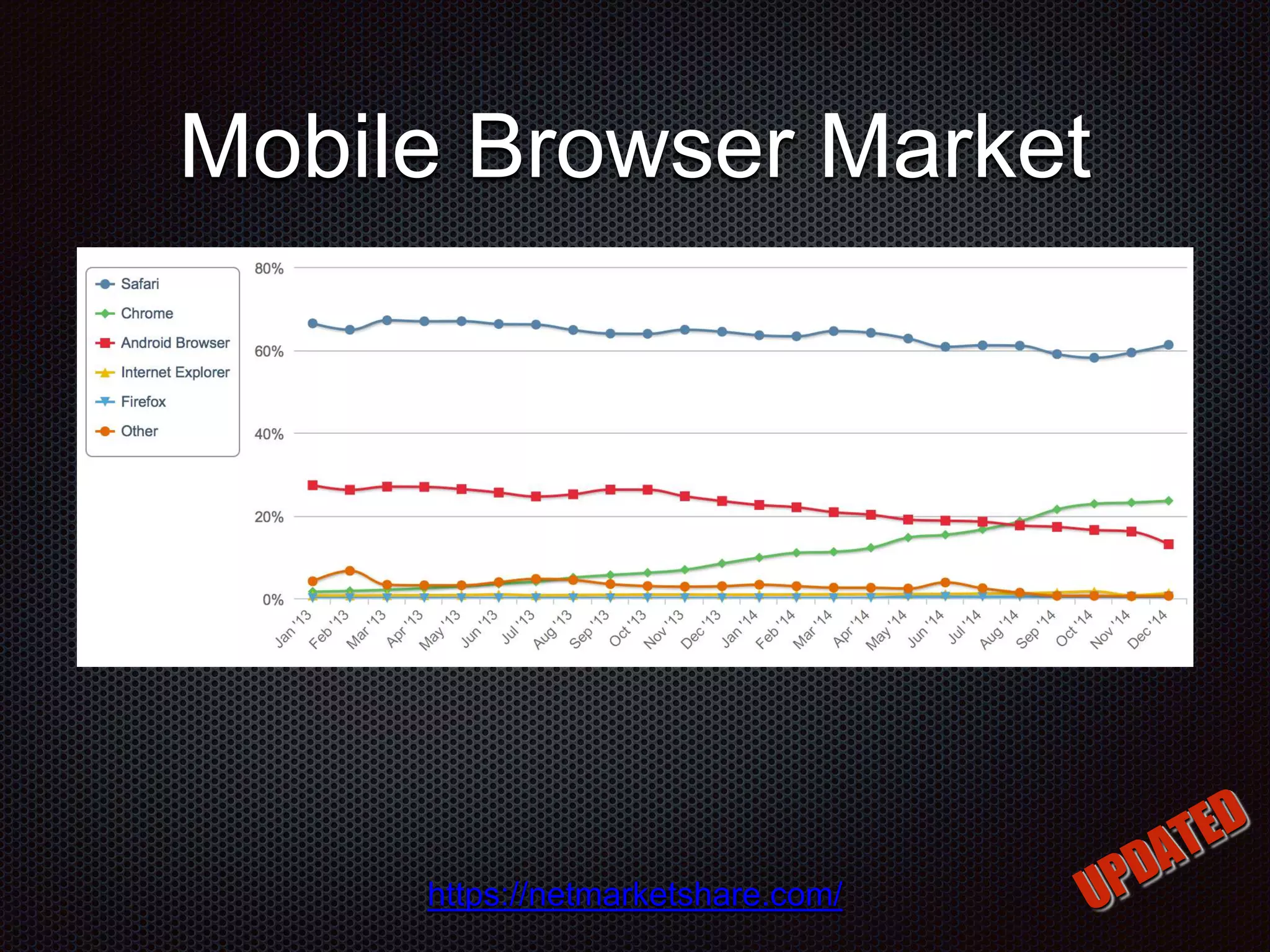
Mobile Browser Market https://netmarketshare.com/
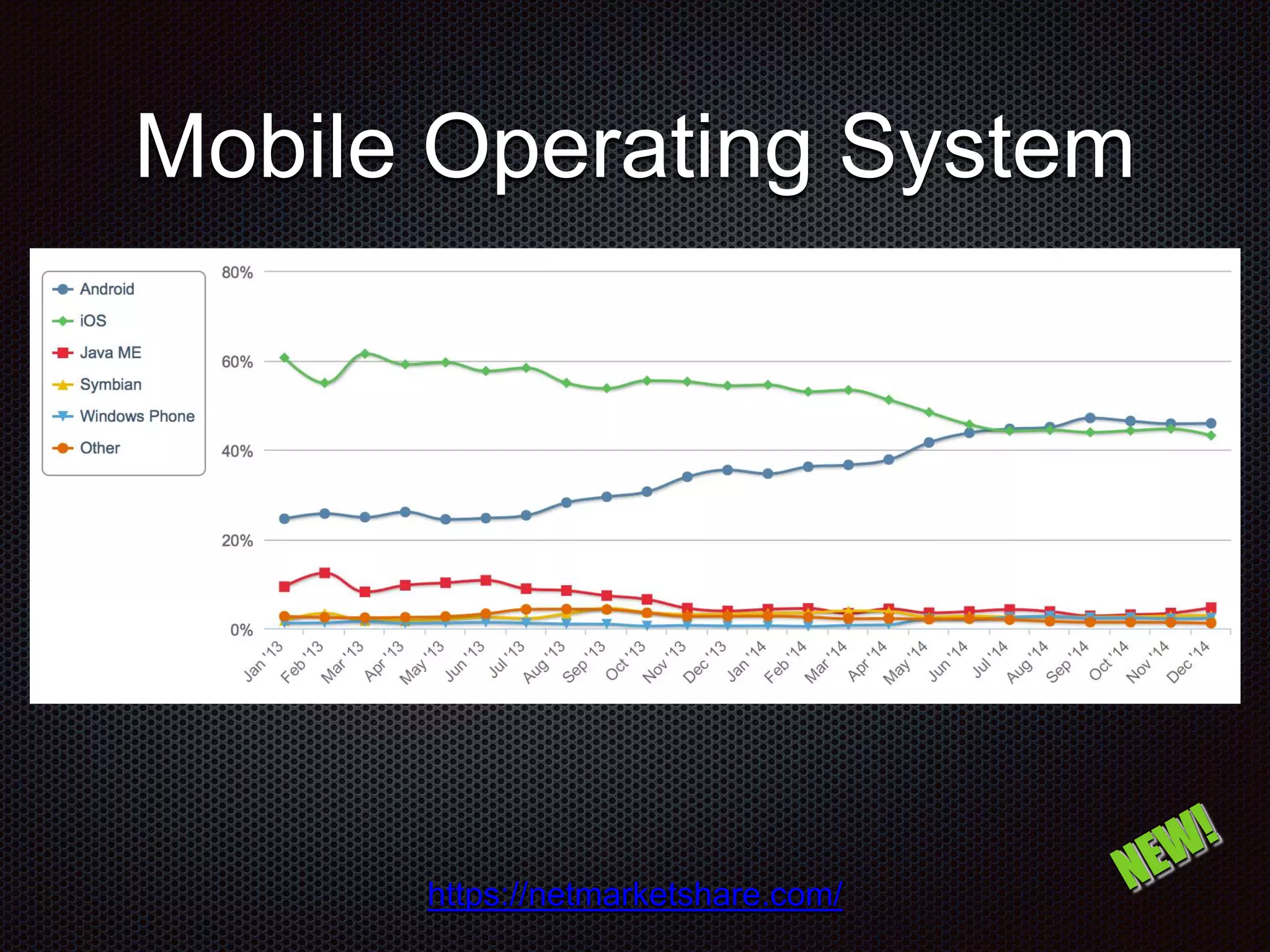
Mobile Operating System https://netmarketshare.com/
Mobile Testing Challenge Device Manufactures and Device Models Carrier Networks and Network Speeds OS Versions and API Updates Different Features for Different Phones
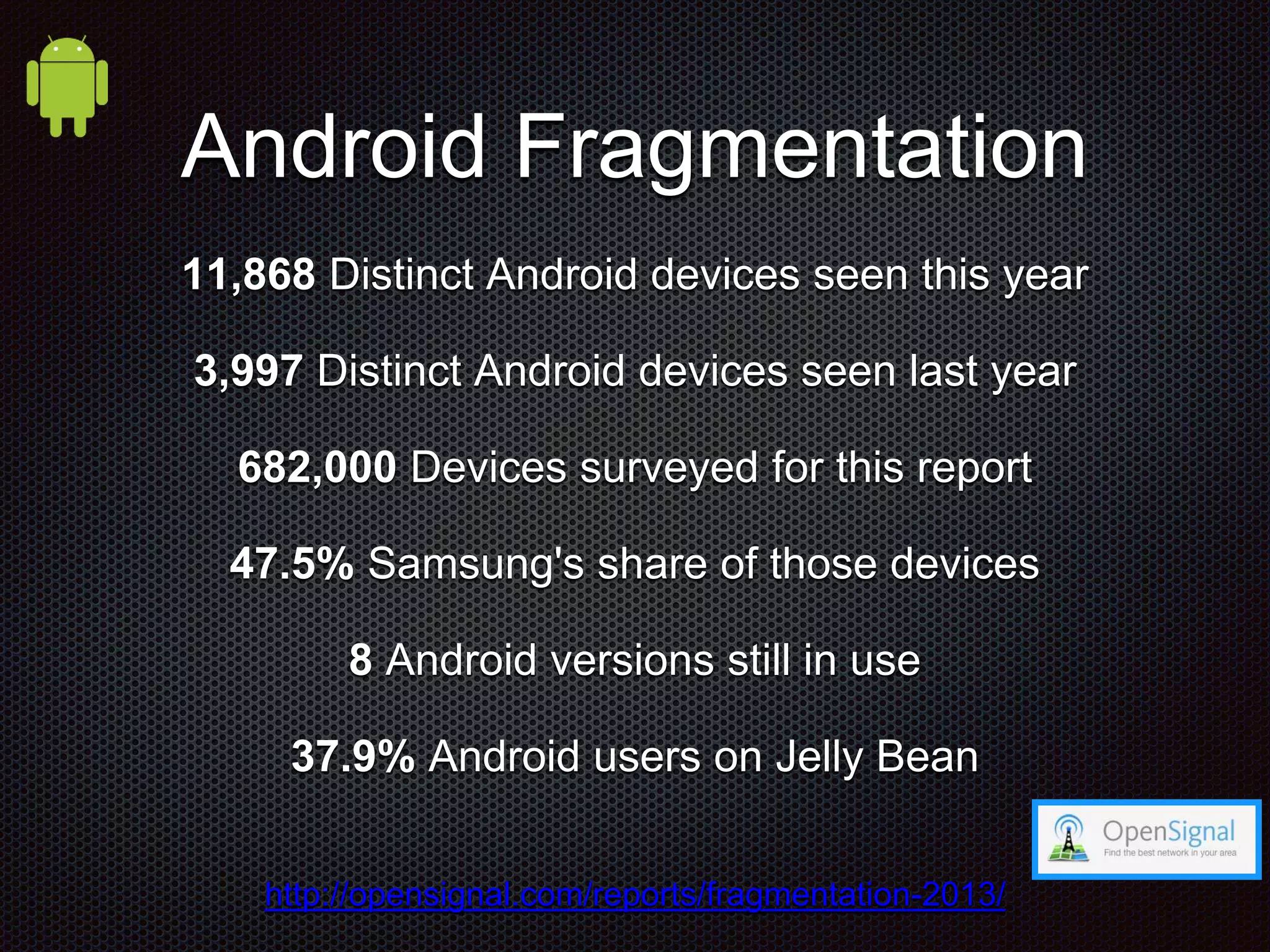
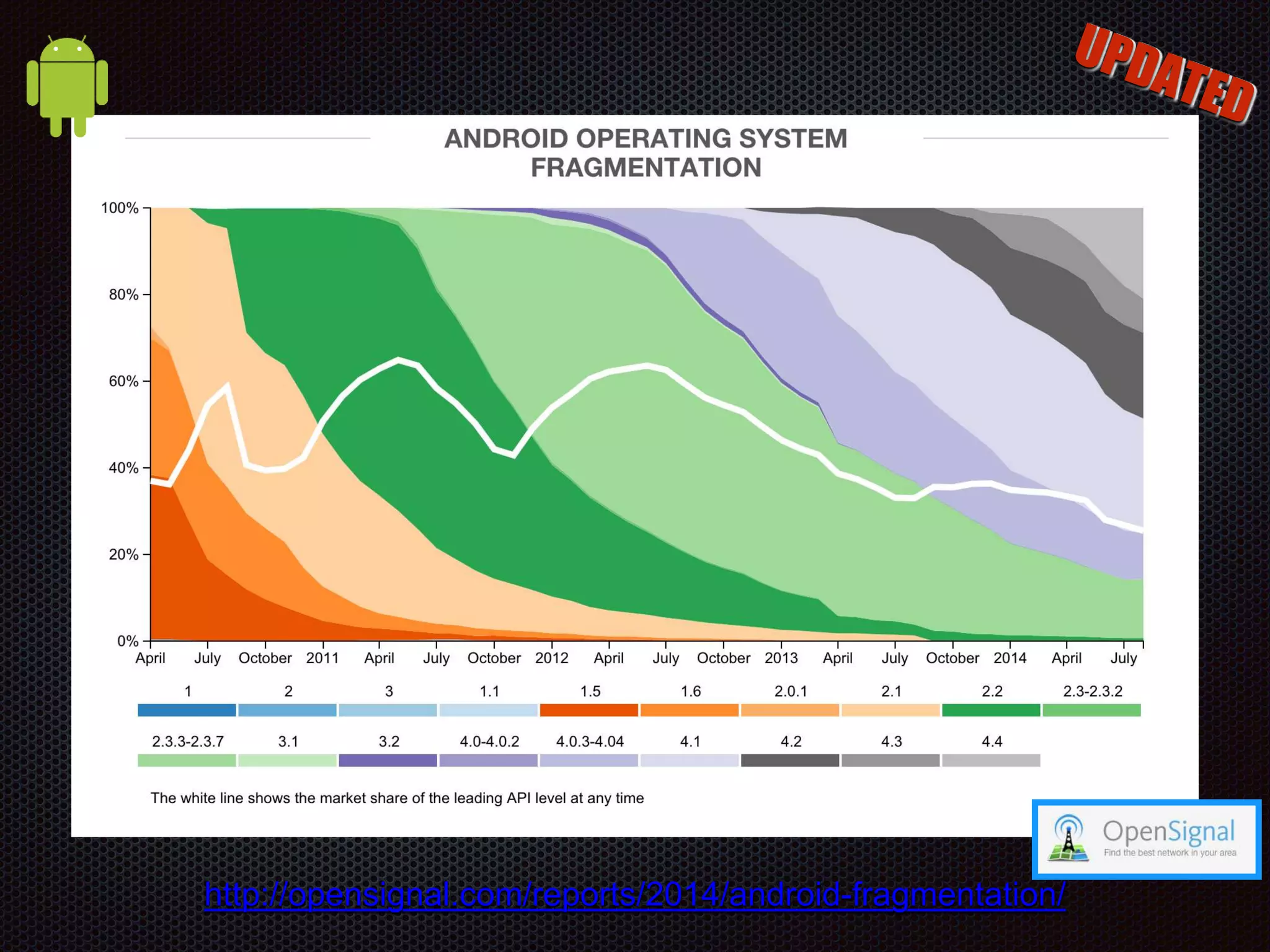
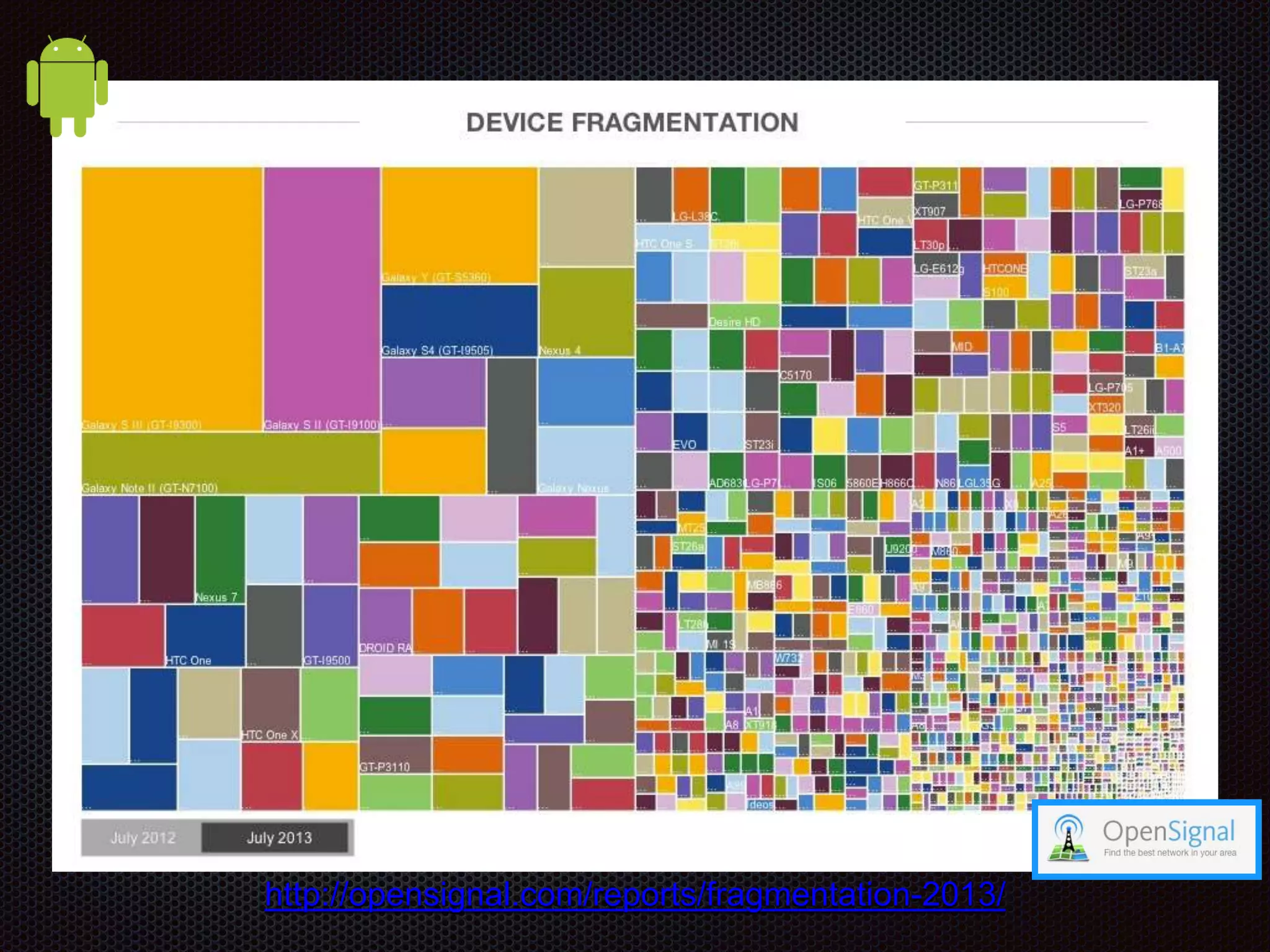
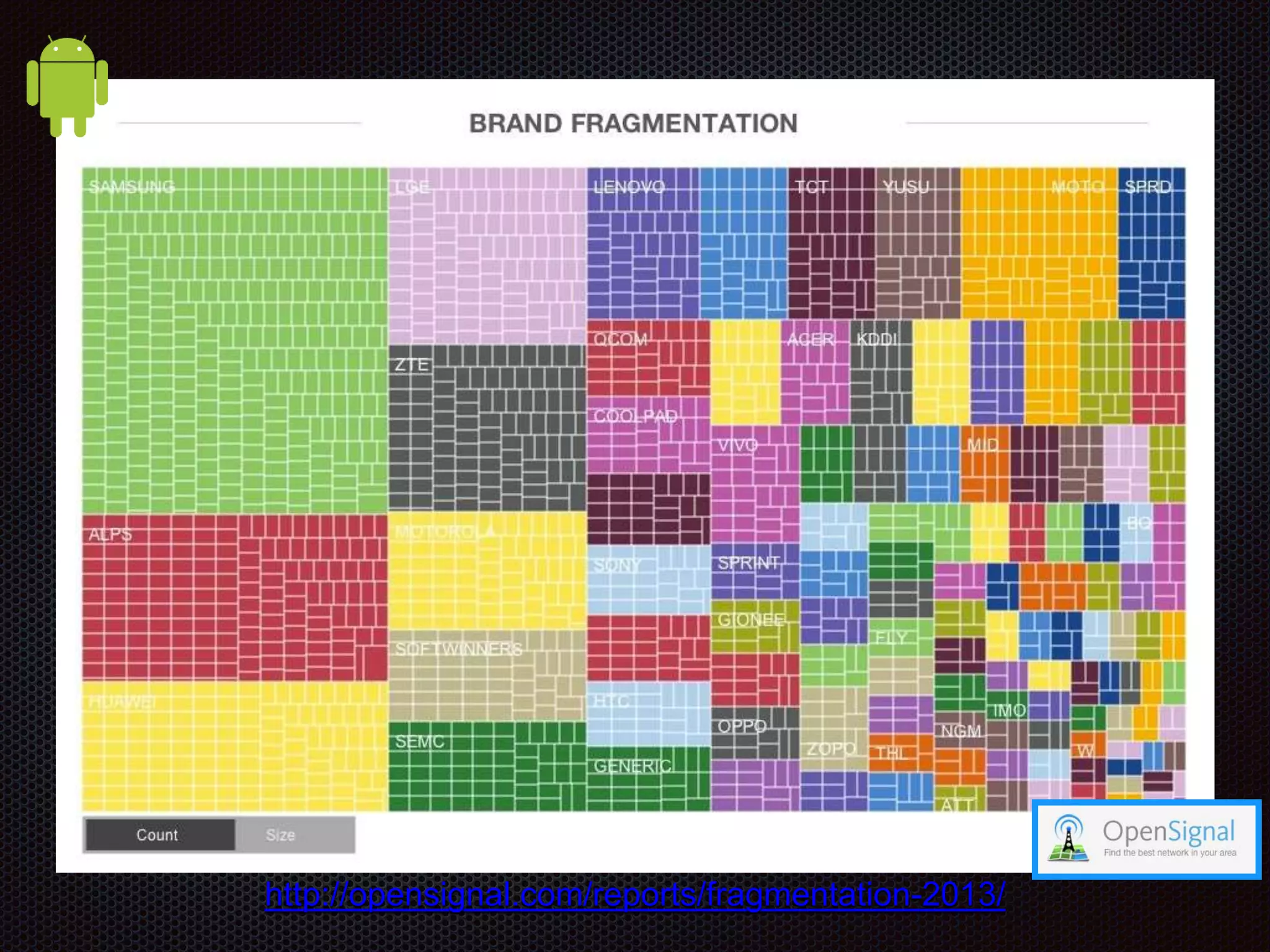
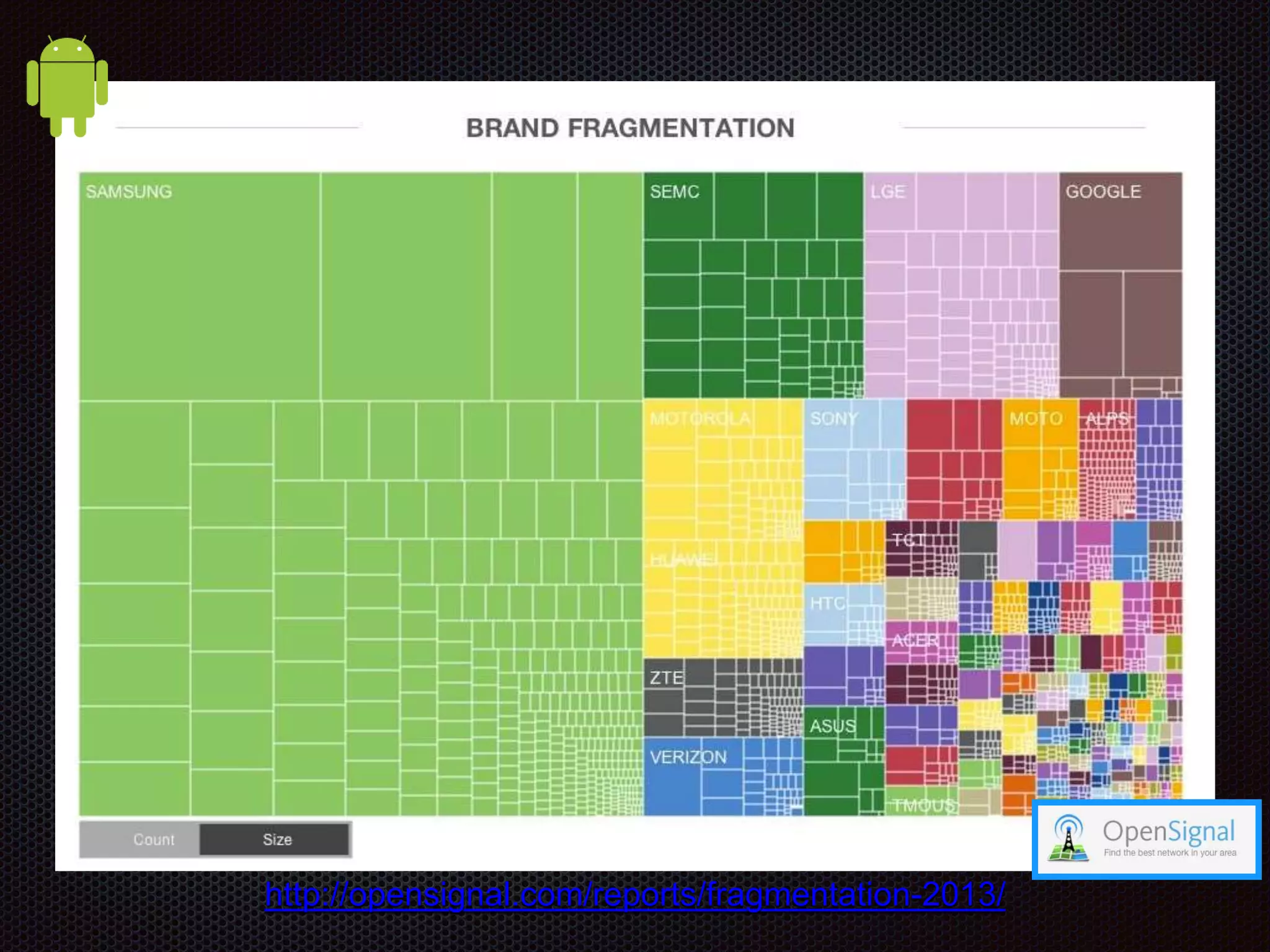
Android Fragmentation 11,868 Distinct Android devices seen this year 3,997 Distinct Android devices seen last year 682,000 Devices surveyed for this report 47.5% Samsung's share of those devices 8 Android versions still in use 37.9% Android users on Jelly Bean http://opensignal.com/reports/fragmentation-2013/
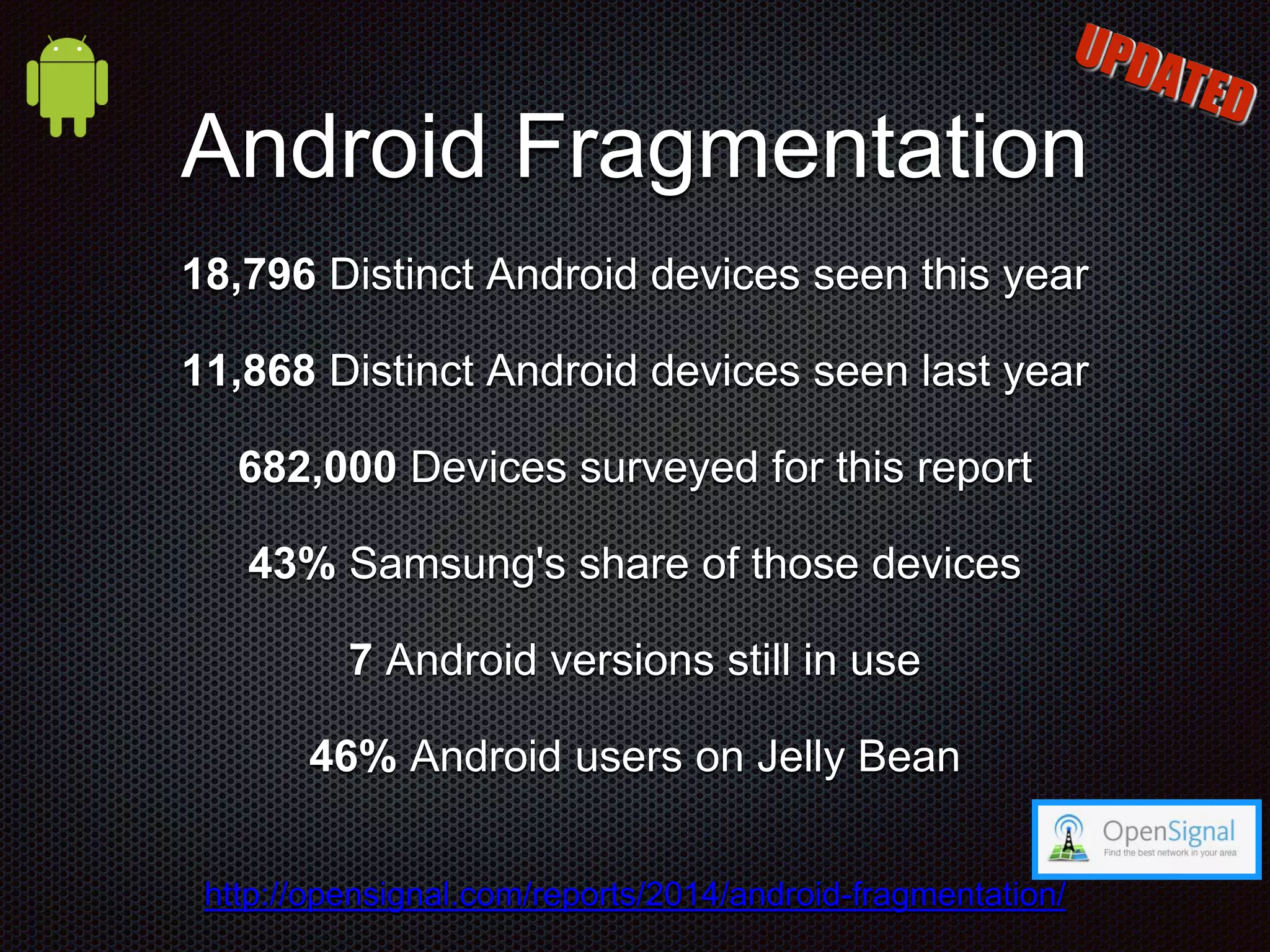
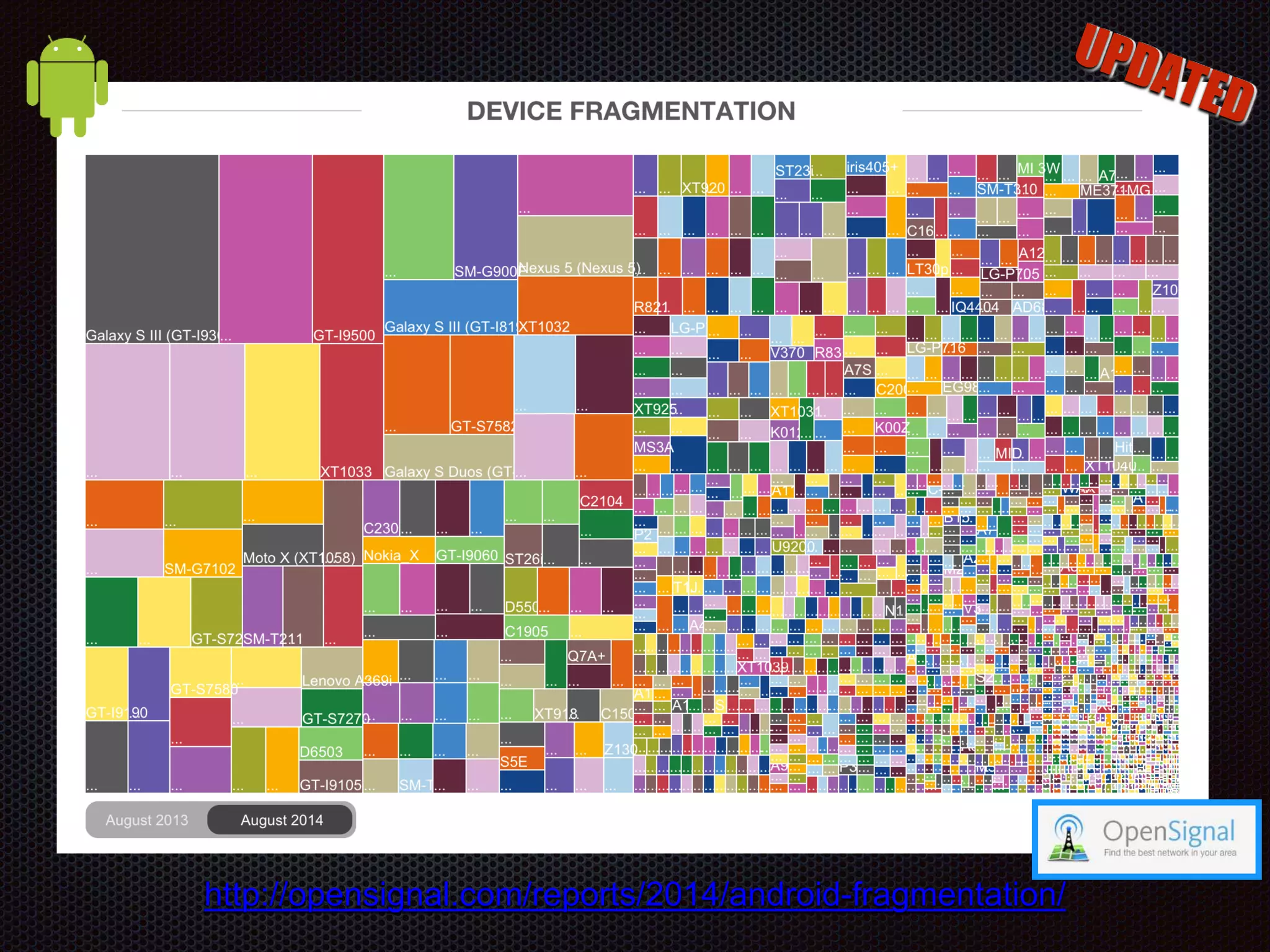
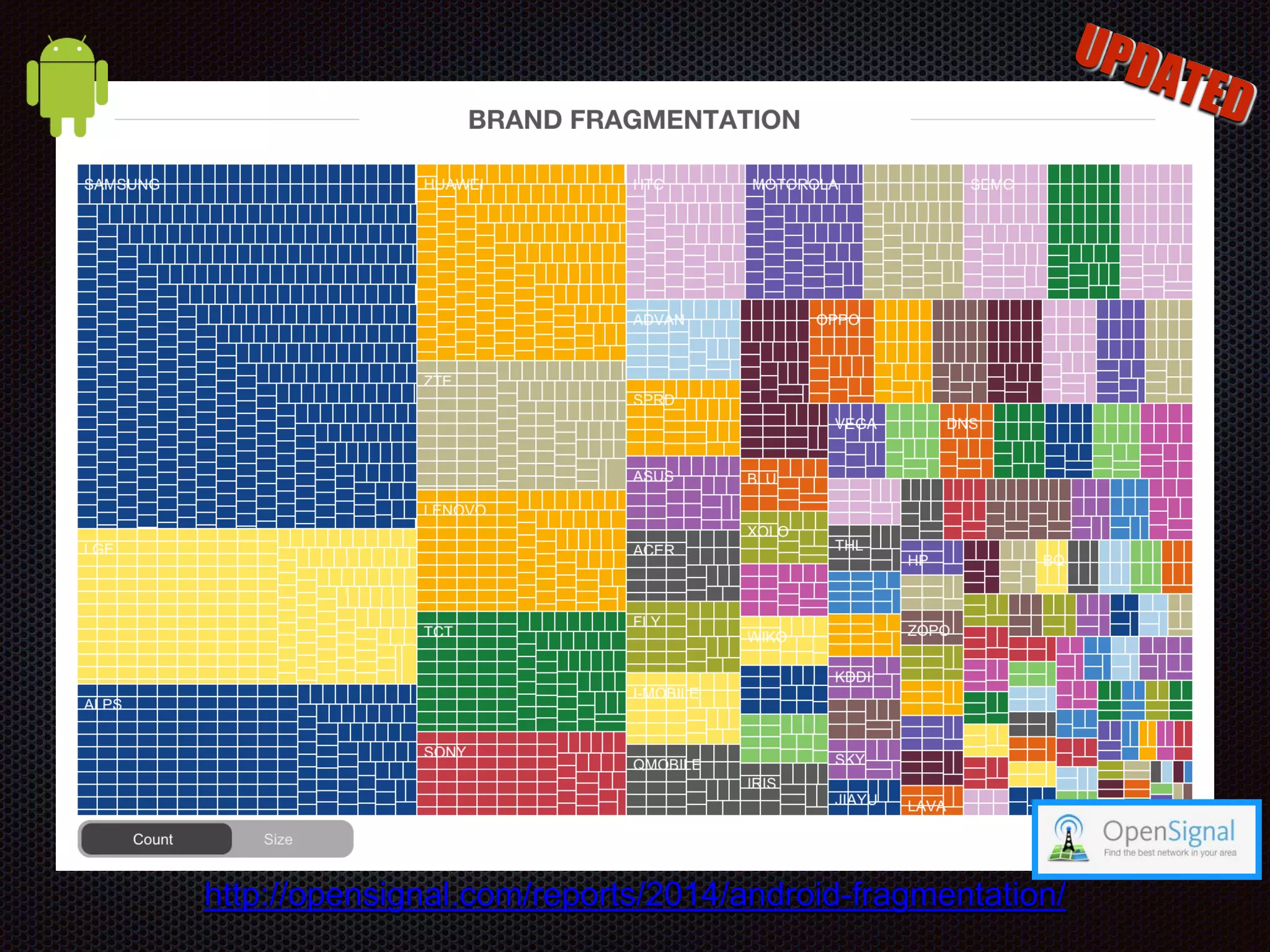
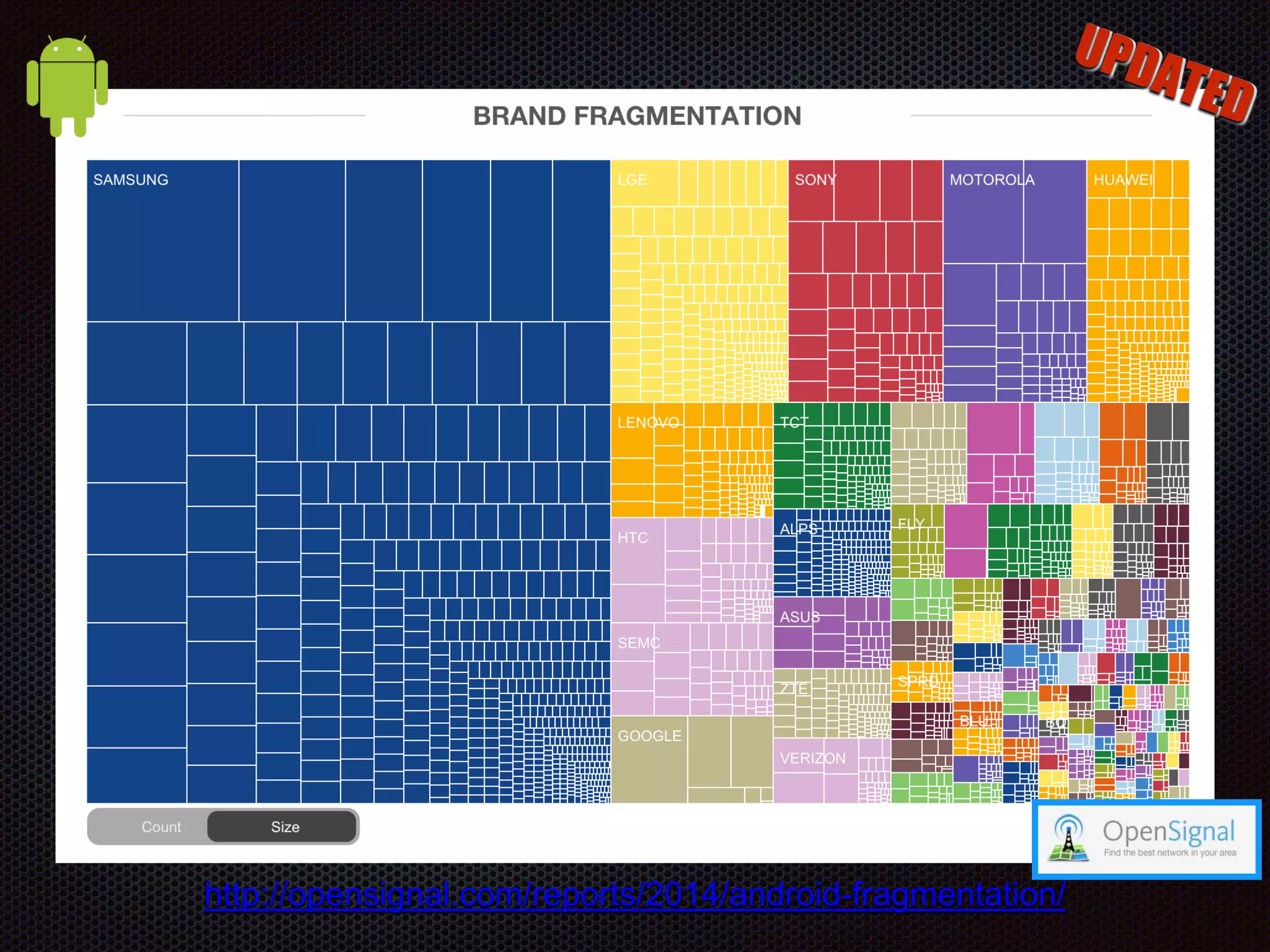
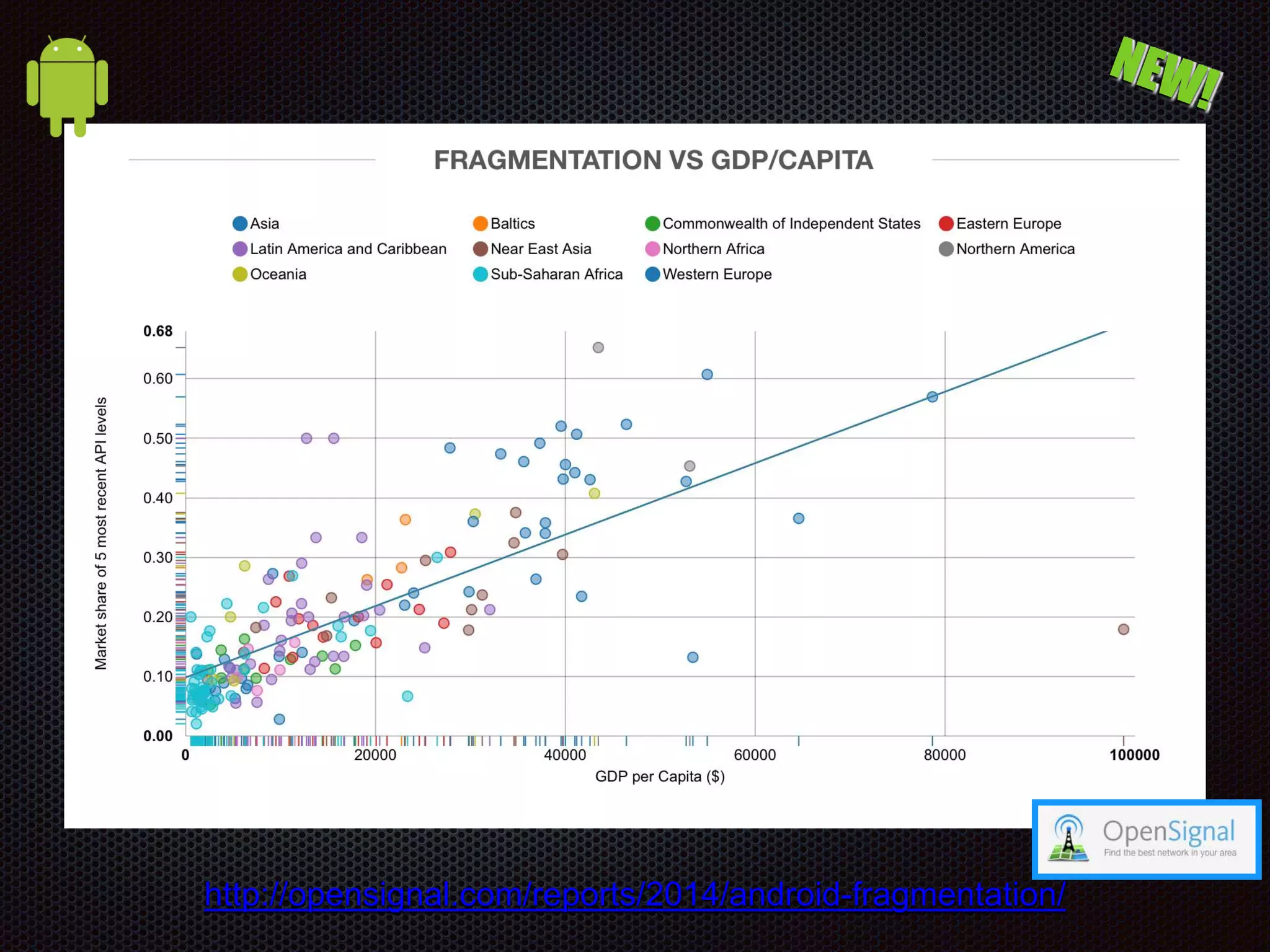
Android Fragmentation 18,796 Distinct Android devices seen this year 11,868 Distinct Android devices seen last year 682,000 Devices surveyed for this report 43% Samsung's share of those devices 7 Android versions still in use 46% Android users on Jelly Bean http://opensignal.com/reports/2014/android-fragmentation/
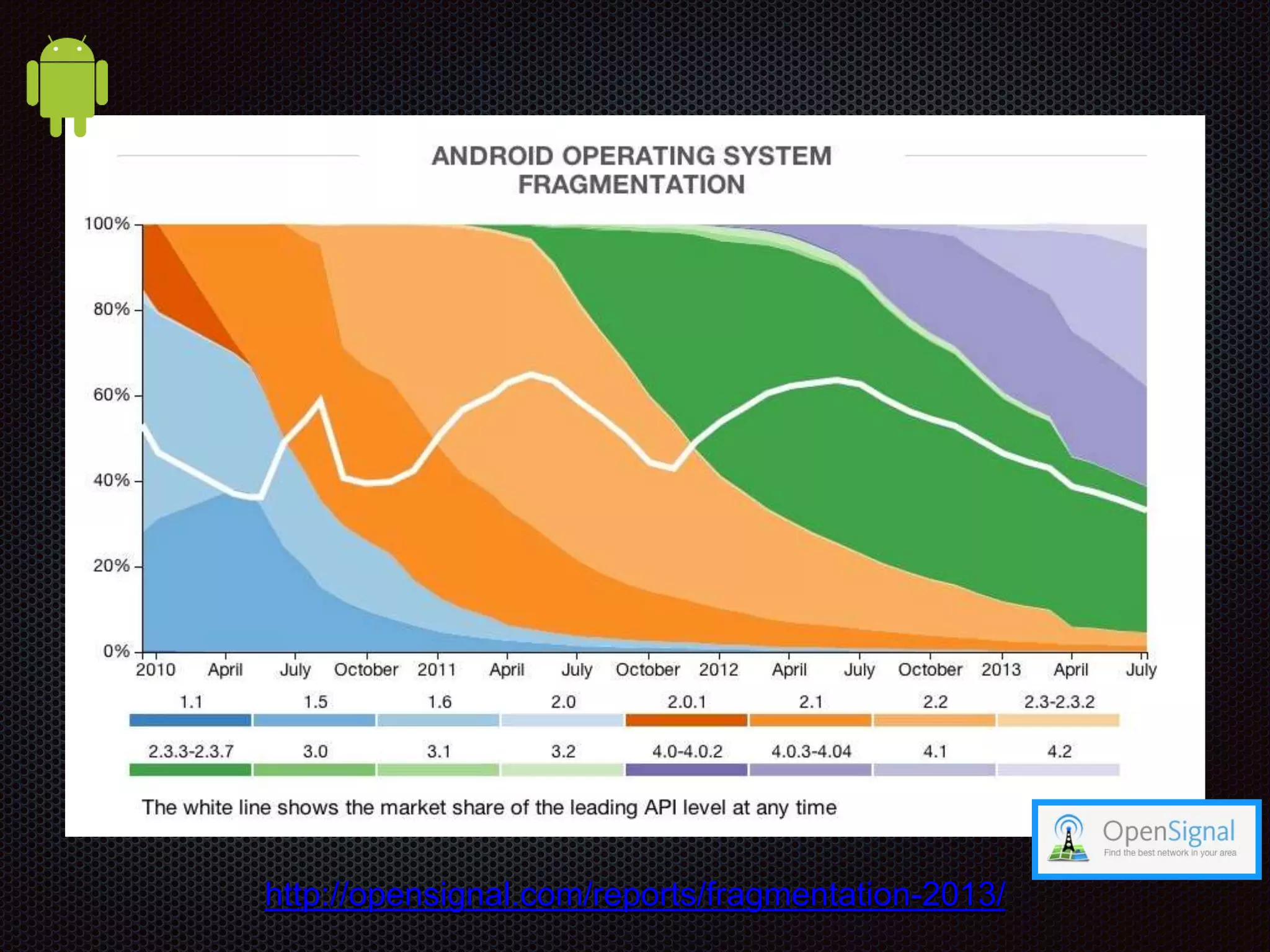
http://opensignal.com/reports/fragmentation-2013/
http://opensignal.com/reports/2014/android-fragmentation/
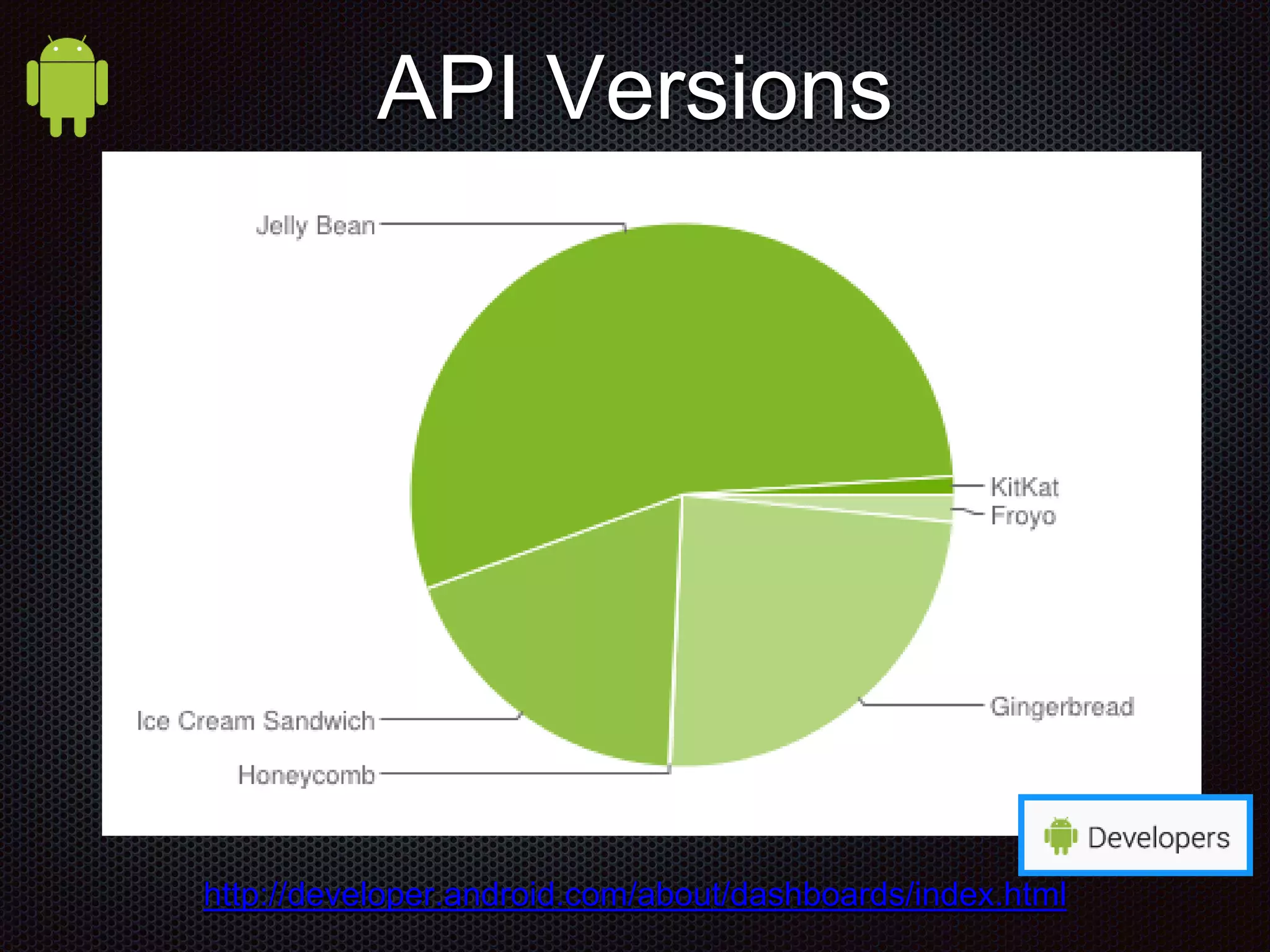
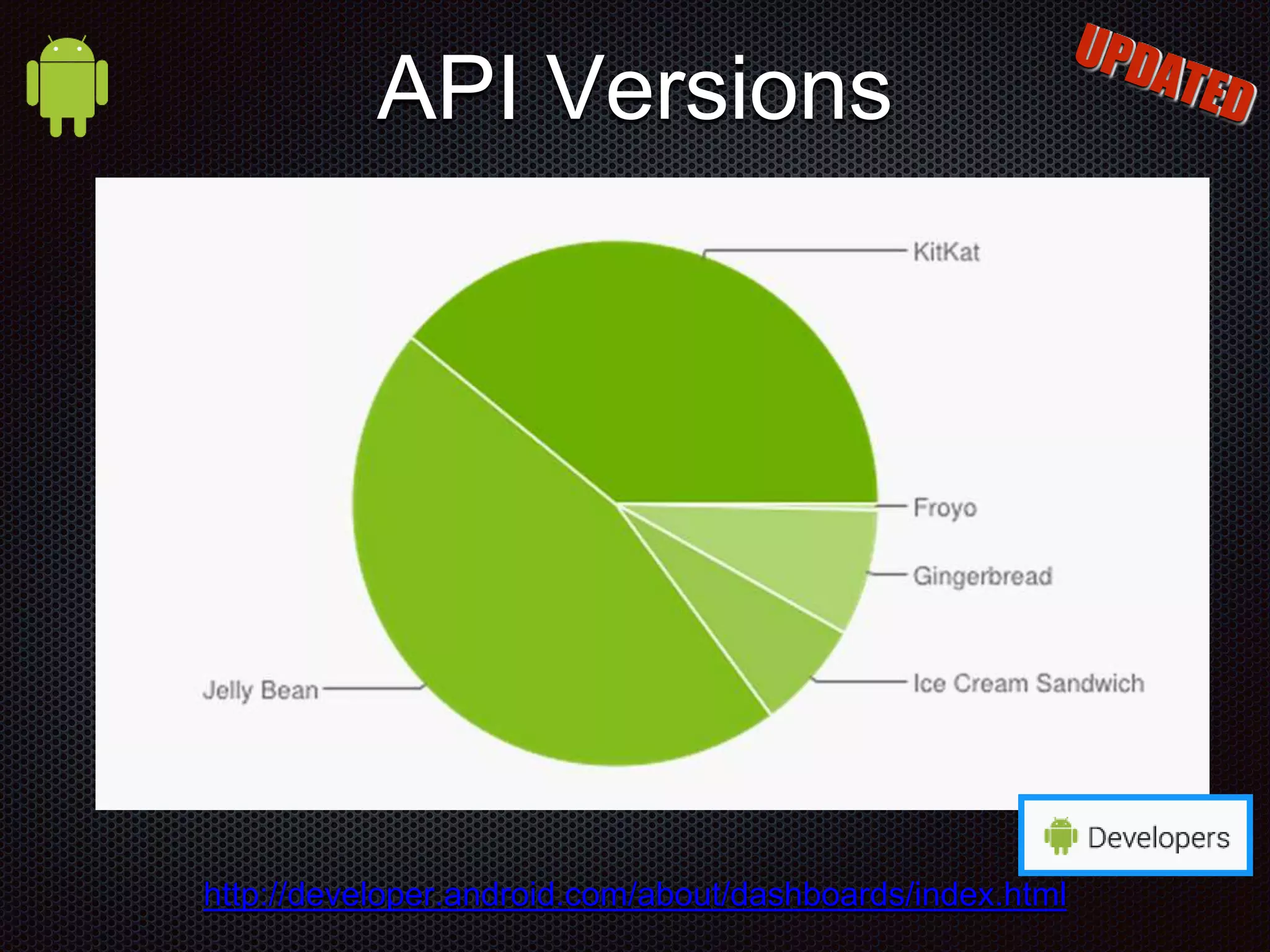
http://developer.android.com/about/dashboards/index.html API Versions
http://opensignal.com/reports/fragmentation-2013/
http://opensignal.com/reports/2014/android-fragmentation/
http://opensignal.com/reports/fragmentation-2013/
http://opensignal.com/reports/2014/android-fragmentation/
http://opensignal.com/reports/fragmentation-2013/
http://opensignal.com/reports/2014/android-fragmentation/
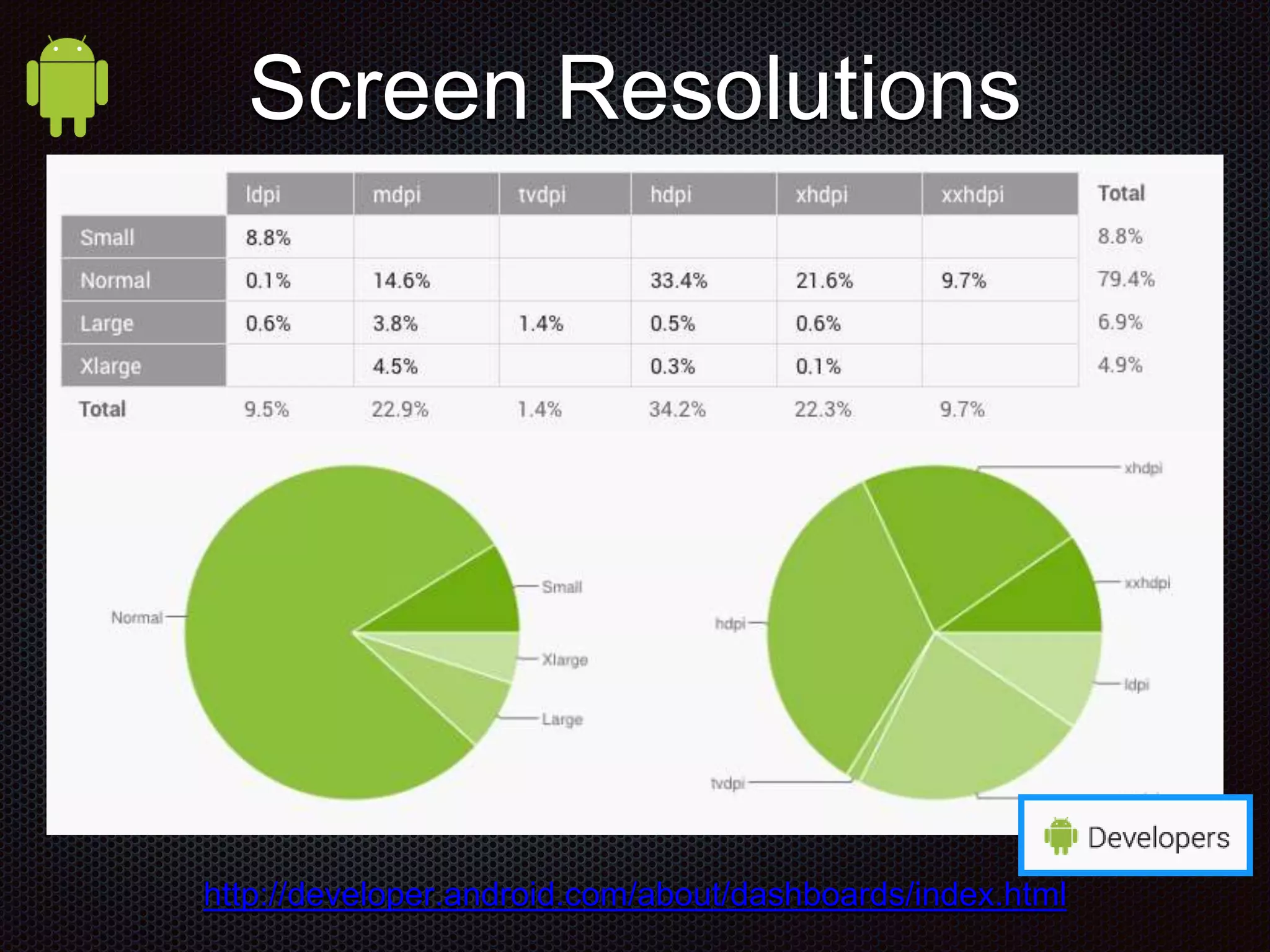
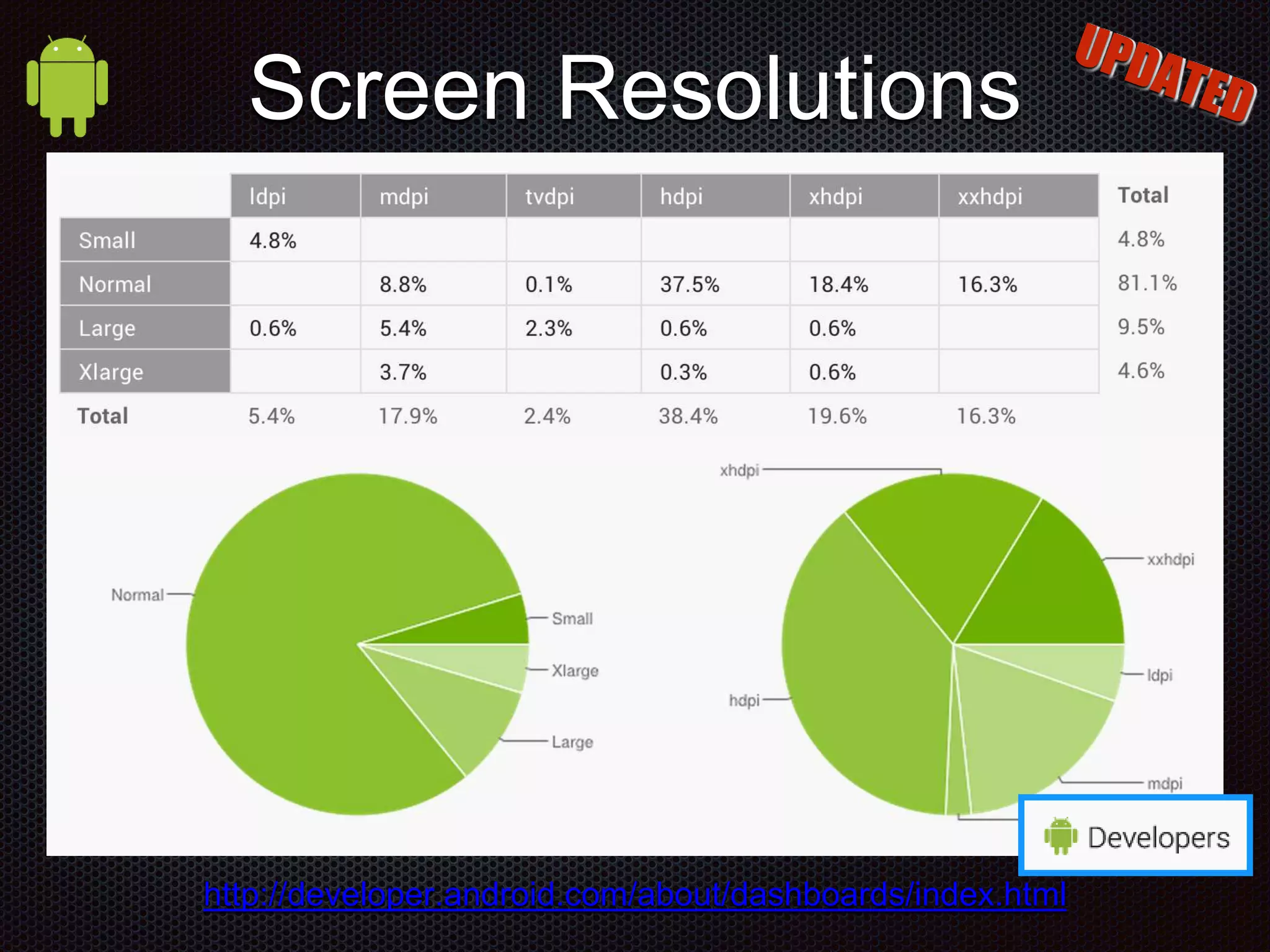
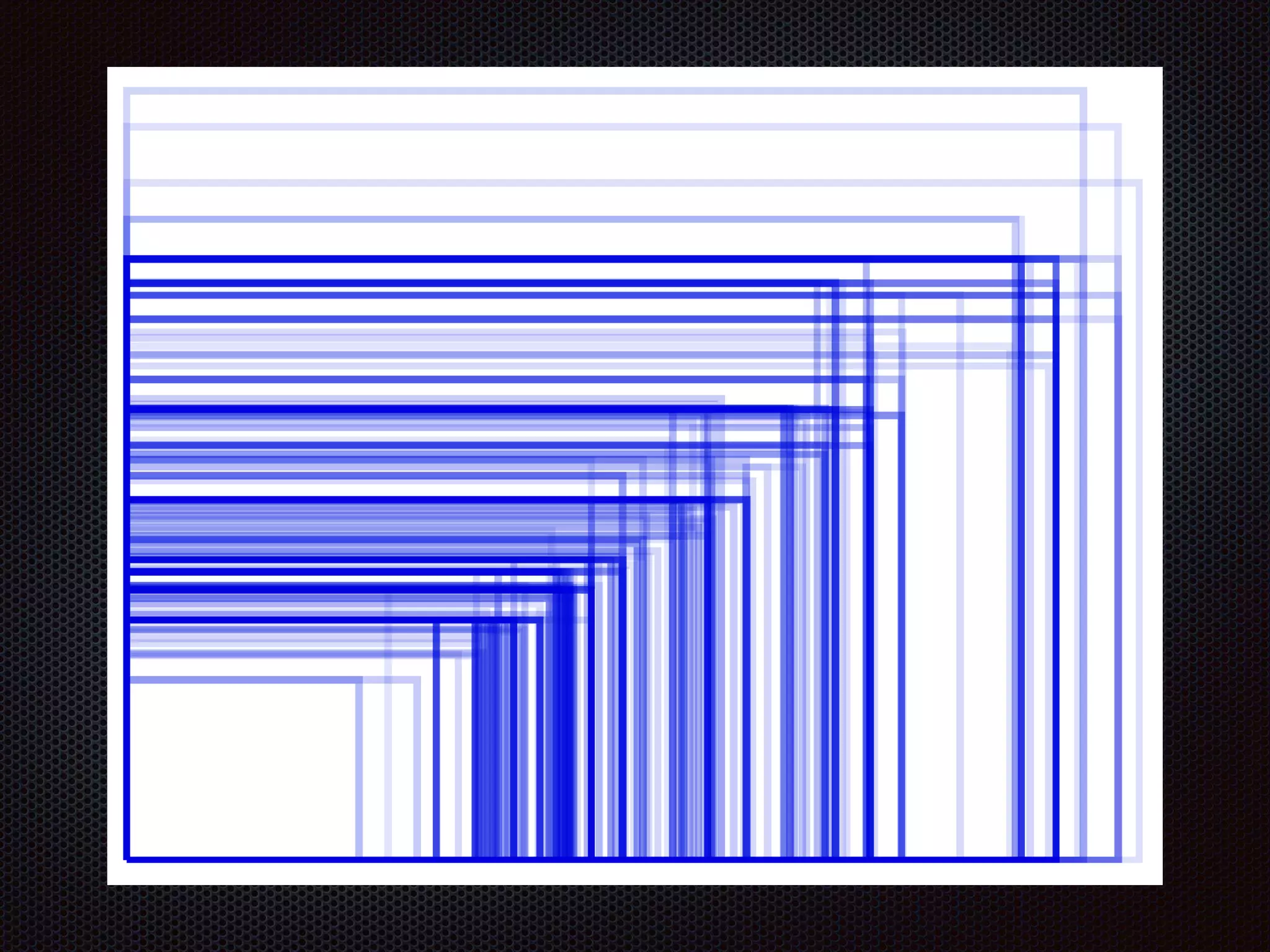
http://developer.android.com/about/dashboards/index.html Screen Resolutions
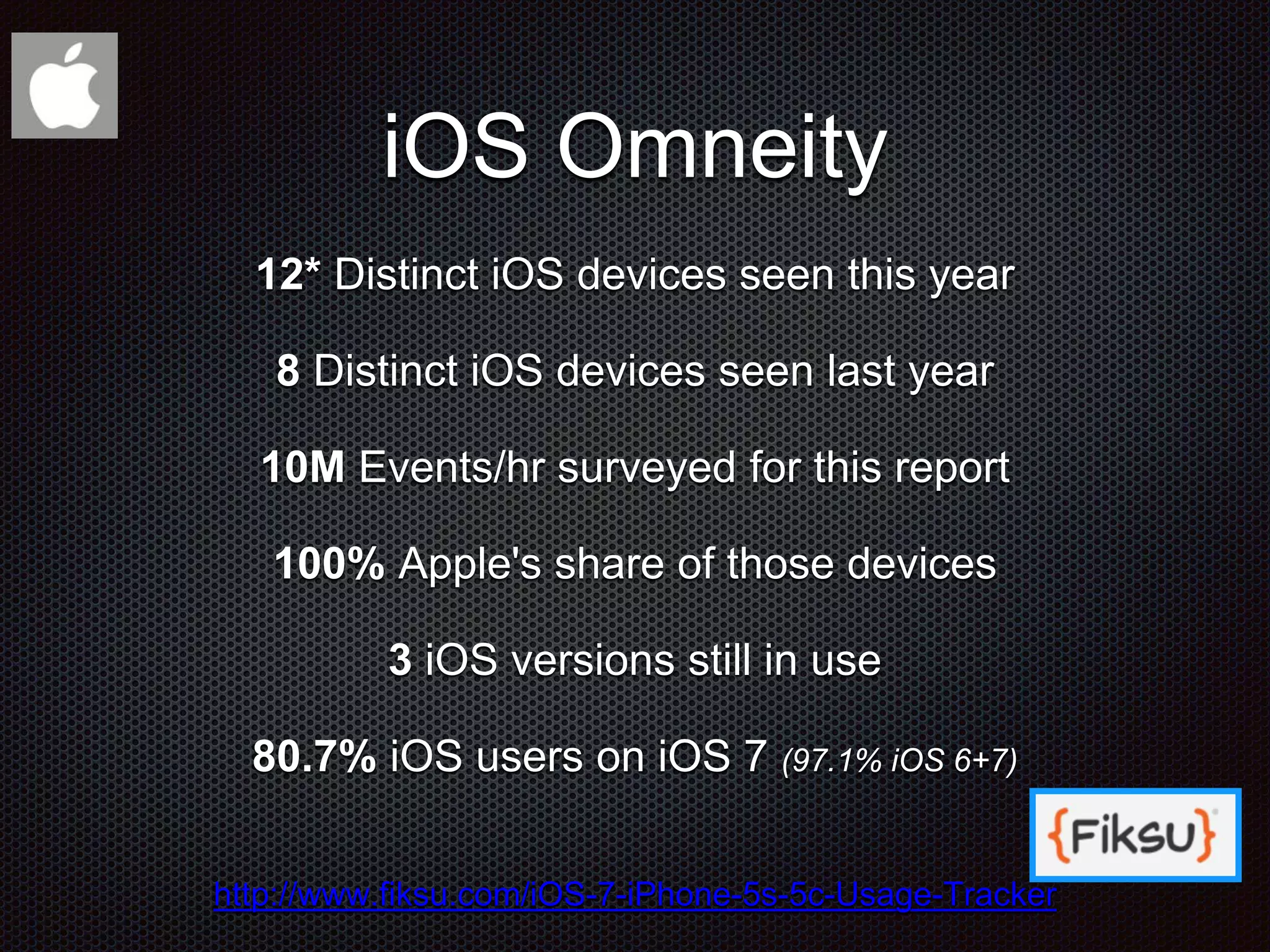
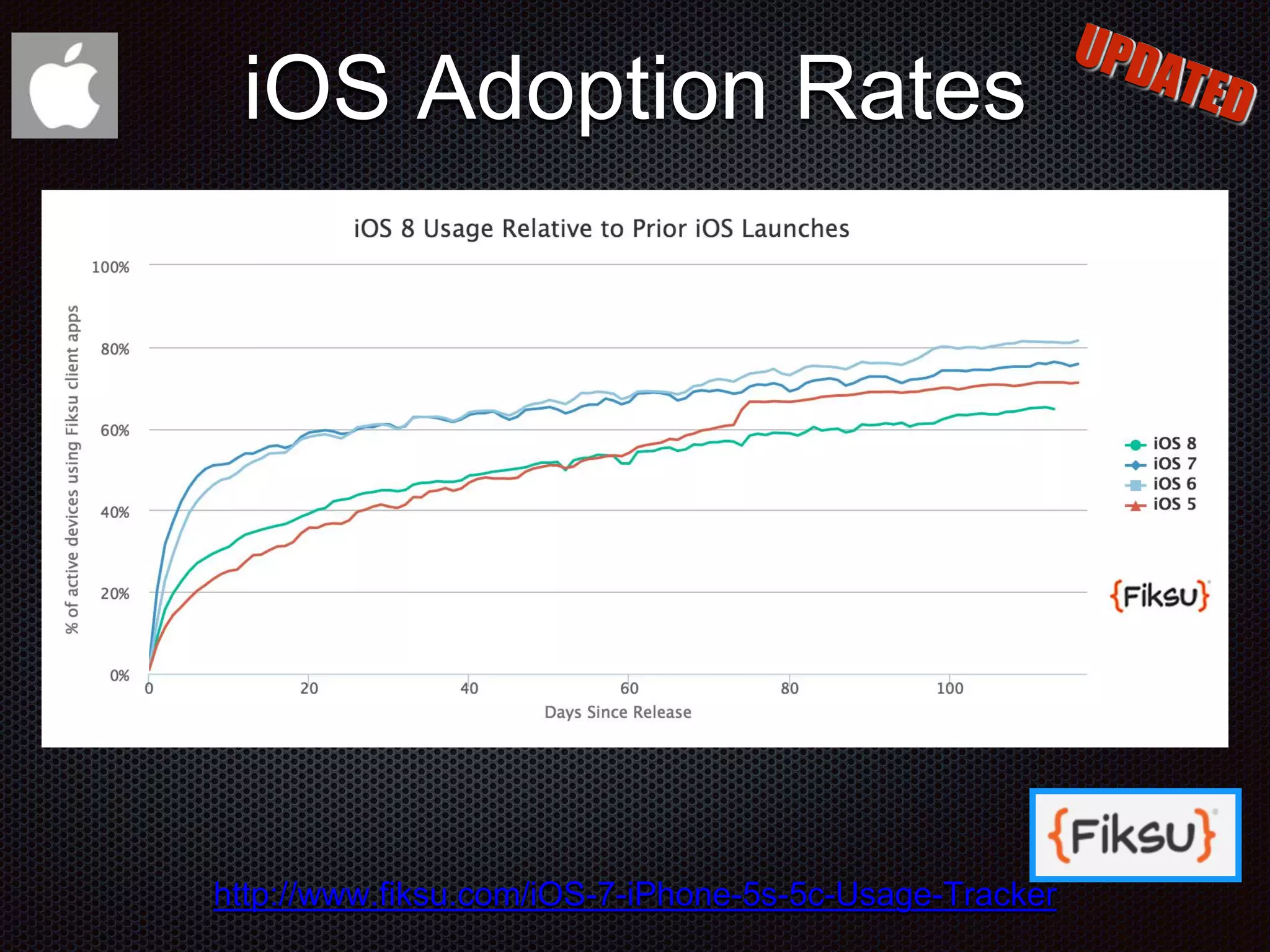
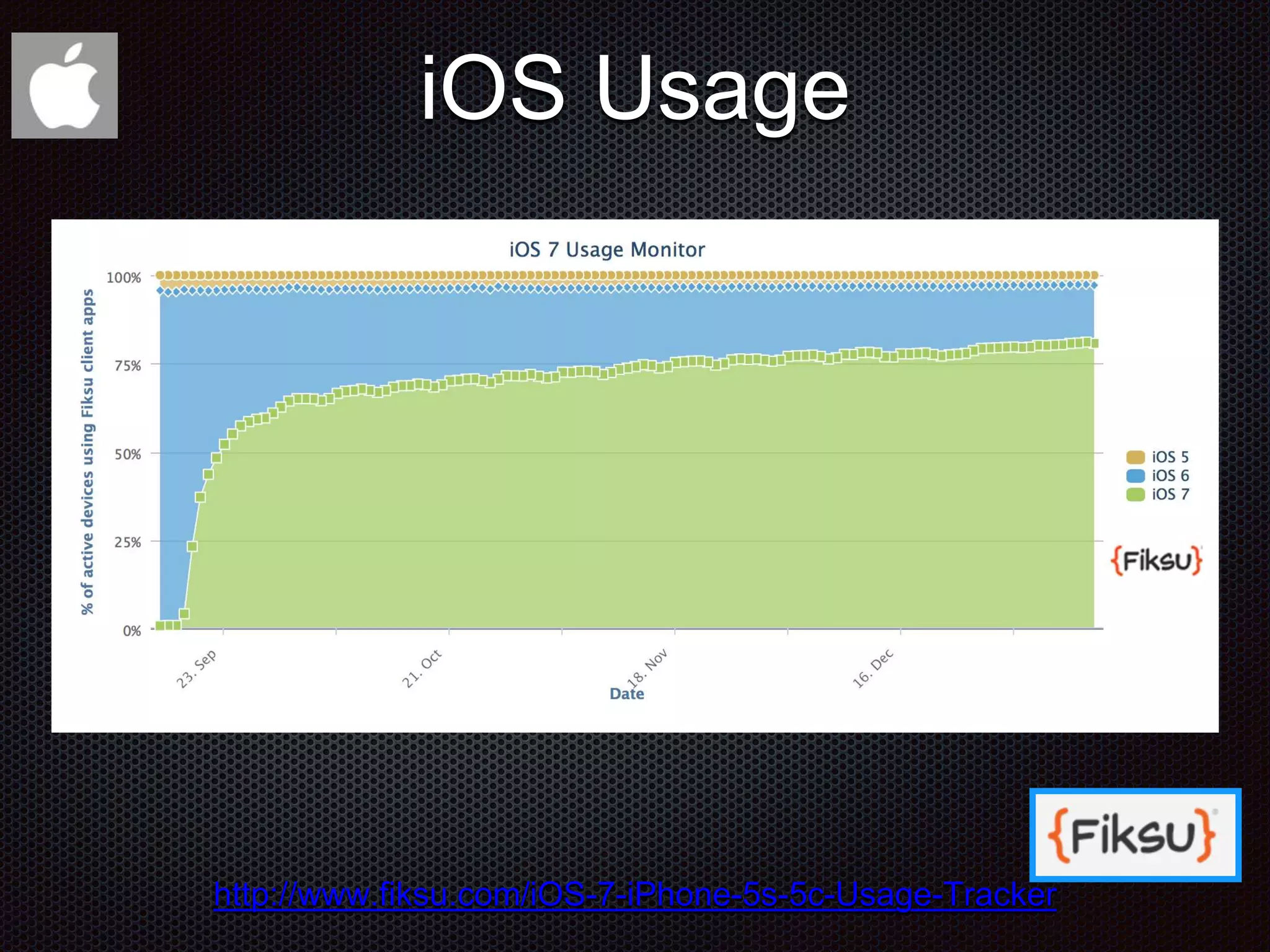
iOS Omneity 12* Distinct iOS devices seen this year 8 Distinct iOS devices seen last year 10M Events/hr surveyed for this report 100% Apple's share of those devices 3 iOS versions still in use 80.7% iOS users on iOS 7 (97.1% iOS 6+7) http://www.fiksu.com/iOS-7-iPhone-5s-5c-Usage-Tracker
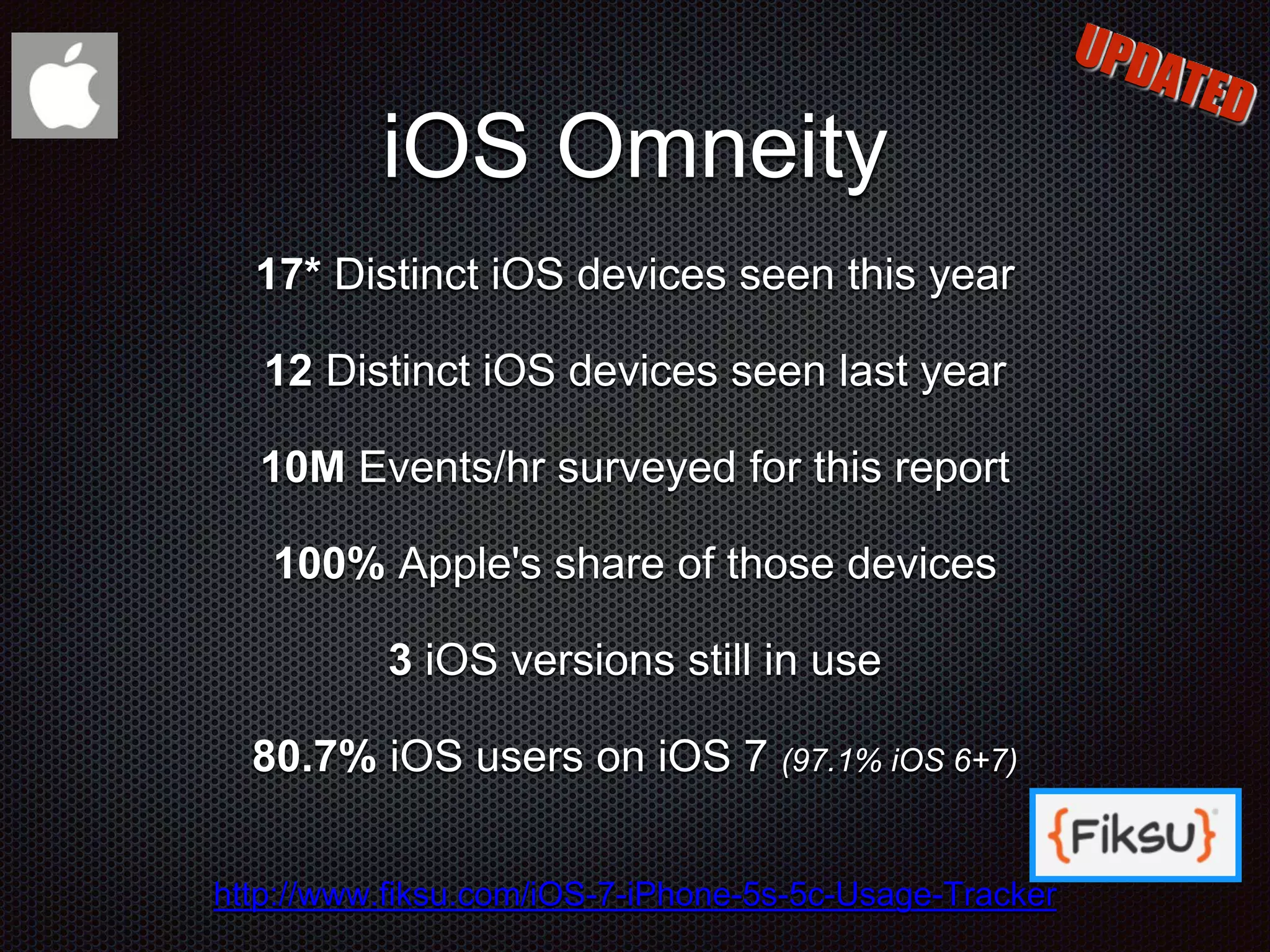
iOS Omneity 17* Distinct iOS devices seen this year 12 Distinct iOS devices seen last year 10M Events/hr surveyed for this report 100% Apple's share of those devices 3 iOS versions still in use 80.7% iOS users on iOS 7 (97.1% iOS 6+7) http://www.fiksu.com/iOS-7-iPhone-5s-5c-Usage-Tracker
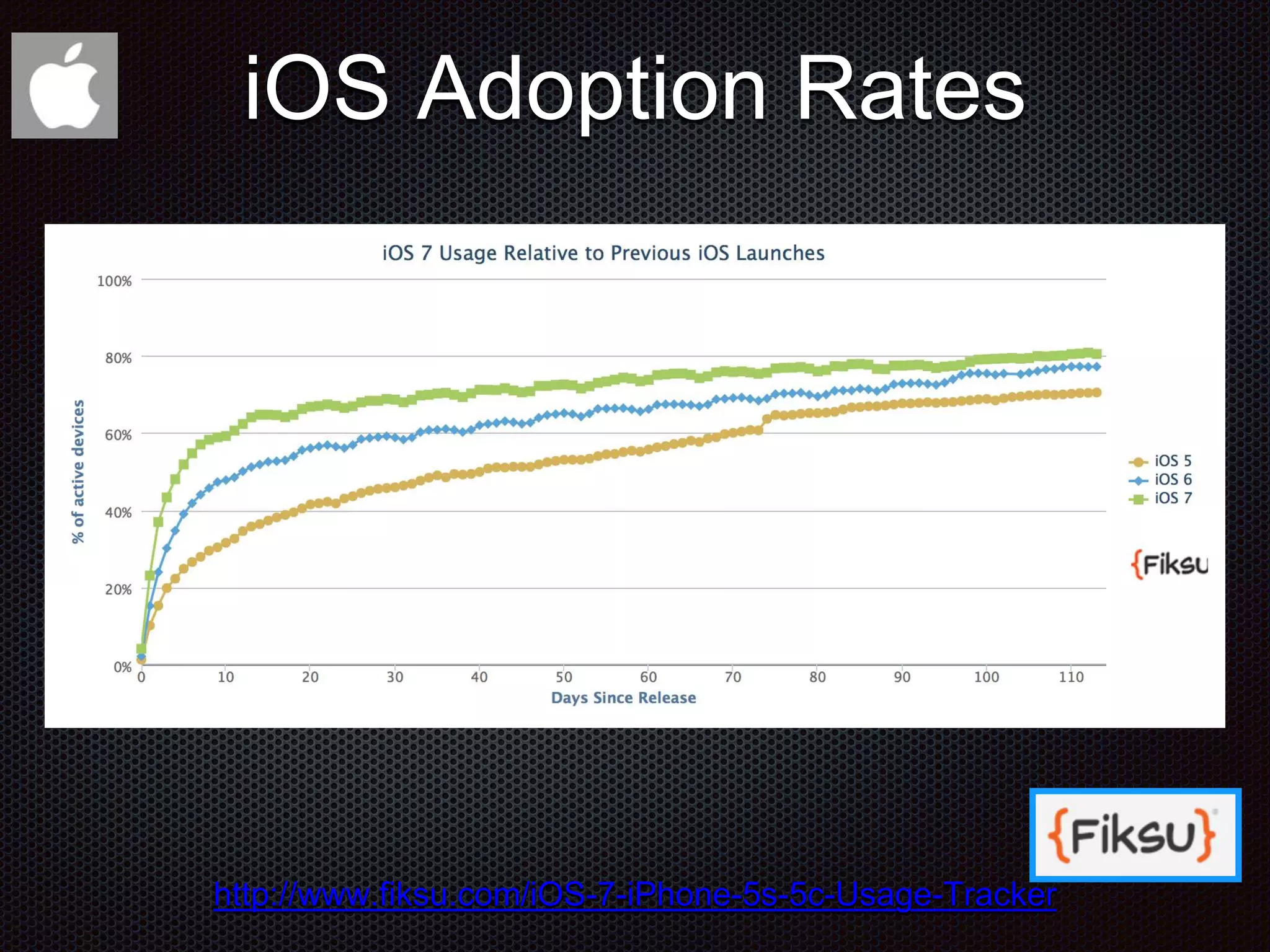
http://www.fiksu.com/iOS-7-iPhone-5s-5c-Usage-Tracker iOS Adoption Rates
iOS Usage http://www.fiksu.com/iOS-7-iPhone-5s-5c-Usage-Tracker
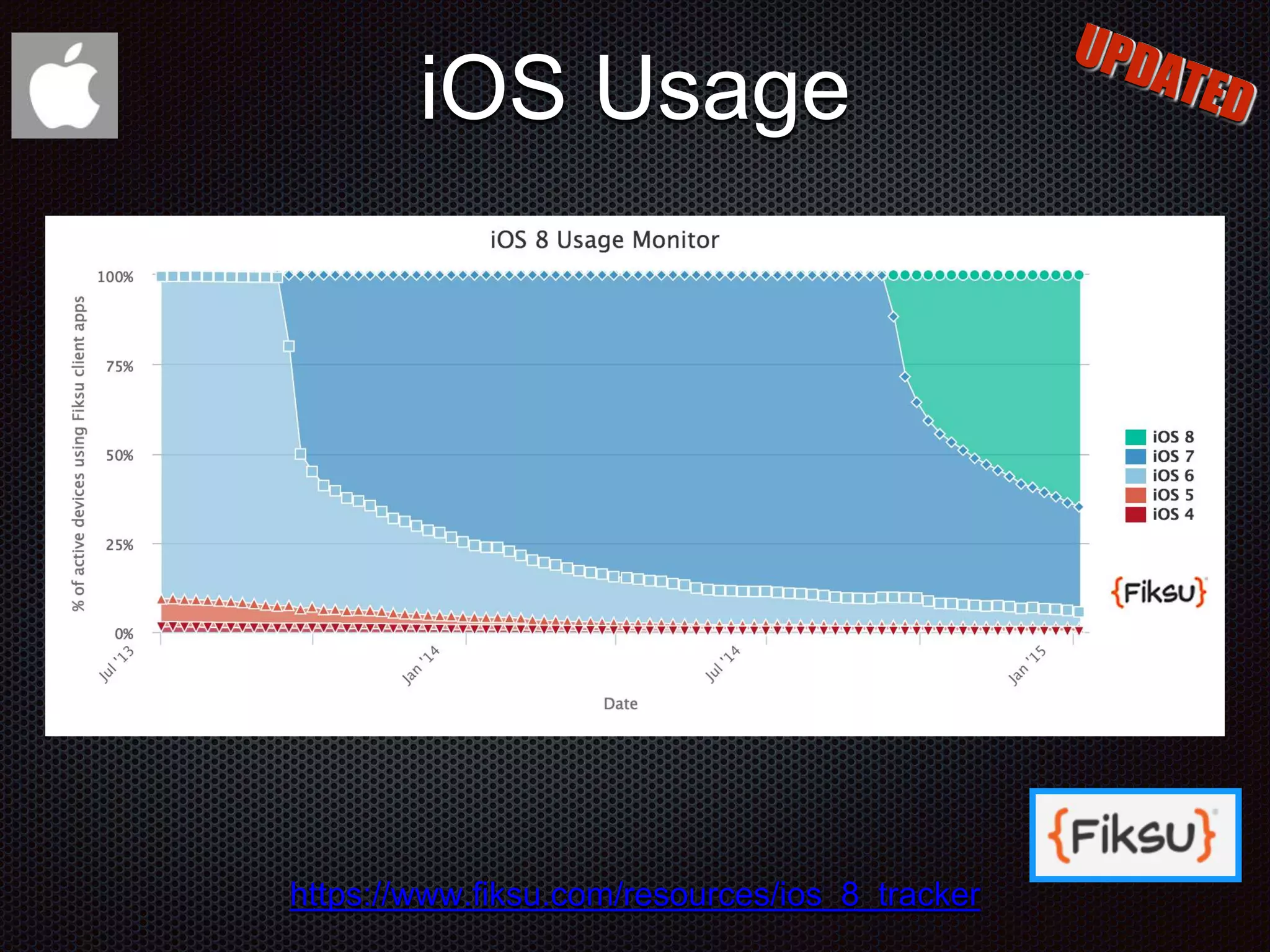
iOS Usage https://www.fiksu.com/resources/ios_8_tracker
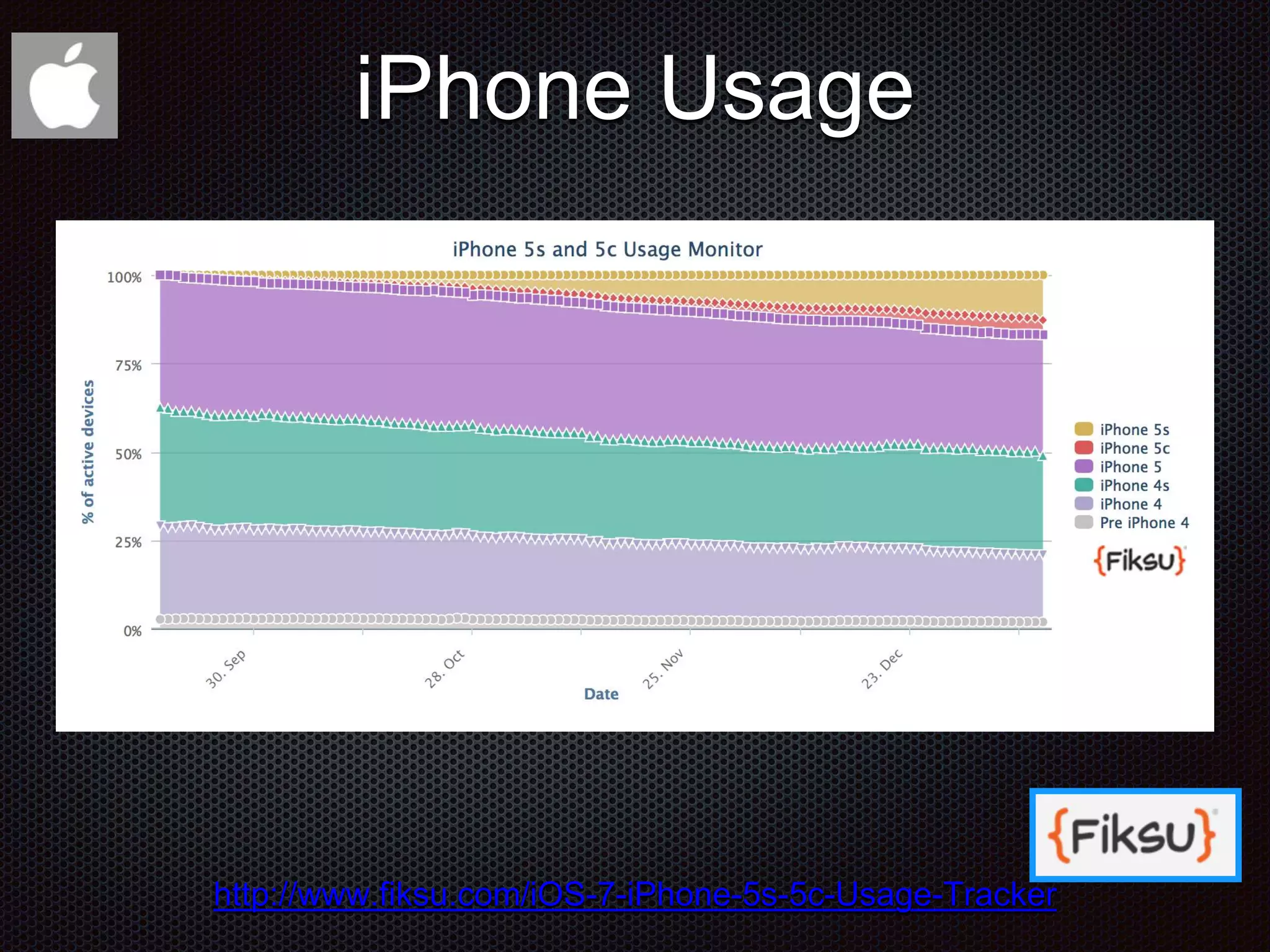
iPhone Usage http://www.fiksu.com/iOS-7-iPhone-5s-5c-Usage-Tracker
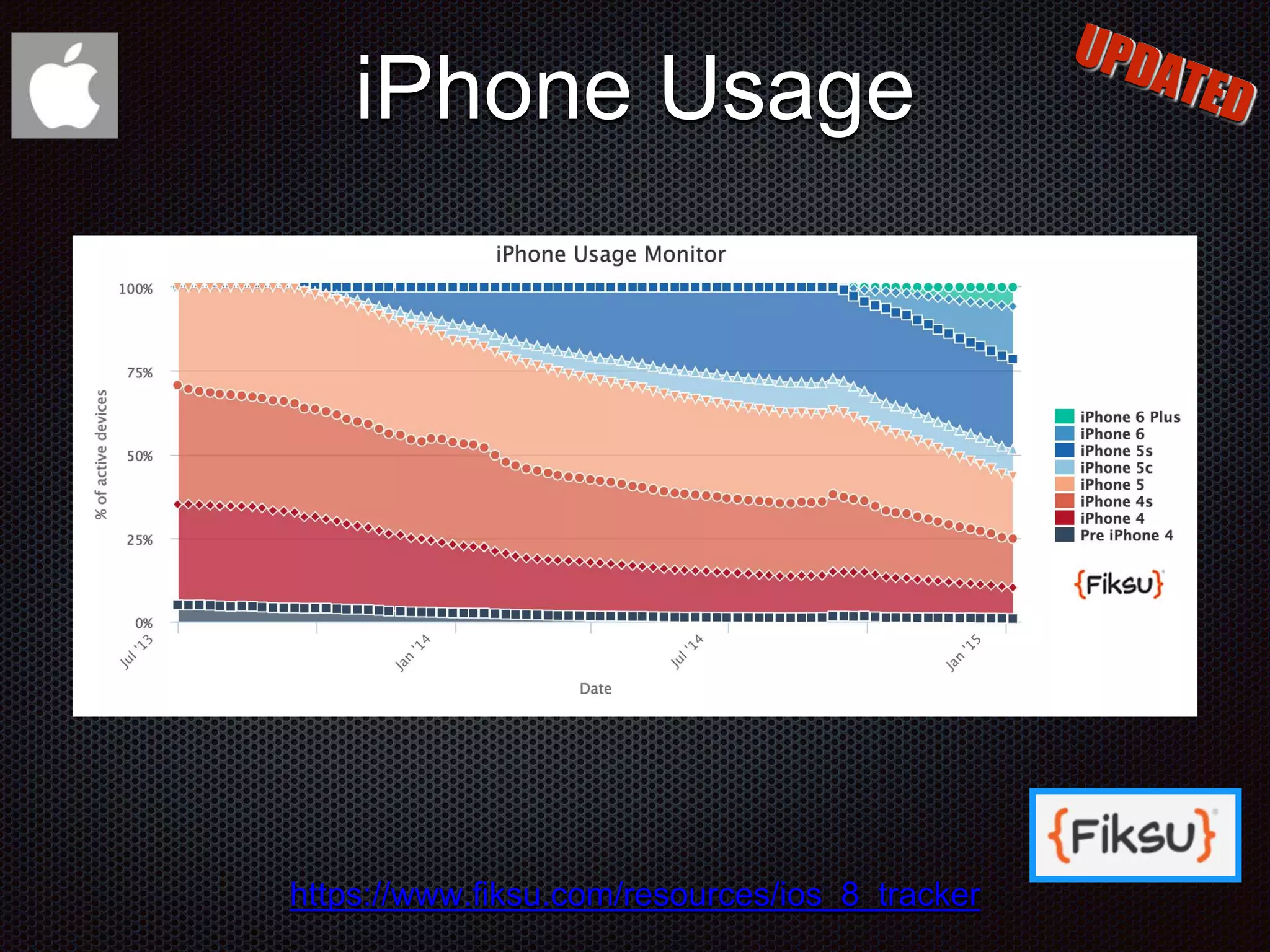
iPhone Usage https://www.fiksu.com/resources/ios_8_tracker
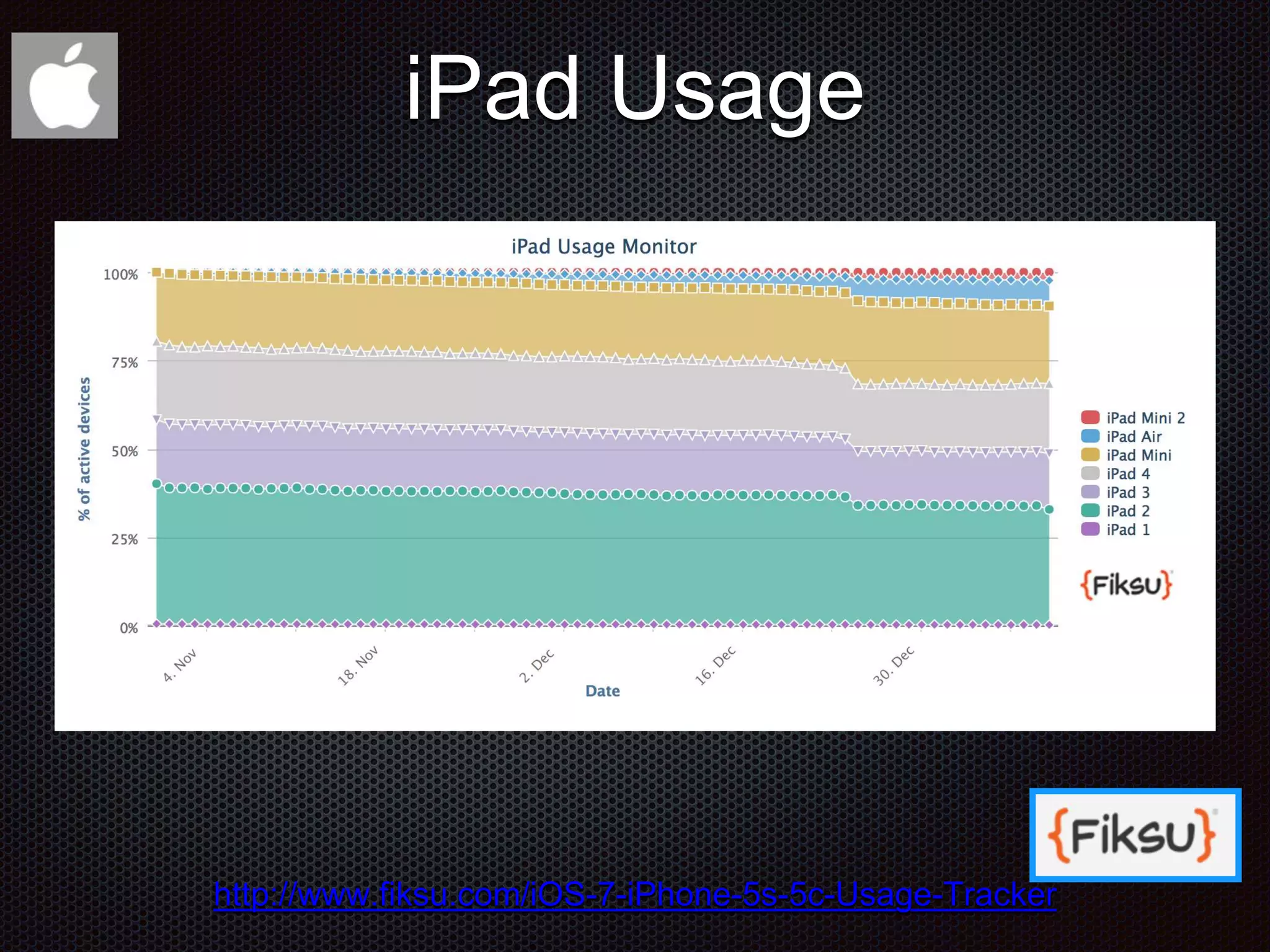
iPad Usage http://www.fiksu.com/iOS-7-iPhone-5s-5c-Usage-Tracker
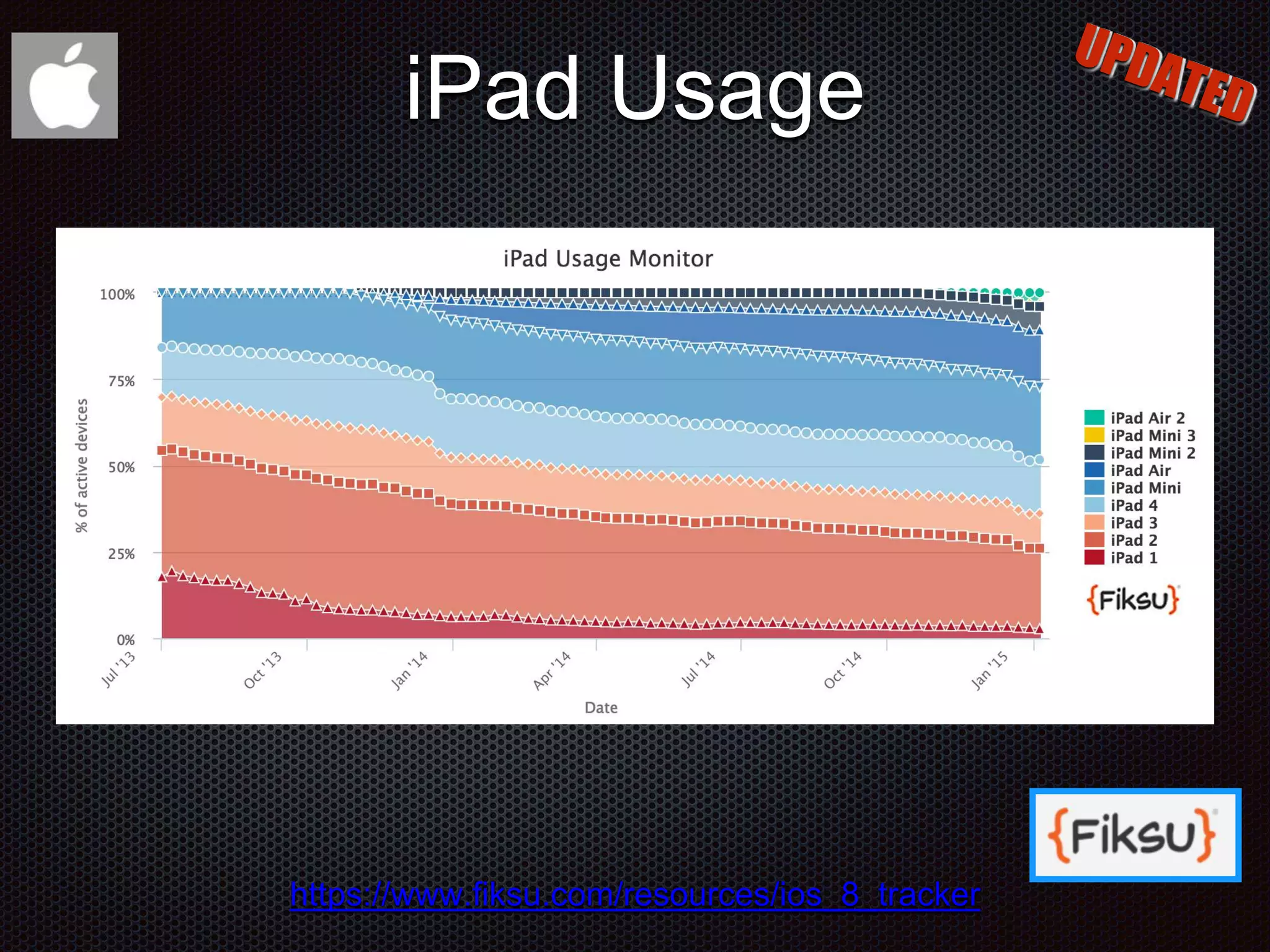
iPad Usage https://www.fiksu.com/resources/ios_8_tracker
700 Million iOS Devices
800 Million iOS Devices
900 Million Android Devices
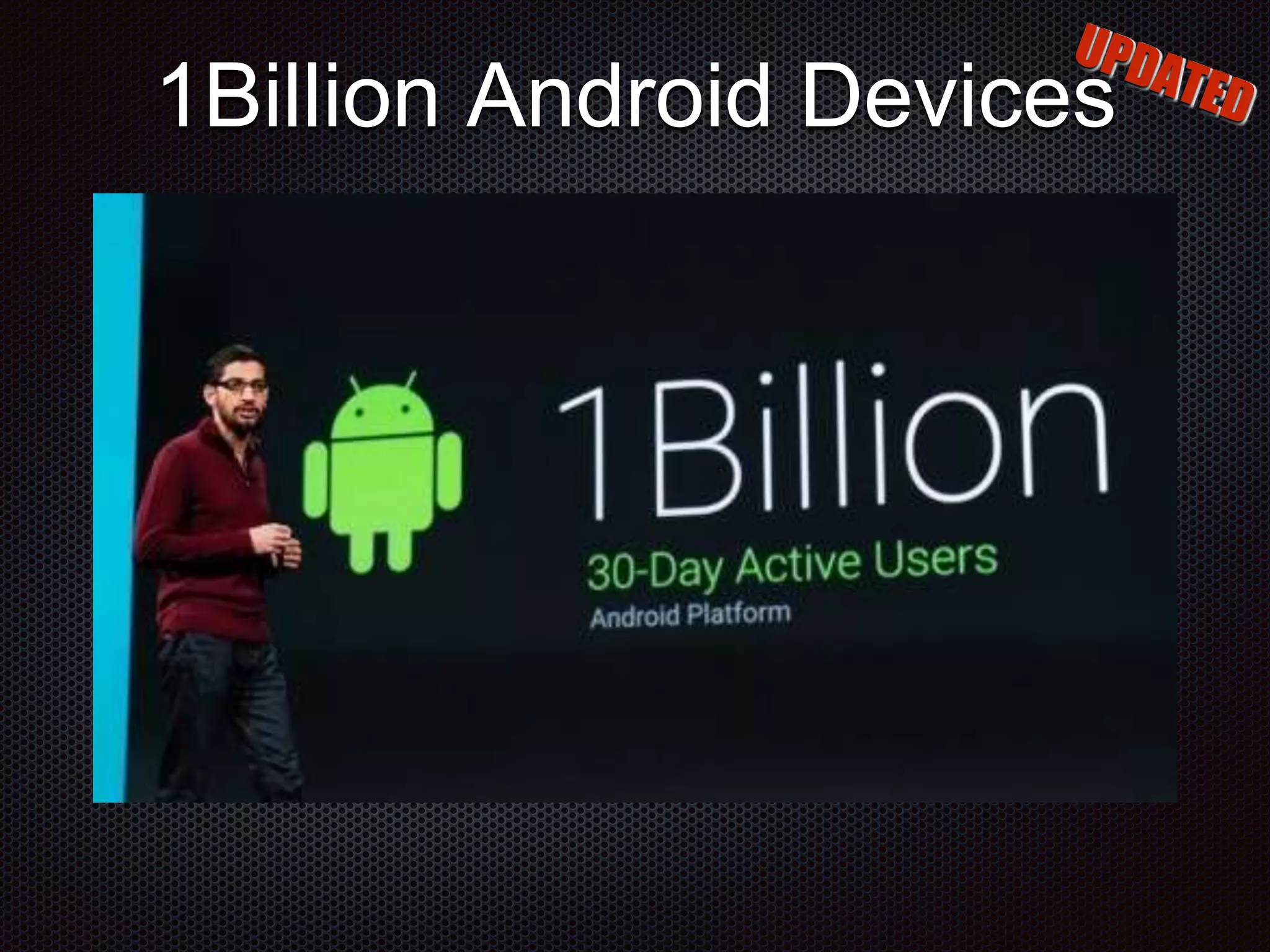
1Billion Android Devices
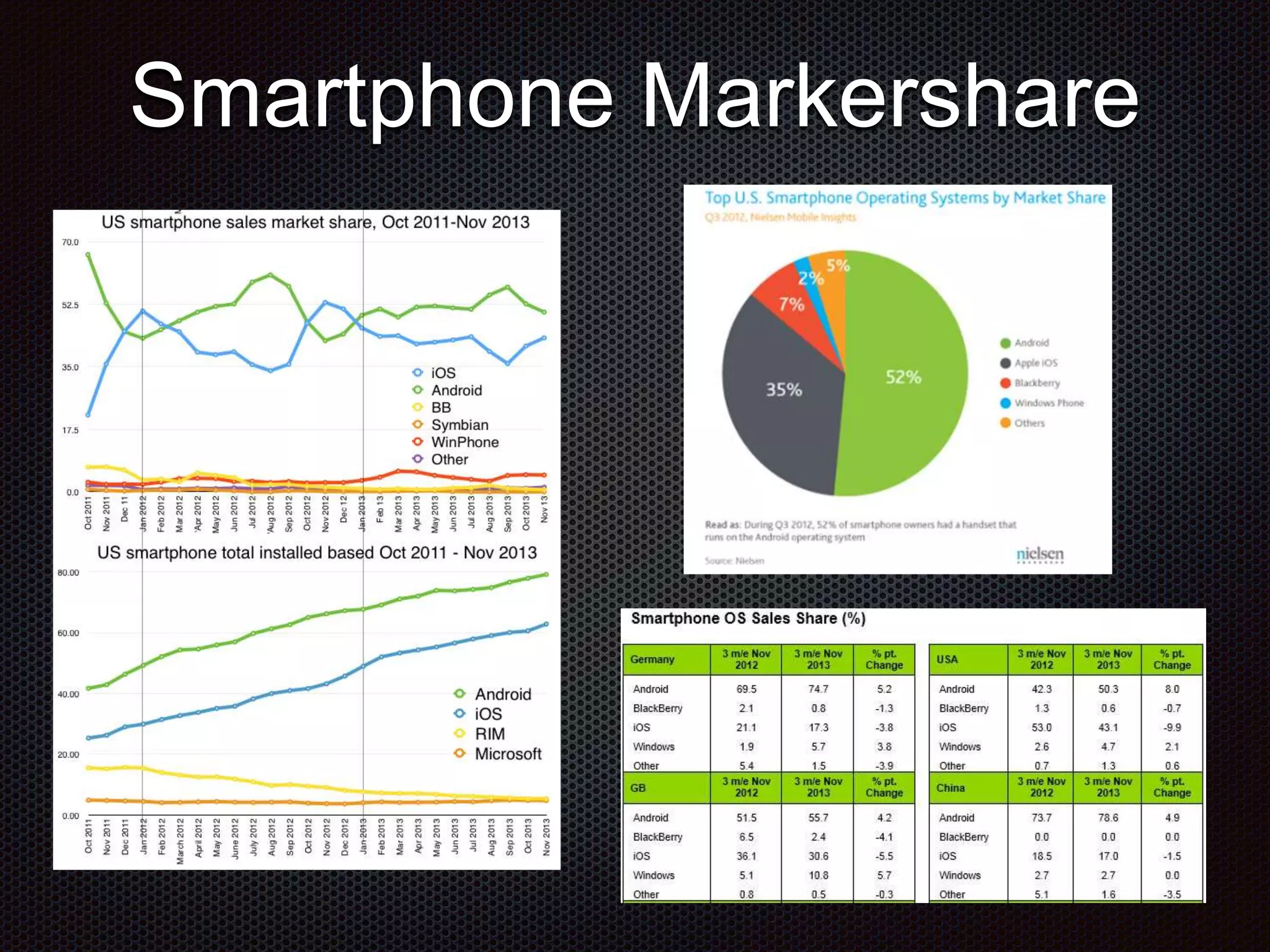
Smartphone Markershare
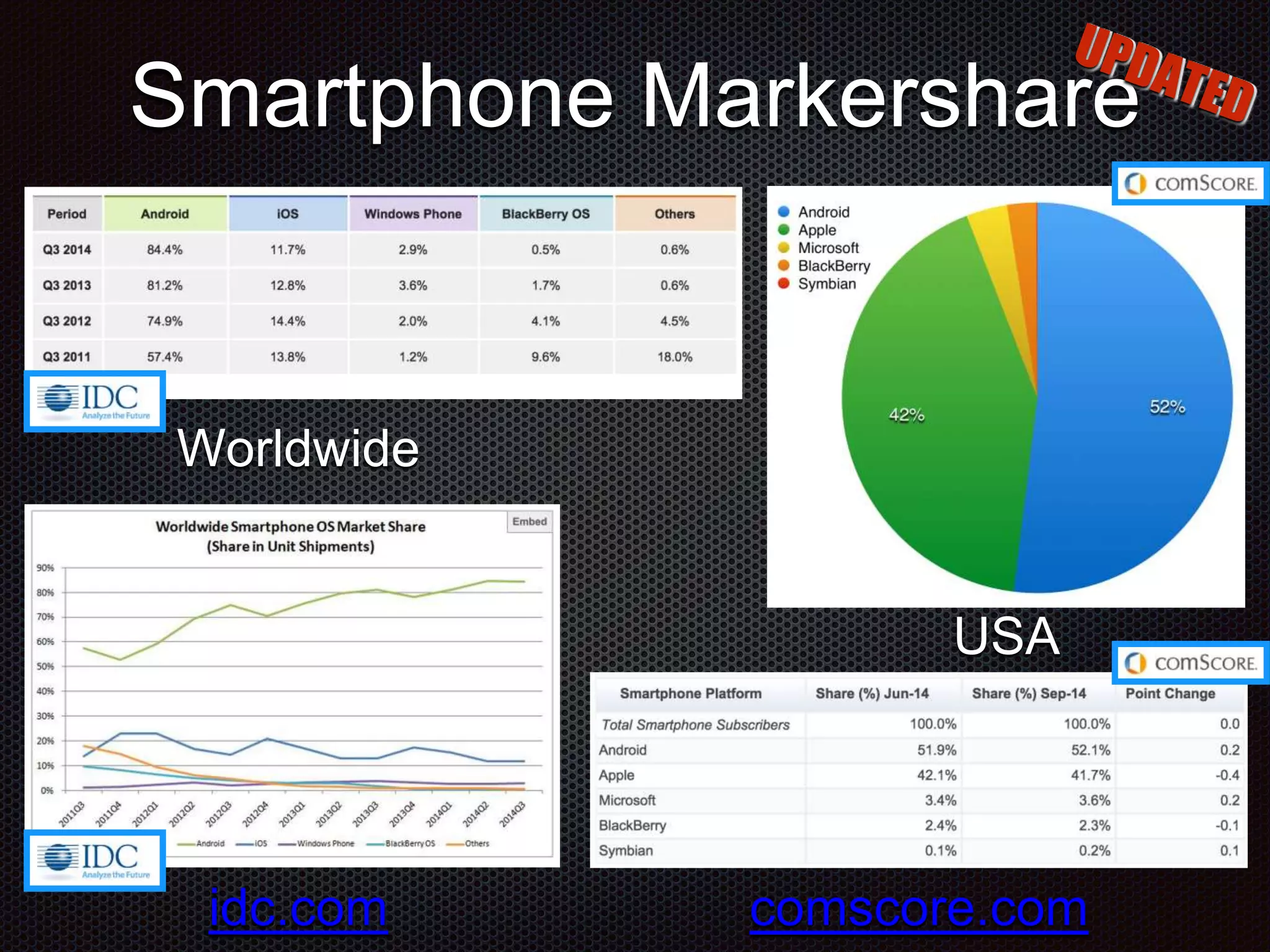
Smartphone Markershare Worldwide USA comscore.comidc.com
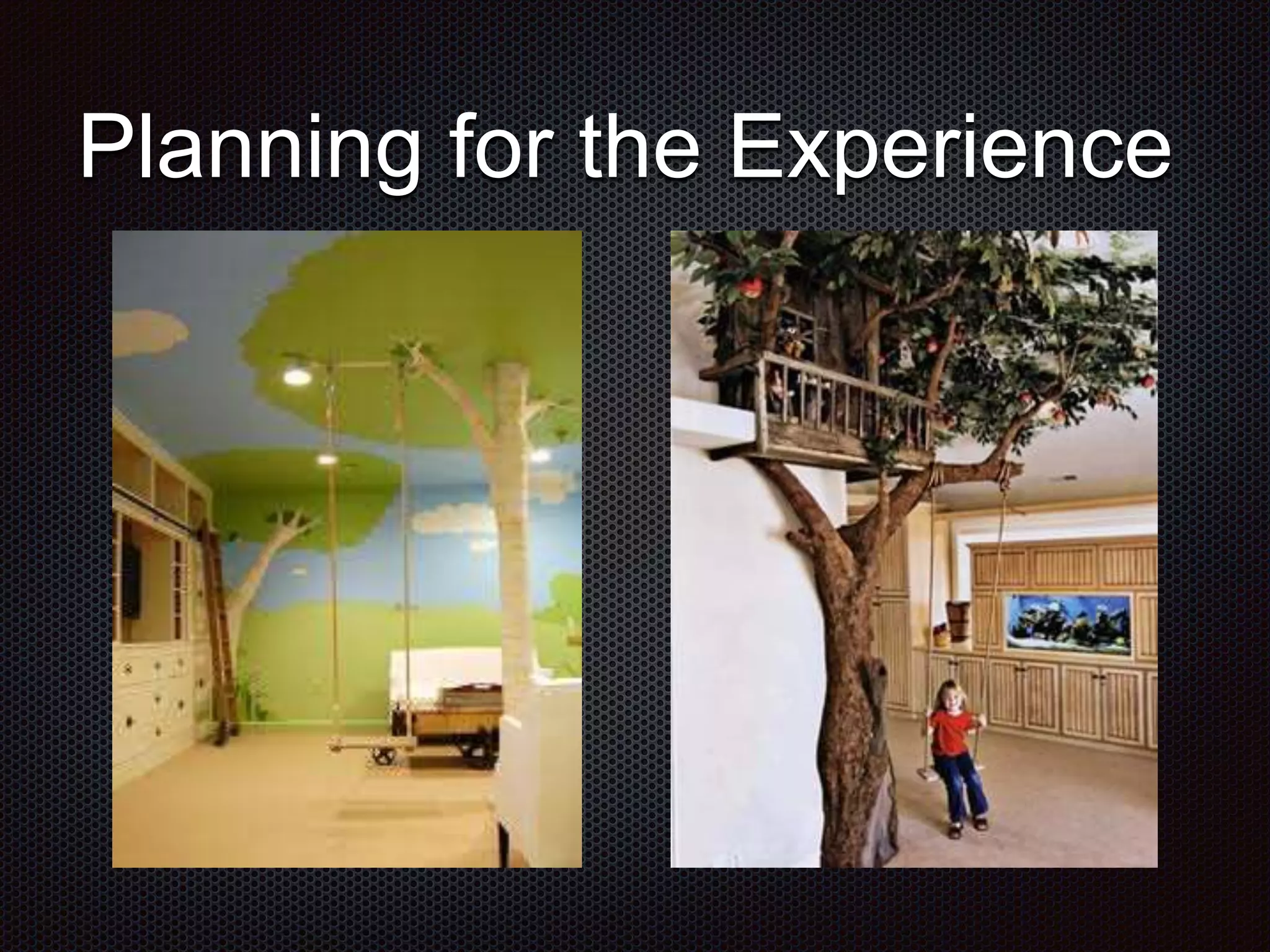
Planning for the Experience
NFRs of Mobile Immutable requirements set before the project even begins Dictated to you by many different outside organizations Typically misunderstood during the design phase Often ignored by functional based acceptance testing Not typically caught by code quality unit testing Highly improbable if not impossible to avoid absolutely Things that every mobile user deals with every single day
Examples of Mobile NFRs Wireless Network Access, Latency and Speed Screen Size, Aspect Ratio, Resolution and Orientation Multi-tasking Interruptions, Time Limits and Unexpected Shutdowns User Specified Configurations and Privacy Settings Processor Performance and Availability of On-Device Storage
Examples of Mobile NFRs GPS Speed, Accuracy and Availability Photo Resolution, Focal Length, Lowlight Ability Platform Versions, Releases and Updates Code Signing, Packaging and Distribution Methods
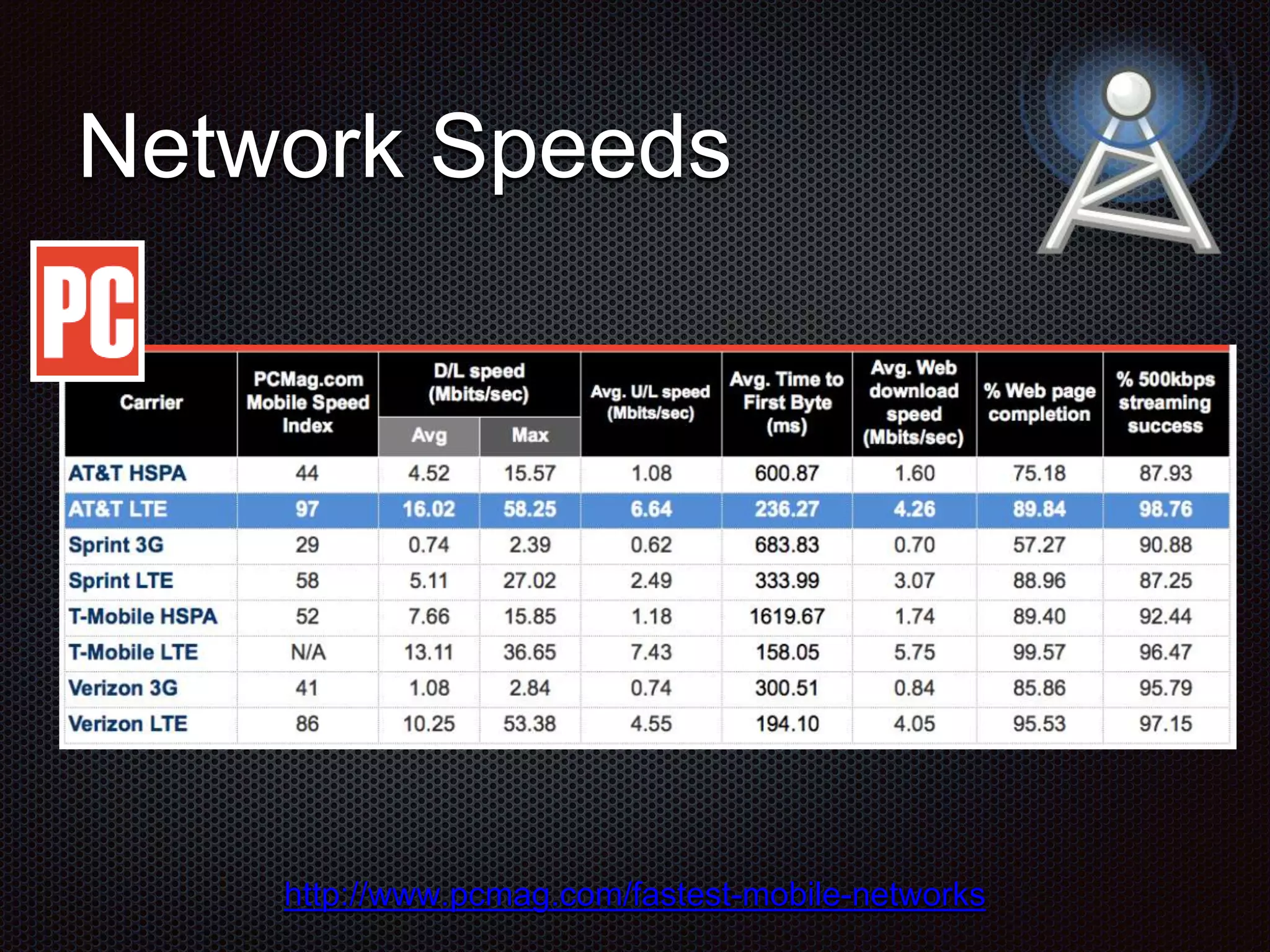
Network Reachability Degraded performance depending on network latency Slows down performance Some areas are not connected at all Stops functionality cold Bandwidth utilization and data plans Frustrates users and impacts runtime costs Users are actually Mobile and moving around! Don’t always access the network from the same WiFi
Network Speeds http://www.pcmag.com/fastest-mobile-networks
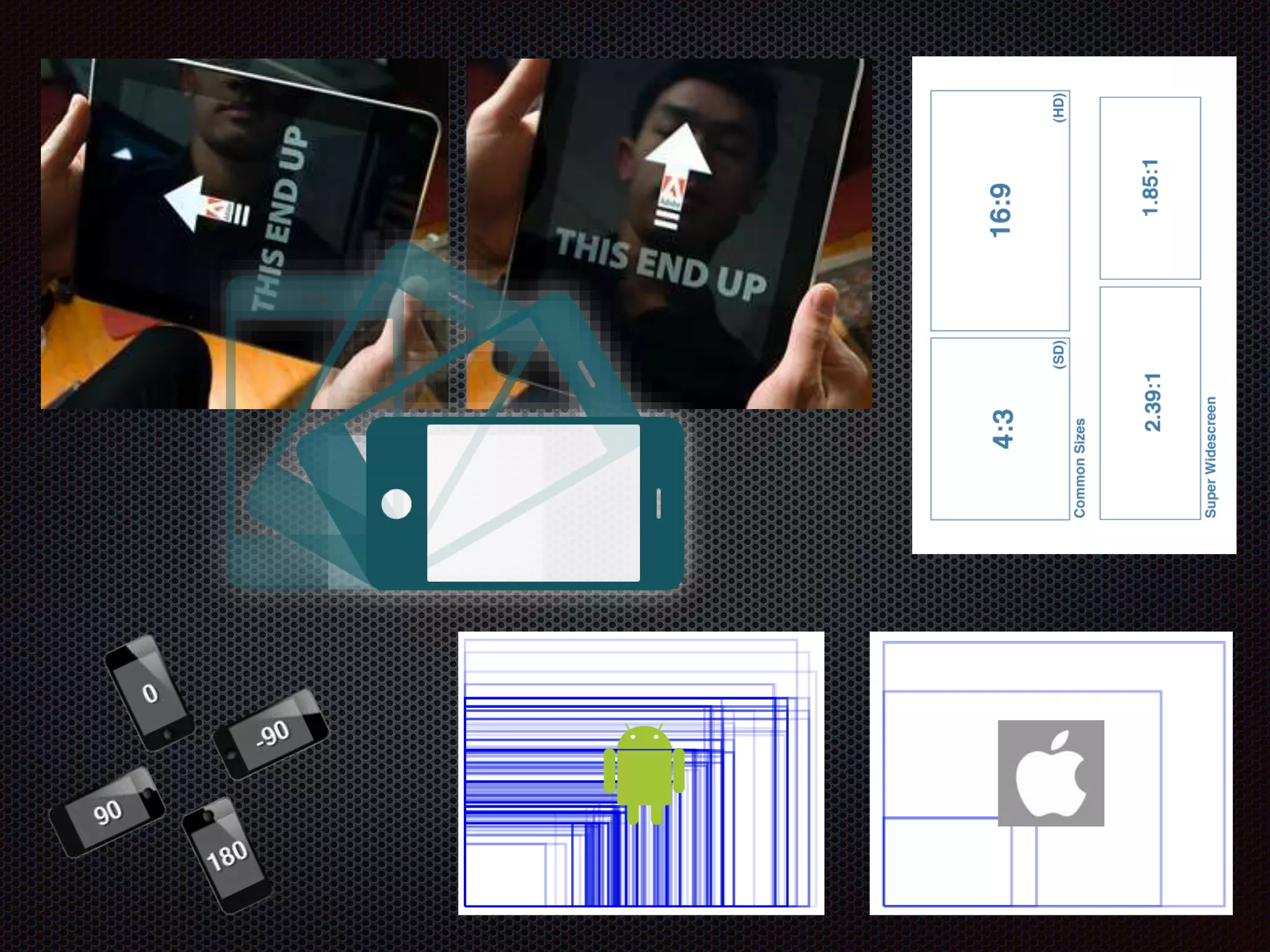
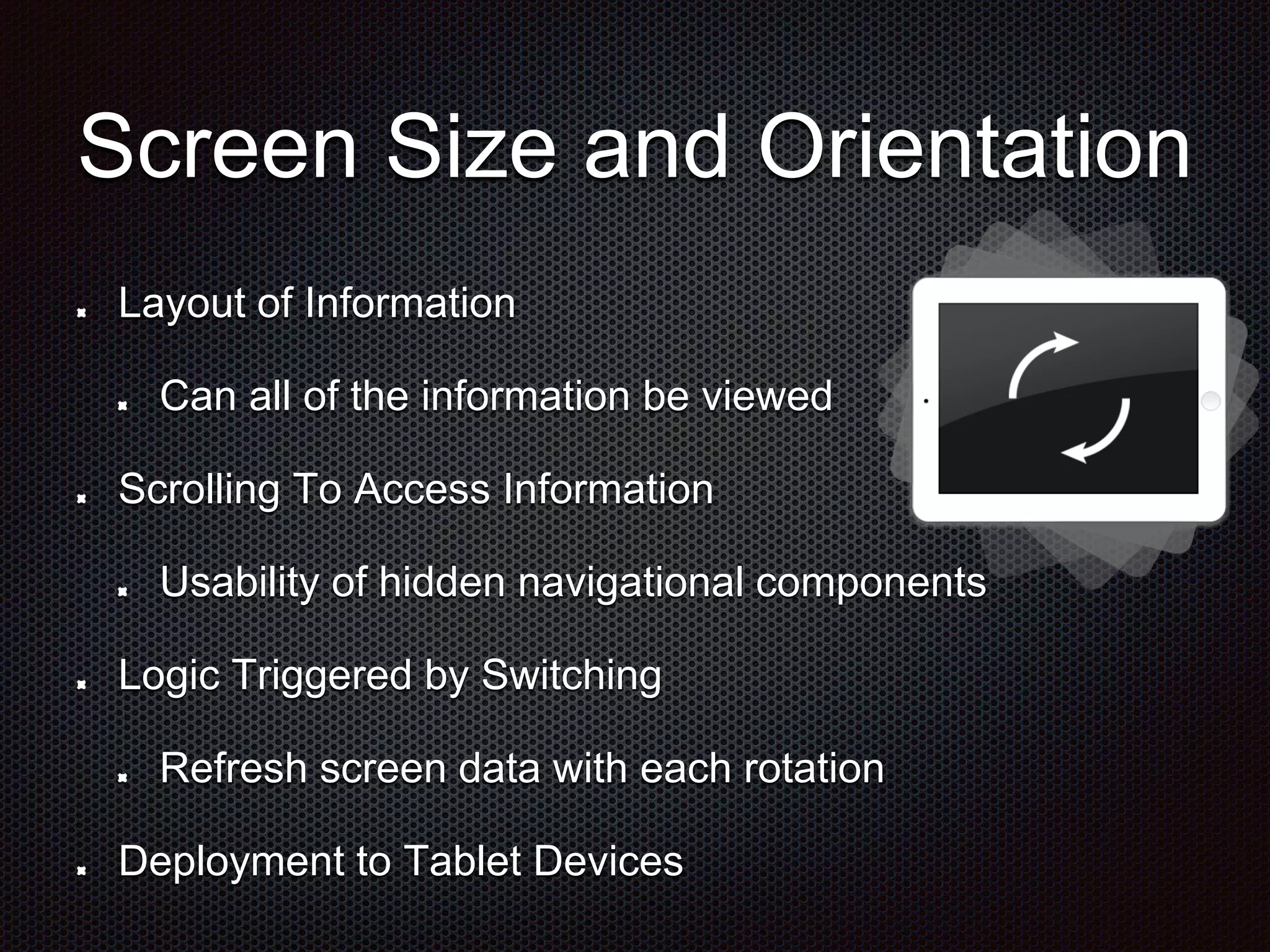
Screen Size and Orientation Layout of Information Can all of the information be viewed Scrolling To Access Information Usability of hidden navigational components Logic Triggered by Switching Refresh screen data with each rotation Deployment to Tablet Devices
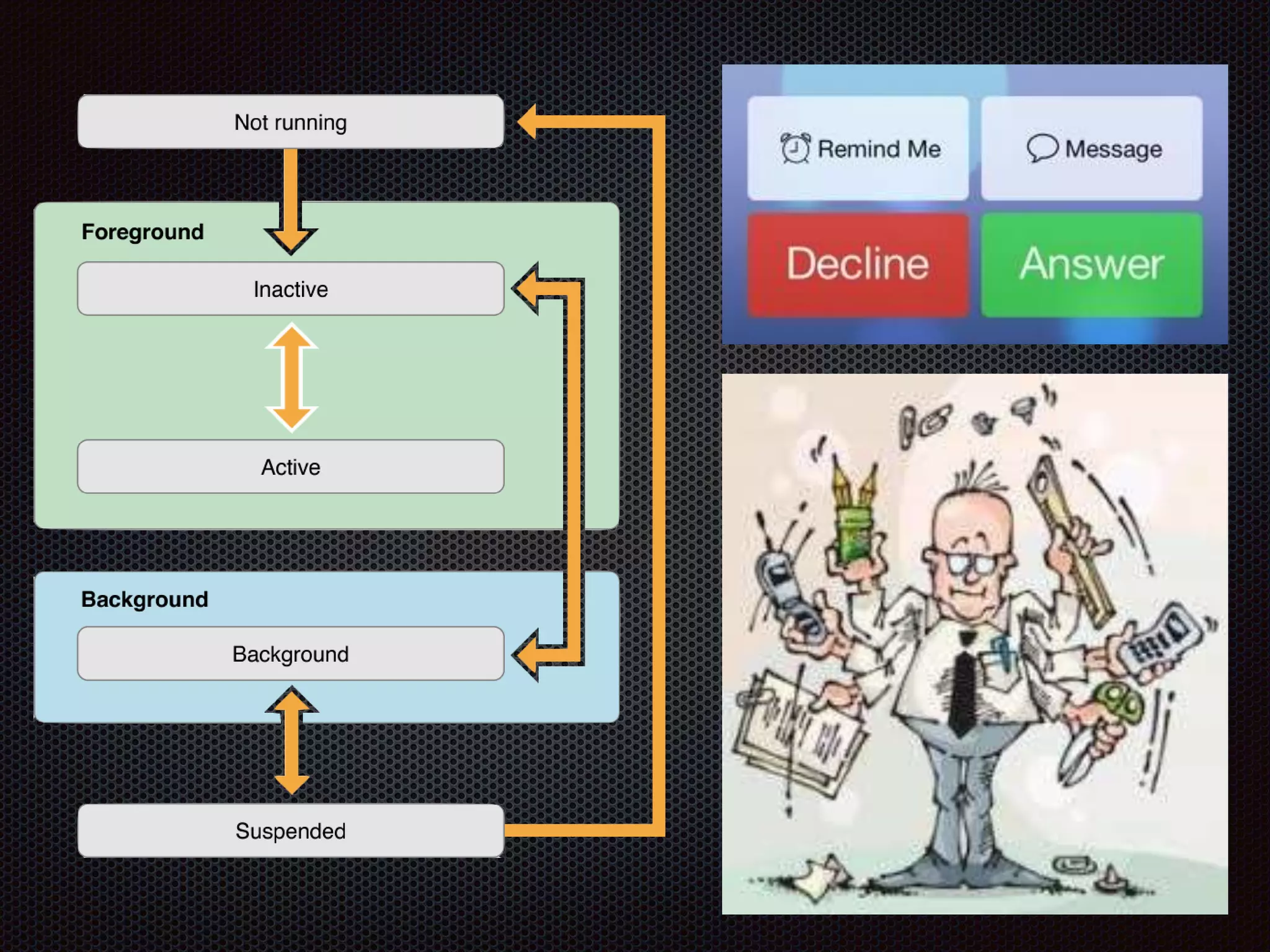
Multitasking Interruptions Interruption from other Apps Incoming Phone Calls Tweets, Posts, Email etc… Background Operations Downloads, Tracking, Music External Connectivity Bluetooth, WiFi Screen Sharing
Battery Life Using lots of device features GPS, Network, Video, etc... User disabling device features to prolong battery life Affects use cases and therefore should affect testing scenarios User deletes Apps to find out which one is causing problems
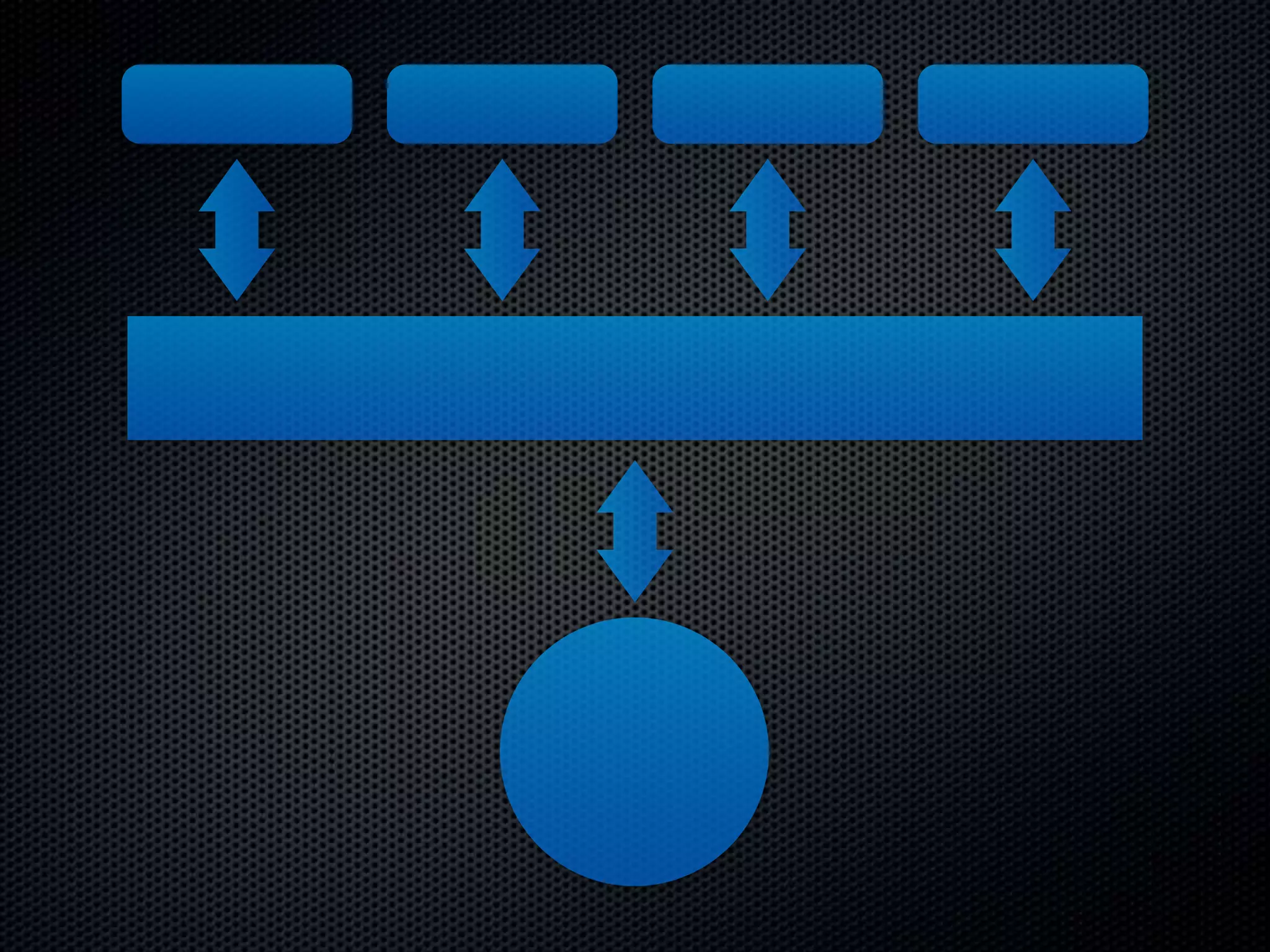
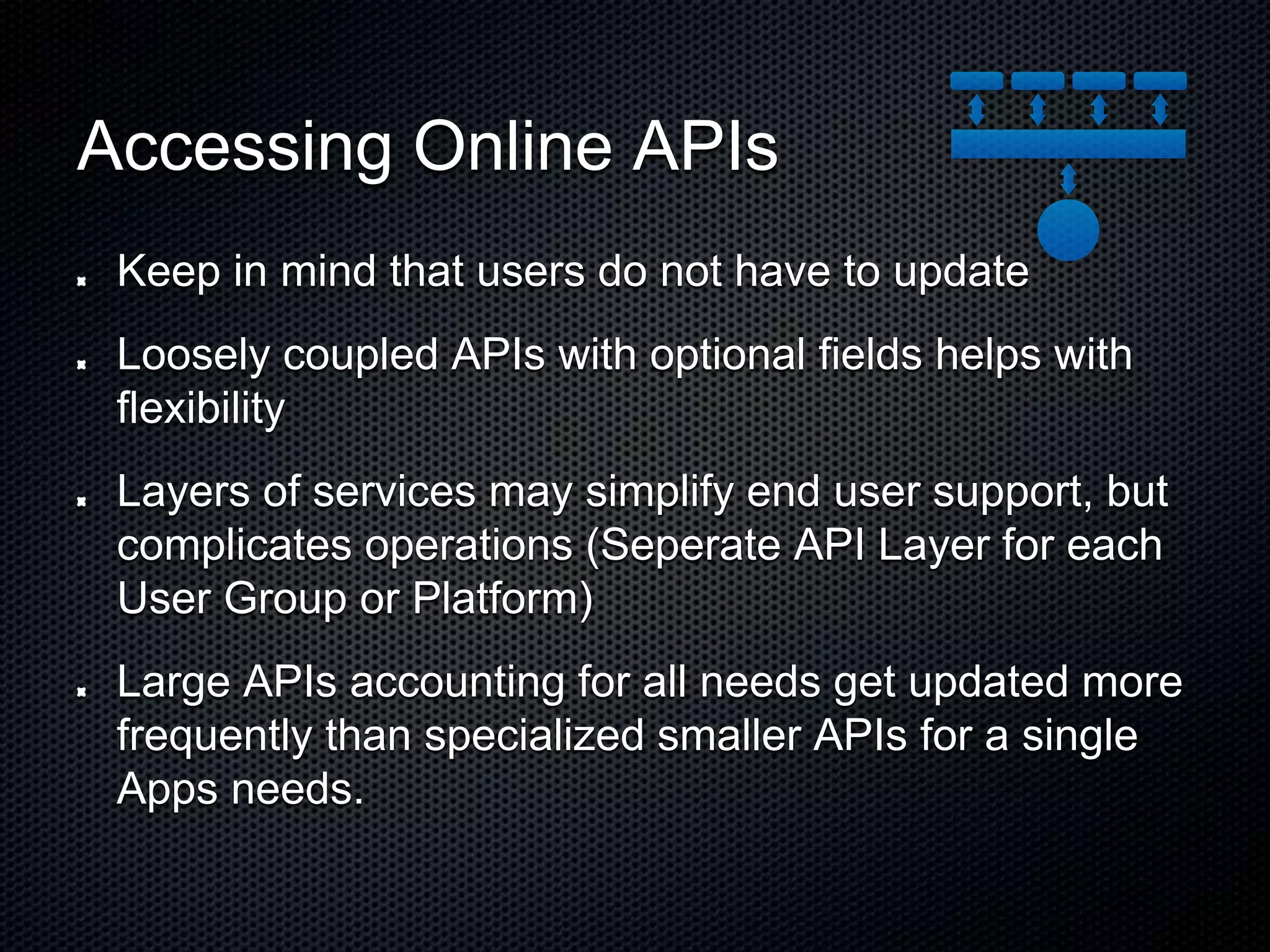
Accessing Online APIs Keep in mind that users do not have to update Loosely coupled APIs with optional fields helps with flexibility Layers of services may simplify end user support, but complicates operations (Seperate API Layer for each User Group or Platform) Large APIs accounting for all needs get updated more frequently than specialized smaller APIs for a single Apps needs.
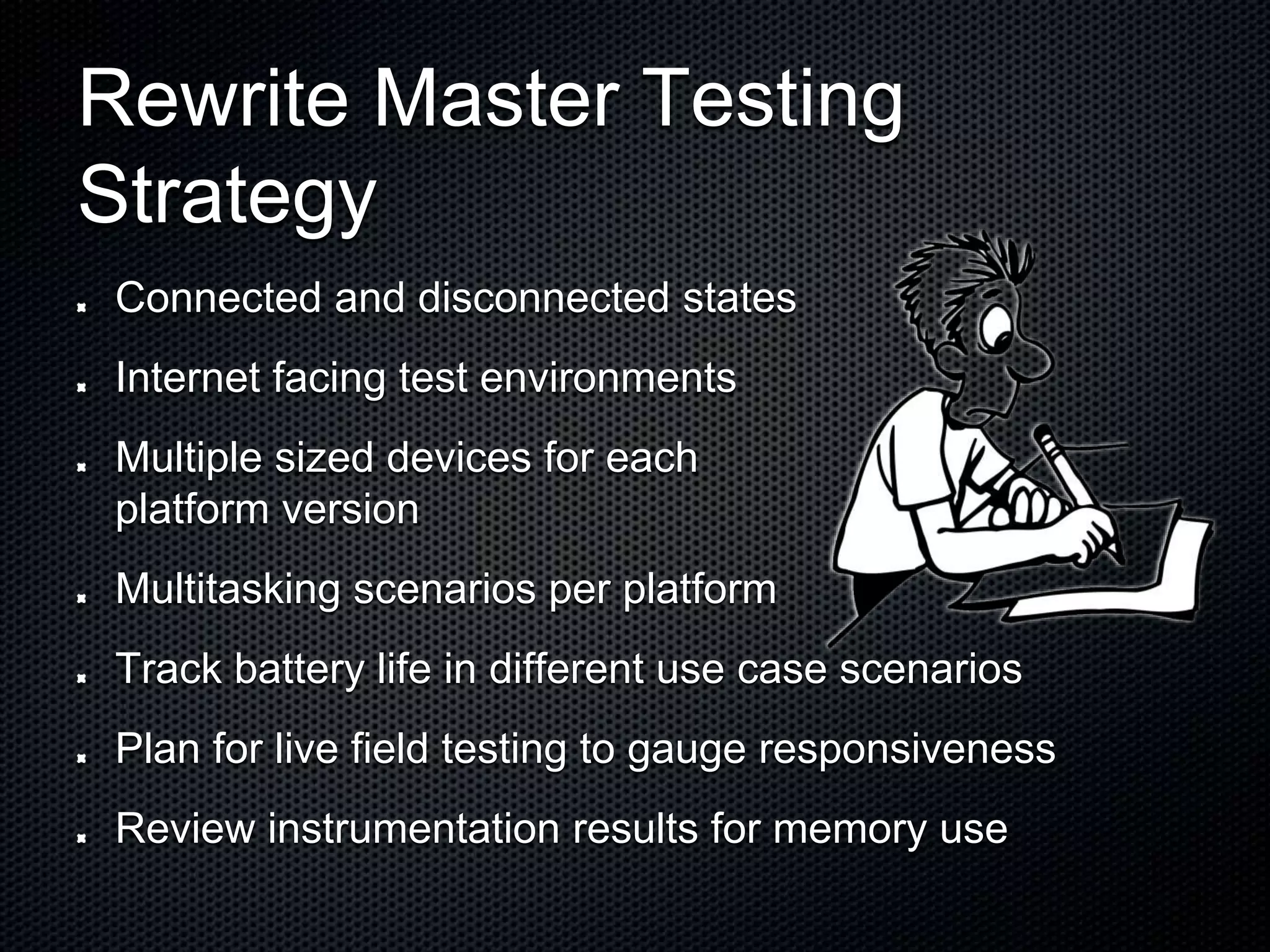
Rewrite Master Testing Strategy Connected and disconnected states Internet facing test environments Multiple sized devices for each platform version Multitasking scenarios per platform Track battery life in different use case scenarios Plan for live field testing to gauge responsiveness Review instrumentation results for memory use
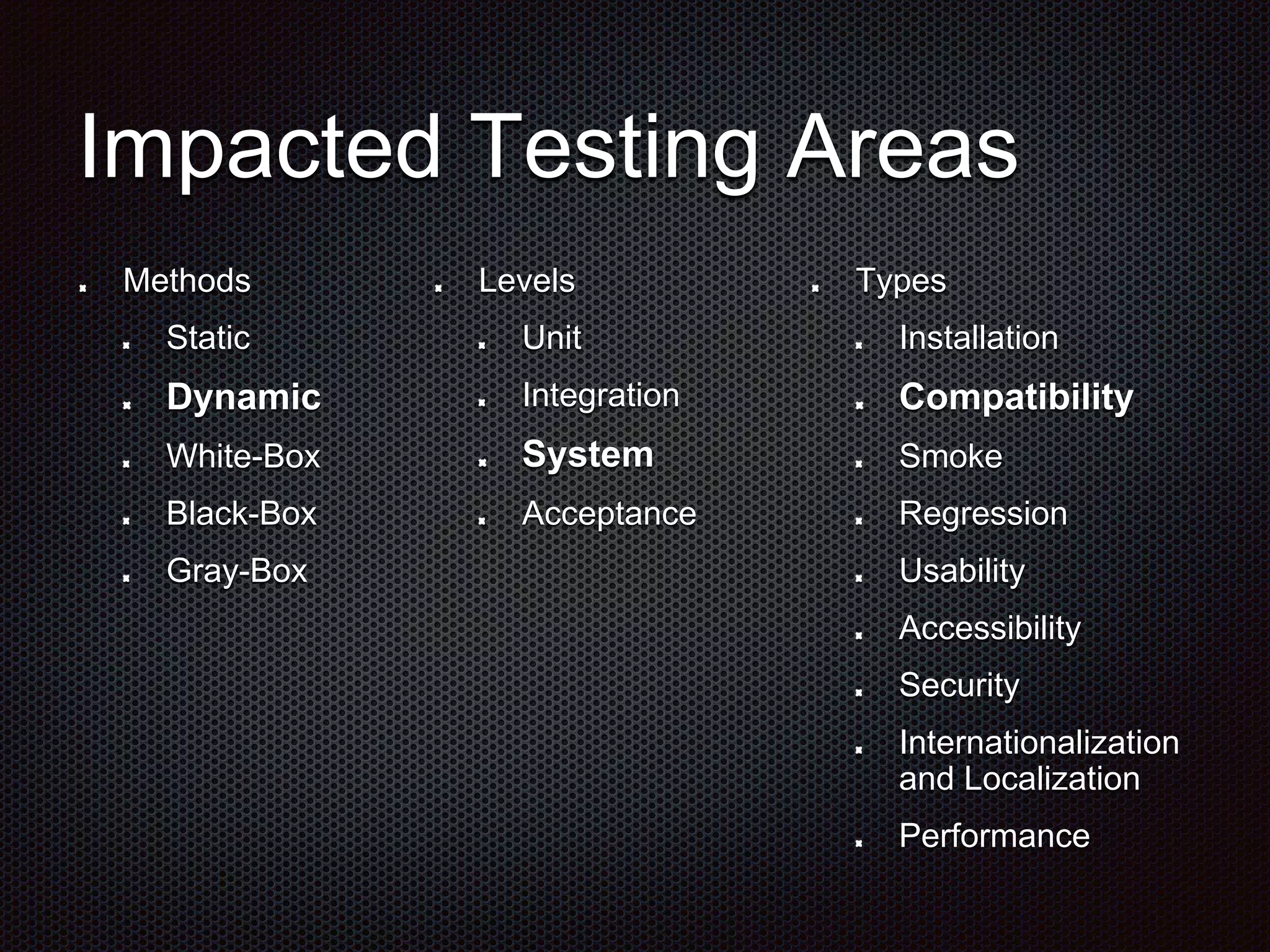
Impacted Testing Areas Levels Unit Integration System Acceptance Methods Static Dynamic White-Box Black-Box Gray-Box Types Installation Compatibility Smoke Regression Usability Accessibility Security Internationalization and Localization Performance
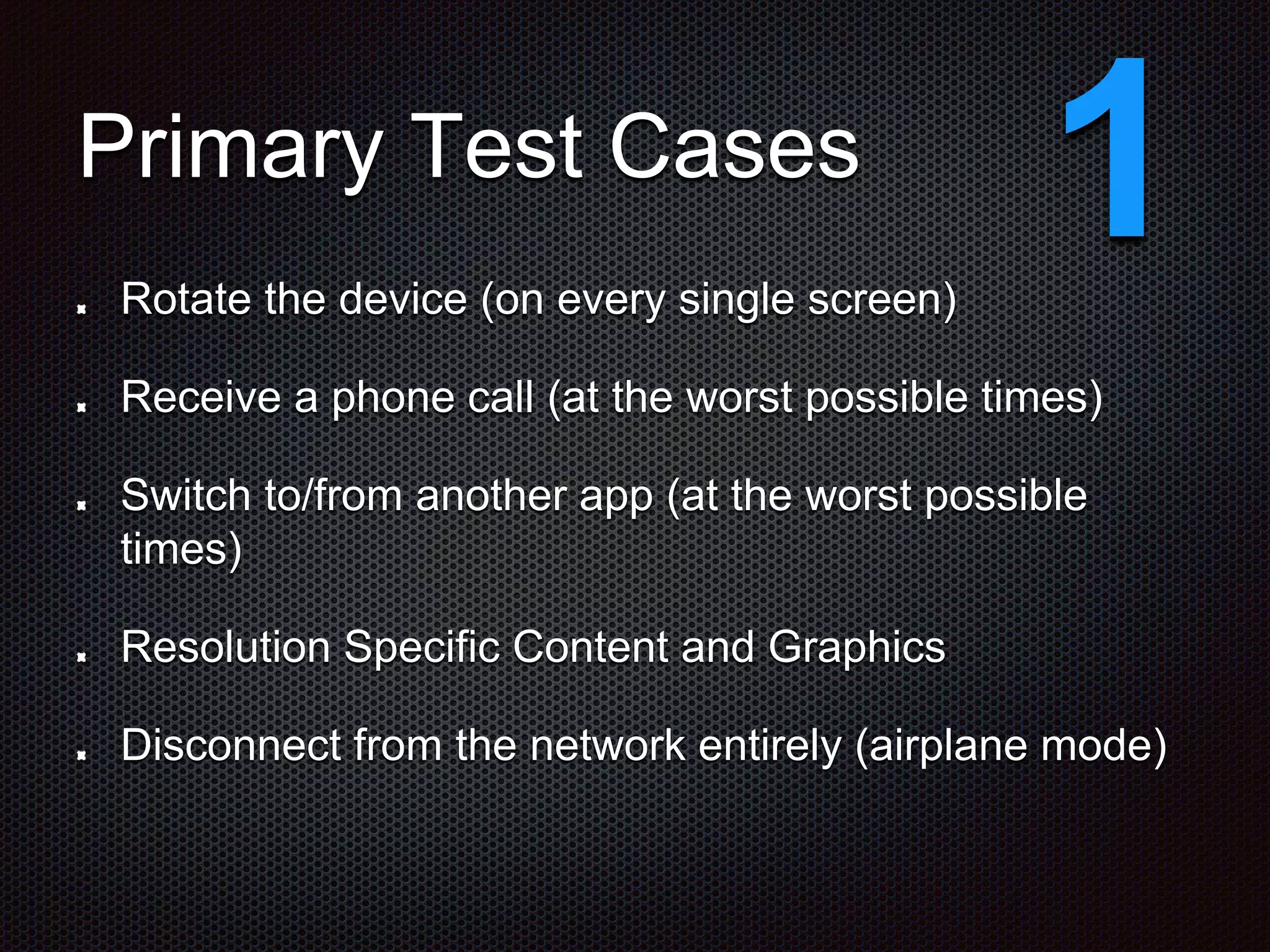
Primary Test Cases Rotate the device (on every single screen) Receive a phone call (at the worst possible times) Switch to/from another app (at the worst possible times) Resolution Specific Content and Graphics Disconnect from the network entirely (airplane mode) 1
Edge Test Cases Switch between wi-fi and wireless networks (device specific) Battery dies (device shuts off instantly) Apply an update (with data change) 2
Special Test Cases Background processing of developed app App to app communications Specific interaction with device hardware Notification or event based triggering Specific interaction with platform APIs 3
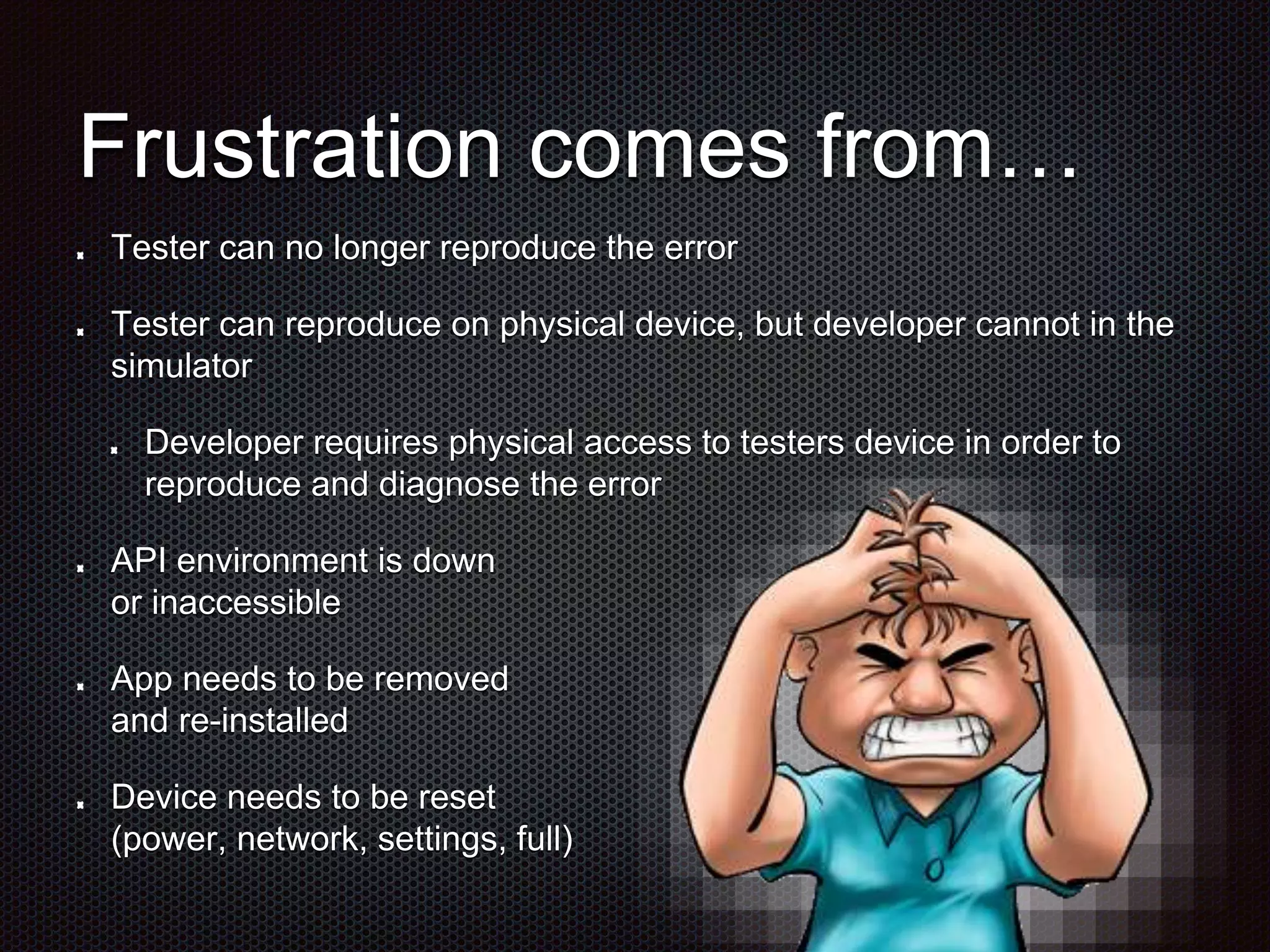
Frustration comes from… Tester can no longer reproduce the error Tester can reproduce on physical device, but developer cannot in the simulator Developer requires physical access to testers device in order to reproduce and diagnose the error API environment is down or inaccessible App needs to be removed and re-installed Device needs to be reset (power, network, settings, full)
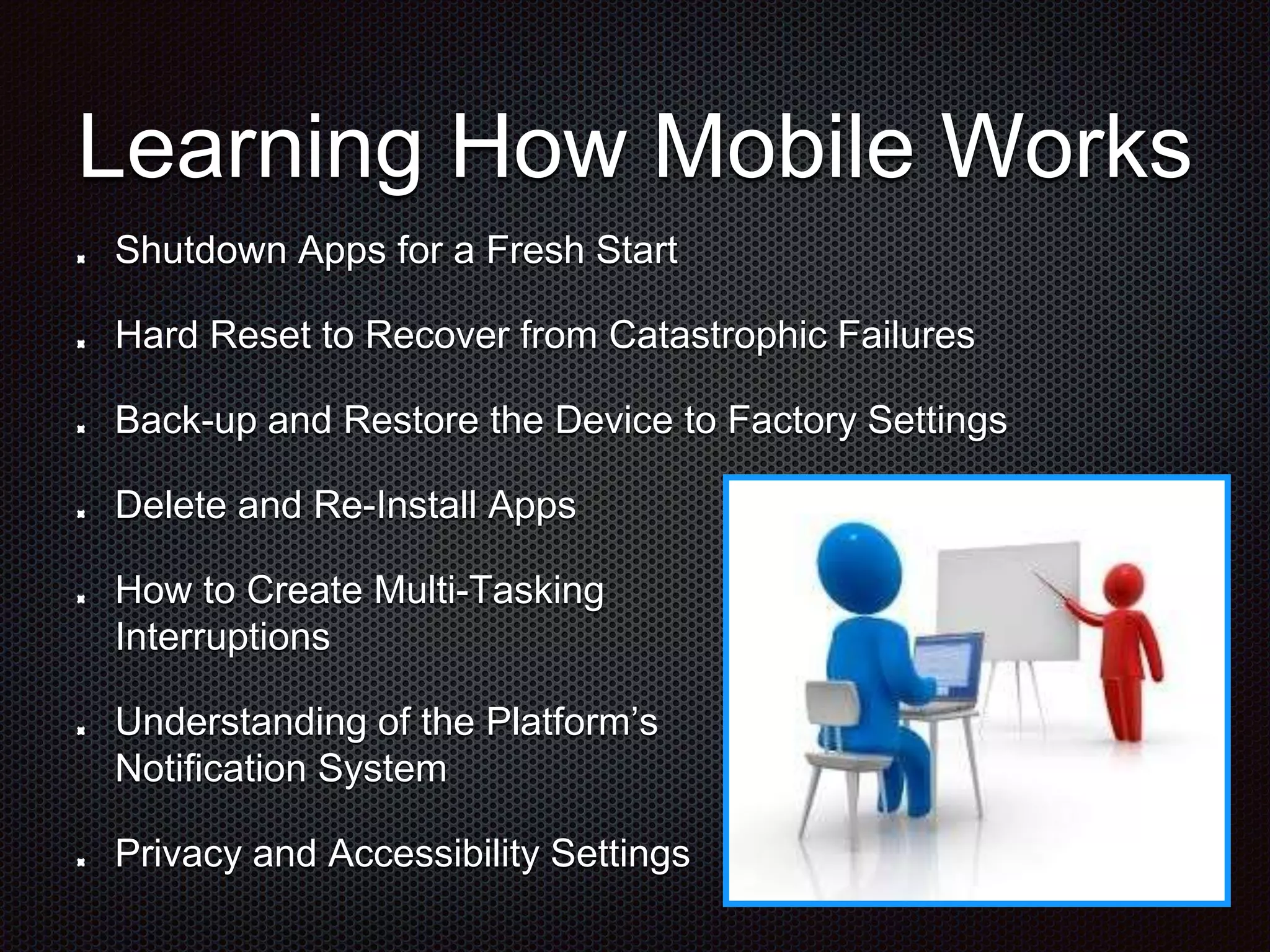
Learning How Mobile Works Shutdown Apps for a Fresh Start Hard Reset to Recover from Catastrophic Failures Back-up and Restore the Device to Factory Settings Delete and Re-Install Apps How to Create Multi-Tasking Interruptions Understanding of the Platform’s Notification System Privacy and Accessibility Settings
Some things that can help Version number of build, traceable back to the snapshot of the code branch, located within the deployed app on the test device Screen shots and even video of error occurring on the test device Simplistic API Test Interface to verify if it is the backend or the app Adequate supply of physical test devices that can be checked in/out by all team members
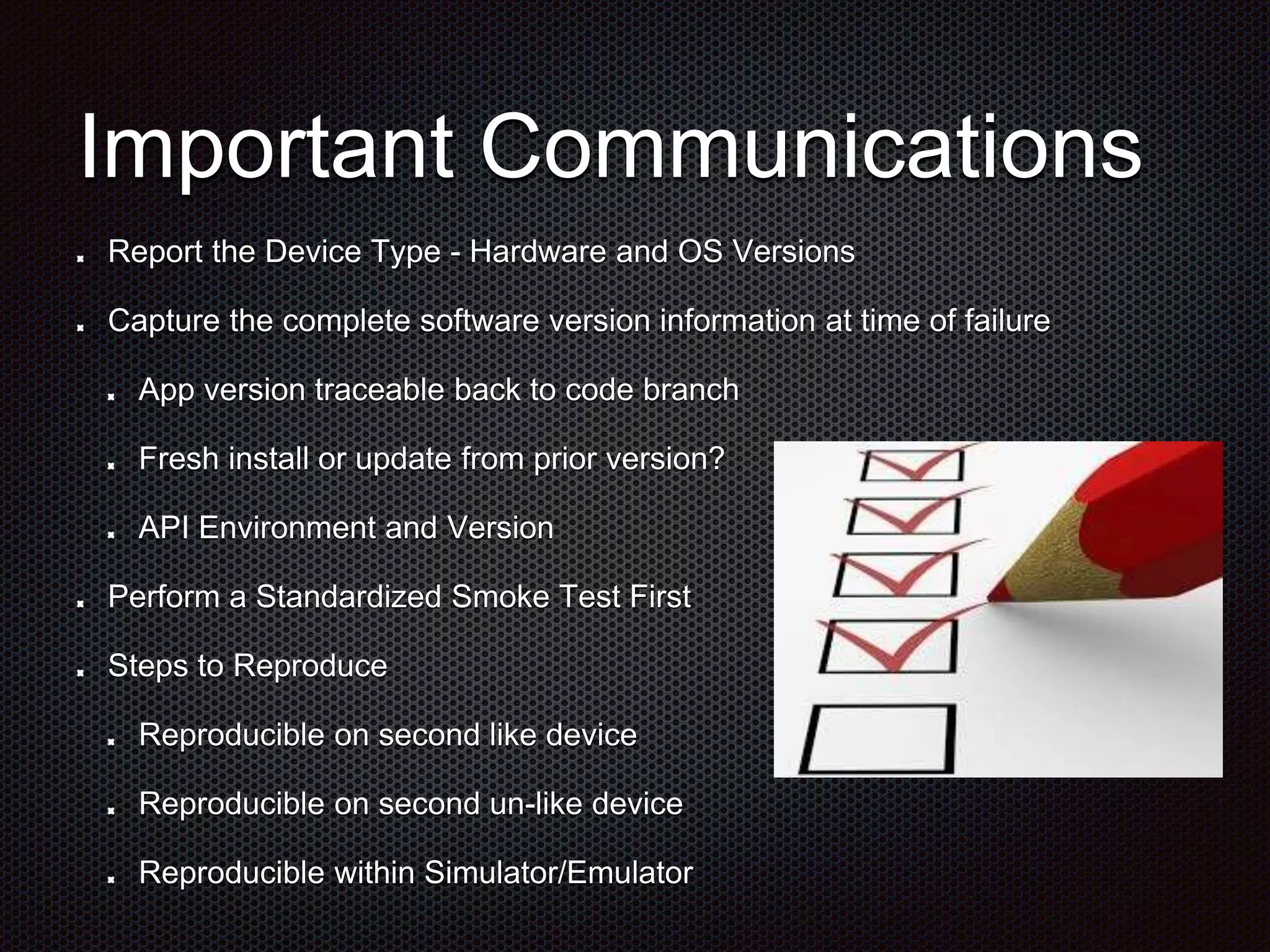
Some things that can help Add validation criterial to every story card Make version control and change control information of APIs available to all team members Create an API up/down status page
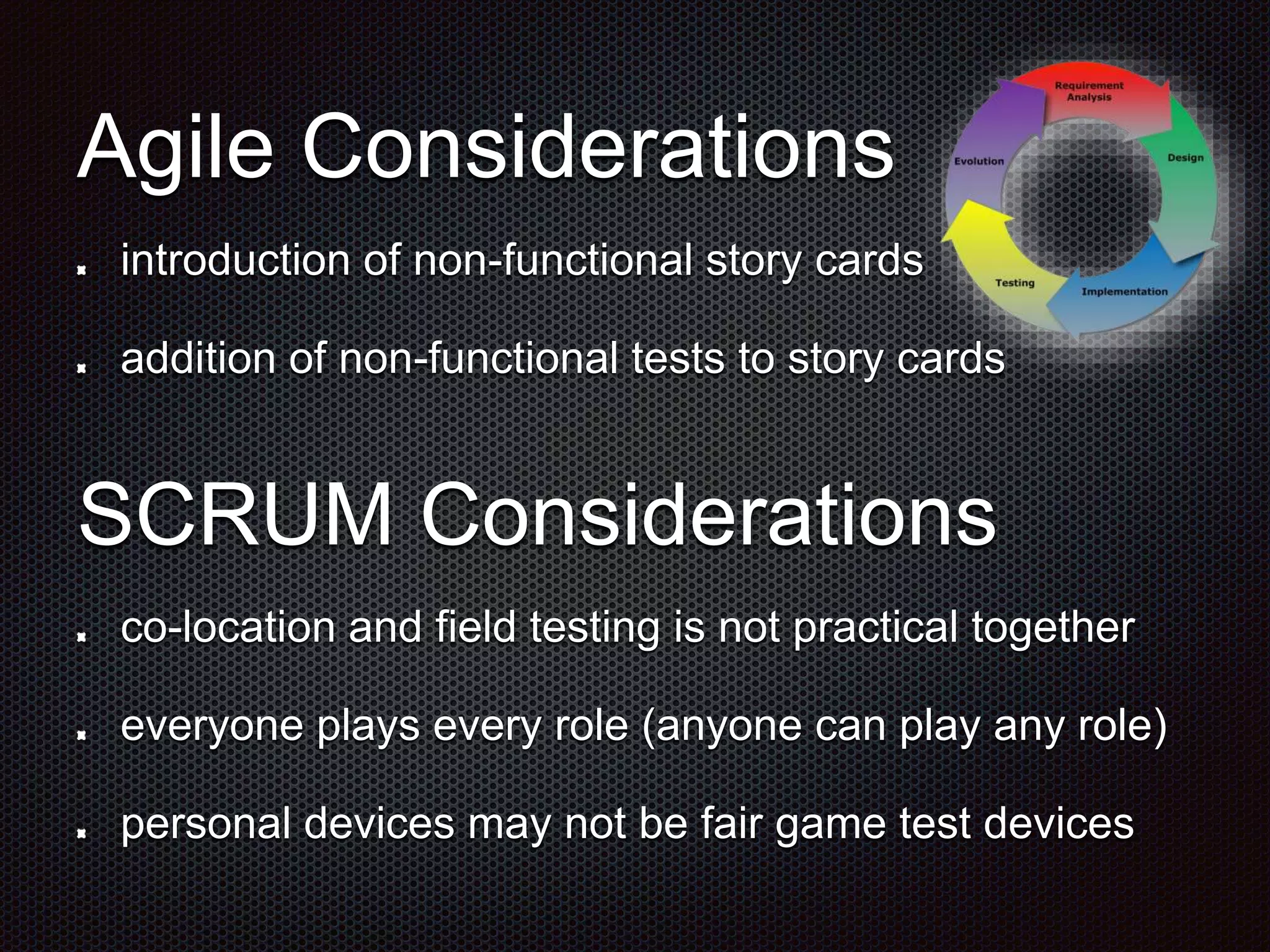
Important Communications Report the Device Type - Hardware and OS Versions Capture the complete software version information at time of failure App version traceable back to code branch Fresh install or update from prior version? API Environment and Version Perform a Standardized Smoke Test First Steps to Reproduce Reproducible on second like device Reproducible on second un-like device Reproducible within Simulator/Emulator
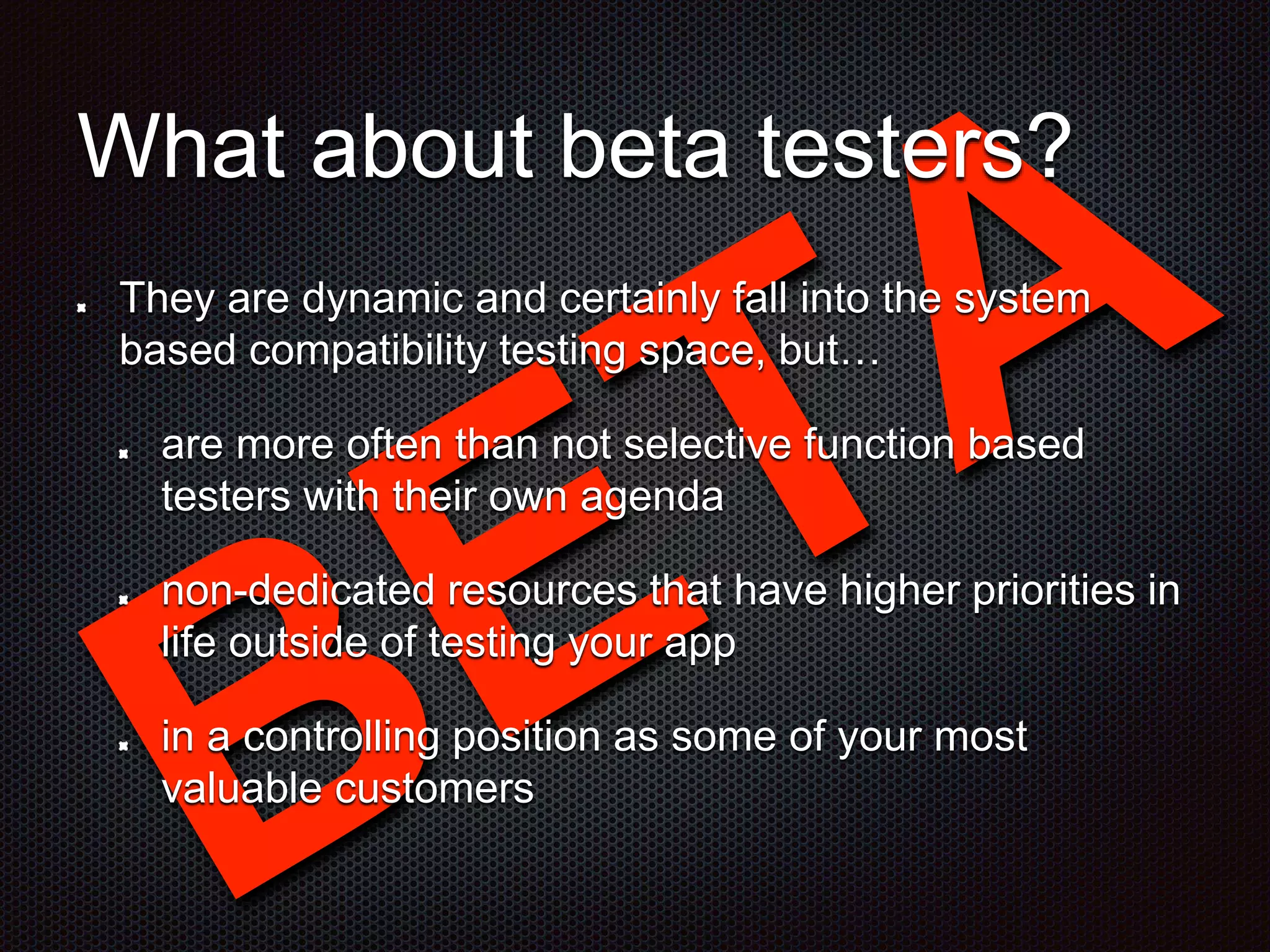
Agile Considerations introduction of non-functional story cards addition of non-functional tests to story cards SCRUM Considerations co-location and field testing is not practical together everyone plays every role (anyone can play any role) personal devices may not be fair game test devices
What about beta testers? They are dynamic and certainly fall into the system based compatibility testing space, but… are more often than not selective function based testers with their own agenda non-dedicated resources that have higher priorities in life outside of testing your app in a controlling position as some of your most valuable customers
Manual is too expensive… On the day of the launch, purchase the app from the store and… ensure that all of the last minute content changes were applied correctly access the system and log on to a real account download the updated version from the store to see if all of your previously stored data is still accessible
Preparing your QA team for mobile testing

Preparing your QA team for mobile testing