






Page Layout
PageLayout is used to define page-specific elements across application.
Title
Title is used to render page title in the PageHeader.
@inject PageLayout PageLayout @{ PageLayout.Title = "My Page Title"; } MenuItemName
Indicates current selected menu item name. Menu item name should match a unique menu item name defined using the Navigation / Menu system. In this case, it is expected from the theme to make the menu item "active" in the main menu.
@inject PageLayout PageLayout @code { protected override async Task OnInitializedAsync() { PageLayout.MenuItemName = "MyProjectName.Products"; } } Menu item name can be set on runtime too.
@inject PageLayout PageLayout <Button Clicked="SetCategoriesMenuAsSelected">Change Menu</Button> @code{ protected void SetCategoriesMenuAsSelected() { PageLayout.MenuItemName = "MyProjectName.Categories"; } } 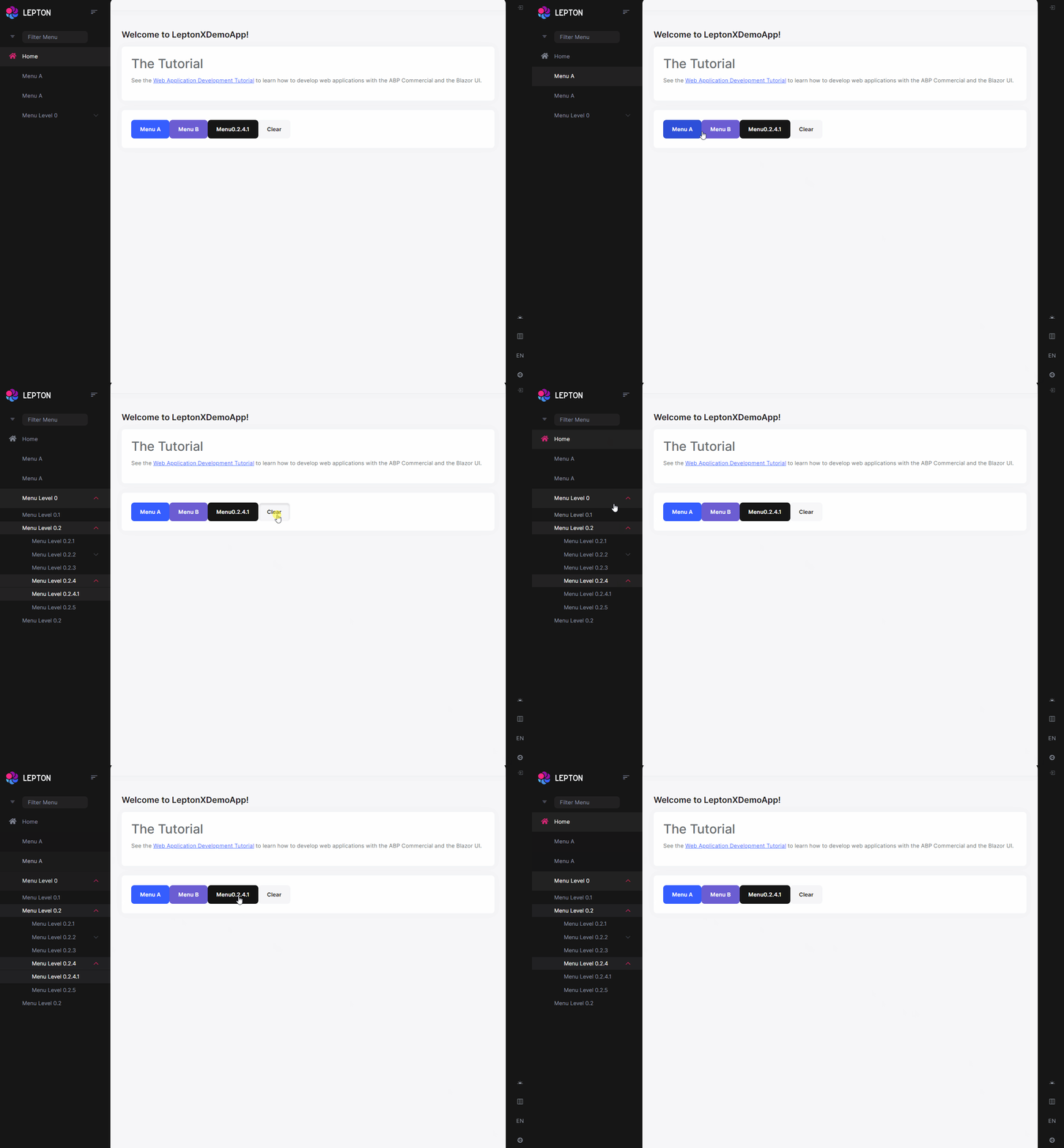
Be aware, The Basic Theme currently doesn't support the selected menu item since it is not applicable to the top menu.
BreadCrumbs
BreadCrumbItems are used to render breadcrumbs in the PageHeader.
@inject PageLayout PageLayout @{ PageLayout.BreadcrumbItems.Add(new BlazoriseUI.BreadcrumbItem("My Page", "/my-page")); } Toolbar
ToolbarItems are used to render action toolbar items in the PageHeader.
Check out Page Toolbar
@inject PageLayout PageLayout @{ PageLayout.ToolbarItems.Add(new PageToolbars.PageToolbarItem(typeof(MyButtonComponent))); } 



