Showing posts with label REPL. Show all posts

Sunday, April 20, 2025

Feedback loops in Python

How fast can we get useful feedback on the Python code we write?

This is a walk-through of some of the feedback loops we can get from our ways of working and developer tools. The goal of this post is to find a both Developer friendly and fast way to learn if the Python code we write actually does what we want it to.

What's a Feedback Loop?

From my point of view, feedback loops for software is about running code with optional input and verifying the output. Basically, run a Python function and investigate the result from that function.

Feedback Loop 1: Ship it to Production

Write some code & deploy it. When the code is up & running, you (or your customers) can verify if it works as expected or not. This is usually a very slow feedback loop cycle.

You might have some Continuous Integration (CI) already set up, with rules that should pass before the deployment. If your code doesn't pass the rules, the CI tool will let you know. As a feedback loop, it's slow. By slow, I mean that it takes a long time before you will know the result. Especially when there are setup & teardown steps happening in the CI process. As a guard, just before releasing code, CI with deployment rules is valuable and sometimes a life saver.

Commit, Push & Merge

Pull Requests: just before hitting the merge button, you will get a chance to review the code changes. This type of visual review is a manual feedback loop. It's good, because you often take a step back and reflect on the written code. Will the code do the thing right? Does the code do the right thing? One drawback is that you review all changes. For large Pull Requests, it can be overwhelming. From a feedback loop perspective, it's not that fast.

Testing and debugging

Obviously, this is a very common way for feedback on software. Either manual or automated. The manual is mostly a slower way to find out if the code does what expected or not, than an automated test. There's the integration-style automated tests, and the unit tests targeting the different parts. Integration-style tests often require mocking and more setup than unit tests. Both run fast, but the unit tests are more likely to be faster. You can have your development environment setup to automatically run the tests when something changes. Now we're getting close, this workflow can be fast.

I usually avoid the integration-type of tests, and rather write unit tests. I try to write small, focused and simple unit tests. The tests help me write small, focused and simple code too.

Test Driven Development

An even faster way to get feedback about the code is to write software in a test driven way (TDD): write a test that initially fails, write some code to make the test pass, refactor the test and refactor the code. For me, this workflow usually means jumping back-and-forth between the test and the code. Like a Ping Pong game.

TDD Deluxe

I'm not that strict about the TDD workflow. I don't always type the first lines of code in a test, or sometimes the test is halfway done when I begin to implement some of the code that should make the test pass. That's not pure TDD, I am aware. A few years ago, I found a new workflow that fits my sloppy approach very well. It's a thing called RDD (REPL Driven Development).

With RDD, you interactively write code. What does that even mean? For me, it's about writing small portions of code and evaluate it (i.e. run it) in the code editor. This gives me almost instant feedback on the code I just wrote. It's like the Ping Pong game with TDD, but even faster. Often, I also write inline code that later on evolves into a unit test. Adding some test data, evaluating a function with that test data, grab the response and assert it. The line between the code and the test is initially blurry, becoming clearer along the way. Should I keep the scratch-like code I wrote to evaluate a function? If yes, I have a unit test already. If not, I delete the code.

Interactive Python for fast Feedback Loops

I have written about the basic flows of REPL Driven Development before:

REPL - the Read Eval Print Feedback Loop

When starting a REPL session from within a virtual environment, you will have access to all the app-specific code. You can incrementally add code to the REPL session by importing modules, adding variables and functions. You can also redefine variables and functions within the session.

With REPL Driven Development, you have a running shell within your code editor. You mostly use the REPL shell to evaluate the code, not for writing code. You write the code as usual in your code editor, with the REPL/shell running there in the background. IPython is an essential tool for RDD in Python. It's configurable to auto-reload changed submodules, so you don't have to restart your REPL. Otherwise, it would have been very annoying.

Even more Interactive Python feedback loops

We can take this setup even further: modifying and evaluating an externally running Python program from your code editor. You can change the behavior of the program, without any app restarts, and check the current state of the app from within your IDE. The Are we there yet? post describes the main idea with this kind of setup and how I’ve configured my favorite code editor for it.

Jupyter, the Kernel and IPython

You might have heard of or already use Jupyter notebooks. To simplify, there's two parts involved: a kernel and a client. The Kernel is the Python environment. The client is the actual notebook. This type of setup can be used with REPL Driven Development too, having the code editor as the client and feeding the kernel or inspecting the current state by evaluating code. For this, we need a Kernel specification, a running Kernel, and we need to connect to the running Kernel from the IDE.

Creating a kernel specification

You can do this in several ways, but I find it most straightforward to add ipykernel as a dev dependency to the project.

 # Add the dependency (example using Poetry) poetry add ipykernel --group dev # generate the kernel specification python -m ipykernel install --user --name=the-python-project-name 

The above commands will generate a kernel specification and is only run once. Now you have a ready-to-go kernel spec.

Start the Kernel
 jupyter kernel --kernel=the-python-project-name 

The above command will start a kernel, using the specification we have generated. Please note the output from the command, with instructions on how to connect to it. Use the kernel path from the output to connect your client.

The tooling support I have added is as of this writing for Emacs. Have a look at this recording for a 13-minute demo on how to use this setup for a Fast & Developer Friendly Python Feedback Loop.


Top Photo by Timothy Dykes on Unsplash

Wednesday, September 29, 2021

Can we have that in Python too?

(REPL Driven Development)

REPL Driven what? 😐

REPL Driven Development is about fast feedback loops during development. It is not about typing code into a terminal window. Don’t do that. A Read Eval Print Loop (REPL) is often described as a shell tool that you use to try out a programming language. That’s not what I mean with REPL Driven Development.

What is it then?

With this workflow, the REPL is acting behind the scenes. You don’t have to type code in a shell. Yes, a Read Eval Print Loop process is running, but in an interactive mode. You do all the work in your code editor. That’s where you have autocomplete, syntax highlighting, your favorite color theme and everything.

⚡ The Workflow ⚡

The feedback loop is fast in REPL Driven Development. You evaluate code blocks and functions as soon as you have typed them. The result of an evaluation is printed out on your screen. A common thing with REPL Driven Development is to write some short lived code snippets next to the actual code that you are developing. With this, you are able to quickly run a function with some test data as input and verify the output.

This workflow is similar to Test Driven Development (TDD), but the feedback loop is much faster. After a while, you might discover that those code snippets should actually be a proper unit test. Well, wrap the code in a test function, move it to a separate file and your’e all good.

So, REPL Driven Development is lazy TDD?

Yeah, that’s probably right. Another way of looking at it might be that it is Test Driven Development Deluxe.

The Interactive REPL is an essential tool in the Clojure & ClojureScript ecosystems. It is a superpower I’ve not seen before anywhere else. Once learned, it is something you’ll want in other languages too. But is that even possible, outside of a Lisp environment?

Evaluating vars, state and functions in real time with ClojureScript

Can we have that in Python too?

I think I have found something similar to the Clojure way of writing software, that works really well. You can pass an entire buffer, a selected region or a function from the code editor into a running IPython process, that quickly evaluates the code and prints the result. I have replaced the standard Python shell with IPython. I’ll explain why.

When evaluating code, IPython will output the result while the cursor remains in the code editor. That is what I mean with fast feedback loops. Evaluated functions, variables and imports can also be redefined - without having to restart anything. I’ve configured IPython to auto-reload sub modules when changed, to avoid having to restart the process. That feature is essential for this kind of workflow and the main reason why I’ve switched out the standard Python shell.

REPL Driven development in Python

It would be really cool to have the output pop up in the editor, right next to the actual code (as when evaluating Clojure or ClojureScript). I think that’s mainly a tooling thing, currently not available.

Also, I haven’t yet figured out how to connect to an actual running Python program and redefine functions or variables while the program is running (as you do in Clojure).

However, IPython is closely related to Jupyter, often referred to as an interactive notebook. There’s a thing called the kernel, handling code evaluation and returning result to connected clients. Sounds a bit like NRepl & Cider! I should probably dig deeper into and learn more about the possibilities with Jupyter.

Joyful Python

To summarize, even though there are some limitations, I think the REPL Driven Development workflow makes writing Python code joyful. The fast feedback loop is a great thing to have at your fingertips. Just like TDD, REPL Driven Development can be very helpful when writing testable, simplistic and functional code.

And it is fun too. 😁

Update: have a look at this post of mine from 2022, for more info about how to setup your code editor. You'll also find a 5-minute video in there about this style of development.


Top photo by Hitesh Choudhary on Unsplash

Tuesday, August 31, 2021

Component Driven ClojureScript with Storybook

Component Driven?

Start small. Develop components in isolation. Don’t forget to pause & reflect on the code you’ve written. Can it be split into several small components?

✨ When you’re ready, combine your components to create features.

✨ Add the features to a view.

✨ Add the view to your app.

You can read more about Component Driven User Interfaces here.

Storybook

I’ve just begun to use Storybook and currently learning about it. What I especially like so far, is that the tool encourages you to write UI components that are independent … and functional?

This makes it possible to develop user interfaces in isolation. Just pass data and actions as parameters into your components. Keep it simple. This way of working reminds me a lot of Polylith, an architecture I have used in backend focused Clojure projects and that I enjoy a lot.

ClojureScript & Storybook?

You will find a fully working example in this repo. I have added Storybook to a ClojureScript web app, using shadow-cljs, with additional npm scripts located in package.json.

Update: a new version of shadow-cljs supports ns-regexp for the npm-module target. No need to manually add new stories!

The code in my GitHub repo is a continuation of the work I’ve described in an earlier post, about combining shadow-cljs with Webpack and AWS Amplify.

The Clojure Interactive REPL and Storybook working well together.

No JavaScript quirks?

Well, yeah some. The JavaScript ecosystem is evolving fast, tools are updated with breaking changes and sometimes that causes compatibility issues. In this case it is Storybook and Webpack 5. But I have solved it with a few extra rows of configuration. Don’t worry.

An example of a Storybook story written in ClojureScript

Have a look at the fully working example at GitHub.

Many thanks to Shaolang Ai, that wrote this blog post about shadow-cljs and Storybook that I’ve learned a lot from.


Top photo by Etienne Girardet on Unsplash

Sunday, April 11, 2021

Almost like Clojure

Practicing different programming languages has given me new insights in programming concepts, code styles and tools. My current crush is Clojure. I like the functional and data oriented style of it, the simplicity and minimalism. I think my favorite thing with Clojure, though, is how the REPL is used.

“What’s so cool about that repple thing?” 🧐

Testing at your fingertips 🚦

When using a code editor powered by a REPL, you can instantly evaluate variables, code blocks, functions or the entire file, just by a hitting a key combination. The result pops up right next to the cursor. This means that testing the code you currently write is at your fingertips. You are practicing a Deluxe version of Test Driven Development.

No copy-paste here 👮

It is not necessary to copy-paste code snippets into the actual REPL window or in a shell. In fact, you shouldn’t touch the REPL window at all. Because you don’t want to miss out on all the good stuff like autocomplete, hints and smart navigation that you have in your favorite editor.

For Clojurians only? 💭

I really would like to have a similar workflow in other languages too. It turns out there are some pretty good tools out there, the ones I’ve tried out so far are for JavaScript and ✨Emacs ✨.


Interactive JavaScript development 😍

Here’s me playing around with the node-zookeeper code. The cursor never leaves the editor window, the evaluation result is printed out in the Node.js REPL window to the right. More verbose than I’m used too in Clojure, but I think it works well.

Trying out code and ideas like this is a very nice workflow. I think you will find less need for debugging or console.log statements.

Keep on learning 📚

Learning a new programming language or tool can be really difficult, but also fun when the pieces finally start coming together. The knowledge gathered is something you can bring with you to other areas.


Have a look at my post about Emacs and my current configuration. The Node.js REPL feature is made possible using the js-comint package.

Photo by Marc-Olivier Jodoin on Unsplash

Sunday, April 4, 2021

Software as building blocks

There seems to be an ongoing trend in software development towards using monorepos. This trend is something I have seen especially in the Clojure community.

Polylith - a monorepo architecture

I like the way Polylith solves how to work with code using a components-first architecture. Similar to LEGO, components are building blocks. A component can be shared across apps, tools, libraries, serverless functions and services.

Read more here: Polylith gitbook

The last architecture you will ever need *

From the Polylith docs:

"... Polylith is a software architecture that applies functional thinking at the system scale. It helps us build simple, maintainable, testable, and scalable backend systems. ..."

Okay, backend systems. What about frontend systems? 🤔

I want to Polylith all the things

Is it possible to use the Polylith architecture for a code base that includes web apps? This is something that I have wanted to find out.

Here's my example repo.

In this repo, I’ve added backend Clojure code, frontend ClojureScript and also some glue in between in the form of cljc files. Cljc is Clojure code that can be consumed by both frontend and backend code. This makes it possible to share code across Clojure and ClojureScript, building things just like with LEGO bricks and baseplates.

All the things?

I'll leave the question if ClojureScript and Clojure really should live in the same ecosystem unanswered and hope to get feedback from you. In my example repo, I have put all components in the same place. Should the building blocks be separated somehow, or is it good enough to have both LEGO and DUPLO in the same box? What are your thoughts about it?

Do we still have the Polylith one-REPL experience?

Well, we can have a two-REPLs experience. One for Clojure, that run on top of the JVM, and one for ClojureScript on top of JavaScript. Running both will make REPL driven backend development and Interactive Web Development possible.

You can add and use new ClojureScript components while the REPL is running. Create the namespace and evaluate the function.

There is one thing that I have no solution for (yet). When creating a new ClojureScript component and evaluating the entire namespace at once, I get a compilation error in the ClojureScript REPL: file not on classpath. The ClojureScript REPL have to be restarted to reload new source paths.

But don't worry, you can still evaluate the individual functions in the namespace and they will be loaded as expected in the ClojureScript REPL.

Tooling support

Polylith has a very nice and useful tool to support creating building blocks and to verify the setup. You can create components, bases and projects - as long as it is Clojure. For ClojureScript, you will have to create components manually.

If you are lazy, like me, just create a component with the poly tool as you would for Clojure, and simply rename the file extension to cljs or cljc afterwards.

Editor support?

Your editor most likely has support for running both Clojure and ClojureScript simultaneously. Emacs is my favourite editor. Start the REPLs with the cider-jack-in-clj&cljs command and you're ready to go!

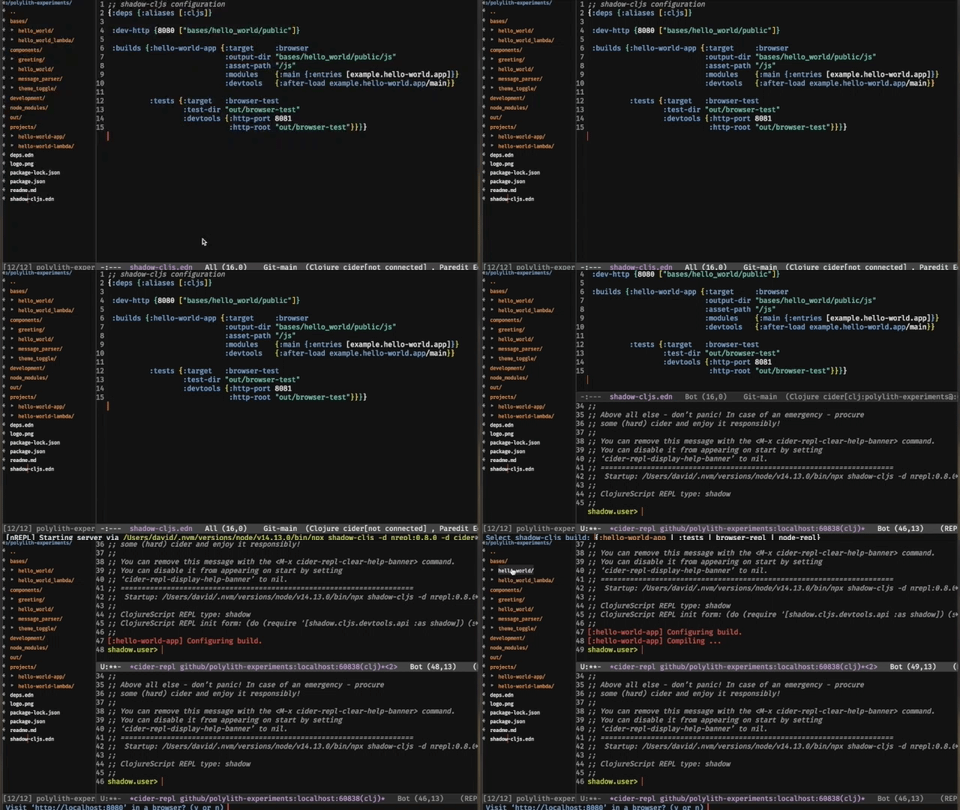
Two REPLS running (even though the Cider splash message is confusing)

* The quote is from Joakim Tengstrands and Furkan Bayraktars talk about Polylith at the FuncProg Sweden 2020 meetup.

Photo by Amélie Mourichon on Unsplash

Sunday, February 14, 2021

Test Driven Development Deluxe

You have probably already heard about the red-green-refactor workflow when practicing Test Driven Development: start with a failing test, make the test pass, refactor and repeat.

I don’t think I have ever been very strict about the TDD workflow. I usually jump back and forth between the code and the unit test, often begin with trying out naming of functions and less-important things like that. I also find refactoring difficult at that stage, probably because the goal is to write code that does something and that does it well enough. I find it much easier to reflect and come up with refactoring ideas once I see a Pull Request diff on GitHub.

Too much context switch

Until recently, I have failed to find a workflow that is seamless when writing, running and testing code. There is often context switching involved: executing commands that run tests in a terminal or navigating the test runner of an IDE. Sometimes that means a pause with a delay of seconds, or even minutes. The eyes and the brain have lost attention to the code. The focus and flow is gone. Now where was I?

What would Clojure do?

These days, the programming language that makes me 🤩 is Clojure. It has been quite a journey learning how to use the language and how to use the code editor properly. I guess most of us don’t pick up all the good parts of a language or a tool immediately. It takes a while to get there.

An example: my brain hasn’t had the bandwidth enough to get how to use the interactive REPL until recently. There has been a lot of other things to unpack: language syntax, functional programming concepts and keyboard shortcuts. On a positive note: there are opportunities for daily learning and that’s where I am today.

- Wow, I can evaluate an expression in the code editor and the result pops up right next to it!

Star struck. 🤩

The other day I was frustrated with the slow feedback from a CLI test command running in a terminal window. I guess it has something to do with the Java Virtual Machine starting up every time a command is executed. I’ve tried out tools with file watchers, reacting to changes, that speed things up - but there’s still context switching involved, moving your eyes off the editor & the code.

What would a Clojurist do? I think the answer would be:
- Use the REPL.

The REPL, you must use

With Clojure, using the REPL means writing code in the editor, with autocomplete and everything. Also, evaluating the code while in the editor. There is no need to write a statement in a separate terminal window. Your editor has a connection to the interactive REPL (a running server), that will evaluate your code and return the result back to you. With the interactive REPL, you can quickly try things out, without switching to a different tool or view.

This is what some people call REPL Driven Development. Before I learned about it, I have always thought of a REPL as something that is used in a terminal window, away from the editor and away from the code.

the interactive REPL in action

Development Deluxe

By combining REPL Driven & Test Driven Development we have a setup that solves the issues with context switching and slow test runs. From what I’ve learned and tried out so far, I think it is a very nice workflow. 🤩

A very nice workflow

With REPL Driven Development, you write code, evaluate it and get instant feedback while keeping your focus on the code. Maybe the quick visual feedback in the editor is good enough to continue working? Great. Or, you write one or two commands wrapped in a runnable Clojure (comment) block just below the functions, to simplify the evaluation.

Everyone needs a coffee break. Commit the code (yes, the commands too) and continue with it later. ☕

Take a break

Your brain has been charged and you feel refreshed again. When returning to the code, you realize that the commands are probably evolving into something similar to a unit test. Should it be a proper unit test? If so, wrap it in a (deftest) function with some assertions and put it in a separate file.

Here’s a tip: give the unit test the same namespace as the actual code, but add a -test suffix to it. When doing so, your code editor (if it is smart) can run the corresponding tests when in a namespace. If you are an Emacs user, simply press the keys C-c C-t n to run the tests.


Even though you have put the unit tests in a separate file, in a separate folder, there is no need to switch context. Your tests run from where you are and you get instant feedback on the result. Very cool.

I think this is Test Driven Development Deluxe. 🤩


Photo by Felipe Giacometti on Unsplash.

The screenshots are from email-attachments - A Clojure library that makes extracting attachments from email simple.

Friday, February 5, 2016

Windows? No, I'm a .NET developer.

A couple of days ago, I talked about and coded some of the new ASP.NET Core 1.0 things at the Swetugg 2016 conference in Stockholm. I used my Ubuntu laptop, the one I write code on every day at work (also used for occasional night coding at home, when the kids are sleeping).

Nowadays, I mostly write Python and JavaScript code, both are platform independent languages. I love it! When I was about to begin where I currently work, I knew very little about what kind of dev tools the team (or even the Python community) were using.

"Well, some of us use editors like Sublime or Vim, some use an IDE like PyCharm. Most of us have macbooks, but a couple of team members have various Linux distros installed on their computers. It doesn't matter. You'll be fine as long as you can run the 'make' command. What stuff do you use?"

I think my brain exploded.

Remember this movie scene? That was me.


(it's from the 1990 version of Total Recall. The AI/robot/thing gets an unexpected question from a human, doesn't know how to respond and finally breaks.)

I have never, ever, in my life as a software developer heard that question before! .NET development usually equals Windows and (often a specific version of) Visual Studio, at least from my experience.

On my first day at work I was very excited to use Ubuntu, code in PyCharm and write strange terminal commands. Today, a couple of months later, the terminal has become my new best friend. Ubuntu is fast, responsive and doesn't get in my way. Well, sometimes a bit tricky to use when native apps are missing, but that's fine. It feels like I'm on a diet.

It would be great if we, the .NET people, also were able to freely choose our favourite tools, editors and even operating system.

Why?
Because it's fun! We shouldn't underestimate the value of fun. If the tools we use are platform independent, we can be platform independent as developers too. That will bring us closer to other dev communities. Chances are we will learn (and share) more than when staying in isolation. Being a platform independent developer is a good thing.

In fact, .NET developers can do all of that now.

I have been following the development of ASP.NET 5 (recently renamed to ASP.NET Core 1.0) from the early beta versions, and started experimenting with it on my Ubuntu Linux machine a couple of months ago. This is my current setup: write C# code in Atom, push commits to GitHub, trigger builds and publish to Azure Web Apps when pull requests are merged.


Developing on a Linux dev machine and publishing to a cloud based Windows machine.

Atom, really? I know, Visual Studio is hard to compete with, especially when used together with ReSharper. But editors like Atom are lightweight. I like that. They are not only lightweight, they also have the possibility to install plugins like OmniSharpOmniSharp add editor features close to the ReSharper experience.

Lightweight tools need friends, and one of them is the terminal. It might be a bit intimidating at first if you are not already a command line user. It was for me. Now, I rather write oneliners like this, than right clicking some menu option or opening a dialog window:

git checkout -b my-new-feature-branch

Once learned, it is so simple. Let's stay in the command line window, because there is another essential tool for platform independent .NET development: Yeoman.


With Yeoman, we get the command line version of "File -> new project". You can also install Yeoman as a plugin to Atom. I usually create a new C# project from the command line and later add files using the Atom plugin.

What about Mono?
I haven't figured out how to exclusively use the new modular CoreCLR on my Linux machine. I can't get it to work without selecting the Mono version in the .NET version manager (the dnvm command). I guess it will be fixed soon, but it doesn't really matter if you want to get started now. Mono is the platform independent version of the system wide installed .NET Framework on your Windows machine.

Besides that, Mono comes with a great tool: the REPL.

Great for experimenting and learning about new cool C# features. Just type the word csharp in the terminal and start experimenting & learning.


So far, the .NET development on Linux experience has been very nice.