CONTENTS C O N T E N T S HTML Introduction & Examples 1 CSS Introduction & Examples 2 JS Introduction & Examples 3
01 H y p e r T e x t M a r k u p L a n g u a g e HTML
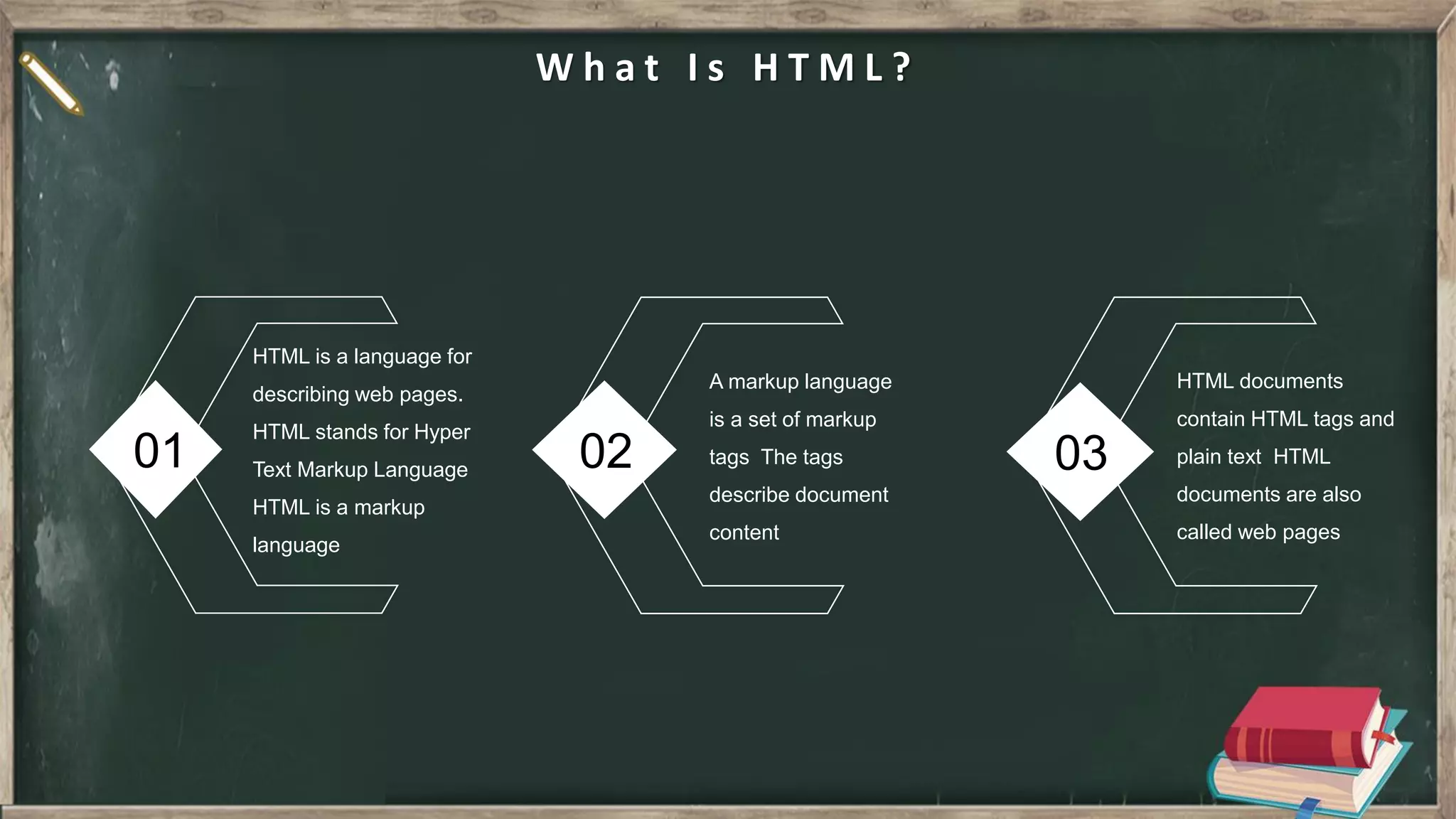
01 02 03 W h a t I s H T M L ? HTML is a language for describing web pages. HTML stands for Hyper Text Markup Language HTML is a markup language A markup language is a set of markup tags The tags describe document content HTML documents contain HTML tags and plain text HTML documents are also called web pages
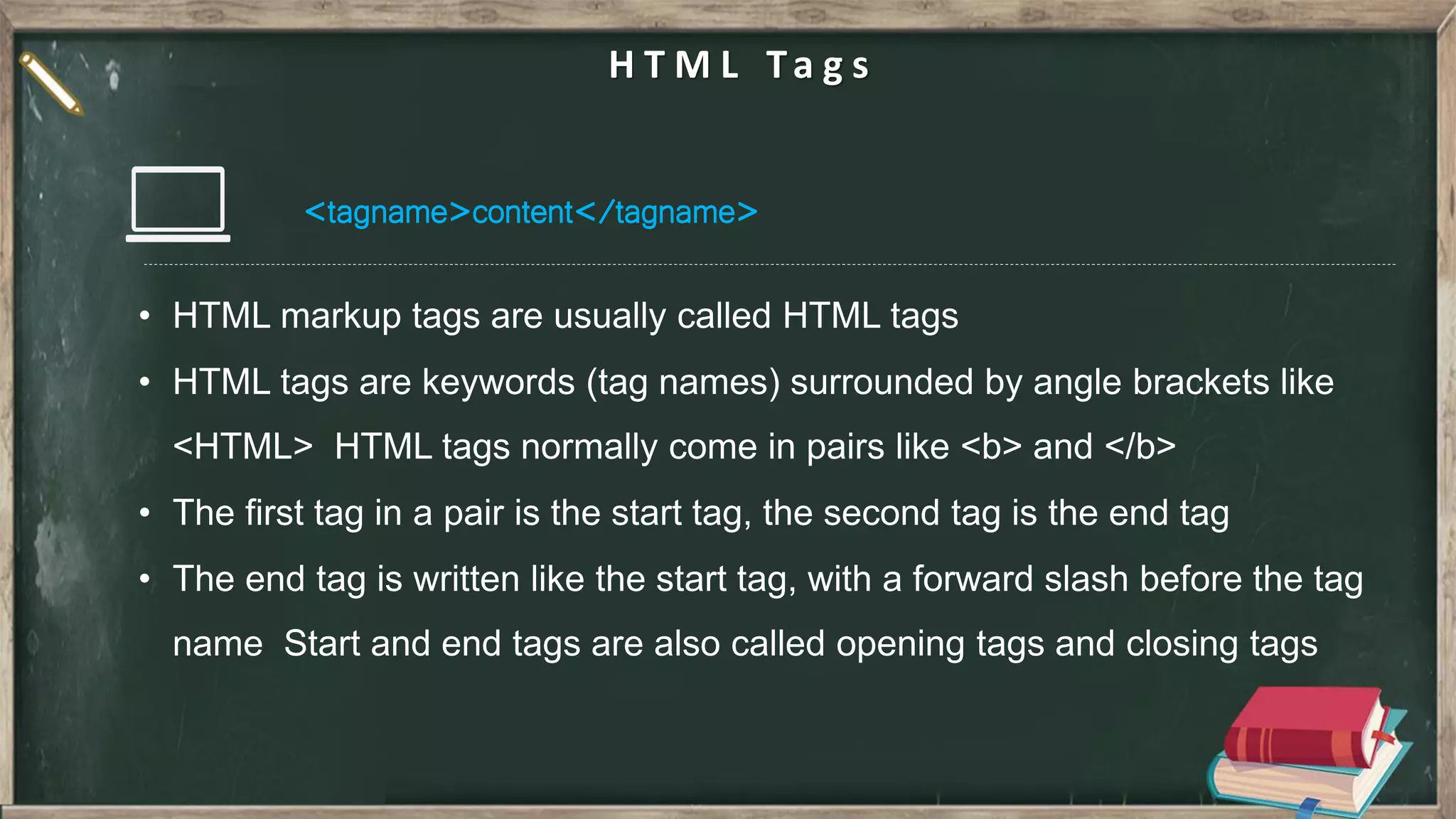
<tagname>content</tagname> H T M L Ta g s
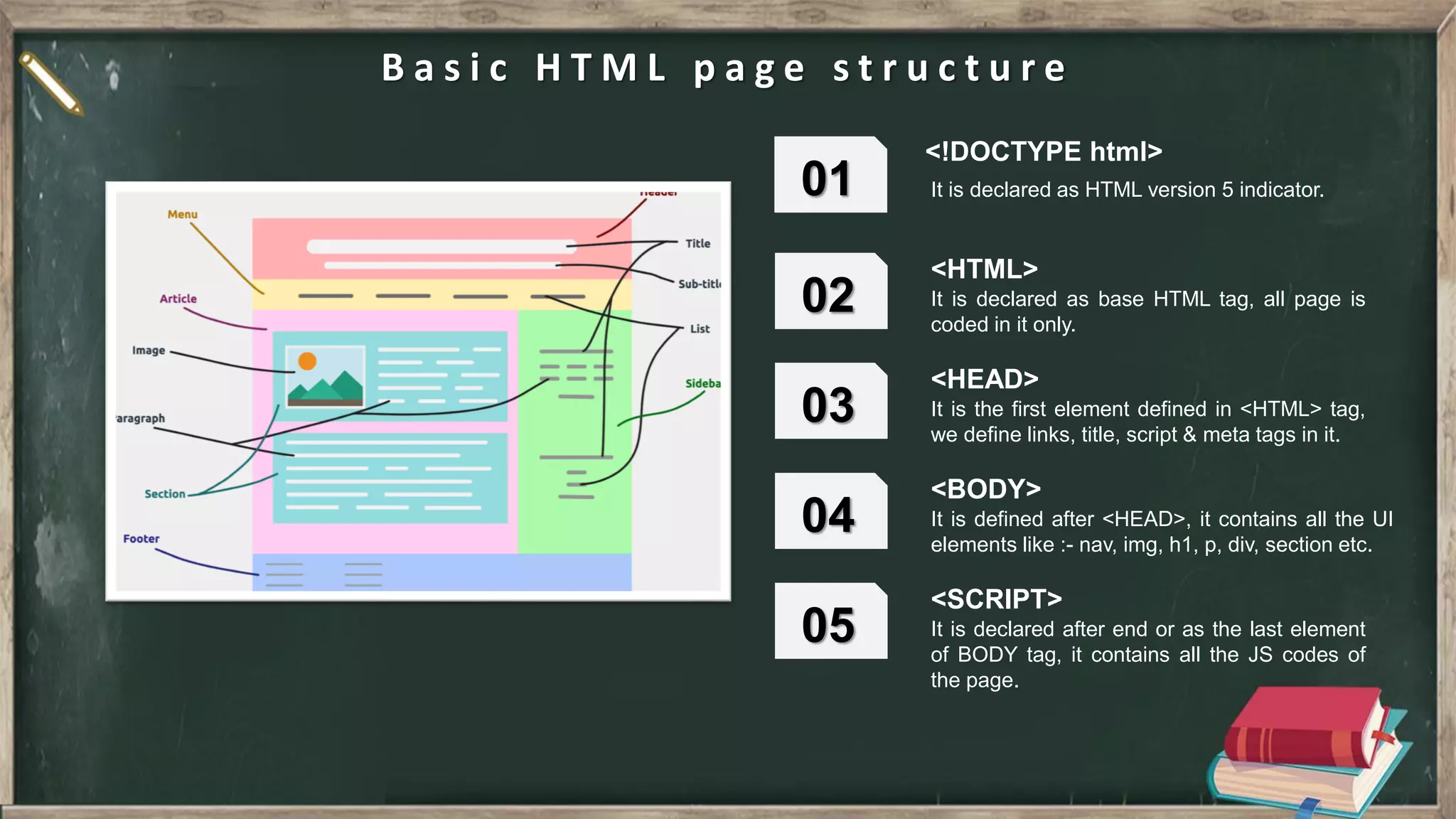
B a s i c H T M L p a g e s t r u c t u r e <!DOCTYPE html> It is declared as HTML version 5 indicator. 01 <HTML> 02 It is declared as base HTML tag, all page is coded in it only. <HEAD> 03 It is the first element defined in <HTML> tag, we define links, title, script & meta tags in it. <BODY> 04 It is defined after <HEAD>, it contains all the UI elements like :- nav, img, h1, p, div, section etc. <SCRIPT> 05 It is declared after end or as the last element of BODY tag, it contains all the JS codes of the page.
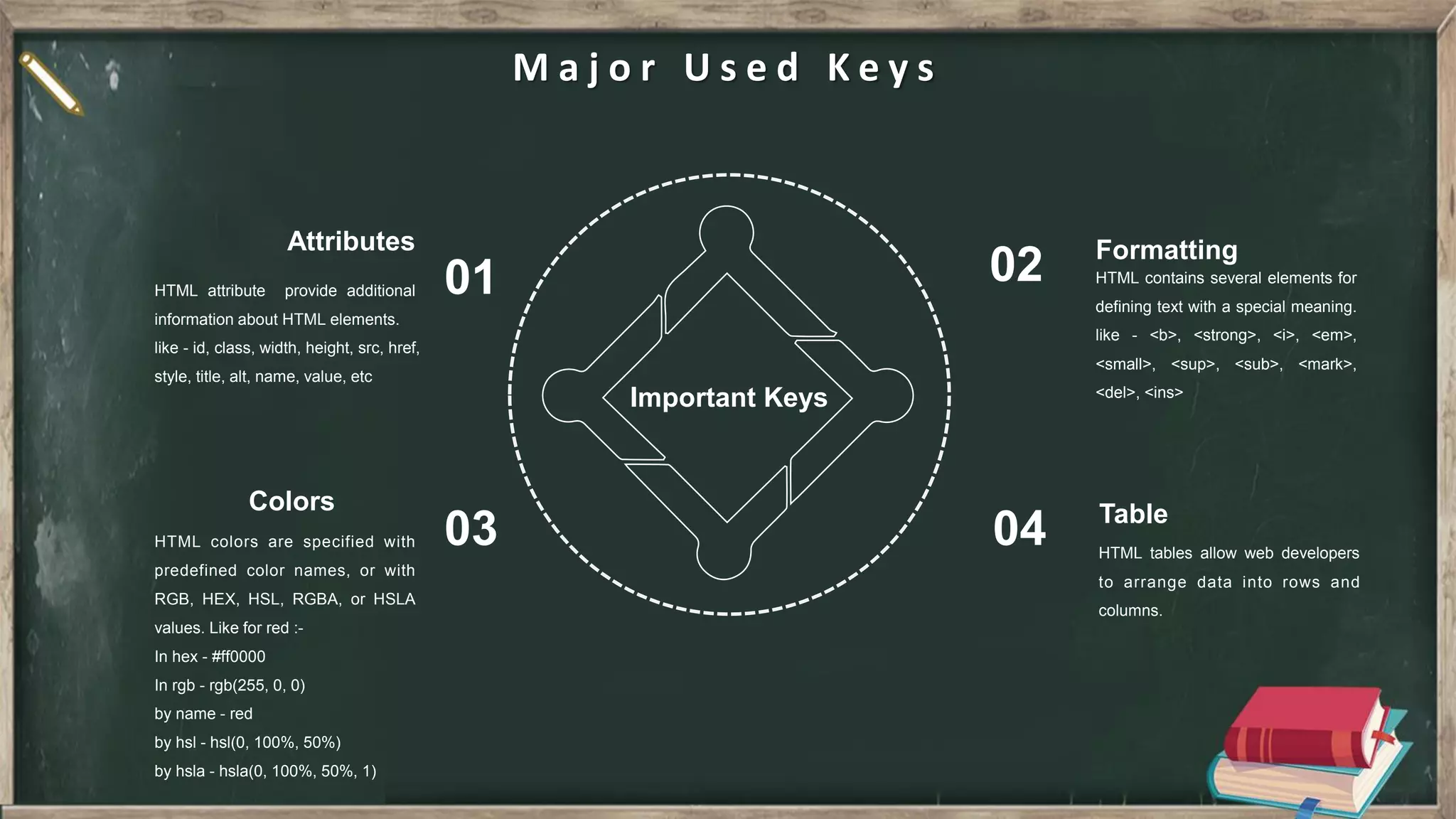
Attributes HTML attribute provide additional information about HTML elements. like - id, class, width, height, src, href, style, title, alt, name, value, etc 01 Formatting HTML contains several elements for defining text with a special meaning. like - <b>, <strong>, <i>, <em>, <small>, <sup>, <sub>, <mark>, <del>, <ins> 02 Colors HTML colors are specified with predefined color names, or with RGB, HEX, HSL, RGBA, or HSLA values. Like for red :- In hex - #ff0000 In rgb - rgb(255, 0, 0) by name - red by hsl - hsl(0, 100%, 50%) by hsla - hsla(0, 100%, 50%, 1) 03 Table HTML tables allow web developers to arrange data into rows and columns. 04 M a j o r U s e d K e y s Important Keys
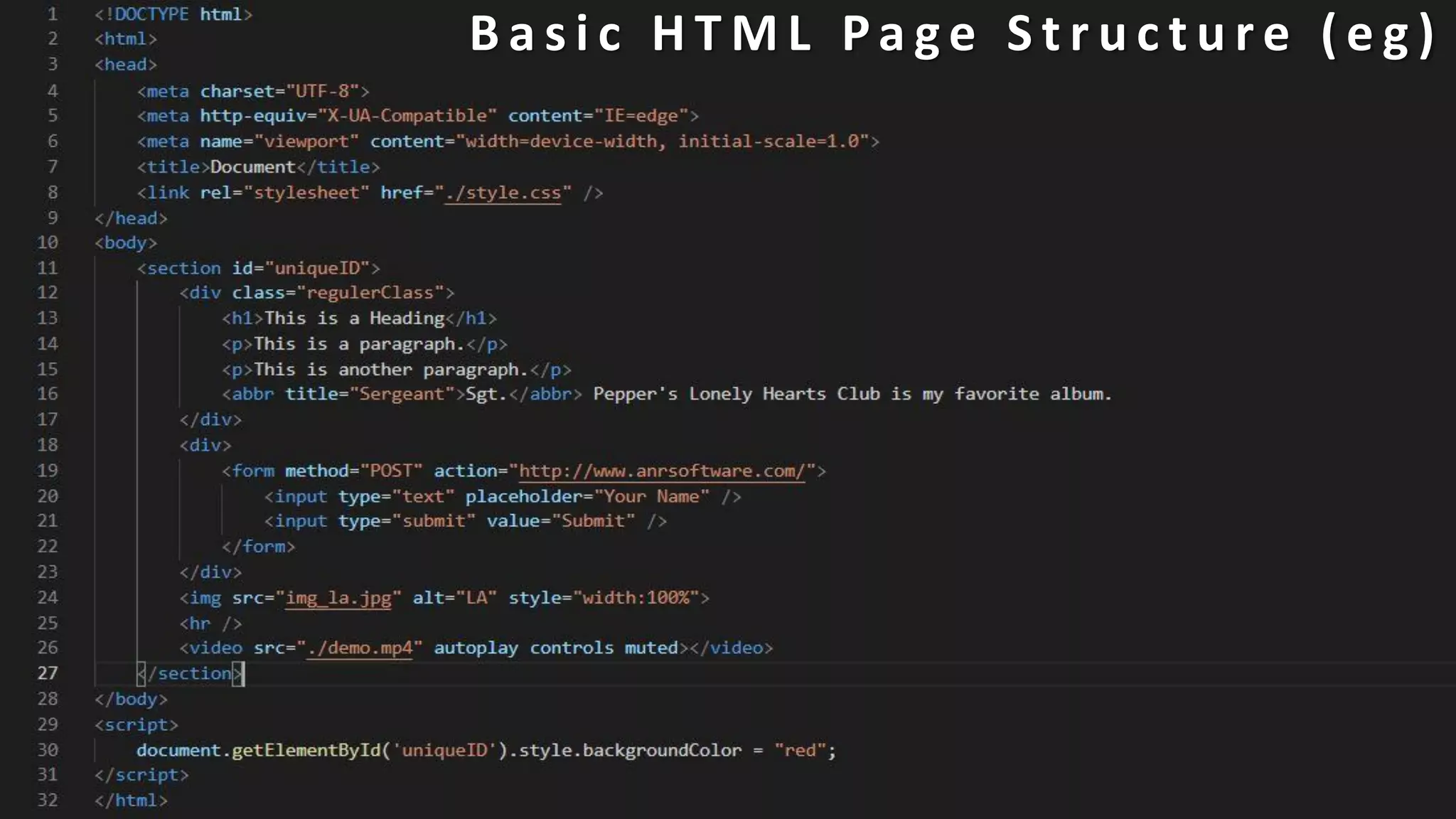
B a s i c H T M L Pa g e S t r u c t u r e ( e g )
02 C a s c a d i n g S t y l e S h e e t CSS
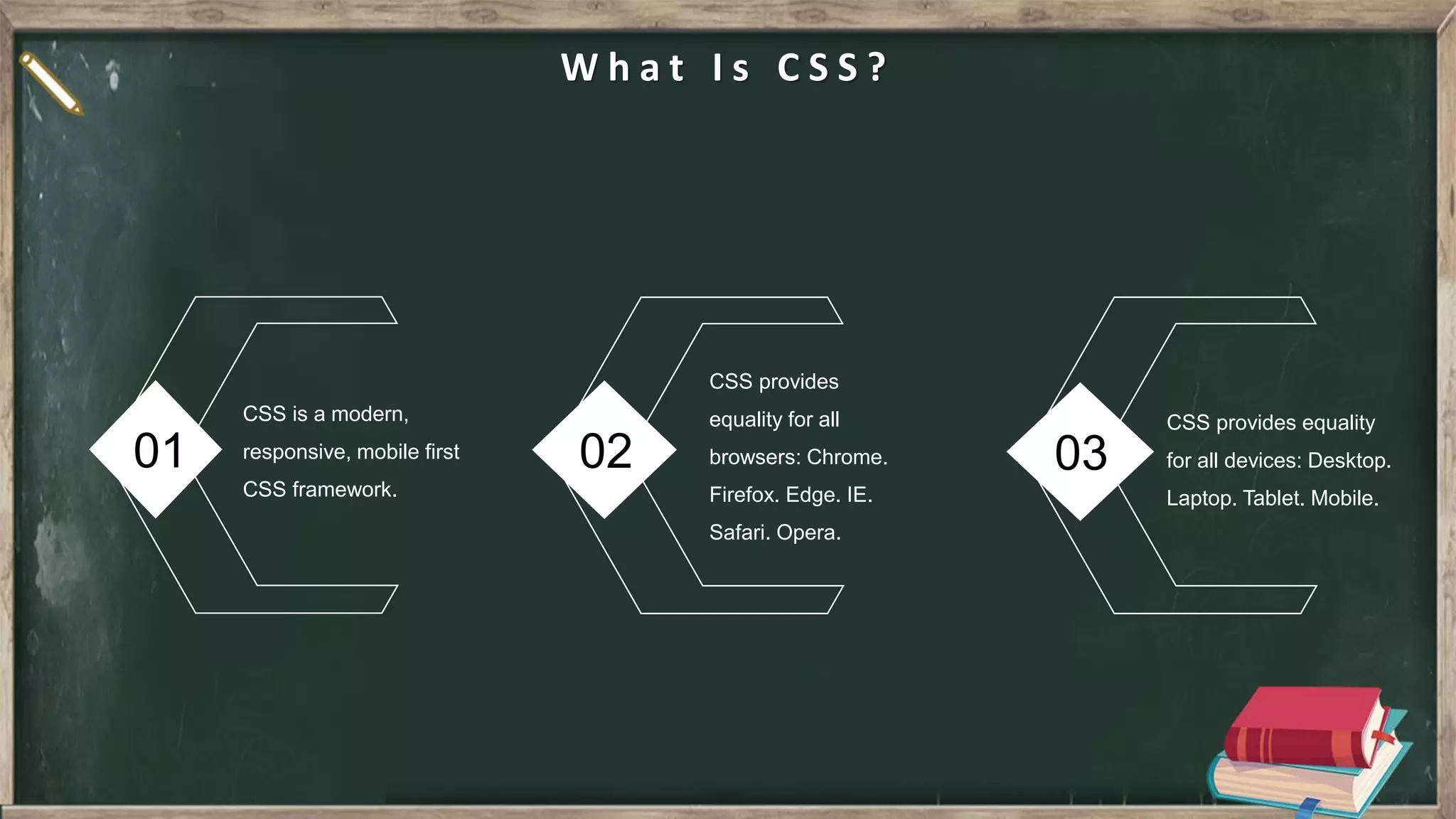
01 02 03 W h a t I s C S S ? CSS is a modern, responsive, mobile first CSS framework. CSS provides equality for all browsers: Chrome. Firefox. Edge. IE. Safari. Opera. CSS provides equality for all devices: Desktop. Laptop. Tablet. Mobile.
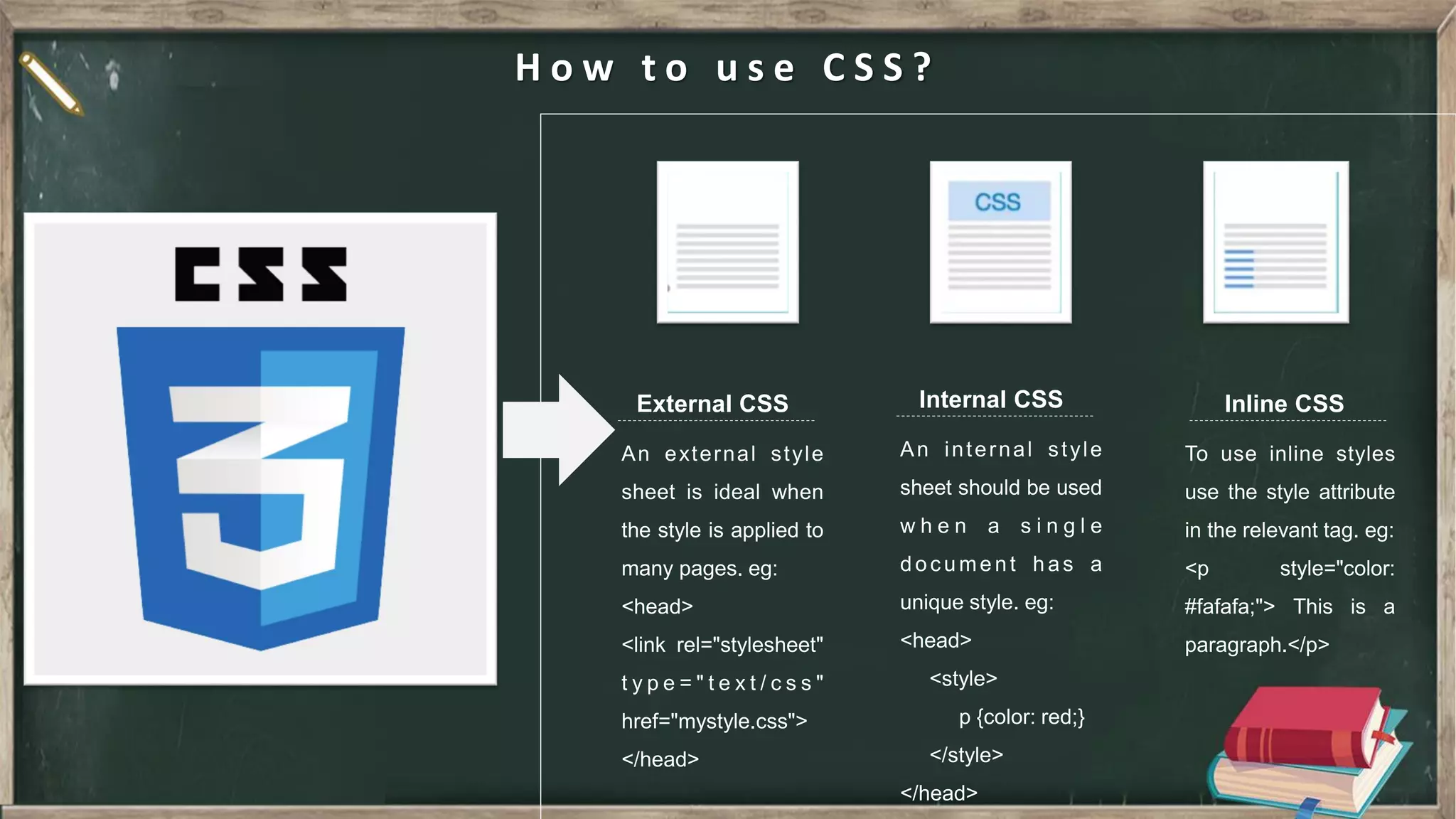
H o w t o u s e C S S ? External CSS Internal CSS Inline CSS
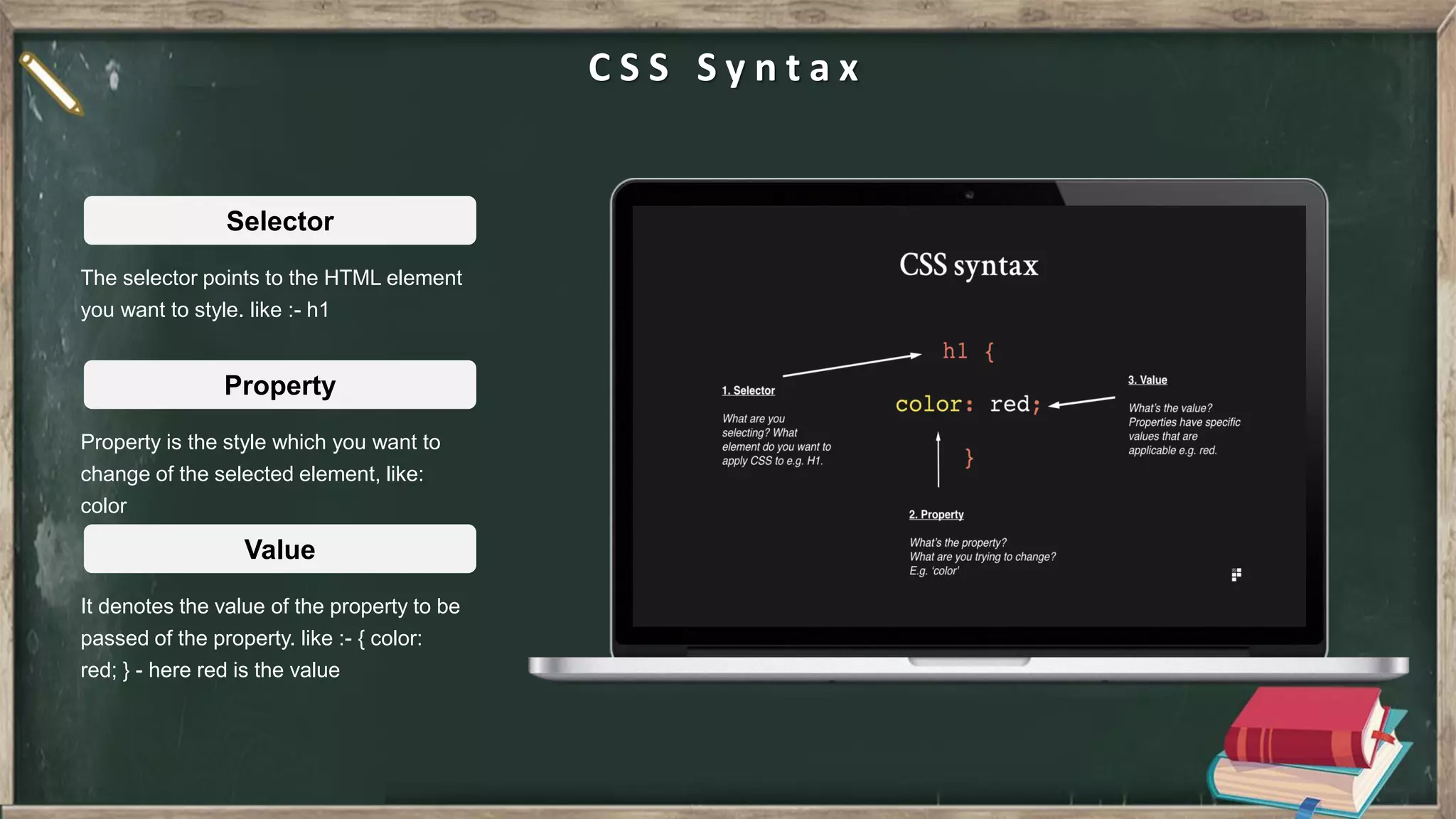
C S S S y n t a x The selector points to the HTML element you want to style. like :- h1 Selector Property is the style which you want to change of the selected element, like: color Property It denotes the value of the property to be passed of the property. like :- { color: red; } - here red is the value Value
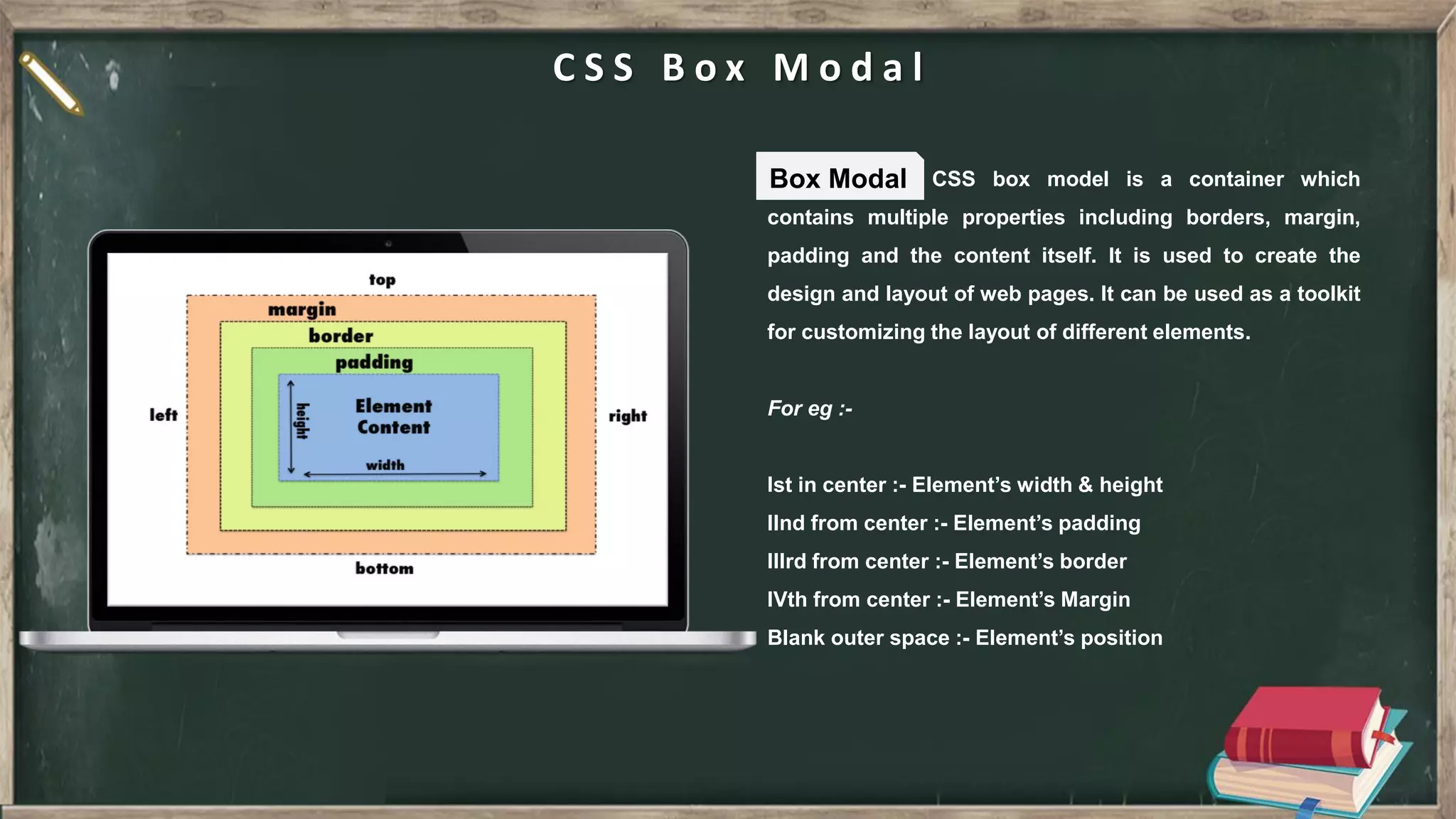
C S S B o x M o d a l CSS box model is a container which contains multiple properties including borders, margin, padding and the content itself. It is used to create the design and layout of web pages. It can be used as a toolkit for customizing the layout of different elements. For eg :- Ist in center :- Element’s width & height IInd from center :- Element’s padding IIIrd from center :- Element’s border IVth from center :- Element’s Margin Blank outer space :- Element’s position Box Modal
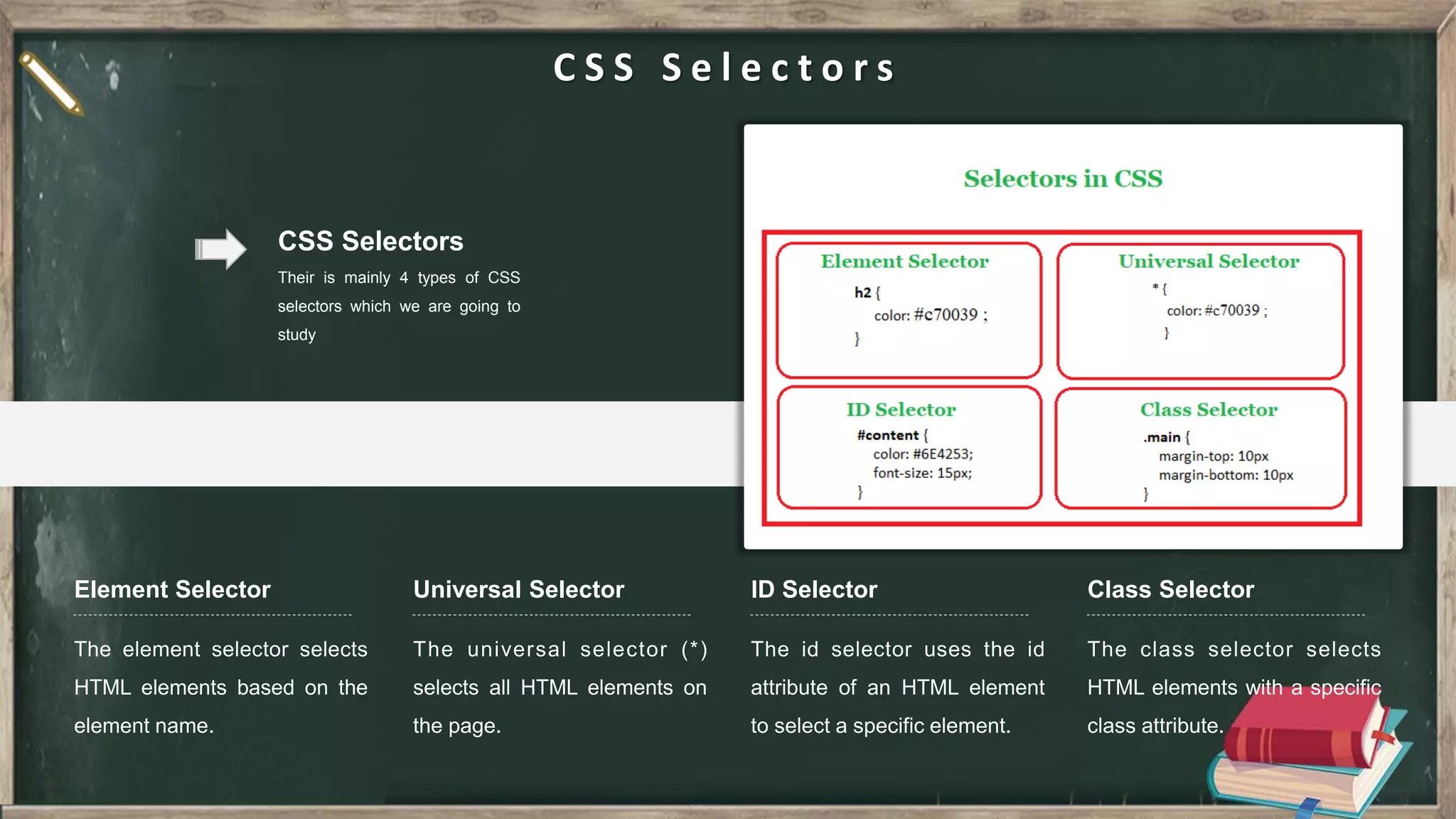
C S S S e l e c t o r s CSS Selectors Their is mainly 4 types of CSS selectors which we are going to study ID Selector Universal Selector Element Selector Class Selector
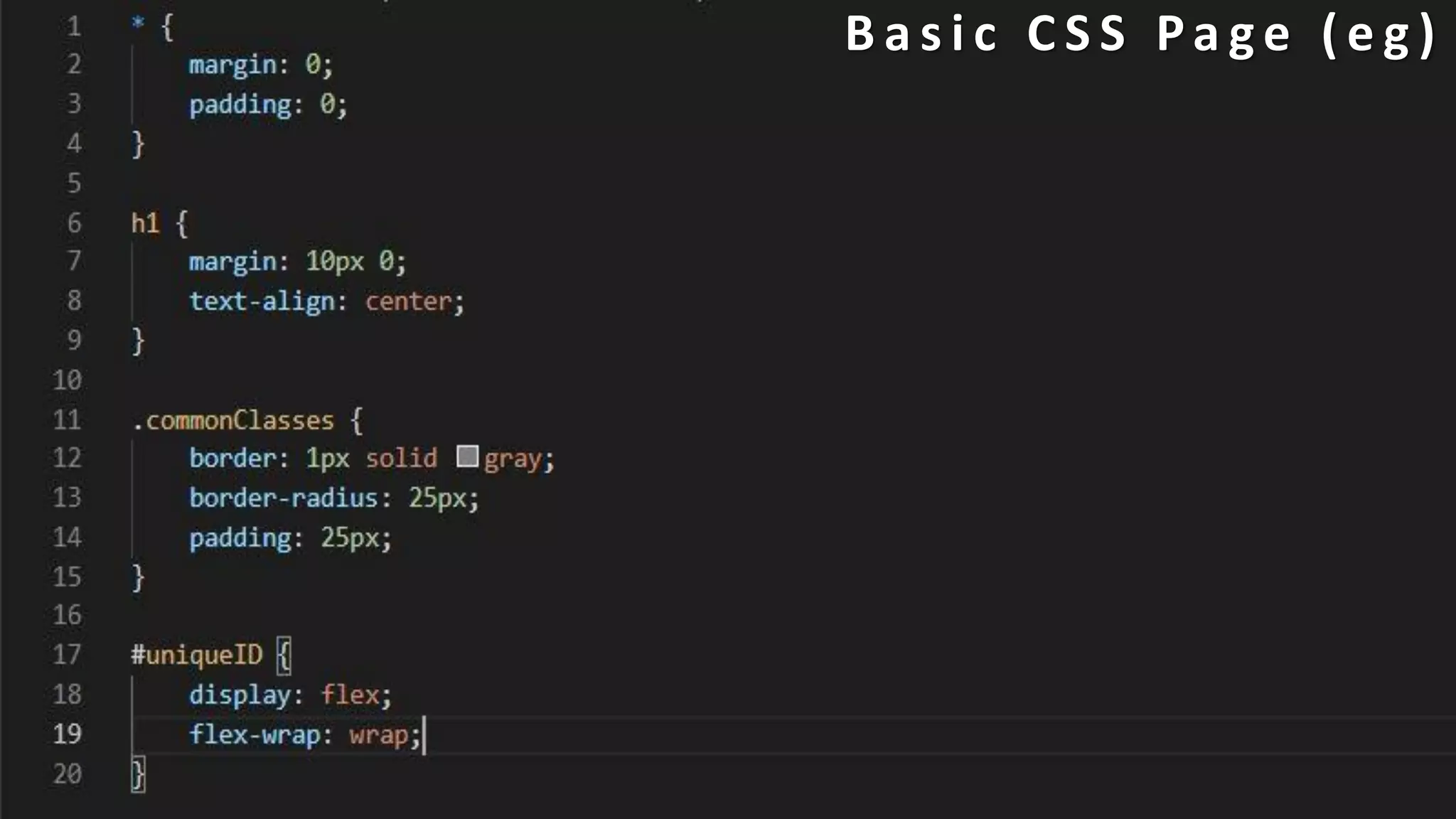
B a s i c C S S Pa g e ( e g )
03 J a v a S c r i p t JS
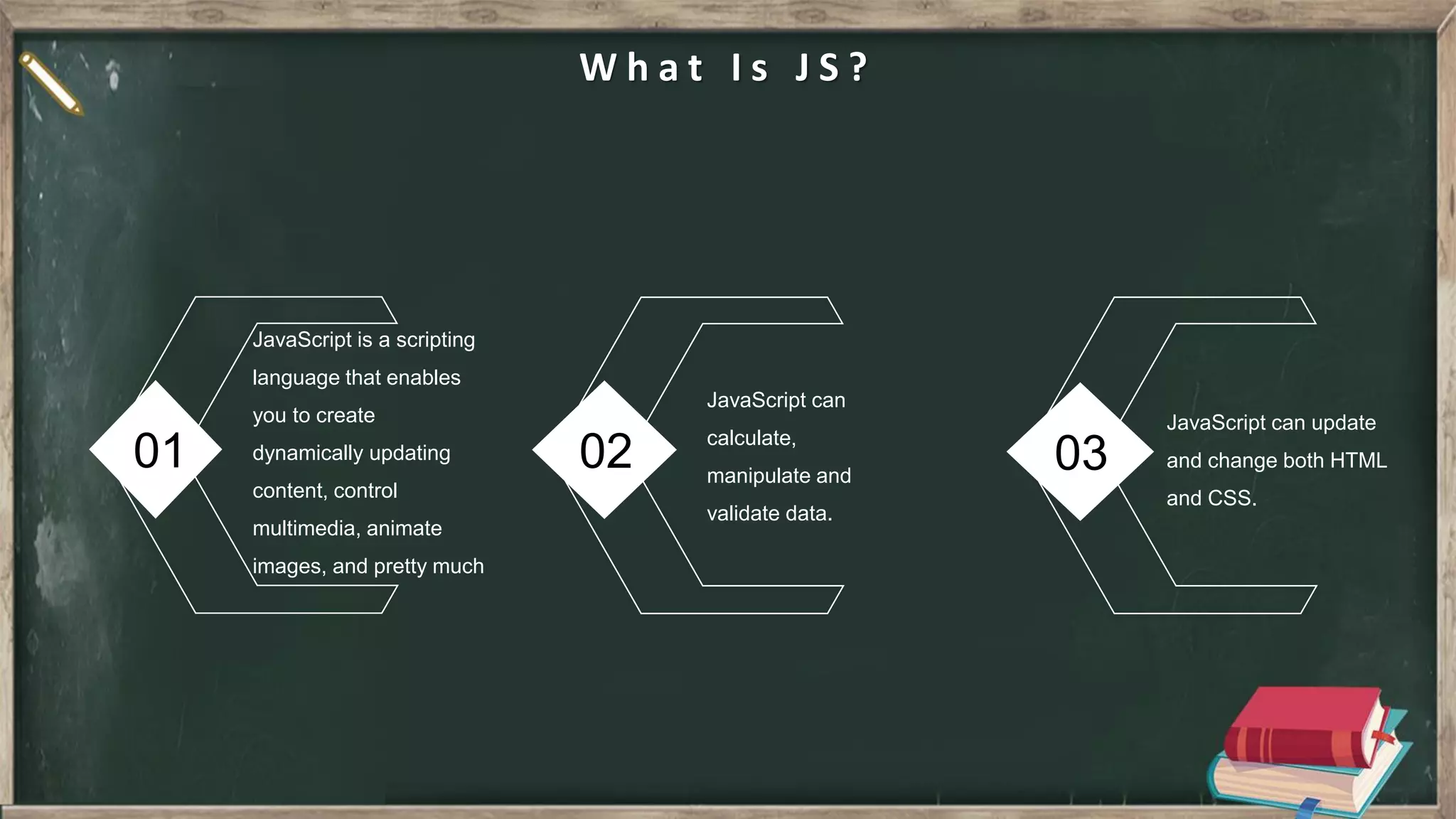
01 02 03 W h a t I s J S ? JavaScript is a scripting language that enables you to create dynamically updating content, control multimedia, animate images, and pretty much JavaScript can calculate, manipulate and validate data. JavaScript can update and change both HTML and CSS.
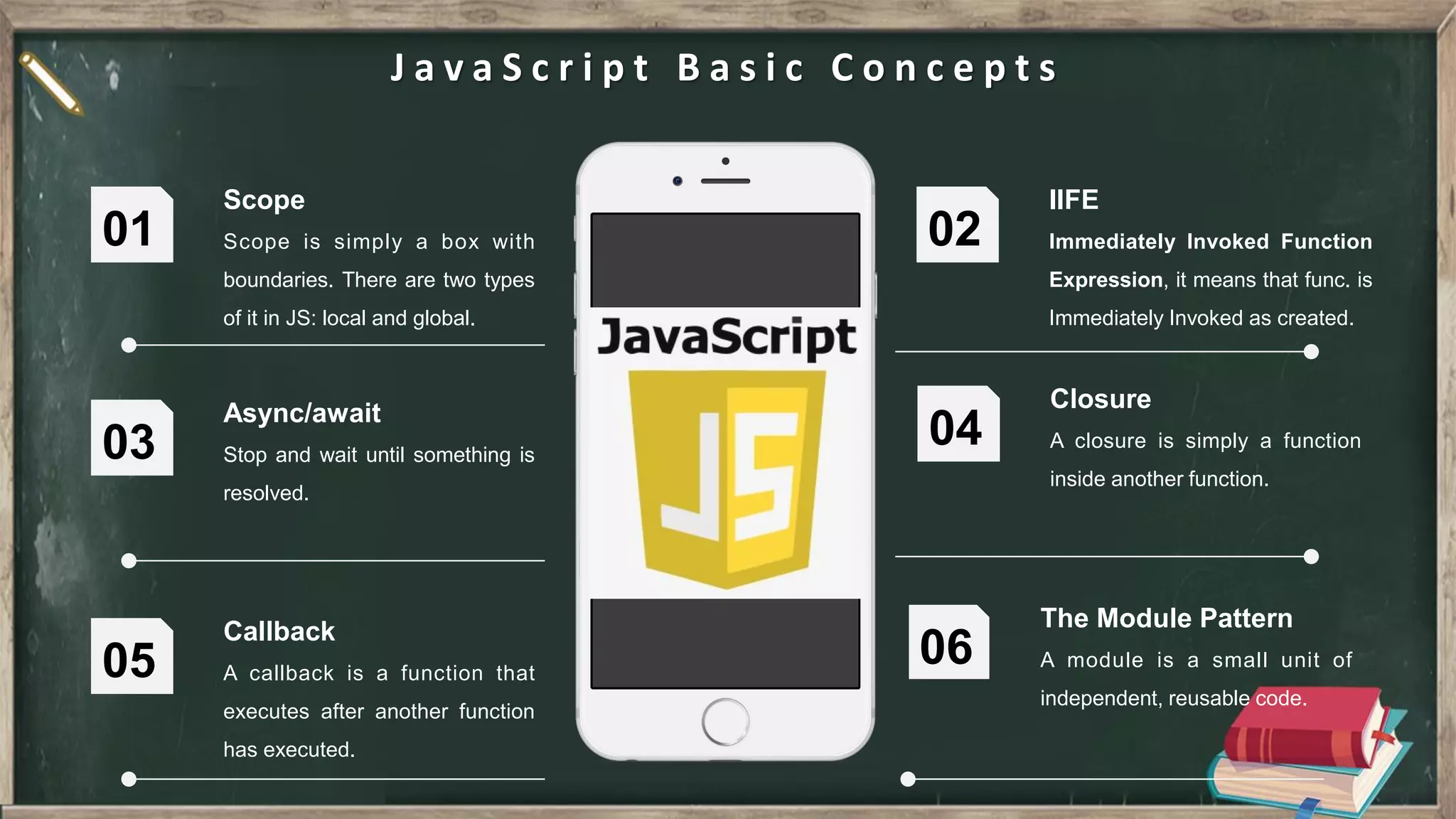
Scope Scope is simply a box with boundaries. There are two types of it in JS: local and global. 01 IIFE Immediately Invoked Function Expression, it means that func. is Immediately Invoked as created. 02 Async/await Stop and wait until something is resolved. 03 Closure A closure is simply a function inside another function. 04 J a v a S c r i p t B a s i c C o n c e p t s Callback A callback is a function that executes after another function has executed. 05 The Module Pattern A module is a small unit of independent, reusable code. 06
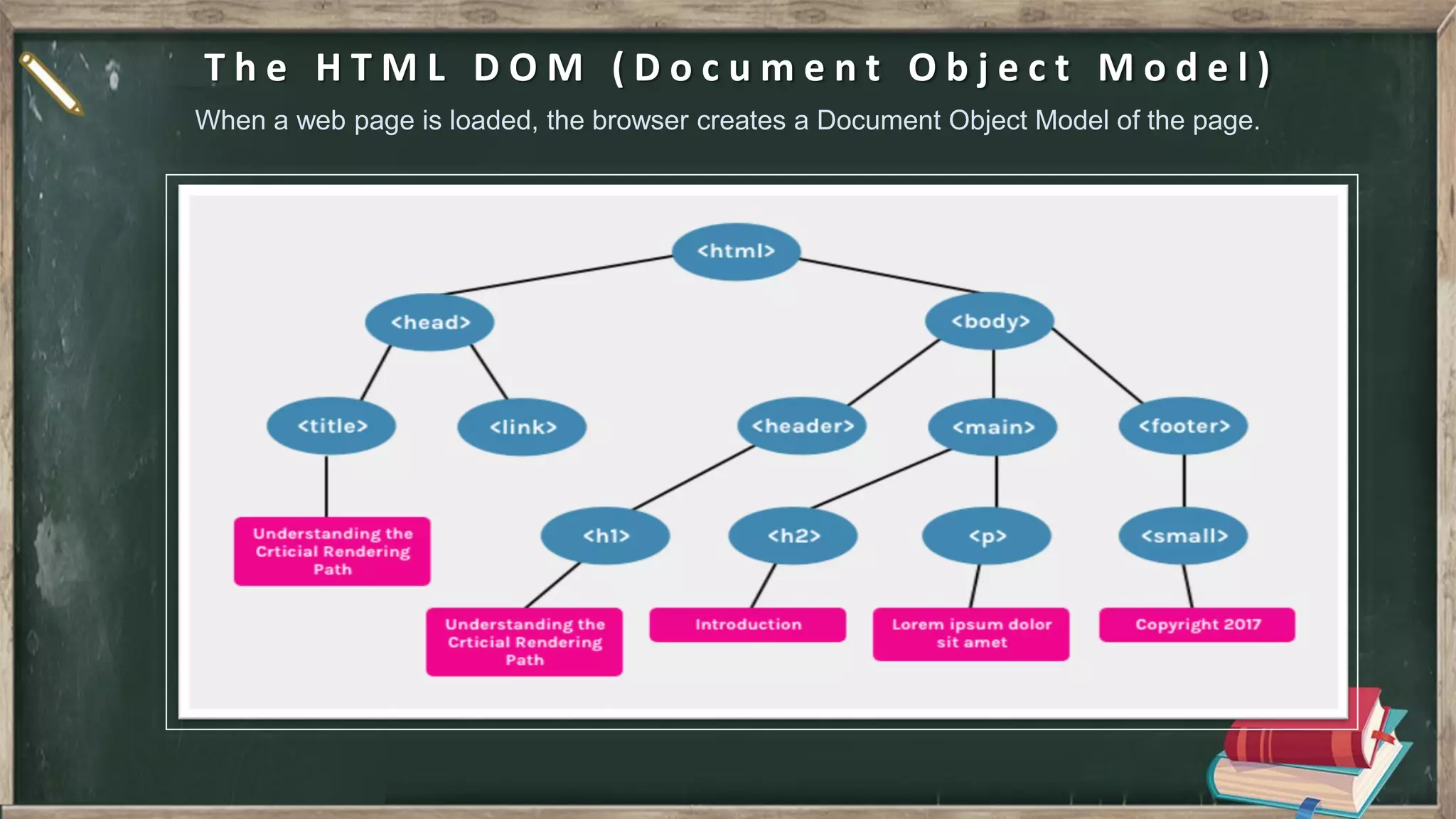
T h e H T M L D O M ( D o c u m e n t O b j e c t M o d e l ) When a web page is loaded, the browser creates a Document Object Model of the page.
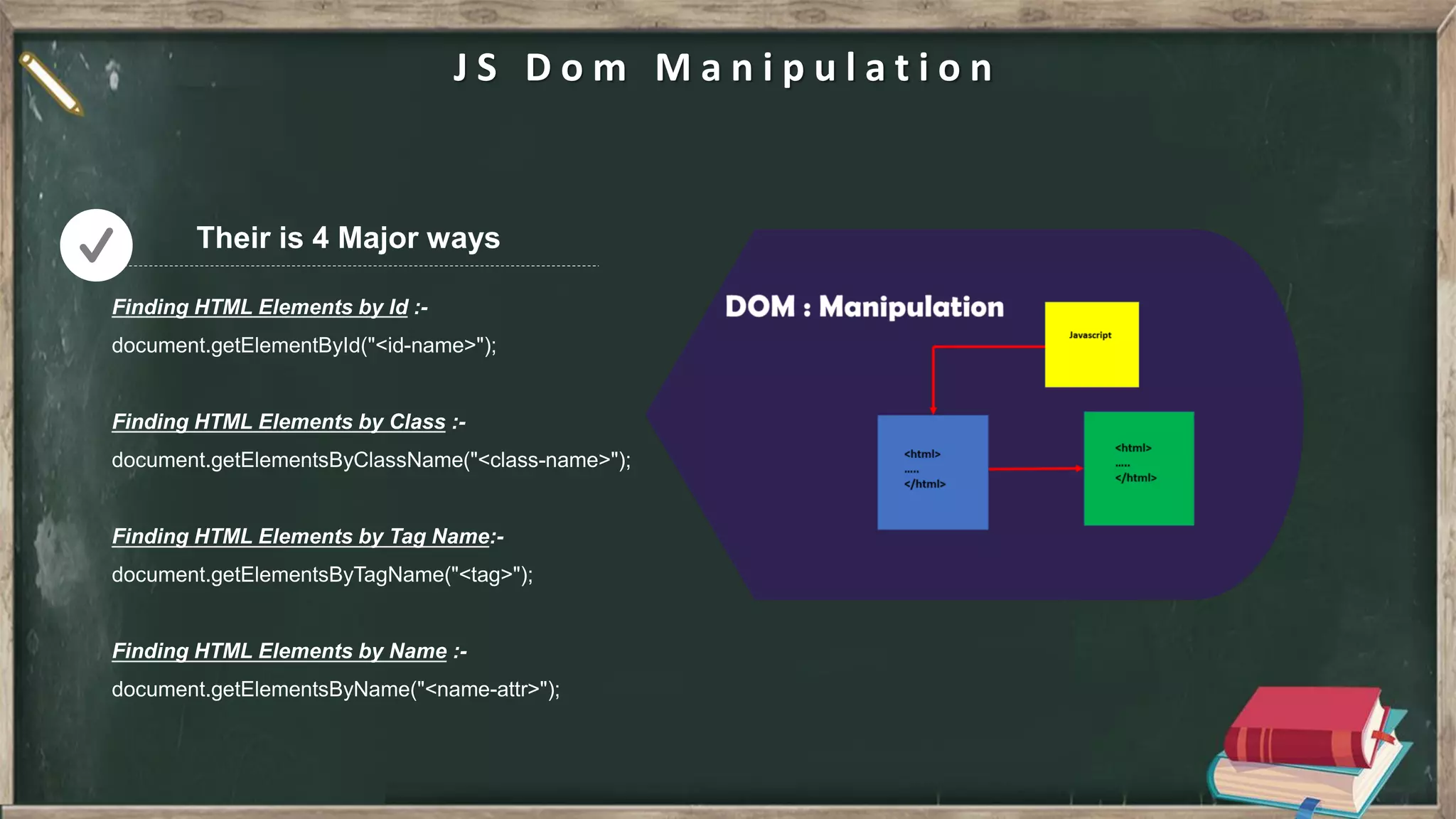
J S D o m M a n i p u l a t i o n Their is 4 Major ways
J Q u e r y j Query is a lightweight, "write less, do more", JavaScript library. The purpose of JQuery is to make it much easier to use JavaScript on your website. JQuery takes a lot of common tasks that require many lines of JavaScript code to accomplish, and wraps them into methods that you can call with a single line of code. For eg :- Finding HTML Element by ID - $(“#uniqueID”) Finding HTML Element by Class - $(“#commonClass”) Finding HTML Element by Tag Name - $(“h1”) Finding HTML Element by Attr Name - $(“[data-attr=value]”) JQuery
JavaScript JavaScript uses JIT[Just in Time Compiler] which is combination of interpreter and Compile and is written in C. It’s a combination of ECMA script and DOM (Document Object Model). JavaScript is an independent language and can exist on its own. JQuery While JQuery Uses the resources that are provided by JavaScript to make things easier. It is a light-weight JavaScript library. It has only the DOM. JQuery is a JavaScript library. J a v a S c r i p t v s J Q u e r y Conclusion All JQuery code is JavaScript, but JQuery doesn't include all the JavaScript code. The point is that they are not two programming languages. JQuery is just optimized to do the common scripting functions with fewer lines of code
A J A X AJAX stands for Asynchronous JavaScript And XML. In a nutshell, it is the use of the XMLHttpRequest object to communicate with servers. It can send and receive information in various formats, including JSON, XML, HTML, and text files. For eg :- var xhttp = new XMLHttpRequest(); xhttp.onreadystatechange = function() { if (this.readyState == 4 && this.status == 200) { document.getElementById("demo").innerHTML = this.responseText; } }; xhttp.open("GET", "ajax_info.txt", true); xhttp.send(); AJAX
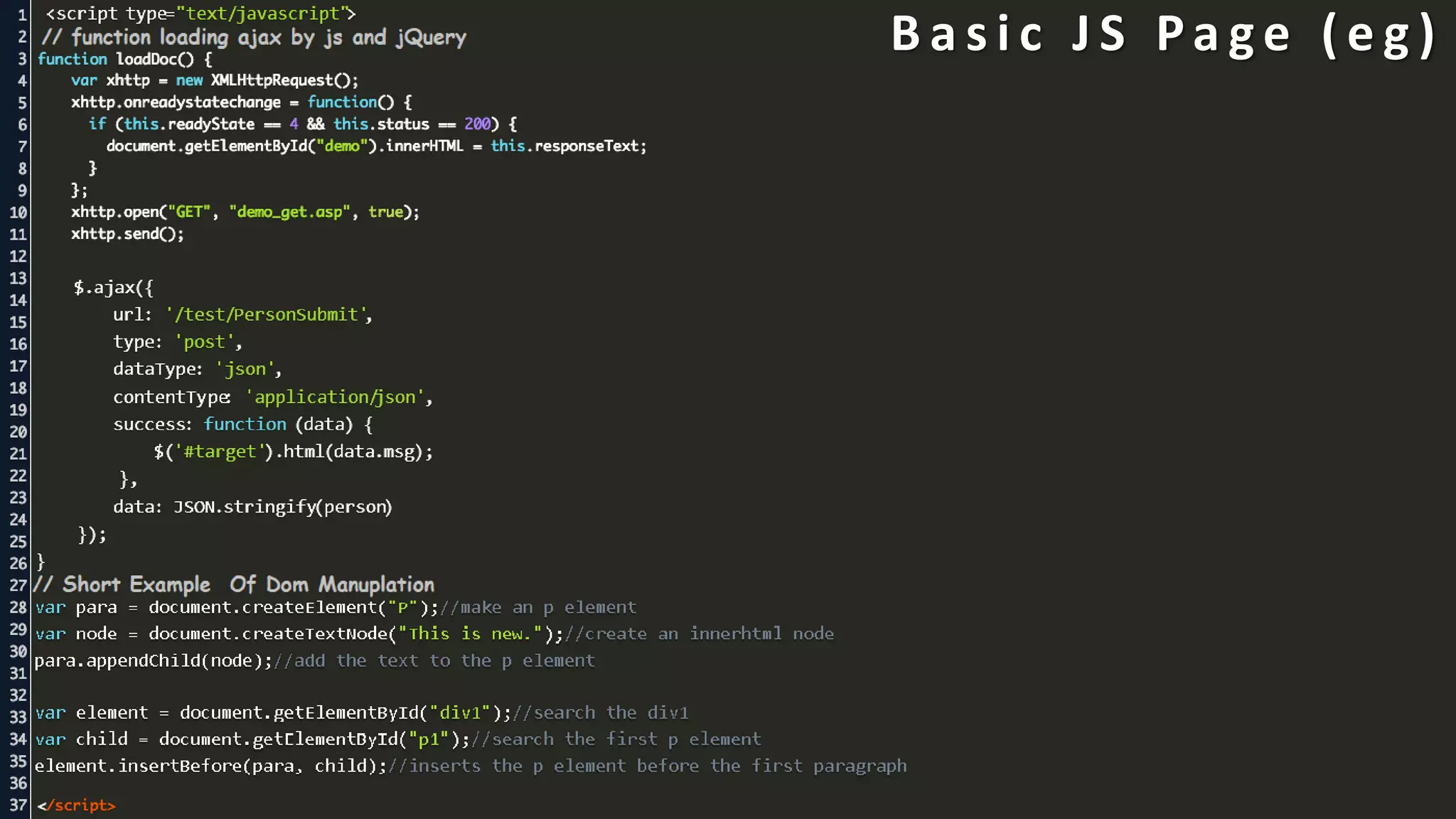
B a s i c J S Pa g e ( e g )
Summary HTML CSS JS
THANK YOU

HTML CSS JS in Nut shell

  • 2.
    CONTENTS C O N T E N T S HTML Introduction &Examples 1 CSS Introduction & Examples 2 JS Introduction & Examples 3
  • 3.
    01 H y pe r T e x t M a r k u p L a n g u a g e HTML
  • 4.
    01 02 03 Wh a t I s H T M L ? HTML is a language for describing web pages. HTML stands for Hyper Text Markup Language HTML is a markup language A markup language is a set of markup tags The tags describe document content HTML documents contain HTML tags and plain text HTML documents are also called web pages
  • 5.
  • 6.
    B a si c H T M L p a g e s t r u c t u r e <!DOCTYPE html> It is declared as HTML version 5 indicator. 01 <HTML> 02 It is declared as base HTML tag, all page is coded in it only. <HEAD> 03 It is the first element defined in <HTML> tag, we define links, title, script & meta tags in it. <BODY> 04 It is defined after <HEAD>, it contains all the UI elements like :- nav, img, h1, p, div, section etc. <SCRIPT> 05 It is declared after end or as the last element of BODY tag, it contains all the JS codes of the page.
  • 7.
    Attributes HTML attribute provideadditional information about HTML elements. like - id, class, width, height, src, href, style, title, alt, name, value, etc 01 Formatting HTML contains several elements for defining text with a special meaning. like - <b>, <strong>, <i>, <em>, <small>, <sup>, <sub>, <mark>, <del>, <ins> 02 Colors HTML colors are specified with predefined color names, or with RGB, HEX, HSL, RGBA, or HSLA values. Like for red :- In hex - #ff0000 In rgb - rgb(255, 0, 0) by name - red by hsl - hsl(0, 100%, 50%) by hsla - hsla(0, 100%, 50%, 1) 03 Table HTML tables allow web developers to arrange data into rows and columns. 04 M a j o r U s e d K e y s Important Keys
  • 8.
    B a si c H T M L Pa g e S t r u c t u r e ( e g )
  • 9.
    02 C a sc a d i n g S t y l e S h e e t CSS
  • 10.
    01 02 03 Wh a t I s C S S ? CSS is a modern, responsive, mobile first CSS framework. CSS provides equality for all browsers: Chrome. Firefox. Edge. IE. Safari. Opera. CSS provides equality for all devices: Desktop. Laptop. Tablet. Mobile.
  • 11.
    H o wt o u s e C S S ? External CSS Internal CSS Inline CSS
  • 12.
    C S SS y n t a x The selector points to the HTML element you want to style. like :- h1 Selector Property is the style which you want to change of the selected element, like: color Property It denotes the value of the property to be passed of the property. like :- { color: red; } - here red is the value Value
  • 13.
    C S SB o x M o d a l CSS box model is a container which contains multiple properties including borders, margin, padding and the content itself. It is used to create the design and layout of web pages. It can be used as a toolkit for customizing the layout of different elements. For eg :- Ist in center :- Element’s width & height IInd from center :- Element’s padding IIIrd from center :- Element’s border IVth from center :- Element’s Margin Blank outer space :- Element’s position Box Modal
  • 14.
    C S SS e l e c t o r s CSS Selectors Their is mainly 4 types of CSS selectors which we are going to study ID Selector Universal Selector Element Selector Class Selector
  • 15.
    B a si c C S S Pa g e ( e g )
  • 16.
    03 J a va S c r i p t JS
  • 17.
    01 02 03 Wh a t I s J S ? JavaScript is a scripting language that enables you to create dynamically updating content, control multimedia, animate images, and pretty much JavaScript can calculate, manipulate and validate data. JavaScript can update and change both HTML and CSS.
  • 18.
    Scope Scope is simplya box with boundaries. There are two types of it in JS: local and global. 01 IIFE Immediately Invoked Function Expression, it means that func. is Immediately Invoked as created. 02 Async/await Stop and wait until something is resolved. 03 Closure A closure is simply a function inside another function. 04 J a v a S c r i p t B a s i c C o n c e p t s Callback A callback is a function that executes after another function has executed. 05 The Module Pattern A module is a small unit of independent, reusable code. 06
  • 19.
    T h eH T M L D O M ( D o c u m e n t O b j e c t M o d e l ) When a web page is loaded, the browser creates a Document Object Model of the page.
  • 20.
    J S Do m M a n i p u l a t i o n Their is 4 Major ways
  • 21.
    J Q ue r y j Query is a lightweight, "write less, do more", JavaScript library. The purpose of JQuery is to make it much easier to use JavaScript on your website. JQuery takes a lot of common tasks that require many lines of JavaScript code to accomplish, and wraps them into methods that you can call with a single line of code. For eg :- Finding HTML Element by ID - $(“#uniqueID”) Finding HTML Element by Class - $(“#commonClass”) Finding HTML Element by Tag Name - $(“h1”) Finding HTML Element by Attr Name - $(“[data-attr=value]”) JQuery
  • 22.
    JavaScript JavaScript uses JIT[Justin Time Compiler] which is combination of interpreter and Compile and is written in C. It’s a combination of ECMA script and DOM (Document Object Model). JavaScript is an independent language and can exist on its own. JQuery While JQuery Uses the resources that are provided by JavaScript to make things easier. It is a light-weight JavaScript library. It has only the DOM. JQuery is a JavaScript library. J a v a S c r i p t v s J Q u e r y Conclusion All JQuery code is JavaScript, but JQuery doesn't include all the JavaScript code. The point is that they are not two programming languages. JQuery is just optimized to do the common scripting functions with fewer lines of code
  • 23.
    A J AX AJAX stands for Asynchronous JavaScript And XML. In a nutshell, it is the use of the XMLHttpRequest object to communicate with servers. It can send and receive information in various formats, including JSON, XML, HTML, and text files. For eg :- var xhttp = new XMLHttpRequest(); xhttp.onreadystatechange = function() { if (this.readyState == 4 && this.status == 200) { document.getElementById("demo").innerHTML = this.responseText; } }; xhttp.open("GET", "ajax_info.txt", true); xhttp.send(); AJAX
  • 24.
    B a si c J S Pa g e ( e g )
  • 25.
  • 26.