Introduction of HTML/CSS/JS Ruchi Agarwal Software Consultant Knoldus Software
What is HTML? ● HTML is a language for describing web pages. ● HTML stands for Hyper Text Markup Language ● HTML is a markup language ● A markup language is a set of markup tags ● The tags describe document content ● HTML documents contain HTML tags and plain text ● HTML documents are also called web pages
HTML Tags ● HTML markup tags are usually called HTML tags ● HTML tags are keywords (tag names) surrounded by angle brackets like <html> ● HTML tags normally come in pairs like <b> and </b> ● The first tag in a pair is the start tag, the second tag is the end tag ● The end tag is written like the start tag, with a forward slash before the tag name ● Start and end tags are also called opening tags and closing tags <tagname>content</tagname>
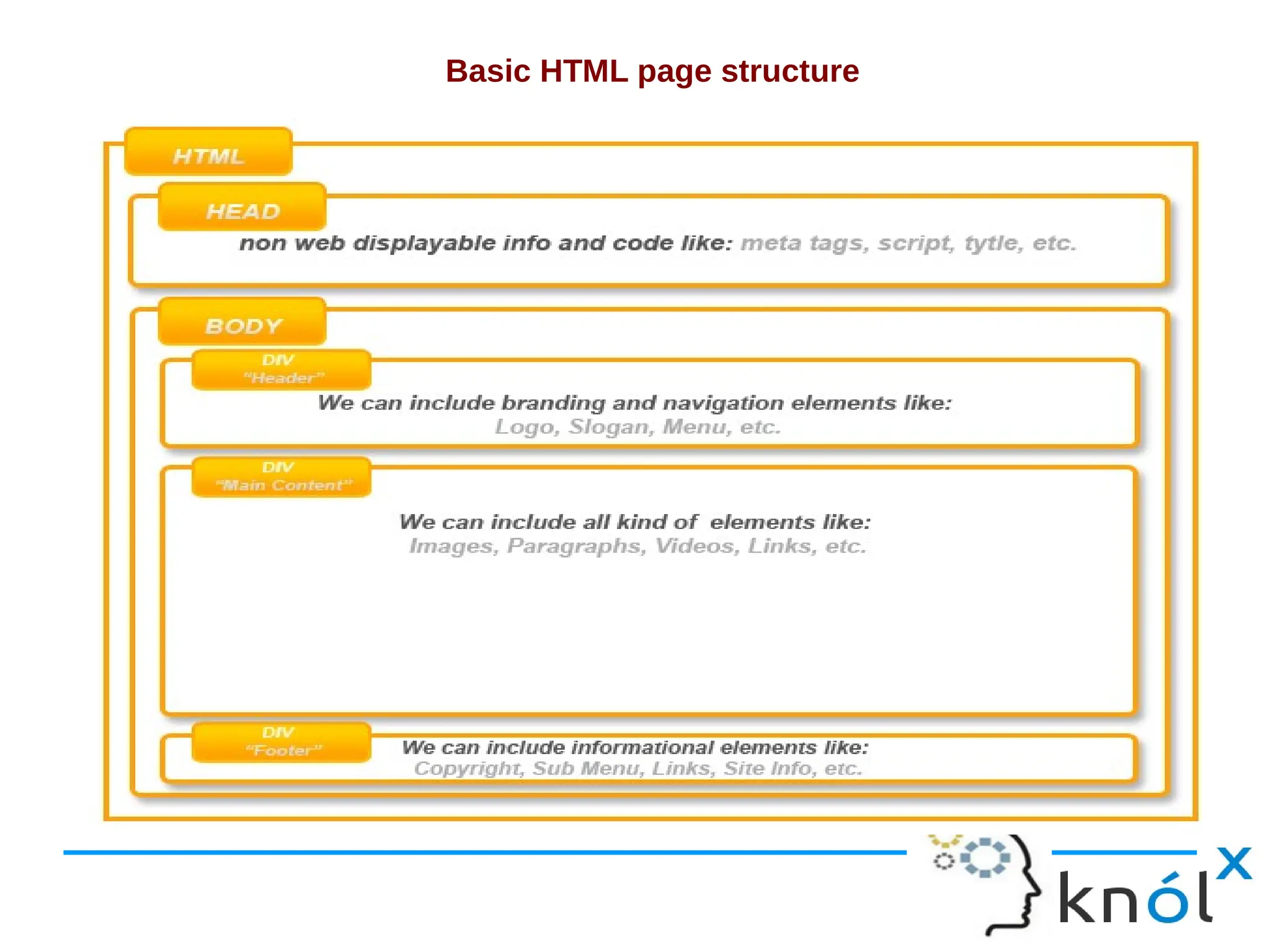
Basic HTML page structure
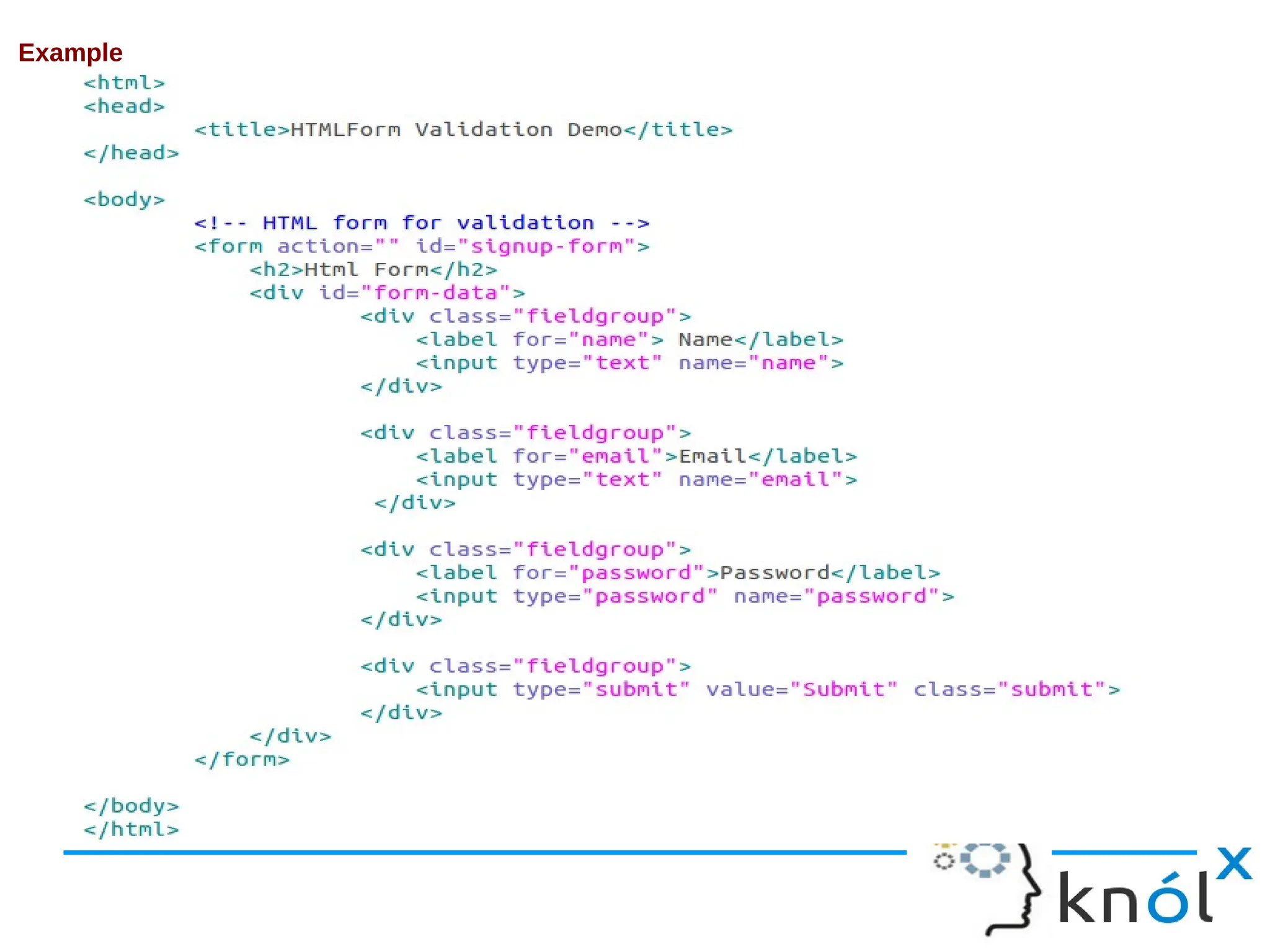
Example
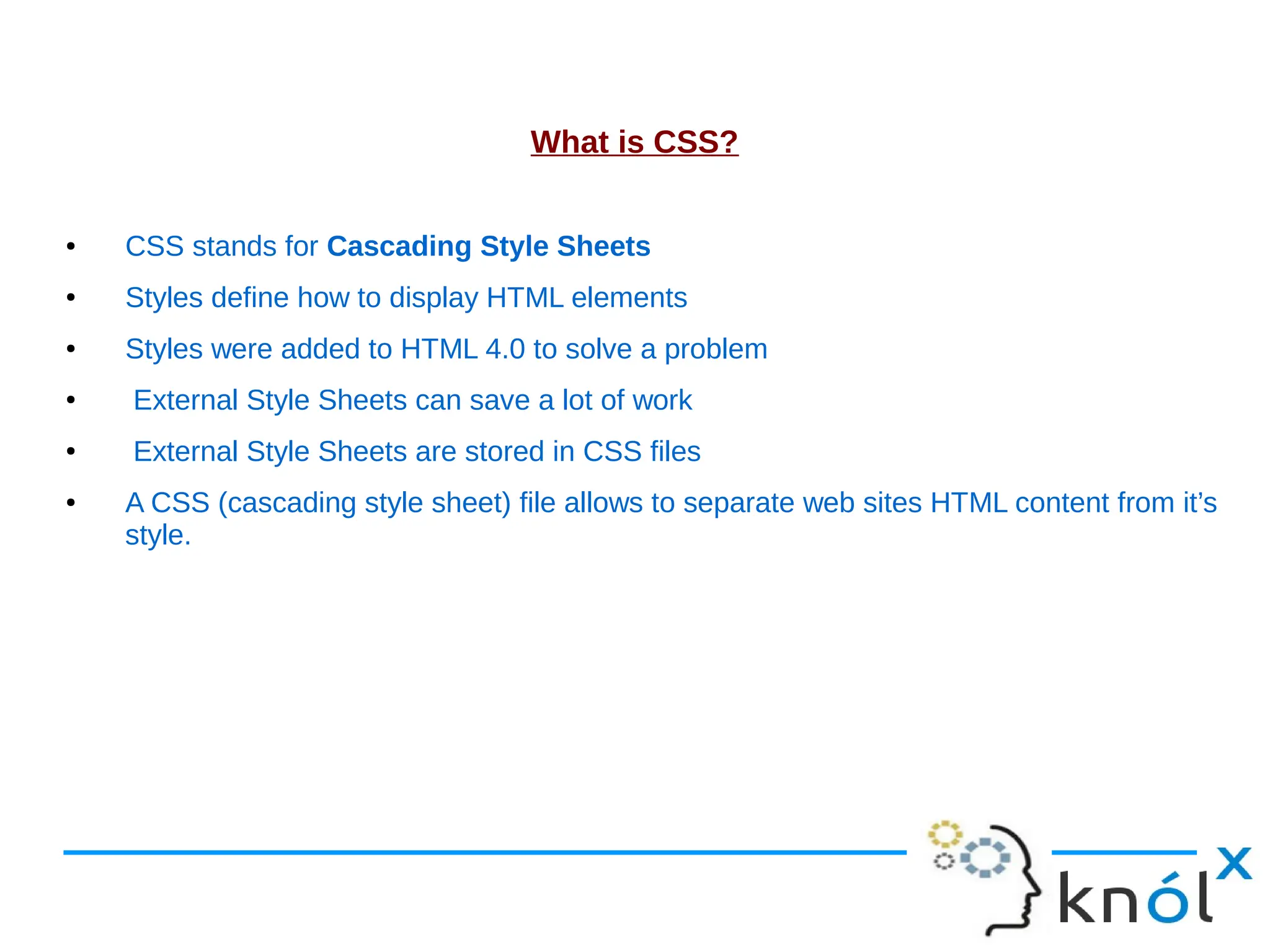
What is CSS? ● CSS stands for Cascading Style Sheets ● Styles define how to display HTML elements ● Styles were added to HTML 4.0 to solve a problem ● External Style Sheets can save a lot of work ● External Style Sheets are stored in CSS files ● A CSS (cascading style sheet) file allows to separate web sites HTML content from it’s style.
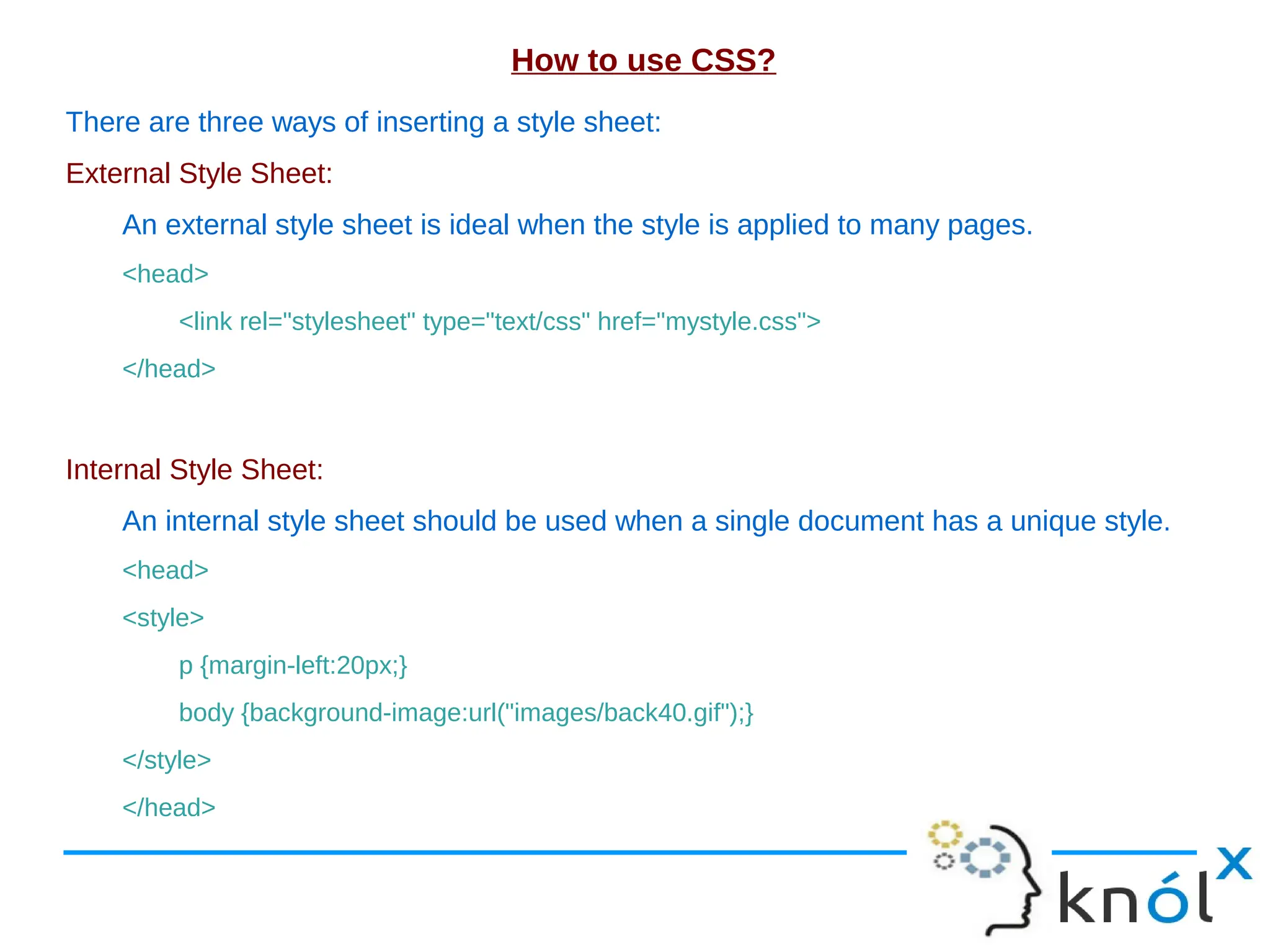
How to use CSS? There are three ways of inserting a style sheet: External Style Sheet: An external style sheet is ideal when the style is applied to many pages. <head> <link rel="stylesheet" type="text/css" href="mystyle.css"> </head> Internal Style Sheet: An internal style sheet should be used when a single document has a unique style. <head> <style> p {margin-left:20px;} body {background-image:url("images/back40.gif");} </style> </head>
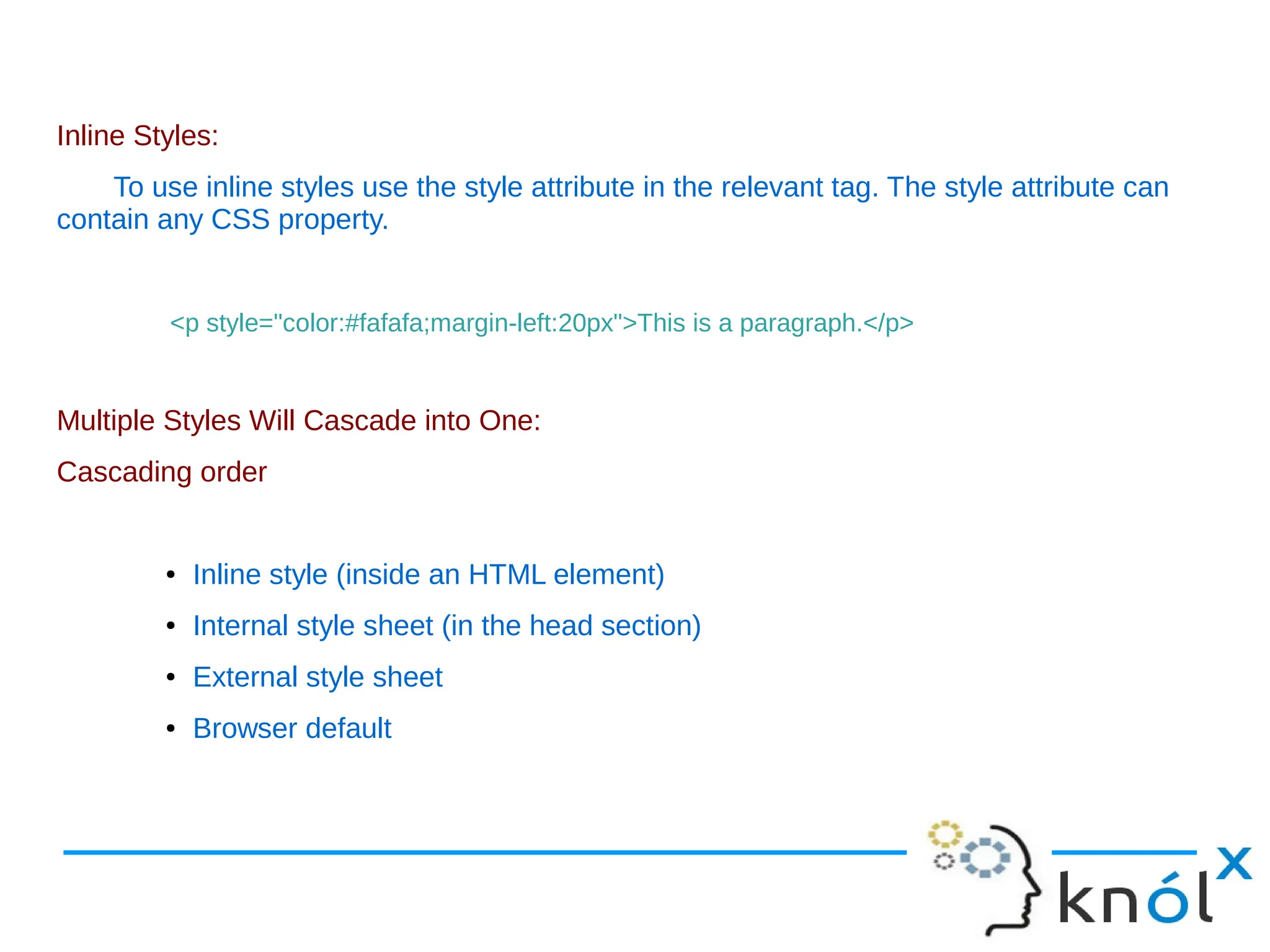
Inline Styles: To use inline styles use the style attribute in the relevant tag. The style attribute can contain any CSS property. <p style="color:#fafafa;margin-left:20px">This is a paragraph.</p> Multiple Styles Will Cascade into One: Cascading order ● Inline style (inside an HTML element) ● Internal style sheet (in the head section) ● External style sheet ● Browser default
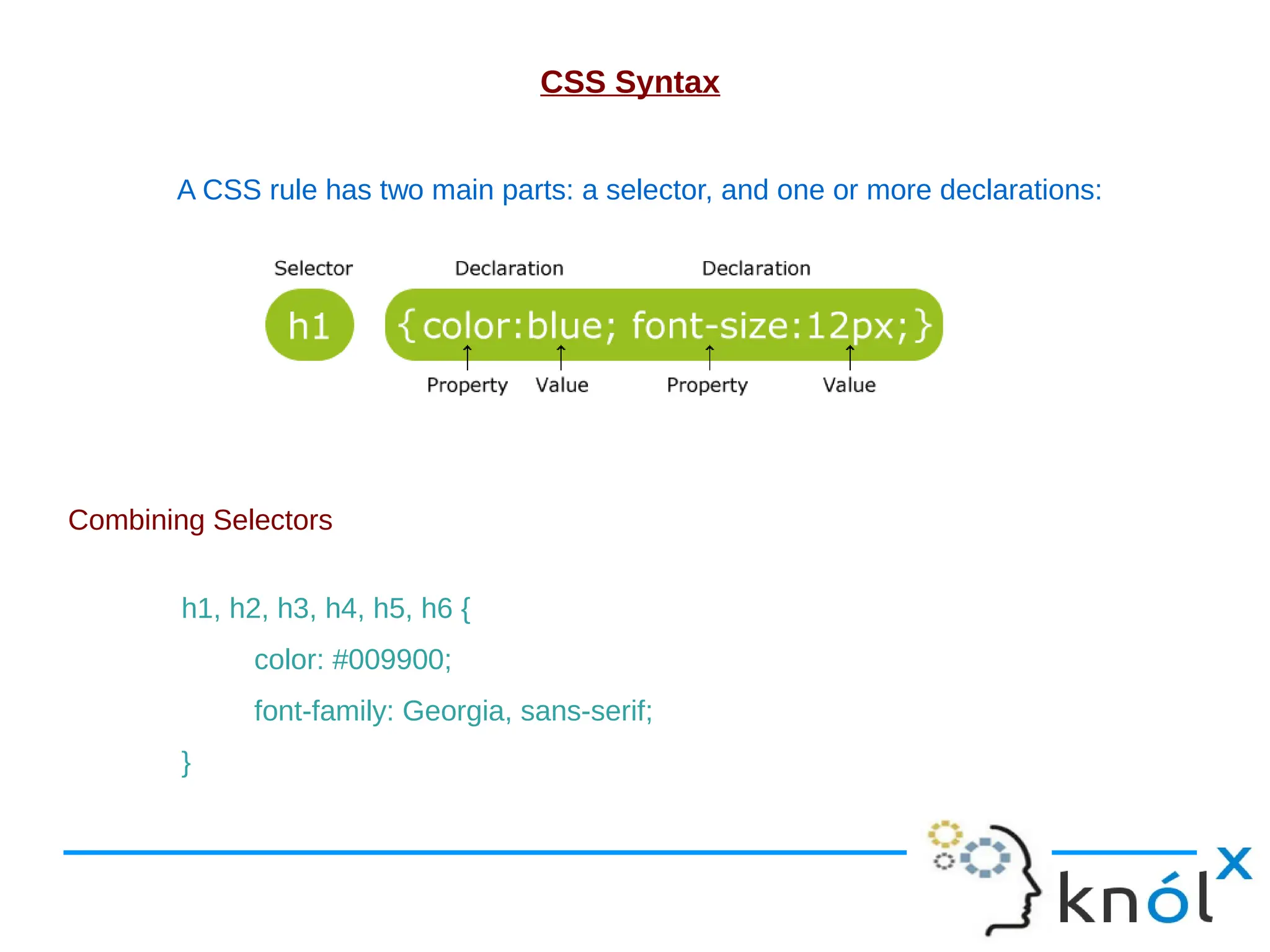
CSS Syntax A CSS rule has two main parts: a selector, and one or more declarations: Combining Selectors h1, h2, h3, h4, h5, h6 { color: #009900; font-family: Georgia, sans-serif; }
The id Selector The id selector is used to specify a style for a single, unique element. The id selector uses the id attribute of the HTML element, and is defined with a "#". Syntax #selector-id { property : value ; } The class Selector The class selector is used to specify a style for a group of elements. The class selector uses the HTML class attribute, and is defined with a "." Syntax .selector-class { property : value ; }
CSS Anchors, Links and Pseudo Classes: Below are the various ways you can use CSS to style links. a:link {color: #009900;} a:visited {color: #999999;} a:hover {color: #333333;} a:focus {color: #333333;} a:active {color: #009900;}
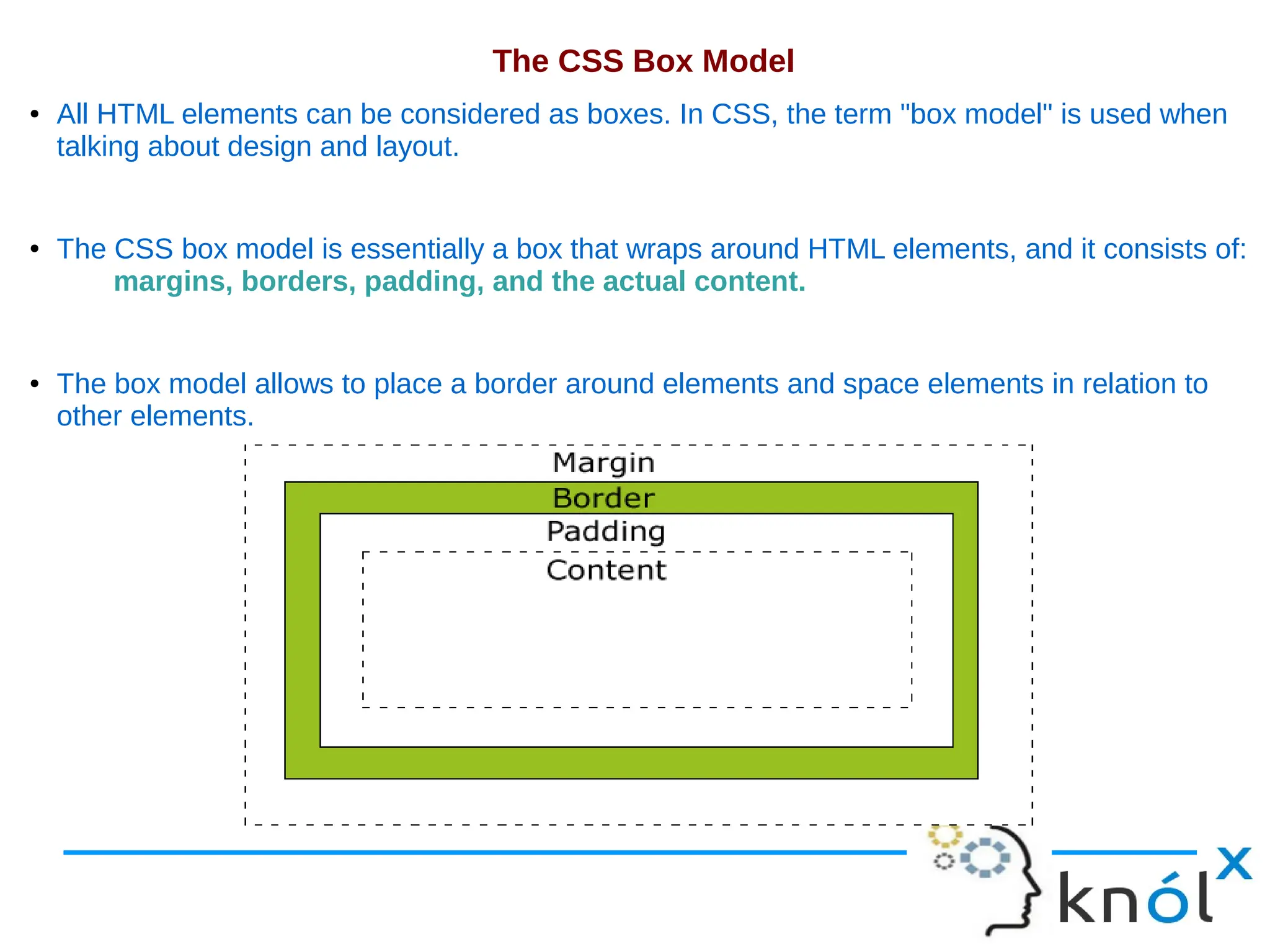
The CSS Box Model ● All HTML elements can be considered as boxes. In CSS, the term "box model" is used when talking about design and layout. ● The CSS box model is essentially a box that wraps around HTML elements, and it consists of: margins, borders, padding, and the actual content. ● The box model allows to place a border around elements and space elements in relation to other elements.
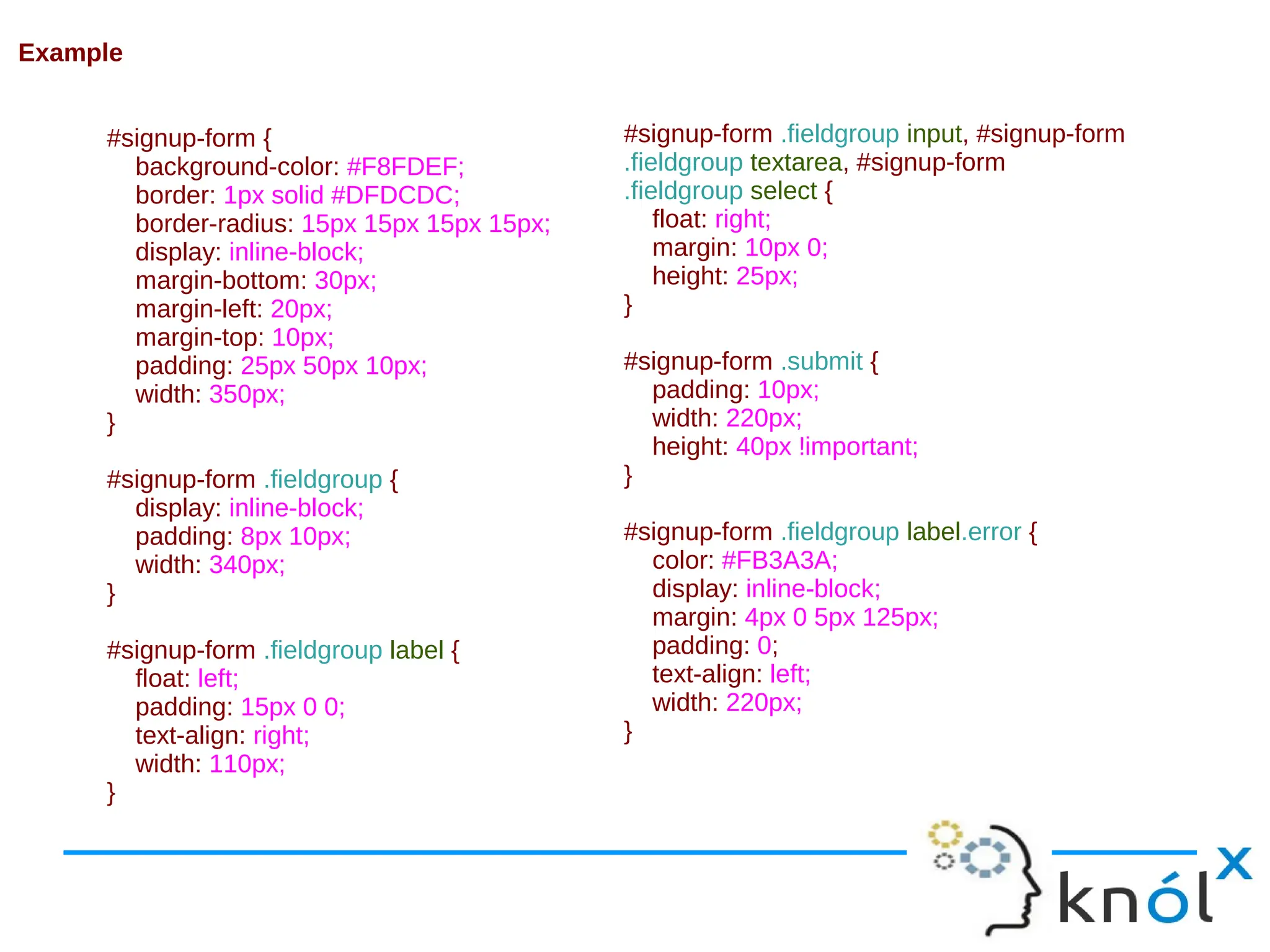
#signup-form { background-color: #F8FDEF; border: 1px solid #DFDCDC; border-radius: 15px 15px 15px 15px; display: inline-block; margin-bottom: 30px; margin-left: 20px; margin-top: 10px; padding: 25px 50px 10px; width: 350px; } #signup-form .fieldgroup { display: inline-block; padding: 8px 10px; width: 340px; } #signup-form .fieldgroup label { float: left; padding: 15px 0 0; text-align: right; width: 110px; } #signup-form .fieldgroup input, #signup-form .fieldgroup textarea, #signup-form .fieldgroup select { float: right; margin: 10px 0; height: 25px; } #signup-form .submit { padding: 10px; width: 220px; height: 40px !important; } #signup-form .fieldgroup label.error { color: #FB3A3A; display: inline-block; margin: 4px 0 5px 125px; padding: 0; text-align: left; width: 220px; } Example
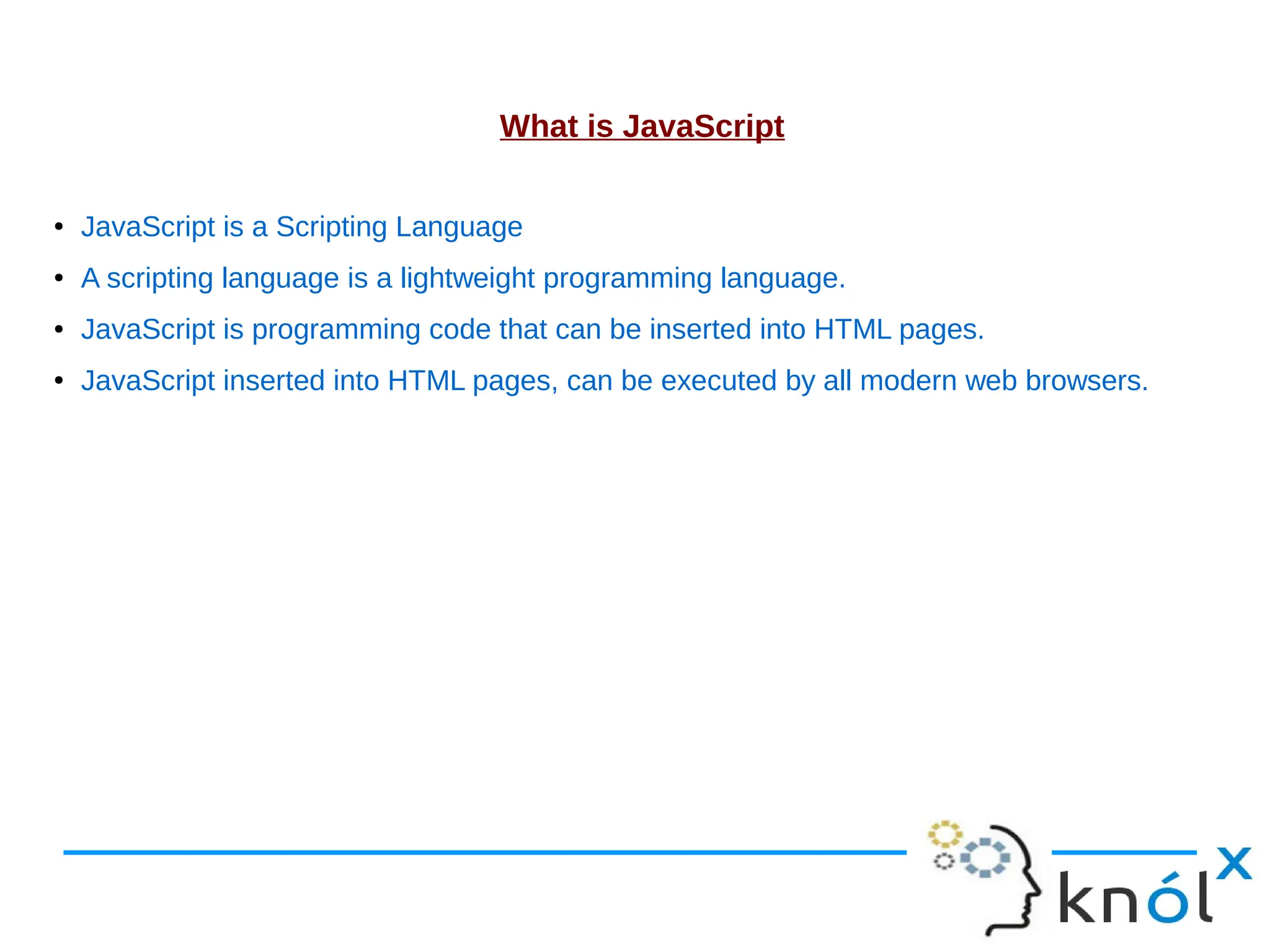
What is JavaScript ● JavaScript is a Scripting Language ● A scripting language is a lightweight programming language. ● JavaScript is programming code that can be inserted into HTML pages. ● JavaScript inserted into HTML pages, can be executed by all modern web browsers.
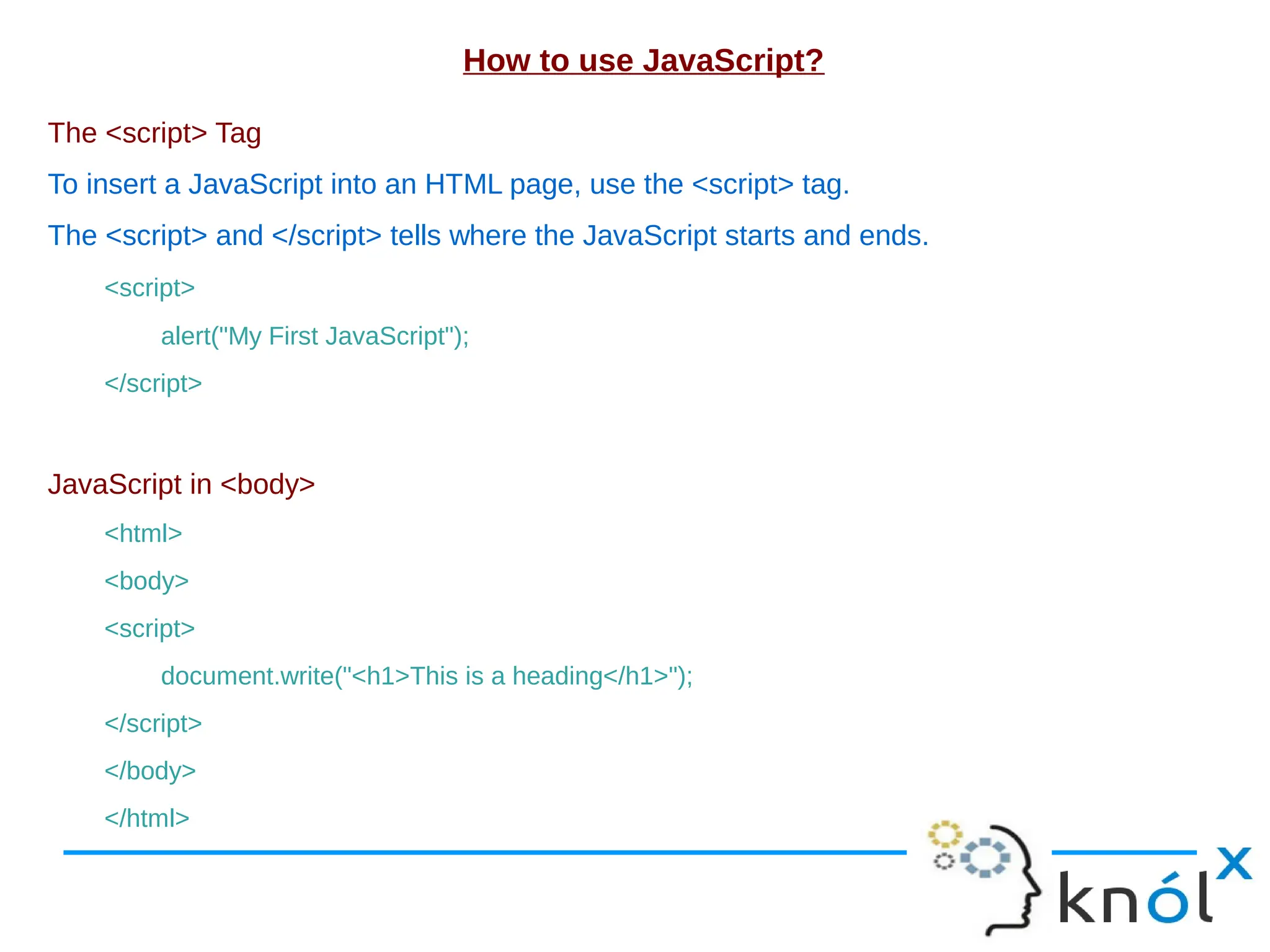
How to use JavaScript? The <script> Tag To insert a JavaScript into an HTML page, use the <script> tag. The <script> and </script> tells where the JavaScript starts and ends. <script> alert("My First JavaScript"); </script> JavaScript in <body> <html> <body> <script> document.write("<h1>This is a heading</h1>"); </script> </body> </html>
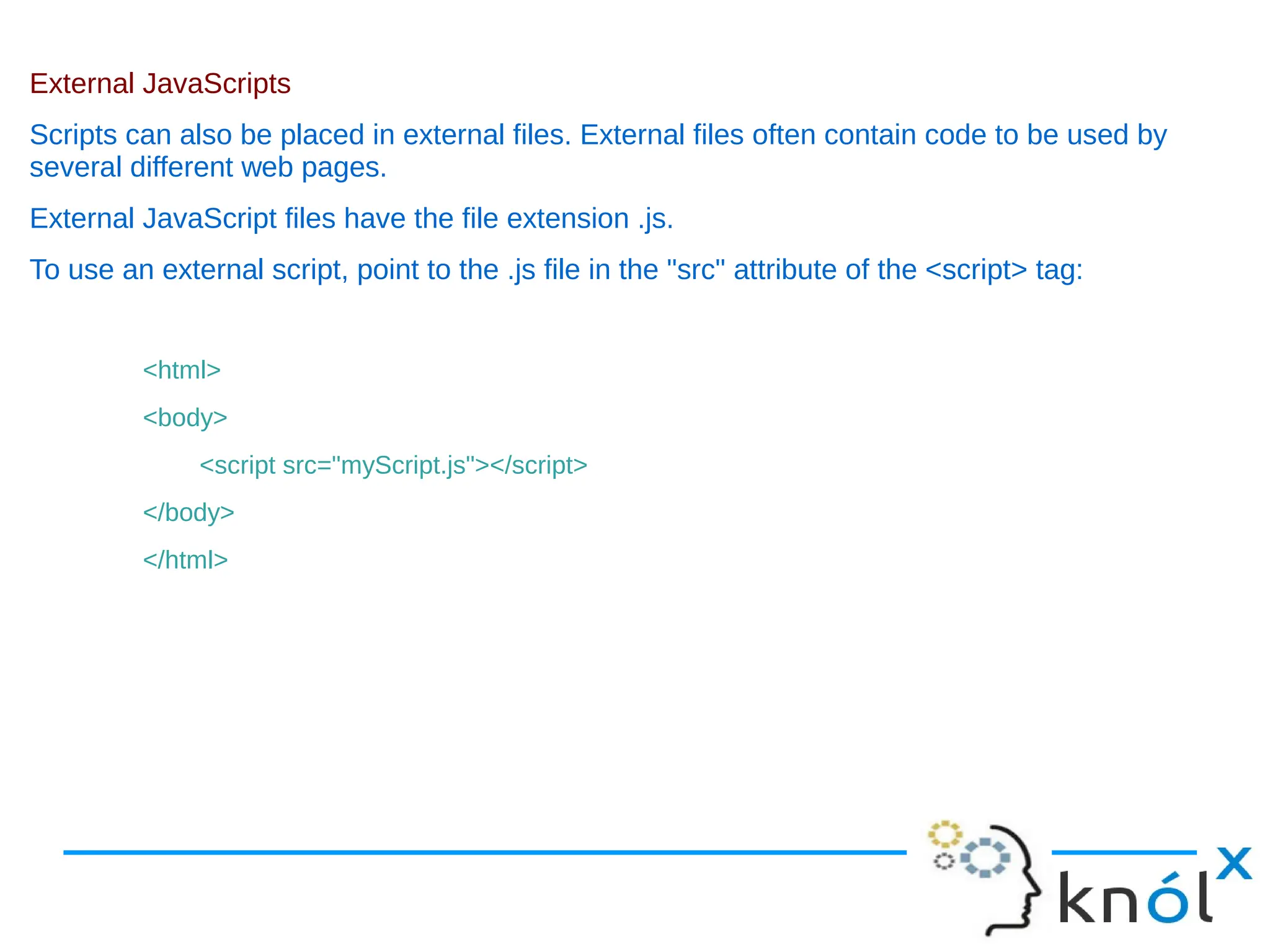
External JavaScripts Scripts can also be placed in external files. External files often contain code to be used by several different web pages. External JavaScript files have the file extension .js. To use an external script, point to the .js file in the "src" attribute of the <script> tag: <html> <body> <script src="myScript.js"></script> </body> </html>
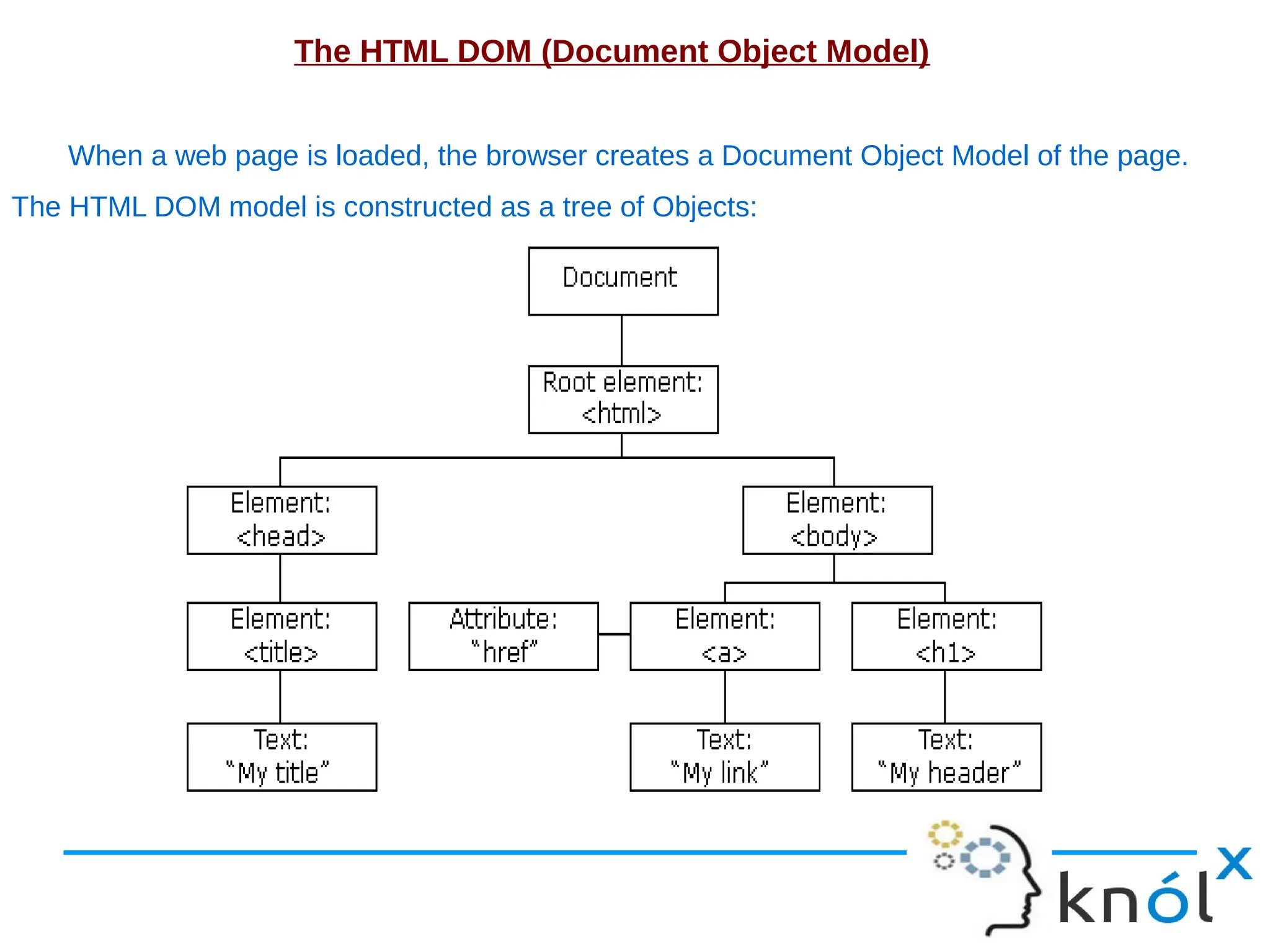
The HTML DOM (Document Object Model) When a web page is loaded, the browser creates a Document Object Model of the page. The HTML DOM model is constructed as a tree of Objects:
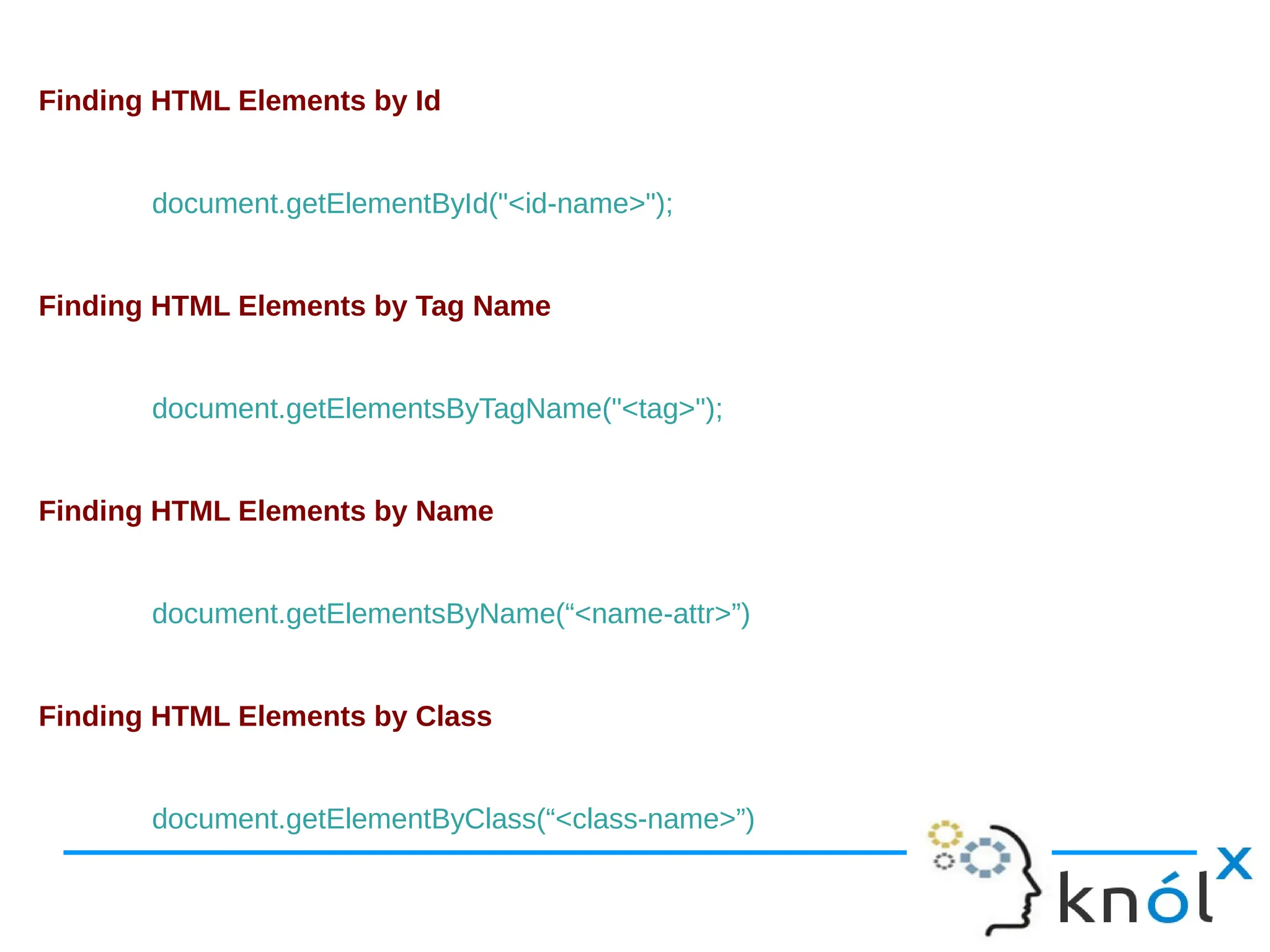
Finding HTML Elements by Id document.getElementById("<id-name>"); Finding HTML Elements by Tag Name document.getElementsByTagName("<tag>"); Finding HTML Elements by Name document.getElementsByName(“<name-attr>”) Finding HTML Elements by Class document.getElementByClass(“<class-name>”)
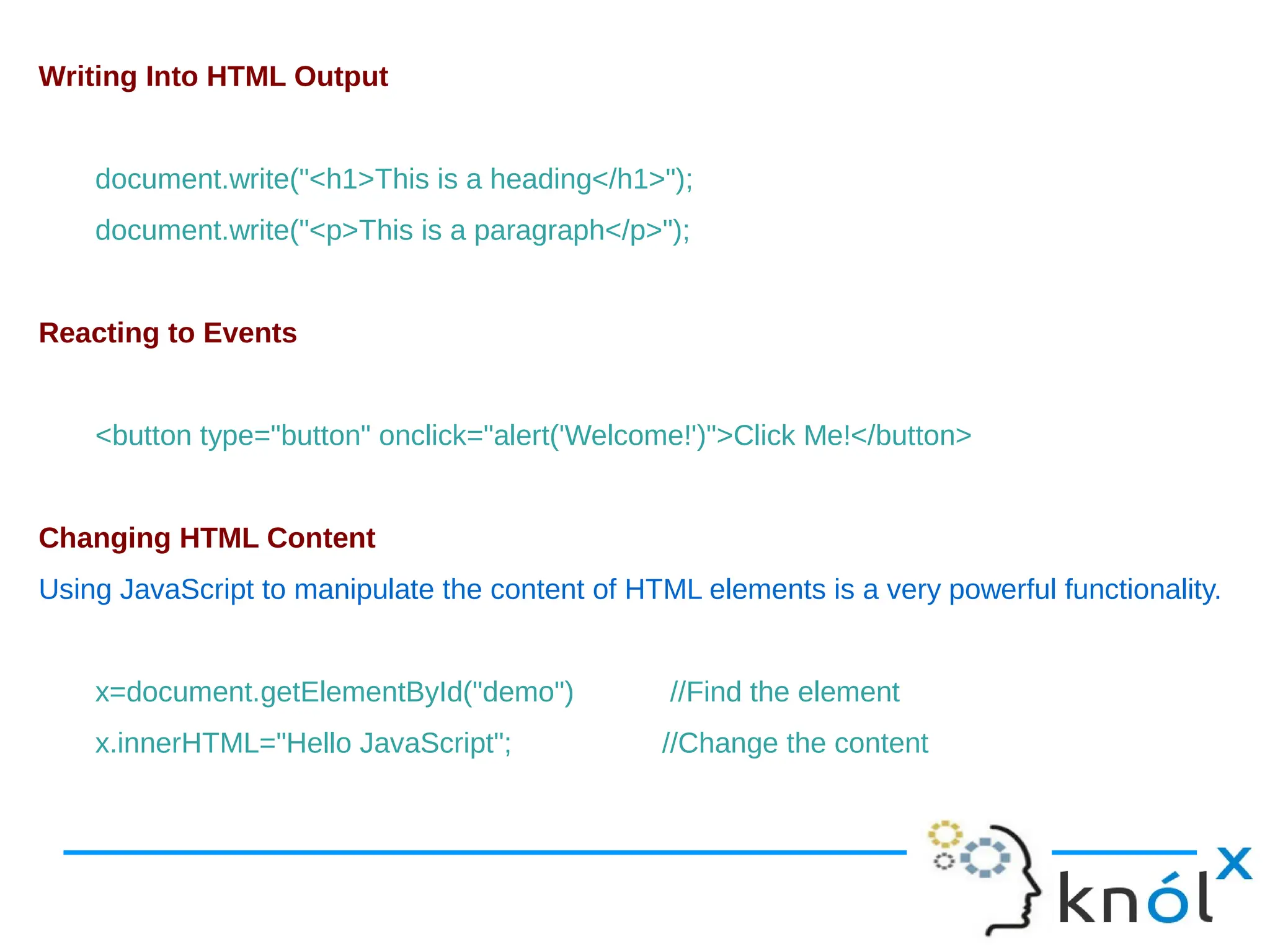
Writing Into HTML Output document.write("<h1>This is a heading</h1>"); document.write("<p>This is a paragraph</p>"); Reacting to Events <button type="button" onclick="alert('Welcome!')">Click Me!</button> Changing HTML Content Using JavaScript to manipulate the content of HTML elements is a very powerful functionality. x=document.getElementById("demo") //Find the element x.innerHTML="Hello JavaScript"; //Change the content
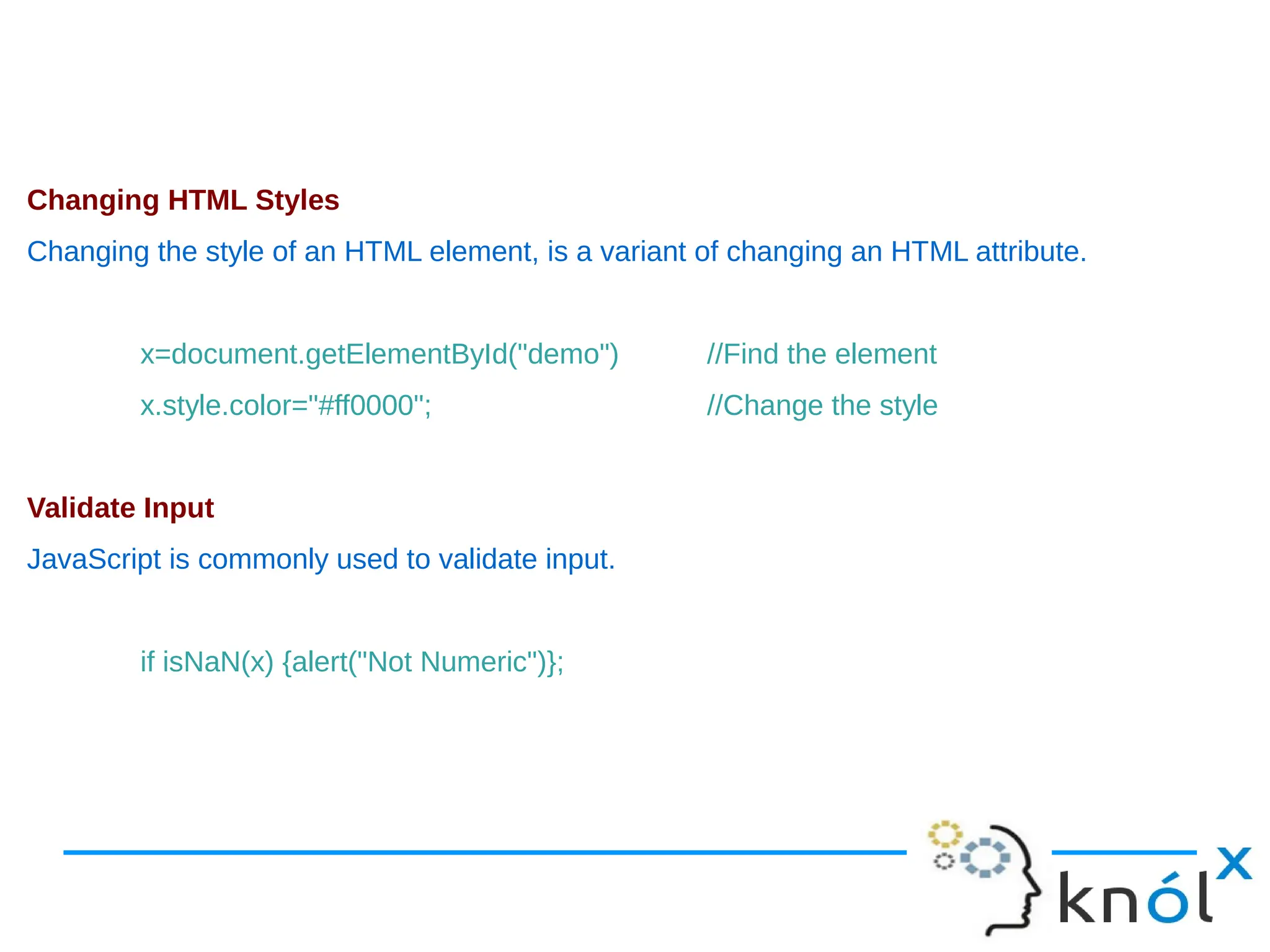
Changing HTML Styles Changing the style of an HTML element, is a variant of changing an HTML attribute. x=document.getElementById("demo") //Find the element x.style.color="#ff0000"; //Change the style Validate Input JavaScript is commonly used to validate input. if isNaN(x) {alert("Not Numeric")};
Example function validateForm() { var nameValue=document.getElementById('name'); verifyName(nameValue); var emailValue=document.getElementById('email'); verifyEmail(emailValue); var password=document.getElementById('password'); verifyPassword(password,8,12); } function verifyName(uname) { var letters = /^[A-Za-z]+$/; if(uname.value.match(letters)) { return true; } else { alert('Invalid name'); return false; } }
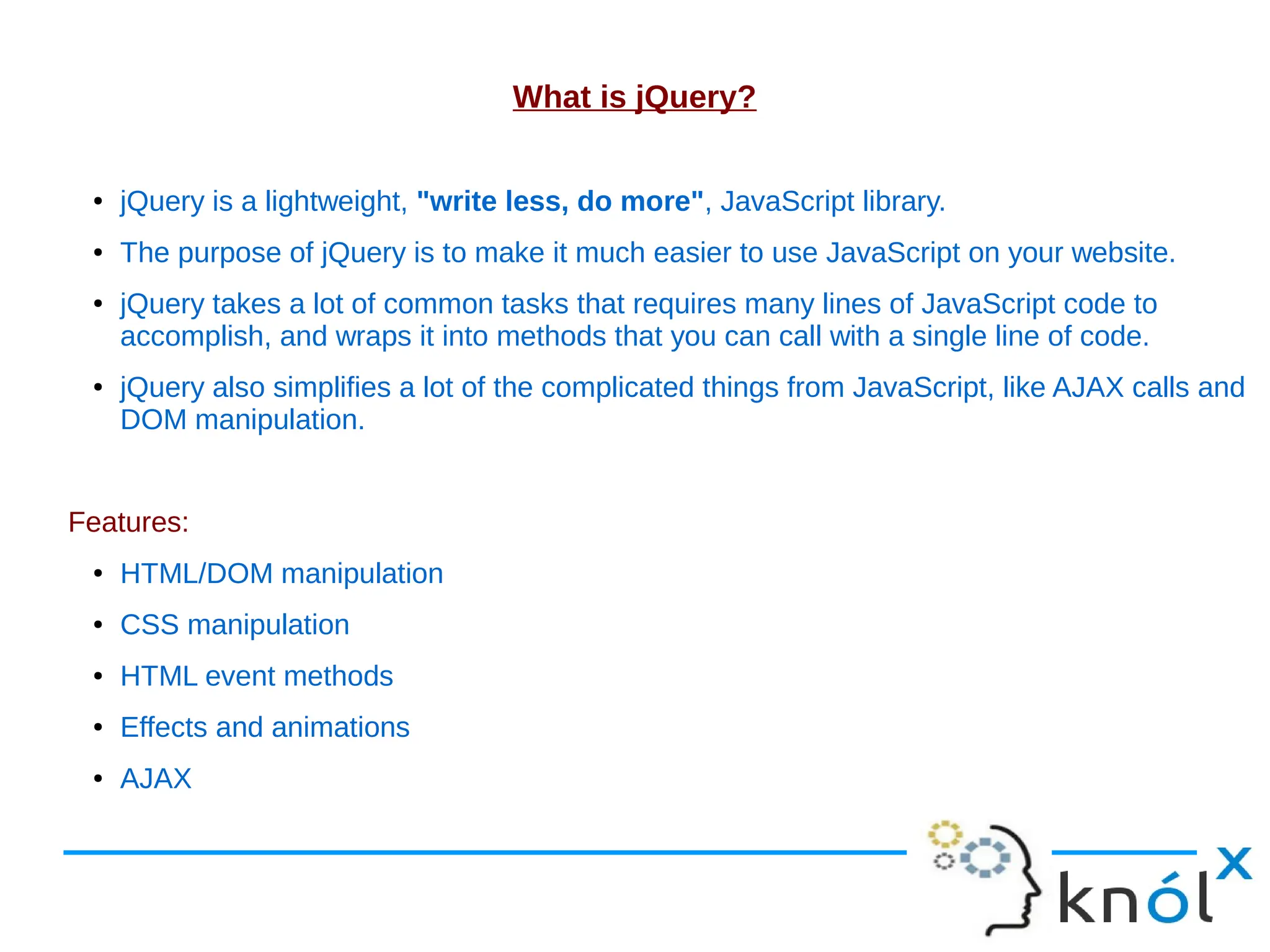
What is jQuery? ● jQuery is a lightweight, "write less, do more", JavaScript library. ● The purpose of jQuery is to make it much easier to use JavaScript on your website. ● jQuery takes a lot of common tasks that requires many lines of JavaScript code to accomplish, and wraps it into methods that you can call with a single line of code. ● jQuery also simplifies a lot of the complicated things from JavaScript, like AJAX calls and DOM manipulation. Features: ● HTML/DOM manipulation ● CSS manipulation ● HTML event methods ● Effects and animations ● AJAX
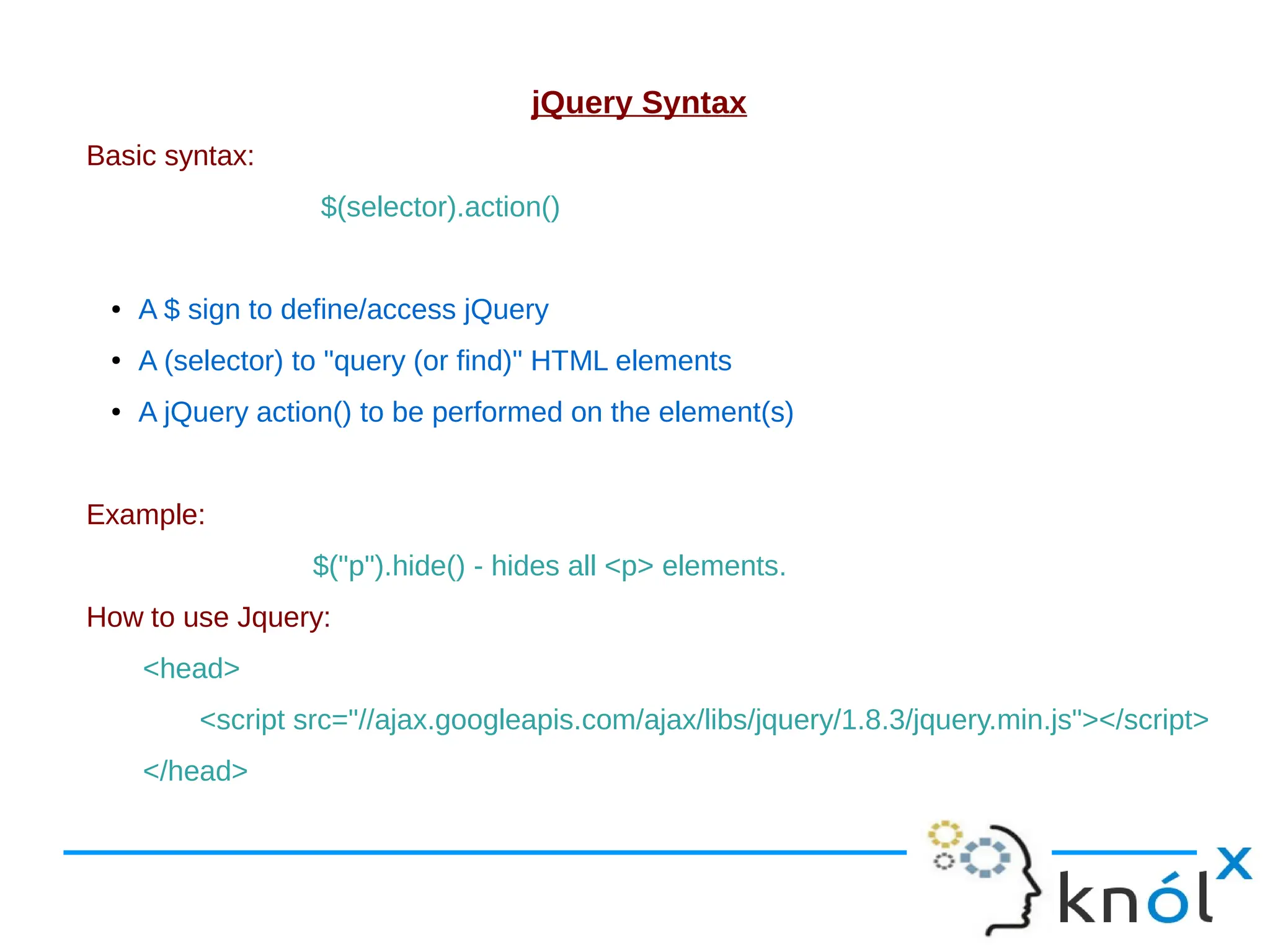
jQuery Syntax Basic syntax: $(selector).action() ● A $ sign to define/access jQuery ● A (selector) to "query (or find)" HTML elements ● A jQuery action() to be performed on the element(s) Example: $("p").hide() - hides all <p> elements. How to use Jquery: <head> <script src="//ajax.googleapis.com/ajax/libs/jquery/1.8.3/jquery.min.js"></script> </head>
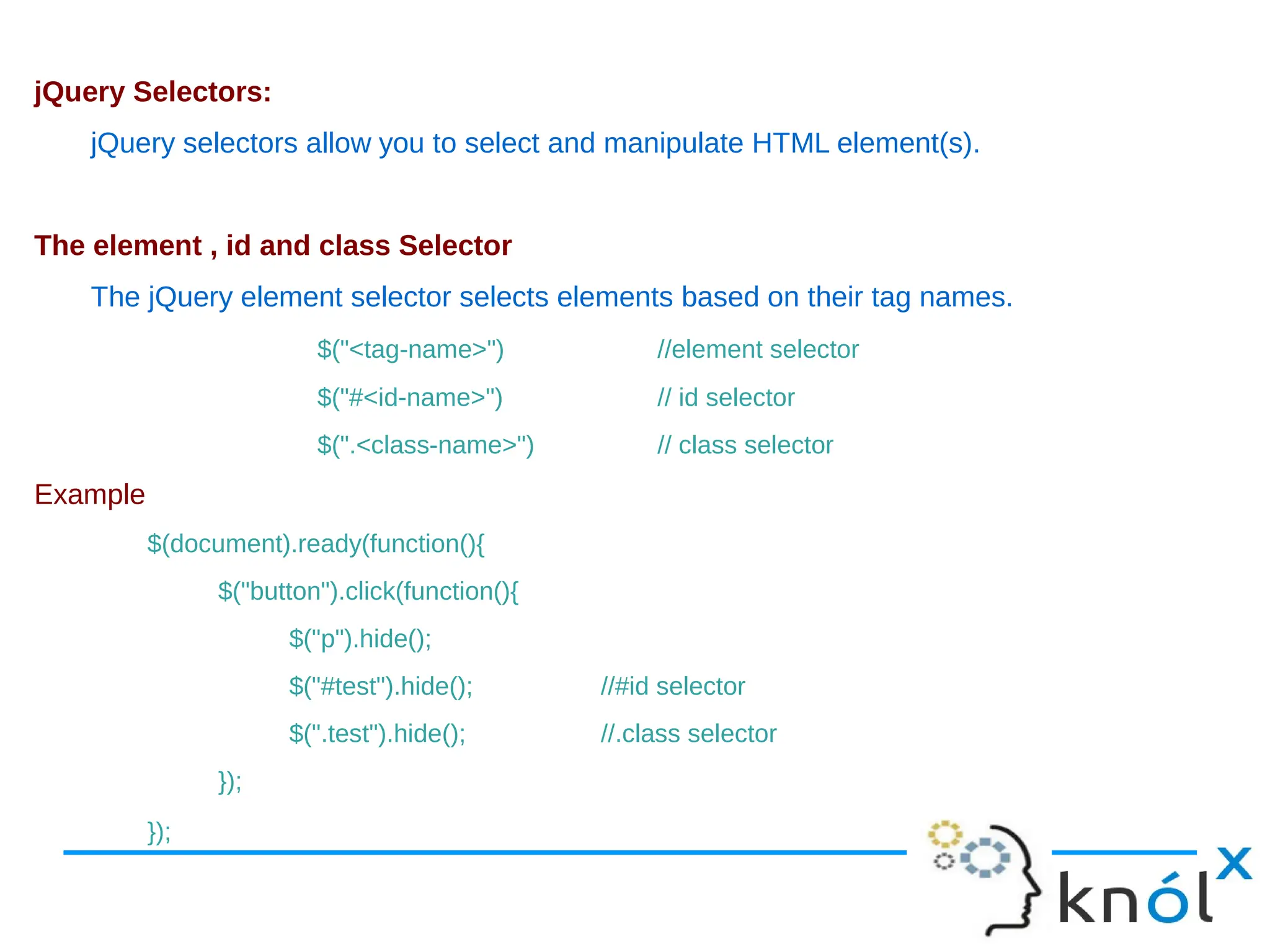
jQuery Selectors: jQuery selectors allow you to select and manipulate HTML element(s). The element , id and class Selector The jQuery element selector selects elements based on their tag names. $("<tag-name>") //element selector $("#<id-name>") // id selector $(".<class-name>") // class selector Example $(document).ready(function(){ $("button").click(function(){ $("p").hide(); $("#test").hide(); //#id selector $(".test").hide(); //.class selector }); });
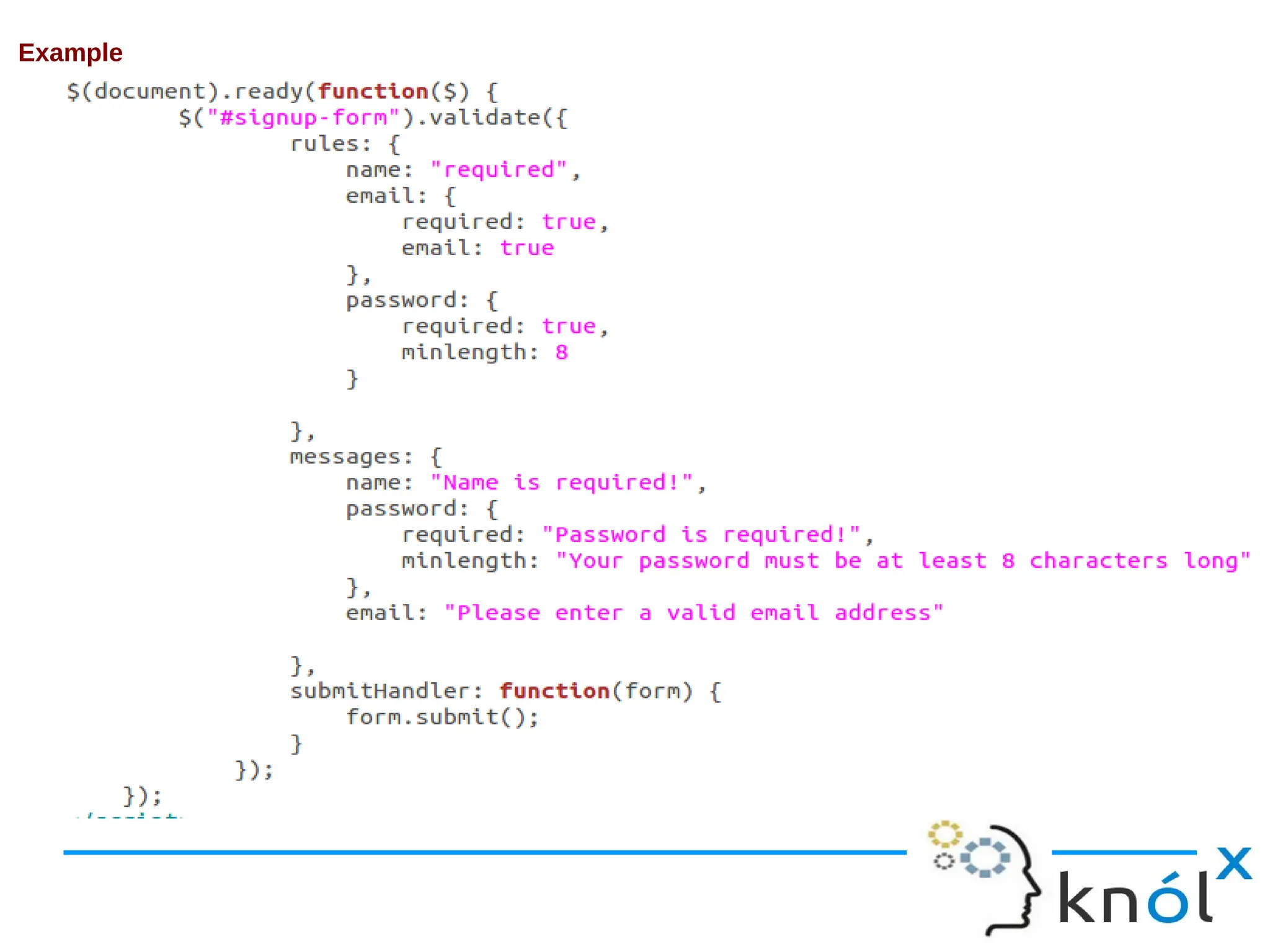
Example
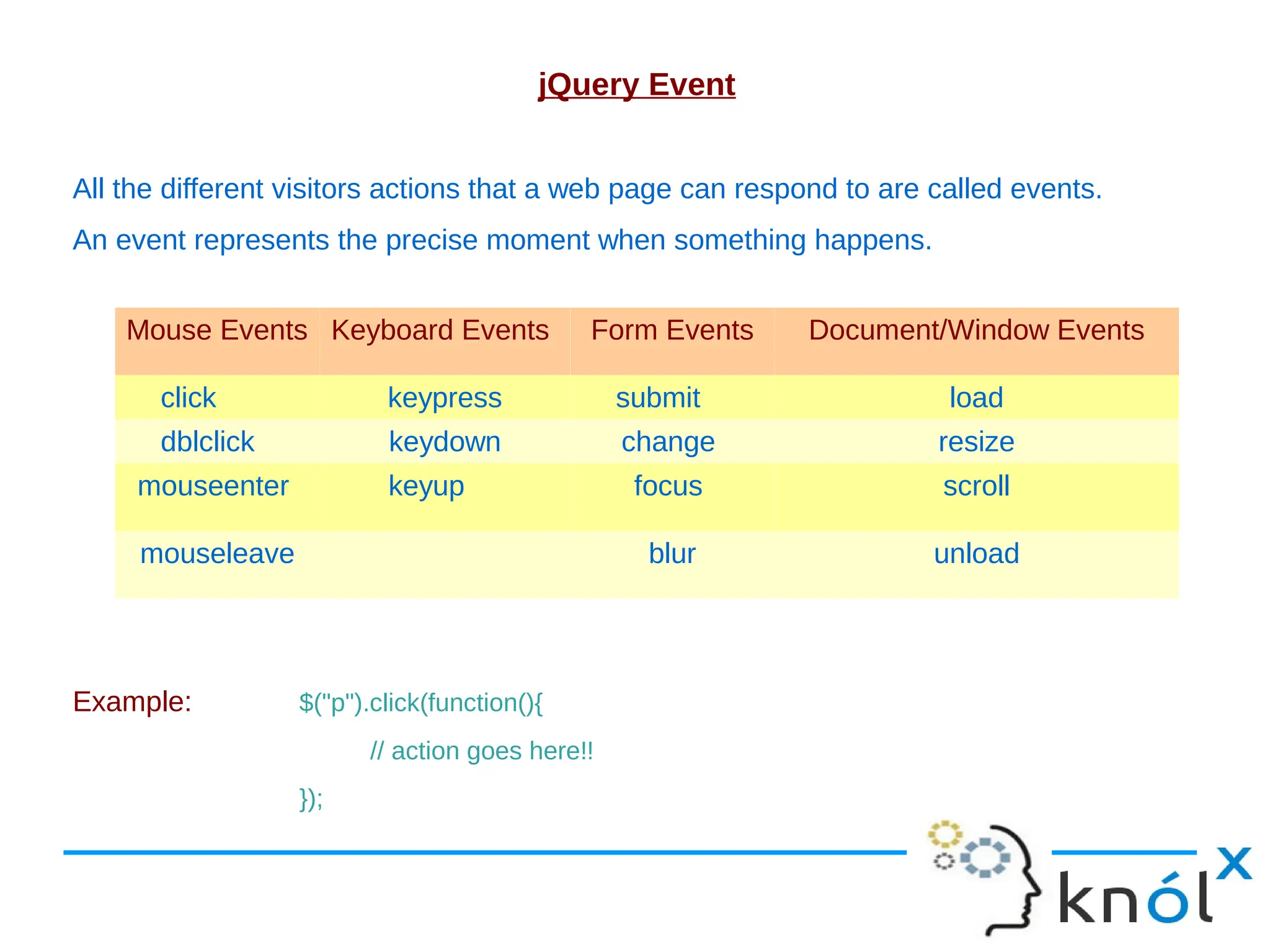
jQuery Event All the different visitors actions that a web page can respond to are called events. An event represents the precise moment when something happens. Example: $("p").click(function(){ // action goes here!! }); Mouse Events Keyboard Events Form Events Document/Window Events click keypress submit load dblclick keydown change resize mouseenter keyup focus scroll mouseleave blur unload
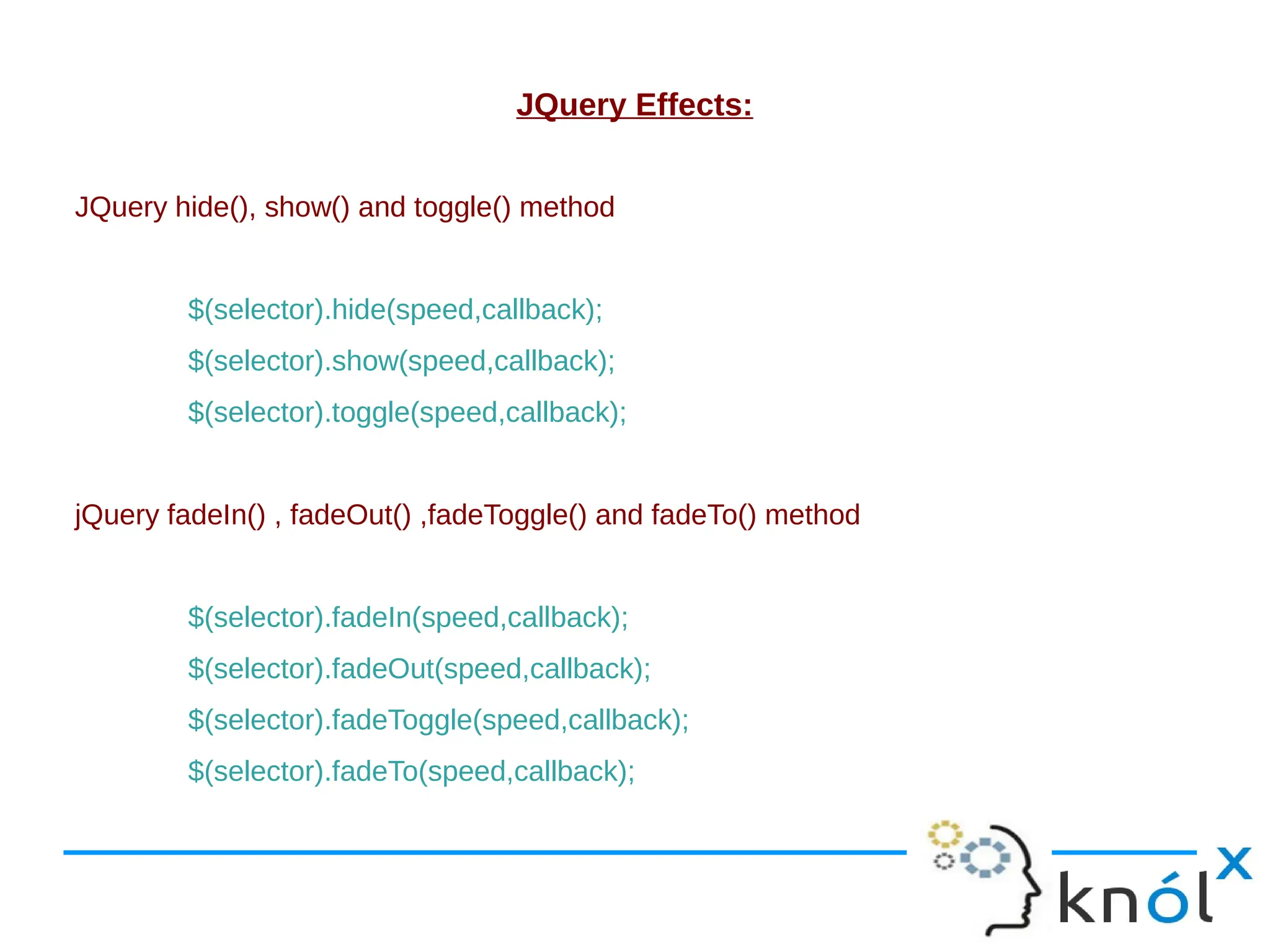
JQuery Effects: JQuery hide(), show() and toggle() method $(selector).hide(speed,callback); $(selector).show(speed,callback); $(selector).toggle(speed,callback); jQuery fadeIn() , fadeOut() ,fadeToggle() and fadeTo() method $(selector).fadeIn(speed,callback); $(selector).fadeOut(speed,callback); $(selector).fadeToggle(speed,callback); $(selector).fadeTo(speed,callback);
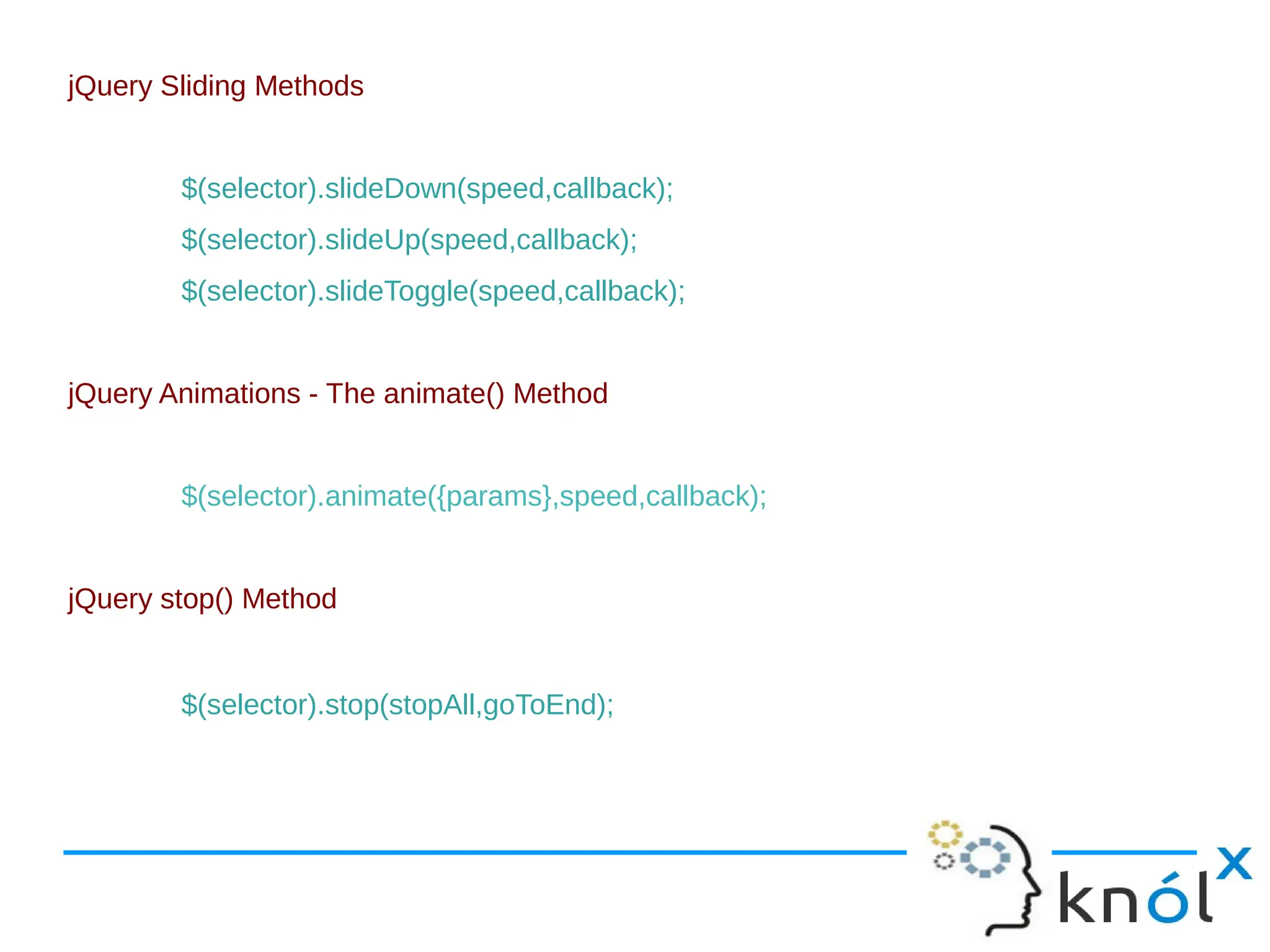
jQuery Sliding Methods $(selector).slideDown(speed,callback); $(selector).slideUp(speed,callback); $(selector).slideToggle(speed,callback); jQuery Animations - The animate() Method $(selector).animate({params},speed,callback); jQuery stop() Method $(selector).stop(stopAll,goToEnd);
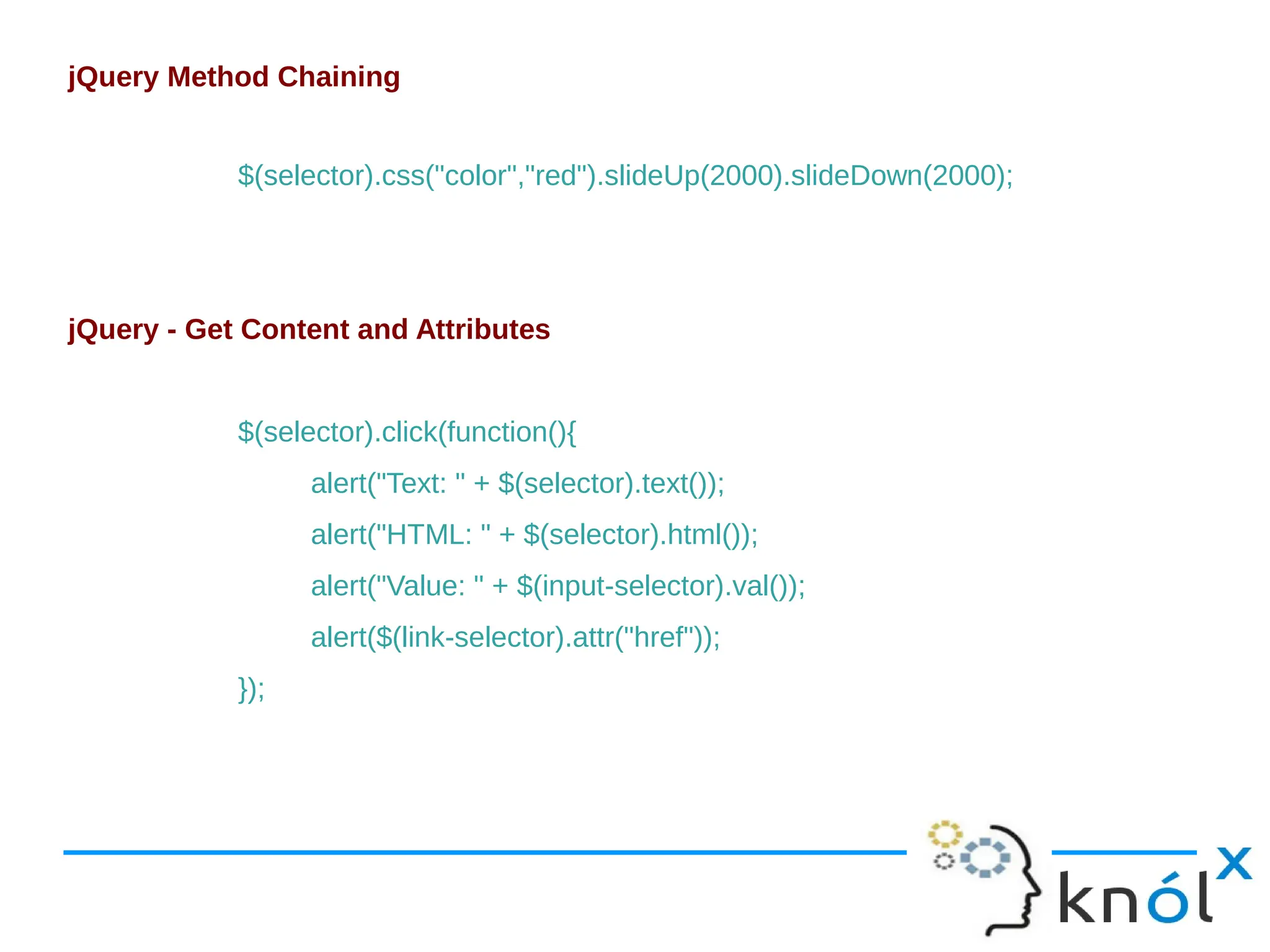
jQuery Method Chaining $(selector).css("color","red").slideUp(2000).slideDown(2000); jQuery - Get Content and Attributes $(selector).click(function(){ alert("Text: " + $(selector).text()); alert("HTML: " + $(selector).html()); alert("Value: " + $(input-selector).val()); alert($(link-selector).attr("href")); });
jQuery - Set Content and Attributes $(selector).click(function(){ $(selector).text("Hello world!"); $(selector).html("<b>Hello world!</b>"); $(input-selector).val("Dolly Duck"); $(link-selector).attr("href","http://www.google.com”); }); jQuery - Add Elements $(selector).append("Some appended text."); $(selector).prepend("Some prepended text.");
jQuery - Remove Elements $("#<id-name>").remove(); jQuery Manipulating CSS addClass() - Adds one or more classes to the selected elements $("<tag-name>").addClass("<class-name>"); removeClass() - Removes one or more classes from the selected elements $("<tag-name>").removeClass("<class-name>"); toggleClass() - Toggles between adding/removing classes from the selected elements $("<tag-name>").toggleClass("<class-name>"); css() - Sets or returns the style attribute $("<tag-name>").css("background-color","yellow");
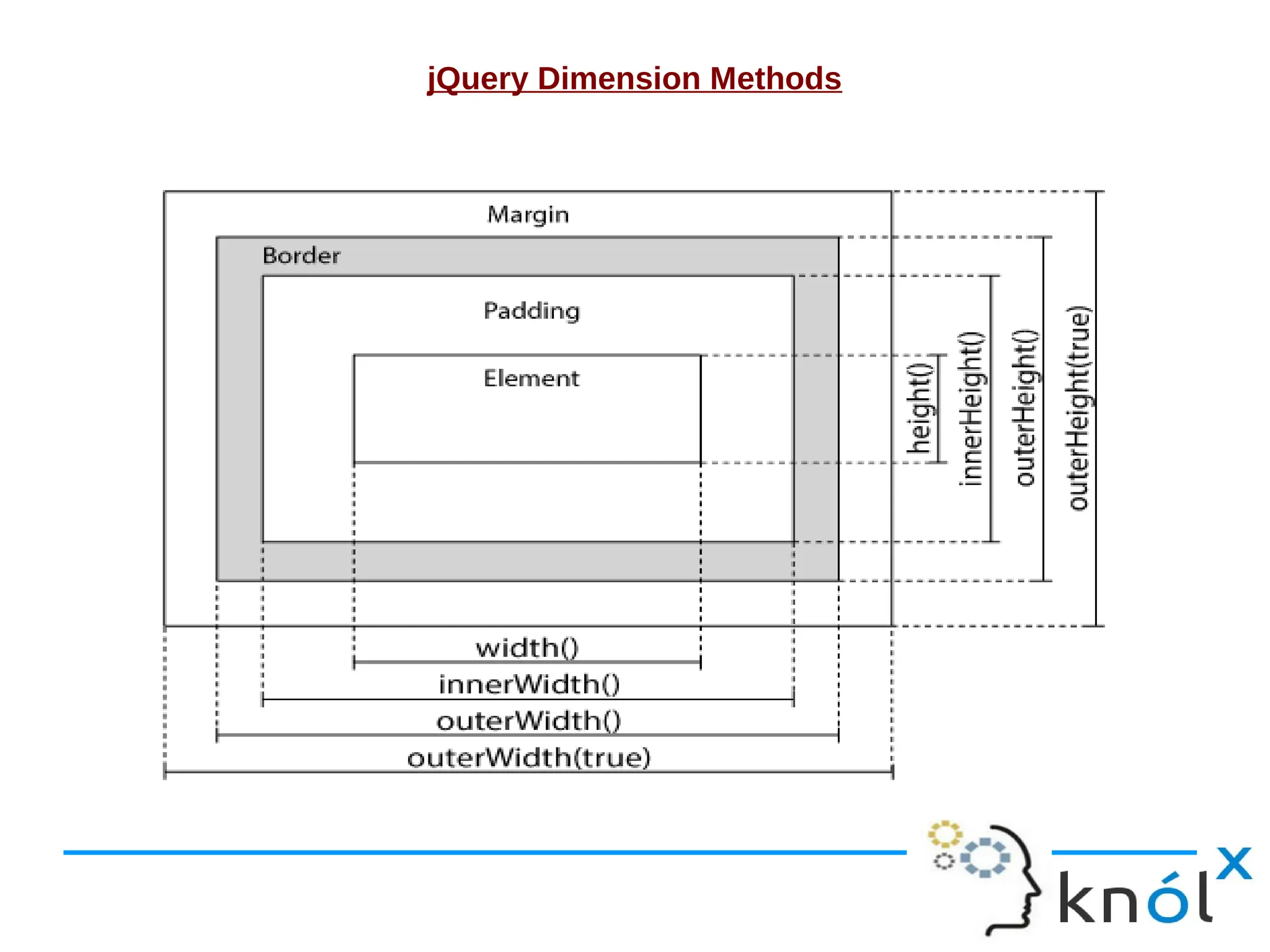
jQuery Dimension Methods
jQuery - AJAX AJAX = Asynchronous JavaScript and XML. In short; AJAX is about loading data in the background and display it on the webpage, without reloading the whole page. jQuery load() Method ● The jQuery load() method is a simple, but powerful AJAX method. ● The load() method loads data from a server and puts the returned data into the selected element. Syntax: $(selector).load(URL,data,callback);
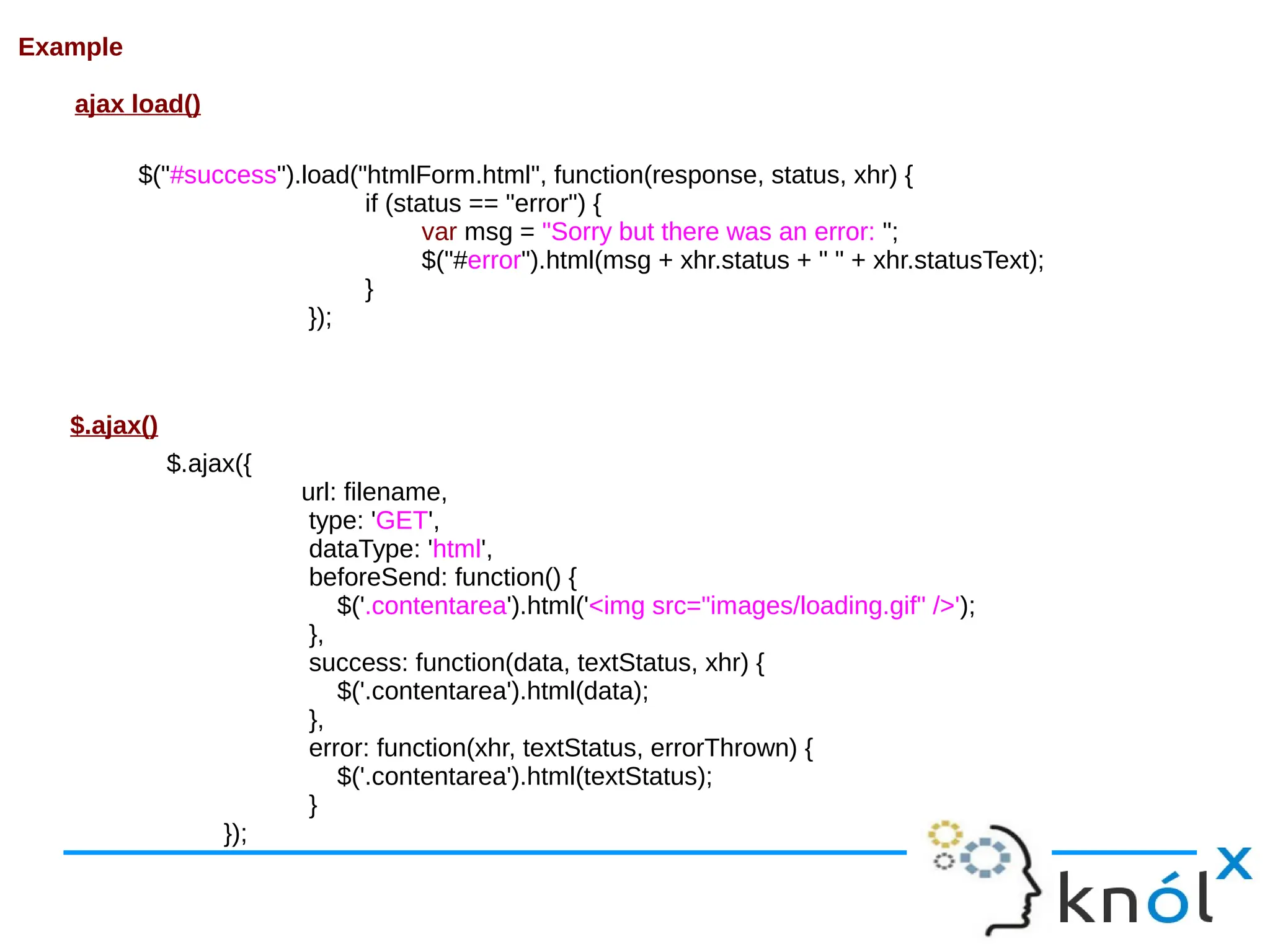
Example ajax load() $.ajax({ url: filename, type: 'GET', dataType: 'html', beforeSend: function() { $('.contentarea').html('<img src="images/loading.gif" />'); }, success: function(data, textStatus, xhr) { $('.contentarea').html(data); }, error: function(xhr, textStatus, errorThrown) { $('.contentarea').html(textStatus); } }); $.ajax() $("#success").load("htmlForm.html", function(response, status, xhr) { if (status == "error") { var msg = "Sorry but there was an error: "; $("#error").html(msg + xhr.status + " " + xhr.statusText); } });
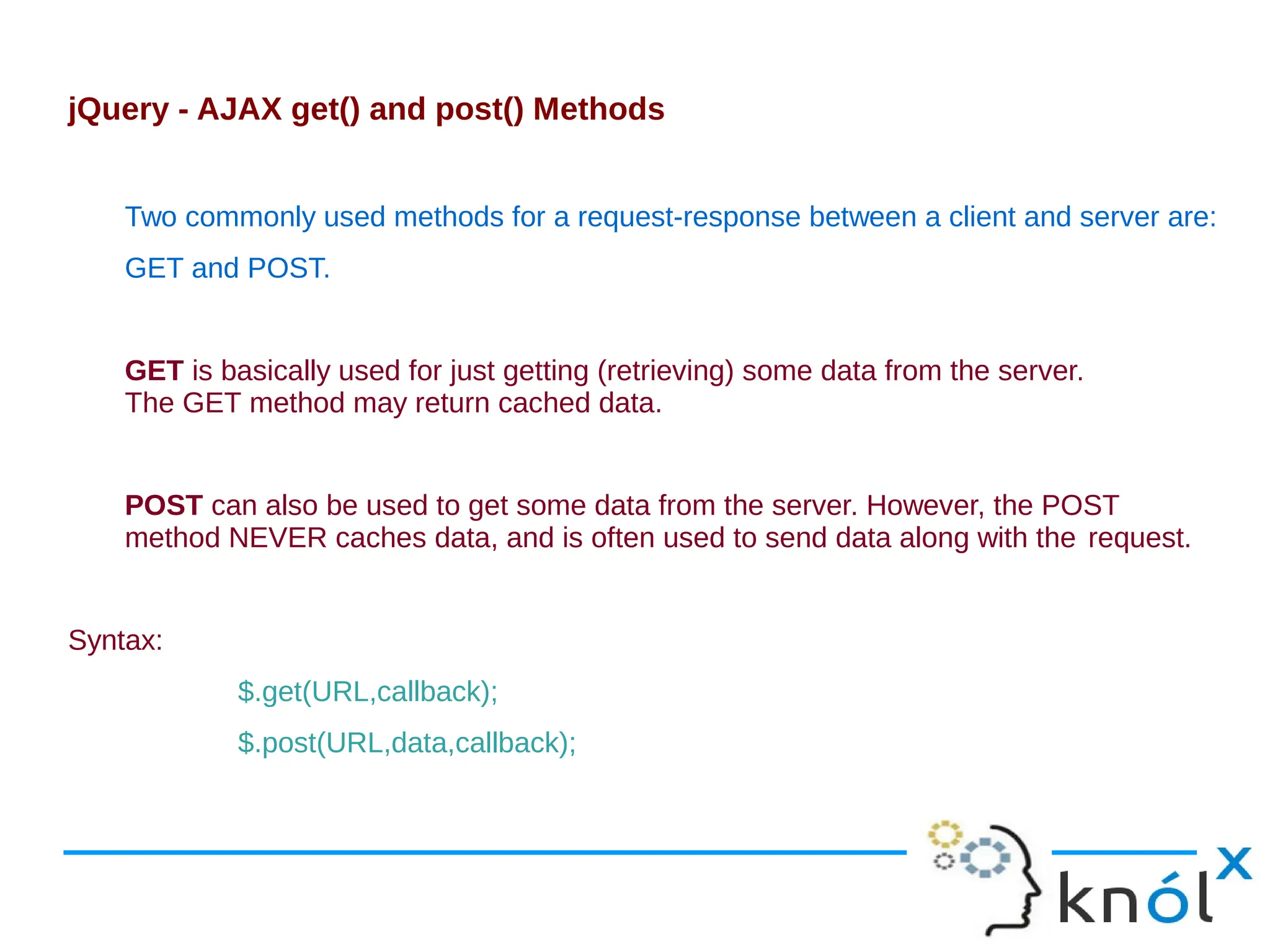
jQuery - AJAX get() and post() Methods Two commonly used methods for a request-response between a client and server are: GET and POST. GET is basically used for just getting (retrieving) some data from the server. The GET method may return cached data. POST can also be used to get some data from the server. However, the POST method NEVER caches data, and is often used to send data along with the request. Syntax: $.get(URL,callback); $.post(URL,data,callback);
Presentation on htmlcssjs-130221085257-phpapp02.pdf

Presentation on htmlcssjs-130221085257-phpapp02.pdf

  • 1.
    Introduction of HTML/CSS/JS RuchiAgarwal Software Consultant Knoldus Software
  • 2.
    What is HTML? ●HTML is a language for describing web pages. ● HTML stands for Hyper Text Markup Language ● HTML is a markup language ● A markup language is a set of markup tags ● The tags describe document content ● HTML documents contain HTML tags and plain text ● HTML documents are also called web pages
  • 3.
    HTML Tags ● HTMLmarkup tags are usually called HTML tags ● HTML tags are keywords (tag names) surrounded by angle brackets like <html> ● HTML tags normally come in pairs like <b> and </b> ● The first tag in a pair is the start tag, the second tag is the end tag ● The end tag is written like the start tag, with a forward slash before the tag name ● Start and end tags are also called opening tags and closing tags <tagname>content</tagname>
  • 4.
    Basic HTML pagestructure
  • 5.
  • 6.
    What is CSS? ●CSS stands for Cascading Style Sheets ● Styles define how to display HTML elements ● Styles were added to HTML 4.0 to solve a problem ● External Style Sheets can save a lot of work ● External Style Sheets are stored in CSS files ● A CSS (cascading style sheet) file allows to separate web sites HTML content from it’s style.
  • 7.
    How to useCSS? There are three ways of inserting a style sheet: External Style Sheet: An external style sheet is ideal when the style is applied to many pages. <head> <link rel="stylesheet" type="text/css" href="mystyle.css"> </head> Internal Style Sheet: An internal style sheet should be used when a single document has a unique style. <head> <style> p {margin-left:20px;} body {background-image:url("images/back40.gif");} </style> </head>
  • 8.
    Inline Styles: To useinline styles use the style attribute in the relevant tag. The style attribute can contain any CSS property. <p style="color:#fafafa;margin-left:20px">This is a paragraph.</p> Multiple Styles Will Cascade into One: Cascading order ● Inline style (inside an HTML element) ● Internal style sheet (in the head section) ● External style sheet ● Browser default
  • 9.
    CSS Syntax A CSSrule has two main parts: a selector, and one or more declarations: Combining Selectors h1, h2, h3, h4, h5, h6 { color: #009900; font-family: Georgia, sans-serif; }
  • 10.
    The id Selector Theid selector is used to specify a style for a single, unique element. The id selector uses the id attribute of the HTML element, and is defined with a "#". Syntax #selector-id { property : value ; } The class Selector The class selector is used to specify a style for a group of elements. The class selector uses the HTML class attribute, and is defined with a "." Syntax .selector-class { property : value ; }
  • 11.
    CSS Anchors, Linksand Pseudo Classes: Below are the various ways you can use CSS to style links. a:link {color: #009900;} a:visited {color: #999999;} a:hover {color: #333333;} a:focus {color: #333333;} a:active {color: #009900;}
  • 12.
    The CSS BoxModel ● All HTML elements can be considered as boxes. In CSS, the term "box model" is used when talking about design and layout. ● The CSS box model is essentially a box that wraps around HTML elements, and it consists of: margins, borders, padding, and the actual content. ● The box model allows to place a border around elements and space elements in relation to other elements.
  • 13.
    #signup-form { background-color: #F8FDEF; border:1px solid #DFDCDC; border-radius: 15px 15px 15px 15px; display: inline-block; margin-bottom: 30px; margin-left: 20px; margin-top: 10px; padding: 25px 50px 10px; width: 350px; } #signup-form .fieldgroup { display: inline-block; padding: 8px 10px; width: 340px; } #signup-form .fieldgroup label { float: left; padding: 15px 0 0; text-align: right; width: 110px; } #signup-form .fieldgroup input, #signup-form .fieldgroup textarea, #signup-form .fieldgroup select { float: right; margin: 10px 0; height: 25px; } #signup-form .submit { padding: 10px; width: 220px; height: 40px !important; } #signup-form .fieldgroup label.error { color: #FB3A3A; display: inline-block; margin: 4px 0 5px 125px; padding: 0; text-align: left; width: 220px; } Example
  • 14.
    What is JavaScript ●JavaScript is a Scripting Language ● A scripting language is a lightweight programming language. ● JavaScript is programming code that can be inserted into HTML pages. ● JavaScript inserted into HTML pages, can be executed by all modern web browsers.
  • 15.
    How to useJavaScript? The <script> Tag To insert a JavaScript into an HTML page, use the <script> tag. The <script> and </script> tells where the JavaScript starts and ends. <script> alert("My First JavaScript"); </script> JavaScript in <body> <html> <body> <script> document.write("<h1>This is a heading</h1>"); </script> </body> </html>
  • 16.
    External JavaScripts Scripts canalso be placed in external files. External files often contain code to be used by several different web pages. External JavaScript files have the file extension .js. To use an external script, point to the .js file in the "src" attribute of the <script> tag: <html> <body> <script src="myScript.js"></script> </body> </html>
  • 17.
    The HTML DOM(Document Object Model) When a web page is loaded, the browser creates a Document Object Model of the page. The HTML DOM model is constructed as a tree of Objects:
  • 18.
    Finding HTML Elementsby Id document.getElementById("<id-name>"); Finding HTML Elements by Tag Name document.getElementsByTagName("<tag>"); Finding HTML Elements by Name document.getElementsByName(“<name-attr>”) Finding HTML Elements by Class document.getElementByClass(“<class-name>”)
  • 19.
    Writing Into HTMLOutput document.write("<h1>This is a heading</h1>"); document.write("<p>This is a paragraph</p>"); Reacting to Events <button type="button" onclick="alert('Welcome!')">Click Me!</button> Changing HTML Content Using JavaScript to manipulate the content of HTML elements is a very powerful functionality. x=document.getElementById("demo") //Find the element x.innerHTML="Hello JavaScript"; //Change the content
  • 20.
    Changing HTML Styles Changingthe style of an HTML element, is a variant of changing an HTML attribute. x=document.getElementById("demo") //Find the element x.style.color="#ff0000"; //Change the style Validate Input JavaScript is commonly used to validate input. if isNaN(x) {alert("Not Numeric")};
  • 21.
    Example function validateForm() { var nameValue=document.getElementById('name'); verifyName(nameValue); varemailValue=document.getElementById('email'); verifyEmail(emailValue); var password=document.getElementById('password'); verifyPassword(password,8,12); } function verifyName(uname) { var letters = /^[A-Za-z]+$/; if(uname.value.match(letters)) { return true; } else { alert('Invalid name'); return false; } }
  • 22.
    What is jQuery? ●jQuery is a lightweight, "write less, do more", JavaScript library. ● The purpose of jQuery is to make it much easier to use JavaScript on your website. ● jQuery takes a lot of common tasks that requires many lines of JavaScript code to accomplish, and wraps it into methods that you can call with a single line of code. ● jQuery also simplifies a lot of the complicated things from JavaScript, like AJAX calls and DOM manipulation. Features: ● HTML/DOM manipulation ● CSS manipulation ● HTML event methods ● Effects and animations ● AJAX
  • 23.
    jQuery Syntax Basic syntax: $(selector).action() ●A $ sign to define/access jQuery ● A (selector) to "query (or find)" HTML elements ● A jQuery action() to be performed on the element(s) Example: $("p").hide() - hides all <p> elements. How to use Jquery: <head> <script src="//ajax.googleapis.com/ajax/libs/jquery/1.8.3/jquery.min.js"></script> </head>
  • 24.
    jQuery Selectors: jQuery selectorsallow you to select and manipulate HTML element(s). The element , id and class Selector The jQuery element selector selects elements based on their tag names. $("<tag-name>") //element selector $("#<id-name>") // id selector $(".<class-name>") // class selector Example $(document).ready(function(){ $("button").click(function(){ $("p").hide(); $("#test").hide(); //#id selector $(".test").hide(); //.class selector }); });
  • 25.
  • 26.
    jQuery Event All thedifferent visitors actions that a web page can respond to are called events. An event represents the precise moment when something happens. Example: $("p").click(function(){ // action goes here!! }); Mouse Events Keyboard Events Form Events Document/Window Events click keypress submit load dblclick keydown change resize mouseenter keyup focus scroll mouseleave blur unload
  • 27.
    JQuery Effects: JQuery hide(),show() and toggle() method $(selector).hide(speed,callback); $(selector).show(speed,callback); $(selector).toggle(speed,callback); jQuery fadeIn() , fadeOut() ,fadeToggle() and fadeTo() method $(selector).fadeIn(speed,callback); $(selector).fadeOut(speed,callback); $(selector).fadeToggle(speed,callback); $(selector).fadeTo(speed,callback);
  • 28.
    jQuery Sliding Methods $(selector).slideDown(speed,callback); $(selector).slideUp(speed,callback); $(selector).slideToggle(speed,callback); jQueryAnimations - The animate() Method $(selector).animate({params},speed,callback); jQuery stop() Method $(selector).stop(stopAll,goToEnd);
  • 29.
    jQuery Method Chaining $(selector).css("color","red").slideUp(2000).slideDown(2000); jQuery- Get Content and Attributes $(selector).click(function(){ alert("Text: " + $(selector).text()); alert("HTML: " + $(selector).html()); alert("Value: " + $(input-selector).val()); alert($(link-selector).attr("href")); });
  • 30.
    jQuery - SetContent and Attributes $(selector).click(function(){ $(selector).text("Hello world!"); $(selector).html("<b>Hello world!</b>"); $(input-selector).val("Dolly Duck"); $(link-selector).attr("href","http://www.google.com”); }); jQuery - Add Elements $(selector).append("Some appended text."); $(selector).prepend("Some prepended text.");
  • 31.
    jQuery - RemoveElements $("#<id-name>").remove(); jQuery Manipulating CSS addClass() - Adds one or more classes to the selected elements $("<tag-name>").addClass("<class-name>"); removeClass() - Removes one or more classes from the selected elements $("<tag-name>").removeClass("<class-name>"); toggleClass() - Toggles between adding/removing classes from the selected elements $("<tag-name>").toggleClass("<class-name>"); css() - Sets or returns the style attribute $("<tag-name>").css("background-color","yellow");
  • 32.
  • 33.
    jQuery - AJAX AJAX= Asynchronous JavaScript and XML. In short; AJAX is about loading data in the background and display it on the webpage, without reloading the whole page. jQuery load() Method ● The jQuery load() method is a simple, but powerful AJAX method. ● The load() method loads data from a server and puts the returned data into the selected element. Syntax: $(selector).load(URL,data,callback);
  • 34.
    Example ajax load() $.ajax({ url: filename, type:'GET', dataType: 'html', beforeSend: function() { $('.contentarea').html('<img src="images/loading.gif" />'); }, success: function(data, textStatus, xhr) { $('.contentarea').html(data); }, error: function(xhr, textStatus, errorThrown) { $('.contentarea').html(textStatus); } }); $.ajax() $("#success").load("htmlForm.html", function(response, status, xhr) { if (status == "error") { var msg = "Sorry but there was an error: "; $("#error").html(msg + xhr.status + " " + xhr.statusText); } });
  • 35.
    jQuery - AJAXget() and post() Methods Two commonly used methods for a request-response between a client and server are: GET and POST. GET is basically used for just getting (retrieving) some data from the server. The GET method may return cached data. POST can also be used to get some data from the server. However, the POST method NEVER caches data, and is often used to send data along with the request. Syntax: $.get(URL,callback); $.post(URL,data,callback);