The document introduces Arduino pins and their functions. It describes the different types of signals and then discusses the ATmega328p microcontroller used in Arduino boards. It details the various pin types on Arduino boards including power pins, analog input pins, digital I/O pins, Tx/Rx pins for serial communication, and special function pins. The pin functions described include power regulation, analog to digital conversion, digital input/output, serial data transmission/reception, and resetting the microcontroller.
Signal • A signalis a function that conveys information about one dependent variable with respect to another independent varible (such as time). • Types of signals – Analog signals – Discrete signals – Digital signals.
3.
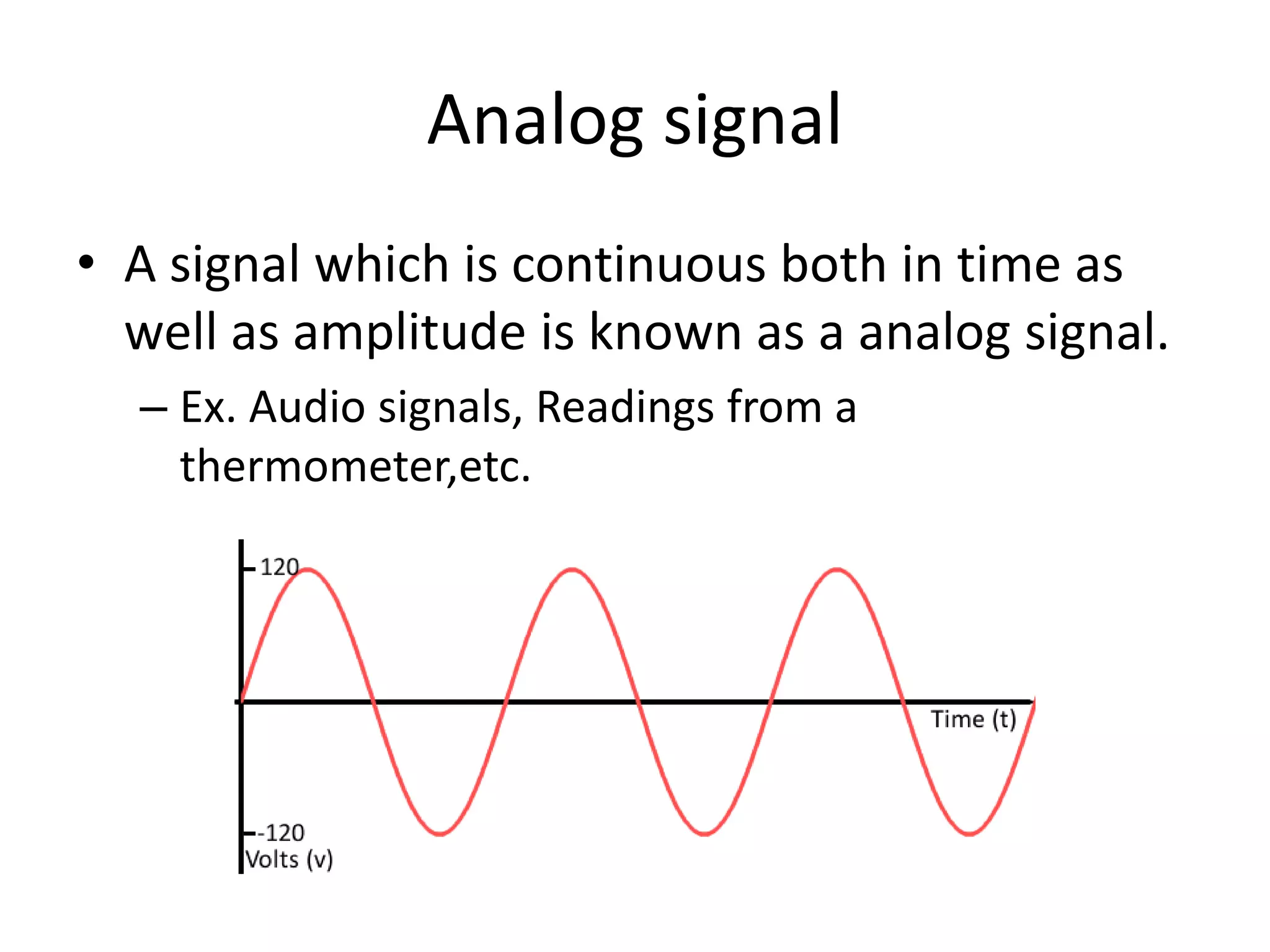
Analog signal • Asignal which is continuous both in time as well as amplitude is known as a analog signal. – Ex. Audio signals, Readings from a thermometer,etc.
4.
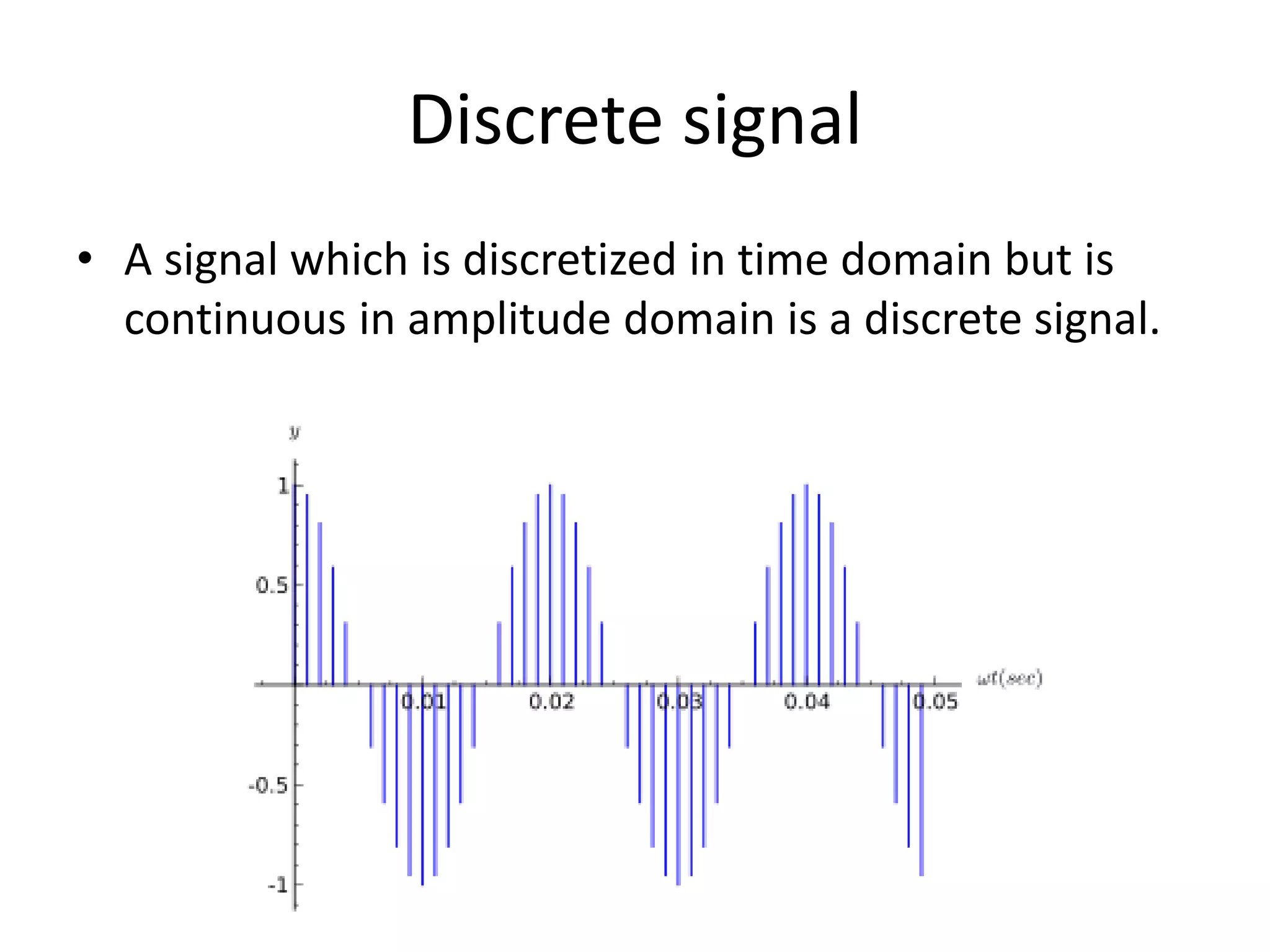
Discrete signal • Asignal which is discretized in time domain but is continuous in amplitude domain is a discrete signal.
5.
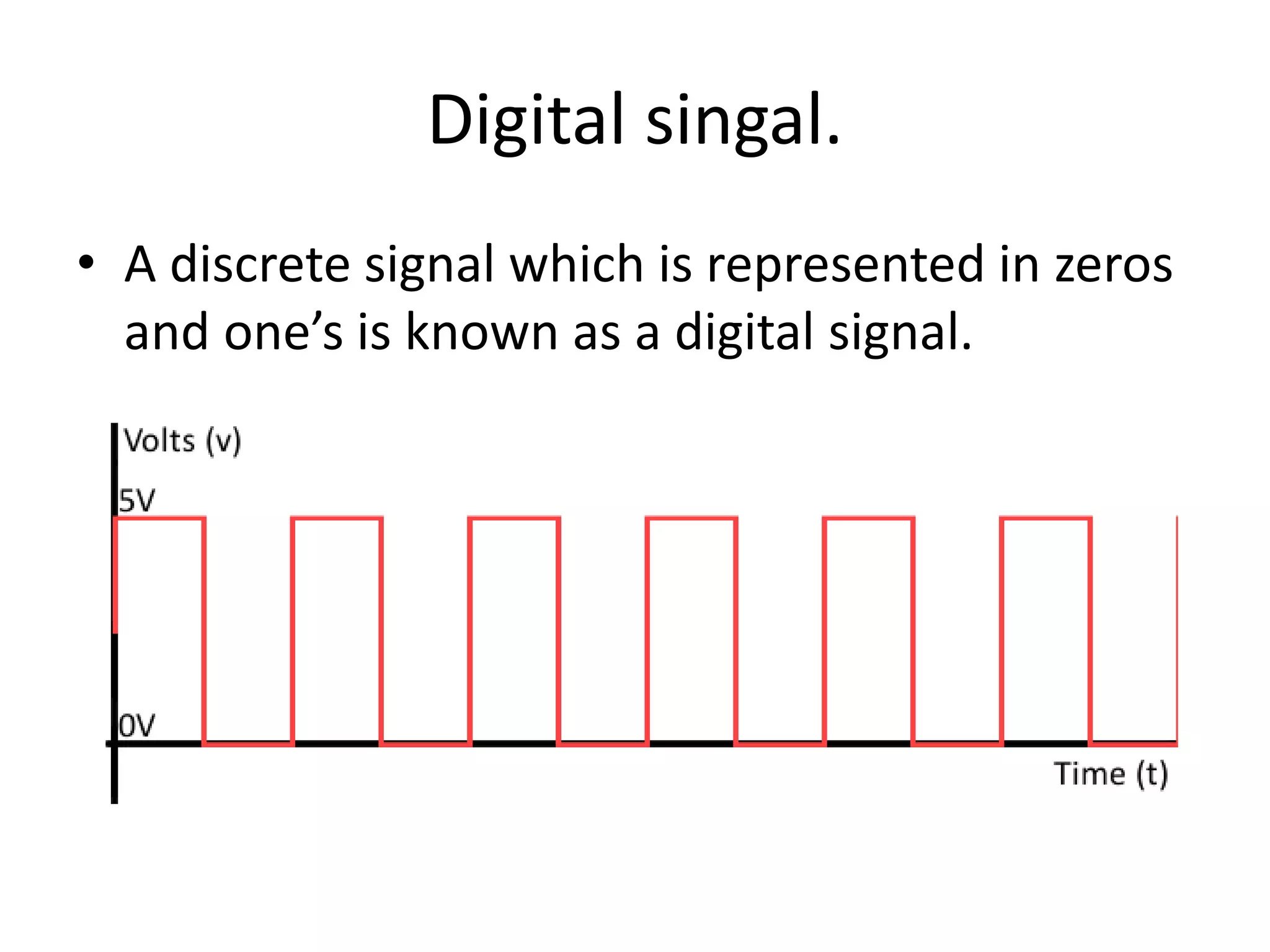
Digital singal. • Adiscrete signal which is represented in zeros and one’s is known as a digital signal.
6.
Introduction to arduino! •Arduino is a programmable device which is a mixture of both hardware and software • It consists of on board micro-controller and Memory(RAM && ROM). • Micro-controller used is ATMEGA 328p • We need to program this micro controller in order for it to perform certain tasks.
7.
• A micro-controllerunderstands only one’s and zeros, so we will have to write programs in high level language such as C and compile them into machine level language. • This program is then uploaded into the board for it to perform the required task • This programming is done using Arduino IDE. • A micro-controller has i/o ports and memory • The programs and data which are to be sent are stored in the memory. • Then data is transferred via the I/O ports
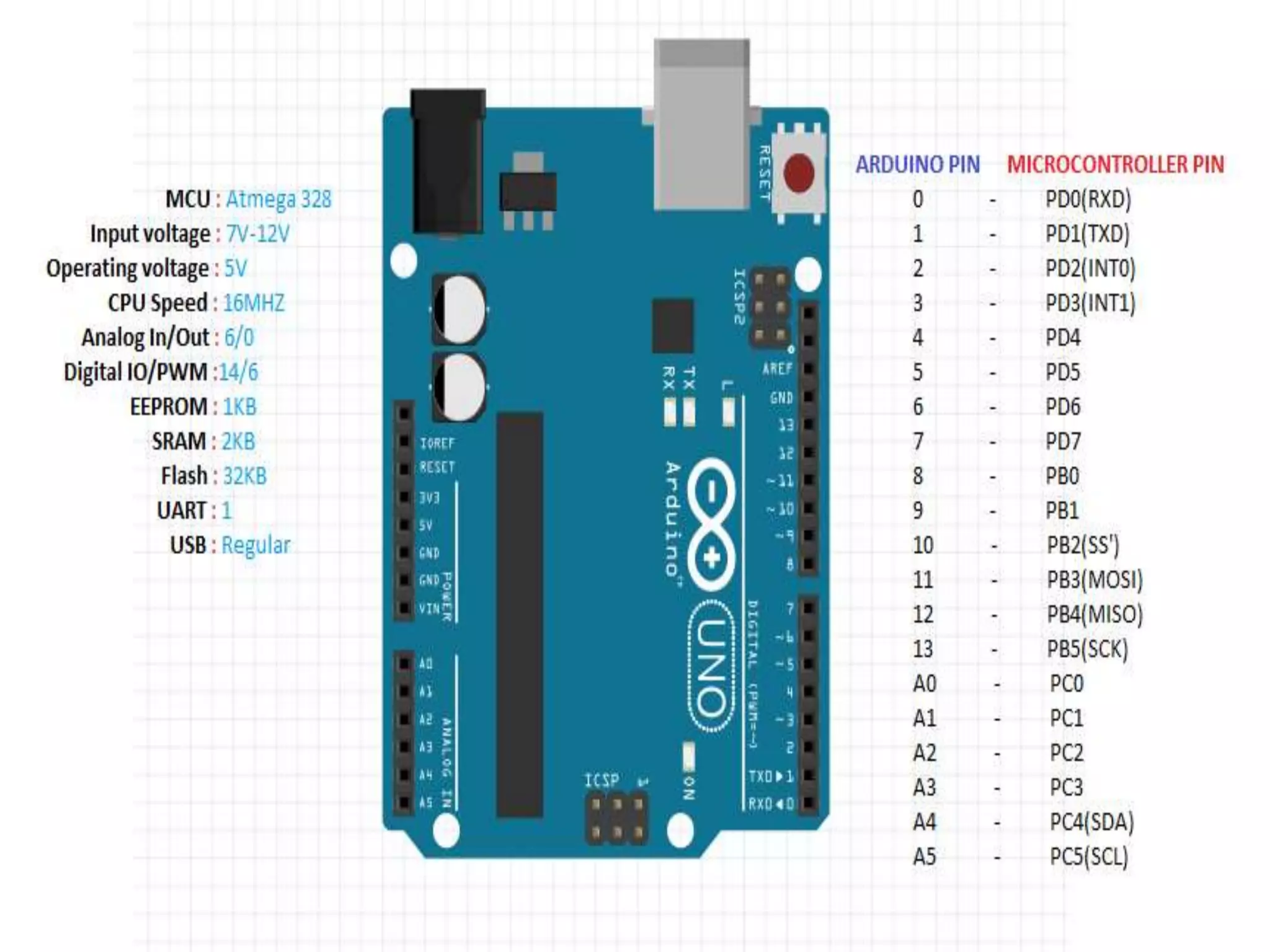
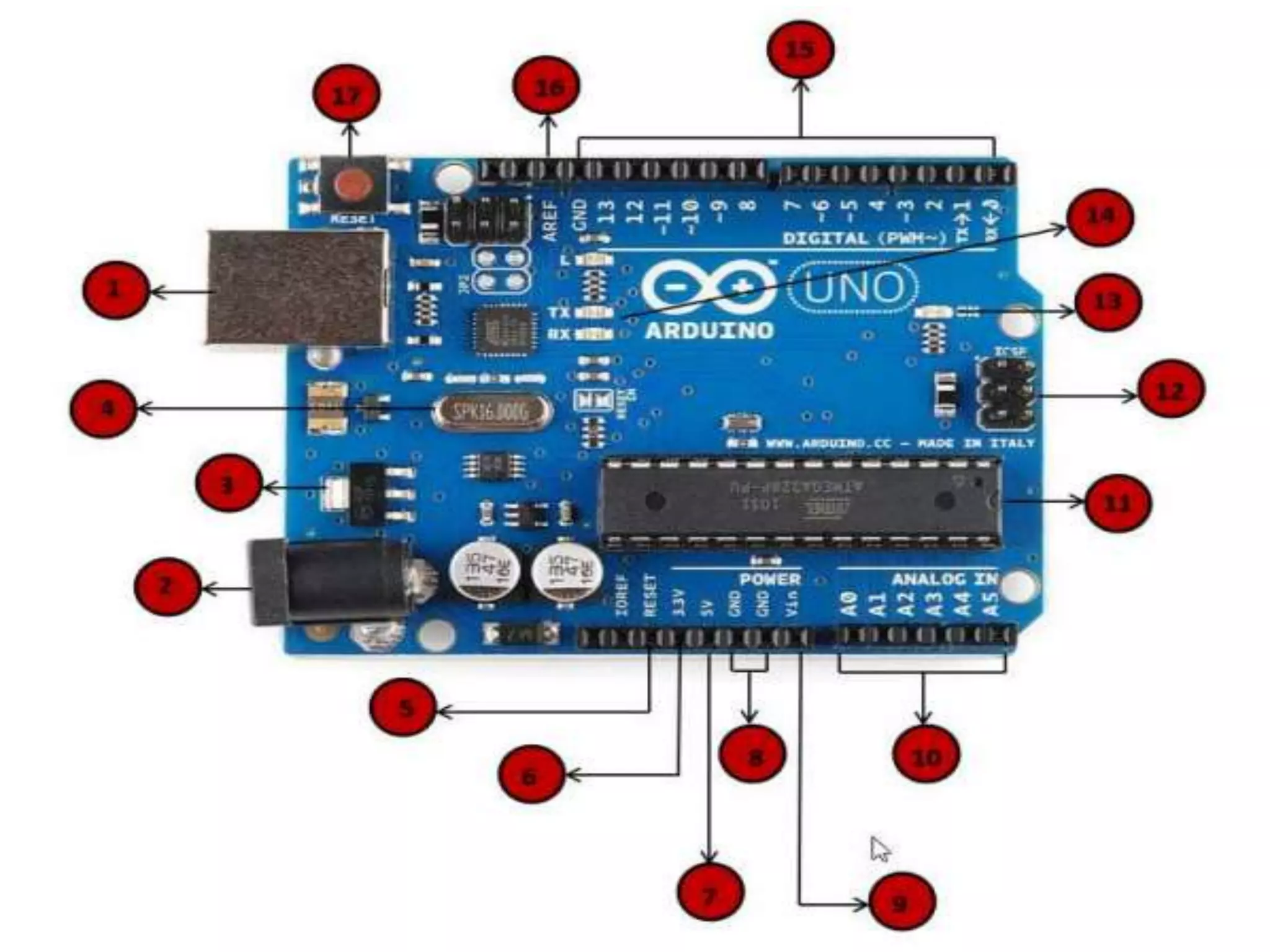
PIN LAYOUT OFARDUINO • Power pins • Your arduino requires power to run! • Power can be given to the arduino in 3 ways: – Using a Battery to coaxial connector. – Using a USB from a laptop – Using the Vin ports of the arduino(Should’nt exceed 7-12v).
12.
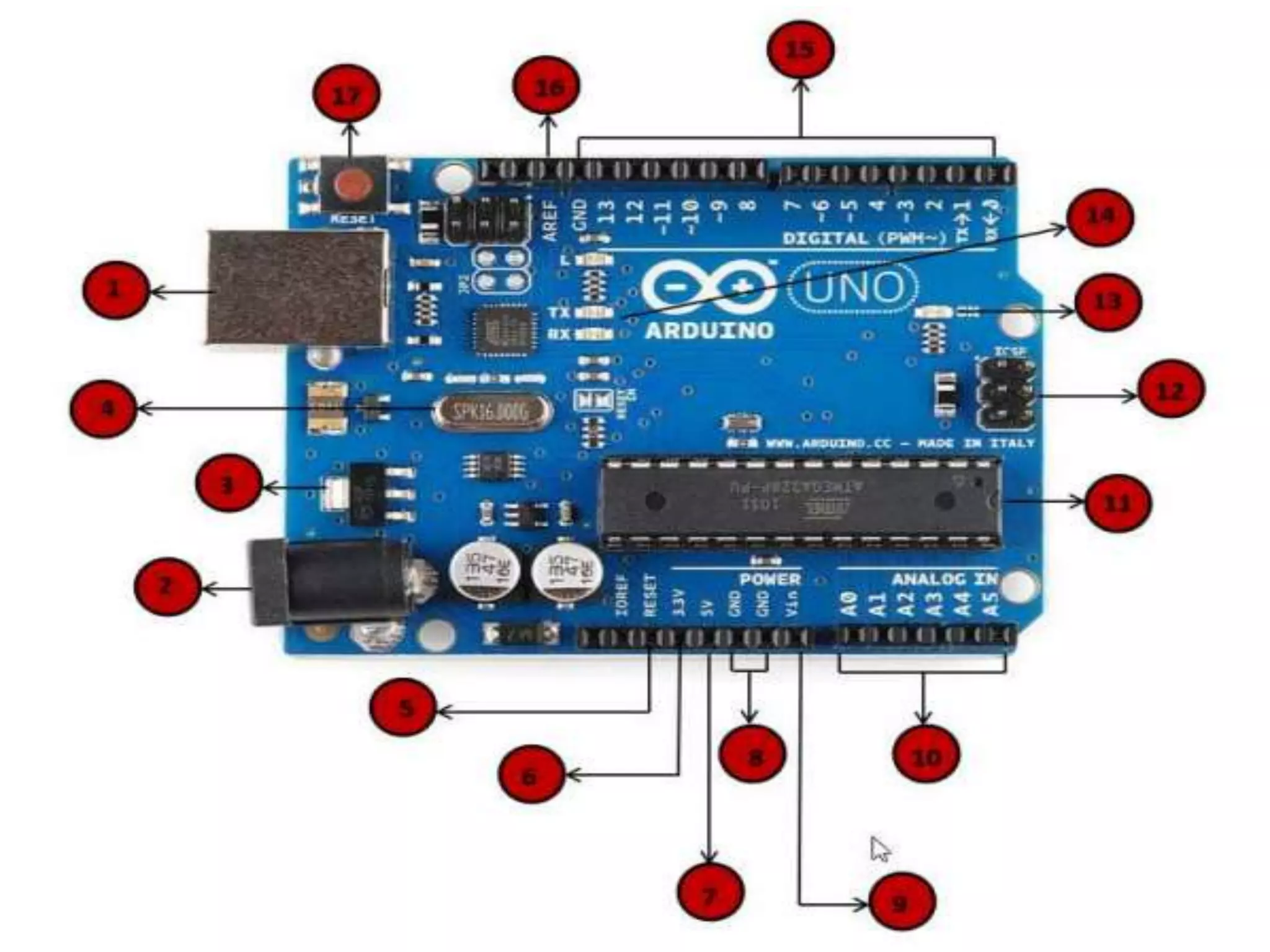
• The functionof the voltage regulator is to control the voltage given to the Arduino board and stabilize the DC voltages used by the processor and other elements. Voltage regulator
14.
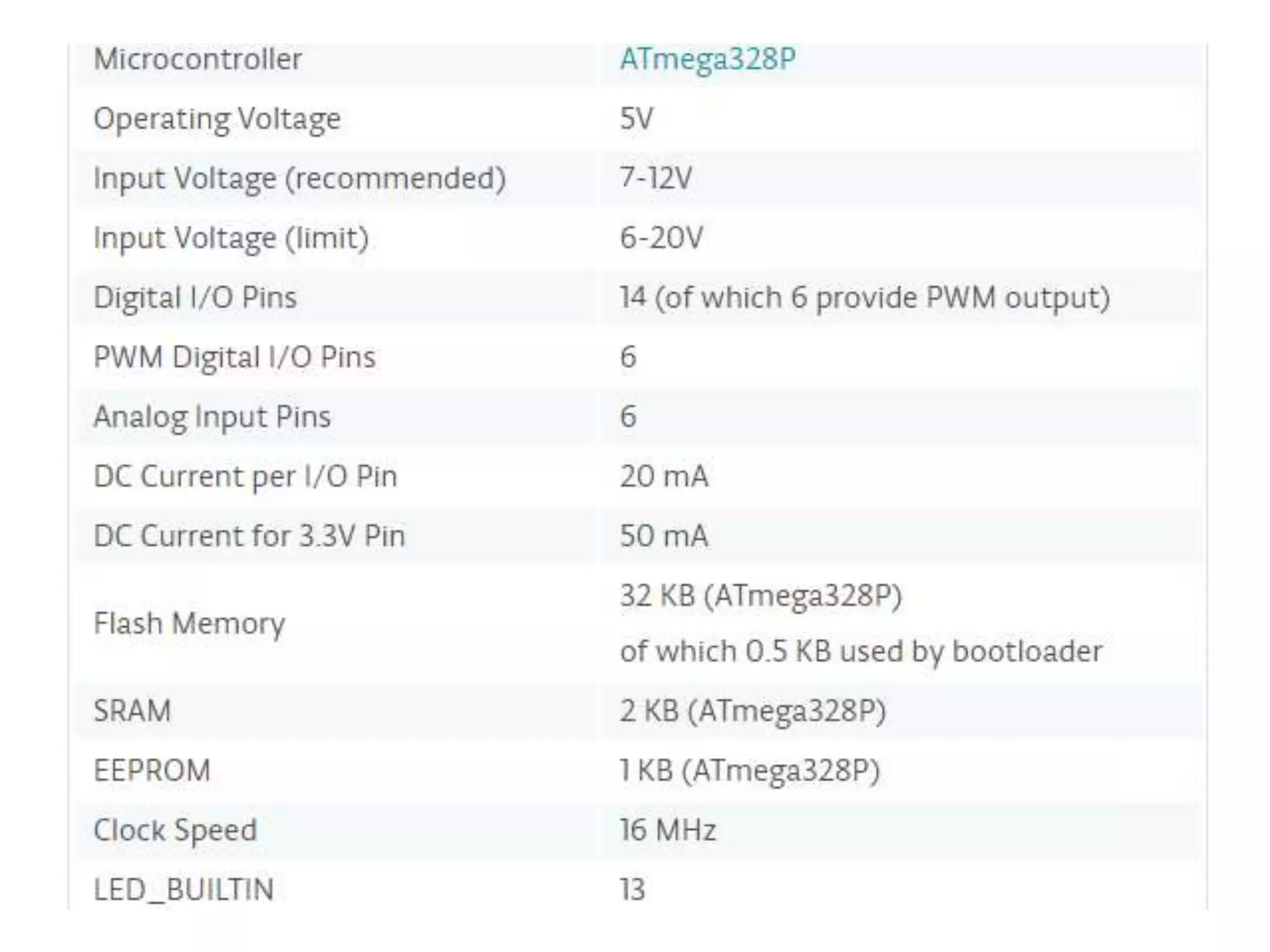
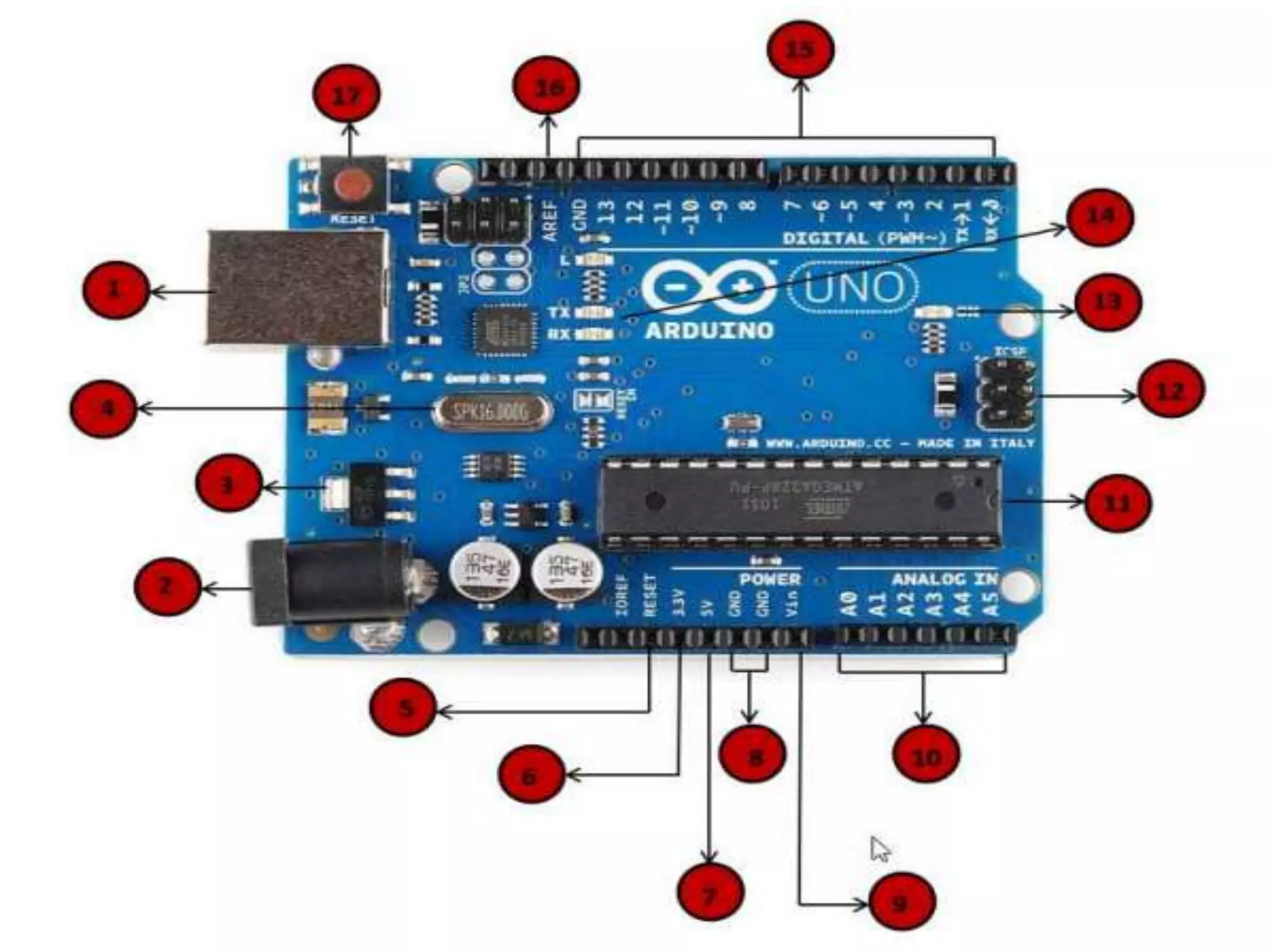
Power Output pins •5v – Gives 5v output at maximum current of ~400 MA. • 3.3v- Gives 3.3V output at a maximum current of 150 MA. • GND : It is taken as the reference point for all the voltages measured ie. Any voltage measured is compared to the voltage at this terminal.
16.
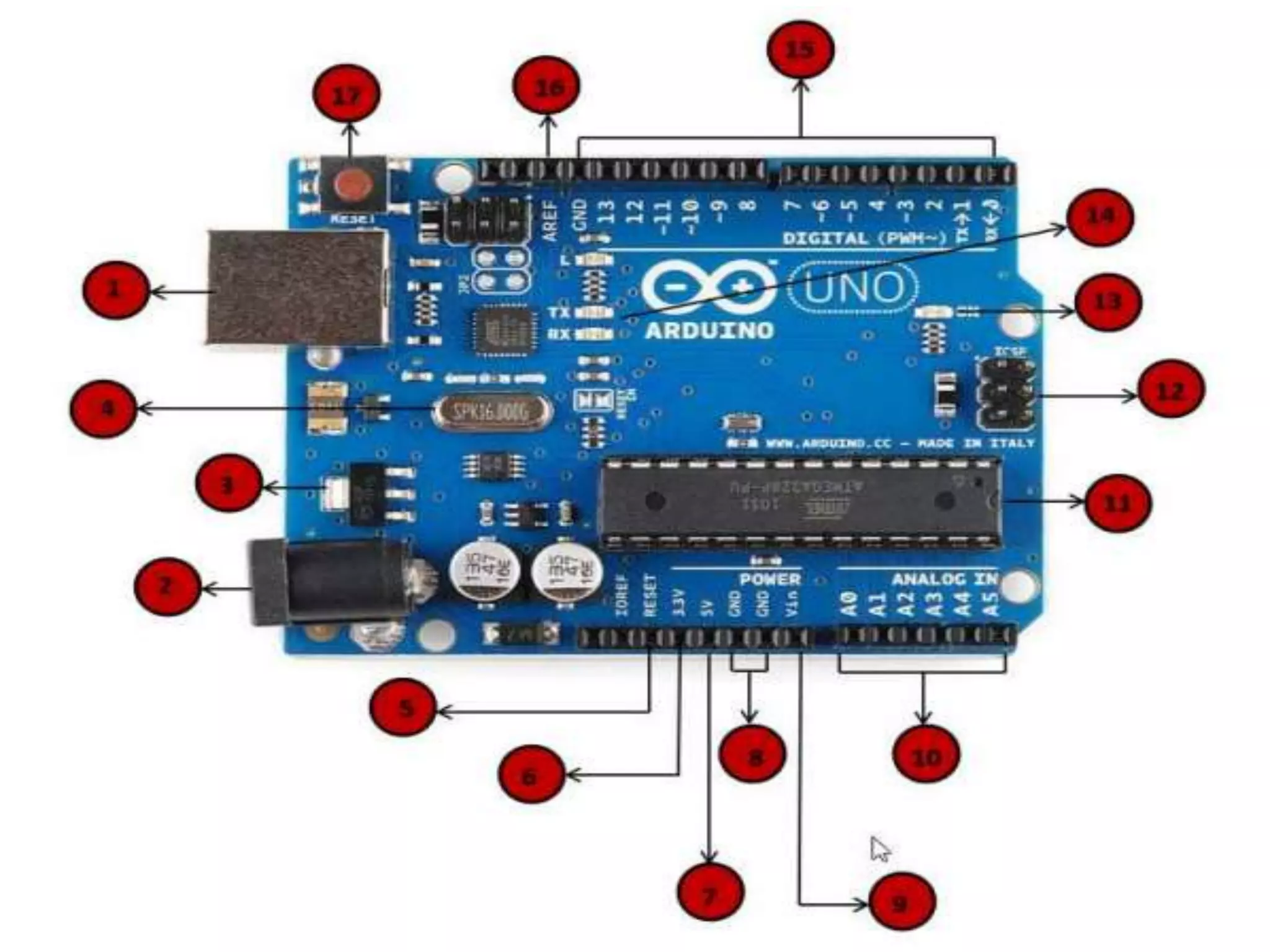
Analog pins(input) • TheArduino UNO board has five analog input pins A0 through A5. These pins can read the signal from an analog sensor like the humidity sensor or temperature sensor and convert it into a digital value that can be read by the microprocessor. They have a 10 bit ADC which converts the analog signal to digital signal. They can be used as digital pins if needed.
18.
Digital I/0 PINS •The Arduino UNO board has 14 digital I/O pins (of which 6 provide PWM (Pulse Width Modulation) output. These pins can be configured to work as input digital pins to read logic values (0 or 1) or as digital output pins to drive different modules like LEDs, relays, etc. The pins labeled “~” can be used to generate PWM.
19.
Tx/Rx (pin0and1) • Thesepins are used for serial communication with other modules such as bluetooth module and gsm module. • When data is transmitted serially Tx led will be flashing • When data is received serially Rx led will be flashing
20.
Special Pins • IOREF:Tells the user what voltage level is considered as logic high. In case of an arduino it will be 5v. • AREF: If we want the ADC of Analog pins to change the maximum voltage from 5v to less than 5v, we should give that voltage to this pin along with analogReference(Voltage) function.
21.
• RESET: Whena logic low pulse is sent at this pin the arduino resets, i.e. the program starts running from the start (similar to what happens when u first upload the sketch).